


TL;DR
You only need a handful of plugins to cover the jobs every business site depends on. Here are the ones I install first, sorted by the job they do.
- Design and pages: SeedProd builds landing pages, full themes, and coming soon pages without code.
- Forms: WPForms creates contact, order, and survey forms in minutes.
- SEO: All-in-One SEO handles titles, sitemaps, and schema in plain English.
- Analytics: MonsterInsights brings Google Analytics into your dashboard.
- Security: Sucuri adds a firewall and malware protection.
- Speed: WP Rocket speeds up load times with caching.
You open the WordPress plugin directory to add one thing, and you’re staring at tens of thousands of options. You’re not sure which few actually matter, and you’ve heard the wrong one can slow your site to a crawl or break it entirely.
Most plugin lists do not help. They’re written for the algorithm, not for you: bloated, padded with tools you’ll never touch, and rarely tested by the person writing them.
I’ve worked on business sites for clients for years, and you end up installing the same short list of best WordPress plugins on almost every one.
This is that short list. Every plugin here I’ve installed, tested, or used on real sites, grouped by the job it does so you can find your category and jump in.
What Are the Best WordPress Plugins Every Website Needs?
The best WordPress plugins for a business website are SeedProd for design, WPForms for forms, All-in-One SEO for search, MonsterInsights for analytics, a caching plugin like WP Rocket for speed, and a security plugin like Sucuri for protection. Those six cover the jobs every site depends on, and you add more as your needs grow.
Here’s a quick comparison of the essential picks, then how I tested them, a short primer if plugins are new to you, and the full list by category.
| Plugin | Pricing | Free Plan | Best For |
|---|---|---|---|
| SeedProd | From $79/yr | Yes | Design and landing pages |
| WPForms | From $39.50/yr | Yes | Contact and other forms |
| All-in-One SEO | From $49.50/yr | Yes | SEO |
| MonsterInsights | From $99.60/yr | Yes | Analytics |
| OptinMonster | From $9/mo | No | Lead generation |
| SearchWP | From $99/yr | No | Site search |
| WP Mail SMTP | From $49/yr | Yes | Email deliverability |
| Duplicator | From $49.50/yr | Yes | Backups |
| WP Rocket | From $59/yr | No | Speed and caching |
| Sucuri | From $199.99/yr | Yes | Security |
| WPCode | From $49/yr | Yes | Code snippets |
How I Tested the Best WordPress Plugins
I’ll be straight about how I judged these, because I didn’t test all of them the same way. The ones I install on every site, I use week in and week out, so I know where they shine and where they get on my nerves.
A few I set up fresh in a WordPress lab to check a specific claim. And a couple I know from years around the WordPress ecosystem rather than daily use, which I’ve said plainly in those entries.
Whichever bucket a plugin fell into, I judged it on the same four things:
- Does it do its one job well, without trying to be everything?
- Is it light enough that it won’t drag your load times down?
- Can a beginner set it up without a developer?
- Is the team behind it active, so it stays safe and updated?
I also checked something I hadn’t before: whether each plugin genuinely works with an AI assistant, not just whether the vendor prints “AI” on the box. In my lab I could have an AI set a post’s SEO, build a form, or flip a coming soon page live, and I’ve only flagged that on the entries where I confirmed it hands-on.
WordPress Plugins, Explained
If you’ve never installed a plugin before, this section answers the questions readers ask me most before they pick one. Skip ahead to the picks if you already know the basics.
What Is a WordPress Plugin?
A WordPress plugin is a small piece of software you add to your site to give it a new feature. For instance it lets you add a contact form, connect Google Analytics, or speed up your pages, without writing code. Think of plugins the way you think of apps on your phone: each one does a specific job.
Free vs Paid WordPress Plugins: Which Do You Need?
You can build a solid site on free plugins alone. Most of the tools here have a free version on WordPress.org that covers the basics.
You pay when you want the advanced features, the priority support, and the regular updates that keep a plugin safe to run. For anything your business depends on, like backups, security, or forms that handle payments, the paid version is usually worth it.
How Many WordPress Plugins Should You Install?
There’s no magic number. A typical WordPress site runs somewhere between 15 and 20 active plugins, and that’s fine as long as each one is well coded and earns its place.
Two rules keep you out of trouble:
Don’t run two plugins that do the same job, and remove anything you have stopped using. Speed problems usually come from one poorly built plugin, not from the count itself, so pair your plugins with a caching plugin and keep an eye on load times.
WordPress Plugin vs Theme: What’s the Difference?
A theme controls how your site looks, and a plugin controls what your site does. Your theme sets the layout, fonts, and colors, while a plugin adds a specific function like a form, an SEO toolkit, or a backup schedule. You run one theme at a time, but you run many plugins together.
How Do You Install a WordPress Plugin?
For a free plugin, go to Plugins then Add New in your WordPress dashboard, search for the plugin by name, click Install Now, then Activate. That is it.
For a paid plugin, download the ZIP file from your account, then go to Plugins then Add New then Upload Plugin, choose the file, install, activate, and paste in your license key. Only install plugins from the official directory or the developer’s own site so you know the code is safe.
Essential WordPress Plugins for Every Website
These are the plugins that earn a spot on every site I build, because they cover the jobs a business site cannot run without: design, forms, SEO, analytics, speed, and security. When you look at a tool in this tier, check that it’s beginner-friendly, well supported, and light enough not to slow your pages.
- 1. SeedProd: Best WordPress Landing Page Plugin
- 2. WPForms: The Best WordPress Form Builder
- 3. All-in-One SEO: Best WordPress SEO Plugin
- 4. MonsterInsights: Best Google Analytics Plugin for WordPress
- 5. OptinMonster: Best Lead Generation Plugin for WordPress
- 6. SearchWP: Best WordPress Search Plugin
- 7. WP Mail SMTP: Best for WordPress Email Deliverability
- 8. Duplicator: Essential WordPress Backup Plugin
- 9. WP Rocket: Best WordPress Caching Plugin
- 10. Sucuri: Essential WordPress Security for Complete Protection
- 11. WPCode: Best WordPress Code Snippets Plugin
- Highly Recommended WordPress Plugins
- Bonus "Must-Have" WordPress Plugins
1. SeedProd: Best WordPress Landing Page Plugin

| Pricing | From $79/yr |
| Free Plan | Yes |
| Standout Features | Drag-and-drop builder / Theme Builder / coming soon and maintenance mode / 350+ templates |
| Best For | Design and landing pages |
SeedProd is a drag-and-drop WordPress website builder. It lets you build landing pages, homepages, blog pages, and even a full custom WordPress theme without touching code.
There are over 350 responsive theme and landing page templates to choose from, covering the pages most business sites need: sales pages, coming soon pages, maintenance pages, and 404 pages. Full Website Kits, which give you a complete matching design, are available on the Plus plan and higher.
The visual front-end editor is where SeedProd earns its place. You drag any element onto the page, customize it with blocks and sections, and see every change live, so building a page feels closer to arranging furniture than writing code.

With the Theme Builder, available on the Plus, Pro, and Elite plans, you can build individual theme parts like headers, footers, and archive pages and style them to match. You can also collect leads while your site is under construction using the powerful access controls.
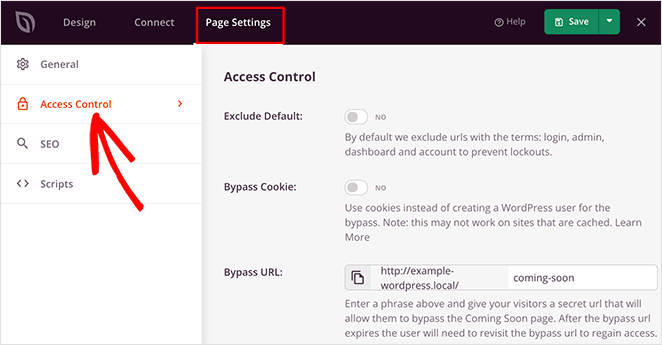
Your site hides its navigation when you create a coming soon page or turn on maintenance mode, yet you can still log in through the WordPress login URL to keep working. You can also hand a client a bypass URL so they preview the real site instead of the coming soon page. Best of all, SeedProd is bloat-free, so it won’t drag down your page load times.
SeedProd now works with AI assistants too. It registers 6 abilities that let an AI assistant toggle coming soon or maintenance mode and save your pages. In my lab I flipped a coming soon page live through an AI assistant and toggled it back, all without opening the builder.
Premium WordPress Plugin: Paid versions of SeedProd start from $79 per year.
Free WordPress Plugin: You can create a simple landing page with the free version of SeedProd.
In my opinion, SeedProd is a must-have WordPress plugin for every website.
Why I Chose It: I chose SeedProd as the best WordPress plugin for design because it makes building and customizing a site effortless. You import a template and customize it yourself, without hiring a developer.
Alternatives: Thrive Architect, Beaver Builder, Elementor, and Divi are good alternatives to SeedProd’s drag-and-drop builder. CSS Hero is also a great solution for customizing your WordPress theme.
2. WPForms: The Best WordPress Form Builder
| Pricing | From $39.50/yr |
| Free Plan | Yes |
| Standout Features | Drag-and-drop builder / conditional logic / conversational forms / AI form creation |
| Best For | Contact and other forms |
WPForms is the best WordPress contact form plugin, making it easy for visitors to get in touch with your business. With over 6 million websites using it and a consistent 4.9 out of 5-star rating, it’s one of the most used WordPress plugins on the market.
The drag-and-drop form builder lets you build almost any type of form: GDPR-compliant contact forms, user registration forms, order forms, payment forms, survey forms, and file upload forms.
WPForms connects with popular email marketing and payment platforms, so you can build a working form in about five minutes. With conditional logic and conversational forms, you can collect more targeted information and make your forms friendlier to fill in.
WPForms also added AI support in version 1.10.2. An AI assistant can create a form and add fields for you, though the write access stays off by default until you turn it on under WPForms then Tools then AI/MCP. I built a form through an AI assistant in my lab this way.
Why not read this in-depth WPForms review for the full details?
Premium WordPress Plugin: Premium versions of WPForms start from $39.50 per year.
Free WordPress Plugin: You can get WPForms Lite for free if you want a simple solution that does not cost a thing.
Why I Chose It: I picked WPForms as the best WordPress plugin for beginners because it is genuinely easy to use and has everything you need to build forms without any hassle.
Alternative: Formidable Forms is a powerful alternative to WPForms.
3. All-in-One SEO: Best WordPress SEO Plugin
| Pricing | From $49.50/yr |
| Free Plan | Yes |
| Standout Features | On-page optimization / smart sitemaps / schema support / AI abilities |
| Best For | SEO |
Search engine optimization helps you attract more visitors from search engines. WordPress is SEO-friendly out of the box, but there’s still plenty you can do with an SEO plugin to grow your traffic.
All-in-One SEO is the best WordPress SEO plugin on the market. It has the features you need to optimize your content for search, and it explains each option in plain English so non-technical users can follow along.
You can handle on-page optimization by adding meta titles, meta descriptions, and keywords, and with the SEMRush integration you can find extra keywords to rank for. It also includes SEO support for WooCommerce and a tool to redirect broken links.
Smart sitemaps tell search engines when your URLs change, and schema support helps your content appear in featured Google snippets, so it is more visible and more clickable.
All-in-One SEO now works with AI assistants too. It registers 13 AI abilities, and in my lab an AI assistant read and updated a post’s title, meta description, and focus keyphrase and managed the robots rules end to end, which I confirmed in the database. In practice, that means you can have an AI assistant set your SEO for you, not just suggest it.
Premium WordPress Plugin: Paid versions of AIOSEO start from $49.50 per year.
Free WordPress Plugin: You can get the core optimization features with the free version of All-in-One SEO.
Why I Chose It: I use AIOSEO on the sites I run, and its checklist is what keeps me honest, flagging the missing meta description or the thin title before the post goes live. It turns SEO from a guessing game into a set of clear boxes to tick.
Alternative: Yoast SEO is a popular AIOSEO alternative.
4. MonsterInsights: Best Google Analytics Plugin for WordPress
| Pricing | From $99.60/yr |
| Free Plan | Yes |
| Standout Features | In-dashboard analytics / traffic and behavior stats / eCommerce tracking |
| Best For | Analytics |
MonsterInsights is the best WordPress Google Analytics plugin. It connects your site to Google Analytics and shows who visits and how they behave, right inside your WordPress dashboard.
That means you see the data that matters at a glance, without wrestling with Google’s often confusing analytics interface. You can then use that data to grow traffic, leads, and sales, and even set up eCommerce tracking for your store.
Premium WordPress Plugin: Paid versions of MonsterInsights start from $99.60 per year.
Free WordPress Plugin: MonsterInsights has a free version for users who want to try it out.
What I actually use it for: The report I open every week is the top-posts view, right there in the dashboard. It means I can see what’s pulling traffic without logging into Google Analytics and clicking through five menus to find it.
5. OptinMonster: Best Lead Generation Plugin for WordPress

| Pricing | From $9/mo |
| Free Plan | No |
| Standout Features | Drag-and-drop campaigns / exit-intent popups / advanced targeting |
| Best For | Lead generation |
OptinMonster is the best WordPress lead generation plugin. It helps you collect email addresses with popups, notification bars, and many other campaign types.
Whether you run a blog, a small business, or an online store, it is a strong pick for increasing your leads. The drag-and-drop builder lets you create optin forms without code, and there are plenty of campaign templates to start from.
It also includes advanced targeting, so you can personalize campaigns by location and schedule them for specific times, and its exit-intent technology catches visitors right as they leave.
With OptinMonster you can connect to popular email marketing services to grow your list, and a handy WordPress plugin makes adding campaigns to your site easier.
Premium WordPress Plugin: Paid versions of OptinMonster start from $9 per month, making it one of the best cheap WordPress plugins.
Free WordPress Plugin: There is a free OptinMonster plugin, but you need a premium account to use it.
For more, see my guide to the best WordPress popup plugins.
Where it earns its place: Exit-intent is the feature worth paying for. It holds the popup back until someone’s cursor moves to close the tab, so you make your one offer at the moment they’re leaving instead of interrupting them mid-read.
Alternative: Thrive Leads is another strong OptinMonster alternative for WordPress.
6. SearchWP: Best WordPress Search Plugin

| Pricing | From $99/yr |
| Free Plan | No |
| Standout Features | Live Ajax search / eCommerce search / custom search weights |
| Best For | Site search |
SearchWP is the best site search plugin for WordPress. It lets you customize the default WordPress search and build custom search engines without code.
Better site search shows visitors the most relevant results, which makes your content easier to find and can increase sales.
The most useful SearchWP features are:
- Instant live Ajax search
- Optimized eCommerce search
- Custom search weights and algorithms
- Include or exclude specific results
- Detailed support and documentation
SearchWP is beginner-friendly and easy to set up, and it integrates with major WordPress and eCommerce plugins.
Premium WordPress Plugin: Paid versions of SearchWP start from $99 per year.
Free WordPress Plugin: SearchWP does not currently have a free version.
Who actually needs it: SearchWP matters most on big content sites and stores, where the built-in WordPress search quietly misses text in custom fields and product details. If your site is small, the default search is probably fine, and I wouldn’t add this just to have it.
7. WP Mail SMTP: Best for WordPress Email Deliverability
| Pricing | From $49/yr |
| Free Plan | Yes |
| Standout Features | Fixes email delivery / API authentication / many SMTP providers |
| Best For | Email deliverability |
WP Mail SMTP is an excellent WordPress SMTP plugin if you run into mail delivery problems with your default mail service.
The point of WP Mail SMTP is to make WordPress emails actually arrive. It reconfigures the wp_mail() PHP function to use a proper SMTP provider, and it sends through the provider’s direct API authentication, so your emails go out even if your host blocks SMTP ports.
The plugin supports a range of SMTP providers:
- Zoho Mail
- Brevo (formerly Sendinblue) SMTP
- Mailgun
- SendGrid
- Gmail SMTP
- Microsoft SMTP (Outlook.com and Office 365) [Pro]
- Amazon SES SMTP [Pro]
- All Other SMTP
Premium WordPress Plugin: You can unlock advanced features with the Pro version of WP Mail SMTP starting from $49 per year.
Free WordPress Plugin: You can download a basic free version of WP Mail SMTP.
Why it’s on every build: The reason is boring but real. Without an SMTP plugin, WordPress emails like form notifications and password resets quietly land in spam or never send, and you only find out when someone asks why they never heard back. I set it up once and stop worrying about it.
8. Duplicator: Essential WordPress Backup Plugin
| Pricing | From $49.50/yr |
| Free Plan | Yes |
| Standout Features | Automatic backups / cloud storage / one-click restore and migration |
| Best For | Backups |
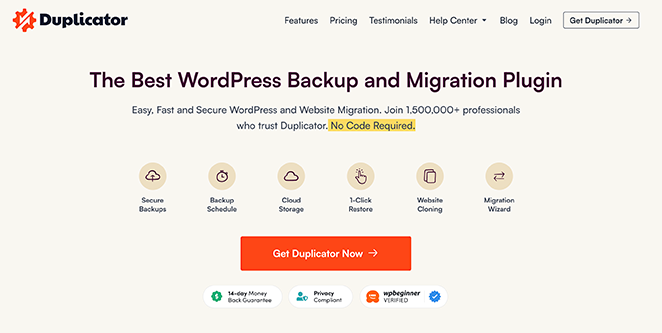
Backups are the least exciting plugin on this list and the one you’ll be most grateful for. Duplicator is the best WordPress backup plugin for the job, backing up your site and putting it back if something goes wrong, without you having to think about it.
You can back up your data to cloud storage like Dropbox, Google Drive, Amazon S3, One Drive, and FTP. Duplicator also lets you schedule automatic backups so you never have to remember to run one by hand.
It is fast too, so backing up a large site doesn’t grind everything to a halt while it runs.
Premium WordPress Plugin: The paid plan starts from $49.50 per year and includes multisite support, hourly scheduling, media-only backups, and more.
Free WordPress Plugin: You can get Duplicator for free, and it will work just fine.
The part that matters: I run the Pro version for scheduled backups, but the real test is the restore, not the backup. The day something breaks, I want the whole site back in a few clicks, not a folder of files to piece together by hand.
Alternatives: You might also like UpdraftPlus, BackupBuddy, and VaultPress (Jetpack Backups) as alternative backup solutions.
9. WP Rocket: Best WordPress Caching Plugin
| Pricing | From $59/yr |
| Free Plan | No |
| Standout Features | Page caching / lazy loading / minification / free Imagify optimization |
| Best For | Speed and caching |
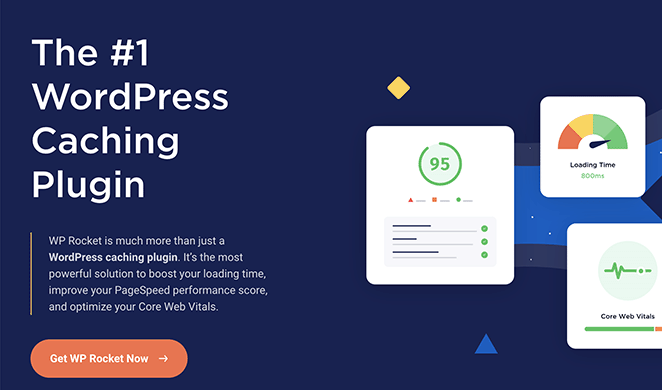
WP Rocket is the best WordPress caching and optimization plugin. It improves your site’s performance instantly, with no technical experience needed.
You can turn on recommended caching settings, including page cache, cache preloading, and Gzip compression, plus lazy loading for images, CDN support, and minification. Rather than waiting for someone to request a page, WP Rocket crawls and caches your site automatically.
Speed isn’t an abstract nicety, it’s the gap between a visitor who waits and one who leaves. When I measured a landing page with GTmetrix, a bloat-free build loaded in 556ms with 16 requests, while a heavier builder took 1,882ms with 32 requests. A caching plugin like WP Rocket protects that speed as your site grows.
Even better, WP Rocket includes Imagify, its image optimization tool, for free, so your website and media library images get optimized too.
Premium WordPress Plugin: Pricing starts from $59 per year.
Free WordPress Plugin: No free version.
Why I Chose It: I chose WP Rocket as the best WordPress plugin for speed because it optimizes your site for faster loading without any complex settings.
Alternatives: Some other popular optimization plugins are SiteGround Optimizer, W3 Total Cache, and WP Super Cache.
10. Sucuri: Essential WordPress Security for Complete Protection

| Pricing | From $199.99/yr |
| Free Plan | Yes (scanner) |
| Standout Features | Web application firewall / malware and DDoS protection / scheduled backups |
| Best For | Security |
Sucuri is one of the best WordPress security plugins. On top of standard security, it offers a web application firewall, which is some of the strongest protection you can put in front of your site.
Sucuri monitors and protects your site from DDoS attacks, malware, brute force attempts, and almost every other threat. There is also a blacklist status checker to catch and clear problems.
It does more than defend, too. It lets you check site performance and optimize it for speed, and you can schedule site backups to avoid data loss.
Premium WordPress Plugin: Pricing starts from $199.99 per year.
Free WordPress Plugin: You can also get Sucuri Security for free with limited features.
Why it’s worth it: Security is the one job I don’t improvise on. Sucuri’s real draw is the firewall that blocks bad traffic before it reaches your site, plus the cleanup service if you ever do get hacked. The free scanner is a fine starting point, but the firewall is what you’re paying for.
Alternative: Wordfence is a popular Sucuri alternative for WordPress.
11. WPCode: Best WordPress Code Snippets Plugin
| Pricing | From $49/yr |
| Free Plan | Yes |
| Standout Features | Safe snippet management / snippet library / read-only AI abilities |
| Best For | Code snippets |
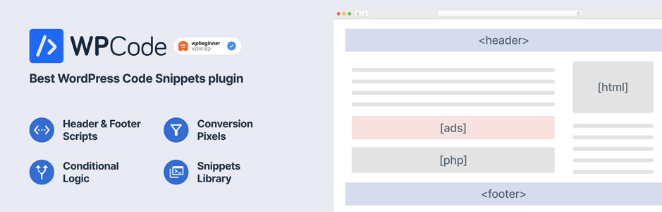
If you run a WordPress site, you sometimes need to add code snippets for verification or ad retargeting. WPCode (formerly Insert Headers and Footers) is the best WordPress plugin for code snippets, giving you a safe and easy way to manage your code.
You can insert custom PHP, JavaScript, CSS, HTML, and text, with a built-in library of common WordPress snippets to draw from. WPCode gives you one place to manage every snippet, organized with tags, and the Pro version adds version control, device-specific targeting, and integrations with plugins like WooCommerce.
WPCode also exposes 5 read-only AI abilities, so an AI assistant can list your snippets, detect snippet errors, read your error logs, and search the snippet library. In my lab that made it a useful way to audit snippets, but be aware of the limit: it cannot create or run a snippet through AI yet.
Premium WordPress Plugin: The premium version starts from $49 per year.
Free WordPress Plugin: You can also download WPCode for free.
What changed for me: Before WPCode, I’d paste snippets into the theme’s functions.php and then forget which one did what. Now they sit in one labeled list, and when something breaks I can flip a single snippet off instead of digging through code.
Skip the comparison
Build your pages with the design pick that topped this list
SeedProd handles design, landing pages, and coming soon mode in one bloat-free plugin, with 350+ templates and no code. It is the first plugin I install on every site.
I want to start buildingHighly Recommended WordPress Plugins
These plugins are not strictly essential, but they earn their place once you want to grow: bigger email lists, more engagement, smoother workflows. Look for tools that fit a job you actually have, rather than adding one because it sounds useful.
PushEngage: Best for Push Notifications
| Pricing | From $9/mo |
| Free Plan | Yes |
| Standout Features | Web, app, and WhatsApp push / A/B testing / segmentation |
| Best For | Push notifications |
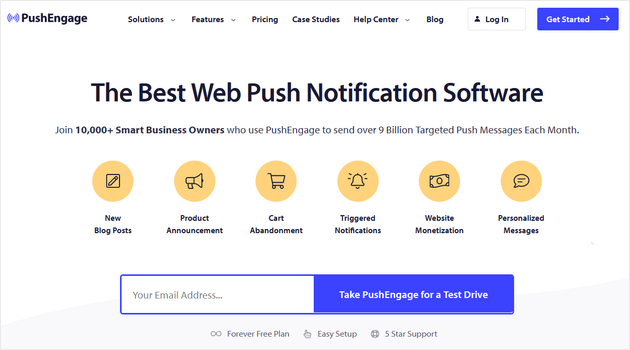
PushEngage is the best multi-channel engagement platform for your WordPress site. It lets you send messages and announcements to visitors even when they are not on your site, using browser push notifications to bring subscribers back.
It packs in useful features like A/B testing, user segmentation, optin reminders, goal tracking, and notification analytics. It also works with most platforms, including WordPress, Shopify, and BigCommerce.
eCommerce sites can trigger notifications for cart abandonment and price drops, and publishers can push new blog post alerts to subscribers. PushEngage also never sells your data, unlike many providers, and it is not just web push: you can send app and WhatsApp notifications too.
Premium WordPress Plugin: Premium plans start from $9 per month, making it one of the cheaper premium options.
Free WordPress Plugin: You can get started with PushEngage for free.
Alternative: OneSignal is another strong push notification solution.
Why I Chose It: I chose PushEngage as the best WordPress plugin for push notifications because it makes sending messages to your visitors simple and keeps them engaged without any hassle.
Constant Contact: Email Marketing Made Easy

| Pricing | From $12/mo |
| Free Plan | Free trial |
| Standout Features | Customizable templates / industry content ideas / lead-gen integrations |
| Best For | Email marketing |
Constant Contact is one of the best email marketing services for small businesses. It connects your site to your email list so you can collect addresses quickly.
With plenty of customizable templates, you can get started fast. Based on the industry you pick when you sign up, you also get custom content and promotion ideas to guide your marketing. It has a large resource library and connects with popular lead-generation tools.
Price: There is a free trial, and pricing starts from around $12 per month.
Why I Chose It: Constant Contact stands out for email marketing because it gives you a simple, effective way to create and send emails, with reliable performance and friendly features.
Alternatives: HubSpot, Omnisend, Mailchimp, Brevo, and ConvertKit.
RafflePress: Best WordPress Giveaway Plugin

| Pricing | From $39.50/yr |
| Free Plan | Yes |
| Standout Features | Drag-and-drop contest builder / viral refer-a-friend / social integrations |
| Best For | Giveaways and contests |
RafflePress is the best giveaway plugin for WordPress. It is packed with features to help you grow your email list, social following, and traffic through viral giveaways and contests.
The visual drag-and-drop builder makes designing your contest quick and code-free, and the giveaway templates help you launch in minutes. To spread the word, you can use the viral refer-a-friend feature and social integrations for Facebook, Instagram, YouTube, LinkedIn, TikTok, and X.
Entrants can also join by taking actions like:
- Subscribing to your podcast
- Following you on Twitch
- Submitting a photo
- Leaving a blog comment
- Joining an email newsletter
- Answering a question
- Visiting a page
RafflePress includes settings to fine-tune your giveaway. You can generate rules from a template, let users log in with their social accounts, require email verification, and turn on reCAPTCHA to block spam.
Premium WordPress Plugin: Premium versions of RafflePress start from $39.50 per year.
Free WordPress Plugin: There is a free version of RafflePress with everything you need to run a basic giveaway.
Why I Chose It: I chose RafflePress for how well it helps you generate leads and grow brand awareness with engaging giveaways. It is easy to use and takes minutes to set up without code.
Smash Balloon: Best Social Media Feeds Plugin
| Pricing | From $49/yr |
| Free Plan | Yes |
| Standout Features | Facebook, Instagram, X, YouTube feeds / social wall / reviews feed |
| Best For | Social media feeds |
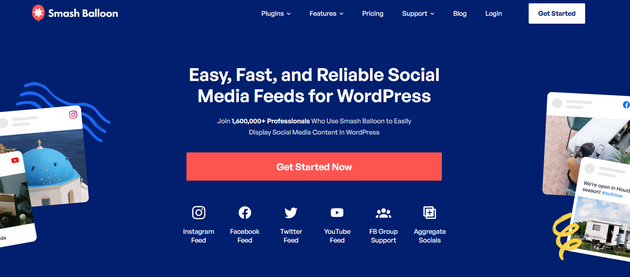
Smash Balloon is the best suite of social media plugins for WordPress. It includes individual plugins for building custom social feeds and covers the major networks:
- Custom Facebook Feed: adds your Facebook updates to your site automatically.
- Instagram Feed: keeps your site fresh with your latest Instagram posts.
- Custom X Feeds: embeds your posts so followers can interact right on your site.
- Feeds for YouTube: pushes new YouTube content straight to your site.
- Social Wall: combines all your channels into a single wall.
- Reviews Feed: shows your best reviews from platforms like Google and Yelp.
- TikTok Feed: feeds your latest TikTok posts to your site.
The real selling point is how easy it is to set up. Once installed, it takes less than a minute to get running, with no technical knowledge required, and you can use shortcodes to place feeds anywhere.
You can style every feed to match your site, and with hashtag filtering, reaction support, and multi-feed displays, it is a capable solution. The plugin runs on over 1 million WordPress sites with an average 4.9 rating.
For more, see my Smash Balloon review.
Premium WordPress Plugin: Starts from $49 per year for individual plugins.
Free WordPress Plugin: Smash Balloon offers free versions for each of its plugins.
Why I Chose It: I selected Smash Balloon as the top social feeds plugin because it makes displaying your social content easy, with a straightforward setup and plenty of customization.
You might also like these popular X plugins for WordPress.
MemberPress: Best WordPress Membership Plugin
| Pricing | From $199.50/yr |
| Free Plan | No |
| Standout Features | Subscriptions / access rules / built-in courses (LMS) |
| Best For | Membership sites |
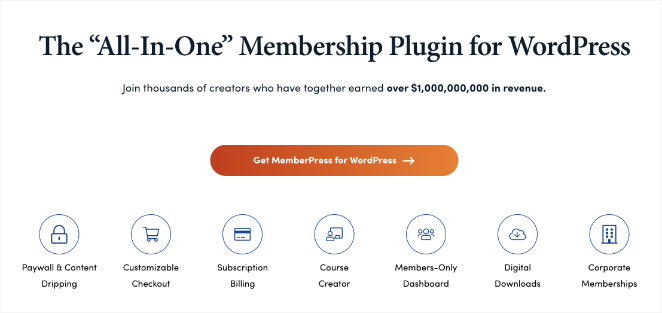
MemberPress is, by far, the best membership plugin for WordPress. It lets you build thriving communities and membership sites without writing a line of code.
With MemberPress you can:
- Create different user subscriptions
- Restrict access based on subscription levels
- Restrict custom post types and pages
- Offer quizzes and certification
It connects to major email marketing services, includes payment processors like PayPal and Stripe, and works with WooCommerce. You can even launch an affiliate marketing program to get the word out. Its built-in Courses add-on lets you create, manage, and sell online courses, so it doubles as an LMS.
Premium WordPress Plugin: The paid version of MemberPress starts from $199.50 per year and includes advanced features like access rules, automation, and more.
Free WordPress Plugin: MemberPress does not currently offer a free version.
Why I Chose It: I picked MemberPress because it makes creating and managing memberships simple. With a clear setup and solid features, it is a practical choice for building membership sites.
Alternatives: You may also like Thrive Apprentice, WishList Member, and LearnDash.
Universally: Best WordPress Multilingual Plugin

| Pricing | From $7.50/mo |
| Free Plan | Yes |
| Standout Features | AI translation in 110+ languages / auto multilingual SEO / off-database storage |
| Best For | Multilingual sites |
Reaching customers who speak other languages can open your business to whole new markets, but WordPress will not translate your site for you. Doing it by hand, one page at a time, quickly becomes a full-time job.
Universally solves this with AI. It is a translation platform that takes your entire site and makes it available in 110+ languages, so you reach a global audience without hiring a translator or touching code.
Getting started takes minutes. You connect the plugin, choose your languages, and Universally translates everything from posts and menus to button text and image alt tags. When you edit a page later, every language version updates on its own.
What I like about Universally is that it handles your multilingual SEO for you, adding the hreflang tags and translated meta titles search engines need to rank each language version. And because translations live on Universally’s servers rather than your database, adding languages never slows your site down.
Price: There is a free plan that supports one language and 2,000 translated words. Paid plans start from $7.50 per month.
Why I Chose It: I picked Universally as the best multilingual plugin because it does the heavy lifting for you. It translates your whole site, keeps every language in sync as you make changes, and takes care of the technical SEO, so you can grow into new markets without a developer.
Alternative: You may also like WPML or TranslatePress for multilingual websites.
Uncanny Automator: Best WordPress Automation Plugin

| Pricing | From $149/yr |
| Free Plan | Yes |
| Standout Features | 90+ triggers and actions / no-code recipes / Zapier and site-to-site links |
| Best For | Automation |
Uncanny Automator is the best automation plugin for WordPress. It connects the plugins on your site without any code, so you can automate routine tasks and save time and money.
It works with many popular plugins, letting you build automation recipes without hiring a developer. You pick from 90+ triggers and actions to create if-this-then-that recipes, like a Zapier tool for WordPress that helps your plugins talk to each other.
You can even connect two WordPress sites, which is handy for eCommerce and membership setups. For instance, you could:
- Sell products on one site while creating users and access on another
- Build buttons that automatically create WordPress user accounts
- Connect your site to 1000+ external services through a single Zapier integration
Premium WordPress Plugin: Pricing starts from $149 per year.
Free WordPress Plugin: You can also get Uncanny Automator for free with limited features.
Why I Chose It: I use Uncanny Automator on many of our sites, so I can vouch for how useful it is for automating WordPress tasks. It is easy to use, takes seconds to set up, and makes routine work much faster.
Google Workspace: All-in-One Platform for Business Collaboration

| Pricing | From $7/mo |
| Free Plan | No |
| Standout Features | Business email on your domain / Docs and Sheets / shared storage |
| Best For | Business collaboration |
Google Workspace, previously G Suite, is a collection of web-based tools like email, documents, and spreadsheets from Google. It is a cost-effective, convenient set of office apps for businesses.
With Google Workspace, you can cut spending on software licenses, hardware, and IT overhead. One popular feature is professional email on your own domain, right inside Gmail.
Price: Starts from around $7 per month.
Why I Chose It: I use Google Workspace every day for email, content creation, and analyzing data. It is far more cost-effective than the alternatives and reliably solid.
Alternative: Microsoft 365 is another strong business collaboration suite.
SEMRush: Best SEO and Digital Marketing Toolkit

| Pricing | From $139.95/mo |
| Free Plan | No |
| Standout Features | Keyword and backlink research / competitor analysis / rank tracking |
| Best For | SEO and marketing research |
SEMRush is a comprehensive digital marketing solution for professionals and business owners. It offers tools for SEO, paid advertising, social media, content, and PR.
One of its top features is competitor monitoring, which helps you stay ahead in your industry. Our team uses SEMRush for a range of tasks:
- Keyword analysis
- Backlink analysis
- Monitoring brand mentions
- Analyzing competitors
- Identifying popular social content
- Tracking keyword rankings
It is an essential tool for serious business owners and works seamlessly with AIOSEO for WordPress.
Price: Starts from $139.95 per month.
Why I Chose It: SEMRush is a tool I use regularly to monitor search positions and research new opportunities. It is not the cheapest option, but it is central to our SEO strategy.
Alternative: Ahrefs is a similar alternative to SEMRush.
LiveChat: Best Live Chat Software

| Pricing | From $20/mo |
| Free Plan | No |
| Standout Features | Real-time chat / mobile app / CRM and email integrations |
| Best For | Customer support and communication |
LiveChat is the best live chat software for businesses and online stores. It is easy to use and lets you add live chat support to your site in minutes, which also makes it a natural fit if you want a simpler way to stay in touch with customers than a full phone system.
LiveChat has an extensive list of customization options and a mobile app for real-time help. It connects to your existing support tools, like CRM and email marketing, and loads fast for a professional experience.
Price: Starts from $20 per month.
Why I Chose It: I picked LiveChat because it is an invaluable way to improve customer satisfaction in WordPress, and I like how well it integrates with the other tools I use.
Alternatives: HubSpot and Brevo Chat are strong solutions with live chat functionality.
Pretty Links Pro: Best WordPress Affiliate Link Manager

| Pricing | From $49/yr |
| Free Plan | Yes |
| Standout Features | Link cloaking / auto-linking / click tracking |
| Best For | Affiliate link management |
Pretty Links is a must-have affiliate marketing plugin for link management, automation, and short links. It lets you cloak affiliate links and present them to visitors in a clean, tidy way.
With Pretty Links you no longer add affiliate links by hand. Your links are organized and added to your content automatically, and you can track clicks to see how each one performs. It is easy enough that a beginner can get going quickly.
Why not read this detailed review of Pretty Links?
Premium WordPress Plugin: For redirection types that cloak and replace links with pretty links, the premium version starts from $49 per year.
Free WordPress Plugin: Pretty Links is available for free.
Why I Chose It: I recommend Pretty Links because it makes affiliate links more user-friendly, and it is easy to use with a good free version.
Alternative: ThirstyAffiliates is another strong resource with similar features.
WooCommerce: Best eCommerce Plugin

| Pricing | Free (paid extensions) |
| Free Plan | Yes |
| Standout Features | 400+ extensions / fully customizable store / native AI product abilities |
| Best For | eCommerce |
WooCommerce is one of the best WooCommerce plugins for online stores, and the most flexible and user-friendly.
This eCommerce plugin is fully customizable, and you can extend it with some of the best store addons. It works alongside any other plugin on your site.
It has over 400 official extensions, so you can embed products and checkouts, blog, and show social proof with customer reviews and ratings.
WooCommerce now ships native AI abilities too. An AI assistant can create and update products, which I confirmed end to end in my lab: a product created, then its price and stock updated, all verified in the database. It is the first non-Awesome-Motive plugin to register these abilities.
Price: WooCommerce is entirely free, though many extensions are available to enhance your store further.
Why I Chose It: I picked WooCommerce as the top eCommerce plugin for its user-friendly setup and customization. With it, you can turn your site into a powerful online store and grow your business.
Alternative: Easy Digital Downloads and WP Simple Pay are other popular plugins for eCommerce sites.
Bonus “Must-Have” WordPress Plugins
- User Feedback: short on-site surveys that tell you what visitors really think, so you can grow engagement and revenue.
- WP Simple Pay: an easy WordPress payment plugin for accepting cards, Apple Pay, Google Pay, and ACH without a full store. It has a free version too.
- Heroic Knowledge Base: build help articles and FAQs with a smart search so visitors find answers fast.
- Thrive Quiz Builder: create viral quizzes to grow your email list and boost interaction.
- Grammarly: a strong grammar checker with plagiarism detection and vocabulary suggestions.
- AffiliateWP: we use this on several stores to run a referral program, and it integrates smoothly with WooCommerce.
- FunnelKit: a sales funnel builder, marketing automation tool, and lightweight CRM, and a solid alternative to ClickFunnels.
- Thrive Comments: a comments plugin with upvoting, badges, and comment subscriptions to lift engagement.
- Heroic Inbox: turns your admin area into a shared inbox and support ticket system.
- Sugar Calendar: a streamlined event tool that syncs with Google Calendar and can sell tickets.
- Envira Gallery: the best WordPress gallery plugin for albums, tagging, and advanced gallery features.
More Questions About WordPress Plugins
Here are the questions readers ask me most about choosing and using WordPress plugins.
What do plugins do in WordPress?
Plugins extend your WordPress site with new features, from contact forms to eCommerce, much like apps add functions to your phone. Each plugin handles one job, so you install only the ones your site actually needs.
Are WordPress plugins worth it?
Premium WordPress plugins are usually worth it for anything your business depends on. They come with expert support and regular updates that keep your site secure and working.
Unlike many SaaS tools, most WordPress plugins are self-hosted, so you keep full control of your data.
Do WordPress plugins affect site speed?
Well-coded plugins will not slow your site down much when you have caching and good performance practices in place. The problems come from plugins that load heavy front-end assets like images and scripts.
The picks in this list are optimized for speed, so they should not drag your site down.
How many WordPress plugins should I install without slowing my site down?
There is no hard limit, and most WordPress sites run comfortably with 15 to 20 active plugins. Speed depends far more on how well each plugin is built than on the count.
Avoid running two plugins that do the same job, remove anything you no longer use, and pair them with a caching plugin to protect your load times.
Do I need paid plugins, or are free WordPress plugins enough?
You can build a capable site on free plugins alone, since most of the tools here have a free version that covers the basics. You pay when you want advanced features, priority support, and regular updates.
For anything critical like backups, security, or payment forms, the paid version is usually the safer choice.
What is the difference between a WordPress plugin and a theme?
A theme controls how your site looks, setting the layout, fonts, and colors. A plugin controls what your site does, adding features like forms, SEO tools, or backups.
You run one theme at a time, but you can run many plugins together.
How do I install a WordPress plugin?
For a free plugin, go to Plugins then Add New in your dashboard, search by name, and click Install Now then Activate.
For a paid plugin, download the ZIP from your account, go to Plugins then Add New then Upload Plugin, choose the file, install, activate, and enter your license key.
What is the best free plugin for WordPress?
Some of the best free WordPress plugins are WPForms, All-in-One SEO, MonsterInsights, SeedProd, RafflePress, OptinMonster, and WPCode. Each gives you real functionality for free before you decide whether to upgrade.
Get Started with the Best WordPress Plugins
Start with the six that cover the essentials, then add from the list as your site grows. If you are building from scratch, SeedProd is the first plugin I reach for.
To put these plugins to work, you may like these step-by-step guides:
- How to Create a WordPress Website for Beginners
- How to Set Up an Online Store in WordPress (Ultimate Guide)
- How to Secure Your WordPress Site from Hackers
- How to Get WordPress Support (For Beginners)
- How to Duplicate a Page in WordPress
Thanks for reading! We’d love to hear your thoughts, so please feel free to join the conversation on YouTube, X and Facebook for more helpful advice and content to grow your business.




Great list of plugins, I just want to add a couple of more plugins that I am using, WooCommerce MailChimp Newsletter Discount and Checkout Address Autofill for WooCommerce are two excellent plugins for increasing subscribers and increasing sales. Please have a look at it and if you can add it on your list, that would be amazing.
Great list of resources! I would like to add two more plugin i.e. Smush Image Compression and Optimization and SearchIQ. Smush Image Compression and Optimization plugin Resize, optimize, optimize and compress all of your images and SearchIQ offers autocomplete, faceted search, fast and accurate search results, typo handling, and other features to enhance user’s search experience.
Thank you, your article helped me. My mistake was that at the beginning, I installed too many plugins, and because of this, the speed of my site slowed down a lot. After reading your article, I realized which plugins I need and which I can get rid of. Thanks for the help!
This is so good to hear Andy! We’re glad you found the article helpful. Good luck with your website.