

A lot of people get stuck choosing between WooCommerce and Easy Digital Downloads when they’re starting out. I’ve tested both on different projects, and they each have their strengths.
Both plugins work well with WordPress and let you sell digital products. But which one fits your needs best?
In this guide, I’ll walk you through everything I’ve learned while using them, so you can choose the one that makes sense for your store.
In This Guide:
How I Tested WooCommerce & Easy Digital Downloads
To help you choose the right platform, I took a close look at both WooCommerce and Easy Digital Downloads. I compared their prices, checked how easy they were to use, and explored their features for selling digital products.
Here’s what I focused on:
- Price: Are they free to use? How much do paid plans cost, and what do they include?
- Getting started: How easy are they to set up, and do they offer helpful instructions?
- Digital products: Can I sell downloads, subscriptions, and memberships without a workaround?
- Payment methods: Can customers pay through popular options like PayPal and Stripe?
- Customization: Can I design my shop, and are there themes built for digital products?
- Support: Do they have good customer support and online resources?
Comparing these side by side, I could see the real pros and cons of each. Here is how they stack up at a glance.
| Feature | WooCommerce | Easy Digital Downloads |
|---|---|---|
| Pricing | Free plugin, premium extensions and themes | Free plugin, paid Pro passes (annual) |
| Ease of Use | More features, steeper learning curve | Simpler setup, focused interface |
| Digital Downloads | Built in, but tuned for physical products too | Built in and specialized for digital goods |
| Payment Gateways | Wide range, many via extensions | Major gateways, some plan dependent |
| Customization | Vast theme and plugin library | Solid options, plus digital-first themes |
| Support | Community forums and online resources | Direct customer support on paid plans |
| Scalability | Scales to large stores, hosting dependent | Lightweight, scales with paid extensions |
Overview of WooCommerce & Easy Digital Downloads
Let’s look at each platform on its own, starting with WooCommerce.
What Is WooCommerce?
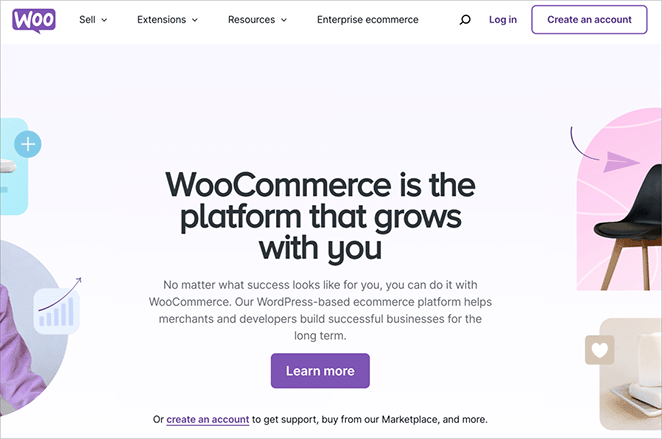
Created by Automattic (the folks behind WordPress.com), WooCommerce is the most widely used way to run an online store on WordPress. Millions of websites use it.
It started as a tool for selling physical products and has since added digital products too. So it can run a full storefront, not just a download shop.
The three things that matter most for this comparison:
- Full storefront: It handles products, carts, customer accounts, and orders in one place.
- Physical-product tools: Inventory, shipping, and tax handling are built in, which digital-only sellers rarely touch.
- Deep customization: A huge library of themes and extensions lets you add almost any feature.
Because WooCommerce is built to do so much, it can feel overwhelming if you’re only selling digital products. You end up clicking past settings that don’t apply to you.
What Is Easy Digital Downloads?
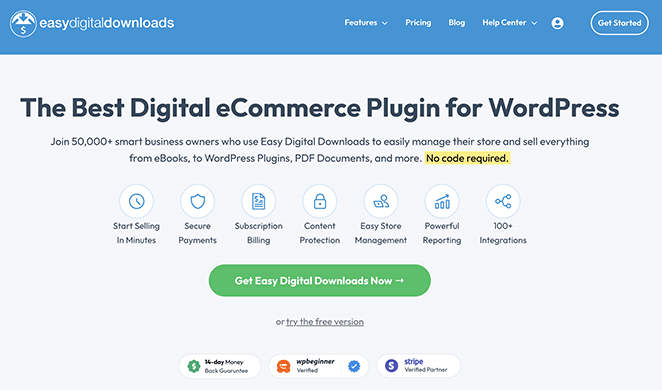
Easy Digital Downloads (EDD) is another big name in WordPress, but it focuses specifically on digital products and downloads. It’s made by the same team behind AIOSEO and OptinMonster.
EDD strips out the physical-store machinery and keeps the parts a digital seller actually uses. Here’s what sets it apart from WooCommerce:
- Built for digital files: Sell ebooks, software, music, videos, and graphics without add-ons to bridge the gap.
- Cart made for downloads: The checkout flow assumes a digital purchase, so there’s no shipping step to disable.
- Subscriptions and memberships: Set up recurring billing or members-only access from one place.
- Software licensing: Issue and manage license keys, which matters if you sell plugins or apps.
- Order and customer management: Track downloads, refunds, and customer history in a focused dashboard.
WooCommerce vs Easy Digital Downloads
Now that you know the basics of each, let’s get into the details that decide which one you’ll actually want.
What WooCommerce vs EDD Is Best For
Both platforms can sell physical and digital products, but they pull in different directions.
WooCommerce is best for physical products. It has the tools to manage inventory, track shipments, and handle the details of fulfilling an order.
Those tools are useful for physical goods, but they’re dead weight if you only sell digital files.
One question I see come up a lot: does WooCommerce even do digital downloads? Yes. You enable it per product under WooCommerce, Settings, Products, Downloadable Products, so the choice between the two is about specialization, not capability.

Easy Digital Downloads is best for selling digital products, just like the name says. It’s built to make downloads, subscriptions, and other digital sales straightforward, which is why digital creators reach for it.
Here’s the easy way to think about it. WooCommerce is a one-stop shop for all of eCommerce, while EDD is the specialist for selling digital products and files.
WooCommerce vs EDD Setup Process
From my experience setting up both platforms, they’re both straightforward. You run each one from your WordPress dashboard, which is familiar ground if you already use WordPress.
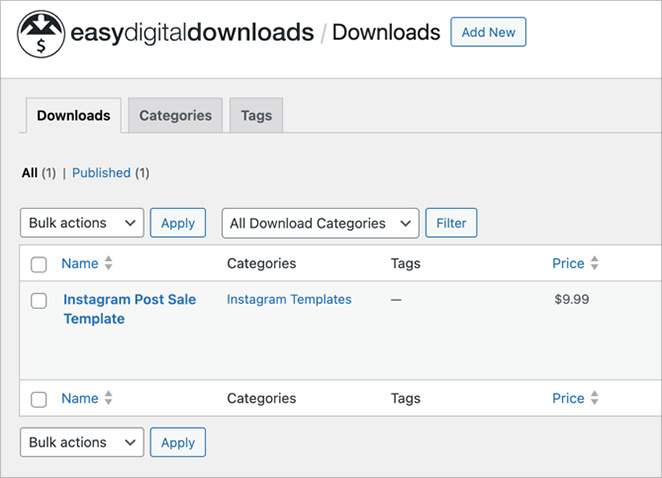
Here’s the Easy Digital Downloads dashboard:
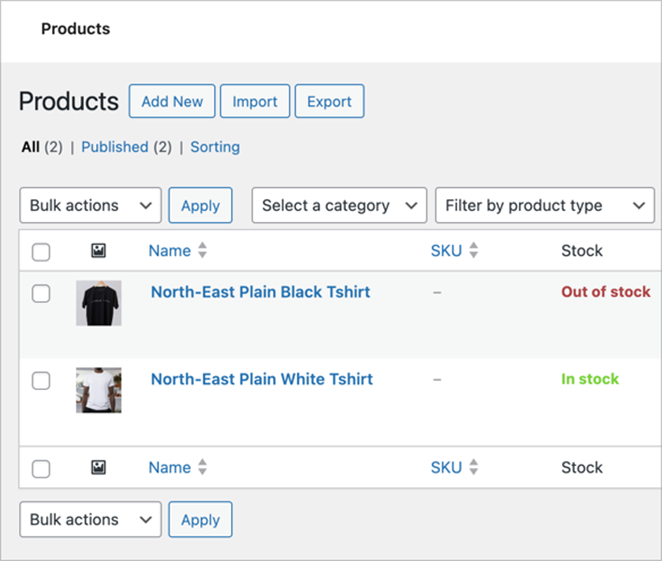
And here’s the WooCommerce dashboard:
Both walk you through the first steps with a setup guide. I found EDD smoother for a digital-only store, though.
Because EDD only does digital products, there are fewer settings to wade through than in WooCommerce.
WooCommerce is capable, but it can feel heavy to set up at first because there are so many features and options to meet.
WooCommerce vs EDD Payment Gateways
Both platforms make it simple to take payments. They support the popular gateways, including Stripe and PayPal, and you can connect those for free.
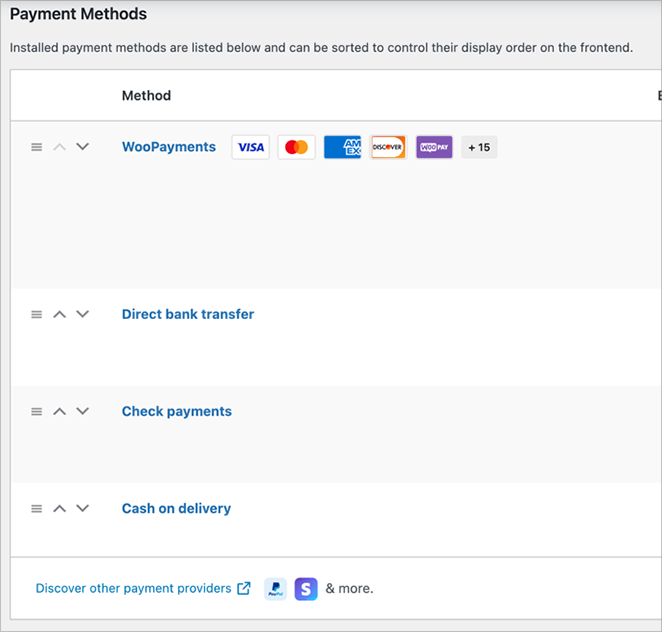
For instance, this is the payment gateway setup in WooCommerce:
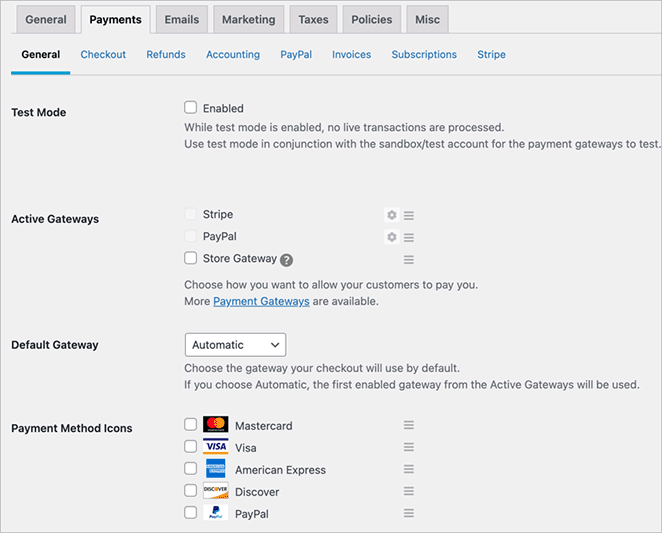
And this is what you’ll see in Easy Digital Downloads:
Want a less common processor? Both platforms offer add-ons, some free and some paid, that connect to many other gateways. Here’s how the main options compare.
| Payment Gateway | WooCommerce | Easy Digital Downloads |
|---|---|---|
| Stripe | Included | Included |
| PayPal | Included | Included |
| Amazon Pay | Extension required | Extension required |
| Google Pay | Extension required | Extension required |
| Square | Extension required | Extension required |
| Stripe Pro | Not supported | Included on some plans |
| PayPal Commerce | Not supported | Included on some plans |
| Braintree | Extension required | Extension required |
| Authorize.net | Extension required ($79) | Extension required |
| SOFORT | Extension required ($79) | Extension required |
WooCommerce vs EDD Templates & Themes
Because both plugins run on WordPress, you have plenty of ways to make your shop look good. You’ll find countless WordPress themes, free and paid, that work with either platform.
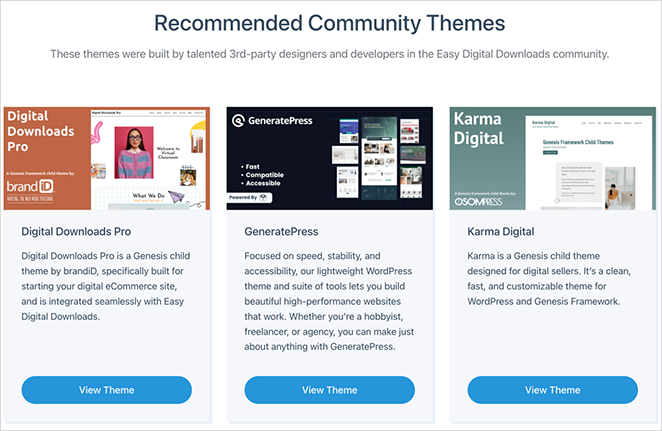
Easy Digital Downloads also offers a hand-picked set of themes with some of its paid plans, and recommends others that pair well with it.
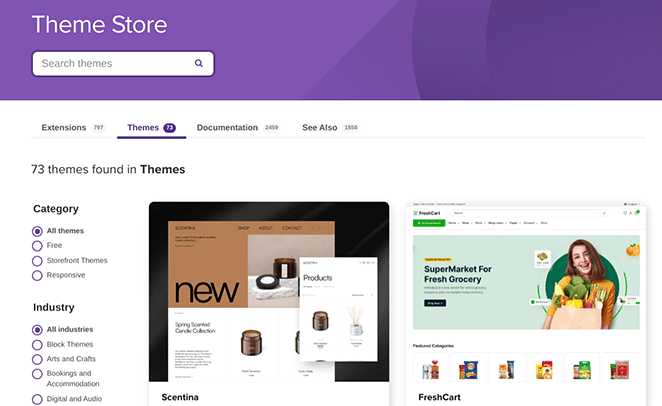
WooCommerce has a dedicated WooCommerce Theme Store, where you can browse eCommerce WordPress themes made for selling.
Whichever you choose, you can also design your store with WordPress page builder plugins. One option I reach for is SeedProd, a drag-and-drop website builder that’s quick to learn.
You design your store the way you want it, dragging and dropping elements and building your own templates. No coding required.
WooCommerce vs EDD Integrations
Both platforms connect to plenty of other tools. They offer add-ons through their own sites and through WordPress.org, so you can link your store to all kinds of services.
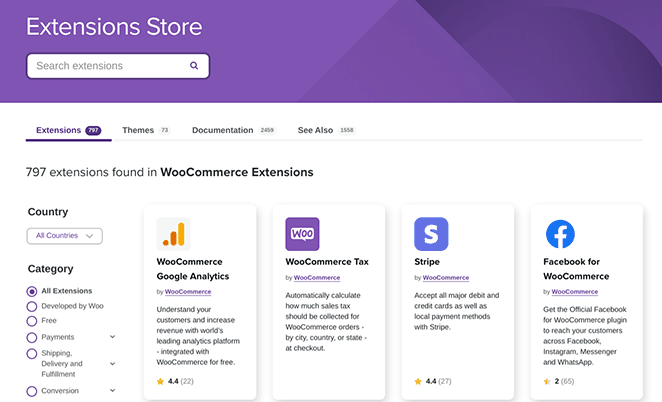
The WooCommerce Extensions Store has a large library of add-ons, free and paid, covering shipping, taxes, accounting, and more. If WooCommerce doesn’t do something out of the box, an extension usually fills the gap.
Easy Digital Downloads takes a more curated approach. It offers a hand-picked set of add-ons, and depending on your plan, many come included.
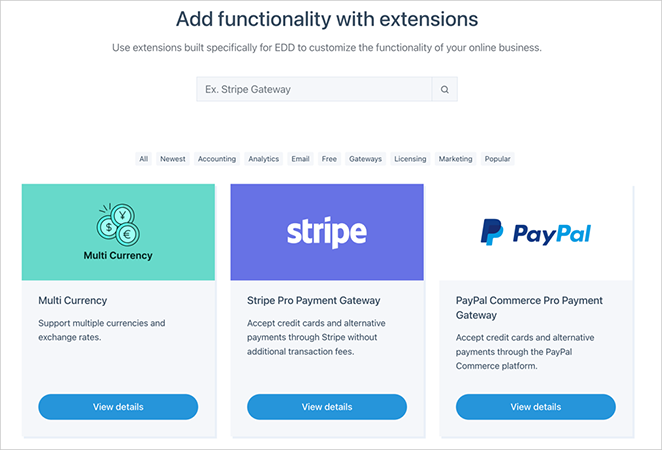
The add-ons that stood out to me were software licensing and memberships. They fit anyone creating and selling digital products.
WooCommerce vs EDD Support
Running into a problem with your store is stressful, so good support matters. Both platforms cover you, just in different ways.
Both are updated often, so they keep working with the latest version of WordPress and stay secure. You’ll also find tutorials and forum threads for each, and the WordPress community is a strong backup when you’re stuck.
The biggest difference I found was direct support. Easy Digital Downloads lets you contact its team for personalized help on paid plans, which is a real plus when something breaks before a launch.
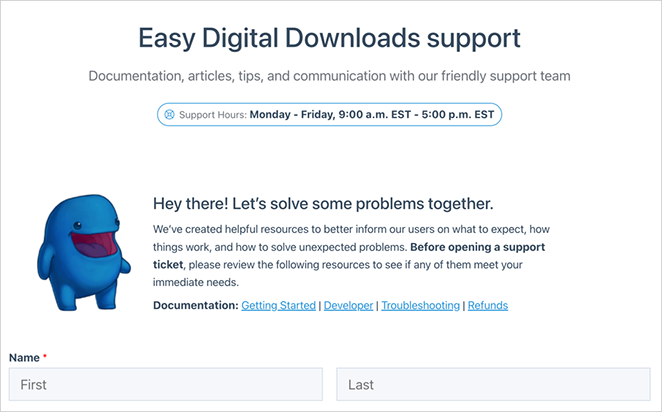
WooCommerce leans on its online resources and the WordPress community instead of one-to-one ticket support.
How Do WooCommerce and EDD Scale as Your Store Grows?
Setup is one thing; living with the platform a year later is another. As a store grows, the two handle weight differently.
- Easy Digital Downloads stays light: Because it only handles digital goods, there’s no inventory or shipping load to slow it down, so a catalog of downloads stays manageable.
- WooCommerce scales further but leans on hosting: It can run large catalogs and high order volumes, but performance depends heavily on your hosting once you add extensions and traffic.
The practical read is simple. A digital-only store rarely outgrows EDD, while a growing mixed or physical store is where WooCommerce earns its extra weight, as long as your hosting keeps up.
WooCommerce vs EDD Pricing
Both platforms are free to start. The core plugin for each costs nothing, so you can test the waters before you pay for anything.
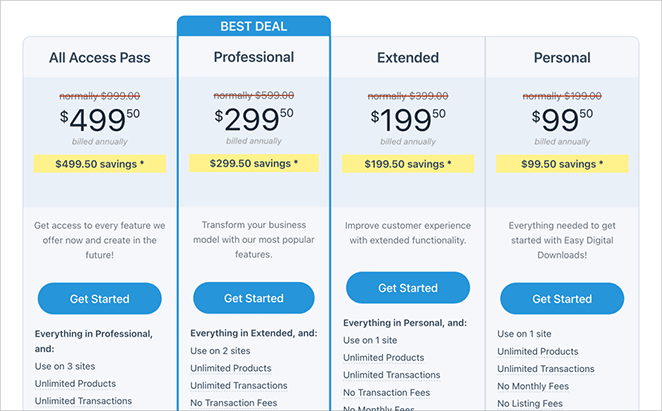
Easy Digital Downloads is great to begin with on its free core plugin. As you grow, paid passes start at about $99.50 per year, and the All Access Pass runs around $499 per year for every official extension (intro pricing, per easydigitaldownloads.com).
What I like about EDD’s pricing is that it’s clear. You see the yearly cost upfront, and there’s a 14-day money-back guarantee.
WooCommerce has no paid “pro” version. The core plugin is free, and you pay instead for premium themes and extensions.
Those costs add up unevenly, from free add-ons to a few hundred dollars a year for paid ones, so a heavily extended WooCommerce store can cost more than a single EDD pass. If you’re weighing options here, our roundup of the best WordPress eCommerce plugins for digital downloads compares the wider field.
What’s Best: WooCommerce or Easy Digital Downloads?
Use Easy Digital Downloads for a digital-only store, and use WooCommerce if you sell physical products or a mix. That’s the short answer after testing both side by side.
The reason is fit. EDD is quicker to set up and easier to manage for digital-first creators, while WooCommerce carries the shipping and inventory tools a physical store can’t do without.
Personally, I lean toward EDD when I know the store is 100% digital. It’s less to manage, and the checkout doesn’t make me switch off settings I’ll never use.
If you’re still on the fence, match yourself to one of these:
- Digital-only creator (ebooks, music, graphics): Easy Digital Downloads. Less setup, and the cart is built for downloads.
- Course or membership seller: Easy Digital Downloads, for its recurring billing and members-only access.
- Mixed physical and digital store: WooCommerce, so inventory and shipping live alongside your downloads.
- Software or plugin seller: Easy Digital Downloads, because license-key management is built for exactly this.
Whichever platform you pick, SeedProd has your back on the design side.

SeedProd is a drag-and-drop website builder, and it works with both WooCommerce and Easy Digital Downloads. You can build storefronts, customize product pages, and design checkout experiences that match your brand.
One thing to know is that the WooCommerce and EDD store blocks need SeedProd’s Elite plan; the drag-and-drop builder and landing pages are on the lower tiers.
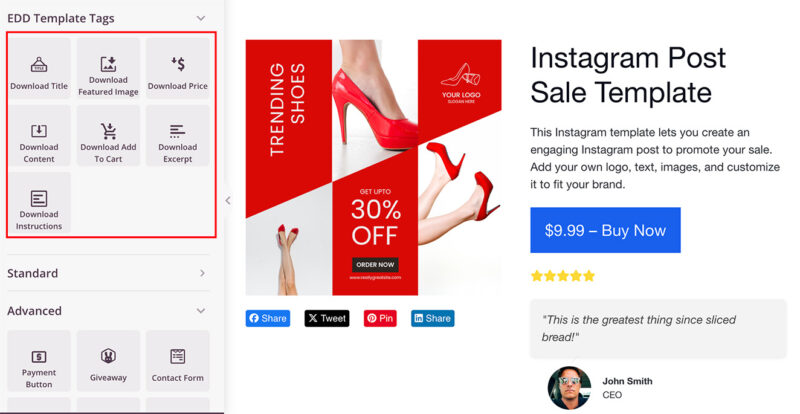
Here’s an Easy Digital Downloads product page I built with SeedProd:
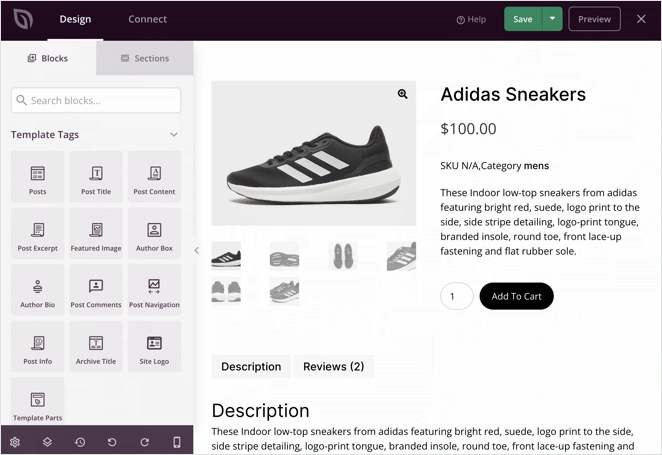
And here’s one I made using WooCommerce and SeedProd:
Frequently Asked Questions
Does WooCommerce do digital downloads?
Yes. WooCommerce handles digital downloads natively, with no extension needed for the basics. You mark a product as a download under WooCommerce, Settings, Products, Downloadable Products, then attach the file.
So the real choice between WooCommerce and Easy Digital Downloads is about specialization, not whether one can sell downloads at all.
What can you use instead of WooCommerce for digital products?
Easy Digital Downloads is the most direct alternative, since it’s purpose-built for selling downloads, subscriptions, and licenses. Its cart and checkout assume a digital purchase, so there’s no physical-store clutter to switch off.
If you want to weigh more options, our guide to the best WordPress eCommerce plugins for digital downloads covers the wider field.
Is Easy Digital Downloads free to use?
Yes. The core Easy Digital Downloads plugin is free on WordPress.org, and it’s enough to sell digital products and take Stripe or PayPal payments.
Paid passes start at about $99.50 per year and add features like recurring subscriptions, software licensing, and direct support.
Build Your eCommerce Site Today
Whichever platform you choose, you still need to make it look good and turn visitors into customers. That’s where I use SeedProd.
With its drag-and-drop builder and built-in WooCommerce and EDD blocks, I can build custom product pages, checkouts, and full storefronts without touching code. The store blocks are part of SeedProd’s Elite plan, while the builder and landing pages come on the lower tiers.
Thanks for reading! We’d love to hear your thoughts, so please feel free to join the conversation on YouTube, X and Facebook for more helpful advice and content to grow your business.



