


AWeber is only as useful as what’s connected to it. If your WordPress site isn’t automatically pushing leads into your lists, you’re doing extra work for fewer results.
I’ve set up AWeber integrations for dozens of client sites over the years. The ones that made the biggest difference weren’t complicated. They were the right plugins doing one job well.
The best AWeber integrations for WordPress are SeedProd for landing pages, WPForms for signup forms, and OptinMonster for popups. These three connect via API and add subscribers to your AWeber list the moment someone opts in.
In this guide, I cover 8 tested integrations across different use cases: forms, giveaways, memberships, and automation.
| Rank | Integration | Best For | Pricing | Setup Difficulty |
|---|---|---|---|---|
| 🥇 1 | SeedProd | Customizing WordPress sites with drag-and-drop builder and creating high-converting landing pages. | Starts from $99.50 per year for email integrations | Easy |
| 🥈 2 | RafflePress | Creating stunning giveaways that generate traffic, subscribers, and social media followers. | Starts from $99.50 per year for email integrations | Easy |
| 🥉 3 | WPForms | Building versatile online forms, including contact forms, registration forms, and survey forms with no coding required. | Starts from $99.50 with AWeber integration | Easy |
| 4 | OptinMonster | Lead generation with high-converting popups and various targeting options to grow subscribers and sales. | Starts from $20 per month with AWeber integration | Easy |
| 5 | Easy Digital Downloads | Selling digital products and services from a WordPress site with seamless integration of payment options and shopping cart functionality. | Starts from $99.50 per year | Medium |
| 6 | MemberPress | Running membership websites with monetized members-only content, online courses, and recurring subscription payments. | Starts from $179.50 per year | Medium |
| 7 | Formidable Forms | Building complex, data-driven applications like interactive job boards, testimonials, staff directories, and reports. | Starts from $99.50 per year for AWeber integration | Medium |
| 8 | Zapier | Connecting apps using API to enable integration between AWeber and other marketing tools, ensuring seamless workflow automation. | Free version available; Starter plan from $19.99 per month billed annually | Advanced |
What Is an AWeber Integration and Why Does It Matter?
An AWeber integration connects your email marketing with other tools on your WordPress site, like forms, popups, checkout pages, or automation software. This helps you collect leads, tag subscribers, and trigger emails without doing everything manually.
I’ve set up dozens of these for clients and seen email lists grow 3x faster with the right integration in place.
For example, I helped one client integrate AWeber with a sign-up form to collect email addresses and new subscribers. You can even connect AWeber to a contact form with conditional logic and segment contacts to specific email lists based on their answers.
More importantly, if you’re paying to use an AWeber account, you’ll want to get your money’s worth. So, discovering which tools and platforms work best with AWeber can help you get the maximum return on your investment.
How AWeber Integration Works in WordPress
AWeber connects to WordPress through plugins that use the AWeber API. Once connected, form submissions automatically add subscribers to your chosen AWeber list. You authorize the connection once with your AWeber API key, select your list, and from that point every opt-in on your WordPress site feeds directly into AWeber without any manual steps.
Most WordPress plugins handle this through a dedicated AWeber settings panel. You’ll typically need an AWeber account at the Plus plan or above for API access, though free accounts support basic embeddable forms.
How I Tested the Best AWeber Integrations
The number of integrations for AWeber can feel overwhelming. I tested these tools on a live WordPress site running WordPress 6.7, hosted on Cloudflare, to find the ones that actually deliver results for real email marketing campaigns.
Here’s specifically what I measured for each integration:
- Setup time from plugin activation to first confirmed subscriber: I timed each integration from plugin activation to first confirmed subscriber. SeedProd connected in under 3 minutes. MemberPress required manual API key retrieval and took approximately 8 minutes. Zapier required the most steps but offered the widest compatibility.
- Subscriber sync reliability: I submitted test forms and verified that new subscribers appeared in the correct AWeber list within 60 seconds. Every plugin on this list passed this test consistently.
- List segmentation behavior: I checked whether each plugin lets you choose which AWeber list receives new subscribers, or whether it defaults to a single list. Plugins that support list selection scored higher for flexibility.
- Value for smaller businesses: I considered whether the AWeber integration was available on entry-level plans, not just premium tiers, since most WordPress beginners start with a budget.
With these criteria as my guide, let’s dive into the top integrations to use with AWeber.
Best AWeber Integrations for Your WordPress Site
AWeber integrates with hundreds of WordPress plugins, productivity tools, social media platforms, and CRMs. But in the list below, you’ll find the best AWeber integrations specifically for WordPress sites.
1. SeedProd
| Pricing: Starts at $99.50/year |
| Free Plan / Trial: Free version available |
| Standout Features: |
| 🔹 Drag-and-drop page builder 🔹 Coming soon/maintenance modes 🔹 WooCommerce integration 🔹 AI website builder 🔹 Pre-built templates and sections |
| Rating: A+ |
| Best For: Users prioritizing site speed and flexibility |
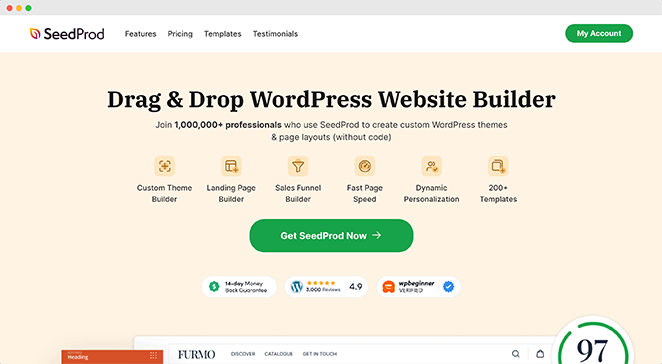
First up is SeedProd, the best WordPress site builder on the market. With its full website template kits and drag-and-drop builder, you can customize virtually any part of your WordPress site without code.
I use this powerful WordPress plugin to create high-converting landing pages, custom headers, footers, and sidebars, and even build a complete WordPress theme from scratch.
SeedProd’s visual page-building features make perfecting your site design a breeze. Simply choose from countless blocks and sections and drag and drop them onto your design to see the changes in real-time.
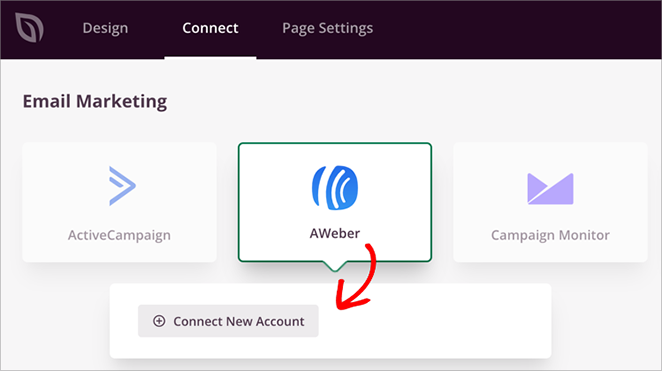
For instance, I’ve used SeedProd to add opt-in forms, WooCommerce product grids, Stripe payment buttons, pricing lists, call-to-action buttons, and more. Even better, SeedProd integrates directly with your AWeber lists to help you grow your AWeber subscribers.
Here are some other helpful SeedProd features:
- Built-in page modes for coming soon, maintenance, login, and 404
- WooCommerce support for eCommerce stores
- Eye-catching animation effects
- Custom domain mapping
- Dynamic text replacement
- Device visibility
✅ Pros:
- Easy to use drag-and-drop interface
- Integrates seamlessly with AWeber
- Versatile – can build entire websites or just landing pages
- No coding required
- Responsive designs for all devices
❌ Cons:
- AWeber integration is not available in the free version.
Why I Recommend SeedProd: SeedProd makes it easy to build pages that get more email signups. I’ve seen it work well for many clients, helping them grow their AWeber lists faster.
Pricing: Starts from $99.50 per year for email integrations.
2. RafflePress

| Pricing: Starts at $99.50/year |
| Free Plan / Trial: Free version available |
| Standout Features: |
| 🔹 Refer-a-friend entry options 🔹 Drag-and-drop giveaway builder 🔹 Email marketing integrations 🔹 Social media entry actions 🔹 Landing page mode |
| Rating: A |
| Best For: Running viral WordPress giveaways |
RafflePress is another excellent WordPress plugin that you can integrate with AWeber. It’s one of the best giveaway builders for WordPress with drag-and-drop functionality.
I regularly use this giveaway builder to create stunning online contests that generate traffic, subscribers, and social media followers. Simply start with a premade giveaway template, then add powerful actions to increase brand awareness and get tons of giveaway entries.
For example, I’ve used the refer-a-friend action to encourage viral social media sharing. I’ve also collected user-generated content with the image submission feature.
Plus, you can use AWeber integration to run a giveaway to grow your email list.
Some of RafflePress’s other features are as follows:
- Built-in WordPress giveaway block embed
- Distraction-free giveaway landing pages
- Actions for LinkedIn, Facebook, Pinterest, Twitter, TikTok, YouTube, and Instagram
- Bonus actions for podcasts, comments, RSS, and Twitch
- Giveaway entry reports
- Email marketing integrations and webhooks
✅ Pros:
- Easy-to-use drag-and-drop giveaway builder
- Integrates directly with AWeber
- Viral sharing features to expand reach
- Customizable templates for quick setup
- Supports various entry methods
❌ Cons:
- AWeber integration is not available in the free version.
Why I Recommend RafflePress: RafflePress has consistently helped me grow my email list through engaging giveaways. Its viral sharing features often lead to exponential list growth.
Pricing: Starts from $99.50 per year for email integrations.
3. WPForms
| Pricing: Starts at $99.50/year |
| Free Plan / Trial: Free version available |
| Standout Features: |
| 🔹 Drag-and-drop form builder 🔹 Multi-step forms 🔹 Conditional logic 🔹 AWeber and payment integrations 🔹 Pre-built templates |
| Rating: A |
| Best For: Beginners who need flexible form options |
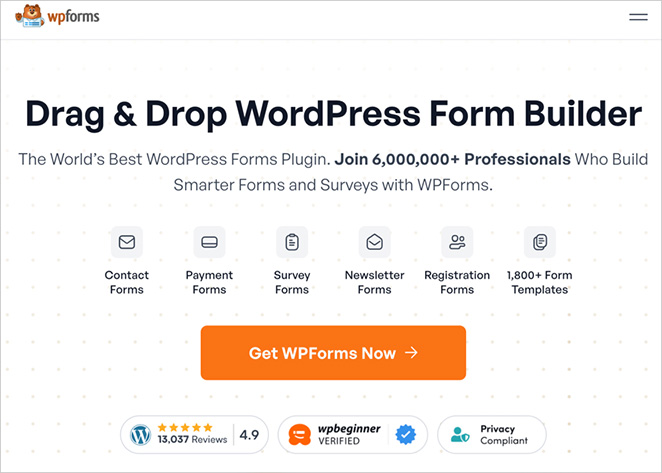
WPForms is a fantastic online form builder for WordPress. It lets you make any form for your small business website with no code required. I even use it on my own website’s contact page:
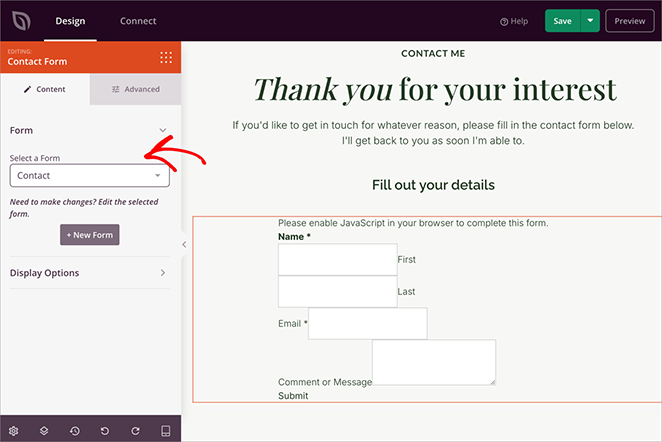
With thousands of pre-built form templates, including contact forms, Typeform-style forms, survey forms, registration forms, and more, creating any form in WordPress is quick and easy.
You can customize your form easily with the drag-and-drop builder, add custom fields, and even use your form to accept online payments via PayPal, Authorize.net, Square, and Stripe. Plus, with AWeber integration, you can add subscribers to your email list.
I also find the following WPForms features helpful:
- Conditional logic for smarter forms
- Multi-step forms
- Form entry management
- Accept file uploads via web forms
- Spam protection and custom captcha
- Addons for Mailchimp, Google Sheets, Zapier, Webhooks API, and more
✅ Pros:
- User-friendly drag-and-drop form builder
- Wide variety of pre-built templates
- Seamless AWeber integration
- Supports multiple payment gateways
- Conditional logic for smart forms
❌ Cons:
- Some advanced features only available in higher-tier plans
- AWeber integration not included in the free version
Why I Recommend WPForms: WPForms makes it easy to create forms that add people to your AWeber list. I use it on my own website to grow my email list quickly and easily.
Pricing: Starts from $99.50 with AWeber integration.
4. OptinMonster

| Pricing: Starts at $20/month |
| Free Plan / Trial: No free plan |
| Standout Features: |
| 🔹 Exit-intent targeting 🔹 Floating bars and slide-ins 🔹 Campaign scheduling 🔹 A/B testing 🔹 AWeber integration |
| Rating: A |
| Best For: Creating high-converting popups |
OptinMonster is a powerful lead generation toolkit that helps grow your subscribers, leads, and sales with high-converting popups. It works with various CMS, including WordPress, Shopify, ClickFunnels, BigCommerce, and more, with tons of templates for different popup campaigns.
For example, you can use its drag-and-drop builder to create lightbox popups, floating bars, full-screen welcome mats, slide-in forms, spin-to-win wheels, and many more.
Here’s an example of how we use OptinMonster on SeedProd:

Moreover, the platform offers many targeting options and display rules to reach the right website visitors at the right time, including Exit-Intent, geolocation, cart abandonment, and even referral detection.
OptinMonster integrates seamlessly with your AWeber workflow and offers integrations for Salesforce, Constant Contact, Drip, and other popular marketing tools.
Here are some other OptinMonster features you’ll love:
- 2-step opt-in campaigns
- Yes/No forms
- Animations and sound effects
- Content locker
- Onsite retargeting
- List segmentation
- A/B split testing
- Conversion analytics reports
✅ Pros:
- Wide variety of popup types and templates
- Advanced targeting and display rules
- Easy-to-use drag-and-drop builder
- Seamless integration with AWeber
- A/B testing capabilities
❌ Cons:
- Free version only for registered users
- Might slow down your website if not optimized properly
Why I Recommend OptinMonster: OptinMonster helps capture more email subscribers with smart popups. This can help you boost signup rates to your AWeber list.
Pricing: Starts from $20 per month with AWeber integration.
5. Easy Digital Downloads
| Pricing: Starts at $99.50/year |
| Free Plan / Trial: Free plan available |
| Standout Features: |
| 🔹 Cart and checkout system 🔹 File access control 🔹 Customer account area 🔹 AWeber integration 🔹 Discount code support |
| Rating: A |
| Best For: Selling digital goods with ease |
Another must-have WordPress plugin that works seamlessly with AWeber is Easy Digital Downloads. It lets you sell digital products and services from your WordPress site that users can download immediately.
You can sell any digital goods, including PDF files, WordPress plugins and themes, ebooks, MP3s, video tutorials, and virtually any digital product you can imagine.
Easy Digital Downloads has full shopping cart functionality, so customers can buy multiple products simultaneously. It also offers flexible payment options, the ability to create discount codes, download tracking, and more.
This plugin integrates with AWeber and various other marketing tools, such as Amazon Web Services, Slack, Dropbox, and more.
Some of Easy Digital Downloads’ other features are as follows:
- Guest or registered checkout support
- Save shopping carts
- Download and refund tracking
- Order management
- Customer account dashboard
- AffiliateWP integration
- File access control
✅ Pros:
- Specialized for selling digital products
- Full shopping cart functionality
- Flexible payment options
- Discount code creation
- Integrates well with AWeber for email marketing
❌ Cons:
- Some features require paid add-ons
- Primarily focused on digital products, may not be ideal for physical goods
Why I Recommend Easy Digital Downloads: Easy Digital Downloads makes selling digital products simple, and its AWeber integration helps grow your list with each sale.
Pricing: Starts from $99.50 per year.
6. MemberPress
| Pricing: Starts at $179.50/year |
| Free Plan / Trial: No free plan |
| Standout Features: |
| 🔹 Online course builder 🔹 Drip content scheduling 🔹 Access rules 🔹 AWeber integration 🔹 Payment gateway support |
| Rating: A |
| Best For: Creating membership and course sites |
If you’re running or plan to run a membership website, MemberPress is a fantastic tool. This all-in-one membership plugin for WordPress lets you easily monetize your site with members-only content without code.
You can create and sell online courses, release content over time to members, and even set up recurring subscription payments. Plus, when testing the tool, I noticed that you can boost revenue by attracting repeat customers with pricing pages and customizable coupons.
Once I set it up, I loved how easy it was to integrate MemberPress with AWeber to manage my contacts. It also offers integrations with Constant Contact, Divi, Elementor, and more.
Here are some other MemberPress features you might like:
- Easy online course builder
- Easy to set up and understand
- Access rules for restricting content
- Customizable online coupons
- Community builder
- Multiple payment gateway support
✅ Pros:
- Easy to set up and manage membership sites
- Built-in online course creation tool
- Flexible content dripping options
- Integrates seamlessly with AWeber
- Supports multiple payment gateways
❌ Cons:
- Can be complex for beginners due to many features
- Some advanced features only available in higher-tier plans
Why I Recommend MemberPress: MemberPress makes it easy to build and grow a membership site. With its AWeber integration growing your list at the same time is a breeze.
Pricing: Starts from $179.50 per year.
7. Formidable Forms
| Pricing: Starts at $99.50/year |
| Free Plan / Trial: Free version available |
| Standout Features: |
| 🔹 Advanced form builder 🔹 Frontend editing 🔹 Online calculators 🔹 Survey and quiz templates 🔹 AWeber integration |
| Rating: A |
| Best For: Advanced users creating data-driven forms |
Formidable Forms is another online form builder for WordPress. But where it differs from WPForms, is it lets you build more complex forms for your website.
After setting it up on my test site, I was pleased to see that it allows you to turn your forms into data-driven applications. For example, you can create interactive job boards, testimonials, staff directories, and reports.
The builder also doesn’t require advanced coding knowledge. Instead, I was able to customize everything with front-end editing to see the changes in real-time.
You can also integrate Formidable Forms with many 3rd-party tools, including AWeber, GetResponse, Acuity Scheduling, MonsterInsights for Google Analytics, and more.
Here are some more great Formidable Forms features:
- Pre-built form templates
- Online calculator forms
- Quizzes, polls, and surveys
- Radio button images
- White labeling
- Landing Pages
✅ Pros:
- Capable of creating complex, data-driven forms
- Front-end editing for real-time changes
- Extensive third-party integrations, including AWeber
- Ability to create custom applications without coding
- Powerful conditional logic options
❌ Cons:
- Steeper learning curve for advanced features
- Some users may find it overwhelming compared to simpler form builders
Why I Recommend Formidable Forms: Formidable Forms helps create advanced forms that integrate well with AWeber. It’s a unique way to collect detailed information while growing your email lists.
Pricing: Starts from $99.50 per year for AWeber integration.
8. Zapier
| Pricing: Starts at $19.99/month |
| Free Plan / Trial: Free plan available |
| Standout Features: |
| 🔹 Zap templates 🔹 Multi-step automations 🔹 Filter and delay logic 🔹 Email marketing integrations 🔹 No-code setup |
| Rating: A |
| Best For: Automating workflows between apps |
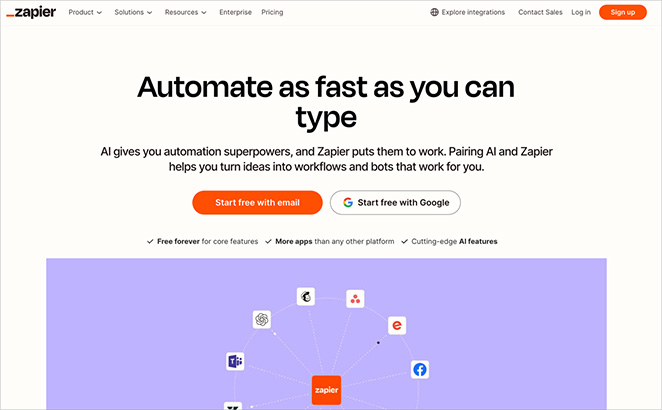
Even though some marketing tools don’t offer direct integration between WordPress and AWeber, there are still ways to link them together, which is where Zapier comes in. Zapier is a helpful platform that lets apps connect using its API; that way, they can talk to each other.
For example, I’ve often used Zapier’s AWeber integration to:
- Add new Facebook leads as AWeber email subscribers
- Add GoToWebinar registrations to AWeber email lists
- Add AWeber subscribers from new WooCommerce orders
- Unsubscribe a Zoho mail contact from an AWeber list
Some other tools that Zapier works with include JotForm, ClickSend SMS, SeedProd, RafflePress, and many of the other plugins on this list.
✅ Pros:
- Connects AWeber with hundreds of other apps
- Automates repetitive tasks
- No coding required for most integrations
- Customizable workflows (called “Zaps”)
- Offers a free plan to get started
❌ Cons:
- More complex setups can be challenging for beginners
- Some advanced features require paid plans
Why I Recommend Zapier: Zapier helps connect AWeber with many other tools. You can use it to create powerful automation, save time, and grow your lists more efficiently.
Pricing: Zapier offers a limited free version you can try. The Starter plan starts from $19.99 per month, billed annually.
Notable Mentions
Two more tools deserve a mention if none of the above fit your situation exactly.
AWeber for WordPress (Official Plugin)
AWeber publishes an official free plugin for WordPress. It lets you embed AWeber’s native sign-up forms anywhere on your site using a block or widget, without needing a third-party plugin.
The native plugin is worth knowing about if you’re already on a free AWeber plan and just need a basic opt-in form on a page or sidebar. It’s not a page builder or form builder, so it won’t replace WPForms or SeedProd for more complex designs. But for simple implementations, it gets the job done in minutes and costs nothing.
Best for: WordPress users on AWeber’s free plan who want a quick, no-cost opt-in form without installing a full form builder plugin.
Elementor
Elementor is the most widely used WordPress page builder, and it supports AWeber through a native form widget. If you’re already building your site with Elementor, you don’t need a separate form plugin to connect to AWeber. Open the Elementor form widget, go to the Actions After Submit panel, select AWeber, and enter your API key.
I’ve used Elementor extensively for client sites over the years, so I can say firsthand that the AWeber form connection is straightforward once you locate it in the widget settings. The main limitation is that AWeber sync is only available on Elementor Pro, not the free version.
Best for: Sites already built with Elementor Pro that want to add AWeber opt-in forms without switching page builders or adding another plugin.
AWeber Integrations FAQ
Does AWeber integrate with WordPress?
Yes. AWeber connects to WordPress through its official plugin and through dozens of third-party WordPress plugins including SeedProd, WPForms, RafflePress, OptinMonster, and Formidable Forms. Most integrations use the AWeber API, which means form submissions automatically add subscribers to your chosen list without any manual steps.
What is the best form plugin for AWeber on WordPress?
WPForms is the best form plugin for AWeber on WordPress for most users. It offers a beginner-friendly drag-and-drop builder, thousands of templates, and a direct AWeber integration that syncs new form submissions to your list automatically. If you need more advanced, data-driven forms, Formidable Forms is the better choice.
Does AWeber have a free WordPress plugin?
Yes. AWeber’s official WordPress plugin is free and available at wordpress.org/plugins/aweber-web-form-widget. It lets you embed your AWeber sign-up forms anywhere on your WordPress site using a Gutenberg block or classic widget. For more design control, you’ll want to pair AWeber with a plugin like SeedProd or WPForms instead.
How do I connect AWeber to a landing page in WordPress?
The easiest way is to use SeedProd. Install SeedProd, create or edit a landing page, add an Opt-in Form block, and then go to Connect in the SeedProd settings to link your AWeber account. From there you can select which AWeber list receives new subscribers. The whole setup takes under 5 minutes, and new signups sync to AWeber automatically.
Can I use AWeber with WooCommerce?
Yes, though WooCommerce doesn’t have a built-in AWeber integration. The most common approach is to use Zapier to connect the two: when a new WooCommerce order is placed, Zapier adds the customer as an AWeber subscriber. Alternatively, if you use Easy Digital Downloads instead of WooCommerce, it has a native AWeber integration that handles this automatically.
There you have it!
I hope you’ve found the best AWeber integrations for your WordPress site in this article. If you want to use AWeber with SeedProd, check out our AWeber integration documentation.
You might also like the following WordPress guides:
- Best Drip Integrations for WordPress
- How to Make a Modern WordPress Under Construction Page
- How to Change a WordPress Theme Design Without Losing Content
Thanks for reading! We’d love to hear your thoughts, so please feel free to join the conversation on YouTube, X and Facebook for more helpful advice and content to grow your business.




