

The best no code tools WordPress users can use are plugins that let you build pages, grow an audience, and manage your site without writing code. I’ve worked with WordPress for over ten years, and I’ve always relied on tools like these because I’m not a developer.
For a long time, that felt limiting. Many WordPress tools assumed you were comfortable editing files or adding snippets, even for small changes.
That’s changed. Today, there are solid no-code WordPress tools that let beginners handle things like page building, forms, SEO, analytics, and backups through simple visual controls.
In this guide, I’m sharing the best no code tools for WordPress that I’ve actually used and would recommend if you want to move faster without hiring a developer.
Quick Summary of the Top No Code Tools
If you’re in a hurry, here is a quick comparison of my top picks to help you decide:
| # | Tool | Best For | Pricing |
|---|---|---|---|
| 🥇 1 | SeedProd | Build landing pages and site layouts | Starts at $39.50/year |
| 🥈 2 | RafflePress | Run giveaways to grow traffic and email signups | Starts at $39.50/year |
| 🥉 3 | WPForms | Add contact forms and payments | Starts at $39.50/year |
| 4 | MonsterInsights | See analytics inside WordPress | Starts at $99.50/year |
| 5 | All in One SEO | Handle on-page SEO without code | Starts at $49.50/year |
| 6 | OptinMonster | Create popups and lead capture campaigns | Starts at $9/month |
| 7 | Easy Digital Downloads | Sell downloads and digital products | Starts at $99/year |
| 8 | Duplicator | Back up and migrate a site | Starts at $49.50/year |
| 9 | Smash Balloon | Show social media feeds on your site | Starts at $49/year |
| 10 | Thrive Suite | All-in-one marketing tools (builder, leads, testing) | Starts at $299/year |
| 11 | UserFeedback | Collect customer feedback with surveys | Starts at $49.50/year |
In this guide, I’m focusing on no code tools that help with common WordPress tasks like building pages, adding forms, improving SEO, tracking performance, selling products, and protecting your site. These are tools I use when I want to get things done without editing theme files or adding snippets.
They let beginners handle things like page building, lead capture, SEO basics, and site management through simple interfaces that are realistic to use day to day.
How I Chose the Best No Code Tools
With so many no code WordPress tools out there, I wanted to be clear about how I narrowed this list down. I only included tools I’ve actually used and found practical for real WordPress sites.
- They had to be truly no code. I ruled out anything that required adding CSS, editing files, or pasting snippets just to work properly.
- They had to be easy to use. These tools needed to make sense to someone who isn’t a developer and doesn’t have time to read long documentation.
- They had to be reliable. I focused on tools that consistently worked as expected without breaking layouts or causing conflicts.
- They had to offer real support. If something goes wrong, I want to know there’s proper documentation or a support team to help.
If you’re just getting started, I’d focus on one tool for building pages, one for forms or lead capture, and one for SEO or tracking before adding anything else.
The Top No Code Tools for WordPress
Finding the right no code apps and tools may seem challenging at first. There’s a lot of information out there, making it hard to choose a tool that best fits your needs.
Luckily, I’ve done the work for you. Below, you’ll find my best no code plugin suggestions for WordPress, complete with why I think they’re the best at what they do.
1. SeedProd
| Pricing: Starts at $39.50/year |
| Free Plan / Trial: Free version available |
| Standout Features: |
| 🔹 Drag-and-drop landing page builder 🔹 Theme Builder for headers, footers, and templates 🔹 Coming Soon and Maintenance Mode pages |
| Best For: Building WordPress pages and site layouts without code |
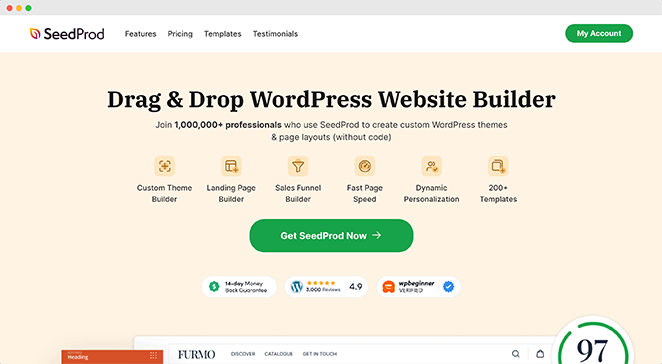
SeedProd is the no code tool I use when I need to build landing pages or design a WordPress site without touching theme files or writing CSS.
With over 1 million users and a powerful drag-and-drop user interface, SeedProd makes code-free web design effortless.
One of my favorite things about SeedProd, is it has hundreds of pre-made themes and layout templates to give your WordPress design a head start. Whether you’re building a sales page or a thank you page, you’ll find a fully customizable design to hit the ground running.
You can even launch a custom website in seconds using SeedProd’s AI website builder. Just write a brief description of your site, and it will generate a fully custom theme, helping you save time and get online faster.
What’s more, the page builder includes point-and-click design tools for almost any web design feature, including:
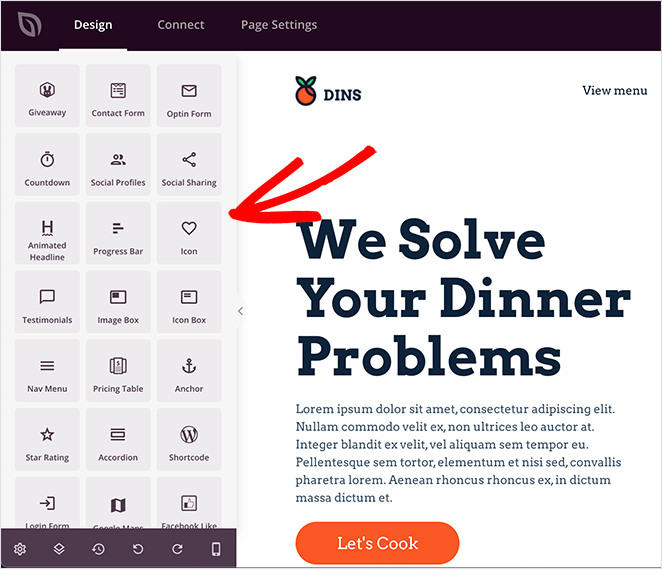
- Pricing tables
- Contact forms
- Animations
- Video popups
- Image galleries
- Call to action buttons
- Accordions
- Testimonials and reviews
- Opt-in forms
- Countdown timers
- Google maps
- And more
You can even preview your design on various mobile devices to ensure it looks perfect on desktops, mobiles, and tablets.
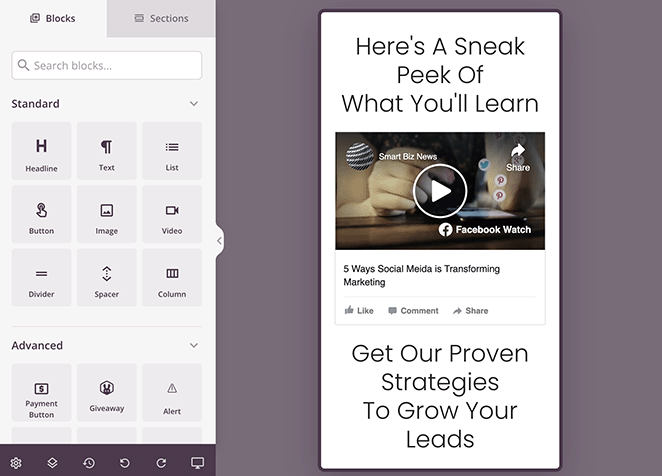
SeedProd’s Theme Builder feature takes no code development to the next level. You can customize every part of your WordPress theme, from headers and footers to sidebars and eCommerce pages, all without coding.
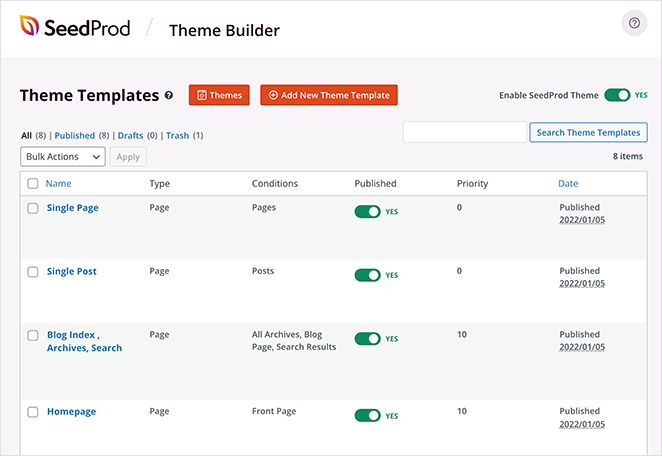
Another thing that I appreciate a lot, is the built-in coming soon and maintenance mode features. They allow you to build anticipation among your users without letting site modifications disrupt their experience. You can expertly craft coming soon and maintenance mode pages and swap them with the live site when you’re ready.
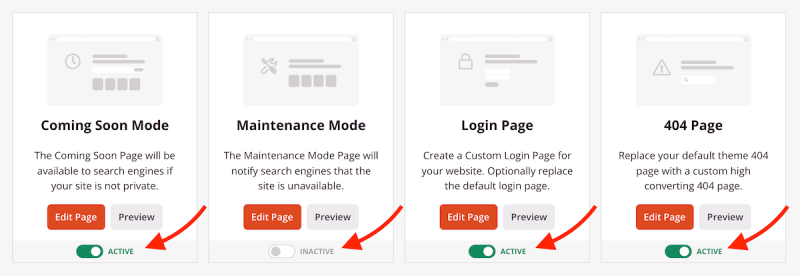
Additionally, SeedProd integrates with popular email marketing services like Mailchimp and Constant Contact. It also integrates natively with WooCommerce and Easy Digital Downloads for eCommerce websites.
Why I Recommend It: SeedProd helps users of all levels design stunning WordPress pages without writing code. Whether you’re building your first website or managing several, SeedProd provides top-notch, hassle-free site creation.
2. RafflePress

| Pricing: Starts at $39.50/year |
| Free Plan / Trial: Free version available |
| Standout Features: |
| 🔹 Drag-and-drop giveaway builder 🔹 Pre-made giveaway templates 🔹 Multiple entry actions (email + social) |
| Best For: Running WordPress giveaways to grow email subscribers and engagement |
I use RafflePress when I want to run giveaways in WordPress to grow traffic, email subscribers, or social engagement without custom development. With its user-friendly interface, it makes it easy for anyone to create and manage online giveaways in WordPress.
I’ve used this plugin a lot, and always enjoy its pre-made giveaway templates that make creating an online contest a breeze. Plus, the drag-and-drop giveaway builder lets you add and arrange different elements with a few clicks.
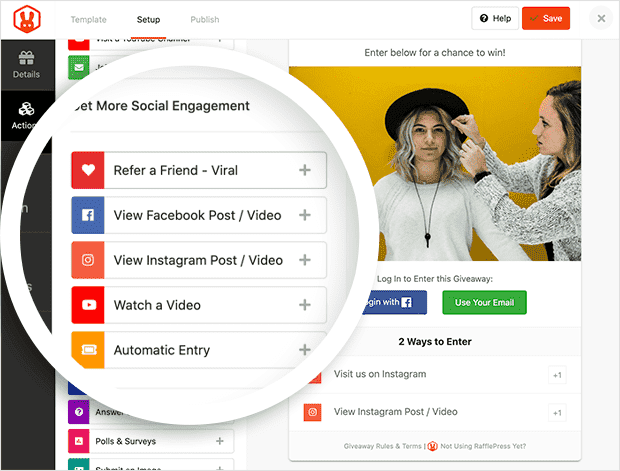
I also love how versatile RafflePress is. It supports numerous entry methods, from simple sign-ups to more complex options like social media engagement. Whether you want to encourage visitors to like your Facebook page, follow your Twitter account, or watch a YouTube video, you’ll find a giveaway action to meet your needs.
Additionally, RafflePress ensures that your giveaways are mobile-responsive. Giveaway entries will look great and work smoothly on any device, increasing your potential reach and engagement.
Furthermore, it integrates seamlessly with email marketing services and popular social media platforms, making it easier to promote your giveaway and gather leads.
Why I Recommend It: RafflePress helps small businesses grow their website traffic, email subscribers, and social media engagement with viral giveaway campaigns. It’s easy to use, requires zero coding, and has a limited free version.
3. WPForms
WPForms is the no code tool I use to add contact forms, payments, and surveys to WordPress without editing templates or writing PHP.
| Pricing: Starts at $39.50/year |
| Free Plan / Trial: Free version available |
| Standout Features: |
| 🔹 Drag-and-drop form builder 🔹 Pre-made form templates 🔹 Conditional logic and file uploads (paid plans) |
| Best For: Adding contact forms, payments, and surveys without code |
With its drag-and-drop form builder, you can create any form for your WordPress website without code. We use this plugin here on SeedProd, and it’s a top choice for my own personal website.
WPForms is flexible, allowing you to create countless forms, including contact forms, payment forms, survey forms, newsletter forms, and much more. It even offers hundreds of pre-made form templates, making it an excellent choice for beginners.
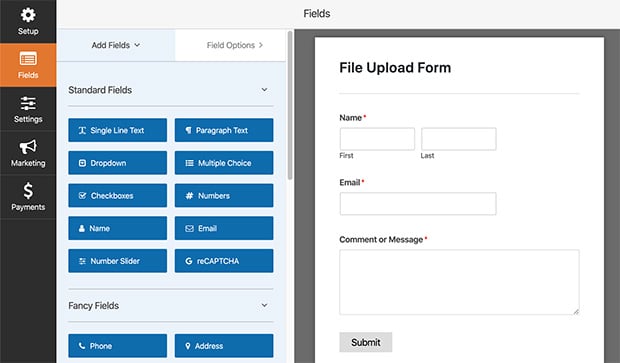
Advanced form-building is also a breeze. With conditional logic, you can show or hide form fields depending on user selection. And with the file-upload feature, you can accept file submissions to your website right from your web form.
WPForms integrates with popular marketing and payment platforms, ensuring your forms not only look great but perform superbly for your business needs. You can even use Zapier to connect with other tools like Google Sheets, Chatbots, and messaging apps.
Why I Recommend It: WPForms helps beginners and advanced users create highly customizable web forms in WordPress without writing code. With hundreds of templates and advanced form-building features, you can make any form that meets your business needs.
For more details, see our WPForms review.
4. MonsterInsights

| Pricing: Starts at $99.50/year |
| Free Plan / Trial: Free version available |
| Standout Features: |
| 🔹 Google Analytics reports inside WordPress 🔹 Easy setup without adding tracking code manually 🔹 eCommerce and behavior tracking (paid plans) |
| Best For: Seeing site analytics in WordPress without code snippets |
MonsterInsights is one of the best WordPress analytics plugins, with over 3 million users. It’s the no code tool I use to see Google Analytics data inside WordPress without adding tracking code or editing theme files.
MonsterInisghts curates your Google Analytics data and presents it in easy-to-read reports right inside your WordPress dashboard. That way, you can understand who visits your website and how they interact with it.
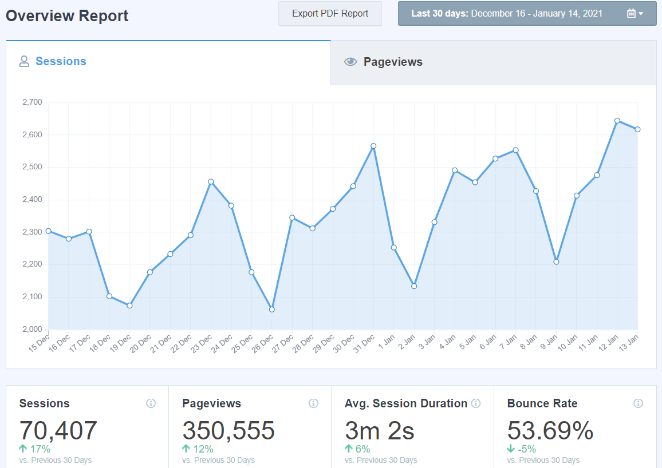
Additionally, the plugin offers real-time stats, eCommerce tracking, and behavior tracking, all without the need for programming. With powerful insights like the most popular posts, page views, referral sources, and more, MonsterInsights is a reliable companion for any WordPress website owner to improve their performance.
Why I Recommend It: MonsterInsights helps website owners connect to Google Analytics, understand their site’s performance, and transform complex analytics tasks into simple, efficient processes.
For more information, please see our MonsterInsights review.
5. All in One SEO
| Pricing: Starts at $49.50/year |
| Free Plan / Trial: Free version available |
| Standout Features: |
| 🔹 On-page SEO settings for titles and meta 🔹 XML sitemaps and schema tools 🔹 Redirects and social sharing controls (paid plans) |
| Best For: Handling core WordPress SEO tasks without editing code |
All in One SEO is the no code tool I use to handle basic WordPress SEO tasks like titles, sitemaps, and schema without editing theme files or writing markup. It’s one of the best WordPress SEO plugins that ensure your website is search engine friendly.
With this plugin, you can optimize your website for search engines to maximize traffic and sales. Its suite of no code SEO tools helps you optimize titles, create XML sitemaps, add Meta tags, insert schema markup, and more.
Even if you’re a novice to the concept of SEO, this tool makes the process seamless and stress-free. For example, its content analysis tool guides you through creating SEO-rich content that ranks higher on search engines.
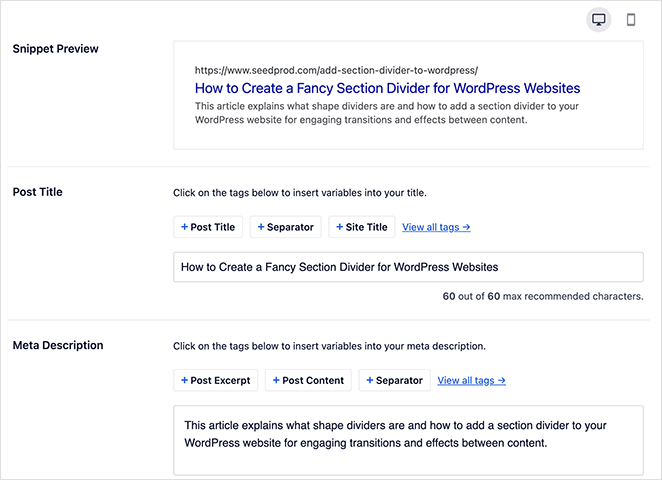
Additionally, it comes with built-in social media integration, internal linking, and automatic redirects, ensuring all your SEO bases are covered without getting into any programming hassle.
Why I Recommend It: All In One SEO warrants its place as one of the best no code tools for WordPress. It’s easy to use, requires minimal setup, and walks you through optimizing your website for search engines.
For more details, please see our AIOSEO review.
6. OptinMonster
| Pricing: Starts at $9/month |
| Free Plan / Trial: No free plan listed |
| Standout Features: |
| 🔹 Drag-and-drop campaign builder for popups 🔹 Targeting rules and display triggers 🔹 Pre-made templates for lead capture |
| Best For: Building popups and opt-ins without custom scripts |
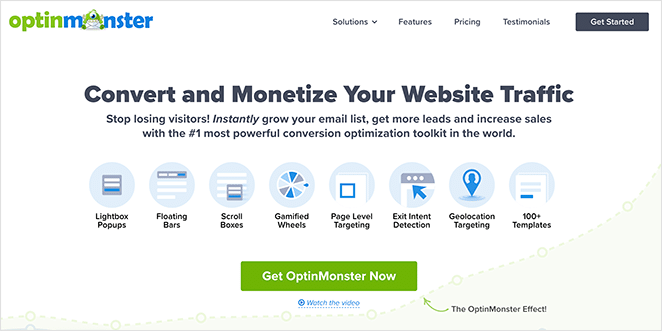
OptinMonster is an excellent choice for creating popups and opt-in campaigns in WordPress without custom scripts or front-end development. It helps boost conversion rates and maximize lead generation with easy opt-in campaigns.
With this no code platform, you can build high-converting opt-in campaigns with drag-and-drop and zero coding necessary. You can start with a pre-made template and make everything from intricate pop-ups and fullscreen welcome mats to floating bars, discount wheels, and more.
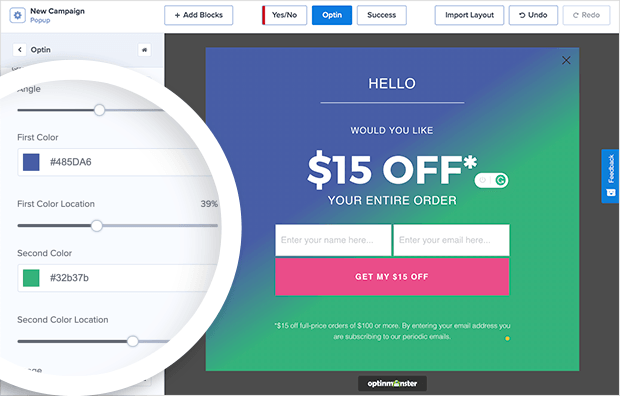
OptinMonster backs up its easy design tools with powerful targeting and segmentation features so your marketing efforts reach the right people at the right time. For example, you can create eye-catching exit-intent popups that show when users are about to leave your site.
Moreover, this powerful web application works seamlessly with third-party development platforms, including Shopify, Drupal, Squarespace, BigCommerce, and more.
Given all these functions, it’s no wonder OptinMonster ranks as one of the best no code tools for WordPress users, especially those looking to make an impact with their lead generation.
Why I Recommend It: OptinMonster helps website owners make an impact with lead generation with its easy drag-and-drop campaign builder, pre-made templates, and smart targeting rules.
For more information, see our guide to the best WordPress popup plugins.
7. Easy Digital Downloads
| Pricing: Starts at $99/year |
| Free Plan / Trial: No free plan listed |
| Standout Features: |
| 🔹 Digital product checkout in WordPress 🔹 Discount codes and customer management 🔹 Reporting and payment gateway options |
| Best For: Selling digital downloads without building a custom store |
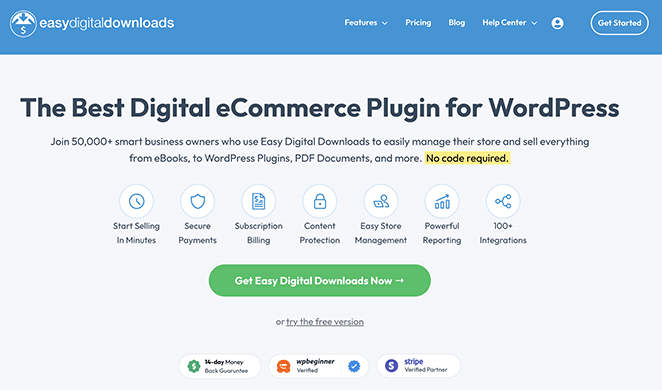
Easy Digital Downloads is one of the best eCommerce plugins for digital downloads. It lets you sell digital products from WordPress using simple product settings instead of building a custom eCommerce setup.
With easy WordPress integration, you can sell everything from eBooks and WordPress plugins to PDFs and online courses from an intuitive digital storefront.
The beauty of Easy Digital Downloads is its simplicity. You can effortlessly add new products, set prices, and create discount codes without touching a line of code. It’s as straightforward as filling out a form.
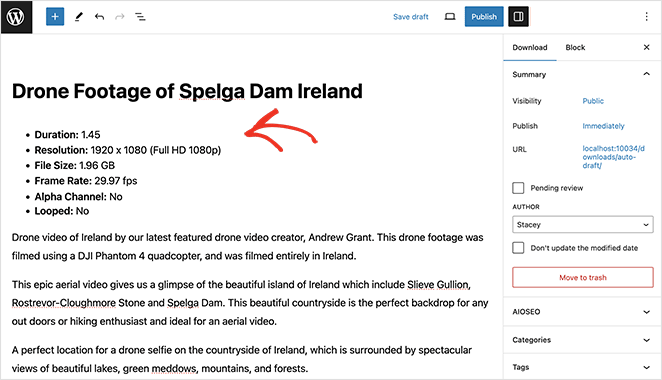
Moreover, you can set up various payment gateways, enabling you to sell to a wider audience. The tool’s detailed reporting system also provides timely insights into your business, allowing you to make data-driven decisions and boost sales.
Why I Recommend It: Easy Digital Downloads help startups, entrepreneurs, bloggers, and small businesses sell digital goods in WordPress without grappling with complex code.
8. Duplicator
| Pricing: Starts at $49.50/year |
| Free Plan / Trial: Free version available |
| Standout Features: |
| 🔹 Guided site migration workflow 🔹 Scheduled backups (paid plans) 🔹 Easy restore options for recovery |
| Best For: Backing up and moving WordPress sites without manual exports |
Duplicator is one of the best migration and backup plugins for WordPress. It makes it possible to back up or move a WordPress site without manually exporting databases or editing configuration files.
With a few easy steps, you can create a ‘package’ that includes your site’s plugins, themes, content, and database. You can then migrate the package to any location, such as a different server or another domain.
Backups are a breeze with Duplicator. The tool helps you to schedule backups, which means your website’s information is always secure. You can restore your site quickly in case of mishaps—eliminating downtime that could affect your revenue or business presence online.
Duplicator’s user-friendliness packs a punch, especially for beginners. With its intuitive interface and clear instructions, you don’t need to be a WordPress expert to perform migrations and backups like a professional.
Why I Recommend It: Duplicator helps website owners easily backup, restore, and move their WordPress site from one location to another without losing content or hiring a developer.
9. Smash Balloon

| Pricing: Starts at $49/year |
| Free Plan / Trial: Free versions available (limited) |
| Standout Features: |
| 🔹 Feed plugins for major social platforms 🔹 Visual feed customization controls 🔹 Automatic updates to keep feeds fresh |
| Best For: Adding social media feeds to WordPress without embeds |
Smash Balloon lets you display live social media feeds on your site without embedding scripts or managing API connections by hand.
Smash Balloon offers several feed plugins for different social media platforms, including Facebook, Instagram, YouTube, TikTok, and X (formerly Twitter). With each plugin, you can import a feed of your latest social content without writing code.
With Smash Balloon, your feeds update automatically, saving you from manually updating your site with fresh social content. Moreover, its visual feed builder lets you customize your social media feeds to match your website’s theme and brand to create a consistent look and feel for your visitors.
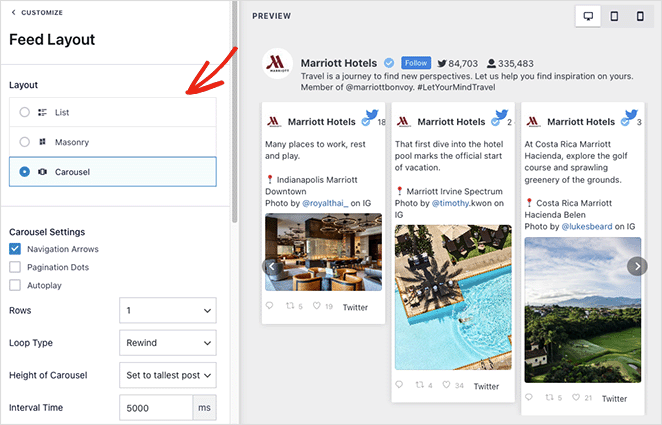
Beyond its design capabilities, Smash Balloon is an excellent tool for driving customer engagement. It lets you showcase social media reviews, posts, and photos on your website. In doing so, you boost your social proof, engage your audience, and enhance your brand’s authenticity, but you also stimulate site visitors to join the conversation right on your platform.
Why I Recommend It: With its straightforward interface and easy-to-follow instructions, Smash Balloon makes it easy to add and manage social media content in WordPress without coding.
For more details, please see our in-depth Smash Balloon Review.
10. Thrive Suite
| Pricing: Starts at $299/year |
| Free Plan / Trial: No free plan listed |
| Standout Features: |
| 🔹 Multiple plugins for building and marketing 🔹 Page builder, leads, quizzes, and testing tools 🔹 Unified dashboard and templates |
| Best For: An all-in-one WordPress marketing toolkit without custom builds |
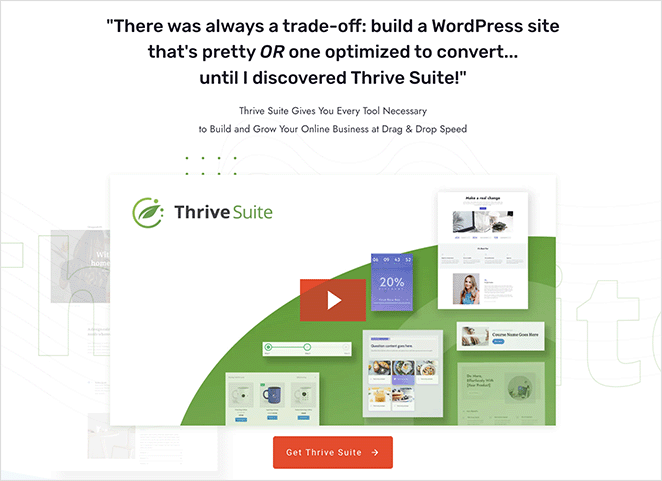
Thrive Suite bundles page building, lead generation, testing, and marketing tools so you can manage growth features in WordPress without stitching together custom solutions.
One of its most popular no code tools is Thrive Architect, a powerful drag-and-drop page builder. With it, you can design and customize unique, professional-grade pages without writing a single line of code.
For boosting your site’s engagement, Thrive Suite offers Thrive Quiz Builder, an easy-to-use tool for creating captivating, interactive quizzes. Coupled with Thrive Leads, a lead generation solution, these tools work harmoniously to skyrocket your email list and engagement rates.
Thrive Suite doesn’t only cater to the front end of your website but also the back end. With Thrive Optimize, its A/B testing tool, you can split-test different website elements and make data-backed decisions to improve your site’s performance.
So, if you’re looking for high functionality, ease of use, and versatility in one neat bundle, you can’t go wrong with Thrive Suite.
Why I Recommend It: Thrive Suite is an excellent suite of no code tools that cater to every part of building, managing, and marketing a WordPress site without hiring a developer.
11. UserFeedback

| Pricing: Starts at $49.50/year |
| Free Plan / Trial: Free trial available |
| Standout Features: |
| 🔹 Survey templates for common feedback goals 🔹 Logic and targeting options (paid plans) 🔹 One-question-at-a-time display |
| Best For: Collecting user feedback in WordPress without custom surveys |
UserFeedback is the leading WordPress feedback plugin, trusted by over 300,000 websites for its powerful survey features. It lets you collect feedback and run surveys directly on your WordPress site without building custom forms or survey logic.
The plugin perfectly combines advanced functionality with ease of use, making it the ideal choice for creating professional surveys without needing any technical knowledge.
With UserFeedback, you can create unlimited surveys with a wide range of question types—from simple star ratings and multiple-choice to detailed long-answer responses. The platform makes getting started easy with its collection of pre-made templates, perfect for NPS surveys, product feedback, customer satisfaction surveys, and more.
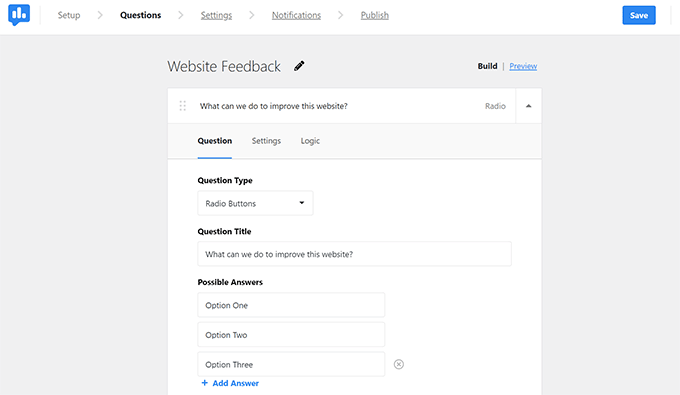
The tool stands out with its advanced features: flexible question types, ready-to-use templates, smart logic that changes questions based on previous answers, and precise audience targeting. Plus, it displays one question at a time, which helps fight survey fatigue and improves completion rates.
One of its biggest strengths is its connection with Google Analytics through MonsterInsights. This provides clear insights into your survey results and speeds up feedback analysis directly from the WordPress dashboard.
Why I Recommend It: UserFeedback helps WordPress users truly understand their audience through powerful yet easy-to-use survey tools. Its advanced features, user-friendly design, and detailed analytics make it the best solution for collecting and understanding valuable user feedback.
How to Choose the Best No Code Tools for WordPress
With so many options available, choosing the right no code tools can feel overwhelming. To make things easier, ask yourself the following questions:
- What features do I need? Is faster page loading a priority? Or are you focusing on improving site security? Once you’ve defined your needs, it’s easier to shortlist the tools.
- Will it work with my existing plugins? Compatibility issues can lead to malfunctions and slow down your page speed.
- Is it easy to use? While low-code tools are accessible, some are more user-friendly. Look for tools with a clean interface and good user experience.
- Is it within my budget? While some tools offer free basic services, others charge a fee for more advanced features. Find a balance between your budget and requirements.
Ultimately, the tools you choose depend on your needs and circumstances. So, carefully evaluate the features of each tool, and never hesitate to try them out – most no code tools offer trial periods.
FAQs About No Code Tools for WordPress
I hope this guide has helped you find the best no code tools for WordPress. These tools are designed to make your website-building process a breeze, even if you’re not a coding wizard.
If you’re looking for even more no code tools for WordPress, you’ll find the following guides helpful:
- Best WordPress Lightbox Plugins
- How to Create a Membership Site with WordPress
- Best Business Phone Services (WPBeginner)
- Best SMTP Plugins For Successful Email Delivery
- Best WooCommerce Plugins To Skyrocket Your Sales
- Best Live Chat Plugins for WordPress
Thanks for reading! We’d love to hear your thoughts, so please feel free to join the conversation on YouTube, X and Facebook for more helpful advice and content to grow your business.



