

TL;DR
I built real landing pages with all 10 plugins to see which ones held up. SeedProd came out on top for speed, templates, and how fast a beginner can launch.
- SeedProd: Best overall, it loaded in 556ms in my GTmetrix test with 350+ templates and no code needed.
- Thrive Architect: Best for A/B testing inside a full marketing suite, from $99/year.
- Beaver Builder: Best free-to-start builder that survives theme switches.
- Kadence Blocks and Getwid: Best free picks if you want to work inside the WordPress block editor.
- Match the tool to the job: popups (OptinMonster), forms (WPForms), and sales funnels (OptimizePress) each have a better-fit option.
Pick the wrong WordPress landing page plugin and you’re stuck with slow page loads, a thin template library, or a builder so fiddly you spend more time learning it than launching.
Most “best landing page plugin” roundups are stitched together from feature sheets and vendor copy, not real use. I built actual pages with all 10 of these, so you don’t have to install five plugins to find the one that works.
Quick Overview: Best WordPress Landing Page Plugins
If you’re in a hurry, here’s an at-a-glance look at my top landing page software picks:
| Plugin | Price | Free Plan | Best For |
|---|---|---|---|
| 🥇 SeedProd | From $39.50/year | Yes | Beginners and fast setup |
| 🥈 Thrive Architect | $99/year | No | A/B testing and conversion marketers |
| 🥉 Beaver Builder | Free, then $89/year | Yes (Lite) | Theme-safe simplicity |
| WPForms | Pro from $199.50/year | Yes (Lite) | Form-based landing pages |
| OptinMonster | From $9/month | No | Popups and exit-intent |
| Elementor Pro | From $59/year | Yes | Deep design control |
| Divi Builder | $89/year or $249 lifetime | No | Divi theme users |
| OptimizePress | From $129/year | No | Sales funnels and memberships |
| Getwid | Free | Yes | Free block-editor pages |
| Kadence Blocks | Free, Pro from $89/year | Yes | Modern free block-editor pages |
I also ran a head-to-head speed test on the three most popular builders. Here’s how they compared in GTmetrix:
| Plugin | Page Load Time | Total Requests | CSS Files | JS Files |
|---|---|---|---|---|
| SeedProd | 556ms | 16 | 5 | 8 |
| Beaver Builder | 985ms | 20 | 6 | 9 |
| Elementor | 1,882ms | 32 | 12 | 14 |
How I Tested These WordPress Landing Page Plugins
I didn’t rank these on features or reviews alone. I installed and tested every one on a clean WordPress 6.7 site running the Twenty Twenty-Five theme.
Here’s exactly what I looked at:
- Hands-on building: I created three pages with each plugin, a webinar registration page, a product showcase, and a coming soon page for a new site launch.
- Beginner experience: I paid close attention to how easy each one was to use out of the box, with no custom code.
- Design flexibility: I looked for tools that made it easy to match brand colors, layout goals, and mobile responsiveness.
- Conversion features: I tested how each handled forms, countdowns, CTA buttons, and integrations with tools like Mailchimp and WPForms.
- Speed and compatibility: I measured page load times with GTmetrix and checked for conflicts with popular themes.
I paid close attention to speed because it feeds Core Web Vitals, the performance signals Google uses. The 2026 thresholds are an LCP under 2.5 seconds, an INP under 200 milliseconds (INP replaced FID in 2024), and a CLS under 0.1.
A lighter plugin makes those easier to hit, which is why the GTmetrix load times above matter. These are my honest takes from actually using each tool, and I’ve gone through the trial and error so you don’t have to.
1. SeedProd: Best for Beginners and Fast Setup
| Pricing | From $39.50/year (1 site) |
| Free Plan | Yes |
| Standout Features | 350+ templates, AI page generation, 556ms load time, lead-gen blocks |
| Best For | Beginners and marketers who want fast, no-code landing pages |
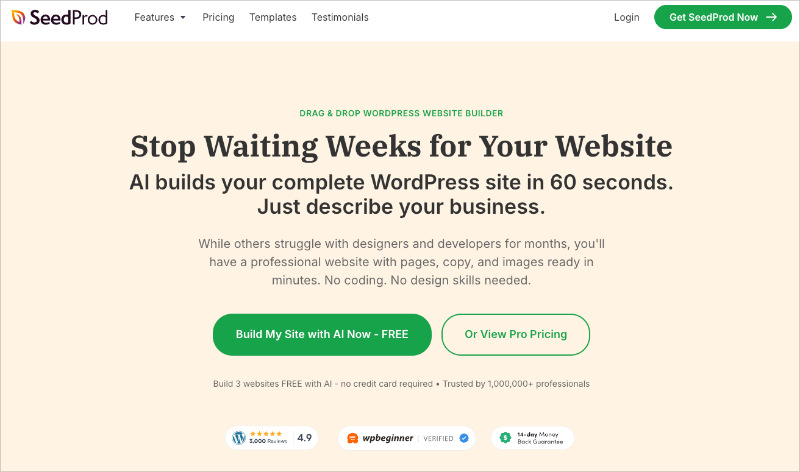
I’ve tested countless landing page plugins, and SeedProd consistently stands out for how fast it gets you to a finished page. It handles almost any page type you need, from sales pages to squeeze pages to 404 pages.
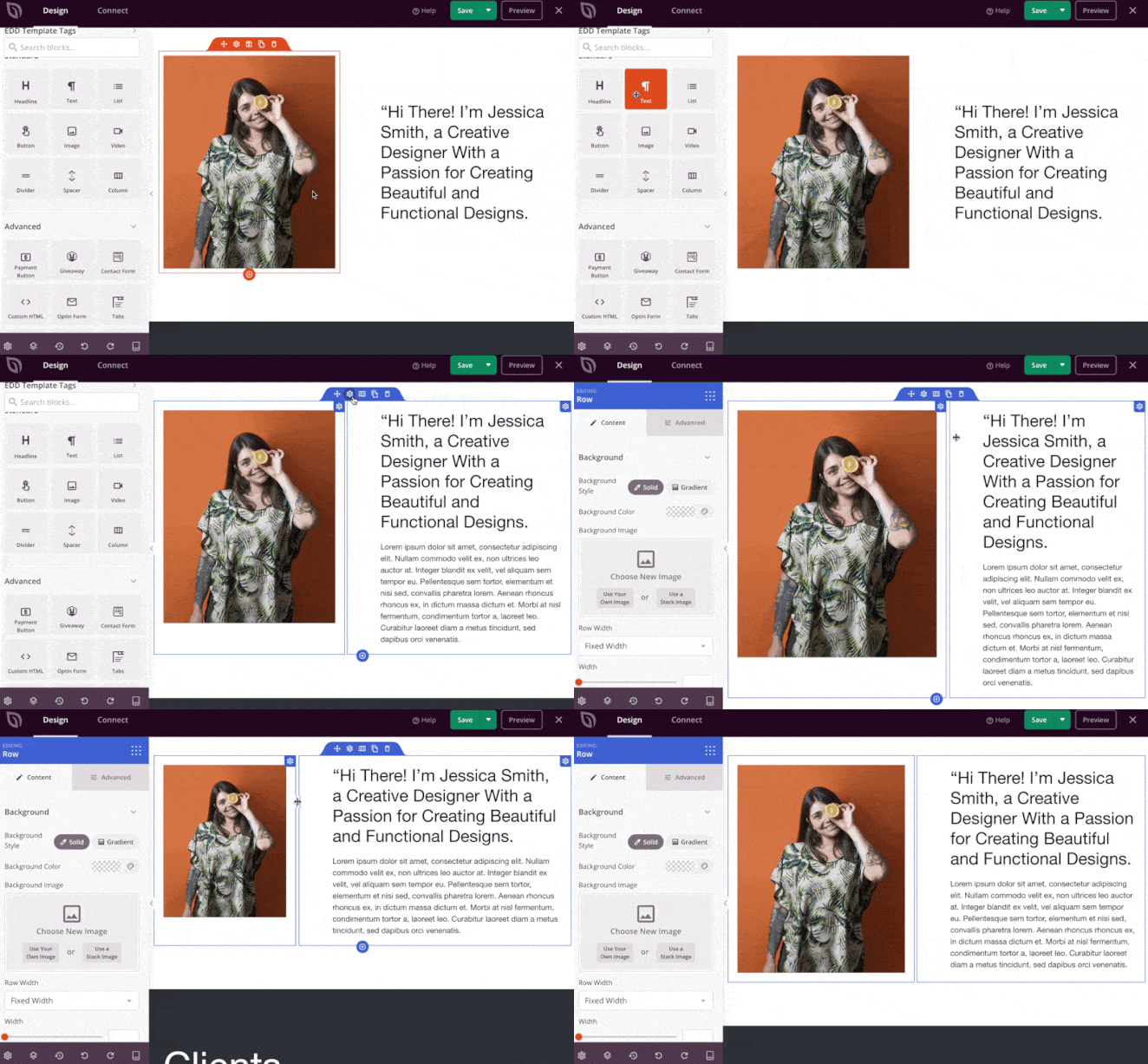
What makes SeedProd easy to live with is the drag-and-drop visual website builder. No CSS knowledge? No problem.
You can design custom WordPress themes and landing pages in record time with no design experience. The theme builder is a relief for the less code-savvy among us (like me).
SeedProd’s wide selection of customizable landing page templates and starter themes gives you a real head start.
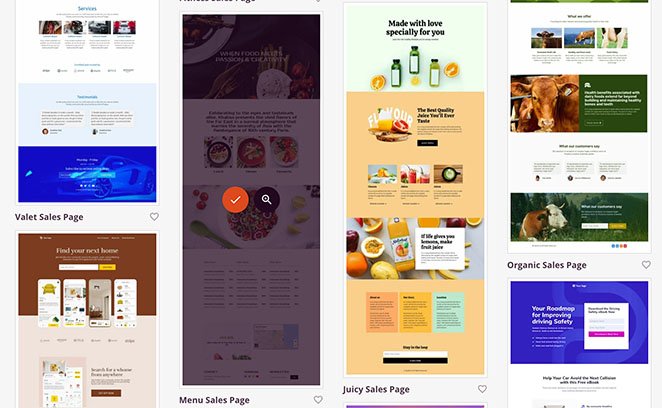
With a few clicks, you can build a professional-looking:
- Webinar registration page
- Maintenance mode page
- Coming soon page
- Thank you page
- Sales page
- …and many more
The focus stays on conversions. SeedProd gives you lead-focused blocks for optin forms, contact forms, testimonials, social media, countdown timers, and call-to-action buttons, with new ones added regularly.

The built-in maintenance, coming soon, 404, and custom login pages are a genuine time-saver.
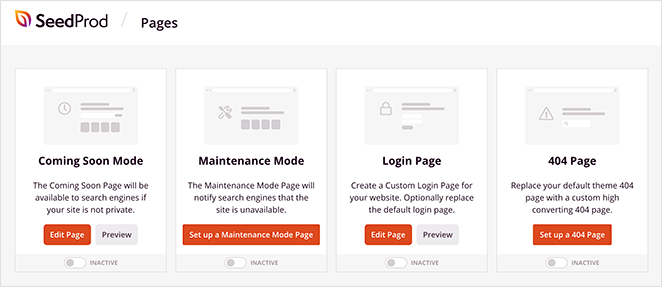
I especially appreciate the access controls. They let you hide a site during development and grant client previews in a couple of clicks.
Native integrations with email services like Drip, Constant Contact, and Mailchimp make growing your list easy. Zapier support connects the rest of your marketing tools.
Performance is where SeedProd earns the top spot. It loaded in just 556ms in my GTmetrix testing with only 16 total requests, over 3x faster than Elementor on the same setup.
That speed is also an SEO advantage. Fast, lightweight pages are easier to index and help you pass Core Web Vitals, which you can see in the full head-to-head speed test.
And if you’re wondering whether it actually moves the needle, OptinMonster used SeedProd to lower their cost per acquisition by 47%. That result convinced me it does more than just look easy.
SeedProd has also added AI tools in recent versions. I used the AI landing page generator to rough out a full campaign page in under a minute, copy and layout included.

It’s a newer feature and a nice head start rather than the main reason to choose the plugin. There’s also an AI content and image generator for when you’re stuck on a headline or need a quick design asset.

Features I Loved
- Real-time visual builder: See changes instantly as you design themes and landing pages.
- Wide template selection: Start from templates for webinars, thank you pages, and more.
- Lead-generation blocks: Add optin forms, contact forms, and social sharing easily.
- Built-in essentials: Toggle maintenance mode, 404, and custom login pages with a click.
- Native integrations: Connect Drip, Mailchimp, and others, and extend with Zapier.
Cons
- Advanced conversion features like countdown timers and custom domains need a paid plan.
- It’s built around WordPress, so it isn’t a standalone hosted platform.
Pricing and Plans
SeedProd has a free version. To build a high-converting landing page with the best features, the paid version is worth it. SeedProd pricing starts from $39.50 for 1 site with a year of support and updates.
My Verdict
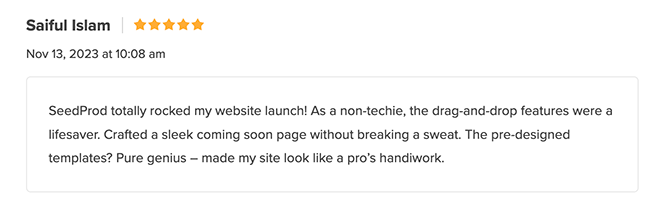
If you want a WordPress landing page plugin and a website builder that’s beginner-friendly without being basic, SeedProd is hard to beat. It pairs a genuinely easy editor with the conversion tools most builders make you bolt on.
It isn’t the right pick if you need a fully hosted platform that runs outside your own site.
Customer Review
Skip the plugin shortlist
Build a landing page that loads in under a second
SeedProd won my speed test at 556ms, with 350+ templates and drag-and-drop editing. No code and no theme wrestling.
Build my landing page2. Thrive Architect: Best for A/B Testing and Conversion Marketers

| Pricing | $99/year (or $299/year Thrive Suite) |
| Free Plan | No |
| Standout Features | 300+ templates, A/B split testing, Thrive Suite integration, front-end visual editor |
| Best For | Conversion marketers who want A/B testing in a full suite |
Thrive Architect is a popular WordPress landing page plugin that’s handy if you also need a theme. Created by Thrive Themes, it lets you build pages visually from the front of your website.
I found Thrive Architect to be a capable landing page builder, especially paired with the other Thrive Themes tools. The visual, drag-and-drop interface is intuitive, and there’s little need for extra plugins thanks to its built-in features.
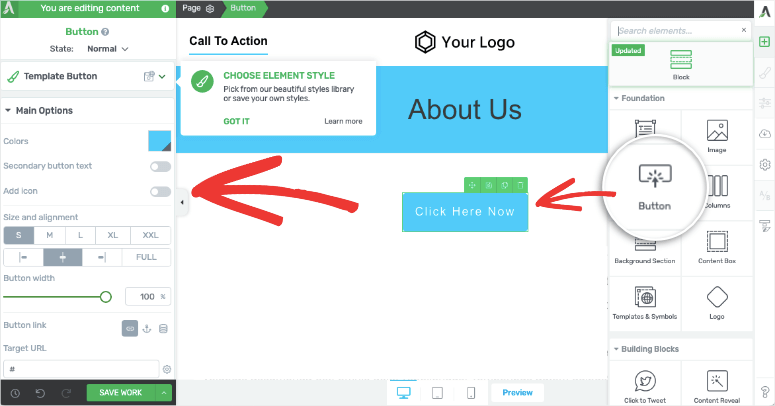
The interface felt clunkier than SeedProd at times, especially when I switched between editing and preview modes. I liked the level of control, but the sheer number of options can overwhelm a newer user.
Thrive Architect comes with over 300 templates, each built for conversions, so you can put together webinar pages, optin pages, and more in a few clicks.
Features I Loved
- Extensive template library: The 300+ templates give you a strong starting point and speed up design.
- A/B split testing: Test variations to see what resonates, without guesswork.
- Detailed customization: Get the look you want without writing code.
- Marketing tool integrations: Connecting with email marketing tools is straightforward.
Cons
- Pricier than SeedProd at $99/year, with no lower tier.
- The number of options can overwhelm beginners.
- Switching between editing and preview felt less fluid.
Pricing and Plans
Thrive Architect costs $99 per year. For lifetime support plus all their themes and plugins, Thrive Suite is $299 per year.
My Verdict
Thrive Architect makes sense if you want a landing page tool as part of a wider suite of marketing plugins. The A/B testing and granular control are the draw. If your main need is just landing pages, the higher price makes SeedProd the easier call.
Customer Review
3. Beaver Builder: Best for Theme-Safe Simplicity
| Pricing | Free; paid from $89/year (unlimited sites) |
| Free Plan | Yes (Lite) |
| Standout Features | 170+ templates, theme compatibility, content preservation on deactivation, WooCommerce support |
| Best For | Users who want a stable, simple builder that survives theme switches |
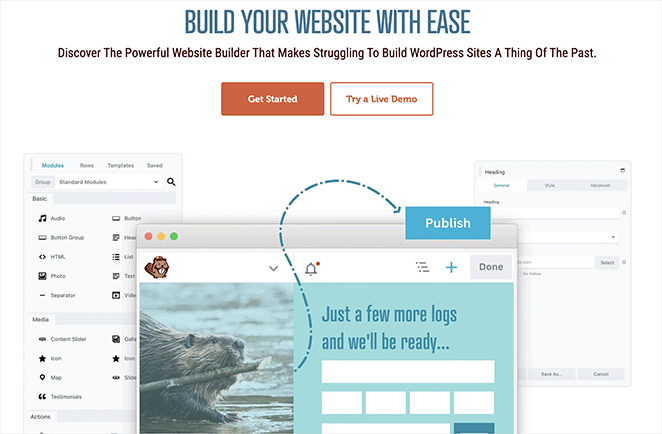
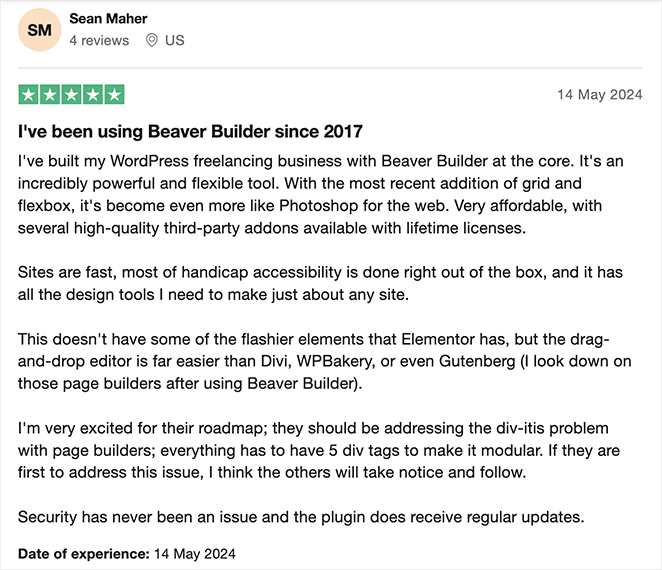
Beaver Builder is one of the best free landing page plugins for WordPress. It comes with plenty of ready-made templates you can use without writing a single line of code.
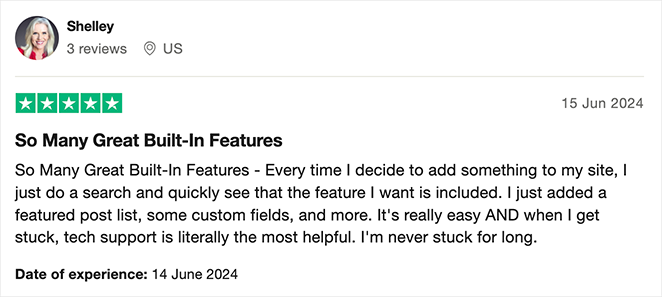
Its strength is simplicity and compatibility with popular WordPress themes. The drag-and-drop interface is straightforward, which makes it beginner-friendly.
If you stop using the plugin, your content exports automatically back to the original WordPress editor.

That said, I kept wanting a wider selection of landing page templates and a few more advanced content blocks while I was building. It’s great for simple pages, but the feature set felt limited next to other tools on this list.
Features I Loved
- Clean interface: Easy to navigate even with no design experience.
- Theme compatibility: Switch themes without breaking your landing pages.
- Content preservation: Move back to the default WordPress editor with your content intact.
- WooCommerce support: Handy for building landing pages tailored to ecommerce sites.
Cons
- Smaller landing page template selection than rivals.
- Fewer advanced content blocks.
Pricing and Plans
You can try Beaver Builder for free. Advanced features start at $89 for unlimited websites and a year of support.
My Verdict
Beaver Builder is a good option if you want a simple builder that works cleanly with your existing WordPress theme. If you need more templates, elements, or customization, another plugin on this list will serve you better.
Customer Review
For a more detailed look, see our Beaver Builder review.
4. WPForms: Best for Form-Based Landing Pages
| Pricing | Pro from $199.50/year (Form Pages addon) |
| Free Plan | Yes (WPForms Lite) |
| Standout Features | Form Pages addon, conditional logic, lead management, wide email integrations |
| Best For | Landing pages centered on form submissions |
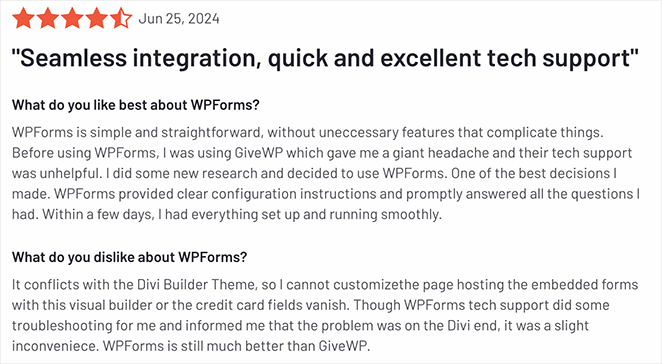
WPForms is one of the best WordPress form builder plugins. It makes it easy to build and add forms to your pages without code, and it has a feature that turns a form into its own page.
Its drag-and-drop form builder made designing even complex forms quick. The Form Pages addon let me turn a form into a dedicated, distraction-free landing page with minimal fuss, which is handy for time-sensitive projects.
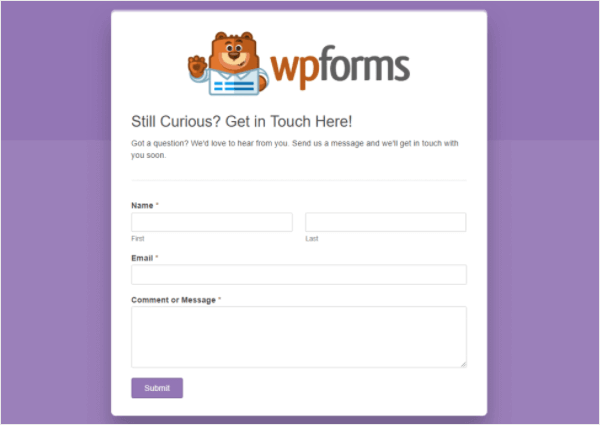
I especially liked how the conditional logic feature let me personalize the form based on what the visitor selected. If your goal is to gate an eBook or PDF behind an email, a Form Page plus an optin flow does exactly that.
Features I Loved
- Intuitive form builder: Designing surveys, registrations, and more was fast.
- Form Pages addon: Turns a form into a landing page where the form is the focus.
- Conditional logic: Build smarter forms that adapt to user input.
- Lead management: View all your leads in one place.
- Wide integrations: Connects with popular email marketing tools for lead capture.
Cons
- The Form Pages addon needs the Pro plan ($199.50/year).
- Limited design and template range next to dedicated landing page builders.
Pricing and Plans
To use the Form Pages addon, you’ll need the Pro plan, which starts at $199.50/year. There’s also a free version for creating simple WordPress forms.
My Verdict
WPForms is the pick when your landing page is really about the form: lead capture, registrations, or surveys. If you want lots of templates or design flexibility, it will feel limiting compared to a dedicated landing page plugin.
Customer Review
For more details, see our WPForms review.
5. OptinMonster: Best for Popups and Exit-Intent
| Pricing | From $9/month (billed annually) |
| Free Plan | No |
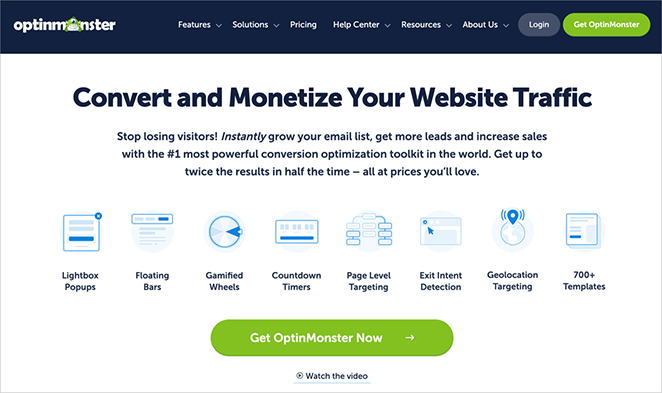
| Standout Features | Exit-intent and advanced targeting, lead-capture forms, campaign analytics, wide integrations |
| Best For | Targeted popups and exit-intent campaigns rather than full-page design |
OptinMonster is a strong lead generation tool with basic landing page features. Its drag-and-drop builder lets you customize pre-designed templates, though it offers less flexibility than a fully dedicated landing page plugin.
I mainly used OptinMonster for lead generation, its popups and slide-ins. The targeting options, like exit-intent and page-specific rules, were genuinely useful for laser-focused campaigns.
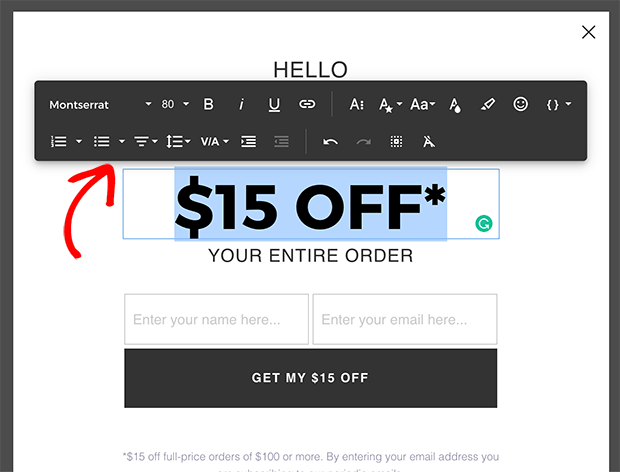
The visual editor is fine for basic layouts. Next to SeedProd and Thrive Architect, though, the landing page customization is limited.
I liked being able to set exactly when a campaign shows, so you can trigger it as someone is about to leave your site or when they click a specific link.
Features I Loved
- Advanced targeting: Trigger campaigns on behavior like exit-intent or scroll depth.
- Lead-capture forms: Turn landing pages into lead generation tools.
- Analytics: See campaign performance to guide optimization.
- Wide integrations: Connects with popular email marketing and CRM tools.
Cons
- Limited full-page design flexibility, since it’s built for popups and campaigns.
- Monthly subscription, with no lifetime option.
Pricing and Plans
OptinMonster’s pricing starts at $9 per month, billed annually.
My Verdict
OptinMonster shines as a lead generation tool with popups and precise targeting. Its landing page features cover basic use cases well. If you need real design control or more templates, a dedicated landing page plugin is the better home.
Customer Review
Check out our guide to the best WordPress popup plugins for more details.
6. Elementor Pro: Best for Deep Design Control
| Pricing | From $59/year |
| Free Plan | Yes (Elementor free) |
| Standout Features | 300+ templates, large widget library, AI layout builder, custom fonts and animations |
| Best For | Designers who want deep customization and a big widget set |
Elementor Pro is a versatile WordPress plugin with landing page features. Its drag-and-drop editor is highly customizable, so you can build pages tailored to exactly what you need.
I found Elementor Pro strong for highly customized designs. It offers a wide array of widgets, design options, and pre-built templates.
The interface felt less streamlined than dedicated landing page tools like SeedProd.
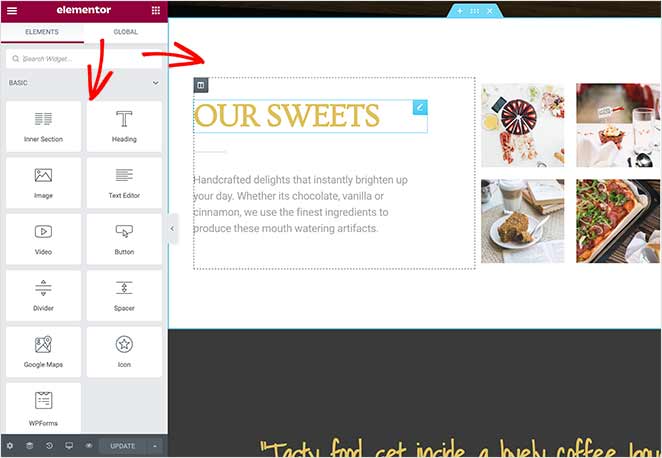
I also noticed a real hit to page load speed. In my GTmetrix testing, Elementor loaded in 1,882ms with 32 requests and 12 CSS files, much heavier than lighter builders like SeedProd (556ms, 16 requests).
Features I Loved
- Extensive template library: 300+ templates give you a strong start on niche pages.
- Wide range of widgets: Add all sorts of widgets, including ecommerce ones.
- Customization options: Animations, custom fonts, and custom post type support.
- Marketing integrations: Connects to popular tools.
Cons
- Heaviest load in my testing (1,882ms, 32 requests).
- The interface can feel complex, and less streamlined than SeedProd.
Pricing and Plans
Elementor Pro starts at $59/year. You can also test the basics in its limited free version.
My Verdict
Elementor Pro is a good fit if you want lots of control and flexibility and don’t mind the extra complexity. If you care most about speed and a simpler workflow, a lighter WordPress landing page plugin will serve you better.
Customer Review
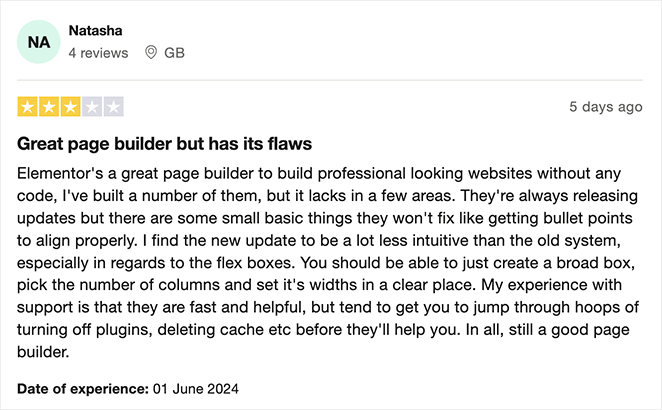
Check out our detailed Elementor review for more.
7. Divi Builder: Best for Divi Theme Users

| Pricing | $89/year or $249 lifetime |
| Free Plan | No |
| Standout Features | 46+ content elements, 370 layouts, split testing, dynamic content |
| Best For | Existing Divi theme users who want maximum design control |
Divi Builder is more than a drag-and-drop page builder. It’s a complete website design system powered by the Divi theme from Elegant Themes.
That means it slots into Divi’s core features and is ideal if you already use the theme. It also works as a standalone website-building solution.
When testing it, I liked Divi’s design control and how tightly it integrates when you’re already on the Divi theme. You get over 46 content elements, so you can mix CTA buttons and other blocks into a great-looking landing page.
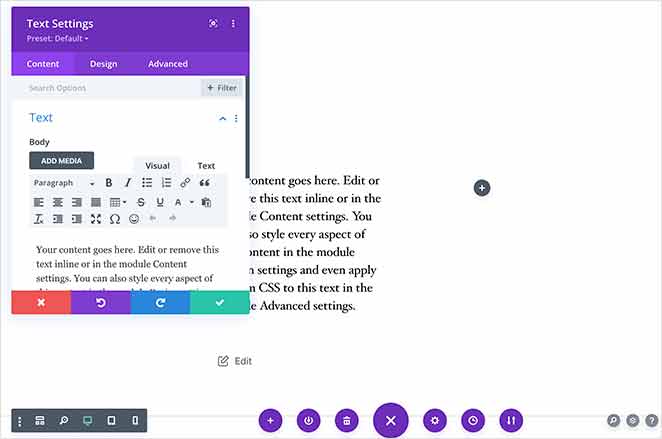
The initial learning curve felt steeper than SeedProd or Elementor. Since Divi is both a theme and a builder, it also carries more overhead.
In my theme performance testing, Divi used 13 MB of memory and 86 database queries, the highest of any theme I tested.
Features I Loved
- Granular design control: Customize layouts, colors, fonts, and more.
- Split testing: Test different variations of your pages against each other.
- Diverse template library: Layouts give you a fast starting point.
- Dynamic content: Show content based on user data for personalized pages.
Cons
- Steeper learning curve.
- Highest memory and database usage in my theme testing (13 MB, 86 queries).
- Ties you to the Divi ecosystem.
Pricing and Plans
Divi Builder is included in the Divi subscription, starting at $89/year or $249 for lifetime access.
My Verdict
Divi Builder is the natural choice if you already run the Divi theme and want maximum design flexibility. If you don’t want a theme commitment or you’d rather skip the learning curve, a simpler landing page plugin will get you there faster.
Customer Review
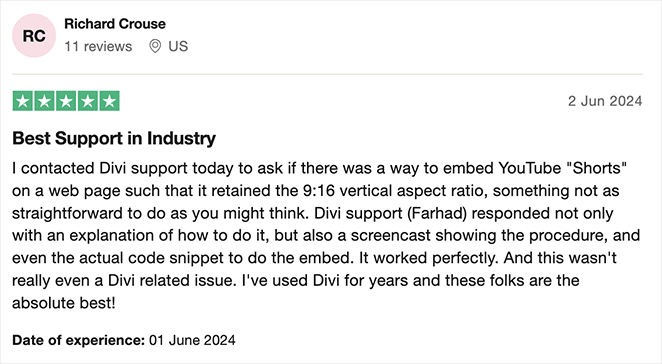
For more details, see our Divi review.
8. OptimizePress: Best for Sales Funnels and Memberships
| Pricing | From $129/year (single site) |
| Free Plan | No |
| Standout Features | Sales-funnel builder, membership integration, marketing automation, A/B testing |
| Best For | Marketers building sales funnels and membership sites |
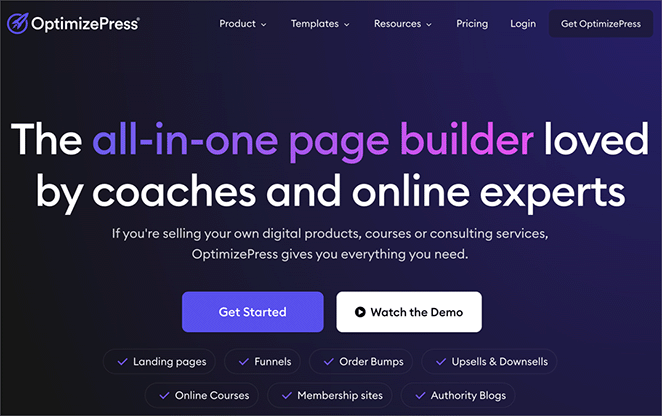
If you’re focused on sales funnels and membership sites, OptimizePress is built for you. It’s made for high-converting landing pages that plug into your sales and marketing flow.
What stood out to me while testing was that it thinks in funnels, not single pages. The pre-built templates are grouped by funnel stage, so it was obvious where each page (opt-in, sales, checkout, thank you) was meant to sit.
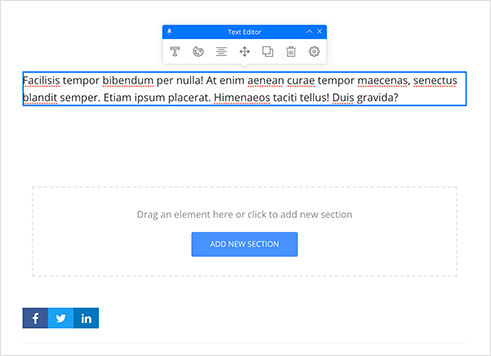
The drag-and-drop builder is easy to pick up. For a one-off landing page, though, all that funnel machinery is more than you need.
Features I Loved
- Sales funnel focus: Templates and features guide visitors through the buying process.
- Membership integration: Build pages that tie into your membership site or courses.
- Marketing automation: Connect email and CRM tools to automate lead nurturing.
- A/B testing: Test versions of your pages to improve conversions.
Cons
- Overkill for simple, one-off landing pages.
- No free version.
Pricing and Plans
OptimizePress plans start at $129 per year for a single site license.
My Verdict
OptimizePress is a solid pick if sales funnels and membership sites are your focus. For a general-purpose landing page builder, something lighter will feel less like overkill.
Customer Review
9. Getwid: Best for Free Block-Editor Pages

| Pricing | Free |
| Free Plan | Yes (fully free) |
| Standout Features | Gutenberg block library, landing-page templates, lightweight, works with existing plugins |
| Best For | Budget-conscious users comfortable with the WordPress block editor |
Getwid is a block-based page builder with a range of landing page templates and features. It’s a good option if you already work in the block editor (Gutenberg).
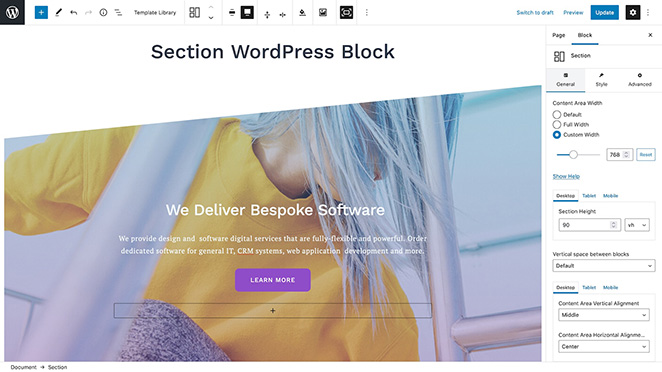
Testing it, I built a simple landing page using its section and media-and-text blocks, and it came together quickly inside the editor I already knew. The templates are modern, and it played nicely with the other plugins on my test site.
The trade-off is that it’s a block library, not a full builder. There’s no A/B testing or funnel logic, so I hit its limits faster than with the paid tools.
Features I Loved
- Block-based: Works right inside the WordPress block editor.
- Extensive block library: A wide range of blocks for different content types.
- Landing page templates: Prebuilt templates give you a head start.
- Free and lightweight: A budget option that won’t slow your site down.
Cons
- No A/B testing or funnel features.
- Relies on you being comfortable with the block editor.
Pricing and Plans
Getwid is a free plugin.
My Verdict
Getwid is a great free choice if you want a lightweight, block-editor-native way to build pages. If you need advanced features like A/B testing or funnels, you’ll outgrow it and want something more complete.
Customer Review
10. Kadence Blocks: Best for Modern Free Block-Editor Pages
| Pricing | Free; Pro from $89/year |
| Free Plan | Yes |
| Standout Features | Row and section layout blocks, prebuilt template library, full-site-editing friendly, lightweight |
| Best For | Block-editor users who want modern, conversion-ready pages for free |
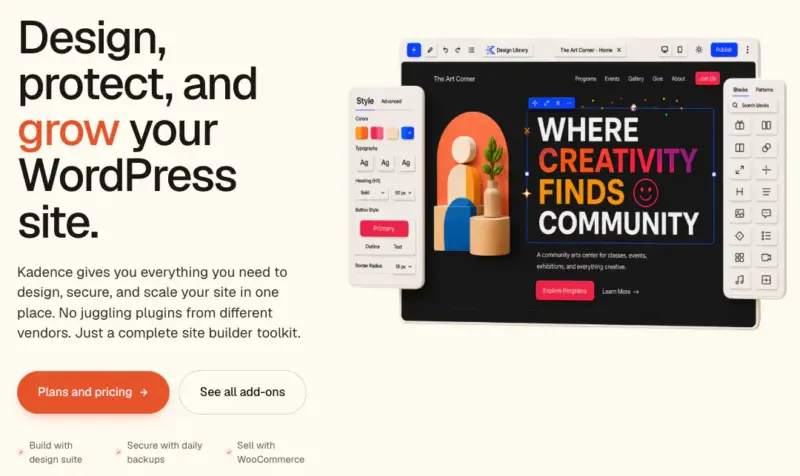
Kadence Blocks is the modern, full-site-editing-native free option in this list. Where Getwid gives you general-purpose blocks, Kadence leans toward conversion-ready layouts built for the block editor.
It adds row and section layout blocks plus a prebuilt template library, so you can build a full landing page without leaving Gutenberg. It stays lightweight and works well with block themes and full site editing.
Features I Loved
- Free and lightweight: Adds layout power without bloating your site.
- Deep block library: Row, section, and content blocks for full page layouts.
- Block-theme friendly: Works with full site editing and block themes.
Cons
- No built-in A/B testing or sales funnels.
- Assumes you’re comfortable in the block editor.
Pricing and Plans
Kadence Blocks is free, with a Pro version from $89/year that adds more blocks and template options.
My Verdict
Kadence Blocks is the free pick if you want modern, conversion-ready pages built the block-editor way. For A/B testing, funnels, or built-in coming soon modes, you’ll still want a dedicated landing page plugin like SeedProd.
What’s the Best WordPress Landing Page Plugin?
After building real landing pages with all 10 plugins, SeedProd is the one I recommend for most WordPress users in 2026. It loaded in 556ms in my GTmetrix testing (over 3x faster than Elementor), comes with 350+ templates, and lets beginners publish without touching code.
Selling products? SeedProd’s WooCommerce blocks, Beaver Builder’s WooCommerce support, and Elementor’s ecommerce widgets all handle product and checkout landing pages well.
Get Started with SeedProd Today
Bonus Guides for Successful Landing Pages
Once you’ve picked your plugin, these guides will help you get the results you want:
- A/B Testing for Landing Pages in WordPress
- Landing Page Best Practices
- How to Increase Landing Page Conversions
- Landing Page Headline Formulas to Boost Conversion Rates
- Types of Landing Pages Guaranteed to Convert
WordPress Landing Page Plugin FAQs
Is WordPress good for landing pages?
Yes. WordPress plus a landing page plugin gives you full control over design and conversions without paying for a separate hosted platform.
You own the page, the data, and the domain, and you can connect it to the email and marketing tools you already use.
Are landing pages good for SEO?
They can be. A WordPress landing page built with a lightweight plugin loads fast, uses clean markup, and stays indexable, which are the basics search engines reward.
In my testing, SeedProd pages loaded in 556ms, the kind of speed that helps you pass Core Web Vitals.
Can I build a WordPress landing page without a plugin?
You can, using the built-in block editor (Gutenberg). It works for simple pages, but you get fewer conversion features and templates than a dedicated plugin.
Free block libraries like Kadence Blocks and Getwid sit in the middle: they add layout blocks and templates to the editor without a full builder.
What is the best free landing page plugin for WordPress?
Beaver Builder has the best free version for landing pages. It’s in the WordPress repository and includes a drag-and-drop editor with basic templates.
SeedProd also offers a free version with starter templates, though you’ll need a paid plan for conversion features like countdown timers and custom domains.
Do I need a landing page plugin if I already have a page builder?
It depends on your goals. Page builders create layouts, but most don’t include conversion features like A/B testing, countdown timers, coming soon modes, or subscriber management.
If your page needs to capture leads or drive one specific action, a dedicated landing page plugin gives you those tools without extra add-ons.
How do I choose the right landing page plugin?
Focus on five things: ease of use, template variety, conversion features, page speed impact, and price.
If you’re a beginner, prioritize drag-and-drop editing and prebuilt templates. If you run campaigns, look for A/B testing and analytics. I tested all 10 plugins here against those criteria.
Start Building Your Landing Page Today
After testing all 10, SeedProd is the plugin I’d hand a beginner who wants a fast, good-looking page that converts. It won my speed test and gets you from install to live page without code.
If you want another quick way to generate leads, here’s how to create an online contest with our step-by-step tutorial.
Thanks for reading! We’d love to hear your thoughts, so please feel free to join the conversation on YouTube, X and Facebook for more helpful advice and content to grow your business.