

Someone tells you to “just build a landing page,” and you sit down to do it, then stall. Do you actually need a full landing page here, or a quick splash screen that greets visitors before they hit the site?
That landing page vs splash page question trips up a lot of people, because the two get used interchangeably even though they do completely different jobs. In 15 years of building pages for clients with Beaver Builder, Elementor, and SeedProd, I’ve watched people pour effort into the wrong one and wonder why it flopped.
So let me show you exactly how each page works, where they differ, and how to pick the right one for what you’re trying to do.
| Criteria | Landing Page | Splash Page |
|---|---|---|
| Goal | Drive a specific conversion | Share quick info or gate access |
| Placement | Standalone URL, used in campaigns | Appears before main site content |
| Length | As long as needed to persuade | Very short, minimal copy |
| SEO | Can target keywords and rank | Minimal SEO value; keep non-intrusive |
| Testing | Commonly A/B tested | Rarely tested beyond UX checks |
| Typical uses | Lead gen, sales, webinars | Age verification, language, promos |
What Is a Landing Page?
A landing page is a standalone web page built to drive one action, like a signup, a sale, or a download. It’s the type of page users “land on” after clicking a link in an email, a social post, or a search ad, and it exists to support a marketing campaign or boost your lead generation efforts.
- Email campaign
- Social media post
- Ad from search results
- Other related websites
A powerful landing page design is the best solution for increasing conversion rates and lowering the cost of meeting your goals. That’s because landing pages focus on guiding users to convert, with a combination of compelling content, social proof, and clever design.
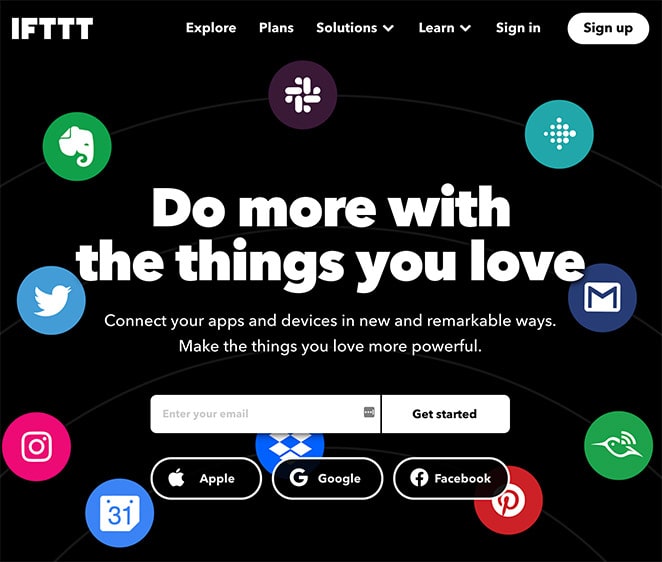
Landing pages can have different conversion goals, such as:
- Growing newsletter subscriptions
- Increasing webinar registrations
- Promoting content downloads
- Boosting competition entries
- eCommerce product or service promotions
- Generating qualified leads
Their primary purpose is to increase conversions while supporting your business goals and improving your search traffic.
What Is a Splash Page?
A splash page is a short intro screen that appears before the rest of your site, usually to show a notice, a choice, or a check. It can be a static page users click through, or a popup that disappears once they follow the instructions.
In most cases, splash screens gather data about visitors. There’s no universal purpose for them, so what they do varies by your business niche or industry.
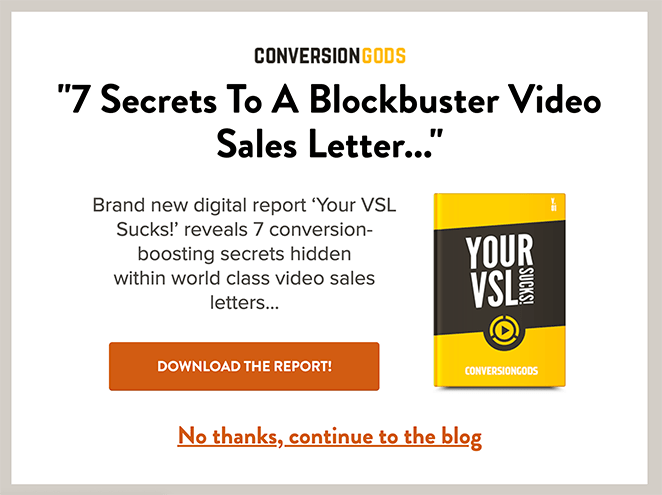
Most businesses use splash pages for the following purposes:
- Draw attention to a specific product or service
- Lead users to a specific page on the website
- Provide age verification
- Display a warning or disclaimer
- Share discount information
It’s also worth noting that splash pages usually have a specific call to action (CTA).
Related: How to Create a Landing Page without a Website
Landing Page vs Splash Page: How Are They Different?
The biggest difference comes down to length, purpose, build time, and how visitors reach each page. Let’s take them one at a time.
Length
Landing pages and splash pages run very different lengths. A landing page can be long or short, because it needs enough information to convince your visitors to act.
If a small amount of content does the job, your landing page stays short. But if you need more, it gets longer, with elements like:
- Explainer videos
- Features and benefits
- Testimonials
- Countdown timers
- FAQs
- Contact information
In short, a landing page can be as long as it needs to be to generate conversions.
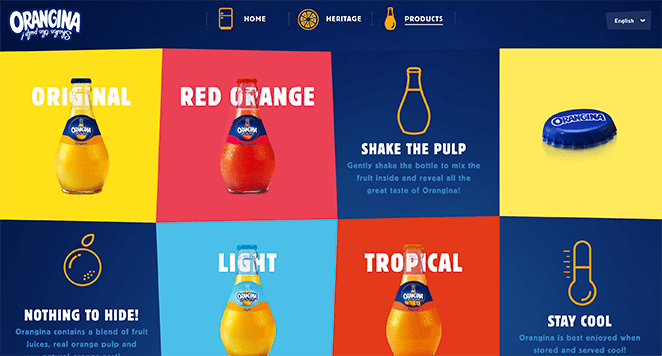
A splash page is the opposite. It’s about communicating something fast and specific, so it won’t need much content at all.
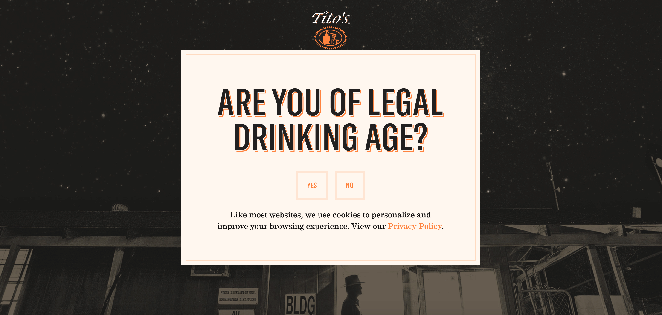
A splash page may only include minimal copy, an image, and a CTA to convey the one thing you want to share.
Purpose
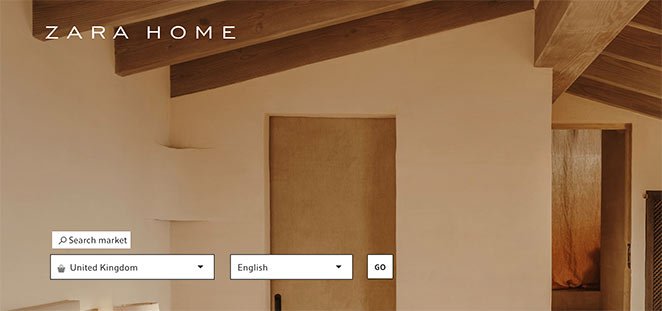
The two pages also differ in purpose. A splash page usually has a single, clear job it can do in very few words, such as:
- Gathering data
- Audience screening
- Offer promotions
- Announcements
A splash page that verifies a visitor’s age may only need a short sentence, a dropdown or checkbox, and a CTA button. A splash page announcing a promotion may only need an eye-catching headline, an image, and a CTA.
A landing page is built to support your conversion goals, so its purpose is more about generating leads and sales.
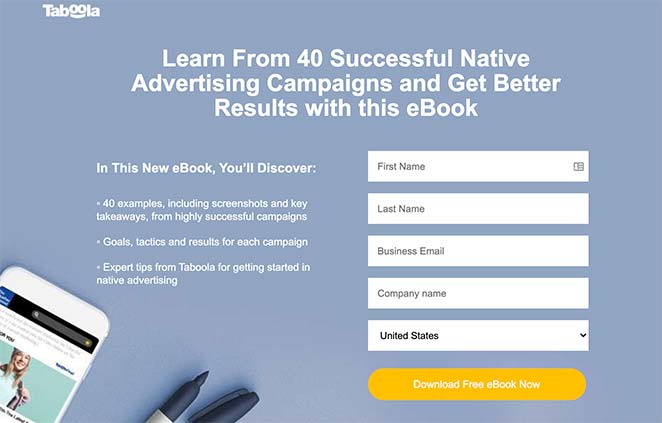
For instance, one landing page might encourage visitors to download your lead magnet, so you can collect email addresses and grow your list.
Or, if you’re launching a new product, you can create a sales landing page that explains why your product beats the alternatives.
Design Time
Landing pages usually take more work to build, and the reason is SEO effort. To get a landing page ranking, you’ll need to do keyword research and optimize the content with search best practices in mind.
You’ll also spend time writing compelling copy, sourcing high-quality images, and gathering customer feedback for social proof. A splash page skips most of that, which is why it’s faster to set up and publish.
Accessibility
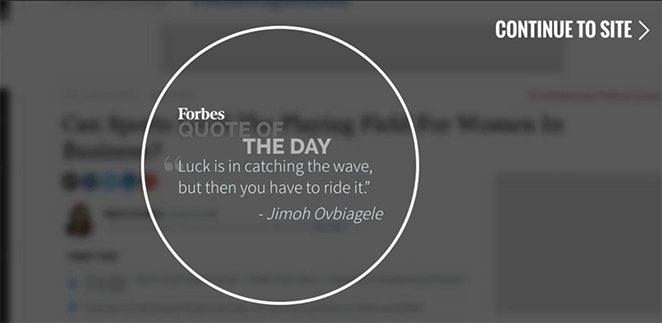
Visitors reach landing pages and splash pages in different ways. A splash page lives as part of a website, so users have to visit the site first, then the splash screen is the first thing they see.
A landing page works differently. Because it’s a standalone page, users need some way to click through to it.
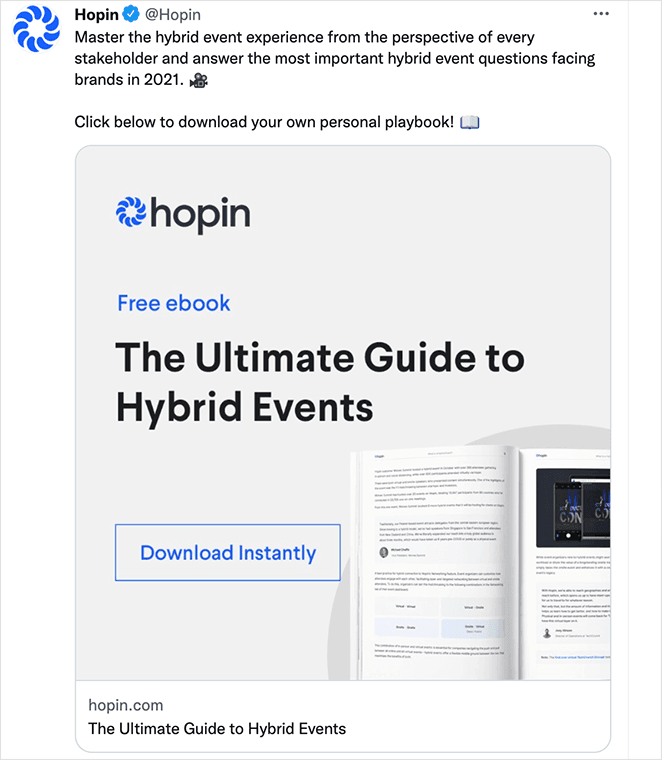
You can attract people to a landing page in several ways. You can send promotional emails with a link, drop a link in social posts, or advertise it through Google search ads.
It all comes back to user experience. Landing pages are tailored to convert users, while splash pages are designed to be quick and informative.
Landing Page vs Splash Page: Anatomy
If you’re thinking about building either page, it helps to know the essential elements first. Here’s what each one needs.
Anatomy of a Landing Page
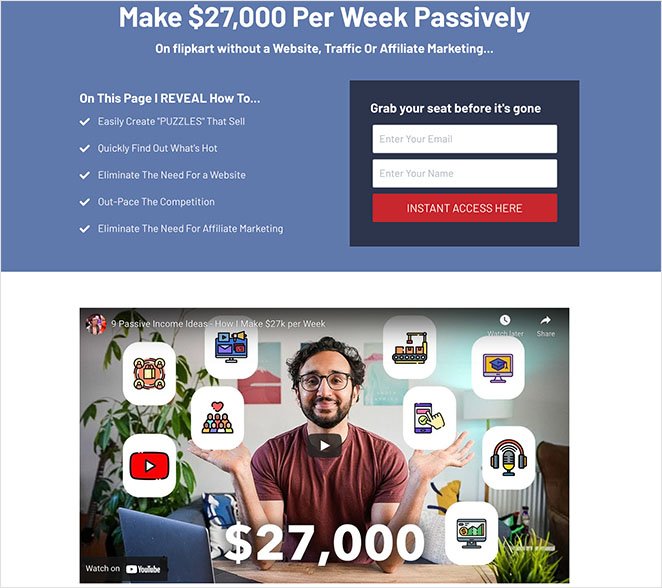
Landing pages are bigger because they’re built to convert at the lowest possible cost. So what you include differs from a splash page. A landing page should have:
- A compelling headline to hook the reader
- Limited navigation to keep users on the page
- High-quality images and video for engagement
- Social proof to build trust and credibility
- A clear CTA so users know how to convert
For a deeper breakdown, check out our guide on the Anatomy of a Landing Page: 9 Essential Elements.
Anatomy of a Splash Page
A splash page usually comes down to three main elements. The first is high-quality visuals.
These are often a visitor’s first introduction to your site, so they need to be visually appealing, relevant to your market, and consistent with your brand. If your images miss the mark, visitors will exit soon after they arrive.
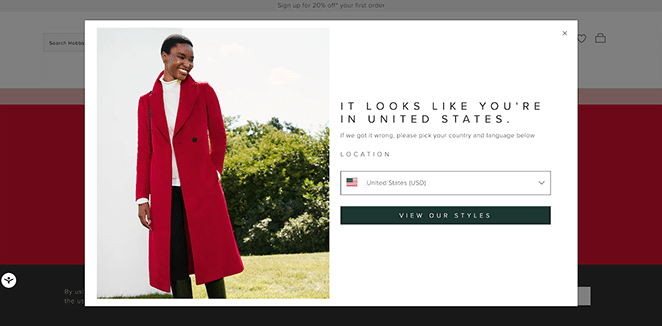
You can use other visual elements too, like videos, animations, and product photography.
The second element is your copy, which needs to be short and actionable. Skip the paragraphs of text and give users clear instructions on what to do.
Most visitors will see your splash page on a mobile device, so big blocks of text will discourage them from clicking through.
The third element is a CTA. It should tell visitors exactly what to do, like confirming their age or viewing an offer. You can also add choices on how to enter the site, content warnings, and an option to exit the page.
Which Should You Choose: Landing Page or Splash Page?
Pick the landing page when you need conversions, and the splash page when you just need to greet or gate visitors. The right call comes down to what you’re actually trying to do.
Use a landing page if:
- You’re running a campaign and need signups, sales, or leads from it
- You want the page to rank in search and pull in organic traffic
- You plan to A/B test copy, layout, or offers to lift results
Use a splash page if:
- You need to verify age, confirm a language, or show a legal notice
- You want to flash a single promo or announcement before the homepage
- You only need to relay one quick message, not persuade anyone
These two aren’t an either/or choice, by the way. A single site can use both for different jobs, like a language splash screen at the front door and dedicated landing pages for each campaign.
When I built sites for clients, the ones who struggled almost always picked the page that felt easier rather than the one the goal called for. A splash page won’t drive a product launch, and a full landing page is overkill for an age gate. Match the page to the job and the rest gets simpler.
Ready to build yours?
Skip the comparison and build the page that wins
Whether you landed on a landing page or a splash page, SeedProd gives you templates for both and a drag-and-drop editor that needs no code. Pick a layout and publish.
Start Building My PageBuild Either Page in WordPress With SeedProd
Once you know which page you need, the next question is how to build it without hiring a developer. This is where I reach for SeedProd, the drag-and-drop website builder I use on my own site.
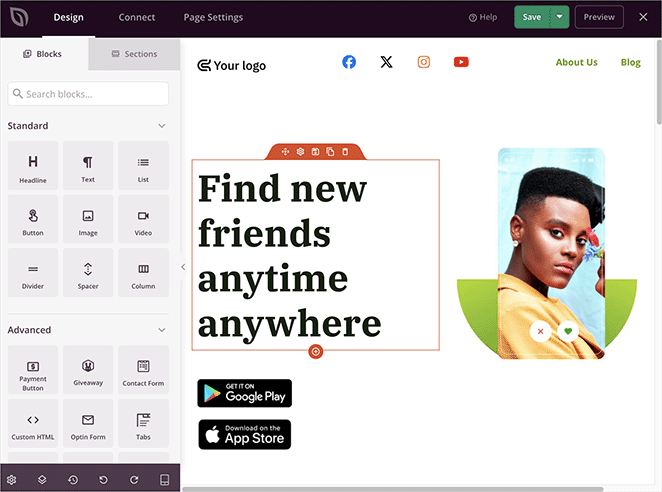
It covers both jobs in one plugin. You get ready-made templates for landing pages, plus coming soon and splash-style screens you can drop in front of your site, so you’re not starting from a blank canvas either way.
You edit everything visually and see each change live, which means no code and no theme wrestling. For a quick gate or notice, a splash-style screen goes up in minutes. For a campaign, you can build a full landing page with the sections, forms, and CTAs you need.
That flexibility is the real benefit. You don’t have to commit to one page type up front, and you can change course without rebuilding from scratch.
FAQs on Landing Page vs Splash Page
Are splash pages outdated?
No, but they’ve narrowed in use. Splash pages still make sense for age verification, language selection, legal notices, and the occasional promo before your homepage. Where they fall out of favor is as a marketing gate between visitors and your content, since that hurts both user experience and SEO. Used for a quick, genuine purpose, a splash page is still a fine tool.
Do splash pages hurt your Google rankings or mobile SEO?
They can, if they block your main content. Google can rank a page lower when an intrusive interstitial covers the content on mobile, so a splash page that walls off your site is a risk. Keep it skippable, fast, and easy to dismiss, and let Googlebot reach the content behind it. Genuine age checks and legal notices are exceptions Google allows.
Can a splash page and a landing page be used on the same website?
Yes, and many sites do. They handle different jobs, so they don’t compete. You might run a language or age splash screen at the front of your site, then send campaign traffic to dedicated landing pages built to convert. Just keep the splash page light so it doesn’t slow down or block visitors heading toward your main content.
Is a splash page good for SEO?
Not really. It should be lightweight and non-intrusive, and you should let Googlebot access the main content behind any age gate.
When should I use a splash page instead of a landing page?
Use it for quick notices like language, age verification, or a promo before the homepage. Use a landing page for any campaign that needs conversions.
What is the difference between a homepage, landing page, and splash page?
A homepage explains the brand and links everywhere, a landing page sells one action, and a splash page is a short gate before the site.
Are splash pages the same as app splash screens?
No. Web splash pages gate site access, while app splash screens are brief loading screens inside apps.
I hope this helped you sort out the difference between a landing page vs splash page. You might also like our guide on landing page vs sales page, or learn about landing page vs microsite if you’re weighing a multi-page option. Alternatively, you can learn to create a lead generation landing page or try creating a waitlist landing page in WordPress.
Thanks for reading! We’d love to hear your thoughts, so please feel free to join the conversation on YouTube, X, and Facebook for more helpful advice and content to grow your business.



