


TL;DR: How to Write a Welcome Page for Your Website
A welcome page is the first page visitors land on, and it has about 50 milliseconds to make them feel they’re in the right place. Here’s how to write one that hooks people and points them somewhere useful.
- Know your audience: Write to one specific visitor, not “everyone.”
- Lead with a clear headline: Short, benefit-driven, around 10 words.
- Say what makes you different: Answer “what’s in it for me?” right away.
- Add visuals and social proof: Images, video, and testimonials earn trust fast.
- End with one clear CTA: Tell people exactly what to do next.
- Test and track it: Watch bounce rate and conversions, then tweak.
When I first built a website, I had no idea how much a welcome page could shape someone’s experience. But it turns out your site has just 50 milliseconds to make an impression, faster than a blink.
That’s why learning how to write a welcome page for your website matters. A great one makes people feel at home and ready to stick around. A weak one? They’re gone in seconds.
In this guide, I’ll show you exactly how to create a welcome page that connects with your audience, builds trust, and nudges people toward action. And I’ll share real examples to help you get started.
What Is a Welcome Page?
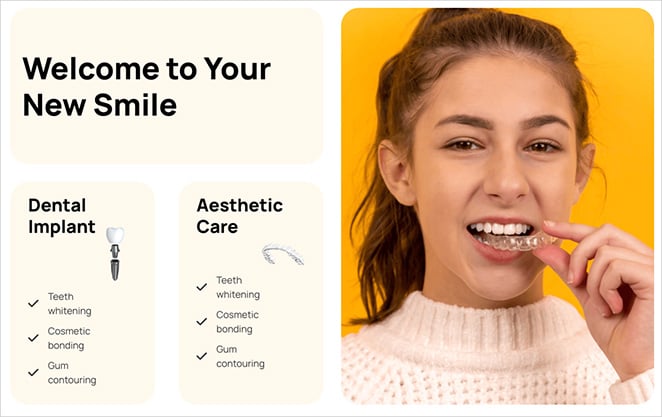
A welcome page is the first page visitors see when they arrive at your website. It’s usually the homepage, the starting point of their journey, and it gives a quick overview of who you are and what you offer.
There are a few different types:
- Homepage welcome pages: The most common type, where your homepage doubles as your main welcome page.
- Splash pages: Designed to grab attention quickly, often for a promotion or announcement.
- Coming soon pages: If your site is still under construction, a coming soon page acts as a placeholder to build excitement for launch.
Whatever the type, the job is the same: greet visitors, spark interest, and guide them to the information they need, whether that’s your products, services, or how to get in touch. When people find what they came for, they stay, explore, and are far more likely to become customers.
One thing trips people up here, though. It’s easy to confuse a welcome page with a landing page, and the difference matters before you write a word.
Welcome Page vs. Landing Page vs. Homepage
These three get mixed up constantly, and writing the wrong one for the wrong job is the fastest way to lose visitors. Here’s the plain difference.
- A welcome page is your general front door. It greets everyone who arrives, explains who you are, and sends people deeper into your site. It serves many goals at once.
- A landing page has one job. It’s built for a single campaign or action, usually with no menu and one CTA, so the visitor either converts or leaves. You’d send paid traffic or an email link here.
- A homepage is a type of welcome page. When your homepage is the first thing visitors see, it is your welcome page. Not every welcome page is a homepage, but most are.
The rest of this guide focuses on building and structuring the page itself. If you want the exact copy and greeting wording instead, the message side has its own deep dive in our 12+ website welcome message examples.
How to Create a Welcome Page: Essential Elements
Creating a welcome page in WordPress doesn’t have to be complicated, and you don’t need to touch a line of code. The easiest no-code path is a WordPress landing page builder, which gives you more control than the default editor.
Not all builders are equal, though. Some are clunky and slow. That’s why I recommend SeedProd, the drag-and-drop website builder I use to build every page on my own sites.

SeedProd’s lightweight builder and ready-made landing page templates make it easy for anyone to build a welcome page, no coding required. After installing the plugin, follow our guide on installing SeedProd on your site.
Know Your Audience
Before you open SeedProd or brainstorm a single headline, think about who you’re writing for. A welcome page that talks to everyone connects with no one.
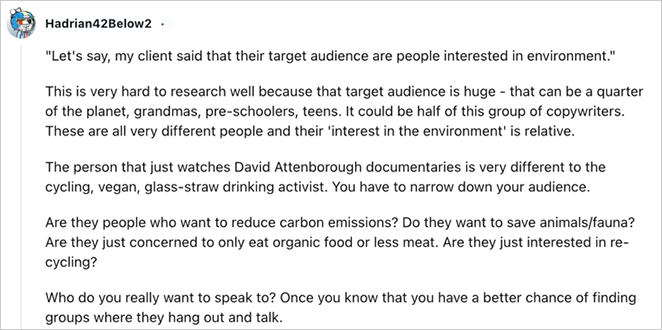
As one expert notes, a vague audience like “people interested in the environment” is too broad. You need to narrow it to specific segments.
I work through three quick questions before writing anything:
- Demographics: What’s the age range of your ideal visitor? Where do they live? What do they do?
- Interests and pain points: What problems do they face that your site can solve?
- Goals: Are they here for information, entertainment, or to buy?
Knowing your audience lets you tailor the message, pick the right visuals, and write a call to action that actually lands. When you’re ready to build, our guide on how to create a landing page in WordPress walks you through it.
For specific page types, these guides help too:
- Before you launch: how to create a coming soon page
- Your front page: how to edit your WordPress homepage
- Registered users: how to customize your login page
Hook Readers with Your Headline
Your headline has a split second to grab attention, and it’s the first thing people read. It needs to communicate value and make visitors curious enough to keep going.
Instead of listing features, focus on the benefit. How does your product or service make their life easier or better?
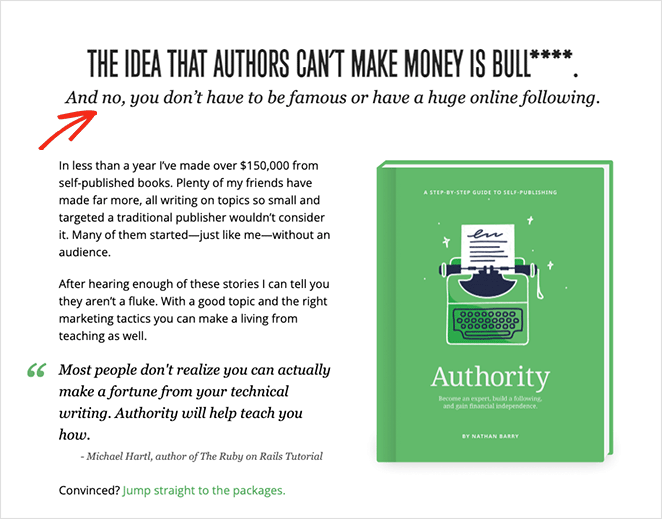
Use plain language, get to the point, and keep it to around 10 words. A few examples to spark ideas:
- Welcome to [Your Company], [Your Unique Value Proposition]: “Welcome to Acme, We Make Project Management Easy.”
- Transform Your [Outcome] with [Your Product]: “Transform Your Marketing with AI-Powered Tools.”
One thing I’ve learned writing these: the tone of the headline sets the whole page. A stiff, formal line reads like a press release; a warm, plain one reads like a person. Write the way you’d actually greet someone at the door, and let your brand’s personality show.
These landing page headline formulas are worth a look if you get stuck.
Explain What Makes You Different
Right after your headline, answer the visitor’s unspoken question: “What’s in it for me?”
This is where your unique value proposition (UVP) goes, the thing that sets you apart. What problem do you solve better than anyone else, and why should visitors choose you?
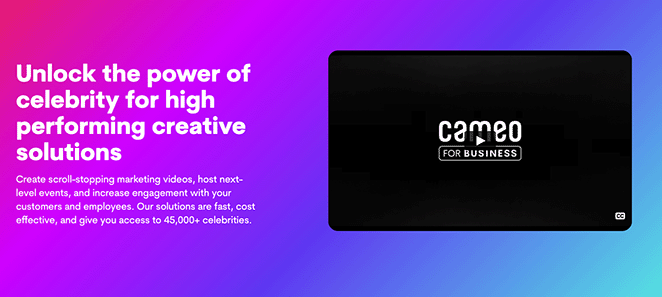
A few tips for a UVP that works:
- Focus on one problem: Pinpoint the single thing your audience cares about most, and how you solve it.
- Use strong verbs: Instead of “we offer affordable solutions,” say “we help you save money without sacrificing quality.”
- Back up your claims: Support bold statements with data or testimonials.
Zoom’s value proposition is a clear, direct example.
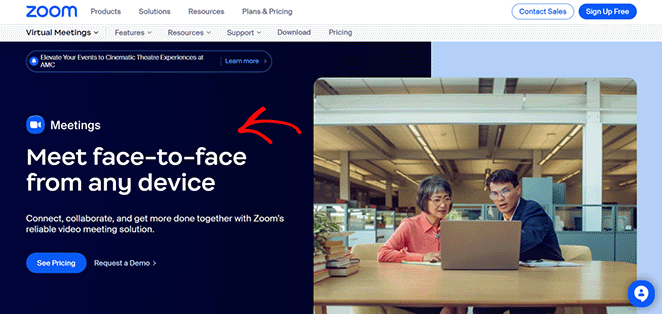
It highlights the benefits, ease of use and accessibility, which helped fuel Zoom’s rapid growth during the pandemic.
Guide Visitors with a CTA
A welcome page without a call-to-action (CTA) is like a shop with no cash register. People browse, then leave without doing anything.
Your CTA tells visitors exactly what to do next. It should be clear, compelling, and tied to your main goal.
A few common types:
- Download Now: Good for free resources like ebooks, checklists, or templates.
- Learn More: Encourages people to explore your products or content.
- Get Started: Ideal for sign-ups, free trials, or demos.
- Sign Up Free: Great for building your email list or a free plan.
Make the wording specific. Instead of “Download Now,” try “Grab Your Free Ebook” or “Get Your Checklist Now.” Instead of “Learn More,” try “Explore Our Solutions” or “See How It Works.”
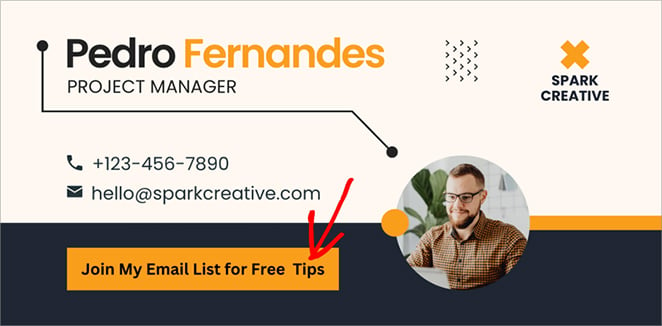
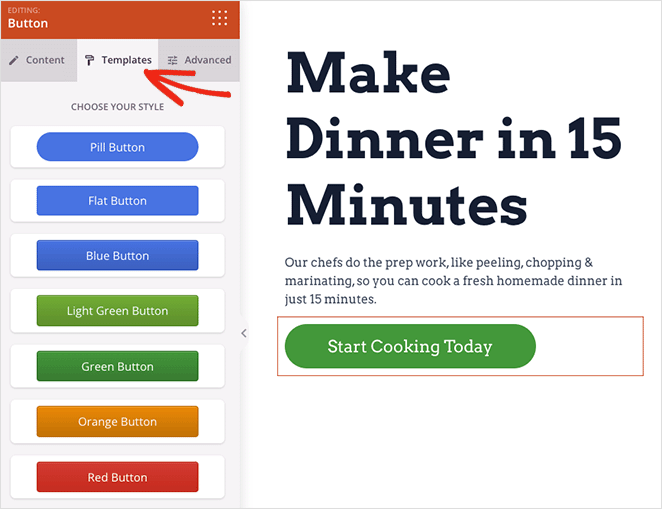
Make the button stand out with a contrasting color, a larger font, and whitespace around it. In this example, I used SeedProd’s Button block to make the CTA pop:
Boost Engagement with Strong Visuals
According to an MIT neuroscience study, the brain can process an image seen for as little as 13 milliseconds. We’re wired to respond to visuals, which is why senior author Mary Potter described vision as the brain’s way of finding concepts at speed.
So strong visuals on your welcome page are essential for catching attention. Always pick them with your audience and message in mind.
High-quality product photos can entice buyers, while lifestyle photos help people picture themselves using what you offer.
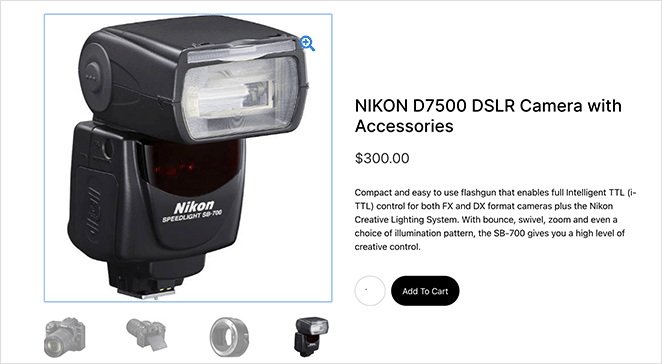
An explainer video can be effective for a complex idea or a product demo.
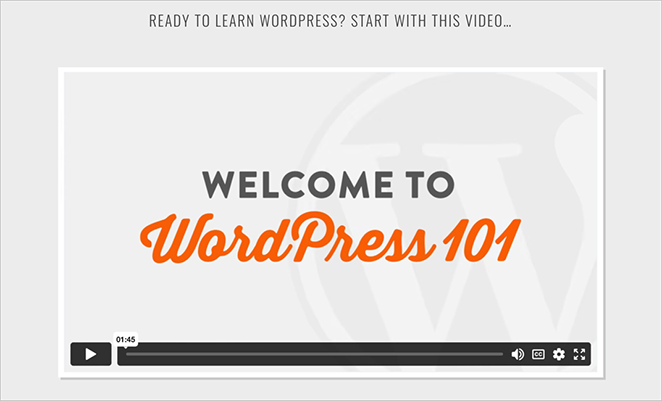
In fact, 82% of people say they’ve been convinced to buy something after watching a video.
Build Trust with Social Proof
You’re more likely to try a new restaurant if it’s packed or a friend recommends it. The same goes for your website. Social proof builds credibility with visitors who don’t know you yet.
A few ways to add it:
- Testimonials: Show reviews from happy customers, with specific results where you can.
- Client logos: Display logos of well-known companies you’ve worked with.
- Case studies: Dig into a success story with the challenge, solution, and result.
- Data and statistics: Share impressive numbers like satisfaction rates or customer counts.
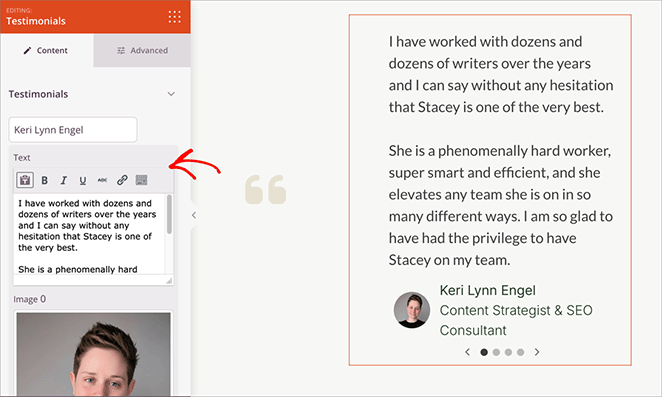
Here’s how I add testimonials to my own pages. Whatever you use, keep it authentic. Fake or exaggerated proof is easy to spot and does more harm than none at all.
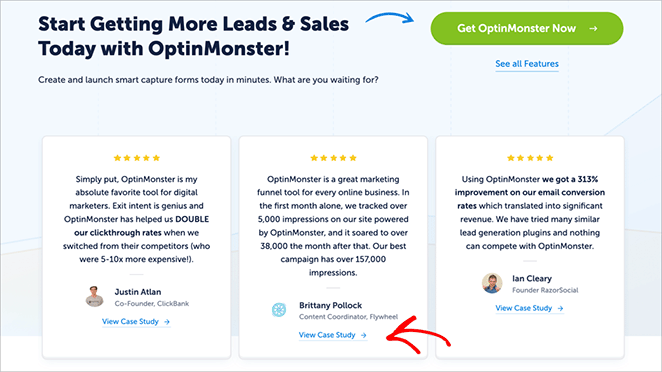
I like this example from OptinMonster, where each testimonial links to a fuller case study:
Personalize the Welcome for New vs. Returning Visitors
Here’s a modern best practice most welcome pages still skip. Not every visitor should see the same greeting.
A first-timer needs to know who you are; someone returning for the fifth time does not.
You can shift the welcome based on context, and it doesn’t have to be complex:
- New visitors: Lead with the headline, the UVP, and one clear “start here” action.
- Returning visitors: Skip the introduction and point them to what’s new, or back to where they left off.
- By referral or location: Match the copy to where they came from, so a visitor from an ad sees the same promise the ad made.
Even a small change, like swapping the headline for someone arriving from a campaign, can make the page feel made for them. That recognition is what keeps people reading past the first 50 milliseconds.
Build Your Welcome Page with SeedProd
Once you know the elements, you still have to assemble them. This is the point where most people stall, staring at a blank WordPress editor.
Here’s the workflow I use in SeedProd to go from nothing to a live welcome page.
I start from a template instead of a blank canvas. SeedProd’s ready-made templates already have the headline, hero image, and CTA blocks roughly where they belong, so I’m editing a structure, not inventing one.
- Drop in your headline and UVP: Click the existing text blocks and rewrite them with the audience and benefit you mapped out earlier.
- Add your visual: Swap the hero for your product photo, lifestyle shot, or an explainer video block.
- Build the CTA: Use the Button block, write the specific wording, and give it a contrasting color so it stands out.
- Add spacing: Adjust margins in the block settings so the page breathes instead of feeling crammed.
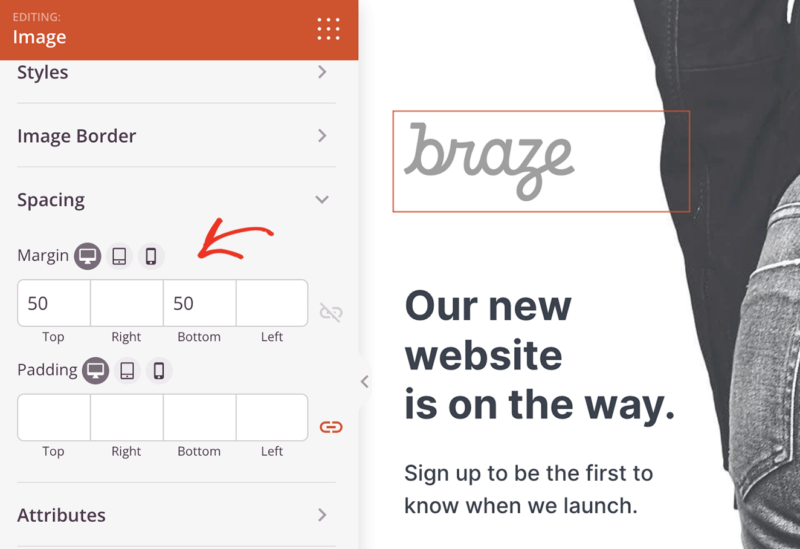
Everything updates live as you drag blocks around, so you see the real page taking shape instead of guessing. SeedProd’s output is also lightweight, which matters when you only have 50 milliseconds to load and land.
Ready to put this into practice?
Get a welcome page live this afternoon
You’ve got the headline, the visual, and the CTA. SeedProd’s drag-and-drop builder and ready-made templates let you assemble them without code or theme wrestling.
Start Building My PageWelcome Page Examples (and Why They Work)
If you’re not sure where to start, copy what already works. One of the best ways to learn how to write a welcome page for your website is by seeing what others have done well.
Here are four real examples, each showing a different way to grab attention, build trust, and guide visitors to act.
Prelaunch Welcome Page
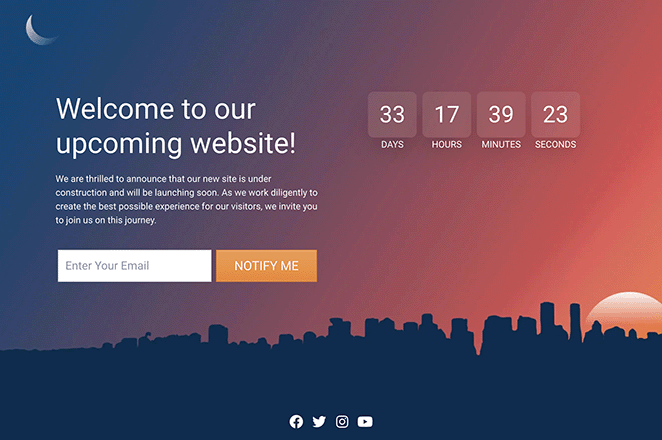
This prelaunch page nails it. A clear headline, a countdown timer, and a strong value proposition generate excitement and capture leads before launch.
The prominent “Notify Me” CTA and the clean, modern design do the rest.
Maintenance Welcome Page
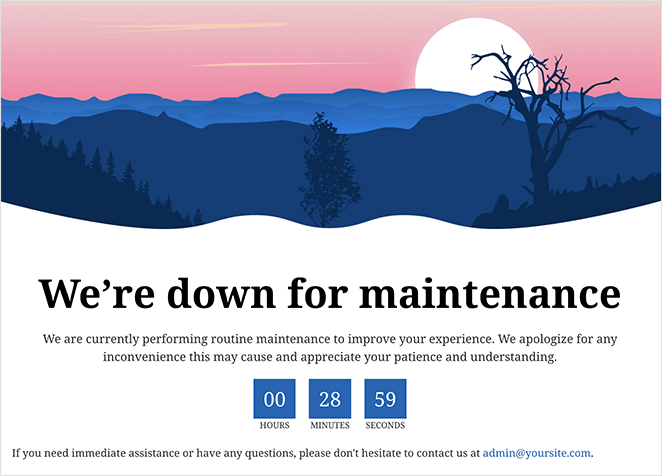
This maintenance page tells visitors what’s happening and when the site will be back. Instead of a dull error message, it reassures people the site is down for improvements.
The countdown timer keeps it transparent, and the calming image makes the wait easier.
Login Welcome Page
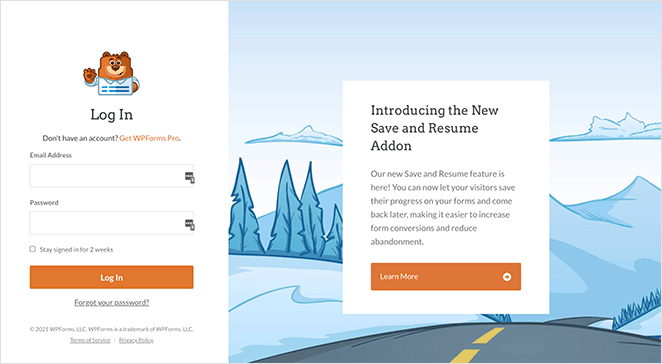
This login page goes beyond a basic login form. The friendly bear mascot adds warmth, while the clear headline and simple form make logging in easy.
It also promotes a new feature with a sharp headline and a “Learn More” button, showing how a login page can combine function with marketing.
Podcast Welcome Page
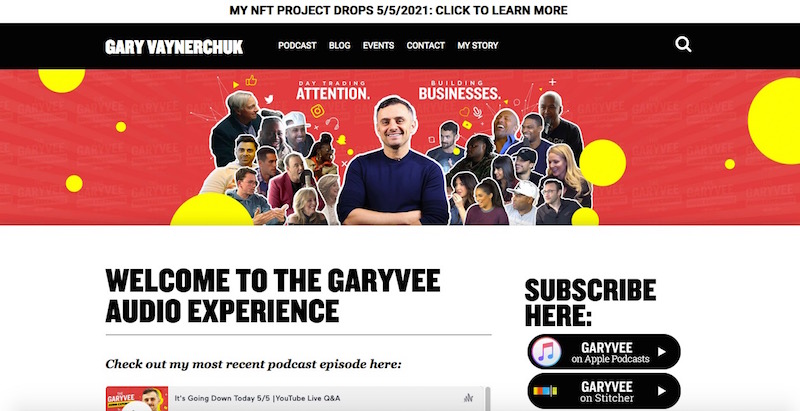
This podcast page pulls you right in. Gary Vaynerchuk’s energetic image and “Subscribe Here” button make it easy to become a listener.
Showing a recent episode directly on the page is a smart way to give instant value. For more inspiration, see our roundup of website welcome message examples.
How to Write Content for Your Welcome Page
You’ve got the elements. Now bring the page to life with copy that grabs attention, states your value clearly, and guides people toward action.
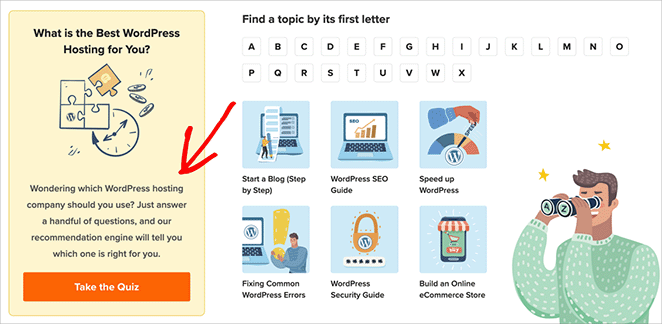
Write the way you’d talk to a friend. Use everyday words, contractions, and a little humor if it fits your brand. The fastest way to lose people is jargon and stiff, corporate phrasing.
If you want help with the exact greeting wording, our website welcome message examples cover the copy side in depth.
Structure Your Content for Easy Reading
I see the same mistake on most welcome pages I review: a dense block of text that scares people off before they read a word. Visitors scan first and read second, so the structure has to carry the scan.
Use clear headings and subheadings to organize the page and guide the eye.
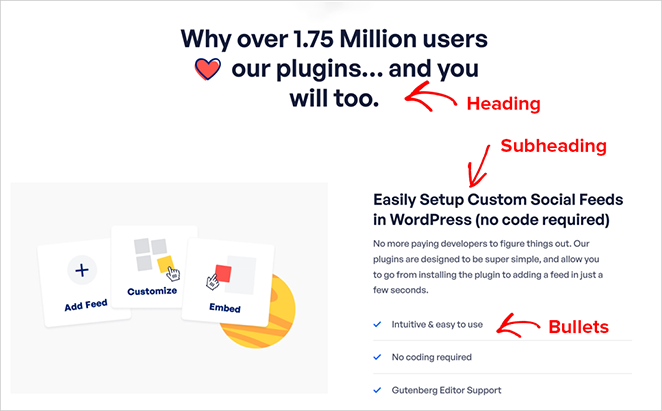
As John Mueller, a Google Search Advocate, puts it: “a heading is a really strong signal telling us this part of the page is about this topic.”
Keep paragraphs short, around 2 to 3 sentences. And don’t fear whitespace. Margins and spacing between elements make a page feel calmer and easier to read.
Optimize for Search Engines
A great welcome page still needs to be found. Optimizing your content for relevant keywords helps people reach you through search.
It’s simpler than it sounds. Weave keywords related to your business naturally into the page.
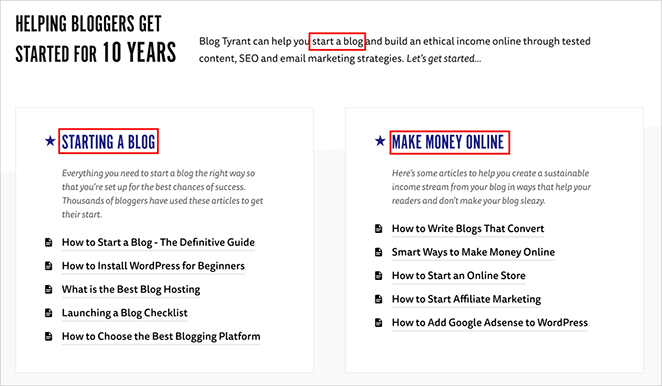
Think about what your ideal customer types into Google, then use those terms (without overdoing it) in your headline, subheadings, and body.
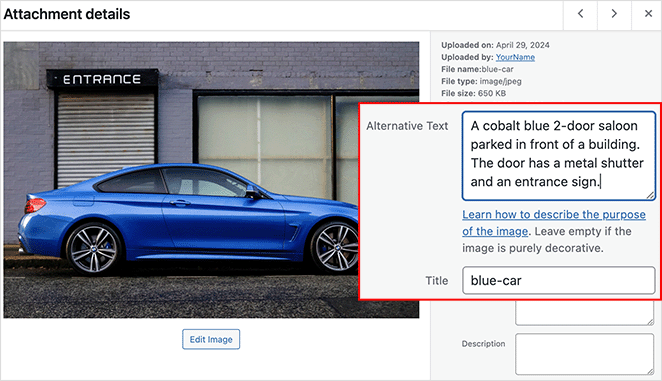
Search engines also read image alt text, so add a descriptive alt to every image.
For the full picture, see our WordPress search engine optimization guide.
How to Test and Optimize Your Welcome Page
Building the page is a big step, but making sure it performs is what gets results. Testing and tweaking over time turns a decent page into a strong one.
A/B Testing
A/B testing means showing two slightly different versions of your page (A and B) to separate groups, then tracking which one converts better.
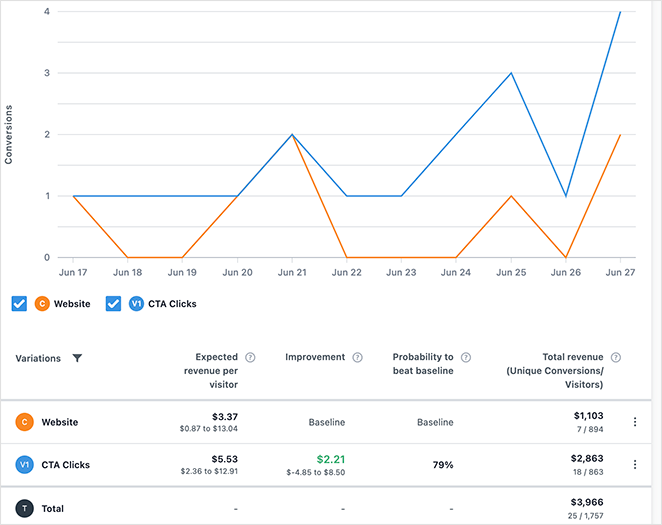
For example, you could test:
- Headlines: “Get Your Free Consultation” vs. “Schedule Your Free Consultation Today.”
- Images: A product photo vs. a lifestyle shot.
- CTAs: “Start Now” vs. “Get Started for Free.”
To go deeper, check out our guide on how to A/B test landing pages.
Metrics to Track
To make data-driven decisions, watch a few key metrics:
- Bounce rate: The percentage who leave after seeing only your welcome page. A high bounce rate can mean the page isn’t engaging enough.
- Click-through rate (CTR): The percentage who click your CTA. A low CTR can mean it isn’t compelling or well-placed.
- Time on page: How long people stay. A short time can mean they’re not finding what they need quickly.
- Conversion rate: The percentage who complete the action you want, like a purchase or signup.
So how do you know if your welcome page is actually working? Conversion rate is the single number to watch first, not raw traffic. Pick one goal (a signup, a click to your main page) and track the percentage of visitors who complete it.
Watch the trend more than the absolute number. If a headline or CTA change moves that percentage up week over week, the page is working. If it flatlines, that’s your signal to test something bigger.
Google Analytics is a free way to track all of this over time.
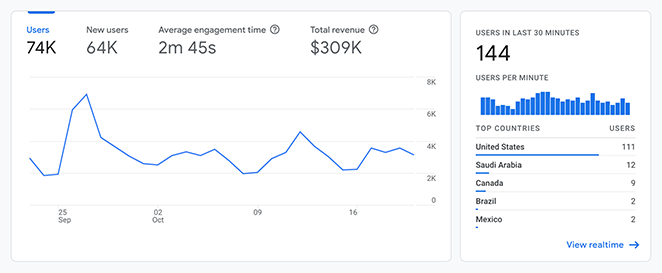
New to it? Our guide on how to add Google Analytics to WordPress walks you through setup. And if you want a simpler view of the data, give OnePageGA a go.
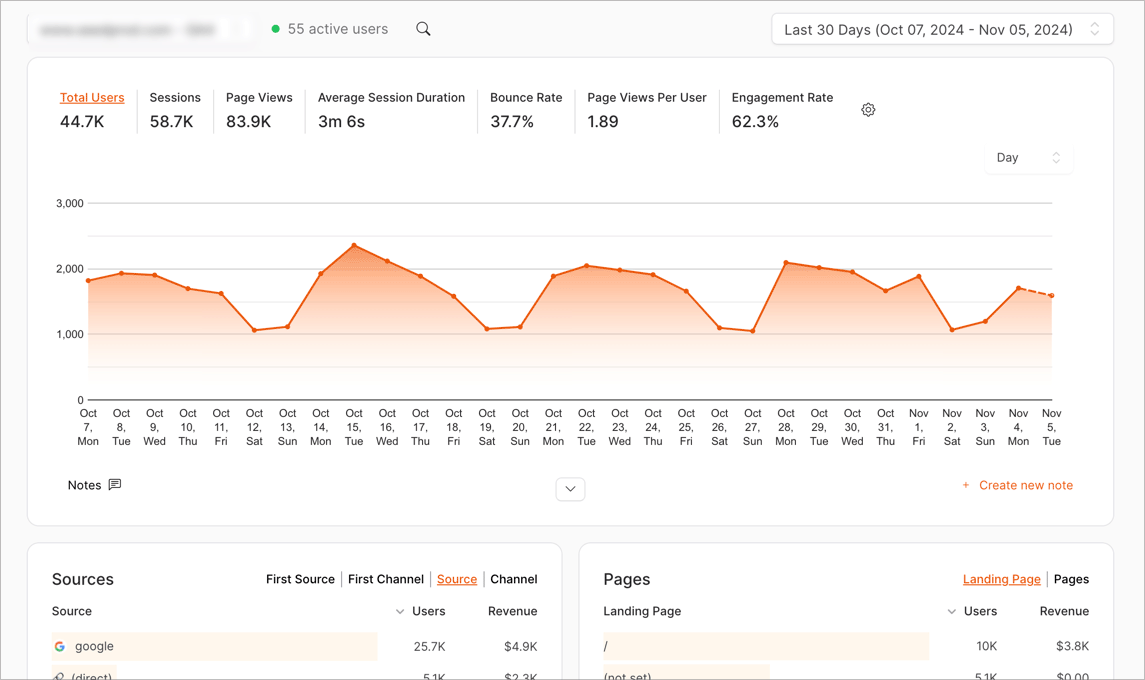
It’s a single-page dashboard that shows only the metrics you need to grow your business.
What to Do First
If all of this feels like a lot, start with one thing: the headline. Write the single sentence a stranger needs to read to know they’re in the right place.
Get that line right and the rest of the page has something to build around. Everything else, visuals, social proof, the CTA, supports the promise the headline makes.
Welcome Page FAQs
What’s the difference between a welcome page and a landing page?
A welcome page greets every visitor and sends them deeper into your site, serving several goals at once. A landing page is built for one campaign and one action, usually with no menu, so the visitor either converts or leaves.
How long should a welcome page be?
Long enough to make your point, short enough to scan in seconds. Most strong welcome pages fit the headline, value proposition, one visual, social proof, and a CTA above or near the fold.
If a visitor has to scroll past a wall of text to understand what you do, it’s too long.
Should your homepage be your welcome page, or do you need a separate one?
For most sites, your homepage is your welcome page, and that’s fine. A separate welcome page makes sense when you’re sending a specific group somewhere focused, like new email subscribers or visitors from one campaign.
How do you write a welcome message for returning vs. new visitors?
Give new visitors the basics: who you are, what you offer, and one clear next step. For returning visitors, skip the introduction and point them to what’s new or where they left off.
Write Your Welcome Page Next
Your welcome page is the first real chance to connect with a new visitor, and you’ve now got everything you need to make those 50 milliseconds count: a clear headline, a reason to stay, and one obvious next step.
If you’re on WordPress and want to build yours without touching code, give SeedProd a try. It’s what I use to build every page on my own sites, and you can have a welcome page live this afternoon.
Thanks for reading! We’d love to hear your thoughts, so please feel free to join the conversation on YouTube, X and Facebook for more helpful advice and content to grow your business.



