

An author website is a site that helps readers discover your books, learn who you are, and join your email list so you can reach them directly.
In this guide, I’ll show you how to create an author website that looks professional and is easy to update, then I’ll walk you through building it in WordPress without code.
You’ll start by choosing the right pages, then you’ll set up WordPress, pick a design approach, and publish your key pages.
Here is a list of the topics we’ll cover in this tutorial:
- Why Should Authors Make a Website?
- What Do You Need For An Author Website?
- What Pages Should an Author Website Have?
- Setting Up Your Author WordPress Site
- Inspiration for Your Author Website Design
- Choosing a Theme for Your Author Website
- Building Your Author Website Layout and Pages
- Selling Books on Your Author Website
- Stand Out as a Genre Expert on Your Website
- How to Promote Your Author Website After You Publish
- FAQs About Creating an Author Website
Why Should Authors Make a Website?
Authors should make a website because it gives you a home base you control, and it helps you sell books and grow an email list without depending on social platforms.
Social media accounts and publisher pages can change, restrict reach, or disappear. Your website is different because you own the content, the design, and the way readers contact you.
A good author website also makes it easy for readers and media to find your books, join your newsletter, and contact you for events, interviews, or speaking.
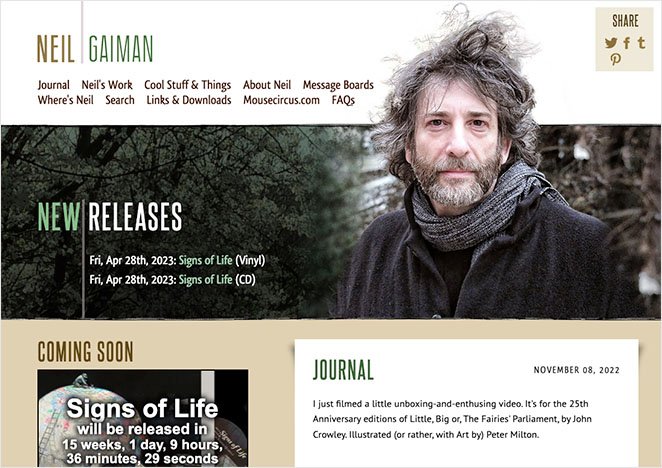
If you still use social media, treat it as a discovery channel. Use your author website to capture email subscribers so you can reach readers directly.
Once your core pages are live, you can also use your site to sell books, promote audiobooks, and offer extra products like workshops or merchandise through an online store.
Next, I’ll show you what you need to build an author website, then how to set it up in WordPress.
What Do You Need For An Author Website?
To create an author website, you need three things: a website platform, a domain name, and web hosting.
The platform should let you control your content, update pages easily, and grow your site as your writing career evolves.
That’s why many authors choose WordPress.org. It’s a self-hosted platform that gives you full ownership of your site and flexibility to add features like email signups, book sales, and custom pages.
WordPress.org powers over 43% of websites online and is widely used by professional authors, publishers, and media sites.
Unlike hosted platforms, WordPress lets you fully control your content, design, and data.
Once you choose WordPress, you’ll also need:
- Domain name: Your website address, such as yourname.com.
- Web hosting: The service that stores your website files and makes your site accessible online.
A domain name usually costs around $14.99 per year, and hosting typically starts at about $7.99 per month when paid annually.

Bluehost offers a free domain name and discounted hosting for new WordPress sites, which makes it a simple option if you want everything set up in one place.
Get started with Bluehost here.
If you prefer to compare options, you can also review this list of the best WordPress hosting providers.
What Pages Should an Author Website Have?
An author website should make your books easy to find, explain who you are, and give readers a clear next step.
At a minimum, most author websites include the following pages:
- Home: Highlights your latest book and points visitors to one main action, such as buying a book or joining your newsletter.
- Books: Lists your books with covers, blurbs, reading order, and links to buy.
- About: Shares a short author bio, a professional photo, and credibility details like awards or press mentions.
- Newsletter: Gives readers a simple way to join your email list, often with a free chapter or bonus.
- Contact: Makes it easy for readers, media, or event organizers to get in touch.
These pages cover the basics and work for most fiction and non-fiction authors.
If you speak, teach, or run events, you can also add pages like a Media Kit, Events, or Resources page so people can book or reference you without extra emails.
Once you know which pages you need, you can start building your author website in WordPress.
Setting Up Your Author WordPress Site
Once you have hosting, you can install WordPress in a few clicks and start building pages right away.
If your website hosting is with Bluehost, they’ll automatically install WordPress for you. All you need to do is log into your Bluehost hosting account and click the Log Into WordPress button from your dashboard.
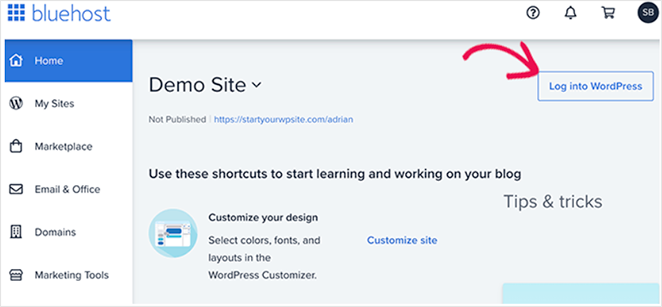
Not using Bluehost? Don’t worry. WPBeginner has a handy guide on how to install WordPress using other hosting companies.
Once you log into your new WordPress website, you’ll see a dashboard like this:
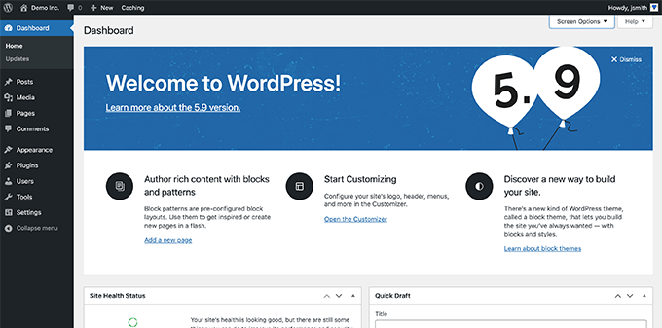
But before you start building your site, you’ll need to plan how you want it to look.
Inspiration for Your Author Website Design
Your author website does not need a fancy design. It needs to make your books easy to find and give readers a clear next step, like joining your newsletter or buying a book.
As you review the examples below, look for three things: how the homepage highlights books, where the email signup appears, and how quickly a visitor can find the Books and About pages.
1. Haruki Murakami
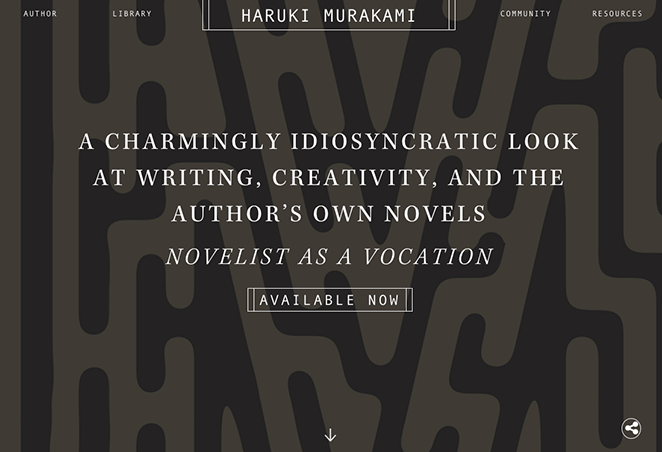
This site uses a minimalist layout that matches the author brand and keeps attention on current books and announcements.
What to copy: a clean homepage, clear navigation, and a simple way to reach books and newsletter signup.
2. John Grisham
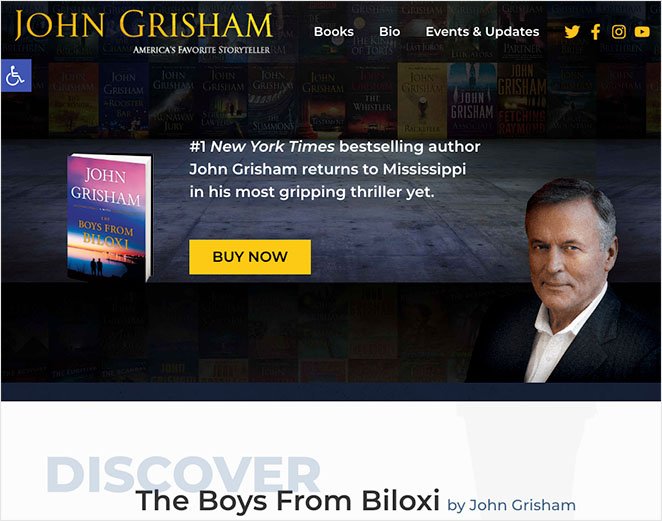
This site uses a strong hero section to promote the latest book, then backs it up with a clear grid of previous titles.
What to copy: a clear “latest book” section and a Books area that is easy to browse by cover.

This site also uses an email signup popup to turn visitors into subscribers.
What to copy: a simple newsletter offer and a visible signup prompt that does not distract from the books.
3. Jack Carr
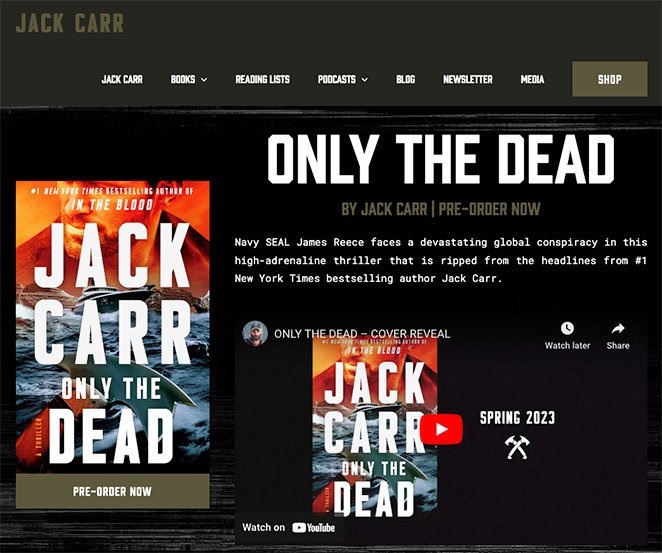
This site uses video and bold calls to action to support multiple goals, such as books, media, and a shop.
What to copy: clear buttons for each goal, and separate sections so the homepage still feels organized.
Choosing a Theme for Your Author Website
Once you have some inspiration for the structure of your website, you can choose a design.
Here are 2 ways to pick a design for your author site:
Option 1. Choose a WordPress Author Theme
In WordPress, you can use themes to control how your website looks. They typically include several templates for different sections and parts of your site.
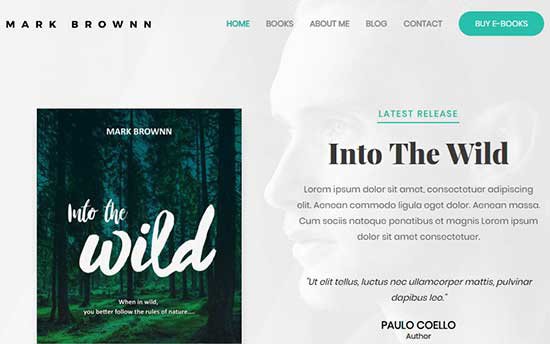
You can choose from thousands of free and premium WordPress themes to help create your author website. However, with so many available, it can be tricky if you’re a beginner to decide which design would work best for you.
To make deciding easier, you can see this showcase of the best WordPress themes for authors. We suggest starting with a clean, minimalist design with lots of white space so your site looks professional.
Option 2. Use SeedProd’s WordPress Page Builder
While WordPress themes are super easy to use, you may decide it’s better to create your own custom site design.
That’s where a drag-and-drop page builder plugin like SeedProd can help. It lets you create any layout you need with drag-and-drop.
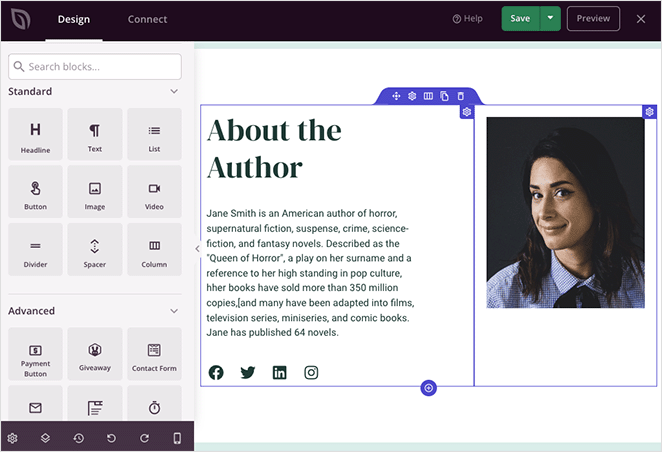
And don’t worry if you’re not tech-savvy. Working with SeedProd requires zero coding skills or design experience.
With SeedProd’s page builder, you can point and click anywhere to edit design elements. You can also drag and drop items to create various new layouts.
SeedProd has countless website and landing page templates with unlimited customization options. It even offers global styling with pre-made color palettes and font pairings.
Additionally, SeedProd is theme agnostic. That means it will work no matter what WordPress theme you use.
Even better, you can create your own custom WordPress theme without writing code, then customize and edit it with the same easy drag-and-drop functionality and interface.
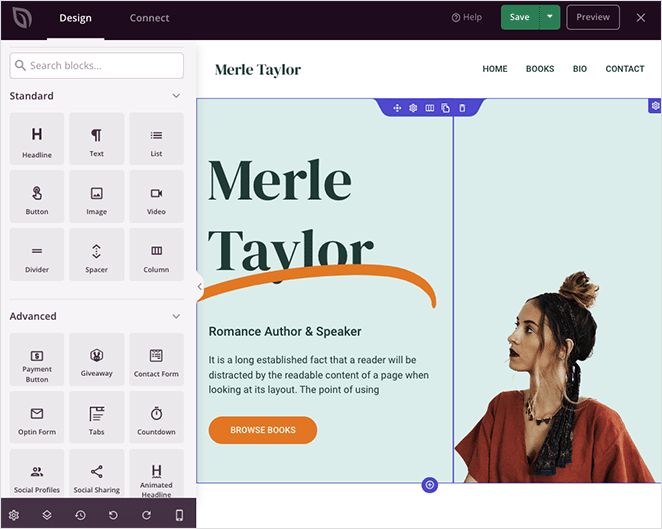
Whether you’re self-publishing your book titles, a blogger posting short stories, or setting up an author page for the first time, it has everything you need to design your website the way you want.
If you’re short on time, you can launch a custom author website in seconds using SeedProd’s AI website builder. Simply provide a brief description of your site, and it will generate a fully custom theme, helping you save time and get online faster.
Once you choose your website design, you can start building your layout and pages.
Building Your Author Website Layout and Pages
Once WordPress is set up, the next step is creating the pages that make up your author website.
Each page can be built using WordPress’s editor or a visual page builder. Many authors prefer using a drag-and-drop builder like SeedProd because it makes it easier to control layouts, highlight books, and add clear calls to action.
Instead of focusing on clicks and menus, focus on structure. Your goal is to guide visitors toward reading more about your work, joining your email list, or buying a book.
If you want step-by-step instructions, these guides walk through the process in detail:
- How to Create a Custom Page in WordPress
- How to Edit Your WordPress Home Page
- How to Edit Menus in WordPress
Selling Books on Your Author Website
One of the main goals of an author website is to promote your author name and the books you write. With that in mind, you’ll want to feature your books across your website, making them easy to find.
Both WordPress and SeedProd make book sales super easy.
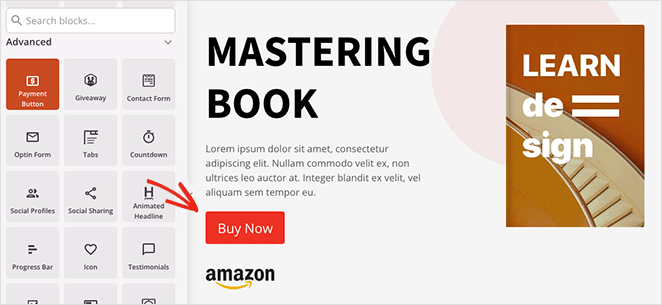
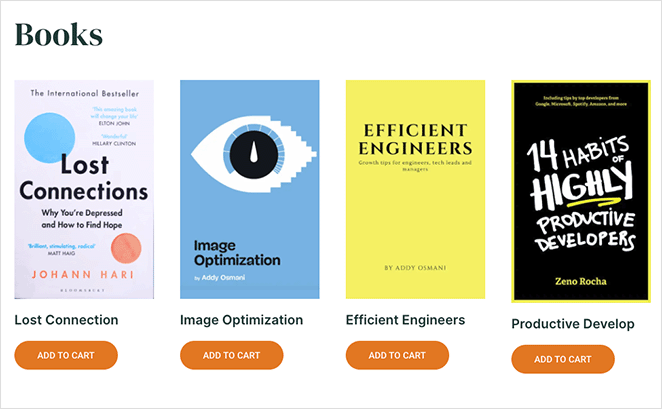
You can make a dedicated Books page with your book cover images and a call to action button to buy them. Or you can add them to a section on your homepage with a button taking users to online retailers like Amazon to buy your books.
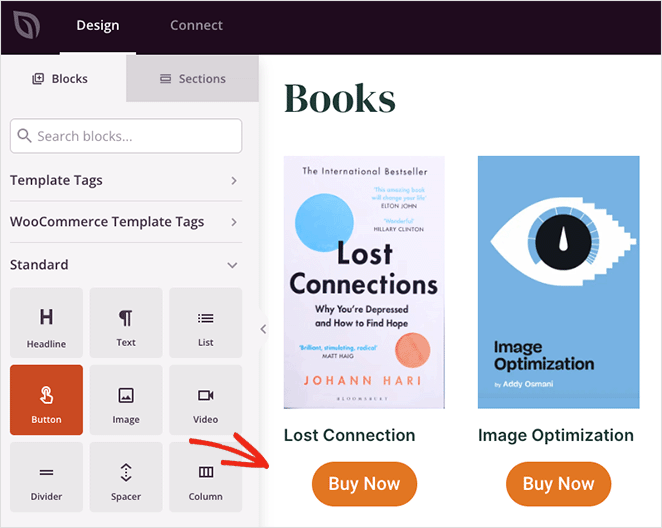
SeedProd even lets you sell books directly from your website. With its Payment Button block, you can add a buy now button that allows users to check out with Stripe.
Alternatively, you can build your bookshop with WooCommerce and use the Add-to-Cart block, which lets users continue browsing your site before checking out.
For step-by-step instructions, you can follow this tutorial on creating an ebook landing page in WordPress.
Expert Tip
Don’t forget to tell website visitors what you want them to do next. Use calls to action (CTAs), which are short messages that encourage visitors to take a specific step:
Be clear and direct: Use strong verbs like “Buy Now,” “Subscribe,” or “Contact Me” to tell visitors exactly what you want them to do.
Make it easy: Your CTAs should be easy to find and click. Use buttons or calls to action that stand out from the rest of your website text.
Target your CTAs: Make different CTAs for different pages on your website. For example, on your book page, your CTA might be “Buy Now,” while on your blog page, it might be “Subscribe for More Updates.”

“If you want your visitors to act on your CTA, then you need to use actionable language that clearly tells them what they need to do next.
I find that action verbs convey a sense of confidence and authority. They tell users what you want them to do in a clear and assertive way.”
John Turner – Co-Founder of SeedProd.
Stand Out as a Genre Expert on Your Website
Your author website is more than a place to list books. It also helps establish your credibility with readers, media, and search engines.
You can do this by publishing content that reflects your genre and writing style. This might include blog posts, short essays, or excerpts that give readers a clear sense of what you write and why it matters.
Over time, this content builds trust, supports discoverability, and gives visitors a reason to stay connected beyond a single book purchase.
Advanced options like interviews, guest content, or paid programs can come later, but they are not required to launch a strong author website.
How to Promote Your Author Website After You Publish
The next step in creating your site is to promote it to your target audience. Doing that will help establish your author name online, send traffic to your website, and ultimately sell more books.
Below, you’ll find helpful tips that many authors use to promote their websites.
1. Build an Email List on Day One
Visitors to your website may not immediately purchase your books. However, they’ll likely want to stay informed about your latest updates.
One effective way to keep in touch with existing and potential new readers is through an email newsletter.
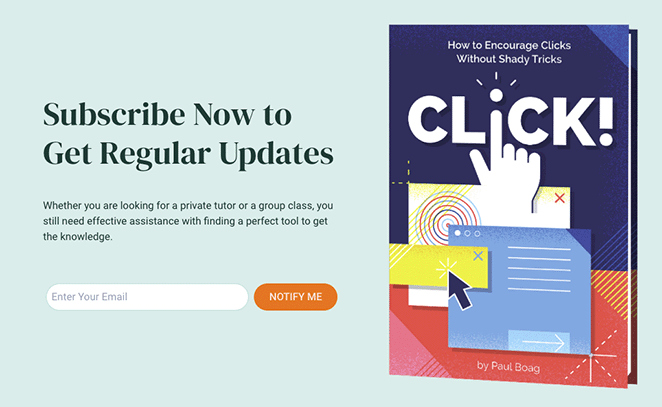
Beginner-friendly email marketing services like Constant Contact integrate with WordPress to make sending newsletters regularly easy. For more information, check out our tutorial on how to set up a newsletter.
In the long term, a large subscriber base is an excellent asset for negotiating new book contracts.
2. Set Up Basic Author SEO
Search engine optimization, or SEO, is a technique that helps drive more traffic to your website from search engines for free. One effective way to improve your site’s SEO is by using a plugin called All in One SEO for WordPress.
This plugin is a popular and user-friendly tool for optimizing your website, even if you lack technical expertise. One of its key features is schema markup, which tells search engines that your website is about a person, complete with a photo or headshot.
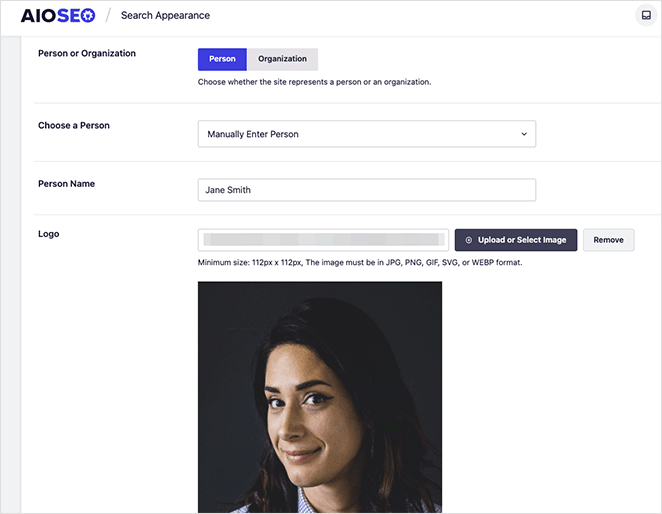
In addition, All in One SEO offers ways to track your website’s SEO score and provides suggestions for improving your on-page optimization.
3. Add Contact Path for Readers and Media
Beyond promoting books, an author website can serve many different purposes. You can use it to generate new business opportunities, collect feedback from your fans, and build your brand in other areas.
With that in mind, adding a contact form to your website is a good idea. That way, visitors can quickly send you feedback and messages.
To set this up, WPForms is an ideal solution. This plugin is popular among WordPress users for its easy drag-and-drop form builder.
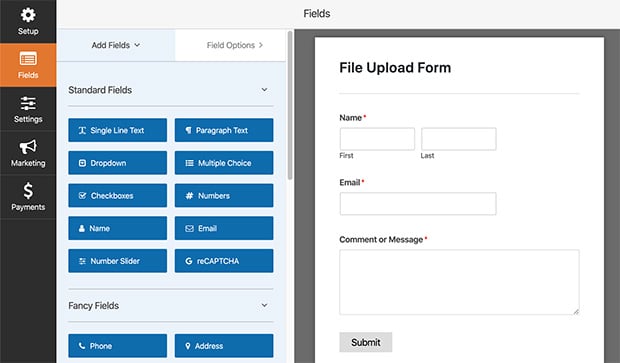
WPForms offers countless features to enhance your contact form, and you won’t need any technical know-how to get started. These features can help with the following:
- Managing entries
- Conducting user surveys
- Creating real-time polls
- Receiving instant notifications
- Pre-designed form templates
- Spam protection
4. Track What Pages Sell Books
Once your website is up and running, keeping track of its performance is crucial. One convenient way to do that is to use a plugin called MonsterInsights. As the top Google Analytics plugin for WordPress, it makes it simple to add Google Analytics to your website.
With MonsterInsights, you can access easy-to-understand reports directly on your WordPress dashboard. This gives you a comprehensive understanding of your website’s traffic sources and visitor behavior.
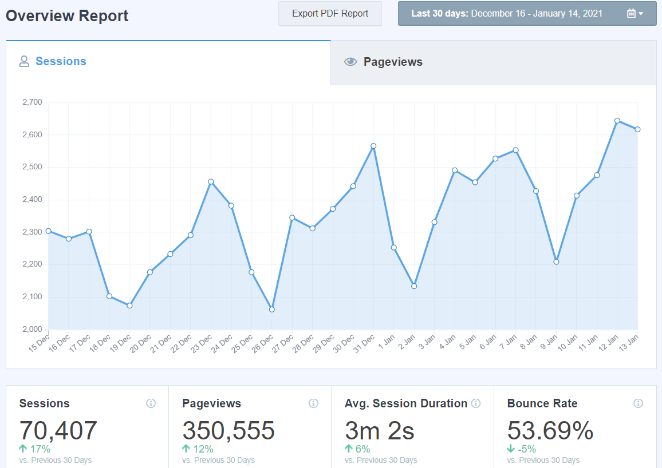
It also allows you to monitor the conversion rates of various website elements, such as forms, buttons, eCommerce, and more. This helps you optimize your website and increase the number of visitors who sign up for your newsletter, buy your books, or join your membership program.
FAQs About Creating an Author Website
When should I start my author website?
You should start your author website as early as possible, even before your first book is published. A simple site lets you collect email subscribers, share updates, and build a home base before launch.
How much does an author website cost?
An author website usually costs the price of a domain name and hosting. Many authors spend under $100 per year to get started, depending on their hosting provider and tools.
WordPress vs. Wix vs. Squarespace: Which is best for authors?
WordPress is usually the best choice for authors who want full control, flexibility, and room to grow. Wix and Squarespace are easier at first but offer less ownership and fewer options as your site expands.
Do I need a blog on my author website?
You do not need a blog to launch an author website. A blog is optional, but it can help with discoverability, reader engagement, and sharing updates over time.
Do I need an author website if I have social media?
Yes. Social media platforms can change or limit reach at any time. An author website gives you a stable place you control and a way to connect with readers directly through email.
Can I sell books directly from my website?
Yes. You can link to retailers like Amazon or sell books directly from your website using payment tools or eCommerce plugins, depending on how you want to handle sales.
How do I create a media kit for my site?
A media kit page usually includes a short bio, author photo, book details, press quotes, and contact information. This makes it easy for journalists, bloggers, and event organizers to feature or contact you.
Learning how to make an author website doesn’t need to be daunting. With the right tools, you can make a successful website without hiring a developer, so you can build your online presence and promote your books.
We hope you found this tutorial on creating an author website helpful. Before you leave, you might also like this guide on creating a coming soon page to collect emails before your site launches.
Thanks for reading! We’d love to hear your thoughts, so please feel free to join the conversation on YouTube, X and Facebook for more helpful advice and content to grow your business.




