

TL;DR: The Best Leadpages Alternatives
Leadpages is a solid landing page tool, but it’s a hosted subscription that lives outside your WordPress site. If you want more control, a lower price, or a builder that runs inside WordPress, here are the alternatives I’d actually recommend.
- SeedProd: Best overall for WordPress. Drag-and-drop builder, 300+ templates, and a free version, from $39.50.
- Unbounce: Best for design freedom and A/B testing, if you’re happy building outside WordPress.
- Instapage: Best for ad teams who live in landing pages, but the priciest on this list.
- ClickFunnels & OptimizePress: Best when you need full sales funnels, not just single pages.
- Free routes: SeedProd Lite and HubSpot both let you publish a landing page without paying, so start there if budget is the deciding factor.
Leadpages does one job well: it gets a polished landing page live fast. But it’s a monthly subscription that sits outside your website, the styling controls are limited, and the price climbs quickly once you want split testing or extra domains.
I won’t pretend I’m neutral here. I use SeedProd on my own sites, and it’s our product. But I’ve built landing pages across page builders for years, and I put Unbounce and Instapage through hands-on tests in 2026, so this list is about matching the right tool to the job, not just steering you to ours.
Here are the best Leadpages alternatives for small business owners, bloggers, and marketers, starting with an at-a-glance table you can skim in ten seconds.
- Best Leadpages Alternatives at a Glance
- What Is Leadpages and How Does It Work?
- How Much Does Leadpages Cost?
- Is There a Free Alternative to Leadpages?
- How I Chose These Leadpages Alternatives
- The Best Leadpages Alternatives
- Email Platforms That Also Build Landing Pages
- Leadpages vs Unbounce: How Do They Compare?
- Which Leadpages Alternative Should You Choose?
- Leadpages Alternatives FAQs
Best Leadpages Alternatives at a Glance
| Tool | Best for | Standout feature | Price |
|---|---|---|---|
| 🥇 SeedProd | WordPress users and fast setup | Full theme + landing page builder inside WordPress | From $39.50 (free version available) |
| 🥈 Unbounce | Design freedom and A/B testing | Free-form editor plus Smart Copy AI | From $22/month (billed annually) |
| 🥉 Instapage | Ad-focused marketing teams | AdMap ad-to-page matching | From $79/month (billed annually) |
| ClickFunnels | Complete sales funnels | Pre-built funnel templates | From $97/month |
| Thrive Architect | Conversion-focused WordPress | Conversion-first templates | From $299/yr (Thrive Suite) |
| OptimizePress | Membership and course funnels | One-click upsells and downsells | From $129/year |
| HubSpot | A free option with a built-in CRM | Landing pages tied to a CRM | Free, paid from $20/month per seat |
| OptinMonster | Turning existing traffic into leads | Exit-Intent popups and targeting | From $7/month |
Three of these (GetResponse, Brevo, and Mailchimp) are email platforms that happen to include a landing page builder. I’ve grouped those separately further down, because they solve a different problem than a true page builder.
What Is Leadpages and How Does It Work?
Leadpages is a hosted landing page and website builder that now leans on AI: you describe the page you want and it builds one, then you use it to collect leads, all without touching code. Its AI Engine drafts a page in about a minute, or you start from a conversion template and edit in the drag-and-drop editor.
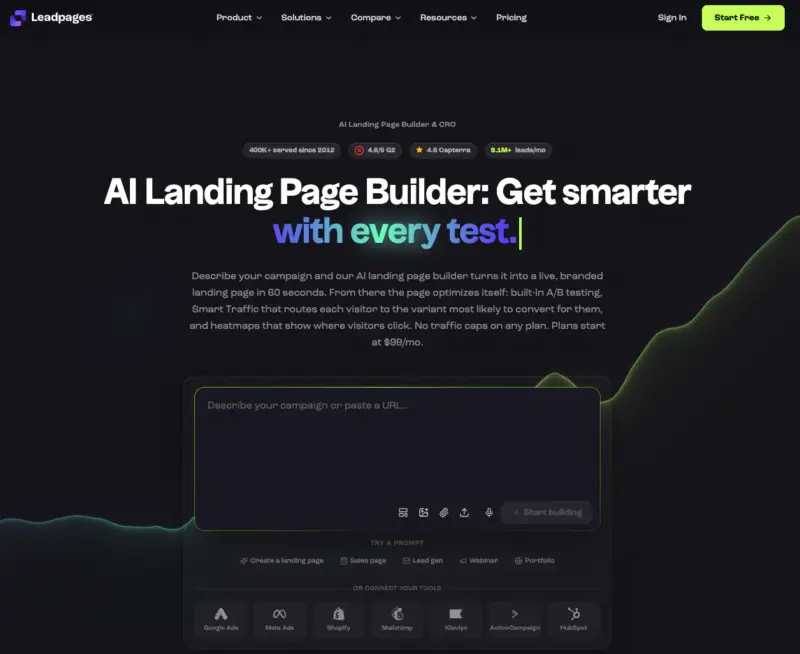
You can generate a page from a prompt, add opt-in forms and Stripe checkouts, and run A/B tests, with a live conversion score called Leadmeter grading each page as you build. Leadpages has also added an AI Lead Agent that qualifies and routes the leads you capture.
It’s a capable tool. But there are a few spots where it frustrates people, and they’re the reason most folks go looking for an alternative.
Here’s what tends to send them shopping:
- Deep template changes are fiddly, and styling controls are limited, so matching your exact branding is harder than it should be.
- Your pages live on Leadpages, not inside your WordPress site, so you’re renting your landing pages rather than owning them.
- It’s a monthly subscription, and the price jumps once you want split testing or more than one domain.
For a deeper look, read my full Leadpages review. If you want head-to-head comparisons, I’ve also written Leadpages vs Instapage vs SeedProd and ClickFunnels vs Leadpages vs SeedProd.
How Much Does Leadpages Cost?
Leadpages reworked its plans in 2026, so the old Standard and Pro tiers are gone. Its main paid plans now start at $99 per month, with a cheaper Starter tier for a single site and a 7-day free trial. There’s no permanent free plan, though annual billing saves you 20%.
The newer plans (Grow, Optimize, and Scale) add A/B testing, Smart Traffic routing, and heatmaps as you move up. For a lot of small businesses, that monthly cost is the tipping point that sends them looking for a lower-cost or one-time alternative.
Is There a Free Alternative to Leadpages?
Yes. A few tools on this list let you build and publish a landing page without paying anything, which is the fastest way to test the idea before you commit to a subscription.
These are the free routes worth trying:
- SeedProd Lite is free to download from WordPress.org and builds real landing pages inside your site.
- HubSpot includes a free landing page builder tied to its free CRM.
- Mailchimp lets you publish landing pages on its free plan if you’re already using it for email.
If you’re on WordPress, I’d start with SeedProd Lite. It’s the only free option here that puts the pages on your own site instead of a builder’s subdomain.
How I Chose These Leadpages Alternatives
There are dozens of tools that claim to replace Leadpages. Most “best alternatives” lists just reshuffle vendor feature sheets, so I filtered this one down using the things that actually matter when you’re the person building the page.
- It genuinely builds landing pages. Not an email tool with a landing page bolted on. The core job has to be pages that convert.
- Beginner-friendly. You should be able to launch a page without code or a steep learning curve.
- Design control. Enough flexibility to match your brand, not just recolor a locked template.
- Fair pricing. A free version, a one-time license, or a lower monthly cost than Leadpages, with clear value at each tier.
- Conversion features. Forms, A/B testing, integrations, and mobile-responsive output that Google’s mobile-first indexing rewards.
I build landing pages in SeedProd regularly, ran hands-on test sessions with Unbounce and Instapage in 2026, and researched the rest against their live pricing pages and real user reviews. Where I’m giving a first-hand take, I’ll say so. Where I’m going on research, I’ll say that too.
The Best Leadpages Alternatives
Let’s start with the tools whose main job is building landing pages, ranked by how well they fit the average small business.
1. SeedProd: Best Leadpages Alternative for WordPress
| Pricing: From $39.50 per year |
| Free Plan / Trial: Yes, SeedProd Lite is free |
| Standout Features: |
| 🔹 Drag-and-drop landing page and theme builder 🔹 300+ templates for landing pages and full sites 🔹 Conversion blocks: opt-ins, countdowns, WooCommerce 🔹 Live mobile previews and per-device controls 🔹 Bloat-free code for fast page loads |
| Best For: WordPress users who want full control without code |
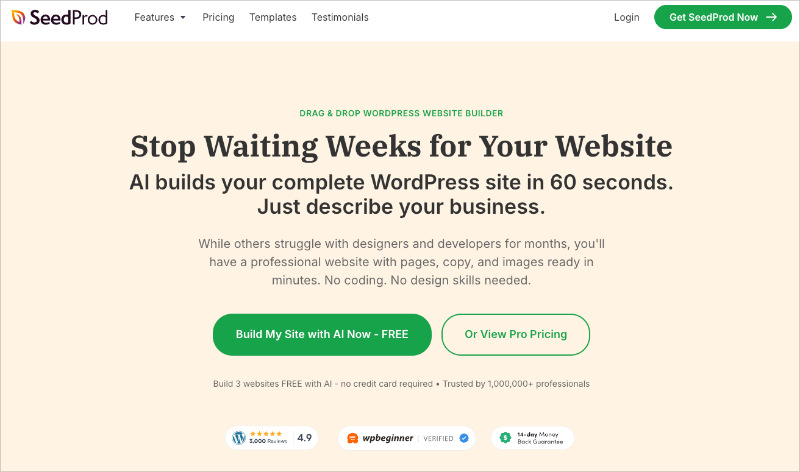
SeedProd is the website builder and landing page plugin I reach for first, because it does the one thing Leadpages can’t: it builds your pages inside WordPress, on your own domain, with no monthly platform fee.
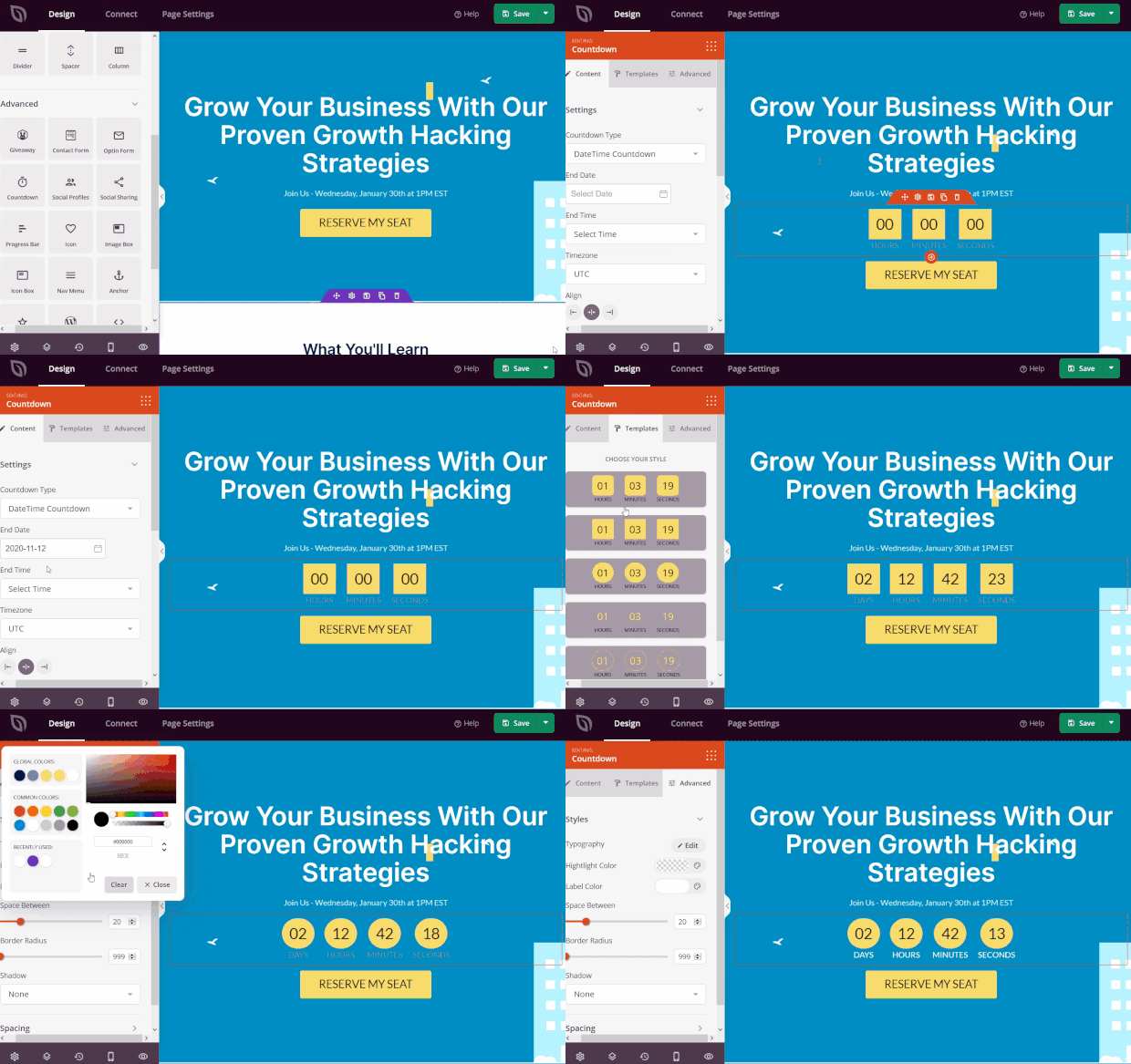
You design everything in a real drag-and-drop editor and see changes as you make them. There are more than 300 templates for landing pages, sales pages, coming soon pages, and full themes, so you’re rarely starting from a blank screen.
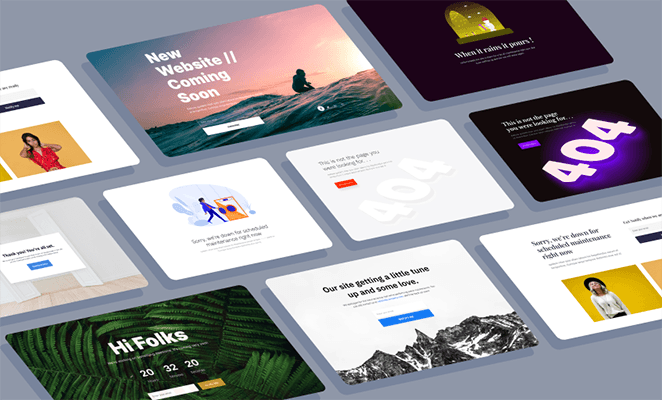
The blocks are built for lead generation, not decoration. You get opt-in forms, countdown timers, star ratings, and WooCommerce blocks like add-to-cart and checkout, all point-and-click. It connects to the email services most people already use, like Constant Contact, ActiveCampaign, and Mailchimp.
The part I keep coming back to is speed. SeedProd’s code is lightweight, so pages load fast. In my own GTmetrix testing, the same landing page built in SeedProd loaded in 556ms, well under half the time of the heavier builders I compared it against. That matters, because page speed feeds Core Web Vitals and your search rankings.
Pros:
- Builds pages inside WordPress on your own domain, with no platform fee
- Genuinely beginner-friendly drag-and-drop editor
- Fast-loading, bloat-free pages
- A free version plus low one-time annual pricing
Cons:
- WordPress only, so it’s not for you if you’re not on WordPress
- Relies on a separate SEO plugin like AIOSEO rather than building SEO tools in
SeedProd’s paid plans start at $39.50 per year, and the free SeedProd Lite version covers simple landing pages if you want to try it first.
My Verdict: If your site runs on WordPress, SeedProd is the alternative I’d pick without much hesitation. You get the design freedom and lead-generation features of a hosted tool, but the pages are yours, they load fast, and you’re not paying monthly to keep them online.
2. Unbounce: Best for Design Freedom and A/B Testing
| Pricing: From $22/month (billed annually) |
| Free Plan / Trial: No free plan, free trial available |
| Standout Features: |
| 🔹 Free-form drag-and-drop editor (no grid) 🔹 Smart Copy AI copywriting 🔹 Smart Traffic AI visitor routing 🔹 A/B testing and dynamic text replacement 🔹 MCP server to build pages from AI assistants |
| Best For: Marketers who want precise design control and testing |
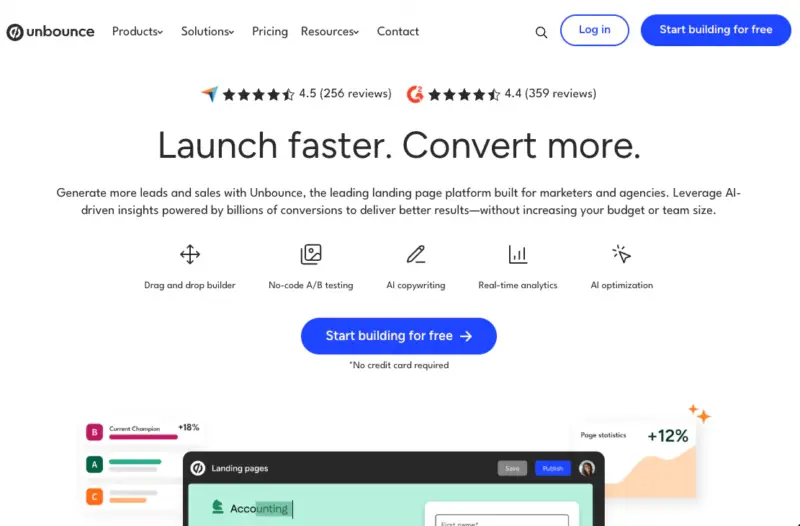
Unbounce is the alternative for people who care most about design freedom. Its free-form editor doesn’t lock you to a grid, so you can drop any element anywhere, which is the opposite of Leadpages’ more structured templates.
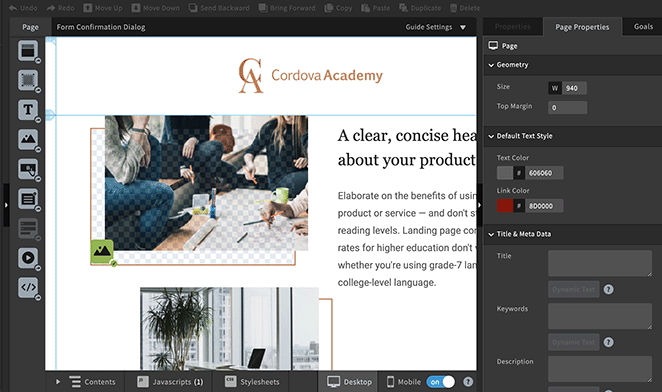
When I tested Unbounce in 2026, I built a page in its classic editor and tried its AI copywriter, Smart Copy. The editor gives you pixel-level control, but I found it panel-heavy, and the AI copy came out generic enough that I rewrote most of it.
Where Unbounce earns its price is optimization. You get real A/B testing, Smart Traffic (which routes each visitor to the variant most likely to convert them), 100+ integrations, and a new MCP server that lets you build and manage pages from an AI assistant like ChatGPT or Claude. It’s a marketer’s tool, not a beginner’s first pick.
Pros:
- Free-form editor with the most design freedom on this list
- Smart Copy AI writing and Smart Traffic optimization
- 100+ integrations plus Zapier
Cons:
- Steepest learning curve of the true page builders here
- One of the pricier options, with no free plan
- Pages live on Unbounce, not your WordPress site
Unbounce pricing starts at $22/month (billed annually), and there’s a free trial but no permanent free plan.
My Verdict: Choose Unbounce if design precision and conversion testing are the whole point of your job, and you don’t mind the learning curve or the price. If that sounds like more tool than you need, keep reading, most small businesses don’t.
3. Instapage: Best for Ad-Focused Marketing Teams
| Pricing: From $79/month (billed annually) |
| Free Plan / Trial: No free plan, 14-day trial |
| Standout Features: |
| 🔹 AI Content generator (headlines, copy, CTAs) 🔹 AdMap to match ads to landing pages 🔹 Heatmaps and conversion analytics 🔹 Instablocks reusable page sections 🔹 Real-time team collaboration |
| Best For: Paid-ad teams running lots of campaigns |
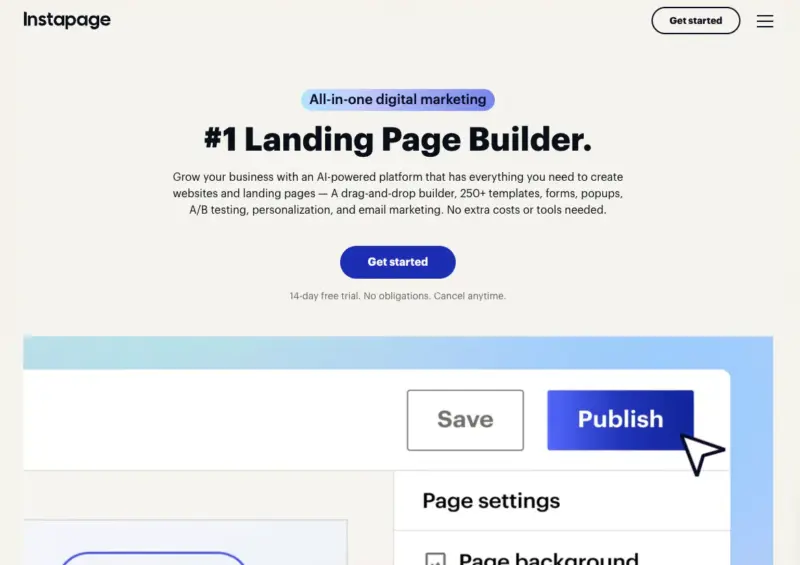
Instapage is built for teams that run a lot of paid advertising. Its standout feature, AdMap, lets you visually connect each ad to the exact landing page it points to, which is a genuine time-saver when you’re managing dozens of campaigns.
It’s template-first, with reusable Instablocks and an AI Content generator that drafts headlines, body copy, and A/B variations. When I tested it in 2026, one quirk stood out: desktop edits don’t carry over to mobile until you hit “Regenerate Mobile,” so it’s easy to publish a page that looks right on your screen but broken on a phone.
You also get heatmaps, analytics, and real-time collaboration with comments, which is why agencies like it. The catch is the price. Instapage is the most expensive tool on this list by a wide margin, so it’s overkill unless landing pages are central to a real ad budget.
Pros:
- AdMap and heatmaps are excellent for paid-ad workflows
- Strong team collaboration features
- Built-in AI content generation
Cons:
- Easily the most expensive option here
- Mobile edits need a manual regenerate step
- Overkill for a simple opt-in or single page
Instapage pricing starts at $79/month (billed annually). If it’s close but not quite right, I’ve rounded up cheaper Instapage alternatives too.
My Verdict: Instapage is a specialist. If you run paid campaigns at scale and need ad-to-page matching, it’s worth the money. For everyone else, the price tag makes it hard to justify over SeedProd or Unbounce.
4. ClickFunnels: Best for Complete Sales Funnels
| Pricing: From $97/month |
| Free Plan / Trial: No free plan, 14-day trial |
| Standout Features: |
| 🔹 Full sales funnel builder, not just pages 🔹 Built-in email marketing and automation 🔹 Pre-built funnel templates 🔹 Order forms, upsells, and checkout 🔹 Website and membership hosting |
| Best For: Selling products through a multi-step funnel |
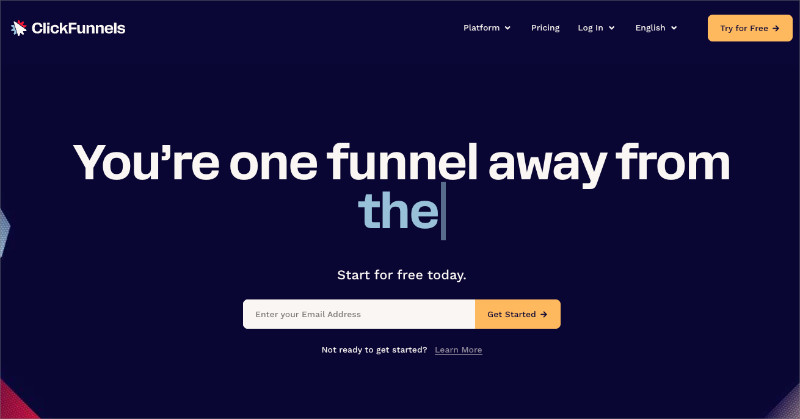
ClickFunnels isn’t really a landing page tool. It’s a full sales funnel builder (now on its ClickFunnels 2.0 platform), so you’re not just making one page, you’re wiring together an opt-in, a sales page, a checkout, and upsells that flow into each other.
That makes it a strong Leadpages alternative if your goal is selling, not just collecting leads. It bundles email marketing, order forms, and hosting, so a solo seller can run an entire launch from one tool. The trade-off is that it’s more than most people need, and it’s priced accordingly.
Pros:
- Builds complete, multi-step sales funnels
- Email, checkout, and hosting all in one place
- No technical setup required
Cons:
- Overkill and overpriced if you only need landing pages
- Your funnels live on ClickFunnels, not your site
ClickFunnels pricing starts at $97/month. For a closer look, see my best ClickFunnels alternatives guide.
My Verdict: Reach for ClickFunnels when the whole point is a sales funnel with upsells, not a single landing page. If you just need pages, you’re paying for a lot of machinery you won’t use.
5. Thrive Architect: Best for Conversion-First WordPress Templates
| Pricing: From $299/year (via Thrive Suite) |
| Free Plan / Trial: No free plan, 30-day money-back guarantee |
| Standout Features: |
| 🔹 Visual WordPress page builder 🔹 Conversion-focused templates and modules 🔹 Landing pages, sales pages, and blog posts 🔹 Sold as part of the wider Thrive Suite 🔹 Pages stay on your own WordPress site |
| Best For: WordPress marketers focused on conversions |
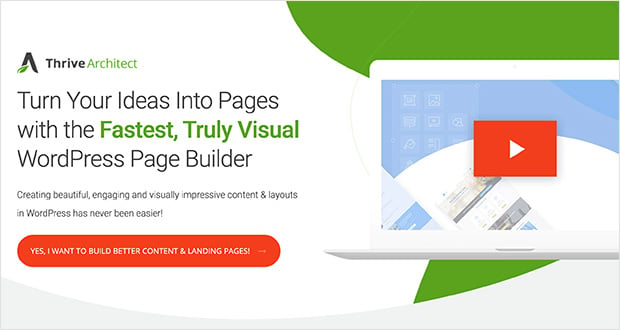
Thrive Architect is a visual WordPress page builder from the Thrive Themes team, built specifically around conversions. Like SeedProd, it keeps your pages inside WordPress on your own domain.
It comes with a big library of responsive, conversion-focused templates for landing pages, sales pages, and more. It’s a capable option, though the editor feels a little more technical than SeedProd’s, so beginners hit a slightly steeper curve.
Pros:
- Pages stay on your own WordPress site, not a hosted platform
- Conversion-focused templates and modules
- Part of the broader Thrive Suite if you want more tools
Cons:
- Editor is a bit more technical than SeedProd for total beginners
- No free version to try first
Thrive Architect now comes as part of the Thrive Suite, which starts at $299 per year.
My Verdict: A smart pick for WordPress users who want conversion-first templates and don’t mind the Thrive Suite subscription. If you’re brand new to page builders, I’d still start with SeedProd’s gentler learning curve and lower price.
6. OptimizePress: Best for Membership and Course Funnels
| Pricing: From $129/year |
| Free Plan / Trial: No free plan |
| Standout Features: |
| 🔹 WordPress landing page and funnel builder 🔹 One-click upsells and downsells 🔹 Membership and content delivery 🔹 Pre-made sales funnels 🔹 Email marketing integrations |
| Best For: Course creators and membership sites on WordPress |
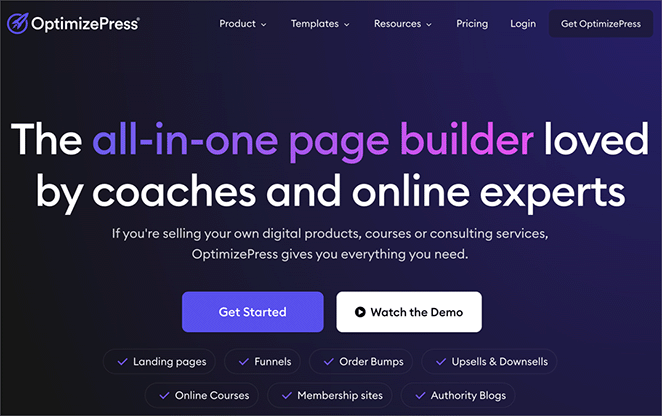
OptimizePress is another WordPress plugin, but it leans toward selling: sales pages, funnels, and membership sites. If you sell courses or run a membership, it’s purpose-built for that.
You get one-click upsells and downsells, pre-made funnels, and content delivery, all inside WordPress. It’s more focused than a general builder, so it’s a better fit for creators than for someone who just needs a clean opt-in page.
Pros:
- Purpose-built for funnels, courses, and memberships
- One-click upsells and downsells
- Runs inside WordPress on your own site
Cons:
- More than you need for simple landing pages
- No free version
OptimizePress pricing starts at $129/year for a single site.
My Verdict: If you’re building membership or course funnels on WordPress, OptimizePress is a natural fit. For plain landing pages, it’s more specialized than you need.
7. HubSpot: Best Free Option With a Built-In CRM
| Pricing: Free, paid from $20/month per seat |
| Free Plan / Trial: Yes, free landing pages and CRM |
| Standout Features: |
| 🔹 Drag-and-drop landing page builder 🔹 Free CRM to track every lead 🔹 AI agents (Agent Hub) for content and prospecting 🔹 Meetings tool for booking calls 🔹 Forms, buttons, and video blocks |
| Best For: Teams that want pages tied to a CRM |
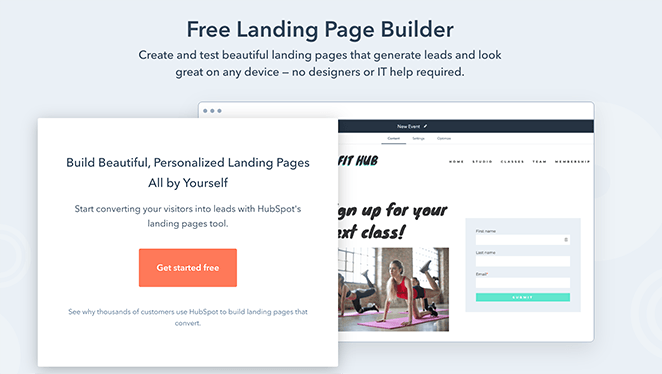
HubSpot earns its spot because of the free plan and the CRM behind it. You can build a landing page for nothing, and every lead it captures flows straight into HubSpot’s CRM so you can track their whole journey with your brand.
The builder itself is basic compared to a dedicated page tool, and the advanced marketing features get expensive fast. HubSpot has also gone big on AI, with a set of assistants and agents (its Agent Hub) that draft content and handle routine marketing tasks, though the real reason to choose it is still that tight link between your pages, contacts, and follow-up.
Pros:
- Genuinely free landing pages and CRM to start
- Leads flow straight into a full CRM
- Built-in meetings and follow-up tools
Cons:
- Page builder is limited next to dedicated tools
- Paid marketing plans get expensive quickly
HubSpot’s landing pages are free to start, and paid marketing plans begin at $20/month per seat.
My Verdict: The best free pick if a connected CRM matters more to you than design polish. Start on the free plan, and only upgrade when you actually hit its limits.
8. OptinMonster: Best Companion for Turning Traffic Into Leads
| Pricing: From $7/month |
| Free Plan / Trial: No free plan, money-back guarantee |
| Standout Features: |
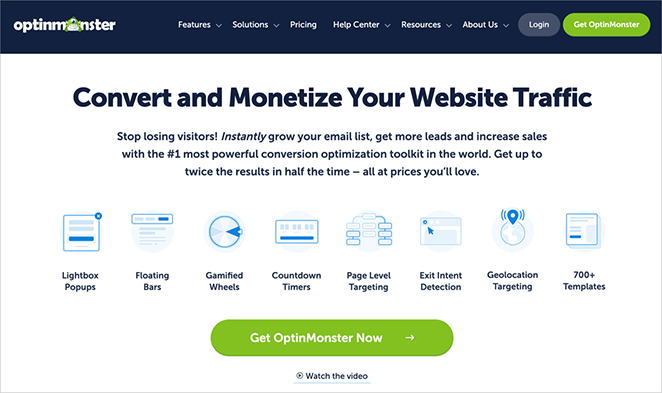
| 🔹 Exit-Intent popups that fire as visitors leave 🔹 AI Popups with Smart Optimizations copywriting 🔹 Advanced display and geolocation targeting 🔹 Lightbox popups, floating bars, welcome mats 🔹 Works on any site, including WordPress |
| Best For: Capturing leads from traffic you already have |
A quick honesty note: OptinMonster isn’t a landing page builder, so it’s not a like-for-like Leadpages swap. It’s a sister product in our family, and it’s here because it’s the tool I’d pair with a landing page, not replace one with.
Where a landing page captures leads from a fresh visit, OptinMonster squeezes more leads out of the traffic you already have. Its Exit-Intent popups fire the moment someone goes to leave, its targeting rules show the right offer at the right time, and its newer AI Popups will even draft the campaign copy for you. Build your page in SeedProd, then let OptinMonster catch the visitors who almost left.
Pros:
- Exit-Intent and targeting rules recover leads that would otherwise bounce
- Works alongside any landing page tool
- Affordable for what it does
Cons:
- Not a landing page builder on its own
- Best used together with a page builder, not instead of one
OptinMonster pricing starts at $7/month billed annually.
My Verdict: Don’t pick OptinMonster instead of a landing page tool. Pick it as the second half of the setup, the piece that turns the traffic your page attracts into more subscribers and sales.
Email Platforms That Also Build Landing Pages
These three come up on almost every “Leadpages alternatives” list, but I want to be straight with you: they’re email marketing platforms first. The landing page builder is a bonus feature, not the main event.
They’re worth considering only if you want your email and your pages under one roof. If landing pages are your priority, one of the true builders above will serve you better.
GetResponse
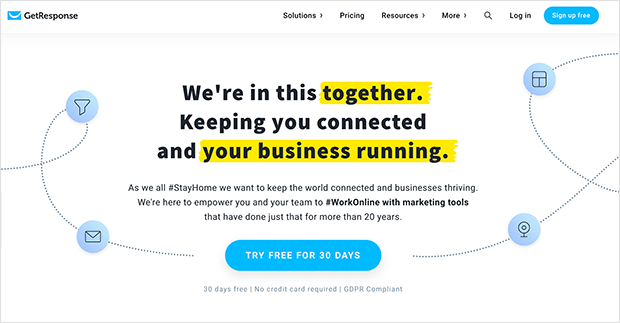
GetResponse is an email marketing and automation platform with a landing page builder, pre-built funnels, and popups. It has leaned hard into OpenAI-powered tools: an AI campaign generator, AI email and content writers, and an AI wizard that builds a starter site or landing page from a few answers. Pricing starts at $19/month.
Brevo (formerly Sendinblue)
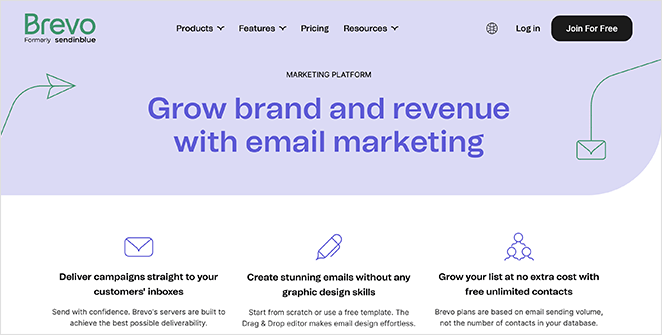
Brevo bundles email, SMS, WhatsApp, CRM, and marketing automation, with a landing page builder plus AI that drafts email content and picks the best send times. Its free plan is generous for email, and paid plans start at $9/month. Good if you want an all-in-one marketing hub, not if pages are the priority.
Mailchimp

Mailchimp is the email tool most people already know, and it includes a free landing page and website builder plus generative-AI features that draft content, suggest subject lines, and recommend send times. If you run your list on Mailchimp, publishing a quick page there is convenient, and it integrates with WordPress too. Paid tiers start at $13/month.
Leadpages vs Unbounce: How Do They Compare?
If you’ve narrowed it down to the two big hosted names, Leadpages and Unbounce, here’s the short version. Leadpages is the easier, cheaper starting point with a big template library. Unbounce costs more but gives you far more design and testing power.
| Leadpages | Unbounce | SeedProd | |
|---|---|---|---|
| Ease of use | Easy, more structured templates | Powerful, steeper learning curve | Very easy, built for WordPress |
| Design control | Template-led, limited restyling | Free-form, place anything anywhere | Full drag-and-drop, plus theme building |
| Best for | Fast, ready-made pages | Custom designs and A/B testing | Affordable WordPress landing pages |
| AI features | AI Engine page builder | Smart Copy + Smart Traffic | AI site & theme generation |
| Where pages live | Leadpages (hosted) | Unbounce (hosted) | Your own WordPress site |
| Free plan | No | No | Yes |
| Starting price | $99/month | $22/month (billed annually) | $39.50/year |
On ease of use, Leadpages wins for beginners. Its templates are structured and quick to fill in. Unbounce is more capable but takes longer to learn, and its editor is panel-heavy. SeedProd sits between them for power while staying the simplest to pick up if you’re on WordPress.
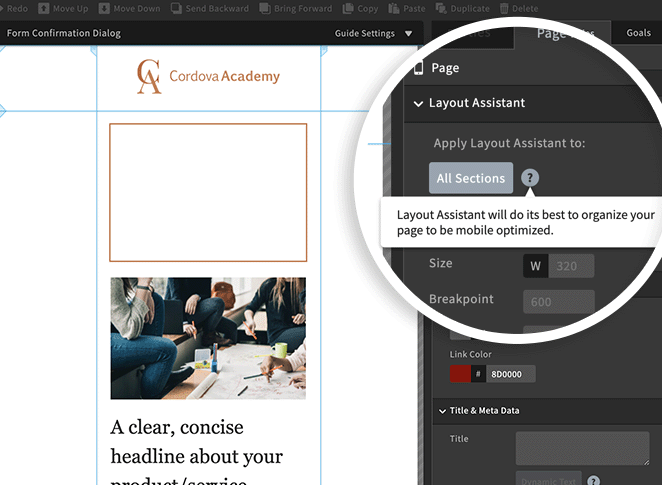
On design, Unbounce is the clear winner. Its free-form editor lets you place elements anywhere and add effects like parallax, while Leadpages keeps you closer to the template. Here’s what Unbounce’s classic builder looks like in practice:
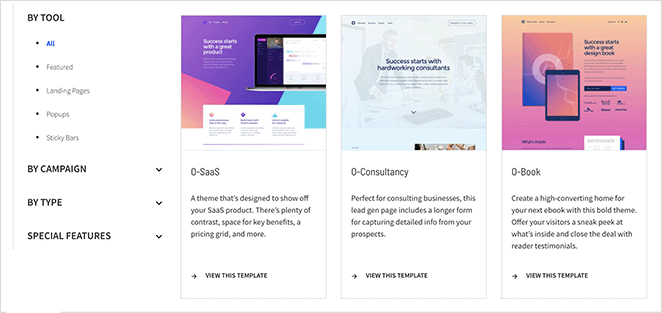
On mobile, both are responsive, but Unbounce’s mobile layout assistant rearranges elements for small screens instead of just shrinking them, which gives it an edge over Leadpages’ automatic scaling.
On price, Leadpages is the cheaper of the two hosted tools, and Unbounce is the priciest. Neither has a free plan. That’s the real opening for SeedProd: if your site is on WordPress, you get comparable design freedom, your pages stay on your own domain, and there’s a free version to start with.
Want the full breakdown across integrations, SEO, and support? I go deeper in Unbounce vs ClickFunnels vs SeedProd.
Which Leadpages Alternative Should You Choose?
There’s no single winner, because the right tool depends on your setup.
But after building across all of these, here’s how I’d decide quickly:
- On WordPress and want the best all-rounder? Start with SeedProd. It’s the pick I’d make for most small businesses.
- Need serious design freedom and A/B testing? Unbounce, if you’re happy off WordPress and can absorb the price.
- Selling through a full funnel? ClickFunnels, or OptimizePress if you’re on WordPress.
- On a zero budget? SeedProd Lite or HubSpot’s free plan.
If you’re not sure, do this today: install the free version of SeedProd, pick a template, and publish one landing page. You’ll learn more from building a single real page in ten minutes than from another hour comparing feature tables.
Leadpages Alternatives FAQs
Is there a free alternative to Leadpages?
Yes. SeedProd Lite is free to download from WordPress.org and builds landing pages inside your site. HubSpot and Mailchimp also offer free landing page builders, though HubSpot ties yours to its free CRM.
What is the best Leadpages alternative for WordPress?
SeedProd is my pick for WordPress. It builds landing pages and full themes with drag-and-drop, keeps everything on your own domain, and starts at a low yearly price with a free version to try first.
Leadpages vs Unbounce: which is better?
Leadpages is easier and cheaper, with a big template library, so it’s the better starting point for beginners. Unbounce costs more but gives you free-form design and stronger A/B testing. WordPress users can get the best of both from SeedProd on their own site.
Which is better, Leadpages or ClickFunnels?
They solve different problems. Leadpages is cheaper and focused on landing pages, while ClickFunnels is a full sales funnel builder with checkout and upsells. If you want both a low price and room to grow, SeedProd covers landing pages on WordPress for far less.
Can I move my Leadpages pages to WordPress?
There’s no one-click import, so you rebuild the page in a WordPress builder like SeedProd. The upside is that once it’s rebuilt, the page lives on your own domain and you stop paying a monthly platform fee to keep it online.
I hope this helped you find the right Leadpages alternative for your business.
If you’re ready to build, here are a few more guides to make your landing pages convert:
- How to Create a Landing Page in WordPress
- How to Create Landing Pages That Convert
- Landing Page Best Practices
- 23+ Landing Page Headline Formulas
Thanks for reading! We’d love to hear your thoughts, so please feel free to join the conversation on YouTube, X and Facebook for more helpful advice and content to grow your business.