

TL;DR: How to Create a Black Friday Landing Page
A Black Friday landing page puts one offer front and center, with no navigation or distractions pulling shoppers away.
- Install SeedProd – The easiest way to build a custom Black Friday page in WordPress.
- Choose a template – SeedProd has Black Friday-specific templates ready to customize.
- Add your offer – Lead with your discount headline and a bold, visible CTA button.
- Design for Black Friday – Dark backgrounds, bold white text, and red or gold accents signal urgency fast.
- Connect email – Capture leads from visitors who aren’t ready to buy yet.
- Publish and test – Check mobile layout before traffic arrives.
Pro Tip: Build in September, publish in early November (hidden from nav) so search engines index it before the peak.
Black Friday landing page design can make or break your holiday sales. I’ve seen it firsthand, building pages for clients and on my own site. The dedicated landing pages consistently outperform the homepage for holiday promotions.
The average Black Friday conversion rate is 4.3%, according to research. That’s nearly double the typical eCommerce average of 2.5%. But you only hit those numbers if your page is focused and gives shoppers one clear thing to do.
This guide shows you how to build a Black Friday landing page from scratch, no coding required.
How to Create a Black Friday Landing Page:
Things to Include on Your Black Friday Landing Page Design
A good Black Friday landing page doesn’t just look nice. It grabs attention, builds trust quickly, and pushes people to take action. I’ve built dozens using SeedProd, and the top performers always have a few things in common.
Here’s what I recommend including:
An Irresistible Offer
This is the heart of your page. Why should someone stop scrolling and buy from you? If your headline and offer aren’t crystal clear, you’ll lose them fast.
Use bold, direct language in your headline and lead with the discount. Speak to what your customer actually wants, not just what you’re selling.

Here are a few headline ideas you can try:
- Black Friday Blowout: 50% Off Sitewide!
- Your Dream [Product] Awaits: Up to 70% Off This Black Friday!
- Don’t Miss Out! Black Friday Deals You Won’t Find Anywhere Else.
Need more headline ideas? Check out my landing page headline formulas.
Persuasive Copywriting
The words on your landing page matter more than most people realize. Good copy is about making people feel like they need what you’re offering right now.
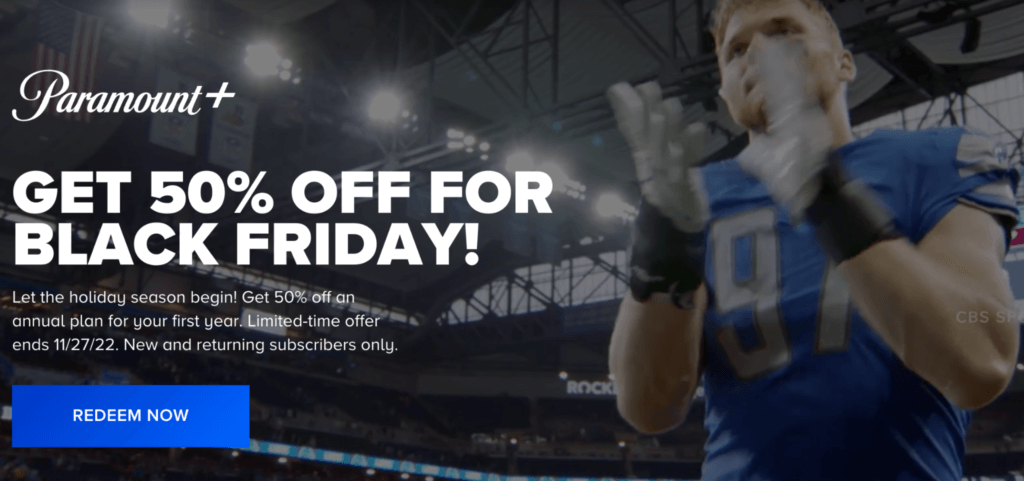
When I’m writing copy for a landing page, I keep it simple, direct, and focused on these three things:
- Make the benefit obvious: Don’t just list features. Tell shoppers exactly how those features help them. Will it save time? Make their life easier? Help them earn more?
- Highlight the discount clearly: Don’t bury the offer. Use large, bold text for your sale price and show the original price crossed out if possible.
- Add gentle pressure: A little urgency can go a long way. Phrases like “Sale ends soon” or “Only a few left” give people a reason to buy now instead of waiting.
Unmissable CTA Buttons
Your call to action (CTA) button tells shoppers what to do next. You want them to click it so they can buy your product, so make sure it’s impossible to miss.
Pick a button color that pops off the page. And make it big enough to spot right away, no squinting needed.
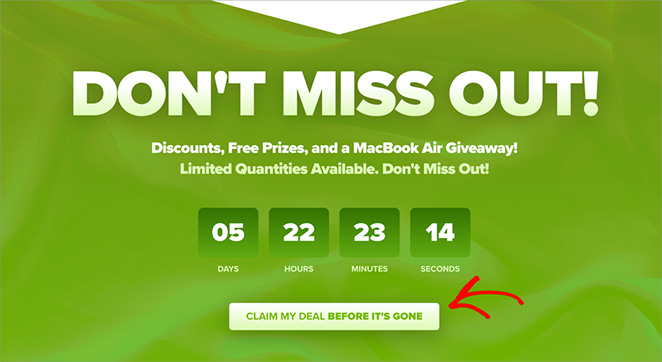
When it comes to the words on the button, be clear and direct.
Tell people exactly what will happen when they click. Instead of a boring word like “Submit,” try something more exciting like “Shop Now,” “Get My Discount,” or “Claim Your Deal.”
And don’t make people hunt for your button. Put it near the top of the page so they see it right away.
You can even add a few more CTA buttons throughout the page just to be safe.
Engaging Visual Content
A picture is worth a thousand words, right? That’s definitely true for your Black Friday landing page.
Use high-quality images and videos to make your products look amazing. Would you want to buy something from a page with blurry or boring pictures? Probably not.
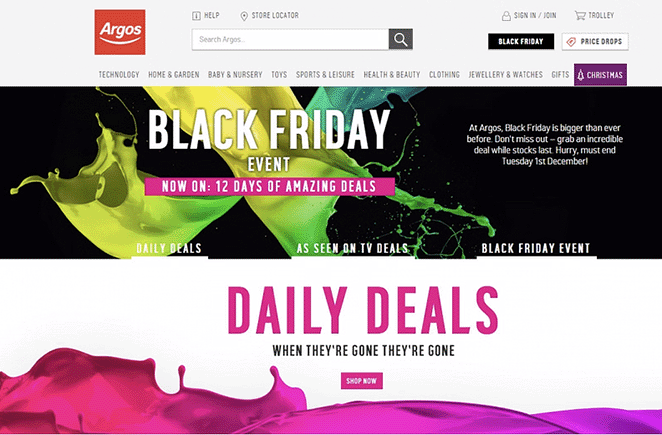
Keep your design simple and appealing so people enjoy looking at it. A cluttered page will just make them click away.
Trust Boosting Social Proof
You’re more likely to buy something if you see other people have bought it and loved it. It’s like getting a recommendation from a friend. And these days, people trust online reviews almost as much as they trust their friends – a whopping 88% of shoppers, to be exact.
So, sprinkle in some glowing testimonials from happy customers, positive reviews, and official-looking trust badges. It shows shoppers your brand is legit, and they can buy from you with confidence.
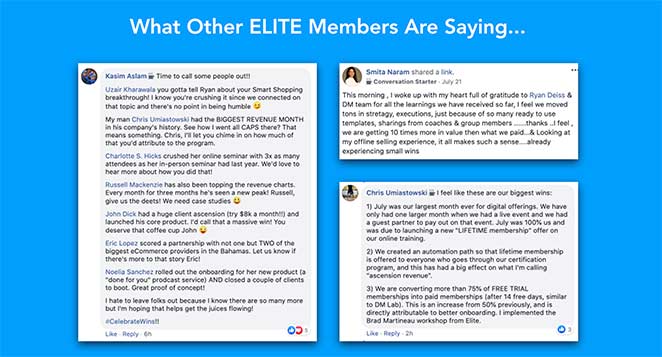
And if you need help, here’s my guide on how to add testimonials to WordPress.
Urgency and Scarcity Signals
Want to give shoppers a nudge to buy now? Remind them that your Black Friday deals won’t last forever.
In fact, businesses that use this “hurry up” tactic can often keep their customers coming back for more at 2x the rate.
Try adding a countdown timer to your landing page so people know exactly how much time is left to snag the deal. And if some products are running low in stock, don’t be afraid to let shoppers know.
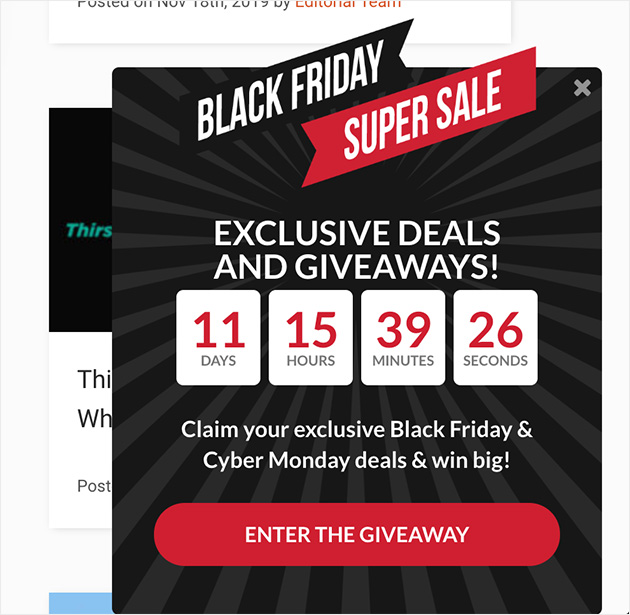
A little bit of scarcity can go a long way in convincing people to buy.
Black Friday Landing Page Design Tips
The right design signals urgency before a visitor reads a word. Black Friday has a visual language, and the pages that convert tend to follow it.
Color palette: Use a dark background (near-black or deep navy) with red or gold accents. White headline text on dark backgrounds creates instant contrast without needing any words to say “sale.”
I’ve found SeedProd’s global color settings make this easy. You can set your background, headline, and button colors in one place and they apply to the whole page.
Typography: Use a bold or heavy font weight for your discount figure. The number should be the largest element above the fold. If shoppers have to search for “50% off,” the design isn’t working.
Above-the-fold hierarchy: Stack your elements in this order: discount headline, countdown timer, CTA button. Visitors decide in seconds whether to keep reading, so your offer needs to land before they scroll.
Mobile-first layout: About 69% of US Black Friday traffic comes from mobile, according to MailerLite research. Design your page on a phone screen first. SeedProd’s mobile preview shows exactly how your layout renders on smaller screens before you publish.
How to Create a Black Friday Landing Page in WordPress
There are a few different ways to create a landing page in WordPress. You could use the regular WordPress editor, but to be honest, it doesn’t have that many customization options.
In my experience, the easiest way to create a custom landing page is to use a drag-and-drop page builder plugin.
One of my favorites is SeedProd, which has over 1 million users.
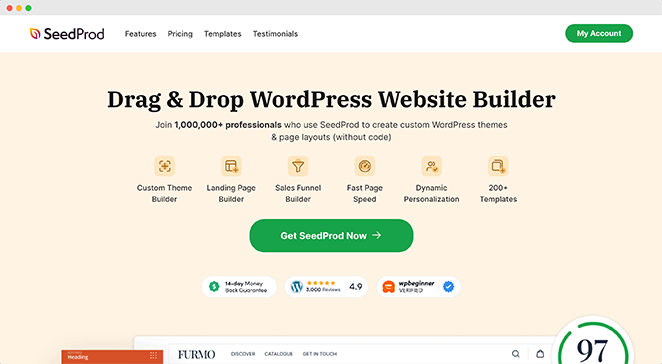
It comes with ready-made landing page templates, and customizing them is as easy as pointing and clicking. Plus, you don’t need to mess around with any code.
Follow me as I show you how to create a Black Friday landing page using SeedProd.
One tip before you start: build your page earlier than you think you need to. I recommend starting in September or October, then publishing in early November, even if you hide it from your navigation. That gives search engines time to index it before Black Friday traffic spikes.
Step 1. Install & Activate SeedProd
First, install and activate SeedProd on your WordPress website. SeedProd has a free version, but I’m using SeedProd Pro for this guide, which includes Pro templates.
If you need help, you can see our guide on how to install SeedProd.
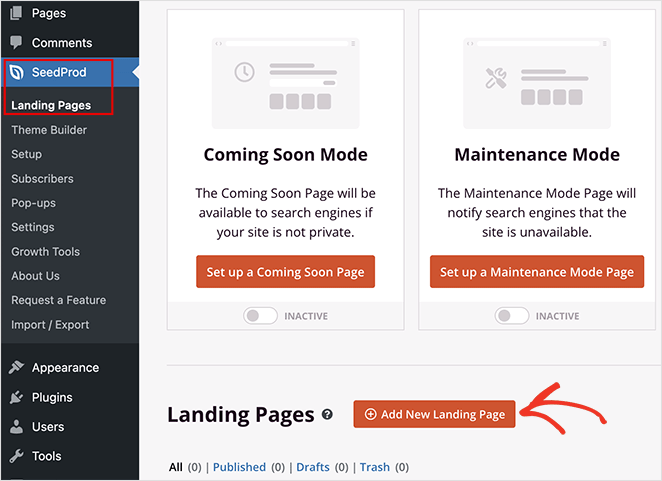
After installing the plugin, go to SeedProd » Landing Pages from your WordPress dashboard. Then, click the “Add New Landing Page” button.
Step 2. Choose a Black Friday Landing Page Template
SeedProd has dozens of pre-made Black Friday landing page templates, including several designed specifically for holiday sales.
To find them, click through the filters at the top. Then pick the one that best fits your brand and what you’re selling.
For example, if you click the “Sales” filter and scroll down, you’ll see a Black Friday sales page template.
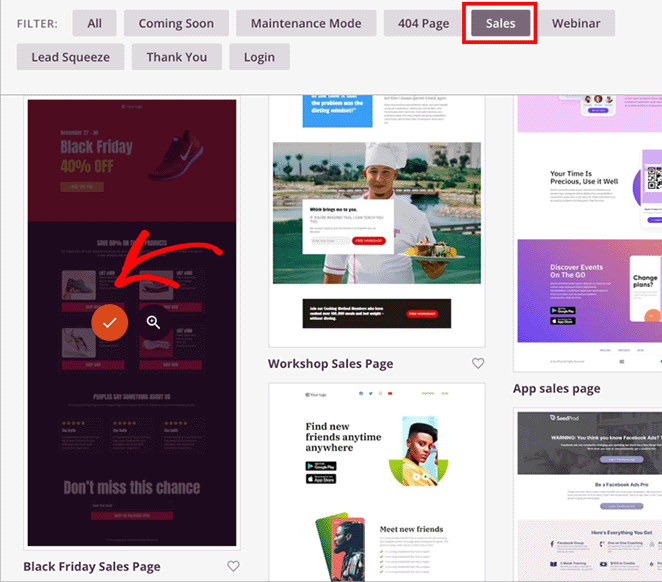
I’ll choose this one for my page. To do this, hover your mouse over it and click the orange checkmark icon.
Now, you can enter your page name. SeedProd will also create a URL for the page automatically.
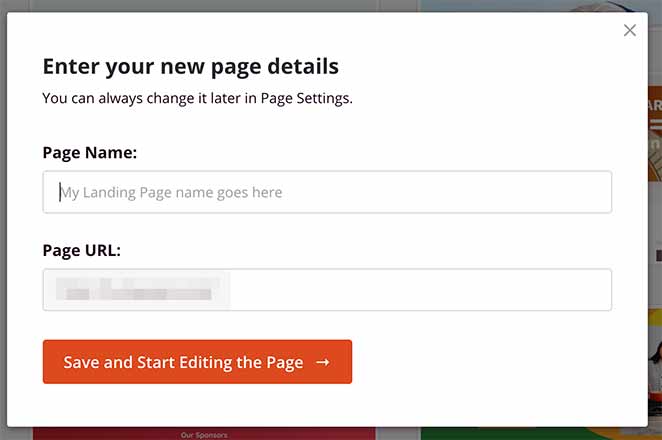
I recommend using a descriptive name and URL so search engines understand your page better. This will help the right people find your page during the Black Friday period. You can change this now or later via the settings page.
Now, go ahead and click the “Save and Start Editing the Page” button to continue.
Step 3. Add Your Black Friday Content
Now it’s time to bring your Black Friday landing page to life. SeedProd makes this super easy with its drag-and-drop page builder. You’ll see your chosen template, and you can start customizing everything right away.
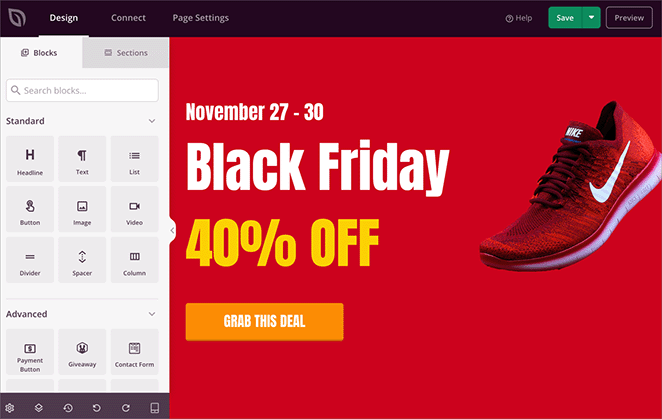
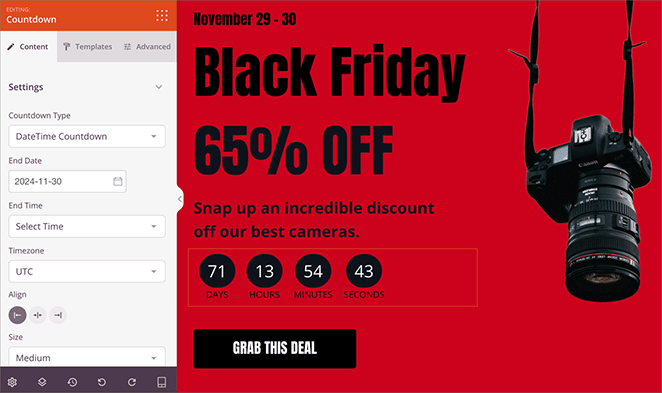
The template is made up of different “blocks.” They’re like building blocks for your page. You can change the text in any block, swap out images, add your logo, and even add countdown timers and customer testimonials.
Just click on a block, and you’ll see all the ways you can customize it in the left-hand menu.
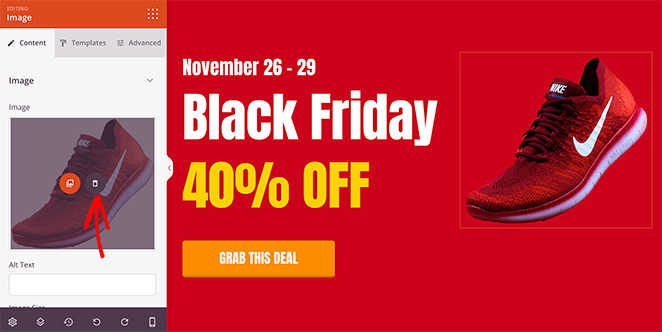
For example, click an image to swap it with one that highlights your Black Friday offer.
Remember the things we talked about earlier?
- A catchy headline
- Clear product descriptions
- Eye-catching pictures
- A button that tells people exactly what to do next.
Add these to your page so shoppers get excited about your Black Friday deals.
Step 4. Customize Your Black Friday Landing Page Design
Okay, your landing page has all the right info – now let’s make it look amazing. SeedProd gives you tons of ways to customize the design and make it match your brand perfectly.
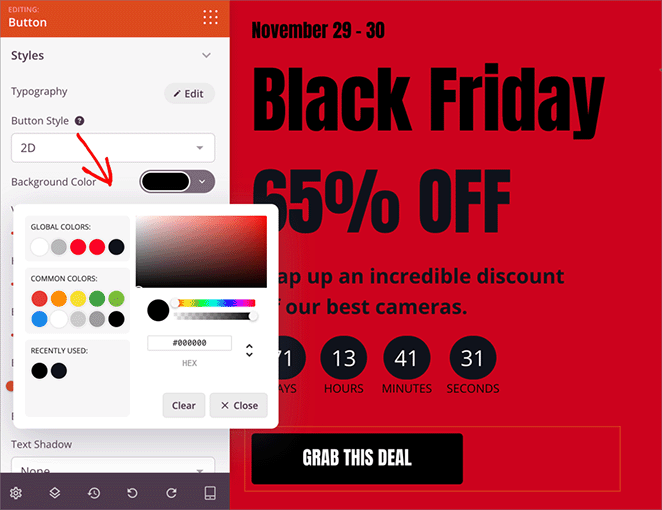
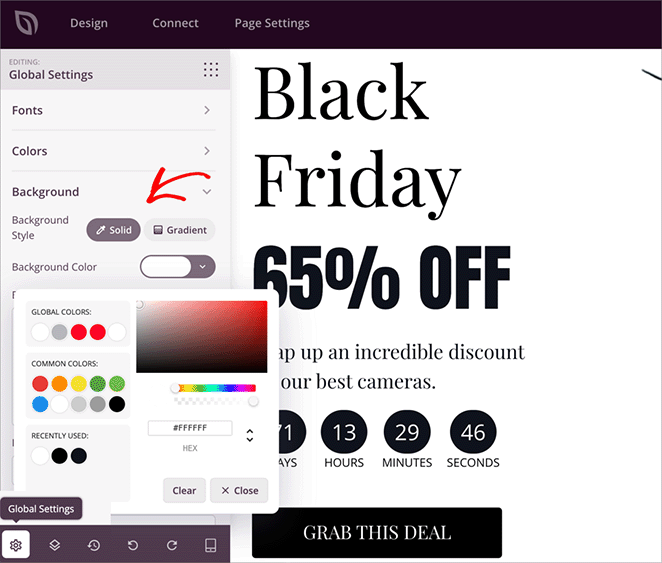
Each block has several settings you can play with. For example, you can easily change the color scheme to match your brand. Just click on the block, find the color settings, and pick your perfect shade.
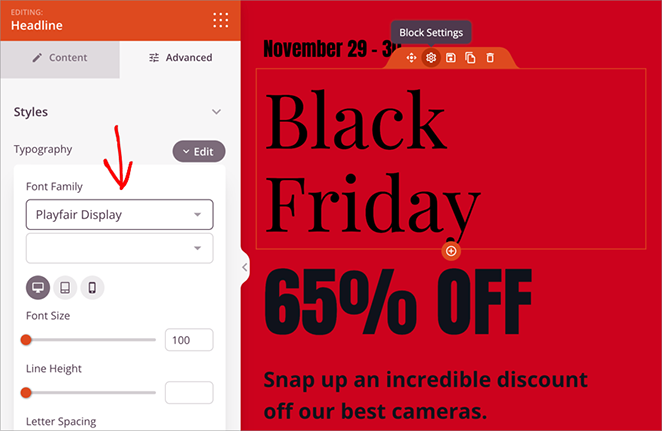
You can do the same with fonts. Choose a text block, find the font settings, which are typically in the “Advanced” tab, and start experimenting.
And it’s not just colors and fonts. You can adjust the spacing between elements, add animations, and even put in shape dividers to break up your content.
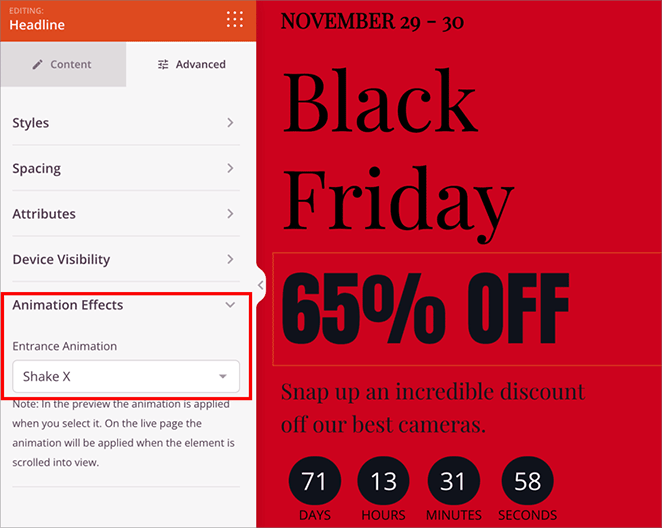
Here’s a pro tip: instead of changing each block individually, check out the “Global Settings”. Here, you can set things like your brand colors and font styles once and apply them everywhere, saving you tons of time.
Step 5. Connect Your Email Marketing Service
Black Friday is a prime time to grow your email list, so if you’ve used the opt-in form block on your landing page, you’ll want to connect it to your email marketing service. That way, every time someone signs up for your deals, they’ll be automatically added to your email list.
It’s super simple to do this with SeedProd. Just click on the “Connect” tab at the top of the page builder, and you’ll see a list of popular email marketing providers.
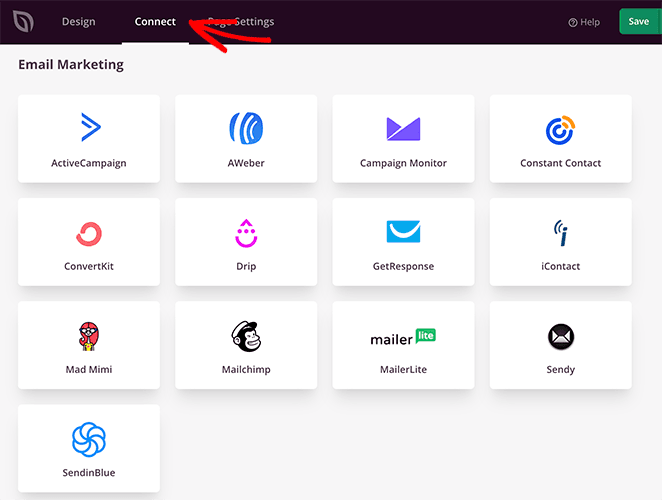
Just find yours, follow the instructions, and you’ll be all set. Instructions for setting up each provider are in our email marketing documentation.
Step 6. Test and Publish Your Black Friday Landing Page
Your landing page is this close to being ready. But before you hit publish, let’s do a quick check to make sure everything looks perfect on all devices. You want shoppers to have a great experience, whether they’re on their laptop, tablet, or phone.
Thankfully, you can preview your landing page on different screen sizes. Just click on the little phone icon at the bottom of the page to see how it looks on desktop, mobile, or tablet devices.
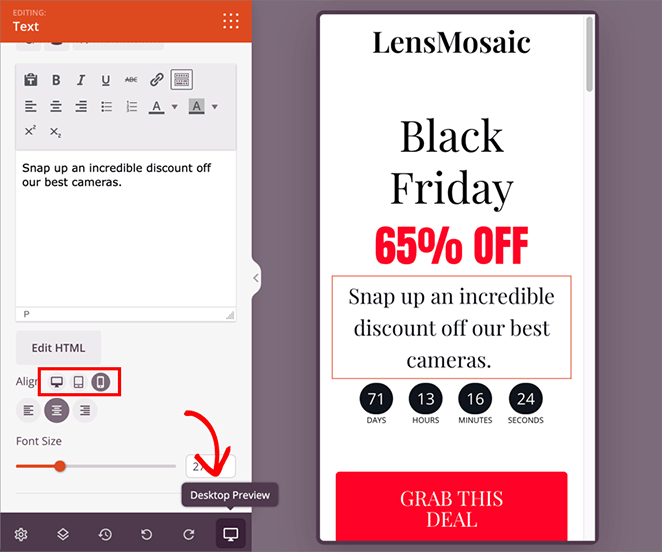
If anything seems off (like text that’s too small or images that are cut off), don’t worry. Just go back and adjust the design until it looks good everywhere.
Once you’re happy with your masterpiece, it’s time to share it. Just click the green “Save” button at the top of the page, choose “Publish,” and you’re all set.
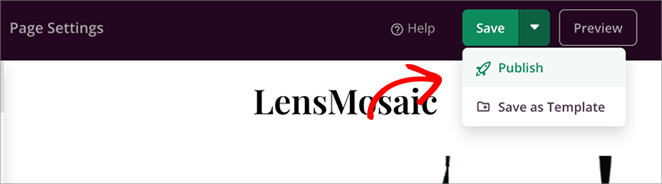
Your Black Friday landing page is now ready to start bringing in those sales. Here’s a final look at the page I created during this tutorial:

Black Friday Landing Page Examples I Love
Here are some of the best Black Friday landing page examples I’ve found, from WordPress plugins to e-commerce brands. Each one does something worth stealing.
OptinMonster
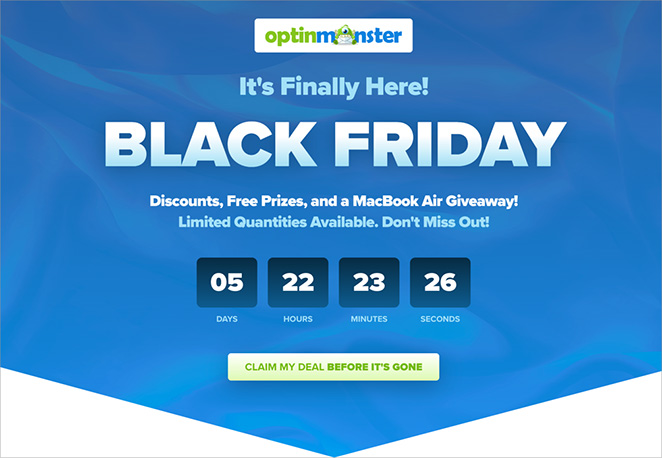
Why I love it: OptinMonster leads with a bold 60% off headline in white text on a dark background. That’s classic Black Friday design: high contrast, immediate impact. The countdown timer keeps running as you scroll, and the CTA is “Get Started Today.” They explain exactly what you’re getting in a few short lines, so the urgency lands before any objections come up.
Smash Balloon
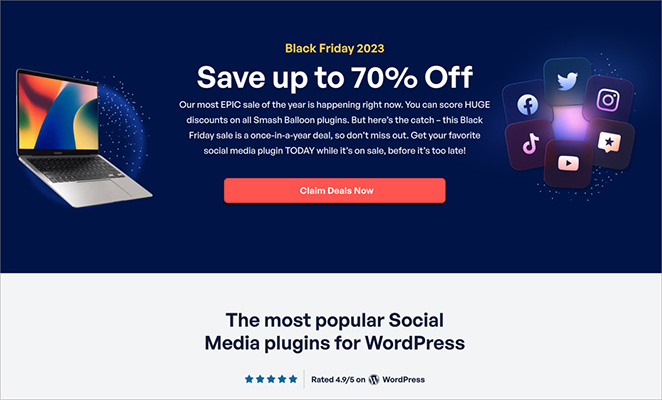
Why I love it: Smash Balloon leads with bright, festive colors and a 30% bundle discount. What makes it work is the social proof: the “100,000+ customers” stat near the top gives first-time visitors a reason to trust the brand right away. The CTA is “Get the Bundle Now.” There’s no countdown timer, but the festive design and clear bundle value carry the urgency instead.
WPForms
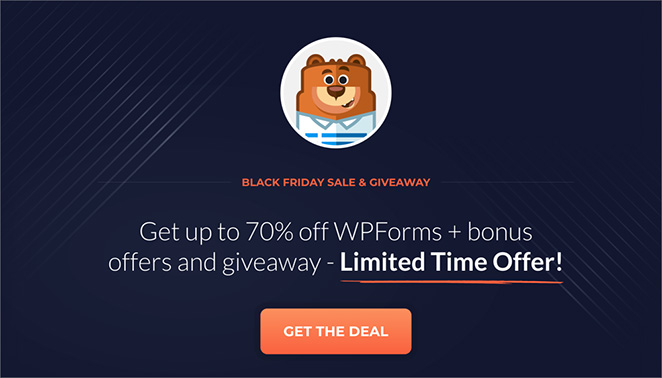
Why I love it: WPForms uses a dark background with bright orange CTA buttons for high contrast. Their headline calls it their “biggest sale ever,” which signals urgency without a countdown timer. The “Get WPForms” button is repeated multiple times as you scroll, so there’s never a moment where you have to hunt for where to click.
BIKE24
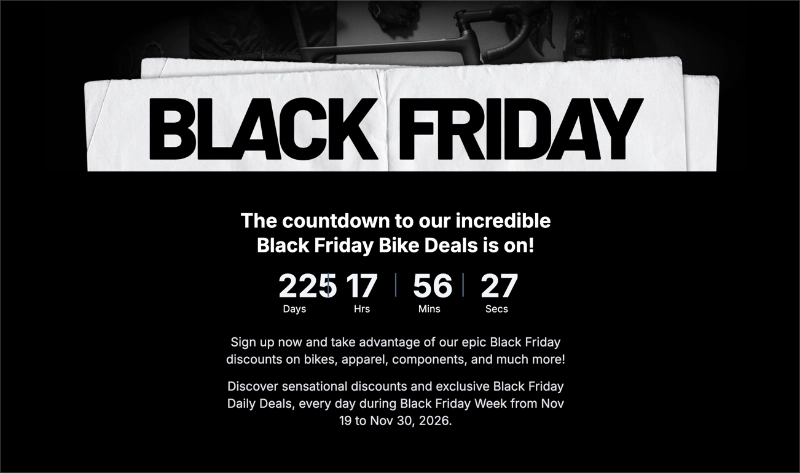
Why I love it: BIKE24 uses a clean black and white layout with blue accents, no holiday clutter. Their CTA is “Sign up now” for a newsletter that unlocks daily deals from November 19–30. A countdown timer shows time left on each day’s deal, giving shoppers a reason to return all week. No navigation menu, no distractions, one goal per visit.
Nguyen Coffee Supply
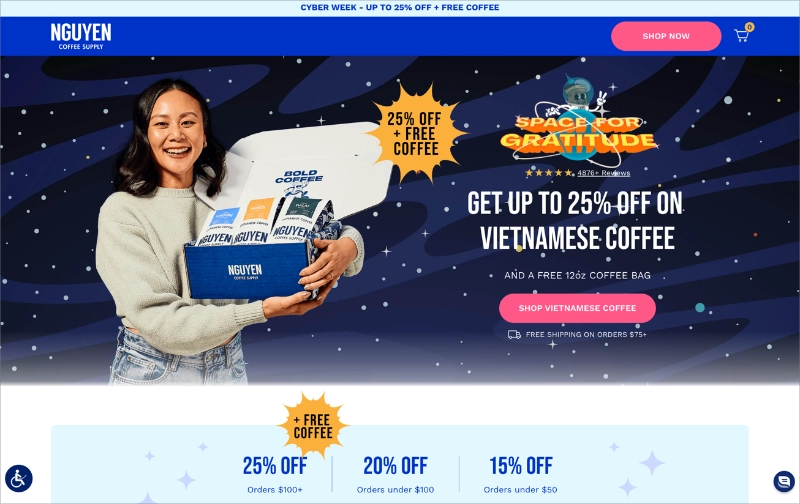
Why I love it: Nguyen Coffee Supply goes with a dark blue and pink color scheme, which is unusual for Black Friday but completely on-brand. The CTA is a pink “SHOP NOW” button above the fold. What stands out is the media recognition section: Forbes, Food and Wine, and Washington Post badges near the top give first-time visitors the confidence to buy from a brand they’ve never heard of.
Busuu

Why I love it: Busuu leads with the benefit (language learning), not the discount. The 50% off headline is there, but the feature cards below it do the real selling. Their CTA is “Start Learning.” No countdown timer, but the seasonal Black Friday framing creates enough urgency. A good model for SaaS pages where the value needs more explaining than the price.
WP Rocket
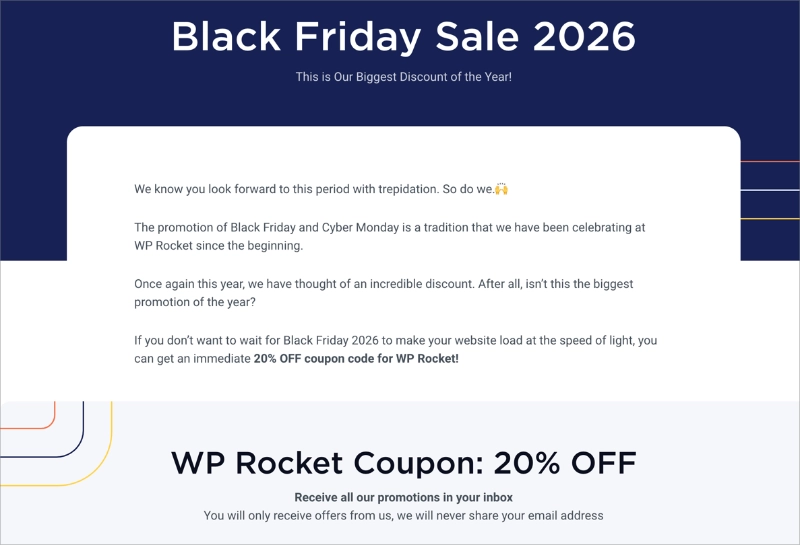
Why I love it: WP Rocket uses a dark blue background with orange and yellow accents, high-energy without being chaotic. What’s clever is the dual-CTA strategy: buy now at 20% off, or sign up to get notified of the bigger Black Friday deal. That captures both the ready-to-buy visitor and the fence-sitter. Three pricing tiers and a 14-day money-back guarantee handle the remaining purchase objections.
Black Friday Landing Page FAQs
When should I create my Black Friday landing page?
Start building in September or October. Publish the page in early November, even if you hide it from your navigation, so search engines have time to index it before traffic peaks in late November. Waiting until the week before Black Friday is too late for SEO.
What colors work best for a Black Friday landing page?
A dark background (near-black or deep navy) with red or gold accents and white headline text. This combination signals urgency before anyone reads a word. Use a bright contrasting color for your CTA button, like orange or red, so it stands out from the background.
How long should a Black Friday landing page be?
Long enough to answer every objection, short enough to keep moving. Most high-converting Black Friday pages run between 400 and 800 words. Include your offer, a short reason-to-buy section, social proof, and a CTA. If your product is complex, a longer page with multiple CTA placements works well.
Do I need a separate page for Black Friday or can I use my homepage?
A dedicated page almost always converts better. Your homepage has navigation, multiple goals, and seasonal changes are harder to undo. A separate landing page lets you strip out distractions, focus on one offer, and update it each year without touching your main site design.
Create Your Black Friday Landing Page
Ready to turn Black Friday shoppers into paying customers? Build a high-converting landing page today with SeedProd.
Here are even more tips and tricks to make your landing page a huge success:
- Anatomy of a Landing Page: 9 Essential Elements
- A/B Testing for Landing Pages in WordPress
- Landing Page URL Examples and Best Practices
- What Is a Good Landing Page Conversion Rate?
- Landing Page Best Practices for Incredible Conversion Rates
- How to Point a WordPress Landing Page to a Different Domain
Thanks for reading! We’d love to hear your thoughts, so please feel free to join the conversation on YouTube, X and Facebook for more helpful advice and content to grow your business.




