

You’ve got a WordPress site and you want to build an email list. The question is: which email service should your subscribers land in once they sign up?
SeedProd handles the capture side: opt-in forms, landing pages, and coming soon pages that connect directly to your email service. But you still need to pick the right service to manage your list and send your campaigns.
I’ve tested the top email newsletter services for WordPress users to help you make that call. Below you’ll find what each one does well, how it connects to SeedProd, and which type of site it fits best.
| Rank | Email Newsletter Service | Best For | Pricing (Starting) | SeedProd Integration |
|---|---|---|---|---|
| 🥇 | Constant Contact | Beginners, Small Businesses | $12/month | Native |
| 🥈 | Brevo | Budget-minded, SMS Marketing | $25/month | Native |
| 🥉 | HubSpot | Advanced Automation, CRM | $45/month | Via Zapier |
| 4 | Drip | eCommerce | $39/month | Native |
| 5 | Kit | Creators, Bloggers | $9/month | Native |
| 6 | Moosend | Budget-minded | $9/month | Native |
| 7 | AWeber | Robust Automation | $12.50/month | Native |
| 8 | Mailchimp | Beginners | $9.99/month | Native |
| 9 | GetResponse | All-in-One Marketing | $15.58/month | Native |
| 10 | MailerLite | Budget-minded | $10/month | Native |
How I Tested These Email Newsletter Services
I wanted to make sure my recommendations were based on real experience, not just marketing jargon. Here’s how I put these email newsletter services to the test for this article:
- Used Them Myself: I didn’t just read about them – I signed up and used them to get a feel for their features and ease of use.
- Tested Automations: I explored how easy it was to set up automated email sequences, like welcome emails and abandoned cart reminders.
- Thought About Your Needs: I considered the needs of different businesses, like bloggers and e-commerce stores, to see which service fit best.
- Checked SeedProd Integration: I confirmed how each service connects to SeedProd’s opt-in form block — whether natively or via Zapier — and linked to the setup docs for each one.
- Looked at the Data: I explored the analytics each service provided to see how helpful they’d be in understanding your audience.
- Compared Costs: I broke down the pricing plans to help you find a service that fits your budget, whether you’re just starting out or have a large list.
- Used My Experience: I combined my hands-on testing with my personal experience using some of these services to give you the most accurate recommendations.
How SeedProd Captures Your Email Subscribers
Before you pick an email service, it helps to understand how subscribers get onto your list in the first place. SeedProd gives you three ways to capture them directly from your WordPress site.
Opt-in Form Block
SeedProd’s drag-and-drop editor includes a built-in opt-in form block. You drop it onto any page, select your email service from a dropdown, authenticate, and new subscribers flow straight into your list. No third-party plugin required.
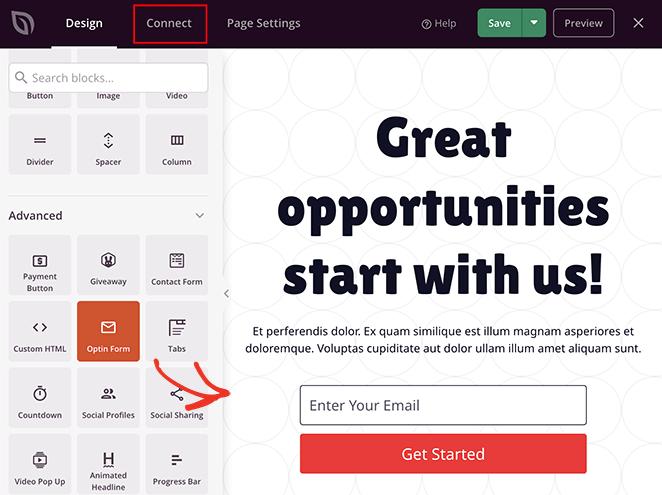
It connects natively with every service in this list, so whatever you choose below will work out of the box.
Landing Pages for List Building
A dedicated landing page converts better than a sidebar form because there’s nothing else competing for attention. SeedProd has squeeze page and lead capture templates built specifically for this. Pick one, swap in your copy, add the opt-in form block, and it’s live.
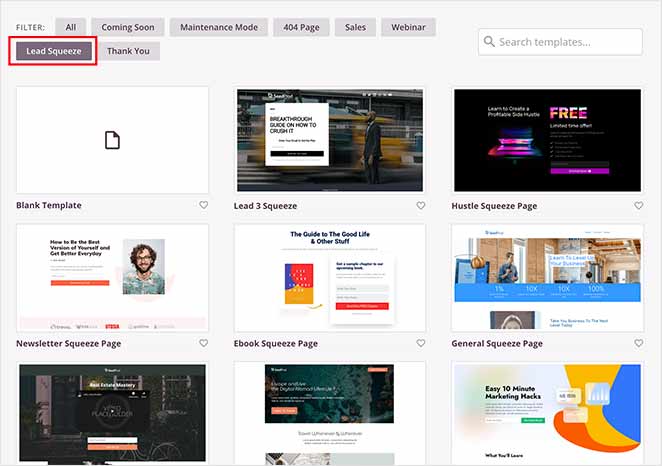
If you’re running a lead magnet, a webinar signup, or any kind of focused campaign, this is where you’d start. See how to create a lead capture page in WordPress for the full walkthrough.
Coming Soon Pages with Email Capture
If you’re launching something new — a site, a product, a course — a coming soon page lets you collect subscribers before you’ve published anything. It’s one of the most underused list-building tactics I’ve seen.
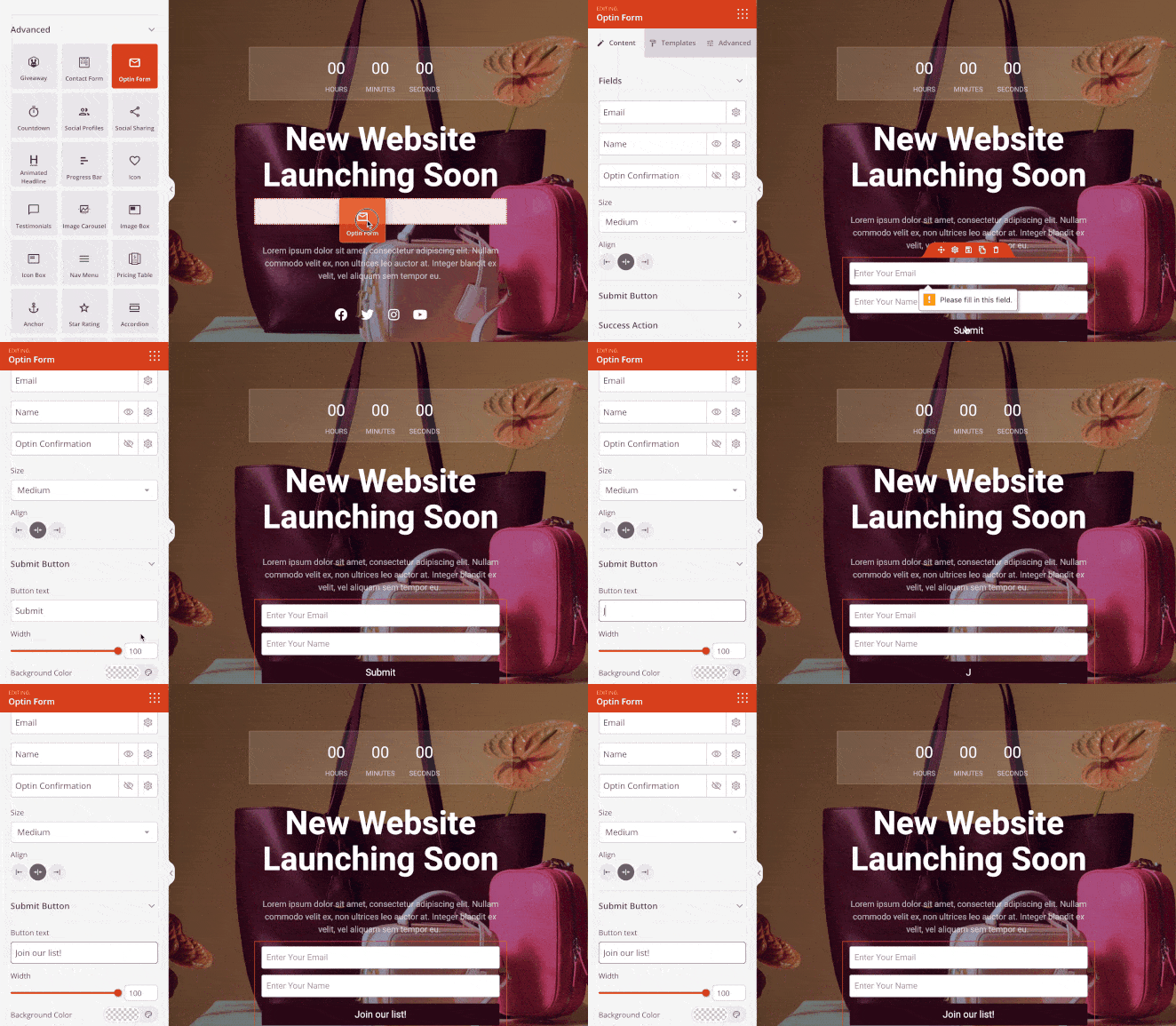
SeedProd’s coming soon page builder has email capture built in. You activate it, connect your email service, and start collecting leads while you build. By the time you launch, you already have an audience.
10 Best Email Newsletter Service Providers
1. Constant Contact
Best Overall Email Newsletter Service
Constant Contact is an excellent email newsletter service for small businesses. It’s easy to use and suitable for all industries. So even if you’re a freelancer looking to secure new clients or a fashion retailer who wants to sell more products, it’s got everything you need to grow and improve your business.
You could even be a blogger looking to get your first 1,000 subscribers. Even so, this platform has everything you need.
With over 100 professionally designed email templates and sign-up forms, it’s easy to get started quickly. And the intuitive drag-and-drop email builder helps you build your newsletter in a matter of minutes.
My Experience with Constant Contact:
- Ease of Use: Constant Contact truly shines in this area. Creating my first email campaign was a breeze thanks to the drag-and-drop builder and the pre-designed templates.
- Automations: While Constant Contact might not have the most advanced automation features compared to some others on this list, it offers a solid foundation for beginners. I could easily set up basic email sequences, like welcome emails and simple autoresponders, without needing to wrestle with complex workflows.
- SeedProd Integration: Constant Contact has a native connection to SeedProd’s opt-in form block. Once you authenticate, subscribers from any SeedProd page flow straight into your list. It’s the setup I’d recommend for beginners who want everything working without troubleshooting. The Constant Contact setup docs walk you through it step by step.
- Analytics: Constant Contact’s analytics are presented in an easy-to-digest manner. I found the key metrics, like open rates and click-through rates, very easy to track, giving me valuable insights into how my campaigns were performing.
Pricing: You won’t need a credit card to give Constant Contact’s 60-day free trial a go. And if you’re happy with the service, the plans start at $12 per month.
You can see some of the best Constant Contact integrations here.
2. Brevo
Best Email Newsletter Service for Simplicity
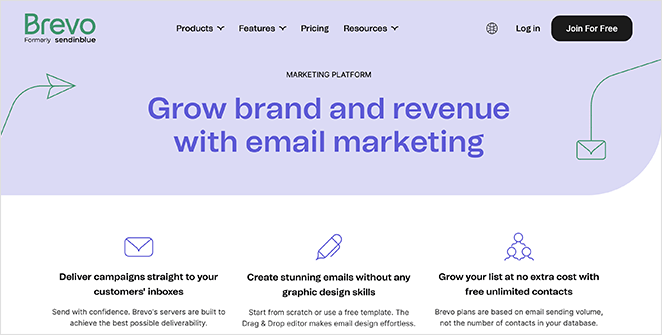
Brevo is an email marketing and SMS platform built for simplicity. It has everything you need to build and send newsletters without getting buried in settings.
Use any of the free responsive newsletter templates to build your emails and customize them with the drag-and-drop email builder. You can also access the HTML editor to tweak your custom design and create custom fields for your email.
My Experience with Brevo:
- Ease of Use: Brevo’s user-friendly design was immediately apparent. Getting started building campaigns and setting up automations felt intuitive, and I was able to dive in without a steep learning curve.
- Automations: Compared to Constant Contact, Brevo offers more advanced automation options. The ability to set up lead scoring and website tracking opens up more sophisticated targeting and personalization opportunities, which is a significant plus for growing businesses.
- SeedProd Integration: Brevo connects natively to SeedProd’s opt-in form block. If you’re using Brevo’s free plan to get started, pairing it with a SeedProd coming soon page means you can collect subscribers before spending anything on either tool. The Brevo setup docs cover the connection in a few steps.
- Analytics: While Brevo does provide a comprehensive range of analytics, I found the way they were presented to be a bit less user-friendly compared to other platforms I tested. It took me longer to find the specific metrics I was looking for.
Pricing: Brevo has a free plan that provides unlimited storage for your contacts and 300 emails per day. This is ideal for giving the service a try to see if it’s the best solution for your business.
Then, to give it a go, the plans start at $25 per month.
3. HubSpot
Best for CRM for Email Marketing

HubSpot combines the power of email marketing with CRM software so that you can create more personalized one-off email newsletters or automatic sequences.
To grow your newsletter lists, HubSpot offers a drag-and-drop builder to help you create optin forms or popups. You can even add live chat and chatbots to grow your email list with conversational chat.
No matter how people join your newsletter lists, HubSpot will save their details to the integrated CRM, where you can divide your contacts up into as many segments as needed and easily send them emails.
My Experience with HubSpot:
- Ease of Use: HubSpot is undeniably a more robust platform than Constant Contact or Brevo. While I found the email editor to be relatively intuitive, the sheer depth of features and settings took a bit more time to grasp fully. Thankfully, the extensive documentation and responsive customer support helped me navigate any initial hurdles.
- Automations: HubSpot’s automation is top-notch. I could build complex workflows that responded to specific user actions, going beyond basic autoresponders to tailor messages for each stage of the customer journey.
- SeedProd Integration: HubSpot doesn’t have a native SeedProd opt-in form connection, so you’d connect the two through SeedProd’s Zapier integration instead. That’s a workable setup if you’re already committed to the HubSpot CRM, but it adds a step. If straightforward list capture is the main goal, the natively connected services on this list will be easier to manage.
- Analytics: HubSpot’s analytics are incredibly insightful. I could track key metrics like open rates and ROI in detail, giving me the data I needed to optimize my campaigns.
Pricing: HubSpot’s free plan lets you send up to 2,000 emails per month for free with no credit card required. After that, paid plans, including live chat and forms, start at $45 per month.
4. Drip
Best Email Newsletter Service for eCommerce
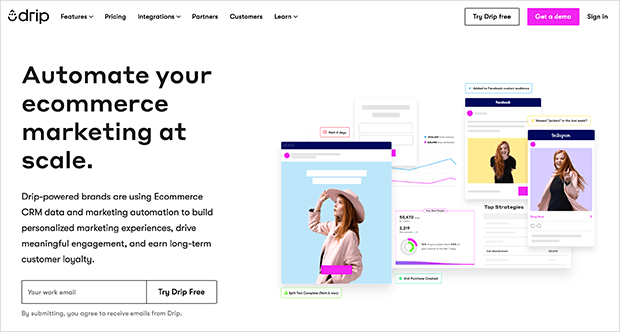
Drip is the best email automation service for a variety of industries and business types. Bloggers, solopreneurs, eCommerce site owners, and marketers can use the platform to spark conversations with their audience.
More than a simple email newsletter service, Drip lets you have more in-depth conversations with your customers at the right time by understanding the intent behind their purchases and their behavior.
Plus, you can use the automated customer workflow to send SMS messages, show Facebook ads, and much more.
My Experience with Drip:
- Ease of Use: Drip is feature-rich, which can make it a bit overwhelming for beginners. The interface took some getting used to compared to simpler platforms.
- Automations: Drip’s automation is phenomenal. I could build advanced workflows triggered by customer behavior and purchase history, allowing for very targeted and effective campaigns.
- SeedProd Integration: Drip connects natively to SeedProd’s opt-in form block. It’s what we use on the SeedProd site itself. Subscribers captured through your pages go straight into Drip, where you can segment by behavior and trigger sequences from there. Full steps are in the Drip setup docs.
- Analytics: Drip’s analytics are very detailed, allowing me to track customer journeys, identify top-performing emails, and accurately measure my campaign ROI.
Pricing: Drip is available to try for free if your list has 100 or fewer subscribers. If your list is larger than that or requires unlimited emails, plans start at $39 per month.
5. Kit (Formerly ConvertKit)
Best Email Provider for Bloggers
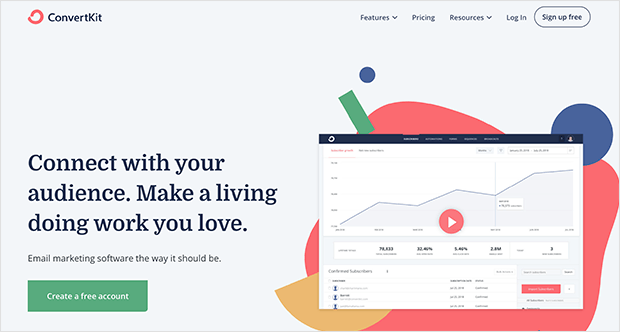
Kit is an email marketing platform built specifically for creators — bloggers, podcasters, YouTubers, and anyone building an audience around their content. The focus is on making list growth and automation manageable without a steep learning curve.
With Kit, you can choose from customizable templates to create newsletters, signup forms, landing pages, and more.
My Experience with Kit:
- Ease of Use: Kit’s interface felt refreshingly simple and intuitive. I had no trouble navigating the platform, building email sequences, or managing my subscribers.
- Automations: I found Kit’s visual automation builder surprisingly easy to use. I could easily drag and drop elements to create automated email sequences that made sense for my audience and my content.
- SeedProd Integration: Kit has a native connection to SeedProd’s opt-in form block. The combination works well for creators: SeedProd handles the landing page and capture, Kit handles the tagging, segments, and sequences on the back end. If you’re a blogger building toward a content funnel, this is a natural pairing. Setup instructions are in the Kit setup docs.
- Analytics: Kit’s analytics dashboard doesn’t overwhelm you with data. Instead, it focuses on the metrics that matter most to creators, like subscriber growth and engagement rates. I found this focused approach very helpful in tracking my progress and identifying areas for improvement.
Pricing: Kit has a 14-day free trial, so you can try it before committing to any of their plans. After that, plans start from $9 per month.
6. Moosend
Best Email Marketing Service for Affordability
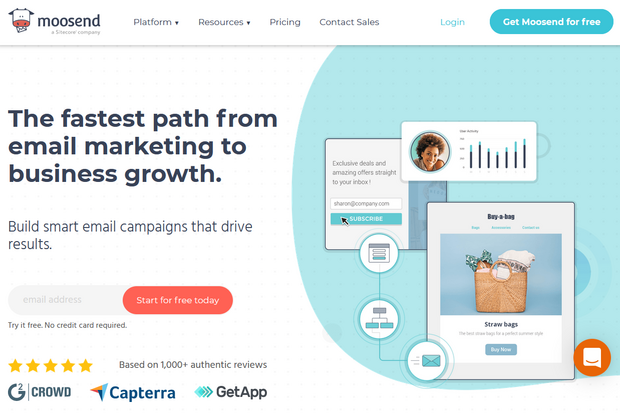
Moosend is an affordable and easy-to-use email newsletter service. With Moosend, even beginners can create beautiful emails with its drag-and-drop newsletter editor and over 40 free and responsive email newsletter templates.
Aside from basic email marketing features, Moosend also comes with powerful email marketing automation, landing pages, email subscription forms, and more.
For eCommerce businesses, you can take advantage of next-level personalization features like AI-powered product recommendations. This lets you send smart product recommendations based on subscribers’ previously viewed products and purchases.
My Experience with Moosend:
- Ease of Use: Moosend gets a big thumbs up for user-friendliness. The platform itself is clean and intuitive, and I found the drag-and-drop email editor to be one of the easiest to use out of all the services I tested.
- Automations: While Moosend might not have the same depth of automation features as platforms like Drip or HubSpot, it covers all the essentials. Setting up core automations like abandoned cart emails and welcome sequences was a breeze.
- SeedProd Integration: Moosend connects natively to SeedProd’s opt-in form block. At $9/month with a 30-day free trial, it’s one of the more affordable combinations on this list, and it works well with a SeedProd coming soon page if you want to start collecting subscribers before launch. See the Moosend setup docs to get connected.
- Analytics: Moosend provides a good level of detail in its analytics dashboard, which I appreciated. I found the heatmaps particularly insightful for understanding how subscribers were engaging with my emails. The ability to run A/B tests also made it easy to experiment with different elements and optimize my campaigns.
Pricing: Moosend offers a free plan that you can try for 30 days, although you won’t be able to send transactional emails. After that, pricing starts at $9 per month for the Pro plan.
7. AWeber
Popular Email Marketing Tool for Small Business
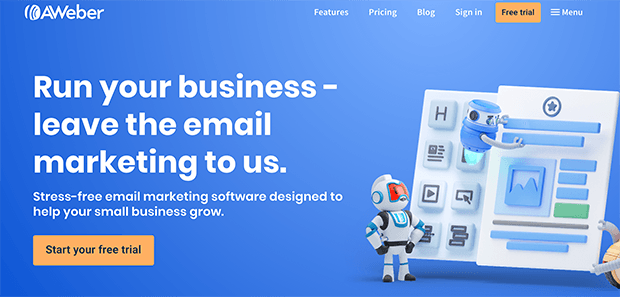
AWeber is among the most popular email newsletter services around, and it comes with all the tools you need to send newsletters from your business and connect with your audience. It comes with plenty of pre-built email newsletter templates, and its drag-and-drop email builder makes it easy to create successful campaigns.
With a few clicks, you can even integrate AWeber with WordPress, your landing page builder, and email opt-in forms. Then you can set up automated email sequences to secure more sales.
My Experience with AWeber:
- Ease of Use: AWeber is easy to navigate with a simple drag-and-drop editor. While the design feels a bit dated, it’s still a very user-friendly platform.
- Automations: You get a solid set of automation features with AWeber. I was able to build both basic and more complex email sequences using tags, triggers, and workflows.
- SeedProd Integration: AWeber has a native SeedProd opt-in form connection and is one of the more straightforward setups on this list. Drop the opt-in block onto your SeedProd page, connect your AWeber account, and subscribers go straight to the list of your choice. The AWeber setup docs have the full steps.
- Analytics: AWeber provides clear and detailed reports on all the key email marketing metrics, making it easy to track my progress and make improvements.
Pricing: AWeber has a 30-day free trial, so you can test out its features without spending a dime. Then if it’s the right solution for you, plans start at $12.50 per month.
8. Mailchimp
Popular Email Newsletter Service for Beginners
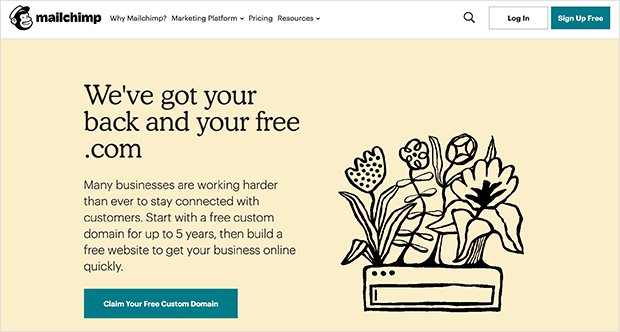
Mailchimp is another popular email newsletter software used by thousands of businesses, from bloggers to marketers and retailers. But Mailchimp isn’t merely an email newsletter service provider; it also comes with everything you need to convert website visitors into subscribers and paying customers.
Connecting your website to Mailchimp is simple, and you can also integrate with hundreds of apps you already use for your business. You can easily use their beautiful landing pages, signup forms, and Facebook ad templates to convert your visitors.
View all your data in one place in the Mailchimp dashboard, so you can get real-time statistics and monitor your email return on investment with in-depth revenue reports.
My Experience with Mailchimp:
- Ease of Use: Mailchimp is known for being easy to use, and I found that to be true. The drag-and-drop editor and extensive template library make it simple to create professional-looking emails.
- Automations: I was able to set up basic automations easily, but the interface felt less intuitive when I tried to do anything more complex.
- SeedProd Integration: Mailchimp connects natively to SeedProd’s opt-in form block and is one of the quickest integrations to set up. If you already have a Mailchimp account, you can have it connected to a SeedProd landing page in a few minutes. The Mailchimp setup docs walk through each step.
- Analytics: Mailchimp provides all the essential analytics you need to track your email performance, though the data is a bit basic compared to some other platforms.
Pricing: Mailchimp has a free plan for up to 500 contacts, which is enough to get started and test the platform. After that, paid plans begin at $9.99 per month based on the number of subscribers.
Related: How to Create a Mailchimp Landing Page in WordPress, and Best Mailchimp Integrations for WordPress.
9. GetResponse
Top Email Newsletter Service for Marketing
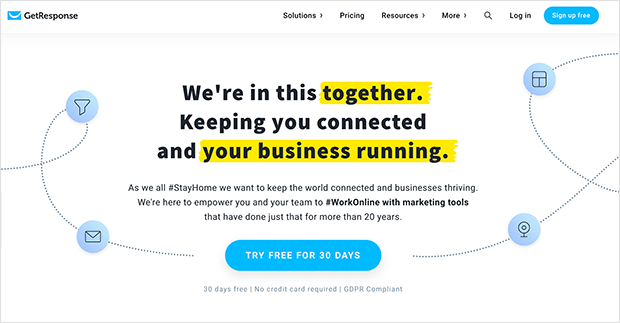
GetResponse is an email marketing tool that is popular with many businesses and easy to get to grips with. Its user interface is modern and streamlined, simplifying the email marketing process for beginners with no previous experience.
The drag-and-drop email builder makes crafting your email campaigns effortless. Plus, you can segment contacts to send emails to the right people at the correct times. That improves the chances of those people converting to paying customers.
My Experience with GetResponse:
- Ease of Use: GetResponse’s interface is modern and intuitive, with a drag-and-drop editor that makes creating emails easy.
- Automations: The platform offers a wide range of automation workflows, including abandoned cart emails, welcome sequences, and lead nurturing campaigns.
- SeedProd Integration: GetResponse connects natively to SeedProd’s opt-in form block. Worth noting: GetResponse also has its own landing page builder, so you could run both tools for different campaigns and route leads into the same list. For the SeedProd-side setup, the GetResponse setup docs cover the connection.
- Analytics: The platform provides detailed analytics on email performance, subscriber behavior, and conversion tracking.
Pricing: GetResponse has a 30-day free trial to help you get used to using the platform. After your trial, plans begin at $15 per month.
10. MailerLite
Popular Drag-and-Drop Email Newsletter Platform
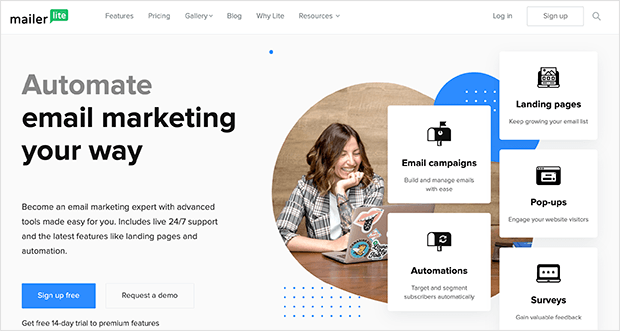
MailerLite is the ideal email newsletter service for businesses on a strict budget. And its user-friendly platform is simple to use for marketers of all abilities, regardless of prior experience. With the drag and drop email builder, you can also create popup forms and landing pages, all while connecting easily with your WordPress website.
Getting started with MailerLite requires zero coding experience. Just choose from one of the free newsletter templates and customize your email from there. The double opt-in feature helps you secure subscriber consent and reduces the number of spam contacts on your list.
My Experience with MailerLite:
- Ease of Use: MailerLite is intuitive and user-friendly, with a clean interface and a drag-and-drop editor that makes creating emails a breeze.
- Automations: MailerLite offers a good range of automation workflows, including welcome emails, RSS campaigns, and abandoned cart reminders.
- SeedProd Integration: MailerLite connects natively to SeedProd’s opt-in form block. If you’re just starting out, this is one of the easier combinations to recommend: MailerLite is free up to 1,000 subscribers, and a SeedProd coming soon page can start capturing leads before your site is even live. The MailerLite setup docs have the connection steps.
- Analytics: MailerLite provides detailed reports on email performance, subscriber engagement, and click maps.
Pricing: MailerLite is free for businesses with lists of 1,000 contacts, and less than 1200 email sends per month. Then paid plans begin at $9 per month, increasing as your contacts increase.
Which Is the Best Email Newsletter Service?
The best email newsletter software depends on the needs of your business. That said, here are my conclusions when comparing the email marketing services above.
Constant Contact is the best newsletter software out of all the solutions in this article. It’s easy for complete beginners to use, has a lengthy free trial, and powerful automation features that all business types can use.
However, if you’re looking for the most affordable starting point, MailerLite is free up to 1,000 subscribers and has a native SeedProd integration — it’s the easiest low-cost setup for a new WordPress site or blog.
More Ways to Grow Your Email List
Once SeedProd is capturing subscribers on your pages, these tools help you grow the list further:
- OptinMonster — exit-intent popups, floating bars, and slide-ins triggered by visitor behavior. Integrates with every service in this list.
- WPForms — if you need a full contact or registration form connected to your email service, not just an opt-in field.
- RafflePress — run a giveaway in WordPress to spike your list fast. Works well as a one-time campaign alongside your evergreen SeedProd pages.
Frequently Asked Questions
Does SeedProd integrate with email marketing services?
Yes. SeedProd’s opt-in form block connects natively to Constant Contact, Brevo, Drip, Kit, Moosend, AWeber, Mailchimp, GetResponse, and MailerLite. Once connected, subscribers captured on any SeedProd landing page or coming soon page are added to your list automatically. HubSpot connects via Zapier. Full setup steps are in the SeedProd email integration docs.
Can I collect email addresses before my website launches?
Yes. SeedProd’s coming soon page builder has email capture built in. You activate the coming soon page, connect your email service, and visitors can sign up while your site is still being built. It’s one of the most effective ways to have a list ready before your launch day.
What’s the best email newsletter service for a WordPress blog just starting out?
MailerLite is free up to 1,000 subscribers and has a native SeedProd integration, making it a practical starting point with no upfront cost. Kit (formerly ConvertKit) is worth considering if you plan to build an audience around content — it’s built specifically for creators and starts at $9/month. Both connect directly to SeedProd’s opt-in form block.
Do I need an email marketing service if I’m using SeedProd?
Not strictly. SeedProd can collect and store subscribers on its own — you can export your list as a CSV any time without connecting a third-party service. That works fine if you’re just building a list for now. But if you want to send email campaigns, set up automations, or manage your list long-term, you’ll need an email marketing service. SeedProd handles the capture; the email service handles everything after.
That’s it!
Pick the service that fits your list size and budget, connect it to SeedProd, and you’re set up to capture subscribers from day one. If you haven’t built your first opt-in page yet, the lead capture page guide is the place to start.
For more on connecting specific services to WordPress, these articles cover the setup in detail:
- Useful ActiveCampaign Integrations for WordPress
- Powerful Constant Contact Integrations for WordPress
- Mailchimp WordPress Integrations to Power Your Email List
- Best AWeber Integrations for Successful WordPress Sites
- “Must Have” Drip Integrations for WordPress to Boost Leads
Thanks for reading! We’d love to hear your thoughts, so please feel free to join the conversation on YouTube, X and Facebook for more helpful advice and content to grow your business.

