
TL;DR
The best AI landing page builder depends on one question the top-10 lists skip: does the page need to live on a site you own, or on a platform someone else controls?
- The real question first – Where the page lives (a site you own vs a hosted platform) decides the pick more than which tool ranks highest.
- SeedProd – Best if you want a visual drag-and-drop build on your own WordPress site, with 350+ templates and fast-loading pages.
- WPVibe – Free WordPress plugin that lets you instruct an AI assistant to build pages in plain English on the site you already own.
- Unbounce, Instapage, involve.me, Landingsite.ai – Hosted builders that generate and host the page for you, best when you don’t run WordPress.
- Hosted has a catch – The page usually sits on a subdomain you don’t control, which is hard to move later and doesn’t build your own domain’s SEO.
- No single winner – Match the tool to where the page lives and how much of the building you want the AI to do.
Search “AI landing page builder” and you get ten tools that all promise the same thing: a high-converting page in seconds. What almost none of them lead with is where the finished page actually lives, and that’s the thing that decides your pick.
Some build a page you host on someone else’s platform. Some build it on the site you already own, and picking wrong means rebuilding it later.
I’ve built landing pages across Beaver Builder, Elementor, Divi, and others for more than 13 years. So having done the legwork myself, here’s what I actually rate as the best AI landing page builders, and how to pick between them.
- Not All AI Landing Page Builders Are the Same
- How I Judged These AI Landing Page Builders
- AI Landing Page Builders at a Glance
- Best Hosted AI Landing Page Builders
- Best AI Landing Page Builders for WordPress
- What About Free AI Landing Page Builders?
- The Downside of Hosted AI Landing Pages
- Which AI Landing Page Builder Should You Choose?
- Other Options Worth a Look
- FAQs About AI Landing Page Builders
Not All AI Landing Page Builders Are the Same
What bugs me about most of these roundups is that they present ten tools as if they’re interchangeable. They’re not, and the two ways they differ are exactly what decides which one is right for you.
The first time I lined them up myself, I stopped seeing ten near-identical builders and started seeing two simple decisions. Once you spot the split, the whole category gets a lot less confusing.
The first is where the page lives. A hosted builder keeps your page on its own platform or a subdomain it controls, while a WordPress plugin builds the page on your own domain, right next to the rest of your site.
The second is what the AI actually does, and this is where the marketing gets slippery. It comes down to three styles, not two:
- Full prompt-to-page generation: You type a description and the tool drafts the whole page for you to edit.
- AI assist inside a visual editor: The AI writes copy and makes images while you build the layout by hand.
- Instruct an AI to build it: You describe what you want in plain English and an AI assistant builds it directly on your site. This is the newest style, and WPVibe is the WordPress example later on.
Most builders that market “AI” are the middle kind, where the AI drafts and you still edit. That’s not a knock on them, but it’s worth knowing before you expect magic.
Only the first and third styles hand the AI much of the real building. So if you’re picturing yourself typing one sentence and walking away with a finished page, most of this list may let you down.
How I Judged These AI Landing Page Builders
I judged these AI builders on the criteria that separate a tool worth paying for from a template gallery with a chatbot bolted on.
- What the AI actually produces: A full page from a prompt, or just copy and images inside an editor you still drive.
- Where the finished page lives: Whether you control the domain, or rent space on someone else’s.
- Conversion features that matter: Forms, A/B testing, integrations, and page speed.
- Honest pricing: Including what the free tier really unlocks, not what the pricing page implies.
- Learning curve: How much a non-technical owner has to figure out before launching.
One thing worth saying plainly is that a landing page converts on the strength of your offer and your testing. AI writing the first draft doesn’t change that.
The AI gets you to a page faster, but it doesn’t do the marketing for you. And all of these are no-code, so the real difference is how much layout work is left to you after the AI drafts.
For this piece I actually built the same kind of page in each of the hosted tools, a simple lead-gen landing page, so I could see how they behave once the demo is over. That’s on top of 13+ years building landing pages by hand and reviewing hundreds of plugins.
AI Landing Page Builders at a Glance
Here’s every tool in one place before we get into the detail. If you only study one column, make it “where the page lives”, because that’s the whole ballgame.
| Tool | Best For | What the AI Does | Where the Page Lives | Starting Price |
|---|---|---|---|---|
| SeedProd | A visual build you own | AI full-site draft plus copy and image assist | Your own WordPress site | From $79/year |
| WPVibe | Instructing AI to build on WordPress | Builds and edits pages from your plain-English instructions | Your own WordPress site | Free |
| Unbounce | An all-around hosted builder | AI copy plus optimization that routes traffic to the best variant | Hosted platform or subdomain | From $99/month |
| Landingsite.ai | Fast prompt-to-page generation | Generates a full page from a description | Hosted platform or subdomain | Free tier, then about $12/month |
| involve.me | Lead capture and follow-up | Builds quiz and lead funnels from a chat prompt | Hosted platform or subdomain | Free plan, then about $19/month |
| Instapage | Enterprise-grade campaigns | AI content assist inside a big template library | Hosted platform or subdomain | From $99/month |
One pricing note. Hosted tools mostly bill monthly, while a WordPress plugin is usually a yearly license, so the sticker prices aren’t measuring the same thing.
Best Hosted AI Landing Page Builders
These build fast and host the page for you. They’re the right call when you don’t have a WordPress site, or don’t want to run one, and you need a campaign page up quickly.
I built a page in all four of these, so what follows is hands-on, not a spec sheet.
Best All-Around Hosted Builder: Unbounce
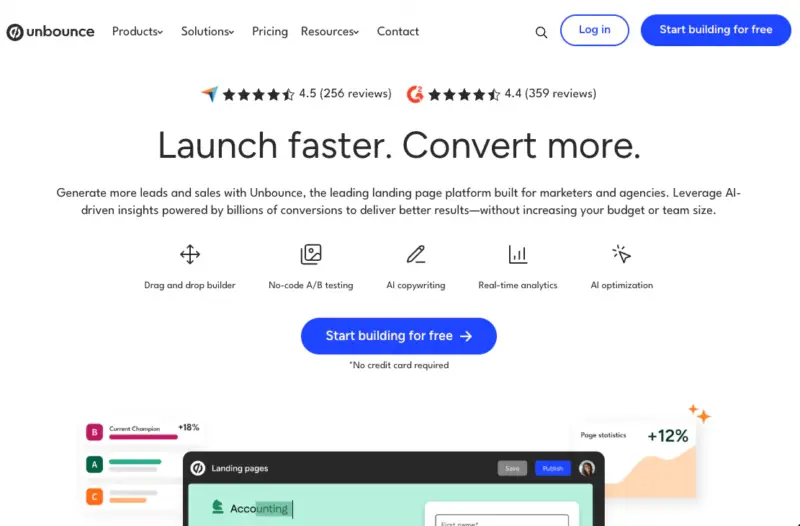
| Pricing | From $99/month (Build), billed annually |
| Free Plan | 14-day free trial, no free tier |
| Standout Features | AI copywriting and layout suggestions, Smart Traffic optimization, A/B testing, wide integration list |
| Best For | Marketers who want a mature, conversion-focused hosted builder |
Unbounce is one of the longest-running hosted landing page tools, and you can feel that age in how conversion-focused it is. It’s the safe all-rounder for campaign pages outside WordPress.
I built a page in it and ran its AI Text feature, which is the part that most interested me. It handed me headlines like “a headline that captures attention with a single powerful message” and body copy about how this “can transform your brand and captivate your audience instantly”, which is exactly the kind of filler you end up rewriting before you publish.
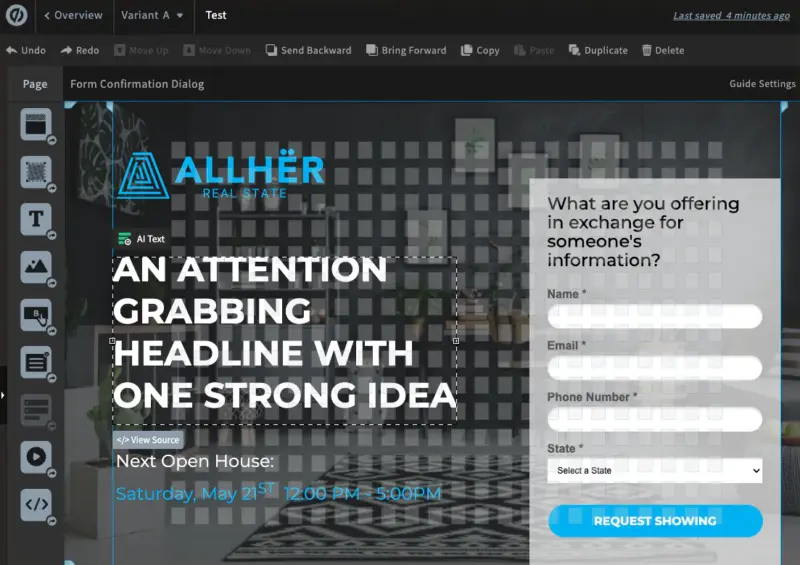
I also found the builder itself pretty clunky and fiddly to work in, with panels stacked on panels. That’s a longer story than this article needs, so I’ll point you to our landing page builder comparison if you want the detail.
Unbounce’s stronger AI trick is Smart Traffic, which routes each visitor to the variant most likely to convert them. That’s a genuine strength, but it’s locked to the $249/month Optimize plan, which stings when the AI is half the reason you’d look at Unbounce in the first place.
Strengths
- Strong track record and a deep feature set for conversion marketers
- Smart Traffic routes visitors to the best-performing variant automatically
- A/B testing and a broad set of marketing integrations
Limitations
- The AI copy came out generic, so plan to rewrite most of it
- The builder felt dense and clunky next to lighter tools
- Starts at $99/month, with Smart Traffic gated to the $249 Optimize plan
Pricing starts at $99/month on the Build plan, with A/B testing at $149 and Smart Traffic at $249.
My Verdict
Choose Unbounce if you run paid campaigns off-site and want a proven hosted builder with real optimization tools. It’s overkill, and overpriced, if all you need is one page on a site you already run.
Best for Fast Prompt-to-Page Generation: Landingsite.ai
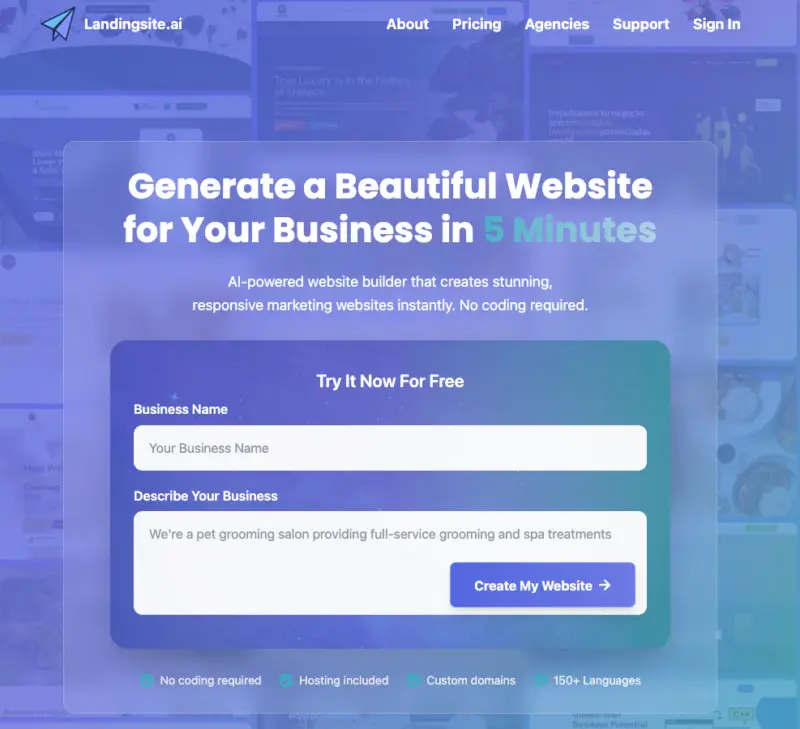
| Pricing | Free tier, then about $12/month |
| Free Plan | Free plan with limited AI edits |
| Standout Features | Prompt-to-page generation, hosting and SSL included, custom domain on paid plans, AI edits by request |
| Best For | Getting a full first-draft page from a description, fast |
Landingsite.ai is the closest thing here to the literal promise of “AI builds your page.” I typed one line about being a writer who works with WordPress and SaaS clients, and it generated a whole site: hero, services, an about section, and a working contact form.
The surprise is what’s happening under the hood. It builds an actual coded site, and mid-build it hit a couple of errors (“ContactForm is not defined” and later a broken link) that the AI had to notice and fix before the page would load.
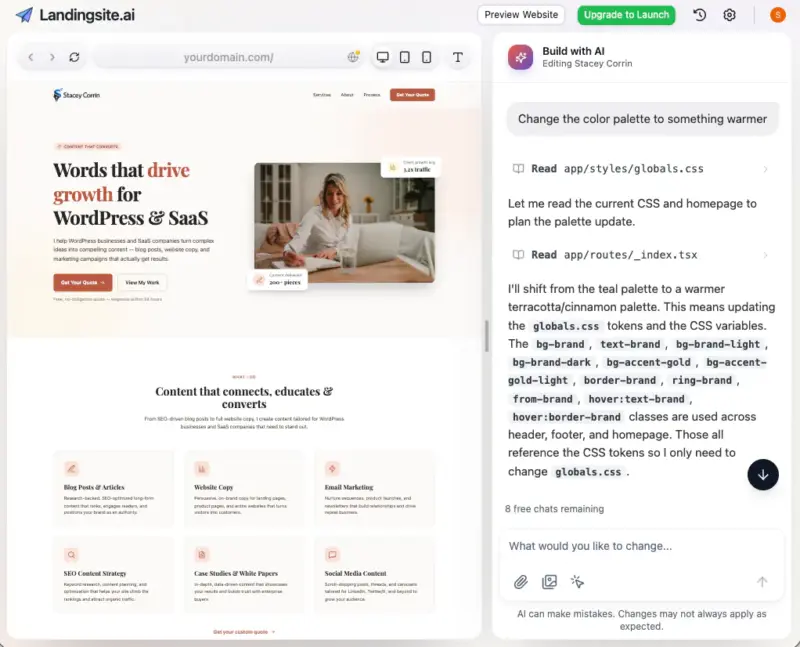
The other catch is the free plan, which is metered in “chats.” Each instruction you give, like “change the color palette to something warmer”, counts against your allowance, so heavy tweaking runs down the free tier fast.
Strengths
- Genuine prompt-to-page: one line produced a full multi-section site
- The output looked professional straight out of the generator
- Hosting, SSL, and a custom domain bundled on paid plans
Limitations
- It hit a couple of errors mid-build that the AI had to catch and fix
- The free plan is metered in “chats”, so tweaking eats your allowance fast
- Less hands-on design control once you want to fine-tune a section
Paid plans start at around $12/month, and there’s a free tier with a small number of AI edits.
My Verdict
If you want the AI to do the actual building and you’re happy editing what it gives you, Landingsite.ai is the fastest way to a first draft. It’s the wrong tool if you need precise control over every section.
Best for Lead Capture and Follow-Up: involve.me
| Pricing | Free plan, then about $19/month |
| Free Plan | Free plan up to 50 submissions per month |
| Standout Features | AI funnel builder from a chat prompt, quiz and form logic, automated email follow-up, 60+ integrations |
| Best For | Interactive lead-gen pages that qualify and nurture leads |
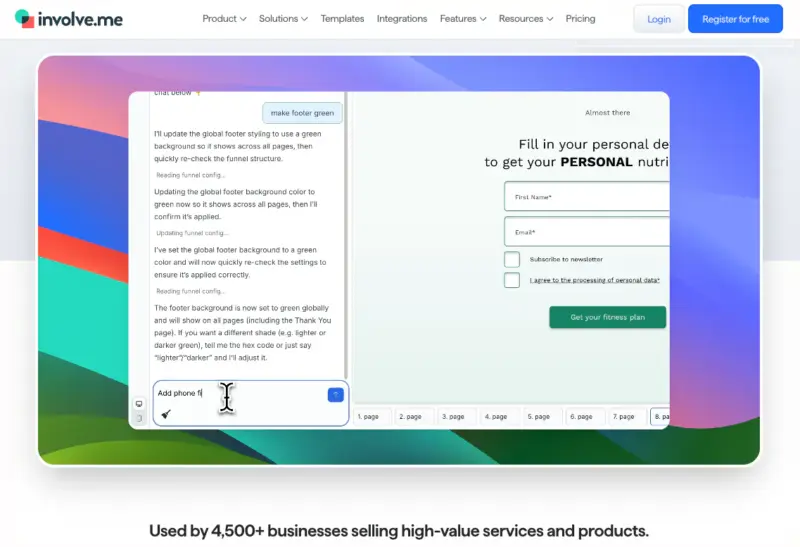
involve.me isn’t really a plain landing page tool, it’s a lead-capture funnel builder wearing a landing-page badge. If your page’s whole job is to collect and qualify leads, it’s built for exactly that.
It asked me what industry I was in and what I wanted to achieve first, then built a full three-step funnel from my prompt: a landing page, a signup step, and a thank-you page, all aimed at growing an email list. That guided setup is more structured than the other tools’ blank chat box.
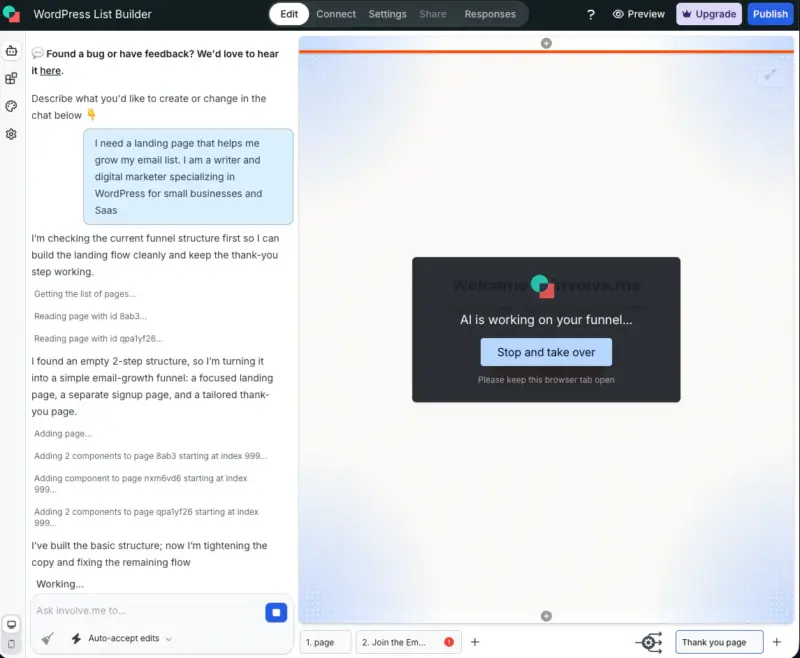
The honest wrinkle is that while it worked, the AI narrated a lot of self-repair, fixing broken form settings it had pulled in from its own starter components. The finished funnel was genuinely on-topic, but I watched it clean up after itself to get there.
Strengths
- Guided setup: it asks your industry and goal before it builds
- Built a full multi-step funnel (landing, signup, thank-you) from one prompt
- Automated email follow-up and 60+ integrations for lead management
Limitations
- Overkill if you just need a simple static landing page
- I watched the AI spend real effort fixing its own starter-component issues
- Advanced tracking and testing push you to a higher tier
The free plan covers up to 50 submissions a month, with paid plans starting around $19/month.
My Verdict
involve.me earns its place when the page is a lead funnel, not just a pitch. Skip it if you only need a headline, an image, and a button.
Best Enterprise-Grade Option: Instapage
| Pricing | From $99/month (Create), billed annually cheaper |
| Free Plan | 14-day free trial, no free tier |
| Standout Features | AI content, reusable Instablocks, experimentation, high visitor limits, team collaboration |
| Best For | Teams running landing pages at scale |
Instapage is the option built for volume. If you’re running many pages across campaigns and need collaboration and experimentation, it’s designed for that scale.
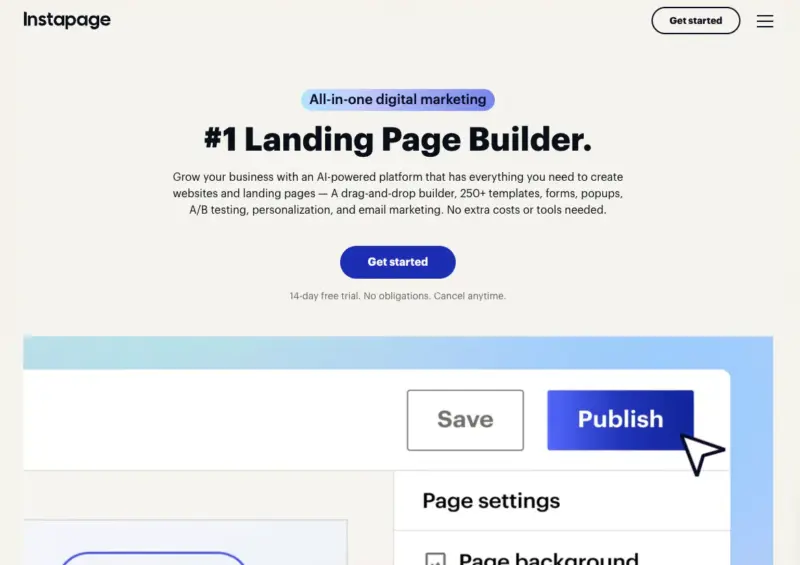
Instead of a prompt, it started me in a library of a few hundred templates. I picked a fitness one and rebuilt it with its Instablocks, a big set of pre-made sections you drop in, which are genuinely polished.
Its AI leans toward content rather than building: it can draft and rewrite your copy, and Instapage adds AI-powered personalization and experimentation for teams testing at scale. In my build I reached for the templates and blocks far more than the AI, which tells you where its center of gravity really sits.
One thing caught me out: edit the desktop version and the mobile one doesn’t follow along until you hit “Regenerate Mobile.” It’s polished in the way enterprise software is polished, and priced to match.
Strengths
- A large library of polished templates and drop-in Instablocks
- Built for running landing pages at scale with a team
- Generous visitor limits on paid plans
Limitations
- Template-first, not the prompt-to-page generator the keyword implies
- Mobile doesn’t follow desktop edits until you “Regenerate Mobile”
- One of the pricier options, starting at $99/month
The Create plan starts at $99/month, dropping to about $79/month billed annually, with higher tiers for more traffic and experimentation.
My Verdict
Instapage makes sense for teams publishing landing pages at volume with a budget to match. For one page or a small site, you’re paying for scale you won’t use.
Best AI Landing Page Builders for WordPress
If you already run WordPress, the page should live on your own domain, and that’s a whole category the hosted lists skip. There are two AI-driven ways to do it, and they suit different working styles.
One quick note for anyone comparing platforms: Shopify users have their own app options too, but the page usually still lives on a hosted domain, unlike a WordPress page you own outright.
SeedProd, Best for a Visual Drag-and-Drop Build You Own
| Pricing | From $79/year (Basic) |
| Free Plan | Free version (best for coming soon and maintenance pages) |
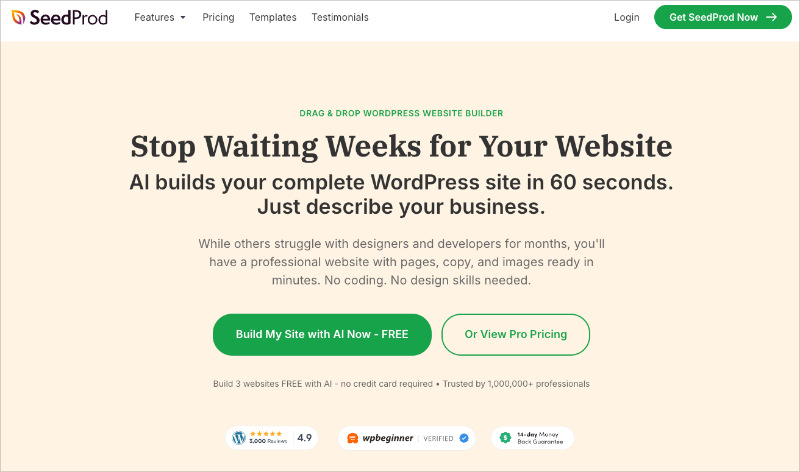
| Standout Features | 350+ templates, drag-and-drop visual builder, AI site draft plus copy and image assist, bloat-free fast pages, 15+ email integrations |
| Best For | A visual landing page you build and own on WordPress |
It might seem a bit cheeky to recommend our own product here, but SeedProd genuinely earns its spot. It’s the tool I actually use to build on my own site, and the speed data below is from my own testing.
SeedProd is a drag-and-drop visual website builder for WordPress. You pick a template, then move sections, edit text, and drop in blocks while seeing every change live, no code required.
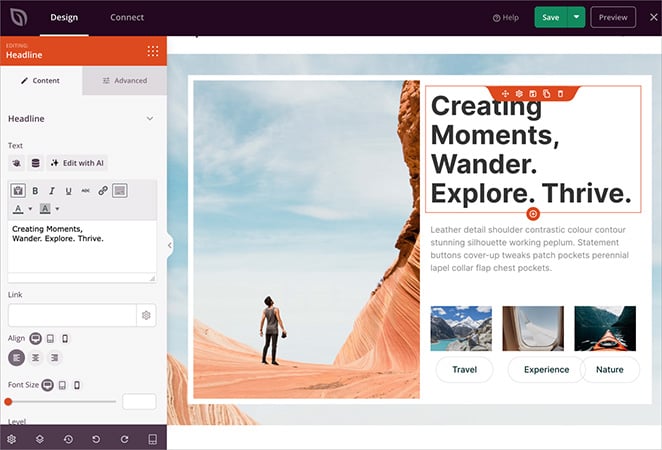
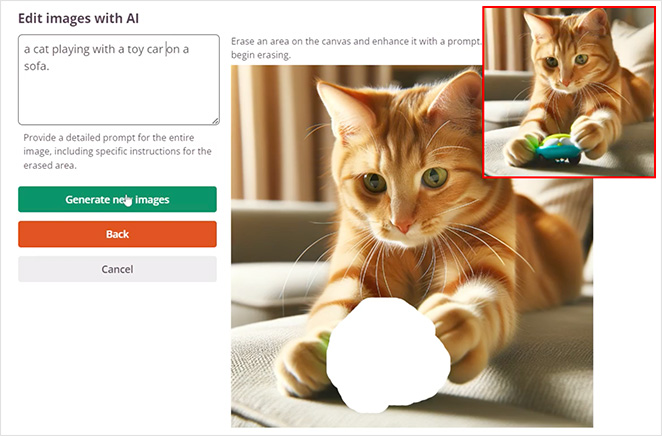
Its AI is honestly a bonus rather than the headline. The AI can draft a whole site in about 45 seconds, and there’s AI text and image generation inside the editor.
But it isn’t a “type one prompt, get one landing page” generator. What you’re actually paying for is the large template library, plus a page that lives on your own domain.
That ownership matters for SEO. A page you build on your WordPress site feeds your existing domain’s authority instead of a rented subdomain’s.
Speed is where I’ve seen the biggest practical difference. I put the same landing page through GTmetrix in both: SeedProd rendered it in 556ms with 16 requests, while Elementor needed 1,882ms and 32. Your visitors never read those numbers, but a slow page is one they quietly abandon.
Strengths
- Visual drag-and-drop editing with a genuinely large template library
- Bloat-free output: 556ms load in my testing, over 3x faster than Elementor
- The page lives on your own domain, so it builds your SEO
- Built-in coming soon, maintenance, and 404 modes plus email integrations
Limitations
- The landing page builder and template library need a paid plan (Basic and up)
- The AI site builder is newer and better as a head start than a finished result
SeedProd has a free version that’s best for coming soon and maintenance pages. The landing page builder and template library start at $79/year on the Basic plan.
My Verdict
SeedProd is the pick if you want to see and control the layout as you build, on a site you own. If you’d rather describe a page and have AI assemble it, keep reading.
WPVibe, Best for Building a Page by Instructing AI in Plain English
| Pricing | Free |
| Free Plan | Free plugin plus a free plan with a daily action allowance |
| Standout Features | Connects Claude, ChatGPT, or Cursor to WordPress, builds and edits pages from plain-English instructions, secure encrypted connection, runs on the site you own |
| Best For | Driving WordPress with an AI assistant instead of dragging blocks |
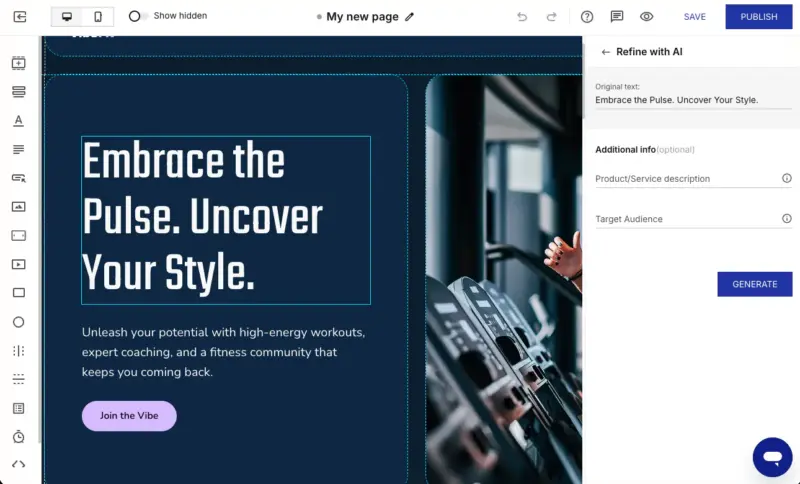
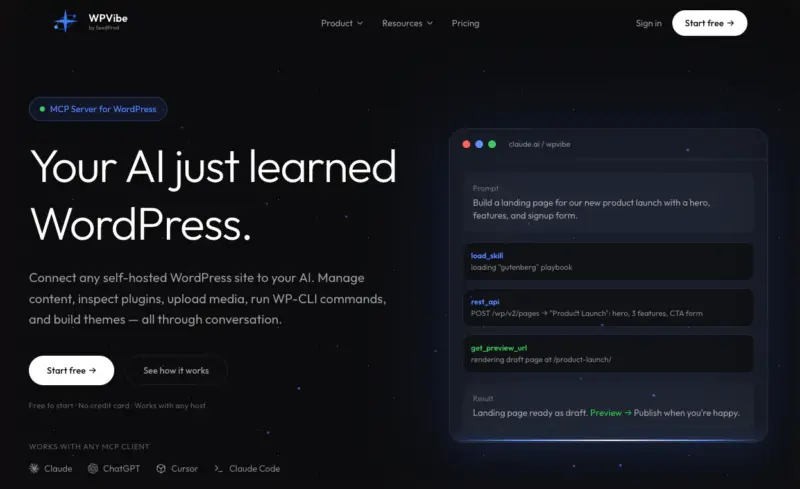
WPVibe is the most genuinely AI-first option in this whole roundup. It’s a free WordPress plugin, listed as Vibe AI and made by the SeedProd team, and it connects an AI assistant to your site so you can tell it what to build.
WPVibe isn’t a visual editor or a template gallery, and it doesn’t host or render pages itself.
It’s the AI layer that drives WordPress for you. You describe a page in plain English and the assistant creates and edits it directly on your own site.
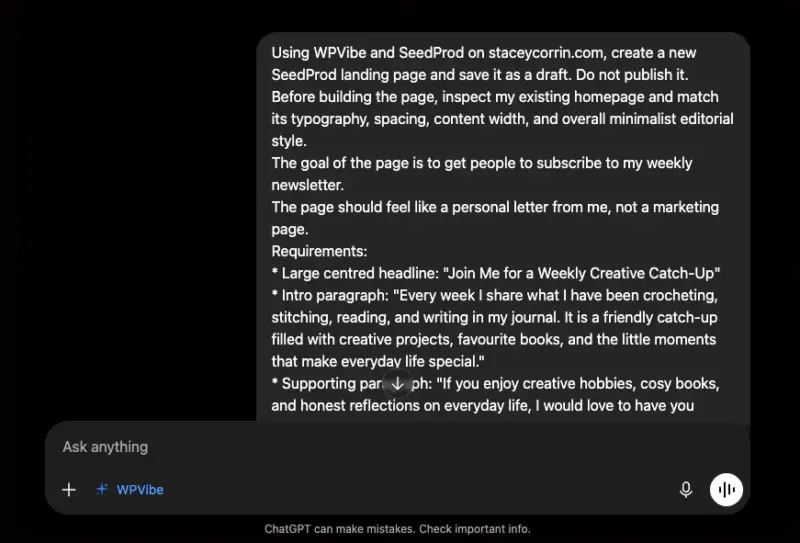
I’ve spent real time connecting AI to WordPress through WPVibe, on both a local test site and live sites. I’ve created and edited pages and content this way, and what stuck with me is how different it feels to instruct a build rather than lay it out by hand.
It’s the most literal answer here to the phrase “AI landing page builder.” Taken at face value, that means a tool where the AI does the building, and on WordPress that’s WPVibe. It’s also free, so it’s the honest pick if a no-cost option is what you’re after.
Strengths
- You build by describing what you want, not by dragging blocks
- Free, and it runs entirely on the site you own
- Connects to Claude, ChatGPT, or Cursor over a secure encrypted connection
- Pairs naturally with a visual builder for the parts you’d rather see
Limitations
- No visual canvas, so it suits people comfortable instructing an assistant
- The free plan has a daily allowance on how many actions you can run
WPVibe is free to install from WordPress.org, and the connected service has a free plan with a daily action allowance.
My Verdict
WPVibe is for you if you’d rather tell an AI what to build than lay it out yourself, and you want it all happening inside your own WordPress site. If you like seeing the layout as you go, SeedProd is the more natural home.
What About Free AI Landing Page Builders?
There are some free AI landing page builders around, but the free tier almost always draws a hard line right where you need it. That line usually shows up as watermarks, a locked subdomain, or a publish button you can’t press without paying.
Here’s the honest state of the free options:
- WPVibe is genuinely free and runs on your own site, with a daily allowance on actions. It’s the cleanest free answer if you’re on WordPress.
- Landingsite.ai and involve.me have real free tiers, but they cap submissions, visits, or AI edits, so you’ll outgrow them once a page starts working.
- Unbounce, Instapage, and Leadpages offer 14-day trials rather than a free tier, so “free” there means “free for two weeks.”
- SeedProd has a free version, but be clear about what it’s for: coming soon and maintenance pages. The landing page builder and templates are paid, so don’t expect free SeedProd landing pages.
Truly free and yours to keep usually means a tool that lives on a site you already own. Free on a hosted platform usually means free until you want to actually launch.
The Downside of Hosted AI Landing Pages
The downside the roundups skip is ownership. A hosted AI page usually lives on a subdomain the vendor controls, not a domain that’s yours.
That sounds like a technicality until it bites. The page can be hard to migrate later, and its SEO value builds the vendor’s domain rather than yours. If you stop paying, the page can disappear.
Compare that to a page on your own WordPress domain. It stays put and keeps feeding your site’s authority, and no lapsed subscription can take it offline.
I’d never build a page I want to rank on a subdomain I don’t control. That’s the line for me, and it’s worth deciding where yours is.
None of this makes hosted tools a bad choice. For a short-lived ad campaign or a one-off promo, hosted is fine and often faster to launch.
The problem is renting a page for something you want to keep and rank, where you’re building equity you don’t own.
Which AI Landing Page Builder Should You Choose?
There’s no single best AI landing page builder. The right pick depends on your situation, so here’s how to self-select rather than crown one winner.
- No website yet, need a campaign page fast: Use a hosted builder like Unbounce or Landingsite.ai.
- On WordPress, want to own the page and its SEO with a visual editor: Use SeedProd.
- On WordPress, would rather instruct an AI to build the page (and want it free): Use WPVibe.
- Just need a fast AI first draft to edit: Use a prompt-to-page generator like Landingsite.ai.
- Tightest budget: Start with the honest free options, but go in knowing their limits.
If you remember one thing, decide where the page needs to live before you shortlist a single tool. Once you know that, the shortlist picks itself.
Other Options Worth a Look
A few more tools didn’t earn a full entry, but each has one clear reason you might pick it anyway:
- Leadpages: A budget-friendly hosted builder starting at $49/month, good for simple pages without the enterprise price tag.
- Landingi: A hosted tool with its own AI generator (Lunar) and lower entry pricing, worth a look if Unbounce feels too expensive.
- Wix (Blueprint AI): Landing pages inside an all-in-one hosted site builder, handy if you’re already on Wix.
- Squarespace: Design-forward hosted pages for people who care most about how it looks out of the box.
- Canva: Quick, template-first pages for non-technical users who already design in Canva.
- Figma Make: AI page generation aimed at design-led teams working in Figma.
You might notice Elementor and Divi aren’t on this list. They can build landing pages, but they’re full page builders made for designers rather than AI-first tools, so I’ve kept them to our page builder comparison instead.
FAQs About AI Landing Page Builders
How much do AI landing page builders cost?
They range from free tiers with real limits to roughly $15 to $99+ per month for hosted tools. WordPress options are often a yearly plugin license instead, like SeedProd from $79/year. So a hosted subscription and a plugin license aren’t measuring the same thing.
Can I move an AI-generated landing page to my own domain later?
It depends on the tool. Hosted builders often lock the page to their subdomain or make export awkward, while a WordPress-built page already lives on your domain. If keeping the page long-term matters, build it somewhere you own from the start.
Can I use an AI landing page builder with Shopify?
Yes. Some hosted builders and Shopify apps handle this, but the page usually still lives on the app’s or the vendor’s hosted domain rather than a domain you control.
Do I need to know how to code to use one?
No. All of these are no-code. The real difference is how much layout work is left to you after the AI drafts the first version.
Do AI landing pages actually convert well?
The AI gives you a solid first draft, but conversion comes from your offer and your testing, not from the fact that AI built it. Treat the AI as a head start, not a strategy.
Build Your Landing Page on a Site You Own
If you take the two-axis view seriously, the WordPress lane wins for any page you want to keep. It’s the one choice you won’t be rebuilding a year from now on someone else’s platform.
That’s why I build mine with SeedProd. You can get started with SeedProd to build a landing page on your own site, and if you want the step-by-step, here’s how to build a landing page in WordPress.
- Landing page best practices for higher conversions
- How to increase your landing page conversions
- The different types of landing pages
- Landing page examples that actually convert
- The best AI website builders for WordPress
Thanks for reading! We’d love to hear your thoughts, so please feel free to join the conversation on YouTube, X and Facebook for more helpful advice and content to grow your business.