

TL;DR: The best free one-page website builder depends on your setup. If you’re on WordPress, SeedProd is the top pick. If you want zero hosting overhead, Carrd or Strikingly are the fastest way to publish.
- For WordPress users: SeedProd gives you drag-and-drop editing, 300+ templates (Pro plan), and bloat-free code that outperforms Elementor on load time.
- For portfolios and personal sites: Carrd is the fastest and most minimal option; Strikingly is better if you want built-in eCommerce.
- For conversion-focused pages: Thrive Architect (WordPress) is built specifically for marketers who need countdown timers, opt-in forms, and sales layouts.
- Free plan reality check: Every tool on this list forces a platform subdomain and adds builder branding on the free tier. Custom domains require a paid plan.
- I tested all 10: I built real sites with each builder to see what the free plans actually include before a paywall appears.
Most “free” one-page website builders let you get started, then hit you with a paywall before you can publish anything usable. I built test sites with all 9 builders on this list and three of them blocked key features before I could even finish a page.
A free one-page website is a single scrolling webpage that puts everything on one screen, whether it’s your portfolio, a product launch, or a service page. The catch is knowing which free plans are actually free and which are just demos.
In this guide, I’ll share my honest results from testing 9 builders, so you can pick the right one without wasting time on a tool that won’t work for your budget.
Top Picks: Quick Comparison
| Rank | Builder | Best For | Best Features | Pricing |
|---|---|---|---|---|
| 🥇 | SeedProd | WordPress beginners | Bloat-free code, real-time editing, 300+ templates (Pro) | Free / from $79/year |
| 🥈 | Thrive Architect | Conversion-focused marketers | Conversion-focused, 270+ layouts, countdown timers | Thrive Suite from $299/year |
| 🥉 | Beaver Builder | Developer-friendly client sites | Clean code, stable, unlimited sites | Free / from $89/year (Starter) |
| 4 | Elementor | Design-heavy projects | Huge template library, parallax, advanced CSS | Free / from $49/month |
| 5 | Strikingly | Fast non-WordPress launch | Beginner-friendly, built-in eCommerce, unlimited free sites | Free / from $8/month |
| 6 | Wix | App integrations | Drag-and-drop, large app market, versatile designs | Free / from $17/month |
| 7 | Weebly | Simple eCommerce | Square-integrated, easy to use, customizable | Free / from $8/month |
| 8 | Site123 | Ultra-beginner simplicity | 3-step setup, mobile responsive, multilingual | Free / from $12.80/month |
| 9 | IM Creator | Creatives and portfolios | Unlimited hosting and bandwidth, SEO tools | Free for some / from $8/month |
| 10 | Carrd | Personal profiles and link-in-bio | Ultra-minimal, fast-loading, build 3 sites free | Free / from $19/year |
What Is a One Page Website?
If you want a web presence without the complexity of managing multiple pages, a one-page website is a single scrolling page that covers everything, your story, services, portfolio, or product, in one place. Visitors scroll through sections instead of clicking between pages.
They’re a good fit for portfolios, event pages, freelance profiles, and simple product launches. If you need to rank for multiple topics or publish ongoing content, a multi-page site will serve you better.
You can check out the best WordPress website builders if you need more than a single page.
How Did I Test These One Page Website Builders?
I personally tested all 10 of these one-page website builders to see what the free plans actually include before you hit a paywall.
- Ease of use: How quickly can a beginner get from sign-up to a published page?
- Free plan limitations: What’s actually available before you need to upgrade?
- Design quality: Do the templates look professional out of the box?
- Performance: Does the builder produce fast-loading pages?
- Features: Are the core tools (forms, CTAs, eCommerce) available on the free tier?
Which One Page Builders Work Best for WordPress?
WordPress vs. Standalone: Which Is Right for You?
The builders in this guide fall into two categories, and the right one depends on your setup.
- Choose a WordPress builder (SeedProd, Thrive Architect, Beaver Builder, Elementor) if you already have a WordPress site, need SEO control, or want to add plugins for forms, analytics, and eCommerce. You own your hosting and your data.
- Choose a standalone builder (Strikingly, Wix, Weebly, Site123, IM Creator, Carrd) if you want zero setup and no hosting to manage. You get online in minutes, but the platform controls your domain and branding on free plans.
- Key trade-off: Standalone builders are faster to launch but harder to migrate away from. WordPress builders take more initial setup but give you full ownership.
If you haven’t already done so, I suggest following this step-by-step guide to creating a WordPress website before using one of these free WordPress builders.
1. SeedProd – Best for WordPress Beginners

| Rating: 4.9/5 Stars |
| Pricing: Free version available, Basic plan from $79/year |
| Standout Features: |
| 🔹 Drag-and-drop WordPress website builder 🔹 300+ PRO templates (Pro plan and above) 🔹 Real-time visual editing 🔹 Works with WooCommerce and email tools 🔹 Lightning-fast and bloat-free code |
SeedProd is a drag-and-drop website builder plugin for WordPress. It lets you create custom pages and themes without writing code.
With its visual front-end editor, you can create any type of WordPress theme or page design for your website. It’s one of the best WordPress website builders available.
My Experience
I use SeedProd to build my own personal website. Creating a free one-page website with it was easy, especially since I didn’t need to hire a developer.
The plugin includes 300+ PRO templates on the Pro plan specifically designed for landing pages and one-page websites. I picked a template, opened the visual editor, and saw my changes appear instantly.
No coding required.
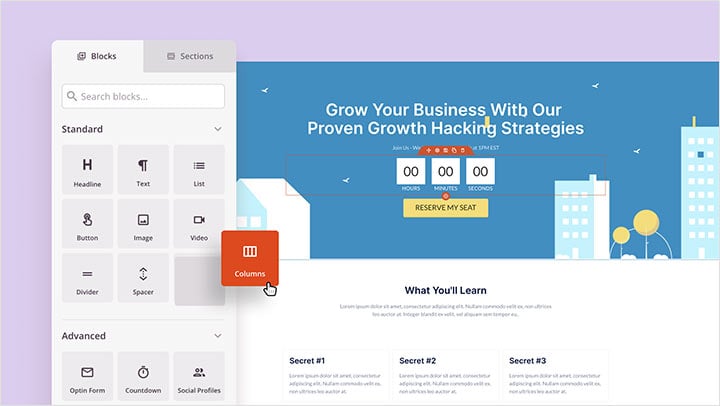
SeedProd offers powerful WordPress blocks and sections for customizing a one-page website template.
With the drag-and-drop one-page website editor, you can use:
- Call-to-action buttons to encourage users to click
- Hero header areas for grabbing attention
- Opt-in forms to collect email addresses and grow your list
- Pricing tables for easy price comparisons
- WooCommerce add-to-cart buttons
In SeedProd’s settings, you can integrate your page with popular email marketing services and Google Analytics.
You can also use coming soon and maintenance mode to take your site offline when making essential changes, showing a user-friendly message to your audience while you work.

I loved how you could build multiple one-page websites on the same WordPress installation with SeedProd’s domain mapping feature (Elite plan).
In my testing with GTmetrix, SeedProd loaded in 556ms with 16 requests. Elementor clocked in at 1,882ms and 32 requests on the same page. That’s not a minor difference, it’s the difference between a page that feels instant and one that makes visitors wait.
You can follow this step-by-step guide to create a one-page website with SeedProd, or launch a custom website in seconds using SeedProd’s AI website builder by providing a brief description of your site.
Pros
- Drag-and-drop builder
- Pre-made templates
- Real-time editing
- One-page website friendly
- No developer needed
Cons
- Limited free version
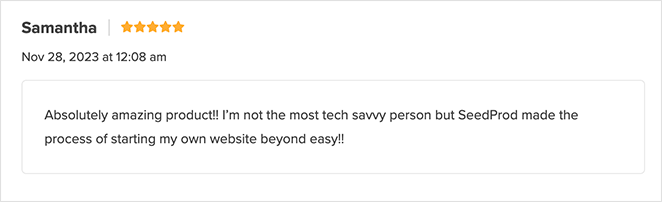
Customer Review: “Absolutely amazing product! I’m not the most tech savvy person, but Seedprod made the process of starting my own website beyond easy!!”
See here for more SeedProd Testimonials.
2. Thrive Architect – Best for Conversion-Focused Pages
| Rating: 4.8/5 Stars |
| Pricing: Available via Thrive Suite from $299/year (promotional rate) |
| Standout Features: |
| 🔹 Conversion-focused templates 🔹 270+ pre-designed layouts 🔹 Flexible layout modes 🔹 Built-in opt-in forms and countdown timers 🔹 Designed for marketers |
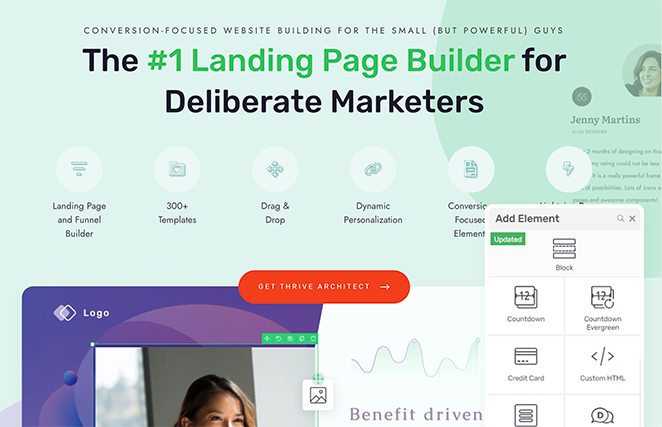
Thrive Architect is a WordPress page builder plugin focused on conversion-optimized designs. It’s built specifically for marketers who want pre-made elements that drive sales.
It comes with pre-made conversion elements like testimonials, countdown timers, and lead generation forms that work with various email marketing platforms.
My Experience
When testing Thrive Architect, I found it can help you make a high-performing homepage with features like horizontal opt-in forms, social media icons, and a blog post gallery.
When building a page, you have four layout modes: Normal (follows your theme), Header & Footer (custom landing page with theme structure), Blank (complete control), and Landing Page (no theme elements).
A normal page follows the theme template for a consistent look throughout the site, perfect for standard pages like Services, Pricing, and About Us.
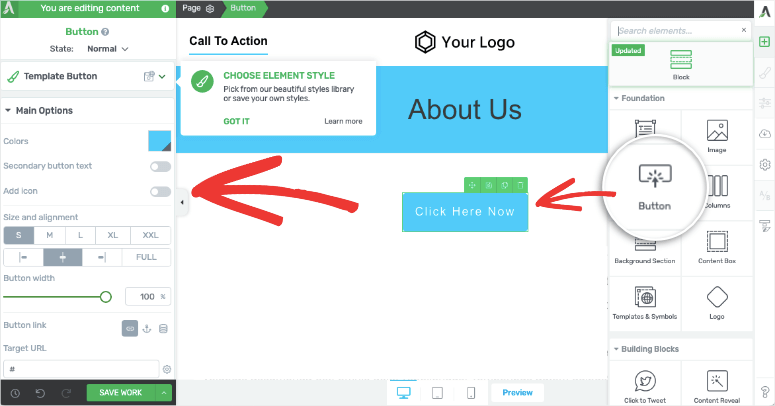
I found the header and footer options best for customizing landing pages with blocks, ideal for marketing pages such as sales or webinar registrations.
With over 270 pre-designed landing page templates, I could easily tailor the design to fit my business needs. They’re also fully responsive for mobile devices.
The builder also offers conversion-driven blocks like call-to-action buttons, client testimonials, styled lists for selling points, and content boxes for emphasizing website copy.
Pros
- Drag-and-drop interface
- Conversion-focused
- Part of a powerful suite
- Lightweight and fast
- Flexible options
Cons
- There’s a learning curve
- No free plan
- More expensive than individual alternatives
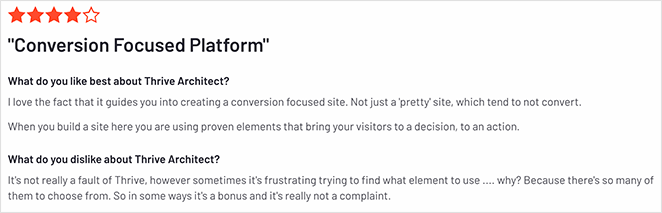
Customer Review: “I love the fact that it guides you into creating a conversion focused site. Not just a ‘pretty’ site, which tend to not convert.”
You can see here for more Thrive Architect reviews.
3. Beaver Builder – Best for Developer-Friendly Client Sites
| Rating: 4.7/5 Stars |
| Pricing: Free version available, Starter plan from $89/year (1 site) |
| Standout Features: |
| 🔹 Lightweight and clean code 🔹 Visual editor with real-time preview 🔹 Reliable and stable performance 🔹 Unlimited site usage 🔹 Good range of essential modules |
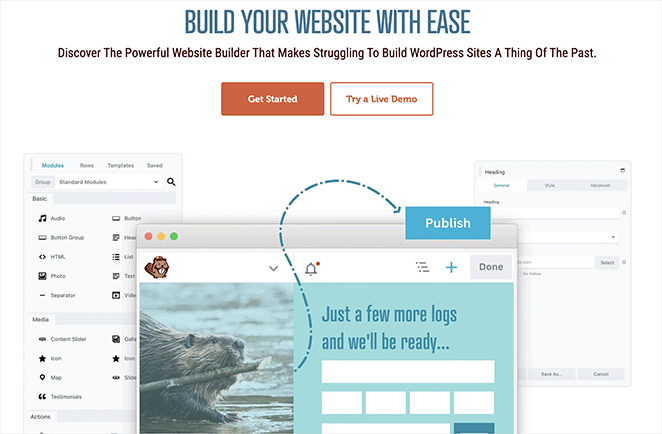
Beaver Builder is a WordPress page builder plugin known for its lightweight code and stability. It lets you create custom pages without coding.
It’s another popular WordPress landing page plugin that allows you to create a free one-page website in WordPress.
My Experience
I’ve used Beaver Builder on several client projects for solopreneurs. One freelance photographer needed a clean portfolio page, and I customized a free template in about an hour.
After reinstalling it for this test, I noticed it still offers the same stability and ease of use that made it popular with beginners and developers alike.
Once installed, I found several free templates ready to use. I could build my page with modules, rows, and columns using the visual editor and see my changes instantly.
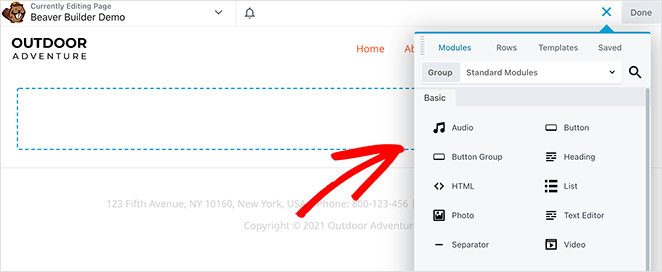
Beaver Builder includes all the essential modules you need for a functional one-page website, like call-to-action buttons, testimonials, and image blocks. You can also use native WordPress widgets within your layout.
Beaver Builder has recently expanded its template library, offering more design options than in previous versions. This improvement helps users launch modern sites faster with less customization required.
Pros
- Super lightweight
- Clean code
- Good for creating a simple website
- Stable and reliable
- User-friendly interface
- Unlimited sites
Cons
- Fewer pre-made templates
- Limited free version
- Less conversion-focused
- Focus on pages, not themes
Customer Review: “Ease of use, stability, quality, intuitive, these are all words that spring to mind when talking about Beaver Builder. Not only that, but tech support is outstanding, as is the community.”
Check here for more Beaver Builder reviews.
4. Elementor – Best for Design Flexibility
| Rating: 4.6/5 Stars |
| Pricing: Free version available, Essential plan from $49/month (billed annually) |
| Standout Features: |
| 🔹 Huge template library 🔹 Drag-and-drop visual builder 🔹 Advanced design controls (parallax, animations) 🔹 SEO and mobile-friendly 🔹 Custom fonts, CSS, and eCommerce support |
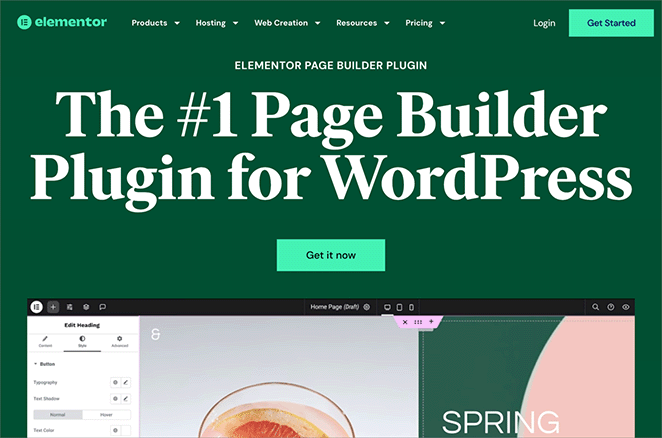
Elementor is a WordPress page builder plugin with advanced design features. It lets you create custom pages and add effects like parallax scrolling and animations.
Like SeedProd and Beaver Builder, it includes various website elements you can use to create and customize your single-page website.
Elementor doubles as a free landing page builder with dozens of templates designed to convert, which is great for promos, portfolios, and product launches.
My Experience
I’ve tested Elementor extensively over the years. When using it for this review, I could choose from hundreds of responsive one-page design templates and customize them in the drag-and-drop builder.
In fact, it has the most templates out of all the plugins on this list.
Its library of modules and content elements allowed me to add essential website features to my site without coding.
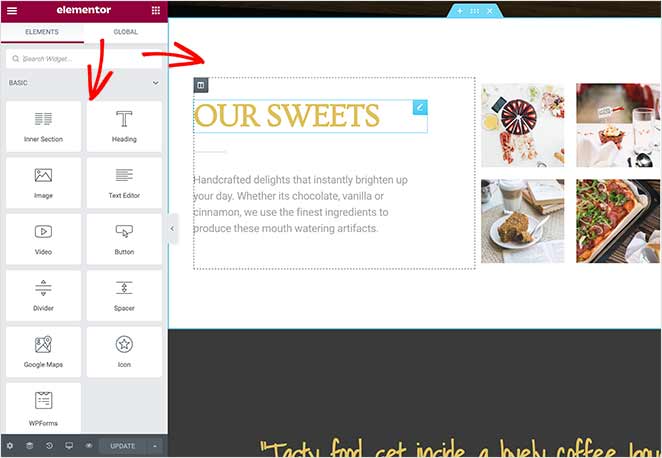
With parallax effects, a mobile responsive design, and search engine-friendly settings, Elementor makes it easy to get your site looking the way you want it to. You can even add custom CSS, fonts, and eCommerce features for your online store.
Despite its many features, I found Elementor a little more complicated to use than SeedProd and Beaver Builder.
It also didn’t feel as fast, which tracks with my GTmetrix data: Elementor clocked 1,882ms and 32 requests vs. SeedProd’s 556ms and 16 requests on an equivalent page.
Pros
- Large user base with many resources
- Extensive template library
- Powerful and versatile
- Free version with good functionality
Cons
- Not as fast as other solutions
- Steeper learning curve
- Limited free support
What Are the Best Non-WordPress One Page Website Builders?
If you want a free one-page website without the setup overhead of WordPress, the builders below are worth considering.
I didn’t test these as thoroughly as the WordPress options, but I built real pages with each one to see where the free tier actually stops.
5. Strikingly – Best for Fast Non-WordPress Launch
| Rating: 4.4/5 Stars |
| Pricing: Free plan available, Pro starts at $8/month |
| Standout Features: |
| 🔹 Simple and beginner-friendly 🔹 Built-in Simple Store for selling products 🔹 Customizable one-page templates 🔹 Email and chat tools built in 🔹 Unlimited free sites |
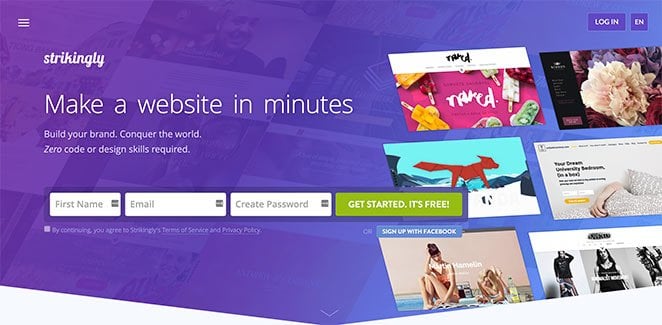
Strikingly is a standalone website builder (not a WordPress plugin) designed for one-page sites. It requires no design or coding experience.
It allows you to create a professional website in minutes. You can click anything, customize your one-page templates, and publish quickly.
You can sell products or services by connecting your website to PayPal, Stripe, or their Simple Store feature. In the same place, you can manage your audience signup forms, live chat, and even newsletters.
Strikingly is an excellent free solution for building a single-page website with dozens of responsive website templates for your business.
During my test, I found Strikingly’s onboarding process to be the fastest among the non-WordPress builders. I was able to publish a simple one-page site in under 10 minutes, which makes it perfect for beginners or anyone launching a quick portfolio or event page.
6. Wix – Best for App Integrations
| Rating: 4.2/5 Stars |
| Pricing: Free plan available, plans from $17/month |
| Standout Features: |
| 🔹 Drag-and-drop builder 🔹 Large app market 🔹 Versatile designs 🔹 AI-assisted site creation |
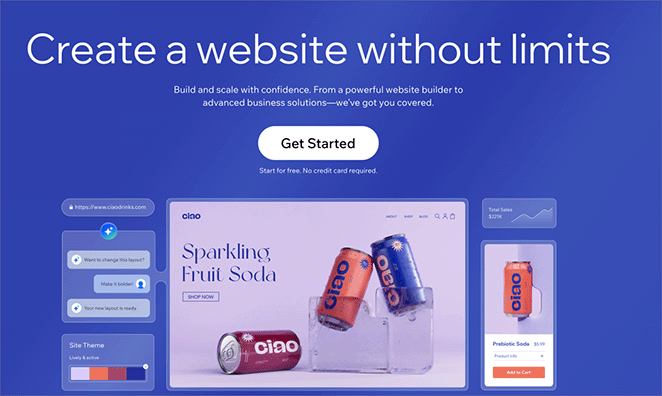
Wix is one of the most well-known standalone website builders. It offers a drag-and-drop editor, hundreds of templates, and an extensive app market for adding features.
You can create a free Wix site, though free plans include Wix branding and a yourname.wixsite.com subdomain. To use a custom domain, you’ll need a paid plan.
7. Weebly – Best for Simple eCommerce
| Rating: 4.2/5 Stars |
| Pricing: Free plan available, plans from $8/month |
| Standout Features: |
| 🔹 Customizable designs 🔹 Integrated eCommerce (Square) 🔹 Easy to use 🔹 Free hosting included |
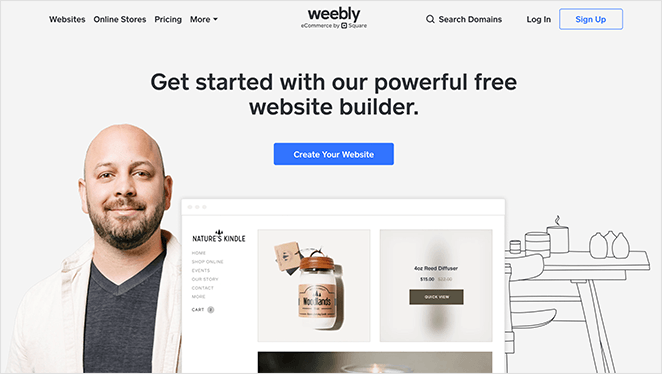
Weebly is a drag-and-drop website builder now owned by Square. It’s a good fit if you want simple eCommerce with the backing of Square’s payment infrastructure.
Free plans include Square branding and a yoursite.weebly.com domain. The drag-and-drop editor is straightforward and beginner-friendly.
8. Site123 – Best for Ultra-Beginner Simplicity
| Rating: 4.2/5 Stars |
| Pricing: Free plan available, plans from $12.80/month |
| Standout Features: |
| 🔹 Easy 3-step setup 🔹 Mobile responsive 🔹 SEO-friendly 🔹 Multilingual support |
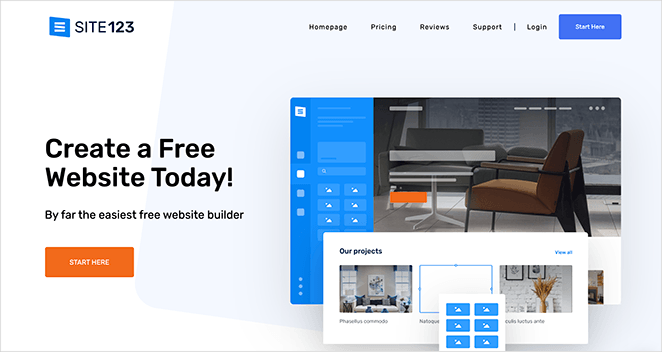
Site123 lives up to its name. The setup process is three steps: pick a category, add your content, and publish. There’s no learning curve to speak of.
Free sites publish under a yoursite.site123.me subdomain. The editing options are more limited than Wix or Weebly, which is the trade-off for such a simple onboarding.
9. IM Creator – Best for Creatives and Portfolios
| Rating: 4.0/5 Stars |
| Pricing: Free for some users (nonprofits, students, artists), from $8/month for others |
| Standout Features: |
| 🔹 Unlimited hosting and bandwidth 🔹 Scalable 🔹 SEO-friendly tools 🔹 Visually-focused layouts |
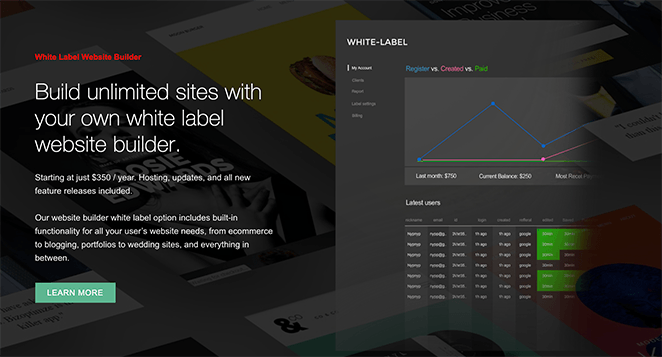
IM Creator is a website builder with a strong visual focus, built for creatives who want their work to be the centerpiece. It’s genuinely free for nonprofits, students, and artists.
Everyone else gets a free trial. The templates lean toward portfolios, photography, and design work, and the editor gives you more visual freedom than Site123 or Weebly.
10. Carrd – Best for Personal Profiles and Link-in-Bio
| Rating: 4.5/5 Stars |
| Pricing: Free plan available, Pro starts at $19/year |
| Standout Features: |
| 🔹 Extremely lightweight and fast 🔹 Perfect for personal sites and landing pages 🔹 Visual editor with simple UI 🔹 Build up to 3 sites free 🔹 Minimalist, distraction-free designs |
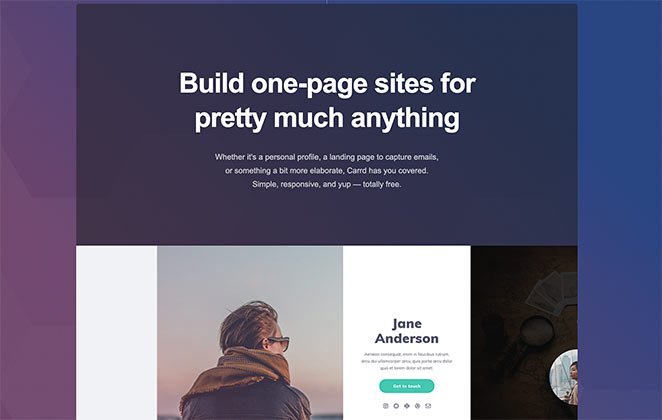
Carrd is a standalone website builder focused on ultra-simple, single-page sites. It’s designed for personal profiles and link-in-bio pages.
With this solution, you can build a personal profile, create a landing page to capture emails, or something a bit more elaborate.
In my testing, Carrd proved to be the most minimalist and fastest-loading builder on this list. I built a clean personal landing page in minutes.
The load times were noticeably faster than any other non-WordPress tool I tried. It’s ideal for link-in-bio pages or simple personal profiles.
You can create up to 3 free websites for each Carrd account. Like the other alternatives on this list, your website publishes under the Carrd domain on the free plan.
Other Free One-Page Website Builders Worth Considering
These tools didn’t make the main list but are worth knowing about for specific situations.
- Google Sites: Free, no ads, and fully integrated with Google Drive. Good for internal pages and simple sites. Not suitable for professional public-facing use since it lacks custom branding and design flexibility.
- Linktree: Not a full website builder, but the go-to free option for a link-in-bio page. Works well if you only need to point followers to multiple links, not build a full page.
- Notion public pages: You can publish a Notion page publicly for free. It’s a surprisingly workable simple portfolio if your audience is used to the format. No templates and very limited design control.
- Webflow (free tier): Powerful but has a steep learning curve. The free tier limits you to 2 projects with Webflow branding. Worth considering if you want pixel-perfect control and don’t mind the learning investment.
How Do You Pick the Right One Page Builder?
The right pick depends on your situation: whether you’re on WordPress, how fast you need to launch, and what you actually need the page to do. Here’s how to think through it.
Match the Tool to Your Situation
The builder that’s right for you depends on what you’re building and whether you already have a WordPress setup.
- Portfolio or creative site: Carrd (standalone) or IM Creator if you’re a student or nonprofit. If you’re on WordPress, SeedProd has portfolio-ready templates that look professional without any design skill.
- Small business or service page: SeedProd (WordPress) gives you the most control and SEO flexibility. Strikingly is the fastest standalone option for a simple service or product page.
- Landing page or lead gen: SeedProd or Thrive Architect (WordPress). Both are built for capturing leads. Thrive Architect adds countdown timers and conversion-specific layout modes if you’re running active campaigns.
What Do Free Plans Actually Include?
Here’s what you actually get before the paywall appears on each builder’s free tier.
| Builder | Custom Domain (free) | Ads / Branding | Free Sites Allowed |
|---|---|---|---|
| SeedProd | No (your WP domain) | None | Unlimited (WP install) |
| Strikingly | No (yoursite.strikingly.com) | Strikingly branding | Unlimited |
| Wix | No (yourname.wixsite.com) | Wix branding | Unlimited |
| Weebly | No (yoursite.weebly.com) | Weebly/Square branding | Unlimited |
| Site123 | No (yoursite.site123.me) | Site123 badge | 1 |
| IM Creator | No (yoursite.imcreator.com) | IM Creator branding | 1 (free users); unlimited (nonprofits) |
| Carrd | No (yoursite.carrd.co) | Carrd attribution | 3 |
If you’re a freelancer, launching a product, or just need a clean online presence, a one-page website can do the job well. They’re especially useful for portfolios, landing pages, or simple service-based businesses.
How to Optimize a One-Page Website for SEO
One-page websites can rank well for a single focused topic, but they have real limitations compared to multi-page sites. Here’s what actually moves the needle.
- Use anchor link navigation as your internal structure. Each section on your page should have a descriptive ID (e.g., #services, #portfolio, #contact). These act as internal navigation signals and help search engines understand your page’s structure, similar to how internal links work across a multi-page site.
- Focus on one primary keyword. A one-page site can’t realistically target 20 different search queries. Pick the phrase your audience is most likely to search, use it in your headline, first paragraph, and one or two section headings, and let the rest of the page support it naturally.
- Page speed is a ranking factor. In my testing, SeedProd loaded in 556ms with 16 HTTP requests. Elementor took 1,882ms with 32 requests on an equivalent page. Bloat-free code isn’t just a selling point, it’s a direct ranking advantage.
- Add structured data. Schema markup helps search engines and AI tools understand what your page is about. For a one-page site, LocalBusiness, Person, or FAQPage schema is worth adding depending on your use case.
- Know the multi-keyword limitation. If you need to rank for “SEO services,” “social media management,” and “content writing” on the same page, a one-page site will struggle. Google generally rewards dedicated pages for each topic. If your goals grow beyond one core topic, it’s worth building out additional pages.
If you’re on WordPress, SeedProd integrates with AIOSEO, which handles schema without requiring any code.
Which Free One Page Website Builder Is Best?
If you’re on WordPress, SeedProd is my top pick. The 556ms load time and clean code output are why I use it on my own sites, not the marketing.
For standalone options, Carrd is the best free pick for personal profiles and portfolios. Strikingly wins if you need built-in eCommerce without touching WordPress.
How to Make a One Page Website in WordPress (Quick Steps)
You can build a one-page website for free in just a few minutes using WordPress and SeedProd.
- Install WordPress: Use a reliable host and set up your site.
- Install SeedProd: Use the free version or upgrade for more features.
- Pick a One Page Template: Choose from ready-made designs.
- Customize Your Sections: Add content blocks like Hero, About, Services, and Contact.
- Publish Your Site: Preview and go live with one click.
Want full instructions with screenshots? Check out our step-by-step guide: How to Make a One Page Website in WordPress.
Frequently Asked Questions (FAQs) About One Page Websites
What’s the difference between a WordPress page builder and a standalone website builder?
A WordPress page builder is a plugin that runs on your own self-hosted WordPress site. You control your hosting, your domain, and your data. A standalone website builder (like Wix, Carrd, or Strikingly) is a hosted platform where the company manages everything.
WordPress builders give you more control, better SEO options, and full ownership of your content. Standalone builders are faster to set up and require no technical knowledge, but you’re tied to the platform’s pricing and terms.
What do free one-page website builder plans actually include?
Every free plan on this list forces a platform subdomain (yoursite.wix.com, yoursite.carrd.co, etc.) and adds the builder’s branding to your published site. Custom domains require a paid upgrade.
The free-plan gap is biggest with WordPress plugins: SeedProd’s free version is excellent for coming soon and maintenance mode pages, but most landing page templates require the Basic plan or higher. See the free plan comparison table above for a full breakdown. You can also browse pre-built SeedProd templates to see which designs are available at each tier.
Are one-page websites good for SEO?
One-page websites can rank well for a single focused keyword, especially for local businesses, portfolios, or product launches. They load quickly and deliver a strong user experience, both of which are positive ranking signals.
The limitation is keyword range. A one-page site can’t realistically compete across multiple unrelated search queries the way a multi-page site can. If your goal is to rank for one topic, a one-pager works well. If you need to capture traffic across several different topics, build out additional pages. For a deeper look, check out the WordPress SEO guide.
What is the best free one-page website builder for a portfolio?
If you’re on WordPress, SeedProd has portfolio-ready templates that look professional without any design skill. The visual editor lets you swap in your own images and text in real time.
For a standalone option with no hosting setup, Carrd is the cleanest and fastest. IM Creator is also worth considering if you qualify for their free plan (students, nonprofits, artists). Browse pre-built SeedProd templates to see the full portfolio template library.
Can you use a custom domain with a free website builder?
On most free plans, no. Standalone builders (Wix, Carrd, Strikingly, Site123, Weebly) all require a paid plan to connect a custom domain. Free sites publish under the builder’s own domain.
The exception is WordPress-based builders like SeedProd. Because SeedProd runs on your own WordPress installation, you’re already using your own domain from day one on the free tier. The hosting is what you pay for separately.
I hope this guide helped you find the best free one-page website builders for your site. While you’re here, you might also like the following guides:
- Popular Types of Websites to Build in WordPress (Without Code)
- How to Create a New Website Launch Marketing Plan
- How to Make a One Product Website in WooCommerce
- Best Website Builders for Service Based Businesses
- One Product Store Examples You’ll Love
- Best Wedding Website Builders for Tying the Knot
Thanks for reading! We’d love to hear your thoughts, so please feel free to join the conversation on YouTube, X and Facebook for more helpful advice and content to grow your business.



