



If you’re trying to choose the best web analytics tools, the hardest part is knowing which data actually matters. Most tools promise insights, but only a few make that data easy to understand and act on.
Web analytics tools help you see how people find your site, what they do once they arrive, and where things break down. When you can spot those patterns, improving traffic, engagement, and conversions becomes much simpler.
In this guide, I’ll walk you through the best web analytics tools available today, including who each one is best for, how much they cost, and where they shine. I’ll also share which tools I rely on most and why.
Quick Summary: Best Web Analytics Tools
If you just want the short answer, these are the best web analytics tools based on real use cases.
| # | Tool / Product | Best For | Free Plan | Starting Price |
|---|---|---|---|---|
| 🥇 | Google Analytics | Detailed site tracking | ✅ | Free |
| 🥈 | MonsterInsights | WordPress dashboard reports | ✅ | From $99.50/year |
| 🥉 | Google Search Console | SEO and site health | ✅ | Free |
| 4 | All in One SEO | SEO tasks inside WordPress | ✅ | From $49.50/year |
| 5 | Crazy Egg | Heatmaps and click tracking | ❌ | From $24/month |
| 6 | Matomo | Privacy-first analytics control | ✅ | From $23/mo |
| 7 | Mixpanel | Funnels and user journeys | ✅ | From $20/mo |
| 8 | Hotjar | Session replays and feedback | ✅ | From €32/mo |
| 9 | HubSpot | Analytics tied to CRM | ✅ | From $50/mo |
| 10 | SEMRush | Competitor and keyword research | ✅ | From $129.95/mo |
| 11 | OnePageGA | Simple GA4 dashboard | ❌ | From $10/month |
What Are Web Analytics Tools?
Web analytics tools collect and analyze data about how people use your website. They show you where visitors come from, which pages they view, what actions they take, and where they drop off.
This data helps you understand what’s working and what needs improvement, so you can make informed decisions instead of guessing. Common insights include traffic sources, user behavior, conversions, and content performance.
Some tools focus on overall traffic and trends, while others specialize in SEO, user behavior, or privacy-focused tracking. The best tool depends on what questions you want answered.
How I Tested These Web Analytics Tools
To make this list useful for real website owners, I didn’t just compare feature lists or pricing pages. I tested each web analytics tool on live sites and focused on how easy it was to get clear, actionable data.
My testing process focused on tools that work well for WordPress sites, small businesses, and growing websites, not enterprise-only setups.
- How easy the tool was to set up and connect to a website
- Clarity of dashboards and reports for non-technical users
- Depth of insights into traffic, behavior, and conversions
- Accuracy and reliability of the data over time
- Pricing value compared to what you actually get
I also considered who each tool is best suited for. Some tools are ideal for beginners who want quick answers, while others are better for advanced users who need deeper analysis.
This approach lets me recommend tools based on real use cases, not just popularity.
The Best Web Analytics Tools to Try
Among the many options available, this guide will make finding a web analytics tool for your site easy. We’ll cover some of the most popular web analytics tools in the game, unpacking their features, pricing, and ideal user base.
Let’s dive in.
1. Google Analytics
| Pricing: Free (Premium available) |
| Free Plan / Trial: Yes |
| Standout Features: |
| 🔹 Real-time tracking 🔹 Audience insights 🔹 Custom reports |
| Rating: A- |
| Best For: Any website owner |
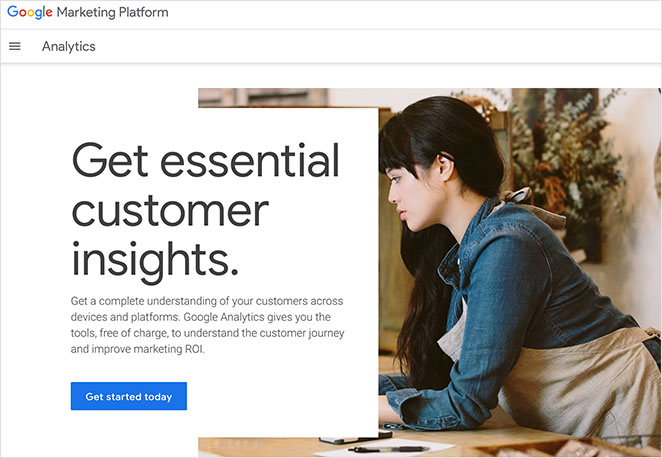
For many site owners, Google Analytics is the first choice for tracking website performance. It is a free web analytics tool that measures traffic and user behavior to help you see what is working on your site.
The real-time tracking feature lets you view metrics like page views, bounce rates, and active users the moment they happen. You can also gain deep insights into where your visitors come from and how they behave online.
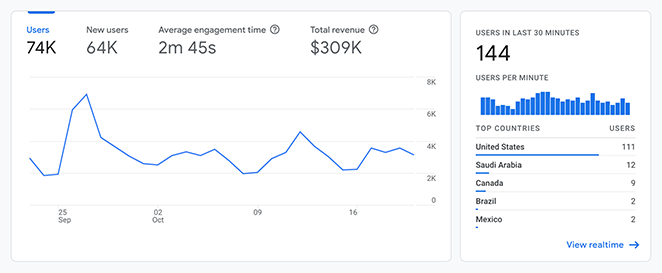
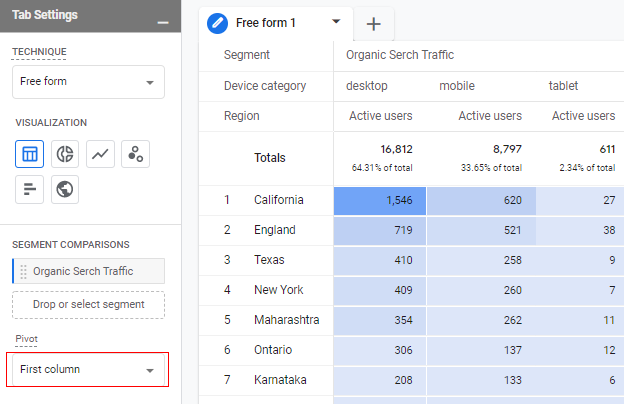
In my experience, the dashboards provide a wealth of information, though they can look intimidating at first. I particularly like the Explore feature because it allows you to filter data by specific segments and metrics to find exactly what you need.
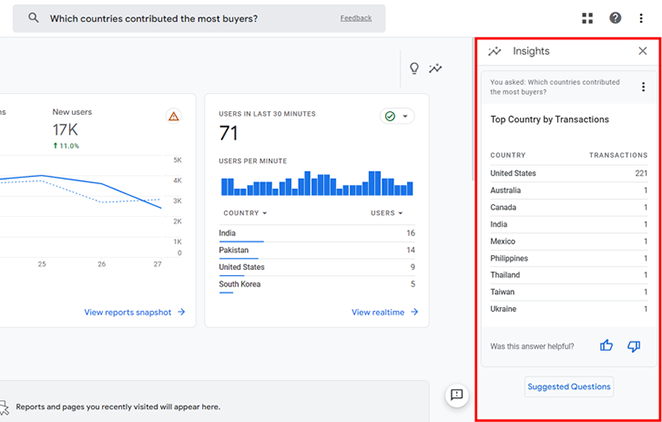
Another helpful tool for beginners is Analytics Intelligence, which lets you ask questions to get quick answers about your data.
If you are ready to start, check out this guide on how to add Google Analytics to WordPress.
Pros
- Completely free for standard use
- Tracks real-time user activity
- Offers deep customization with Explore reports
- Integrates easily with other Google tools
Cons
- Steep learning curve for beginners
- Interface can feel cluttered and complex
- Lacks personalized support
My Verdict: Google Analytics offers the most detailed data on the market, but I recommend it primarily for users who have the time to learn the complex GA4 interface.
2. MonsterInsights
| Pricing: Starts at $99.50/year |
| Free Plan / Trial: Free plugin available |
| Standout Features: |
| 🔹 Dashboard Analytics 🔹 eCommerce Tracking 🔹 Site Notes |
| Rating: A+ |
| Best For: WordPress users |
MonsterInsights is one of the best web analytics tools for WordPress because it displays Google Analytics data directly inside your dashboard. It simplifies complex data so you can see exactly how people find and use your website.
To use it, you simply connect the plugin to your Google account with a few clicks to start tracking real-time stats, button clicks, and form submissions. It handles the technical setup automatically, so you do not need to edit any code.
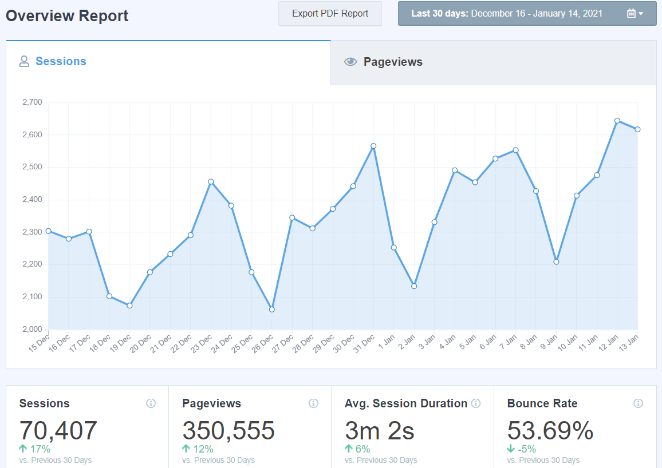
In my testing, the biggest advantage was the ability to view crucial data without leaving WordPress or juggling multiple browser tabs. The reports are much easier to read than Google’s native interface, which makes it less intimidating for beginners.
I also really like the Site Notes feature, which lets you leave a note when you make a change to your site design.
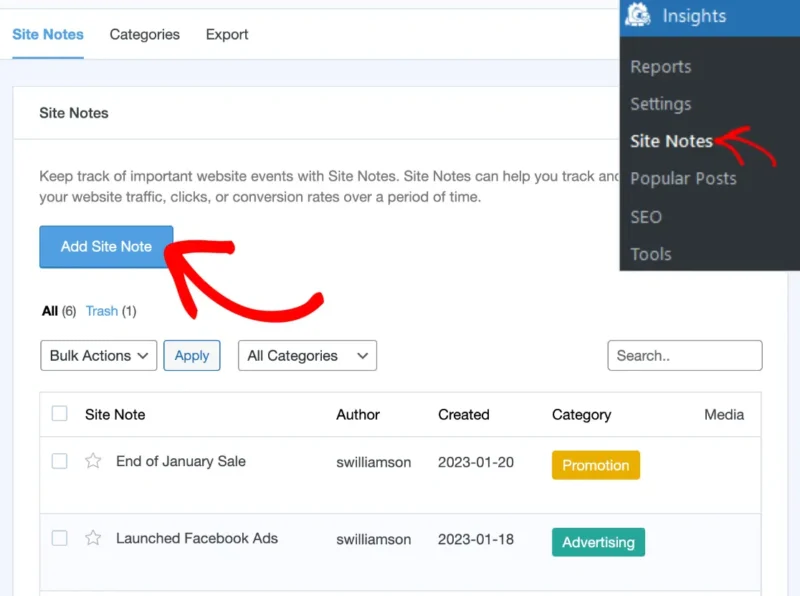
You can read our full MonsterInsights review to see how this helps you track conversion rates over time.
Pros
- Easy setup with no coding required
- View analytics inside WordPress dashboard
- Advanced tracking for eCommerce and forms
- Site Notes help track result changes
Cons
- Premium plans can be pricey
- Free version has limited report types
My Verdict: MonsterInsights is the best choice for WordPress users who want powerful, easy-to-read analytics without the complexity of GA4.
3. Google Search Console
| Pricing: Free |
| Free Plan / Trial: Yes |
| Standout Features: |
| 🔹 Search performance tracking 🔹 Indexing error reports 🔹 Security alerts |
| Rating: A |
| Best For: SEO management |
To help you understand Google Search Console, consider it a health checkup for your website. It is a free service from Google that helps monitor, maintain, and troubleshoot your site’s presence in Google search results.
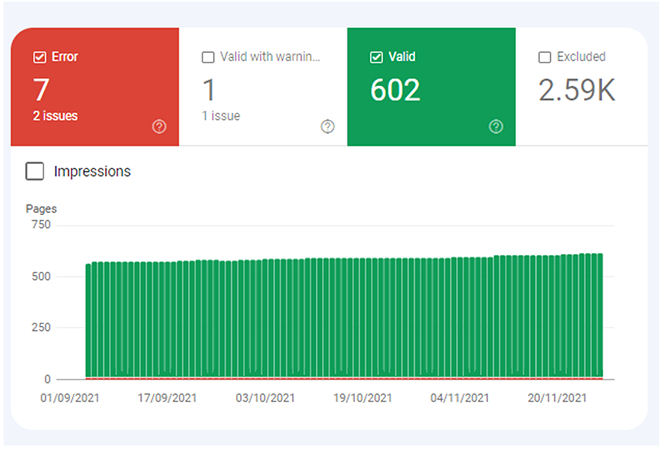
With this web analytics tool, you can see which topics and keywords website visitors use to find your site. It also helps you see which pages are most and least popular so you can update them to perform better.
From my experience, I find Google Search Console helpful in finding any crawling or indexing issues that Google bots may encounter on my site. It also provides critical warnings about hacking or malware, keeping my site healthy.
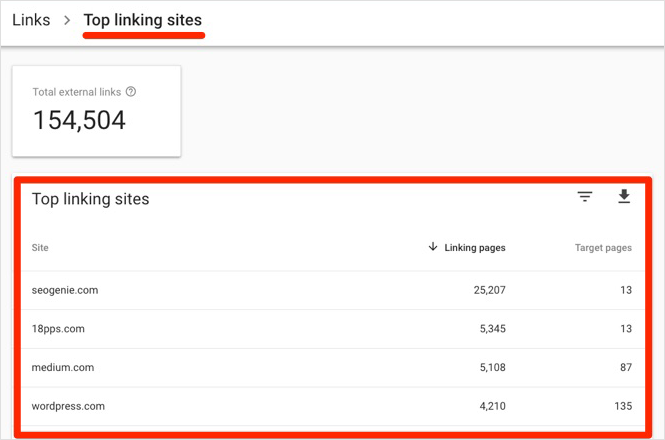
One feature I particularly appreciate is the ability to see backlinks to my site. Monitoring these is helpful for SEO and organic search traffic.
Pros
- Completely free to use
- Provides official data from Google
- Alerts you to critical site errors
- Tracks backlink data
Cons
- Data is not real-time (usually delayed)
- Limited historical data retention
My Verdict: Google Search Console is a mandatory tool for anyone wanting to rank in search, offering essential site health data at no cost.
4. All in One SEO
| Pricing: Starts at $49.50/year |
| Free Plan / Trial: Free plugin available |
| Standout Features: |
| 🔹 Search Statistics 🔹 TruSEO Score 🔹 AI Title Generator |
| Rating: A+ |
| Best For: SEO optimization |
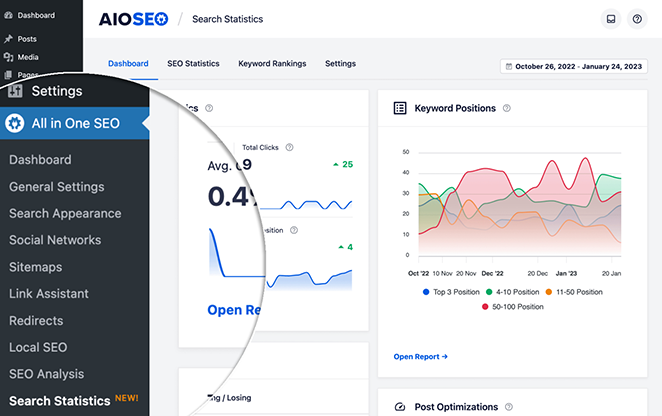
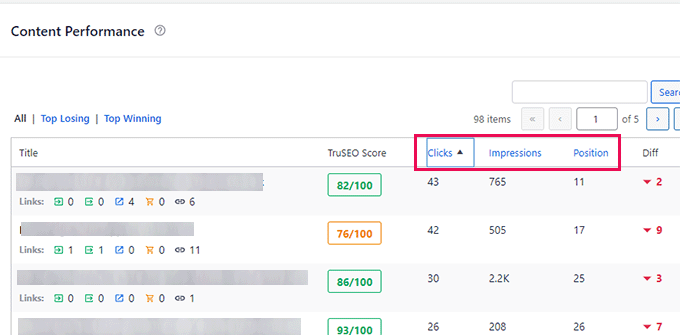
All in One SEO (AIOSEO) is the best search engine optimization plugin to help you rank higher in search results. While it is not a standalone analytics tool, it integrates directly with Google Search Console to track your keyword rankings inside WordPress.
The plugin works by scanning your content and giving you a clear checklist to improve your optimization score. You can also view search statistics to see which pages are performing well and identify opportunities for growth.
I use AIOSEO daily to optimize content for SeedProd because it bridges the gap between analytics and action. It is incredibly beginner-friendly and lets me manage technical settings like sitemaps and meta tags without needing a developer.
My favorite feature is the AI title generator, which works using ChatGPT to suggest headlines for me.
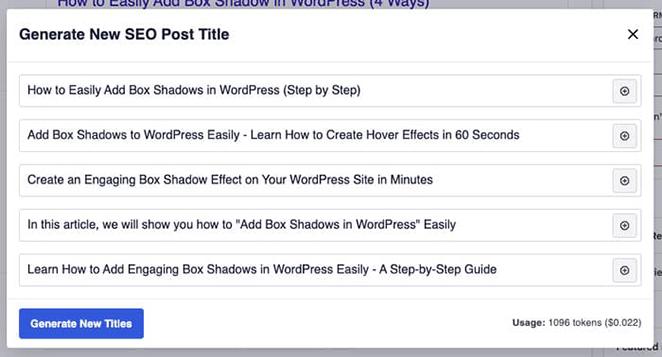
This saves me a lot of time during the editing process, and you can see more details in my full All in One SEO review.
Pros
- Integrates directly with Google Search Console
- Provides actionable SEO checklists
- AI tools speed up content creation
- Easy setup for sitemaps and schema
Cons
- Advanced tracking requires a paid plan
- Not a replacement for full analytics software
My Verdict: All in One SEO is the best tool for connecting analytics data to actionable SEO tasks, making it essential for growing website traffic.
5. Crazy Egg
| Pricing: Starts at $24/month |
| Free Plan / Trial: 30-day free trial |
| Standout Features: |
| 🔹 Heatmaps 🔹 Scroll maps 🔹 Session recordings |
| Rating: B+ |
| Best For: Marketers and UX designers |
Crazy Egg is a behavior analytics tool that helps you understand exactly how visitors interact with your website. Unlike standard analytics, it uses visual data to show you where users look, click, and get stuck.
It works by recording user sessions and generating heatmaps that highlight the most popular areas of your pages. This allows you to pinpoint where users typically linger and identify distractions that might hurt your conversions.
In my experience, the heatmaps helped me find major blind spots in my content layout. I could clearly see the hotspots where users focused their attention and realized that some of my important buttons were being ignored.
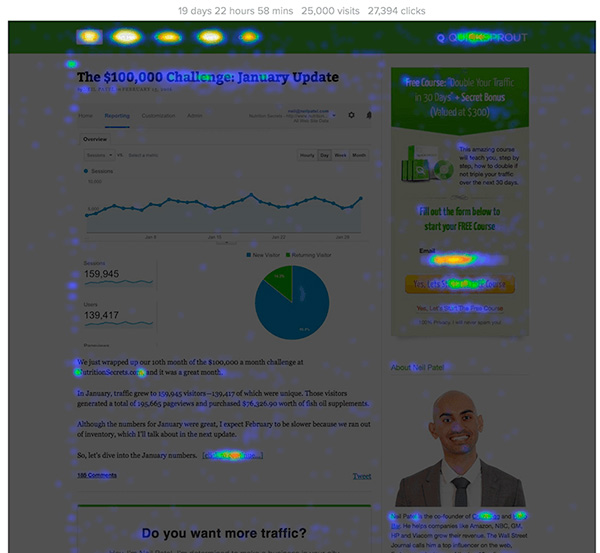
I also used the scroll maps to optimize the placement of my content. By seeing exactly how far down people scrolled, I was able to move my most critical calls to action higher up the page to ensure they were seen.
Pros
- Visualizes user behavior clearly
- Easy to set up and use
- Offers A/B testing features
- Detailed scroll and click maps
Cons
- No permanent free plan available
- Can slightly impact site speed
My Verdict: Crazy Egg is a great choice for visual learners who want to optimize their page layout, though you will need a budget after the trial ends.
6. Matomo
| Pricing: Free (Self-hosted) / Starts at $23/mo |
| Free Plan / Trial: Yes (Self-hosted version) |
| Standout Features: |
| 🔹 100% Data ownership 🔹 Heatmaps & A/B testing 🔹 No data sampling |
| Rating: A |
| Best For: Privacy-conscious businesses |
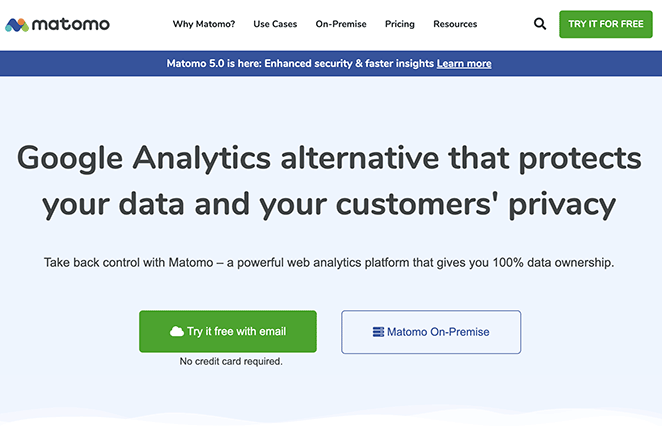
Matomo, formerly Piwik, is an open-source web analytics platform that prioritizes data privacy. It acts as a powerful alternative to Google Analytics by allowing you to host and own all your user data.
The platform lets you track eCommerce transactions, search keywords, and individual page performance just like other major tools. It also comes equipped with advanced features like heatmaps and A/B testing capabilities.
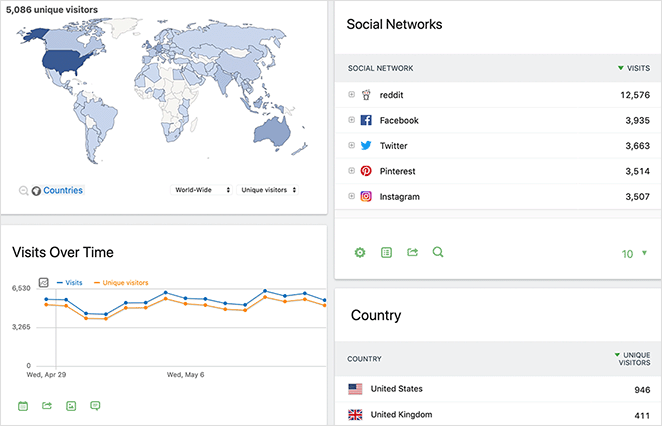
In my personal use, what set Matomo apart was its user-friendly interface. It provides a wealth of data without feeling cluttered, making it easy to find the specific metrics I need.
I also appreciated the peace of mind regarding privacy. Knowing that my essential user data was not being shared with third-party servers made me feel much more secure about compliance.
Pros
- You own 100% of your data
- Includes heatmaps and session recordings
- Open-source software
- GDPR and CCPA compliant
Cons
- Self-hosting requires technical skills
- Cloud version costs money
My Verdict: Matomo is the best choice for businesses that need complete control over their data privacy and want an open-source alternative to Google.
7. Mixpanel
| Pricing: Free / Starts at $20/mo |
| Free Plan / Trial: Yes |
| Standout Features: |
| 🔹 Product analytics 🔹 User journey tracking 🔹 Funnel analysis |
| Rating: B+ |
| Best For: eCommerce and SaaS |
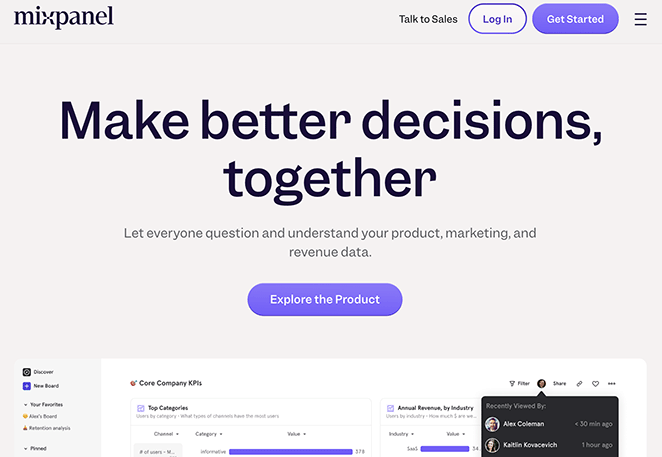
Mixpanel is a web analytics tool specifically designed for eCommerce websites and SaaS products. Its analytics dashboard helps you understand product usage, marketing performance, and revenue data to make better business decisions.
It works by tracking specific events and interactions rather than just page views. You can visualize user journeys and analyze funnels to see where customers drop off and what drives conversions.
In my testing, I found Mixpanel helpful for diving beneath the surface of product analytics. I was able to easily learn which of my site’s features were the most popular and identify who my power users were.
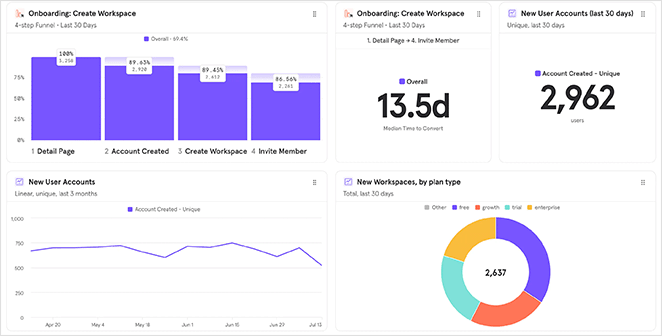
I could also track complex user journeys and analyze my sales funnels. This data is integral for driving conversions, though it does require a bit more setup than a standard plugin.
Pros
- Advanced funnel analysis
- Generous free plan for startups
- Tracks specific user behaviors
- Great for product optimization
Cons
- Steeper learning curve than simple counters
- History is limited on the free plan
My Verdict: Mixpanel is a powerful choice for businesses that need to track precise user steps and conversion paths, particularly for eCommerce stores.
8. Hotjar

| Pricing: Free / Starts at €32/mo |
| Free Plan / Trial: Yes |
| Standout Features: |
| 🔹 Heatmaps 🔹 Session replays 🔹 Feedback polls |
| Rating: B+ |
| Best For: UX and CRO experts |
Hotjar is a visual behavior analytics tool that lets you observe exactly how visitors interact with your website. It goes beyond simple numbers by offering heatmaps and real-time replays of user sessions.
You can see where users click, how far they scroll, and where they get stuck. It also includes feedback tools like surveys and polls to ask visitors directly what they are thinking.
My personal experience with Hotjar has been mostly positive, starting with its user-friendly interface. I found it easy to create heatmaps right away and dive straight into seeing the visitor journey.
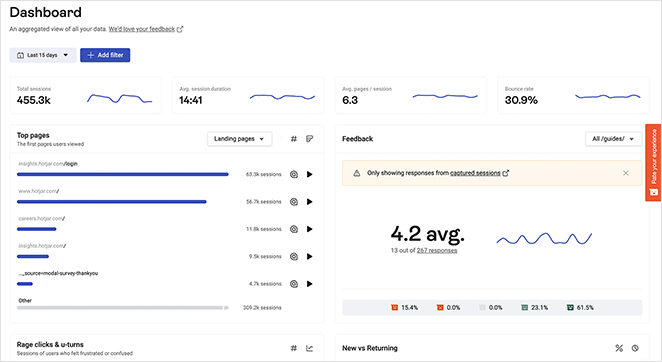
The ability to watch session replays gave me good insights into bottlenecks and friction points I had not noticed before. However, I did find there was a slight learning curve to fully understand all the data.
Pros
- Visualizes user behavior clearly
- Includes on-site surveys and polls
- Free basic plan available
- Easy to spot design issues
Cons
- Paid plans can be expensive
- Can slow down site speed slightly
My Verdict: Hotjar is an excellent tool for visualizing user experience problems, provided you have the budget for the premium features.
9. HubSpot
| Pricing: Free / Starts at $50/mo |
| Free Plan / Trial: Yes |
| Standout Features: |
| 🔹 Built-in CRM 🔹 Marketing automation 🔹 Traffic analytics |
| Rating: A |
| Best For: Growing businesses |
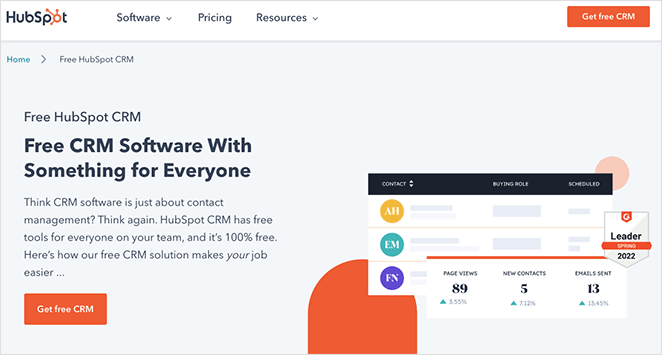
HubSpot is a complete suite of marketing, sales, and service tools that includes built-in web analytics. It is ideal for monitoring traffic and understanding how visitors interact with your entire digital ecosystem.
The platform gives you detailed reports on page performance and visitor behavior to help you optimize your content. It connects this data to your CRM so you can see the full journey from visitor to customer.
From using HubSpot, I have grown to appreciate its user-friendly interface and clear insights. It makes it easy to form marketing strategies based on real data rather than guessing what works.
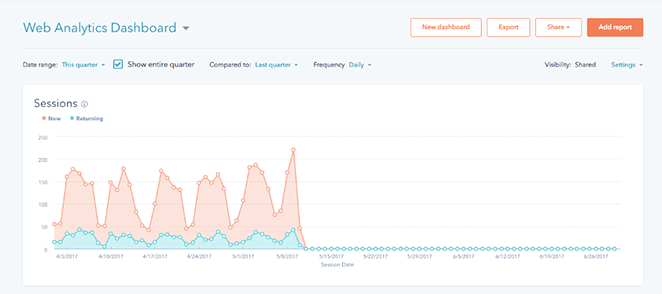
The platform also integrates seamlessly with email marketing providers and other tools. This makes it a solid all-around choice for any business looking to centralize their operations.
Pros
- Combines analytics with CRM data
- User-friendly interface
- Excellent free tools for startups
- Seamless marketing integrations
Cons
- Premium plans get expensive quickly
- Can be overwhelming for simple needs
My Verdict: HubSpot is the best all-in-one solution for businesses that want to connect their web analytics directly to their sales and marketing data.
10. SEMRush
| Pricing: Starts at $129.95/mo |
| Free Plan / Trial: Limited free account |
| Standout Features: |
| 🔹 Competitor analysis 🔹 Keyword research 🔹 Site audits |
| Rating: A+ |
| Best For: SEO professionals |
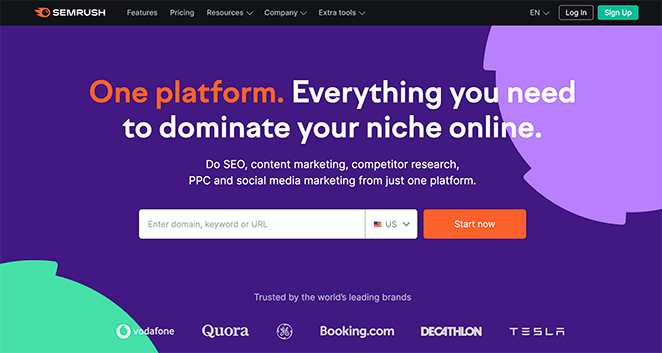
SEMRush is a powerful search engine optimization (SEO) tool that helps you audit your site and analyze backlinks. It provides valuable insights to help you understand your site’s performance in search results.
Its standout feature is the domain and competitor analysis tool. You can estimate the traffic of any website to see who visits them and what content they find interesting.
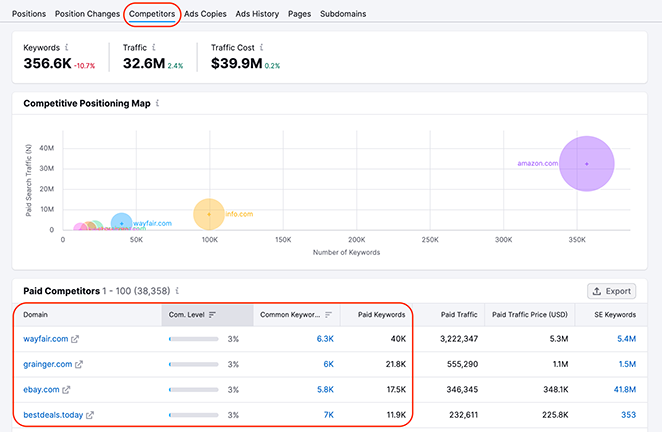
In my experience, the keyword research tool is a firm favorite. It gives me a detailed analysis of keywords to use on my site, including average monthly search volume and search intent data.
I also use the competition analysis feature regularly. It helps me understand exactly where my content stands compared to competing sites so I can improve my rankings.
Pros
- Comprehensive keyword data
- Detailed competitor analysis
- Audits site health
- Tracks backlinks
Cons
- Expensive monthly cost
- Steep learning curve
My Verdict: SEMRush is a must-have tool for analyzing your competitors, even though the price tag is high.
Bonus Tool: OnePageGA
| Pricing: Starts at $10/month |
| Free Plan / Trial: 14-day free trial |
| Standout Features: |
| 🔹 One-page dashboard 🔹 Key metrics focus 🔹 Platform-agnostic |
| Rating: A |
| Best For: Beginners and non-tech users |
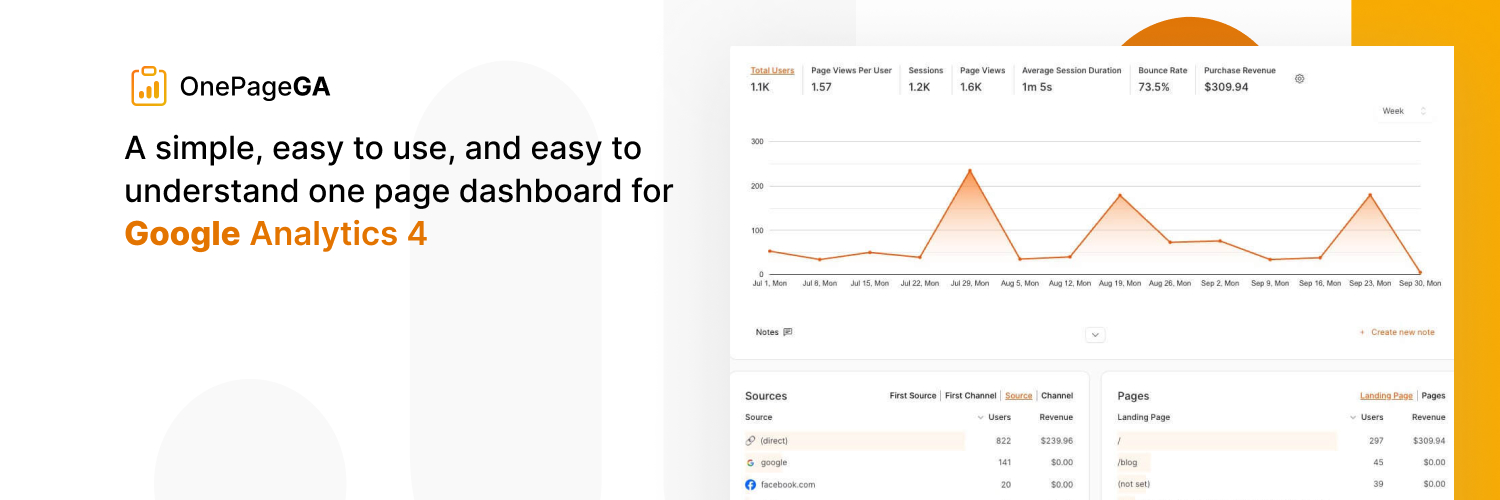
OnePageGA is a simple web analytics tool designed to make Google Analytics 4 (GA4) data easy to read. It provides a clean, one-page dashboard that highlights your most important website performance metrics at a glance.
You simply connect your Google account, and it instantly visualizes your data without complex menus or technical setup. Unlike some plugins, it is platform-agnostic, meaning it works with any website stack, not just WordPress.
In my experience, this tool solves the problem of GA4 being too complex for quick daily checks. I found it incredibly useful to see my traffic, top pages, and user sources immediately without digging through layers of native reports.
It effectively filters out the noise of the standard Google interface. This allows me to focus purely on the stats that actually drive growth, saving me time whenever I need a quick health check on my site.
Pros
- Simple, clean interface
- No complex setup required
- Works with any website platform
- Filters out confusing data
Cons
- No permanent free plan
- Less granular than full GA4
My Verdict: OnePageGA is the best choice for users who want to monitor their site health without getting lost in the complexity of GA4.
What’s The Best Web Analytics Tool?
After exploring, comparing, and testing the tools on this list, our best pick is a combination of Google Analytics and MonsterInsights.
While Google Analytics is feature-rich, its complexity can feel overwhelming, especially if your technical prowess isn’t high. That’s where MonsterInsights comes in.
MonsterInsights is an excellent companion for WordPress websites, simplifying data from Google Analytics by showing it in a clear, easy-to-understand format.
In our experience, this provides the best of both worlds: the extensive metrics tracking of Google Analytics and the ease of use of MonsterInsights. Together, they create the best web analytics tool that’s indispensable for any business site.
Best Web Analytics Tools FAQs
If you do not use WordPress, OnePageGA is a great alternative because it turns GA4 into a simple one-page dashboard.
You can still use Google Analytics for deeper reports later, but a simpler dashboard helps you get value faster.
If you want the data to feel less overwhelming, I recommend pairing it with MonsterInsights for WordPress, or OnePageGA if you want a clean daily dashboard without digging through GA4.
If SEO is a big growth channel for you, Google Search Console also belongs in your toolkit because it shows how people find you in search.
MonsterInsights is also very easy to read for WordPress users because it turns GA4 reports into clear, familiar WordPress-style screens.
If you want visual behavior insights, tools like Crazy Egg or Hotjar can help, but they work best alongside a core analytics tool.
If you want a privacy-first option with more control, Matomo is often used for data ownership and compliance-focused setups.
If you use Google Analytics, you should review your cookie consent setup, anonymization options, and data retention settings so you collect only what you actually need.
Next, More Analytics Tips
I hope you’ve found our roundup of the best web analytics tools helpful. For more help with analyzing your website data and performance, please see the following guides:
- How to Track WordPress User Activity with Google Analytics
- How to Set Up Link Tracking in WordPress (the Easy Way)
- How to Set Up WooCommerce Conversion Tracking for Your Store
Thanks for reading! We’d love to hear your thoughts, so please feel free to join the conversation on YouTube, X and Facebook for more helpful advice and content to grow your business.



