


Choosing the best WordPress theme is harder than it looks. Every roundup says the same things: “fast,” “lightweight,” “beginner-friendly.” But almost none of them have real numbers to back those claims up.
After 15 years working with WordPress, I decided to change that. I installed 12 popular WordPress themes on identical test environments and measured actual server-side performance data using the Query Monitor plugin. This guide covers what I found, including which themes surprised me and which ones underdelivered on their speed promises.
Quick Comparison: Best WordPress Themes at a Glance
| Theme | Best For | Free Version | Starting Price |
|---|---|---|---|
| SeedProd | No-code builders, beginners | No | $199/year |
| GeneratePress | Performance-focused sites | Yes (limited) | $59/year |
| Astra | Beginners, business sites | Yes | $59/year |
| Botiga | WooCommerce stores | Yes | $69/year |
| Hello Elementor | Elementor users | Yes (free only) | Free |
See all 12 themes reviewed in detail below.
How I Tested These WordPress Themes
Most theme reviews rely on demos and feature lists. I wanted something more useful: real server-side measurements you can actually compare.
I set up a fresh WordPress install using Local by Flywheel and loaded identical demo content on every theme. No caching plugins or performance tweaks. I also activated the Query Monitor plugin and tested the homepage of each theme under the same conditions.
Here’s what I measured for each theme:
- Page generation time: How long WordPress takes to build the page on the server
- Peak memory usage: The maximum RAM the theme consumed during that page load
- Database queries: How many times the theme asked the database for information
- Query time: How long those database requests took to complete
These are server-side metrics. Tools like Google PageSpeed Insights measure how fast your page arrives in the browser. Query Monitor measures how efficiently the theme runs before the page even leaves the server. Both matter, but the server-side data is something you rarely see published.
WordPress Theme Performance: What I Actually Measured
Every theme I tested completed page generation in under 0.1 seconds. These are relative differences, not catastrophic failures. But the gaps between the lightest and heaviest themes are significant, and they matter most on shared hosting without caching.
| Theme | Generation Time | Peak Memory | DB Queries |
|---|---|---|---|
| Twenty Twenty-Five (baseline) | 0.0557s | 6.2 MB | 23 |
| SeedProd | 0.0457s | 4.3 MB | 34 |
| Hello Elementor | 0.0430s | 4.6 MB | 29 |
| Botiga | 0.0483s | 4.7 MB | 24 |
| GeneratePress | 0.0457s | 4.9 MB | 26 |
| Storefront | 0.0459s | 4.9 MB | 26 |
| Astra | 0.0560s | 8.3 MB | 23 |
| Hestia | 0.0517s | 6.4 MB | 49 |
| Neve | 0.0574s | 6.4 MB | 43 |
| Sydney | 0.0651s | 5.9 MB | 37 |
| Thrive Themes | 0.0633s | 7.2 MB | 91 |
| Divi | 0.0916s | 13.0 MB | 86 |
Twenty Twenty-Five (WordPress’s current default theme) is included as a baseline reference. It was not included in the reviewed themes below.
A few things jumped out from the data:
- SeedProd had the lowest memory usage of all 12 themes at 4.3 MB.
- Astra tied the Twenty Twenty-Five baseline on database queries at just 23.
At the other end:
- Divi recorded 13.0 MB of memory and the longest generation time at 0.0916s — which makes sense given how much it’s doing as a full design framework.
- Thrive Themes registered 91 database queries on a clean homepage load, reflecting the active conversion tools and A/B testing infrastructure running on every page.
The heavier themes in this list carry that overhead for a reason, and it’s worth understanding what you’re getting in return.
The Best WordPress Themes for 2026
These are the 12 themes I recommend, each with real performance data from my testing.
- 1. SeedProd: Best for No-Code Website Building
- 2. GeneratePress: Best for Performance-First Sites
- 3. Astra: Best for Beginners with a Strong Free Version
- 4. Botiga: Best WooCommerce Theme for Performance
- 5. Hello Elementor: Best for Elementor Users
- 6. Storefront: Best Free WooCommerce Theme
- 7. Sydney: Best for Business Websites
- 8. Neve: Best for Beginners Who Want Lots of Starter Templates
- 9. Hestia: Best for One-Page Websites
- 10. Thrive Themes: Best for Marketers and Conversion-Focused Sites
- 11. Divi: Best for Maximum Design Control
- 12. KnowAll: Best WordPress Theme for Knowledge Bases
1. SeedProd: Best for No-Code Website Building

| Feature | Details |
|---|---|
| Pricing | Pro from $199/year |
| Free Version | No (free plugin available, theme builder is premium) |
| Standout Features | • Visual drag-and-drop theme builder • 300+ pre-made theme kits • WooCommerce support • AI website assistant • Live preview editing |
| Performance | 4.3 MB memory | 34 queries | 0.0457s generation time |
| Best For | Beginners and small businesses who want a custom site without code |
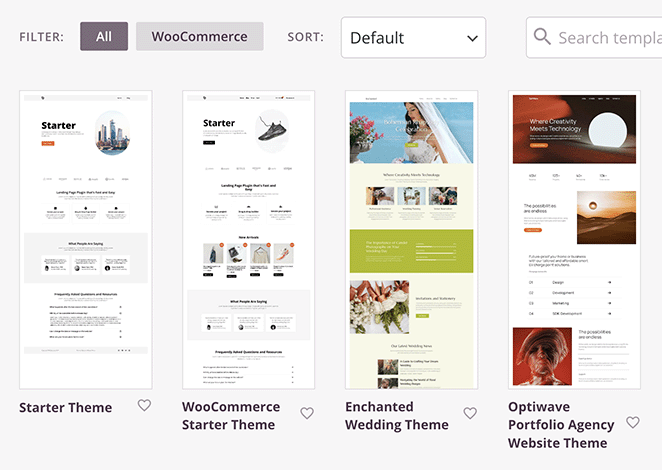
SeedProd is a drag-and-drop WordPress website builder that lets you design your entire theme visually, including your homepage, headers, footers, and page templates, without writing code.
It’s not a traditional theme you activate and customize through the WordPress customizer. You build your design from scratch or from one of its starter kits using a live visual editor.
What sets it apart from other theme builders is the performance. In my testing, SeedProd recorded the lowest peak memory usage of all 12 themes: 4.3 MB. That’s a meaningful result for a tool that gives you this much design control.
My Experience
I use SeedProd to build and manage the SeedProd website itself, so I know it well. The thing I keep coming back to is how much design freedom you get without any of the bloat you’d expect. Most full-featured builders sacrifice performance for flexibility. SeedProd manages both.
Setting up a new theme kit takes under a minute to get a working site. The live editor shows every change in real time, including adjusting layouts, swapping fonts, and repositioning sections.
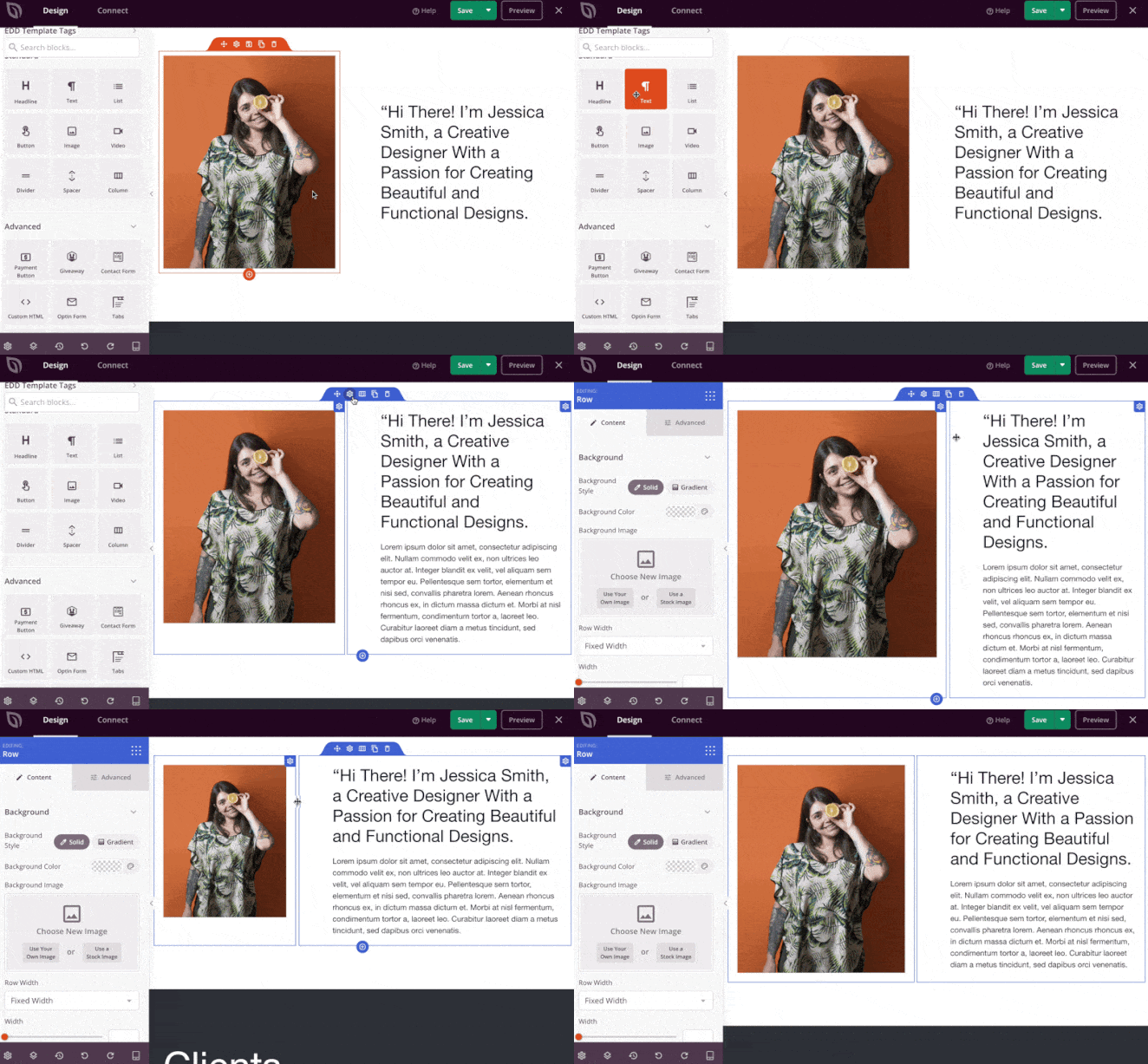
For clients who want something that looks custom but don’t have a developer budget, this is the gap it fills.
The honest trade-off is price. At $199/year, it’s the most expensive theme in this list. If you’re on a tight budget, GeneratePress or Astra will serve you well for less. But if you want a fully custom design and the performance data to back it up, SeedProd earns its position here.
| Pros | Cons |
|---|---|
| Lowest memory usage of all 12 themes tested (4.3 MB) | Premium only, no free version of the theme builder |
| Full visual control over every template and page | More setup time than activating a pre-built theme |
| 300+ starter kits for fast setup | Higher starting price than most themes in this list |
| WooCommerce and landing page support built in | |
| AI assistant for generating content and layouts |
Verdict: SeedProd is the best choice if you want to create custom WordPress theme without hiring a developer. The performance data backs up the flexibility claim in a way most theme builders can’t match.
2. GeneratePress: Best for Performance-First Sites
| Feature | Details |
|---|---|
| Pricing | Premium from $59/year; free version available |
| Free Version | Yes (limited features) |
| Standout Features | • Modular design (activate only what you need) • Full block editor support • WooCommerce compatible • Clean, minimal codebase • 40+ starter sites with Premium |
| Performance | 4.9 MB memory | 26 queries | 0.0457s generation time |
| Best For | Developers and site owners who prioritize performance above everything else |
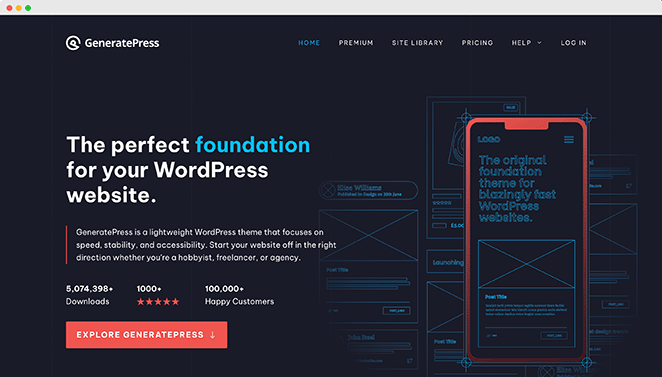
GeneratePress is a minimalist WordPress theme built around one priority: keeping things lean. Its modular design means you only load the components you actually use, which keeps the codebase clean regardless of what features you enable.
In my testing, GeneratePress recorded 4.9 MB memory, 26 queries, and a 0.0457s generation time. Those numbers were consistent across every metric, which is what you want from a performance theme. No weak spots.
My Experience
I’ve tested GeneratePress projects where page speed was a primary requirement, and it consistently delivers. The modular approach is what makes it different. Instead of starting with a feature-heavy theme and trying to trim it down, you start with almost nothing and add only what you actually need.
The free version is functional but limited. Most of the features that make GeneratePress genuinely useful, including the site library, custom layouts, and the sections addon, require the Premium version. For $59/year that’s reasonable, but worth knowing before you start.
| Pros | Cons |
|---|---|
| Among the three lightest themes tested (4.9 MB memory) | Free version is limited; Premium needed for most features |
| Consistent performance across all four metrics | Minimal design requires more setup effort to look polished |
| Modular: only loads what you activate | Smaller starter site library than Astra or Neve |
| Strong block editor and WooCommerce support | |
| Active developer with regular updates |
Verdict: GeneratePress is the best pick if performance is your primary decision-making criterion. The free version gives you a taste, but Premium is where it earns its reputation.
3. Astra: Best for Beginners with a Strong Free Version
| Feature | Details |
|---|---|
| Pricing | Free; Pro from $59/year |
| Free Version | Yes (one of the strongest free versions available) |
| Standout Features | • 200+ starter templates • Deep page builder integration (Elementor, Beaver Builder, Brizy) • WooCommerce support • Header and footer builder • Custom layouts addon |
| Performance | 8.3 MB memory | 23 queries | 0.0560s generation time |
| Best For | Beginners, agencies, and anyone who wants a lot of starter templates to choose from |
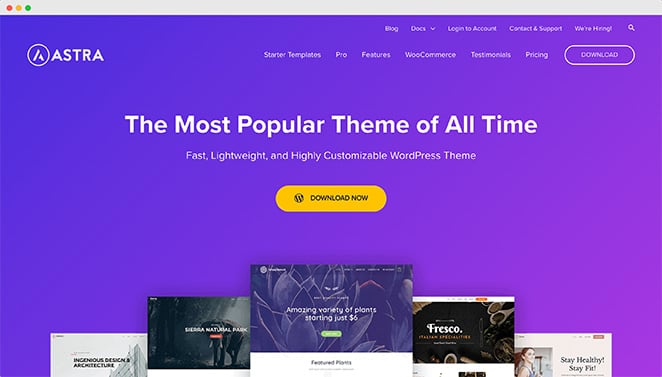
Astra is a multipurpose WordPress theme with one of the largest template libraries available. It works with every major page builder and has a free version that’s genuinely useful, not just a stripped-down teaser for the paid plan.
In my performance testing, Astra stood out on one metric in particular. It tied the WordPress default theme baseline at just 23 database queries, the joint lowest of all 12 themes I measured.
Memory was slightly higher at 8.3 MB, putting it above the lightest group, but that query efficiency tells you the theme is well-coded under the hood.
My Experience
I’ve used Astra on personal sites where the priority was getting something professional-looking up quickly. The starter template library is genuinely large, covering blogs, agencies, ecommerce, portfolios, and more. Importing a template takes under a minute.
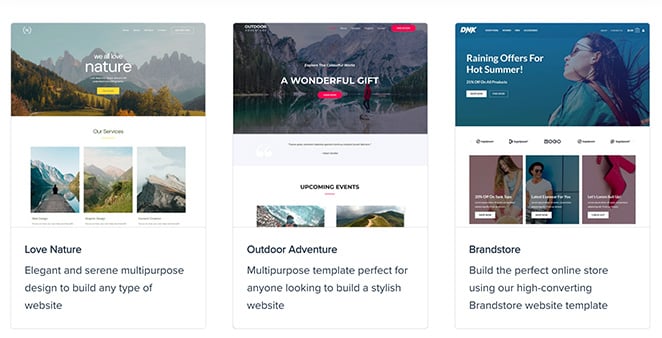
The one thing I’d flag for beginners is that the sheer number of options can feel overwhelming at first. There are settings inside settings, and it takes a bit of time to understand how the theme customizer, the page builder, and the Astra-specific controls interact. Once you get your bearings it’s fine, but expect a small learning curve.

| Pros | Cons |
|---|---|
| Joint lowest database query count of all 12 themes tested (23) | Memory (8.3 MB) is higher than the lightest themes in this list |
| 200+ starter templates for fast setup | Large number of settings can overwhelm new users |
| Strong free version with real functionality | Some features are Pro-only |
| Works with all major page builders | |
| WooCommerce compatible |
Verdict: Astra is the best starting point if you want a capable free theme with room to grow. The query efficiency is a genuine performance win, even if memory is slightly higher than the leanest options.
4. Botiga: Best WooCommerce Theme for Performance

| Feature | Details |
|---|---|
| Pricing | Free; Pro from $69/year |
| Free Version | Yes |
| Standout Features | • Built specifically for WooCommerce • Product filters and quick view • Multiple header layouts • Mobile-first design • Ajax cart and wishlist |
| Performance | 4.7 MB memory | 24 queries | 0.0483s generation time | 0.0035s query time (fastest of all 12) |
| Best For | WooCommerce store owners who don’t want to sacrifice performance for ecommerce features |
Botiga is a WooCommerce-focused WordPress theme from aThemes, and it’s the most impressive performer in the ecommerce category. Most WooCommerce themes carry extra overhead from store-specific functionality. Botiga manages to stay lean.
In my testing, Botiga recorded 4.7 MB peak memory, 24 database queries, and the fastest query time of all 12 themes at 0.0035 seconds. For a theme built specifically for online stores, those numbers are genuinely good.
My Experience
I tested Botiga specifically for a scenario I see often: a small online store that needs to look polished without slowing down on basic shared hosting.
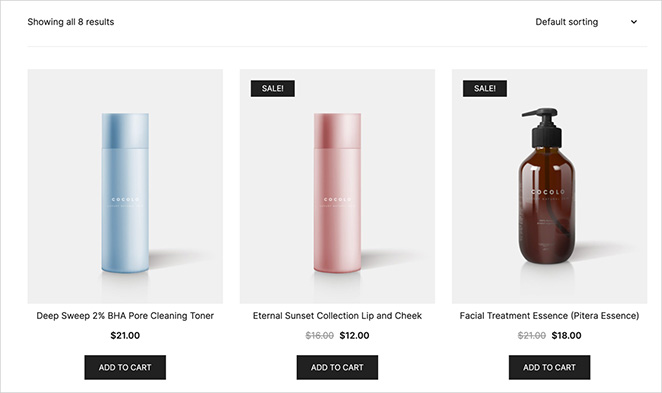
The product page layouts are clean and conversion-friendly out of the box, and the Ajax cart interaction works without page reloads.
The limitation worth noting is focus. Botiga is built for stores.
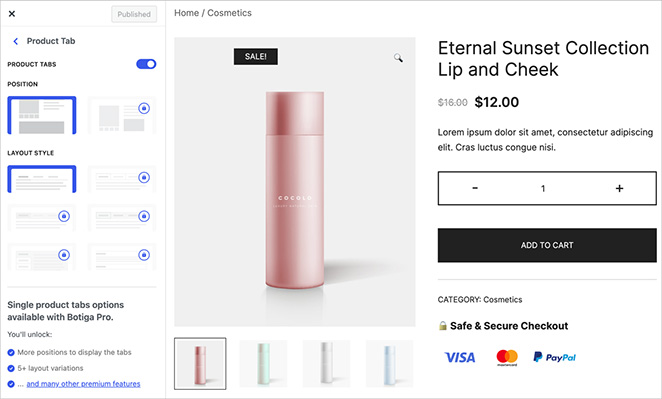
If you want a theme that handles a blog, portfolio, and shop equally well, it’s not the right fit. But for a store-first site where WooCommerce is the main event, the performance data here is hard to argue with.
| Pros | Cons |
|---|---|
| Fastest database query time of all 12 themes tested (0.0035s) | WooCommerce-focused; less versatile for non-store sites |
| Second lowest memory usage (4.7 MB) despite WooCommerce focus | Smaller template library than Astra or Neve |
| Built specifically for WooCommerce with native feature support | Advanced features require Pro |
| Clean product page layouts out of the box | |
| Free version is functional for store use |
Verdict: Botiga is the best WooCommerce theme if performance matters to you. The numbers back it up in a way most ecommerce themes can’t claim.
5. Hello Elementor: Best for Elementor Users
| Feature | Details |
|---|---|
| Pricing | Free (no premium version) |
| Free Version | Yes (free only) |
| Standout Features | • Minimal code overhead • Built for Elementor page builder • Zero design opinions • Fastest page generation time tested (0.0430s) • Completely free |
| Performance | 4.6 MB memory | 29 queries | 0.0430s generation time (fastest of all 12) |
| Best For | Elementor users who want a blank canvas with zero theme overhead |
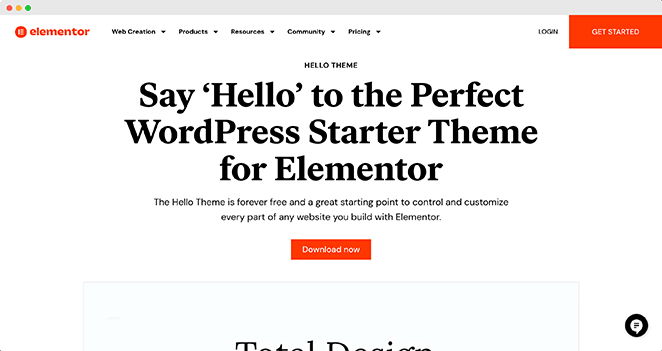
Hello Elementor is the official companion theme for the Elementor page builder. It’s important to understand what that means before you choose it: this is not a standalone theme. It’s a bare-bones shell designed to get out of Elementor’s way entirely.
In my testing, Hello Elementor recorded the fastest page generation time of all 12 themes: 0.0430 seconds. That’s because there’s almost nothing in the theme itself. The speed numbers are real, but they reflect the shell, not a complete design.
My Experience
I’ve used Hello Elementor on sites where Elementor was the entire design system. Without Elementor active, your site won’t have much visual structure — but that’s by design. The theme exists to give Elementor a clean slate with zero interference from theme-level styling.
If you’re an Elementor user who has been running a heavier multipurpose theme in the background, switching to Hello can noticeably reduce your theme’s overhead.
The performance gain is real. But if you’re not already committed to Elementor as your builder, this theme isn’t for you.
| Pros | Cons |
|---|---|
| Fastest page generation time of all 12 themes tested (0.0430s) | Requires Elementor to function as a real website |
| Completely free with no premium upsell | No standalone design out of the box |
| Zero theme overhead for Elementor users | Not suitable for users who don’t use Elementor |
| Maintained by the Elementor team | No template library of its own |
Verdict: Hello Elementor is the right theme if you’re already using Elementor and want to strip away every layer of theme overhead. If you’re not an Elementor user, look elsewhere.
6. Storefront: Best Free WooCommerce Theme
| Feature | Details |
|---|---|
| Pricing | Free; paid extensions available |
| Free Version | Yes (free only) |
| Standout Features | • Official WooCommerce theme • Always compatible with WooCommerce updates • Clean, minimal design • WooCommerce extensions available • Built-in product display areas |
| Performance | 4.9 MB memory | 26 queries | 0.0459s generation time |
| Best For | WooCommerce store owners who want guaranteed compatibility and a lean free theme |
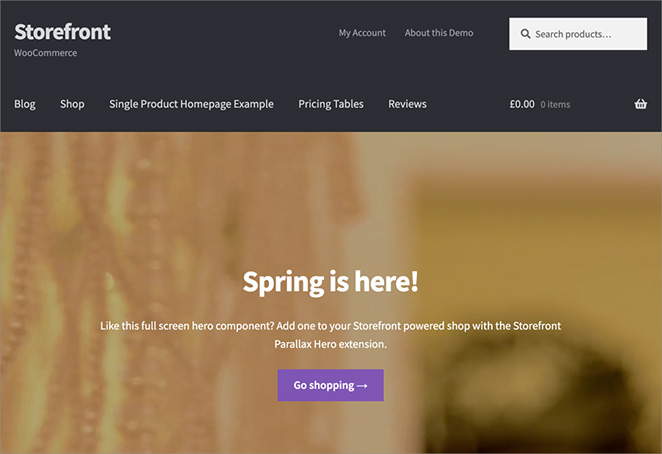
Storefront is WooCommerce’s own official theme, built and maintained by the same team. That means it’s always tested against the latest WooCommerce release before updates go out, and compatibility is never a concern.
In my testing, Storefront recorded 4.9 MB memory and 26 queries, matching GeneratePress on both metrics. For an ecommerce theme, that’s a strong result. The generation time of 0.0459s puts it in the top tier of this list.
My Experience
Storefront is what I’d recommend to someone starting their first WooCommerce store who wants to keep things simple and free.
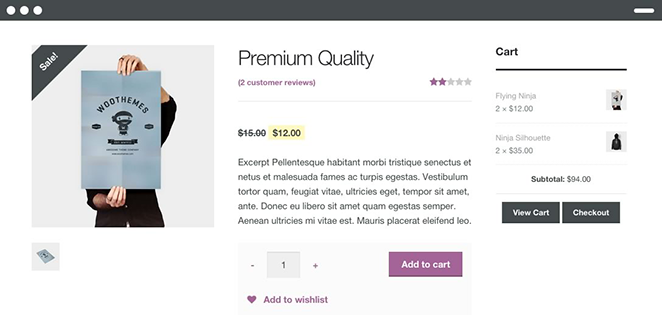
The design is basic by default, and you won’t confuse it for a premium theme. But it works, it’s fast, and you’ll never have a WooCommerce compatibility issue.
The main limitation is customization. Storefront’s built-in options are minimal.
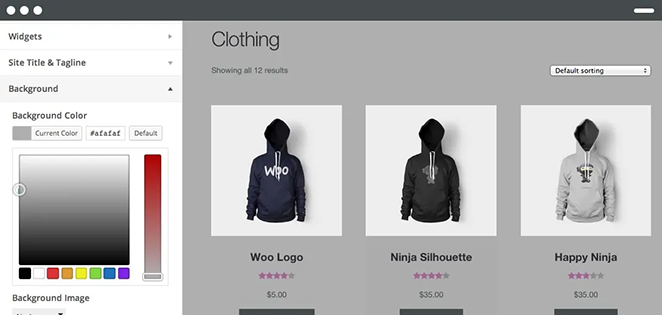
You can extend it with paid Storefront extensions, but at that point you’re building something that costs money anyway. If you want more design control without adding cost, Botiga’s free version gives you more to work with.
| Pros | Cons |
|---|---|
| Official WooCommerce theme with guaranteed compatibility | Minimal design out of the box |
| Lean performance: 4.9 MB memory, 26 queries | Limited customization without paid extensions |
| Completely free with no premium version needed for basic use | Not suitable for non-store sites |
| Always updated alongside WooCommerce releases |
Verdict: Storefront is the safest free WooCommerce theme available. If you want guaranteed compatibility and lean performance without spending anything, this is the pick.
7. Sydney: Best for Business Websites
| Feature | Details |
|---|---|
| Pricing | Free; Pro from $69/year |
| Free Version | Yes |
| Standout Features | • 30+ business-focused starter sites • Global style controls • Elementor compatible • Header builder • Custom fonts and colors |
| Performance | 5.9 MB memory | 37 queries | 0.0651s generation time |
| Best For | Service businesses, agencies, and freelancers who prioritize professional design |
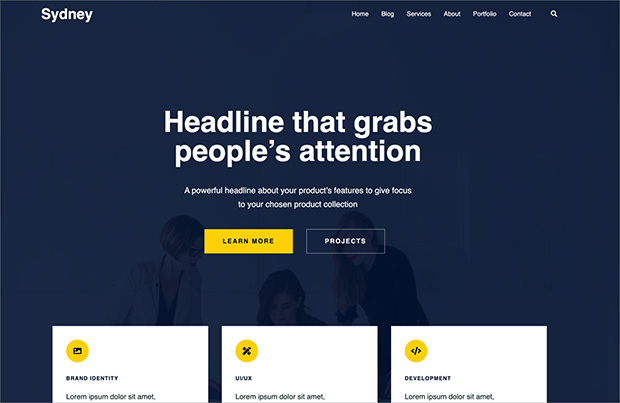
Sydney is a business-focused WordPress theme from aThemes with a polished look and a strong library of professional starter sites. It’s designed for the kinds of sites that need to make a good first impression: agencies, consultants, service providers.
In my testing, Sydney recorded 5.9 MB memory, 37 database queries, and a 0.0651s generation time. That puts it in the middle of the pack. The query count is higher than lighter alternatives, but still well within a reasonable range for a theme with this level of design complexity.
My Experience
I’ve used Sydney on business sites where the client wanted something that looked considered and professional without a large design budget.
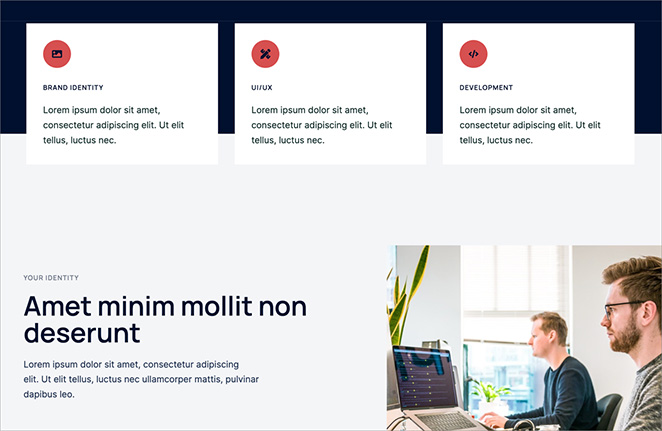
The starter sites hold up well, and the Elementor integration works cleanly. Setting up a business homepage from one of Sydney’s templates takes less than an hour.
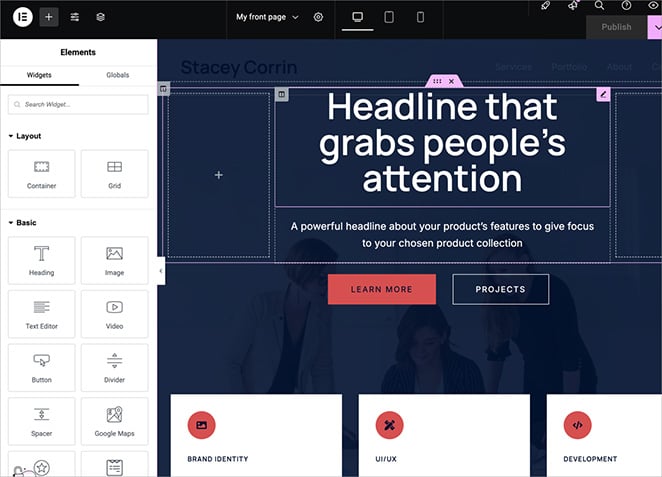
The honest trade-off is that Sydney leans on Elementor for its best layouts. The theme works without it, but the starter sites and layout controls are significantly more limited.
If you’re not an Elementor user, Astra gives you more flexibility without that dependency.
| Pros | Cons |
|---|---|
| Polished professional design out of the box | Higher query count (37) than lighter alternatives |
| 30+ business-focused starter sites | Best layouts require Elementor |
| Free version available | Slower generation time (0.0651s) than the top performers |
| Clean global style controls |
Verdict: Sydney is a solid choice for business sites where design quality matters and performance doesn’t need to be optimal. If raw speed is a priority, GeneratePress or Astra will serve you better.
8. Neve: Best for Beginners Who Want Lots of Starter Templates
| Feature | Details |
|---|---|
| Pricing | Free; Pro from $69/year |
| Free Version | Yes |
| Standout Features | • 100+ starter sites • Header and footer builder • Gutenberg and page builder compatible • AMP support • Custom layouts |
| Performance | 6.4 MB memory | 43 queries | 0.0574s generation time |
| Best For | Beginners who want a wide selection of starter templates across different niches |
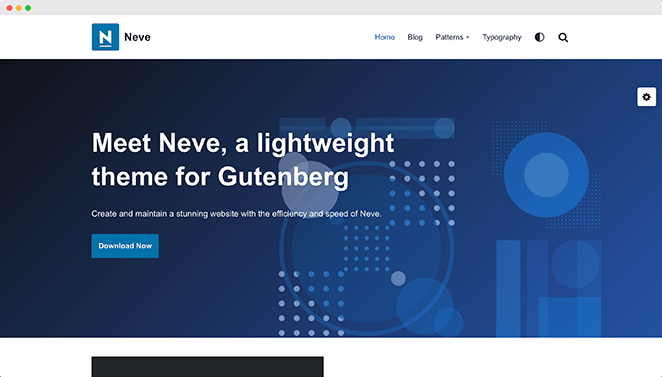
Neve is a multipurpose WordPress theme from ThemeIsle with over 100 starter sites covering a wide range of niches. It works with the block editor and all major page builders, which makes it flexible regardless of how you prefer to build.
In my testing, Neve recorded 6.4 MB memory and 43 database queries. That’s mid-range for this list. The query count is noticeably higher than the leaner options, but not in territory that will cause real-world problems on decent hosting.
My Experience
Neve is from ThemeIsle, the same developer as Hestia. I tested both, and the performance profiles are similar.
Where Neve stands out from Hestia is in flexibility: it works equally well for single-page sites, multi-page business sites, blogs, and stores. The starter site library is the main selling point. If you want to browse options and pick something close to what you have in mind, Neve gives you a lot to choose from.
| Pros | Cons |
|---|---|
| 100+ starter sites across many niches | 43 database queries, higher than lightweight alternatives |
| Works with block editor and all major page builders | Memory (6.4 MB) above the lightest options |
| Free version available | Advanced customization requires Pro |
| Flexible layout options |
Verdict: Neve is a good pick if you want a wide starter template library and don’t need the leanest possible performance. For raw speed, GeneratePress or Astra are better choices.
9. Hestia: Best for One-Page Websites
| Feature | Details |
|---|---|
| Pricing | Free; Pro from $69/year |
| Free Version | Yes |
| Standout Features | • One-page layout focus • Pre-made starter sites • Elementor compatible • Material Design inspired UI • WooCommerce support |
| Performance | 6.4 MB memory | 49 queries | 0.0517s generation time |
| Best For | Small businesses and personal sites that want a single-page layout |
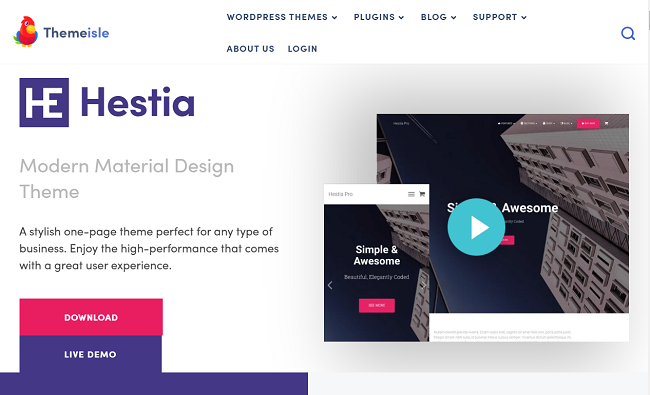
Hestia is a one-page focused WordPress theme from ThemeIsle designed for small businesses, freelancers, and personal sites that want everything on a single scrollable page. It has a clean Material Design aesthetic and pre-made starter sites to speed up setup.

In my testing, Hestia recorded 6.4 MB memory and 49 database queries. The memory matches its sibling theme Neve (same developer), but the query count is notably higher at 49. Among the ThemeIsle themes, Hestia carries more database overhead.
My Experience
I tested Hestia for a single-page scenario where a small service business wanted their site to look complete without managing multiple pages. The one-page layout works well for that use case.
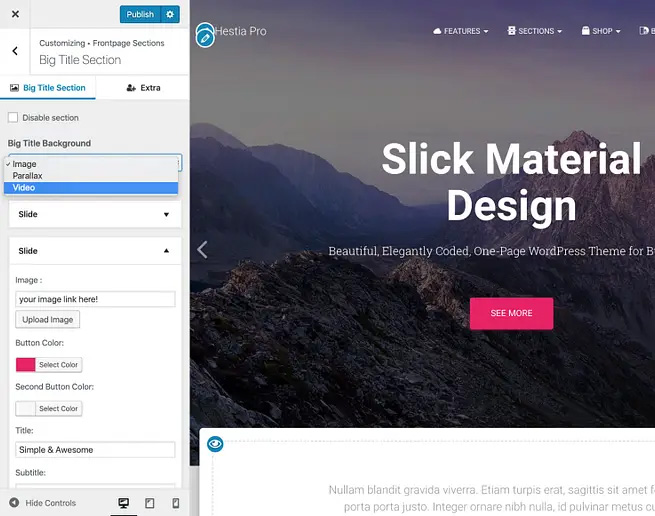
The Elementor integration gives you control over each section without it being complicated to set up.
The query count of 49 is worth noting if you’re on shared hosting without caching. It’s not a dealbreaker, but Neve’s 43 queries gives it a slight edge if you’re comparing the two ThemeIsle options side by side.
For a straightforward one-page site with decent hosting, the real-world difference will be minimal.
| Pros | Cons |
|---|---|
| Clean one-page layout design | Higher query count (49) than lighter multipurpose alternatives |
| Good for small businesses and personal sites | One-page focus limits flexibility for multi-page sites |
| Free version available | Less versatile than Neve for different site types |
| Elementor compatible |
Verdict: Hestia works well for one-page sites where simplicity is the goal. If you need a multi-page site or performance is important, Neve or Astra are better alternatives from the same price range.
10. Thrive Themes: Best for Marketers and Conversion-Focused Sites

| Feature | Details |
|---|---|
| Pricing | $179/year as part of Thrive Suite |
| Free Version | No |
| Standout Features | • Drag-and-drop theme builder • A/B testing capabilities • Conversion-focused templates • Lead generation tools built in • Part of the full Thrive Suite |
| Performance | 7.2 MB memory | 91 queries | 0.0633s generation time |
| Best For | Marketers, course creators, and business owners who want built-in conversion and A/B testing tools |
Thrive Theme Builder is part of the Thrive Suite, a toolkit built for marketers who want conversion-focused WordPress websites. It includes A/B testing, lead generation integrations, and templates designed around turning visitors into customers or subscribers.
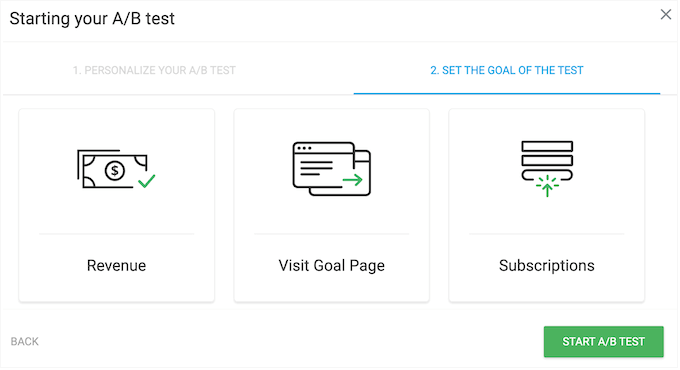
In my testing, Thrive Themes recorded 91 database queries on a clean homepage load — the highest in the group, and about four times more than the lightest options.
That’s a real number worth understanding, and it reflects what the suite is doing: running active conversion tools, lead capture logic, and A/B testing infrastructure on every page load. This is data you won’t see in most theme roundups.
My Experience
Thrive Themes is a product I’m familiar with through the WPBeginner ecosystem. The conversion tools are genuinely impressive — the A/B testing capability in particular is rare at this price point, and the lead generation integrations work well right out of the box.

If your site’s primary goal is turning visitors into subscribers or customers, Thrive Suite is designed exactly for that.
The query count reflects the feature depth. On shared hosting without a caching layer, you’ll want to add one before launch — but that’s good practice for any WordPress site with active marketing tools.
On managed WordPress hosting with full-page caching, the overhead becomes much less of a factor. The question worth asking is whether you need the full conversion toolkit, or whether a lighter theme with a dedicated opt-in plugin would cover your needs.
| Pros | Cons |
|---|---|
| Built-in A/B testing (rare at this price point) | Higher query count (91) than lighter themes — add caching before launch |
| Conversion-focused templates and tools | No free version |
| Part of the full Thrive Suite ecosystem | Requires Thrive Suite subscription ($179/year) |
| Strong lead generation integrations | More than you need if your only goal is a good-looking site |
Verdict: Thrive Themes is a strong choice if conversion tools and A/B testing are central to what you’re building. Add a caching plugin before launch and you’ll get the marketing power without the performance trade-off.
11. Divi: Best for Maximum Design Control
| Feature | Details |
|---|---|
| Pricing | $89/year; $249 lifetime |
| Free Version | No |
| Standout Features | • Visual front-end drag-and-drop builder • 200+ pre-built website layouts • Divi AI for content and design • Lifetime license option • Large community and ecosystem |
| Performance | 13.0 MB memory | 86 queries | 0.0916s generation time |
| Best For | Designers and developers who need granular design control and can manage the performance trade-off |
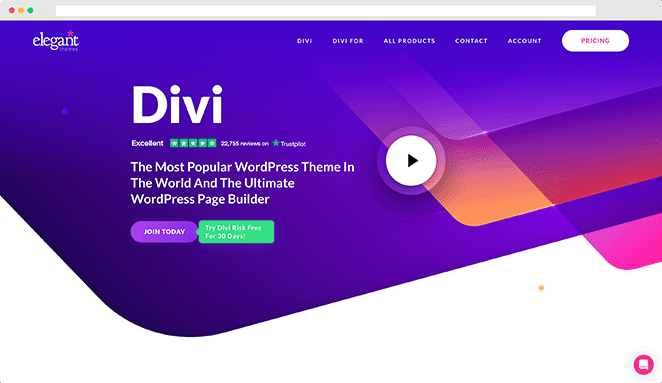
Divi is a visual WordPress theme and page builder from Elegant Themes. It gives you granular control over every element of your site design through a front-end drag-and-drop interface. With 200+ pre-built layouts and a large third-party ecosystem, it’s one of the most flexible options in WordPress.

Divi carries the highest resource footprint of any theme I tested. Peak memory came in at 13.0 MB — noticeably higher than the rest of the group — with 86 database queries and a 0.0916s generation time.
These numbers reflect the scope of what Divi is doing behind the scenes: it’s a full design framework, not just a theme. On well-configured hosting with caching active, that overhead doesn’t translate to a slow site for visitors.
My Experience
I’ve used Divi on client projects where design control was the primary requirement. The builder is genuinely powerful.
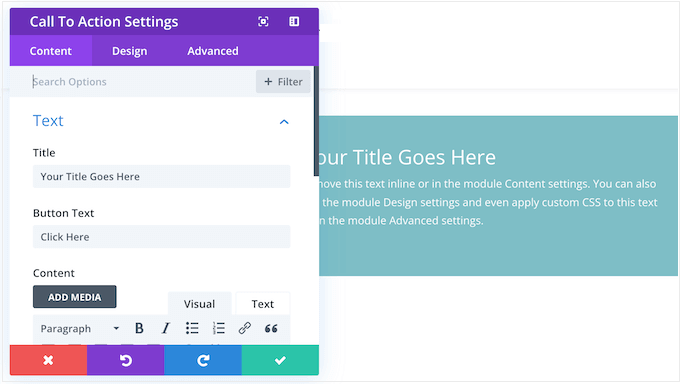
If a client wants to move a button 3 pixels to the left and change the hover color on mobile only, Divi lets you do that without custom CSS. That flexibility has real value in the right context.
The performance overhead is something to plan for rather than a dealbreaker. On a well-configured hosting environment with full-page caching, Divi sites load fast and the server-side numbers become much less relevant to the visitor experience.
Where you’ll feel it more is on shared hosting without caching, or in the admin while editing. If raw server efficiency is your top priority, lighter options in this list will serve you better — but Divi’s reputation is built on what it lets you build, not how light it is.
| Pros | Cons |
|---|---|
| Most granular design control of any theme tested | Highest resource footprint of themes tested (13.0 MB memory, 86 queries) |
| 200+ pre-built layouts | Slower generation time (0.0916s) — caching is important |
| Lifetime license option at $249 | Steeper learning curve than most themes |
| Divi AI for content and layout generation | No free version |
| Large community with third-party resources |
Verdict: Divi is a powerful choice for designers who need granular control over every element of their site. Get caching in place before launch and the performance numbers become much less of a factor. If you’re comparing it to lighter options purely on speed, the gap narrows significantly once both sites are properly configured.
12. KnowAll: Best WordPress Theme for Knowledge Bases

| Feature | Details |
|---|---|
| Pricing | $149.50/year (as part of Heroic KB package) |
| Free Version | No |
| Standout Features | • Built-in knowledge base search • Article ratings and feedback • Content restriction options • Integrates with Heroic KB plugin • Responsive design optimized for documentation |
| Performance | Not tested (premium theme; not available for testing) |
| Best For | Documentation sites, support portals, and SaaS knowledge bases |
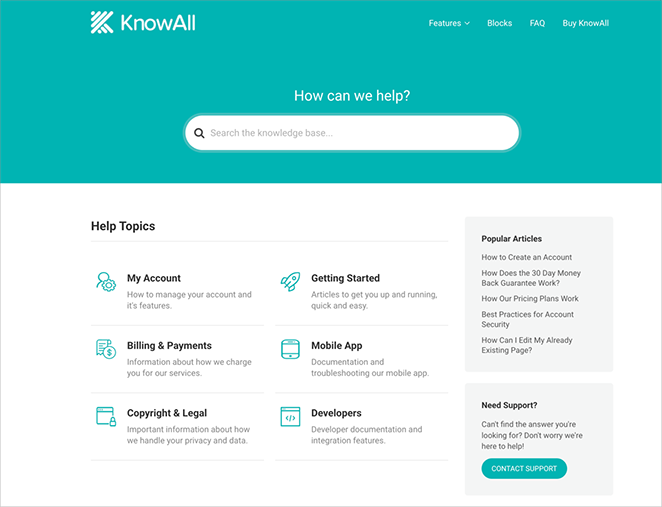
KnowAll is a WordPress theme built specifically for knowledge bases and documentation sites. It’s designed to work alongside the Heroic KB plugin and includes features you won’t find in general-purpose themes: built-in search, article ratings, and content organized for self-service support.
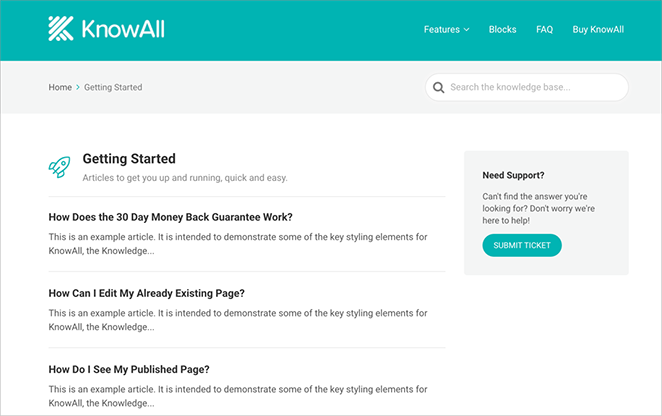
I should be upfront: KnowAll wasn’t included in my performance testing because it requires a purchase. The data I have for the other 11 themes reflects real measurements under identical conditions. For KnowAll, I can speak to its features and use case, but not its server-side performance numbers.
My Experience
I use the Heroic Knowledge Base plugin on the SeedProd site for documentation, so I’m familiar with how the HeroThemes ecosystem works. KnowAll is the theme built to pair with it.
For businesses that need a dedicated knowledge base rather than a general-purpose site with a knowledge base added on, the purpose-built design makes a difference. The search experience is better, the article structure is cleaner, and the user feedback tools are integrated rather than bolted on.
It’s an expensive choice relative to what else is on this list, and it’s niche.
If you’re building a general business site that happens to have a help section, you don’t need this. If you’re building a documentation hub or customer support portal as the primary purpose of your site, it’s worth the price.
| Pros | Cons |
|---|---|
| Purpose-built for knowledge bases and documentation | One of the most expensive themes in this list ($149.50/year) |
| Built-in search, ratings, and article feedback tools | Very niche use case |
| Integrates tightly with Heroic KB plugin | Performance data not available for this review |
| Clean, scannable layout optimized for self-service support | Not suitable for general-purpose sites |
Verdict: KnowAll earns its place here for its specialized use case. If a knowledge base is your primary purpose, no general-purpose theme will serve you as well. For everything else, look at the other options in this list.
How to Choose the Right WordPress Theme
The right theme depends on what you’re building, how you prefer to work, and whether you prioritize design flexibility or performance. Here’s a quick decision framework based on the data from my testing.
| If you need… | Choose… |
|---|---|
| A fully custom design without code | SeedProd |
| The absolute lightest theme for performance | GeneratePress or Botiga |
| The best free option with room to grow | Astra or GeneratePress |
| A WooCommerce store with great performance | Botiga |
| A free WooCommerce theme with guaranteed compatibility | Storefront |
| A professional business site design | Sydney or Astra |
| A blank canvas for Elementor | Hello Elementor |
| Lots of starter templates to choose from | Astra or Neve |
| A one-page website | Hestia |
| Built-in A/B testing and conversion tools | Thrive Themes |
| Maximum design control | Divi (with caching in place) |
| A knowledge base or documentation site | KnowAll |
On the free vs. premium question: Astra and GeneratePress both have solid free versions worth starting with. Storefront and Hello Elementor are fully free with no premium version. For the others, the free version is usually limited enough that you’ll hit a wall fairly quickly.
On performance vs. features: every theme in this list is fast enough for a real site. The difference between 0.0430s (Hello Elementor) and 0.0916s (Divi) won’t be visible to users on good hosting with caching active. Where it matters more is on shared hosting without caching, and at scale when every millisecond of server time adds up.
FAQs About the Best WordPress Themes
What is a WordPress theme?
What are Full Site Editing (FSE) themes?
Most themes in this list are classic themes, which use the traditional Customizer workflow. If you’re already using a page builder like Elementor or SeedProd, a classic theme will feel more familiar. FSE themes are a good fit for bloggers and content-focused sites who are comfortable working entirely in the block editor.
Which WordPress theme is the fastest?
In my testing, Hello Elementor recorded the fastest page generation time at 0.0430 seconds, followed by GeneratePress and SeedProd both at 0.0457 seconds. However, Hello Elementor is a shell theme that requires Elementor to function as a real website. For a full standalone theme, GeneratePress and SeedProd are the fastest options I measured.
What is the best free WordPress theme?
Can I change my WordPress theme without losing content?
Are free WordPress themes good enough for a business website?
What is the difference between a WordPress theme and a page builder?
Some themes include their own builder (Divi, SeedProd, and Thrive Themes all do this). Others are designed to work alongside third-party builders like Elementor. Hello Elementor is a good example of a theme that deliberately does as little as possible so Elementor can take full control.
Start with a Theme That Fits Your Goals
Every theme in this list performs well enough to run a real website. The data from my testing shows the differences are meaningful but not dramatic for most users on solid hosting with caching active.
Where it matters most is matching the theme to what you actually need. If you want to build something custom without code, SeedProd gives you the most design control with the lowest memory footprint of any theme I tested. If you want the leanest possible foundation, GeneratePress or Botiga are the clear performers.
If you’re ready to start building, get started with SeedProd and see how far you can get without touching code.
Related Guides
- Elementor vs. Divi vs. SeedProd — A head-to-head comparison if you’re deciding between these three builder-themes.
- Best Magazine WordPress Themes — The best options if you’re building a content-heavy publication or news site.
- How to Create a WordPress Website for Beginners — The full step-by-step guide to building your site once you’ve chosen a theme.
- Best No-Code Tools for WordPress — Complementary tools for building and managing your site without writing code.
Thanks for reading! We’d love to hear your thoughts, so please feel free to join the conversation on YouTube, X and Facebook for more helpful advice and content to grow your business.



