


TL;DR: The best Stripe payments plugin for WordPress depends on what you’re selling. Here’s how the main picks break down by use case:
- SeedProd: Best for adding a no-code Stripe payment button to a landing page.
- WPForms: Best for order forms and donation forms that take Stripe payments.
- WP Simple Pay: Best for one-time and recurring payments without a shopping cart.
- Easy Digital Downloads: Best for selling and delivering digital files.
- WooCommerce, MemberPress, LearnDash: Best for full stores, membership sites, and online courses.
You want to take card payments on your WordPress site. The plugin you pick decides whether that’s a 10-minute job or a developer ticket.
That’s the real problem with choosing a Stripe payments plugin for WordPress. Most lists hand you a dozen options with no sense of which one fits a landing page versus a full online store.
In this guide, I’ll walk you through the 7 Stripe payment plugins I trust, grouped by what you’re actually trying to sell. Find your use case and jump straight to the pick.
Stripe Payment Plugins for WordPress Compared
Here’s how the seven plugins compare on price, free options, and best use case before we get into the details.
| Plugin | Best For | Free Version | Starting Price | Rating |
|---|---|---|---|---|
| SeedProd | No-code Stripe button on a landing page | Yes (button needs Basic+) | $39.50/year | 4.9/5 |
| WPForms | Order and donation forms | Yes (payments need Pro) | $49.50/year | 4.8/5 |
| WP Simple Pay | Payments without a cart | Yes (Lite, one-time only) | $99/year | 4.7/5 |
| Easy Digital Downloads | Selling digital downloads | Yes (Stripe in core) | $199/year | 4.6/5 |
| WooCommerce | Full online stores | Yes (core plugin) | Free | 4.4/5 |
| MemberPress | Membership sites | No | $179.50/year | 4.5/5 |
| LearnDash | Online courses | No | $199/year | 4.3/5 |
How I Picked These Stripe Plugins
In my 15+ years working with WordPress, I’ve set up Stripe on landing pages, order forms, and full stores. I picked these seven against the things that actually decide whether a plugin works for you:
- Setup time: how fast you can connect Stripe and take your first payment without code.
- One-time vs recurring: whether it handles single payments, subscriptions, or both.
- Best-fit use case: the kind of site each plugin is genuinely built for.
- Free vs paid: whether there’s a working free path to Stripe payments or not.
- Fit with the rest of your stack: how well it plays with the pages, forms, or store you already run.
Why Use Stripe Payments on Your WordPress Site?
Stripe lets you start taking card payments without the long wait for a traditional merchant account. Anyone with a legitimate business can create a Stripe account and accept payments the same day.
Here are the benefits that matter most when you add Stripe to a WordPress site:
- No account creation for buyers: Your customers don’t need a Stripe account to pay you.
- Ease of use: Setting up a Stripe payment gateway takes minutes.
- On-site checkout: Customers stay on your site to enter payment details and check out.
- Trusted platform: Stripe powers payments for companies like Unicef, Target, and Lyft.
- Clear pricing: Unlike PayPal, Stripe has no hidden fees, so you can budget around a known per-transaction rate.
Before you take your first payment, make sure your site has a valid SSL certificate. If it doesn’t, here’s how to add SSL to your WordPress site.
Best Stripe Payment Plugins for WordPress
I’ve grouped these by the job you’re trying to do, so you can match the plugin to your site instead of working through a generic ranking. Here’s the full breakdown.
- 1. SeedProd: Best for No-Code Stripe Buttons on Landing Pages
- 2. WPForms: Best for Order and Donation Forms
- 3. WP Simple Pay: Best for Payments Without a Cart
- 4. Easy Digital Downloads: Best for Selling Digital Files
- 5. WooCommerce: Best for Full Online Stores
- 6. MemberPress: Best for Membership Sites
- 7. LearnDash: Best for Online Courses
1. SeedProd: Best for No-Code Stripe Buttons on Landing Pages

| Pricing | From $39.50/year |
| Free Plan | Yes (Payment Button needs Basic or higher) |
| Standout Features | Drag-and-drop builder, Stripe Payment Button block, thank-you redirect, 300+ templates |
| Rating | 4.9/5 on WordPress.org |
| Best For | Taking a one-time Stripe payment on a landing page without code |
SeedProd is the best drag-and-drop website builder for WordPress. It lets you build flexible page layouts without touching a line of code.
It might not look like a Stripe payments plugin at first. But its drag-and-drop builder and Payment Button block let you take Stripe payments without building a full eCommerce site.
The Stripe Payment Button is an Advanced block you add to a SeedProd landing page or template. You connect your Stripe account, set the amount, and the page takes one-time payments without a shopping cart.

The block settings also include a redirect option after a purchase. So you can send buyers to a thank you page to confirm their order.
I actually redesigned my own website with SeedProd. Dropping a payment button onto a page took minutes, and I didn’t touch any code to do it.
Pros:
- Add a working Stripe payment button to a page in minutes, no code
- Built-in thank-you page redirect after a purchase
- Doubles as a full website and landing page builder, not just a payment tool
Cons:
- One-time payments only; no native recurring billing or product catalog
- The Payment Button block requires a Basic plan or higher
SeedProd handles one-time Stripe payments on a page well, but it isn’t built for recurring billing or a full product catalog. For a store or a subscription site, you’ll want WooCommerce, WP Simple Pay, or MemberPress instead.
My Verdict: Reach for SeedProd when you want to sell one thing from a clean landing page, like a single product, a workshop seat, or a donation, and you don’t want a store wrapped around it.
2. WPForms: Best for Order and Donation Forms
| Pricing | From $49.50/year |
| Free Plan | Yes (Stripe payments need Pro) |
| Standout Features | Drag-and-drop form builder, Stripe and PayPal payments, recurring payments, conditional logic |
| Rating | 4.8/5 from 13,000+ reviews |
| Best For | Order forms and donation forms that take card payments |
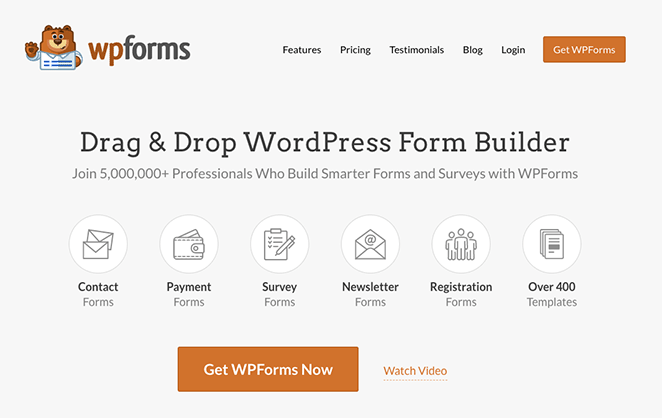
WPForms is the best drag-and-drop form builder for WordPress. This beginner-friendly plugin is active on over 6 million websites and holds a 4.8-star rating from 13,000+ reviews.
It’s worth mentioning that WPForms is part of the Awesome Motive family of products, same as SeedProd. I wanted to be upfront about that.
With WPForms Pro, you accept payments through Stripe and other processors, including Square, Authorize.Net, and PayPal. So it’s a good fit for a simple order form or donation form without a full eCommerce setup.
You can embed forms anywhere, including pages, posts, sidebars, and widget areas. WPForms also supports recurring Stripe payments, so you can collect monthly donations or subscription fees through a form.
Pros:
- Beginner-friendly builder for payment forms, no developer needed
- Supports both one-time and recurring Stripe payments
- Conditional logic lets you show fields only when relevant
Cons:
- Stripe payments require a paid Pro plan; the free version doesn’t include them
- Built around forms, so it’s not the tool for a full product catalog
My Verdict: WPForms is the pick if your payment lives inside a form, whether that’s a product order, an event signup, or a recurring donation. It’s the most flexible choice on this list for form-based selling.
3. WP Simple Pay: Best for Payments Without a Cart
| Pricing | From $99/year (free Lite available) |
| Free Plan | Yes (Lite, one-time payments only) |
| Standout Features | No-cart payment forms, recurring billing on Plus, multiple payment methods, coupon codes |
| Rating | 4.7/5 |
| Best For | Taking payments with Stripe without an eCommerce store |
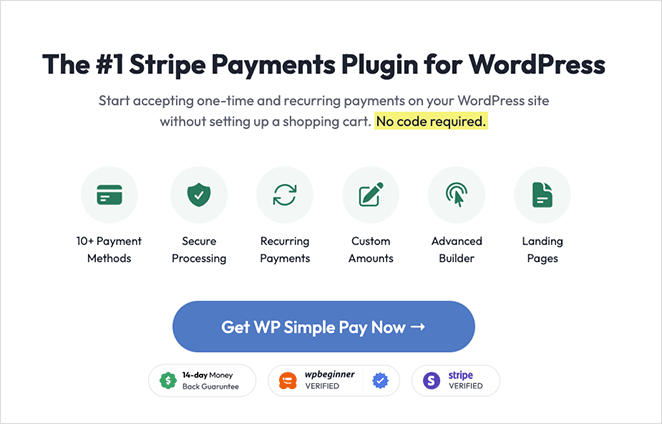
WP Simple Pay lets you accept Stripe payments without adding a separate shopping cart plugin. You build unlimited payment forms that include a Stripe payment button.
When you build a payment form, you add the fields you need with a few clicks. It even works with pricing table plugins to set up pricing pages.
WP Simple Pay’s Plus plan unlocks recurring payments, which is a clean way to run subscriptions without a full store. The free Lite version handles one-time payments only.
Pros:
- No shopping cart needed to start taking payments
- Supports cards, US bank accounts, and SEPA Direct Debit
- Recurring billing and free trials on the Plus plan
Cons:
- Recurring payments require the Plus plan; the free Lite version is one-time only
- Connects with Stripe only, so it’s not a fit if you need other processors
My Verdict: Choose WP Simple Pay when you want subscriptions or one-off payments but a full store would be overkill. It does one job, taking Stripe payments without a cart, and does it cleanly.
4. Easy Digital Downloads: Best for Selling Digital Files

| Pricing | From $199/year (core plugin free) |
| Free Plan | Yes (Stripe gateway included in core) |
| Standout Features | Digital file delivery, Stripe subscriptions, saved cards, built-in reporting |
| Rating | 4.6/5 |
| Best For | Selling and delivering digital downloads |
Easy Digital Downloads is one of the best eCommerce plugins for WordPress built for selling digital products. It ships with Stripe, Amazon, and PayPal gateways, so you can take payments quickly.
This plugin is best for sites that sell digital products exclusively. In a few clicks, you configure Stripe and set it as your default gateway from the settings page.
What sets it apart is delivery: it handles the file download, license keys, and customer records, not just the payment. Stripe is included in the core plugin, so there’s a working free path to taking payments.
Pros:
- Purpose-built for selling and delivering digital files
- Stripe gateway included in the free core plugin
- Supports Stripe subscriptions and saved cards for repeat buyers
Cons:
- Overkill if you only sell one or two physical products
- Some advanced features sit behind higher-priced plans
My Verdict: If you sell eBooks, software, templates, or any download, Easy Digital Downloads is built for exactly that. It’s the wrong tool only if your products are physical.
5. WooCommerce: Best for Full Online Stores

| Pricing | Free core plugin (paid extensions optional) |
| Free Plan | Yes (core plugin and Stripe gateway are free) |
| Standout Features | Full store, Stripe and PayPal defaults, dashboard refunds, Strong Customer Authentication |
| Rating | 4.4/5 |
| Best For | Running a full WordPress online store |
WooCommerce is the most popular eCommerce platform globally. It turns WordPress into a full store that sells physical and digital products, subscriptions, and memberships.
When you set up WooCommerce, it asks you to choose a payment provider. Stripe and PayPal are the two defaults, and connecting Stripe takes only a few minutes.
WooCommerce processes Stripe refunds directly from your dashboard, so you don’t have to log into Stripe to issue one. Many store owners also add a free dedicated Stripe gateway for Apple Pay, Google Pay, and buy-now-pay-later support, which the default integration doesn’t always cover.
Pros:
- Free core plugin with a free Stripe gateway
- Handles physical, digital, and subscription products in one store
- Process Stripe refunds straight from your WordPress dashboard
Cons:
- More setup than a single payment button if you only sell one thing
- Advanced features (subscriptions, BNPL) often need extra plugins
My Verdict: When you have a real catalog with inventory, shipping, and a cart, WooCommerce is the answer. For a single product or a payment button, it’s far more than you need.
6. MemberPress: Best for Membership Sites

| Pricing | From $179.50/year |
| Free Plan | No |
| Standout Features | Stripe and PayPal on all plans, recurring billing, content dripping, paywalls |
| Rating | 4.5/5 |
| Best For | Selling memberships and taking recurring payments via Stripe |
MemberPress is the best membership plugin for WordPress. It’s a strong fit if you want to sell courses or set up recurring memberships.
MemberPress is a paid plugin with no free tier, and Stripe payments are included on every paid plan. That means you can accept card payments and run subscriptions whichever plan you start on.
You can use it to sell online courses, add paywalls, and lock downloads to specific members. It also handles recurring billing and subscription management.
Pros:
- Stripe and PayPal payments on every paid plan
- Built-in recurring billing and subscription management
- Content dripping releases lessons or content over time
Cons:
- No free version, so you pay from day one
- More plugin than you need if you aren’t gating content
My Verdict: For a membership site or a paid content library that bills members on a schedule, MemberPress is the natural pick. Skip it if you’re not locking content behind a login.
7. LearnDash: Best for Online Courses

| Pricing | From $199/year |
| Free Plan | No |
| Standout Features | Course builder, quizzes and assignments, auto-enrollment after payment, lesson prerequisites |
| Rating | 4.3/5 |
| Best For | Selling and running online courses |
LearnDash is the best LMS plugin for WordPress. It lets you build online courses and sell them to your audience.
LearnDash includes Stripe payments on its paid plans, which start at $199 per year. Once Stripe is connected, you can charge for courses and enroll students automatically after a successful payment.
Where LearnDash earns its place is the course engine itself: quizzes, assignments, multi-tier courses, grading, and lesson prerequisites that gate progress until a student finishes the step before.
Pros:
- Full course engine with quizzes, grading, and prerequisites
- Auto-enrolls students after a successful Stripe payment
- Renewal reminders and refund protection built in
Cons:
- No free version; you pay from the start
- Built for courses, so it’s heavy if you only need a payment button
My Verdict: LearnDash makes sense when the product is the course, not just the payment. If you teach, grade, and track students, it’s the strongest pick here.
Skip the comparison
Take your first Stripe payment on a landing page today
If a no-code button is all you need, SeedProd’s drag-and-drop builder connects Stripe and goes live in minutes. No store, no developer.
I want to add a payment buttonWhich Plugins Handle Recurring Stripe Payments?
Recurring billing is the line that splits these picks. If you need subscriptions, only some of them handle it natively.
- Recurring payments: WP Simple Pay (Plus plan), Easy Digital Downloads, MemberPress, WPForms Pro, and WooCommerce (with a subscriptions extension).
- One-time only: the SeedProd Payment Button, which is built for single payments on a landing page.
Which Stripe Plugin Should You Use?
If you’re still deciding, match your situation to the right pick:
- Selling one thing from a page? Use SeedProd’s Payment Button.
- Taking payments inside a form? Use WPForms.
- Want subscriptions without a store? Use WP Simple Pay.
- Selling digital downloads? Use Easy Digital Downloads.
- Running a full store? Use WooCommerce.
- Building a membership or course site? Use MemberPress or LearnDash.
Frequently Asked Questions
Does Stripe charge a monthly fee, or do you only pay per transaction?
Stripe has no monthly fee on its standard pricing. You pay a per-transaction rate on each payment you take, so there’s no cost when you aren’t making sales.
The WordPress plugin you use to connect Stripe may have its own annual license cost, but that’s separate from Stripe’s processing fees.
Can you pass Stripe processing fees on to your customers in WordPress?
Some plugins let you add a fee recovery or surcharge field that adds the processing cost to the customer’s total. WP Simple Pay and WooCommerce extensions both support this.
Check your local rules first, since passing card surcharges to customers isn’t allowed everywhere.
Which Stripe plugin is best for recurring payments or subscriptions?
For subscriptions without a store, WP Simple Pay on the Plus plan is the cleanest option. For membership sites, MemberPress handles recurring billing and member management together.
WPForms Pro, Easy Digital Downloads, and WooCommerce also support recurring Stripe payments if you’re already using them for forms, downloads, or a store.
Are there any free WordPress plugins that accept Stripe payments?
Yes. WP Simple Pay Lite accepts one-time Stripe payments for free, and the WooCommerce core plugin plus its free Stripe gateway lets you take payments at no license cost.
Easy Digital Downloads also includes Stripe in its free core. WPForms and SeedProd’s Payment Button both require a paid plan to take Stripe payments.
Do you need WooCommerce to accept Stripe payments in WordPress?
No. WooCommerce is only one way to take Stripe payments, and it’s built for full stores. For a single product or button, SeedProd or WP Simple Pay is simpler.
You only need WooCommerce when you’re running a catalog with a cart, inventory, and shipping. Otherwise a lighter plugin will do the job faster.
Which Stripe Payments Plugin is the Best?
The best Stripe payments plugin comes down to what you’re selling. Here’s the quick recap by use case:
- SeedProd: Best for accepting Stripe payments on your landing page without code.
- WPForms: Best for creating order and donation forms in WordPress.
- WP Simple Pay: Best for accepting payments with Stripe without an eCommerce store.
- Easy Digital Downloads: Best for taking Stripe payments for digital downloads.
- WooCommerce: Best for accepting Stripe payments on a full eCommerce website.
- MemberPress: Best for selling memberships and taking payments via Stripe.
- LearnDash: Best for taking Stripe payments for your online course.
Since SeedProd works alongside every plugin on this list, you might find these guides helpful too:
- How to Make Custom WooCommerce Thank You Pages
- How to Create a Membership Landing Page for WordPress
- How to Build an Online Course Landing Page in WordPress
Thanks for reading! We’d love to hear your thoughts, so please feel free to join the conversation on YouTube, X and Facebook for more helpful advice and content to grow your business.