
Latest SeedProd News

WordPress Tutorials, Tips, and Resources to Help Grow Your Business

AI Website Builders for WordPress

7 Best AI Website Builders for WordPress Reviewed in 2026 

Written By: author avatar Stacey Corrin
author avatar Stacey Corrin
Stacey has been writing about WordPress and digital marketing for over 10 years and on other topics for much longer. Alongside this, she's fascinated with web design, user experience, and SEO.
     Reviewed By: reviewer avatar Turner John
reviewer avatar Turner John
John Turner is the co-founder of SeedProd. He has over 20+ years of business and development experience and his plugins have been downloaded over 25 million times.

An AI WordPress website builder helps you get a WordPress site online faster by generating pages and layouts for you. Instead of starting from a blank theme, you answer a few questions and work from a usable starting point.

These tools are useful if you want WordPress flexibility without spending days setting everything up. The idea is to skip the slow setup and focus on refining the site once the basics are in place.

In this guide, I compare the best AI website builders for WordPress based on real use. I look at how helpful the AI output actually is, how much control you keep afterward, and whether each tool saves time or creates more work.

My Ranking of the Best AI Website Builders for WordPress

The table below gives a quick comparison of the top AI website builders for WordPress, including their pricing, key strengths, and ideal use cases.

#Tool / ProductBest ForStarting Price
🥇SeedProd AIFast full site buildingFrom $39.50/year
🥈Bluehost AI Site CreatorHosting plus easy setupFrom $1.99/month
🥉Divi AIPro design and imagesFrom $227/year
4ZipWPFree AI site exportFrom $79
5Elementor AIAI for Elementor usersFrom $59/year
610WebWordPress with managed hostingCheck pricing
7Kubio AIBlock layouts with AICheck pricing

How I Tested These AI WordPress Website Builders

I tested these AI website builders by installing them on real WordPress sites and letting each one generate a site from scratch. I did not tweak the prompts or try to “help” the AI get better results.

With every tool, I looked at the same things. How fast it produced a site. Whether the pages made sense. And how much work was left once the AI finished.

Some builders gave me a decent starting point but were awkward to edit afterward. Others made quick work of the setup and stayed easy to use once I started making changes. That difference matters a lot if you plan to keep working on the site yourself.

I compared everything using the same setup so the results were fair. What you see below is based on how these tools actually behave inside WordPress, not what their feature pages promise.

Why Trust My Review?

I’ve been writing about WordPress and building websites for over 10 years. I spend a lot of that time testing page builders and site tools, so I can tell you what’s genuinely easy to use and what looks good on a feature list but falls apart in real life.

For this guide, I didn’t rely on sales pages. I tested each tool by generating a site and then editing the results to see how much work was left after the AI step.

1. SeedProd AI

Drag-and-drop builder interface in SeedProd’s AI WordPress website builder
Rating: 5/5 Stars
Pricing: Starts at $39.50/year (AI features included in Pro)
Standout Features:
🔹 AI website generator
🔹 AI writing assistant with 30+ styles
🔹 Translate content into 50+ languages
🔹 AI image generation and editing
🔹 Exportable AI-generated themes
Best For: Fast, all-in-one AI site building in WordPress.

SeedProd really is one of the best AI website builders for WordPress, especially because it’s so easy to use with drag-and-drop. You can use it to create high-converting landing pages, full online stores, and even create a custom WordPress theme from scratch with custom headers, footers, homepages, and more.

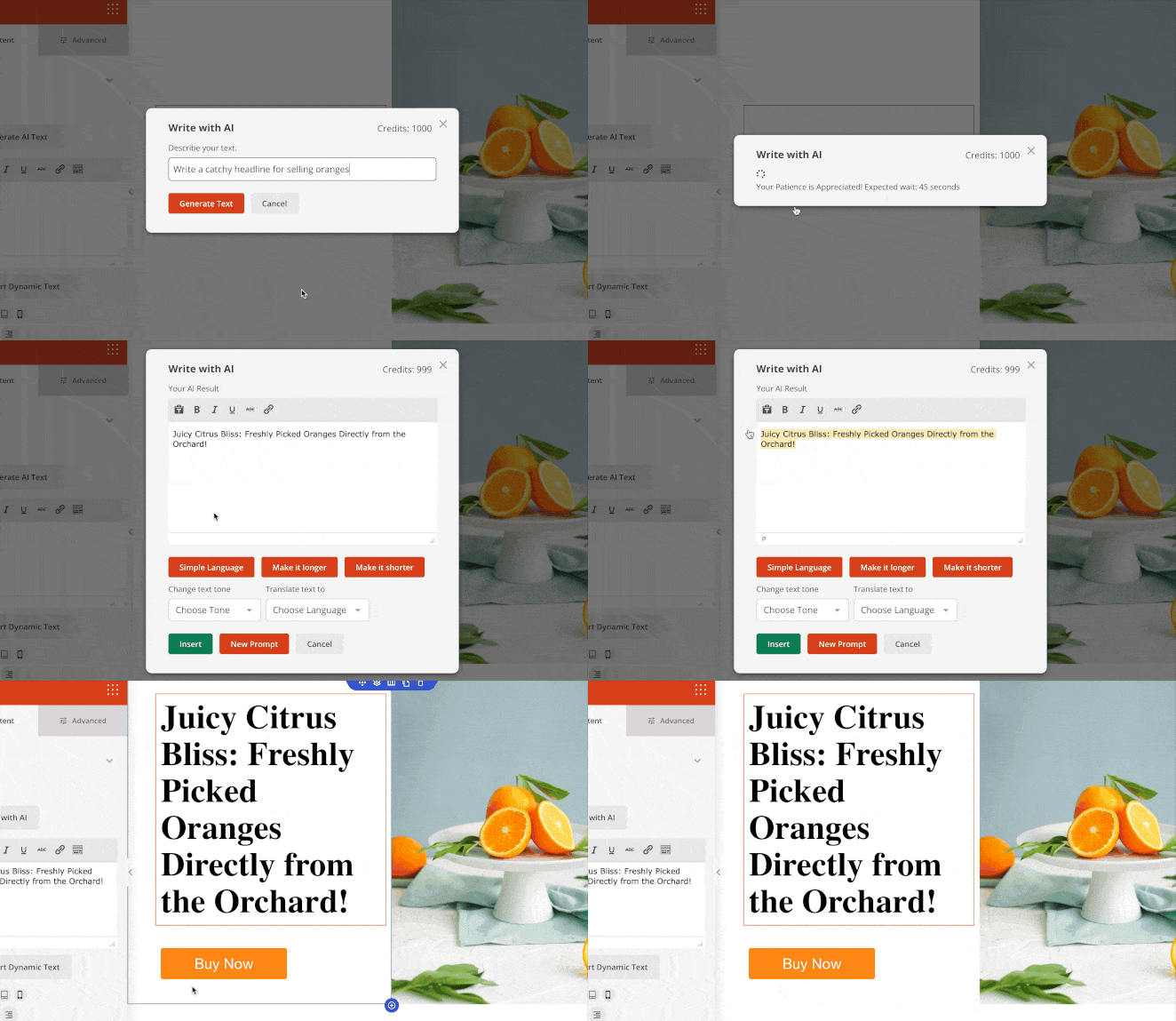
What I really like is the AI writing assistant. It helps you create all kinds of content, like catchy headlines, introductions, FAQs, and even product descriptions. 

Using SeedProd’s AI writing assistant to generate website copy

You can easily change how long or complex your text is, make your language simpler, and even pick from 30 different writing styles to match your brand.

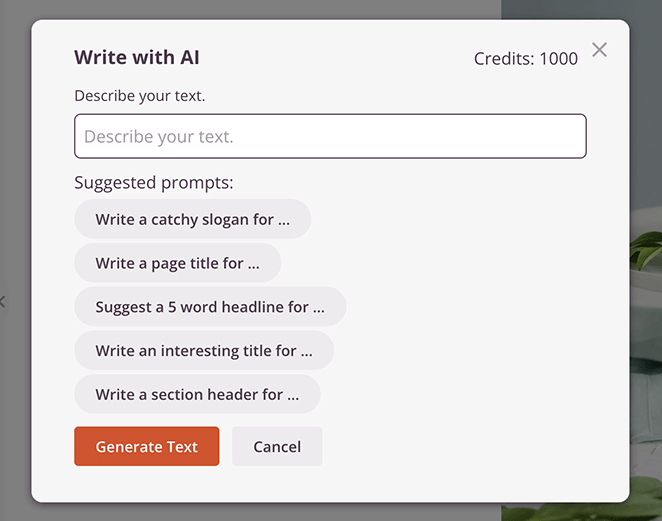
SeedProd AI prompt selection menu for customizing website text

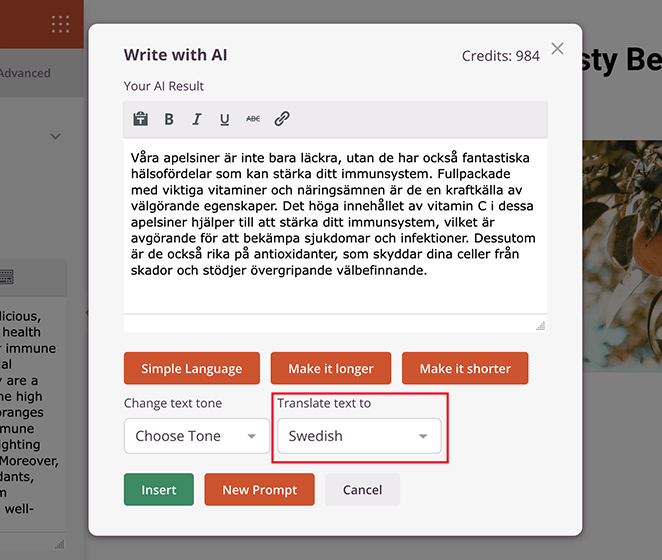
The content creator can also translate text into 50 languages, which is great for reaching people everywhere. You also get prompt suggestions, so you don’t have to worry about writer’s block.

Translating WordPress content using SeedProd AI tools

For more in-depth instructions, see this guide on how to use AI to write content.

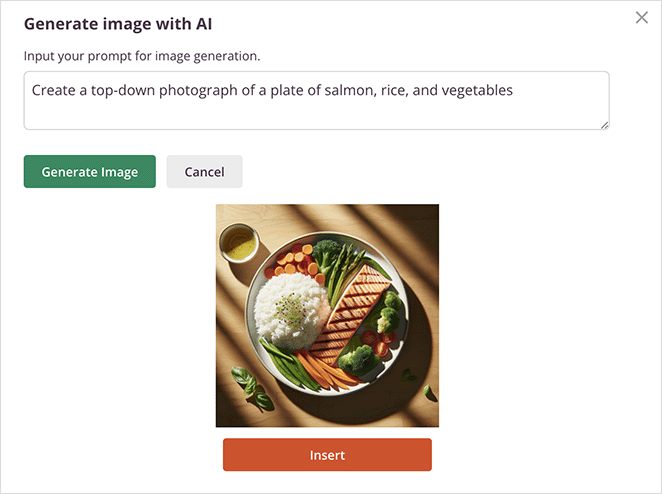
SeedProd also has AI image generation built right into its Image block. With just a click and a description, it uses AI to create images for your website.

AI-generated website image using SeedProd’s built-in image creator

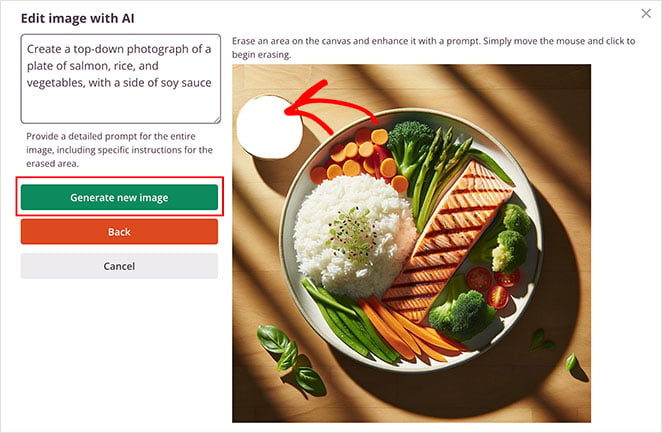
You can even edit these AI images, change parts of them, and make different versions of the same image.

Editing a website image inside SeedProd’s AI image editor

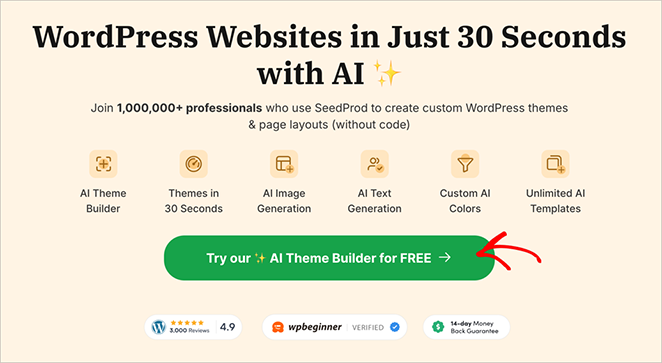
Recently, SeedProd added a new AI feature that’s super cool: it can help you build your WordPress website with AI in less than a minute! 

AI website generation tool inside SeedProd’s Theme Builder

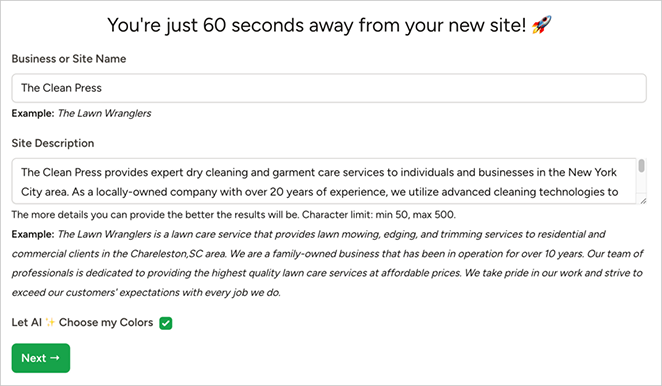
You just go to the SeedProd AI website, type in what you want, and it will create a website with a homepage, content, and styling based on your description.

Typing a prompt to generate a full WordPress site with SeedProd AI

In seconds, you’ll have a WordPress website complete with everything you need to launch a professional website.

Example of full AI-generated WordPress site created in 22 seconds

Here’s a quick look at one I made for this guide using SeedProd’s ai-powered website builder:

SeedProd AI preview of a generated WordPress website layout

You can even export this theme and put it on your own WordPress site easily.

Pros
  • Easy to use drag-and-drop builder
  • No coding needed
  • Fast AI website creation
  • Mobile-friendly websites
  • AI content and image generation
Cons
  • WordPress AI Website Builder is separate from the plugin

Why I recommend SeedProd: SeedProd stands out for its unmatched speed, simplicity, and powerful AI features. It combines an intuitive drag-and-drop builder with advanced AI tools for content writing, image creation, and full website generation. Whether you’re a beginner or an experienced designer, it delivers professional WordPress sites quickly without sacrificing creative control.

Learn more about what is SeedProd AI in this complete overview.

2. Bluehost AI Site Creator

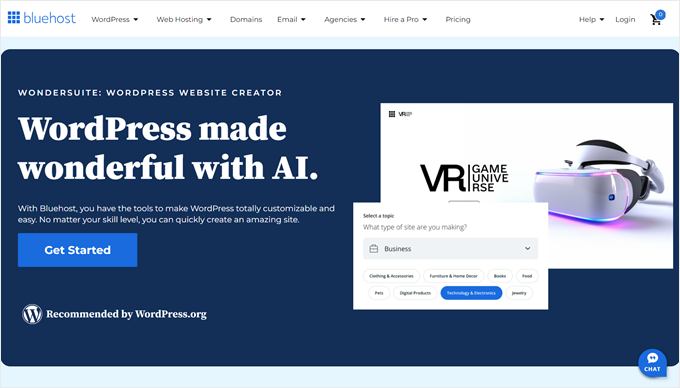
Bluehost AI Site Creator homepage showing website builder interface
Rating: 4.5/5 Stars
Pricing: Starts at $1.99/month (includes hosting)
Standout Features:
🔹 Hosting + AI builder in one
🔹 One-click WordPress setup
🔹 AI-generated site layouts in minutes
🔹 WonderBlocks for fast styling
🔹 Includes free domain and email
Best For: Beginners wanting hosting + AI setup.

Bluehost AI Site Creator makes it easy to build a website by giving you both hosting and AI website building in one package. As someone who’s tested many website builders, I found it’s great for people who are new to WordPress and don’t want to deal with complicated setups.

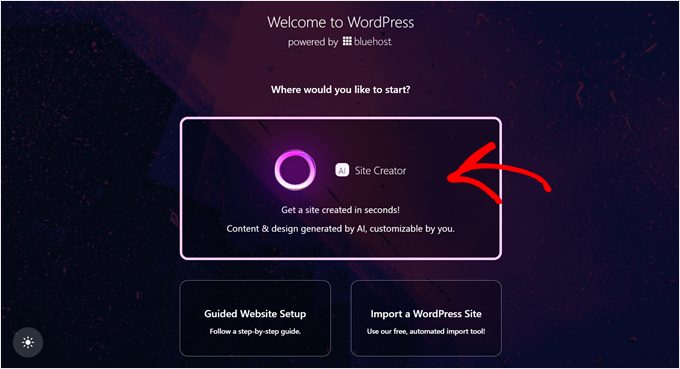
Getting started is super simple. When you buy a Bluehost hosting plan, WordPress is already installed for you.

Generated homepage design using Bluehost AI WordPress builder

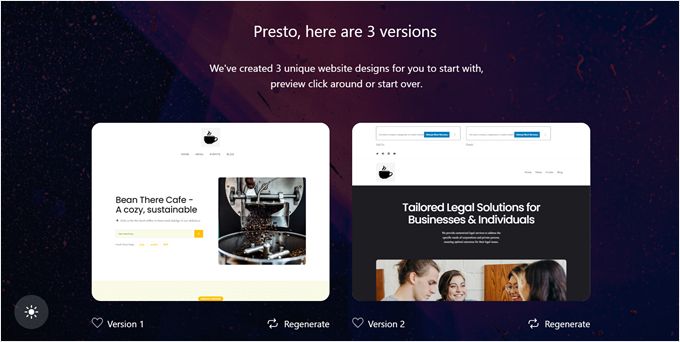
You can start using the AI Site Creator right away – just tell it what kind of website you want, add your logo if you have one, and the AI will create three different designs for you to choose from.

Three auto-generated website templates created by Bluehost AI

You can then change the colors to match your brand before finalizing your choice.

One thing that really impressed me was the speed. It only takes about a minute for the AI to create three different website designs.

I also like that it works with WordPress’s regular editor, so you don’t need to install extra plugins to make changes to your site.

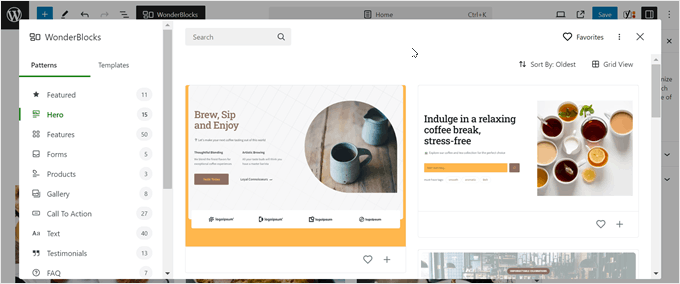
The builder comes with something called WonderBlocks, which I found really helpful.

Pre-designed WonderBlocks from Bluehost AI for styling WordPress sites

It gives you extra design pieces that automatically match your website’s style, so everything looks professional without much effort.

Pros
  • Creates websites very quickly
  • Easy to use with WordPress
  • Includes WonderBlocks for better designs
  • Everything you need in one package
  • Very affordable starting price
  • Great for beginners
  • Comes with professional email
Cons
  • Only works with Bluehost hosting
  • Sometimes picks wrong pictures
  • Fewer design options than other builders
  • Can’t customize everything

Why I Recommend Bluehost AI Site Creator: I recommend Bluehost AI Site Creator because it’s a complete package that’s perfect for beginners and small business owners. While it doesn’t offer endless customization options, it gives you everything needed to create a professional website quickly.

3. Divi AI

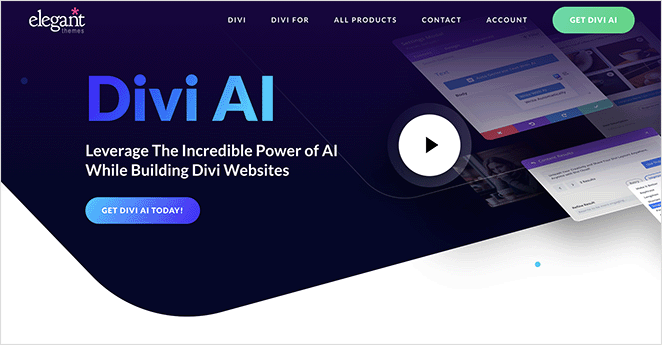
Divi AI theme builder with AI-generated images and layouts
Rating: 4.5/5 Stars
Pricing: $227/year (or $16.08/month for AI upgrade)
Standout Features:
🔹 AI image and content generation
🔹 Set brand colors and fonts upfront
🔹 Smart auto-matching images
🔹 AI Quick Actions for rewriting, tone, and translation
🔹 Advanced image editing and upscaling
Best For: Designers needing advanced AI tools.

Divi AI combines powerful AI tools with their popular WordPress theme builder. After extensive testing, I found it especially useful for designers who want to create better-looking websites faster, with a focus on high-quality images and content.

Once you activate your license, you can use the Divi theme builder with AI features to generate both images and text. While there’s a bit of a learning curve at first, the AI features make it worth the effort.

You can create new pages using the AI builder by entering prompts, and unlike other builders, you can set your brand colors and fonts before the AI starts designing.

One feature that really impressed me was the AI image generation. During testing, I found it creates surprisingly realistic images, even handling traditionally difficult elements like human hands quite well.

Example of AI-generated image created with Divi’s website builder

The ‘Generate Automatically’ feature is particularly helpful. It creates images that match your content automatically. For example, if you’re building a bakery website, it’ll generate relevant images of fresh bread and kitchen scenes.

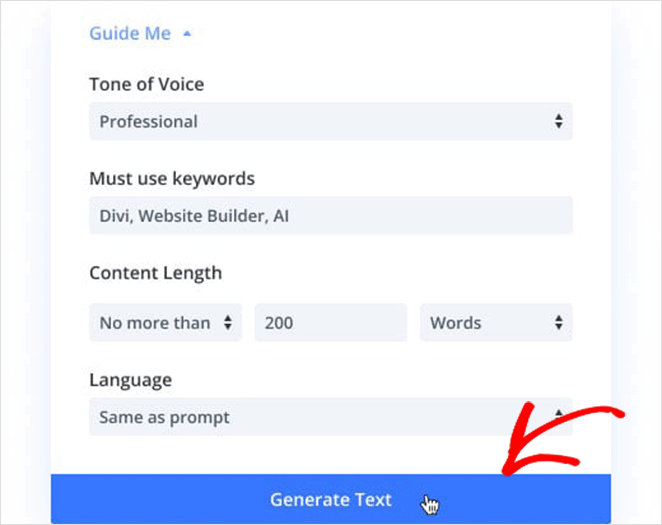
The AI quick actions tool is another standout feature, letting you improve text, change its tone, simplify it, or translate it into different languages.

Creating page text using Divi AI’s content generation tools

Plus, you get advanced image editing features like upscaling and selective enhancement.

Pros
  • Set brand colors and fonts before AI generation
  • Excellent AI image creation
  • Advanced image editing tools
  • Powerful text improvement features
  • Automatic image generation
  • Unlimited AI usage
  • Comprehensive theme builder
Cons
  • Higher price point
  • Steeper learning curve than competitors
  • Interface can be confusing at first
  • Must create page before using AI features

Why I Recommend Divi AI: Divi AI stands out for its exceptional image and content creation capabilities. While it might take some time to learn, it offers the most comprehensive set of AI tools for improving both visuals and text. It’s perfect for designers and agencies who need high-quality, customizable results and don’t mind investing time to master the platform.

4. ZipWP

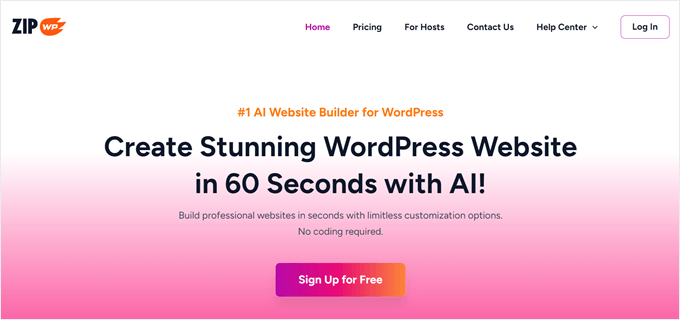
 ZipWP homepage showing AI WordPress site creation dashboard
Rating: 4/5 Stars
Pricing: Free plan available; one-time upgrade starts at $79
Standout Features:
🔹 Free AI website builder
🔹 Upload your own brand images
🔹 Generate up to 50 versions
🔹 Built with Spectra + WordPress block editor
🔹 Import/export to your WordPress site
Best For: Free, fast AI site creation and export.

Created by the team behind the popular Astra theme, ZipWP offers a free way to try AI website building. As someone who’s tested many builders, I appreciate how it makes AI website creation accessible without requiring payment upfront.

Getting started with its website maker is straightforward. You watch a helpful video guide, answer questions about your website needs, and provide a detailed description of what you want. The AI then creates your website based on your input.

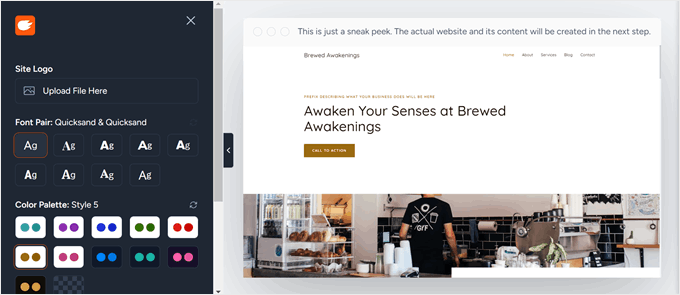
ZipWP website editor interface for customizing AI-built pages

One thing to note is that you’ll need to export and import the design to your WordPress site to use it.

What really impressed me during testing was the ability to upload your own images before generating the website. This means your brand’s look is part of the design from the start. Plus, you can create up to 50 different website versions, giving you plenty of options to find the perfect design.

The builder includes Spectra, which works with WordPress’s block editor, making it easy to edit your content and design in one place. You can also add specific features like contact forms, donation forms, social media icons, or create stunning eCommerce functions to match your needs.

Pros
  • Free plan available
  • Upload your own images
  • Create up to 50 website versions
  • Works with WordPress block editor
  • Add specific features easily
  • Created by trusted Astra team
  • One-time payment option
Cons
  • Some templates need premium access
  • Must export/import designs
  • Limited AI credits in free plan
  • Premium features can get expensive

Why I Recommend ZipWP: ZipWP stands out as the best free AI website builder because it offers solid features without requiring payment. While the free plan has some limitations, it’s perfect for trying out AI website building before deciding to invest in more features.

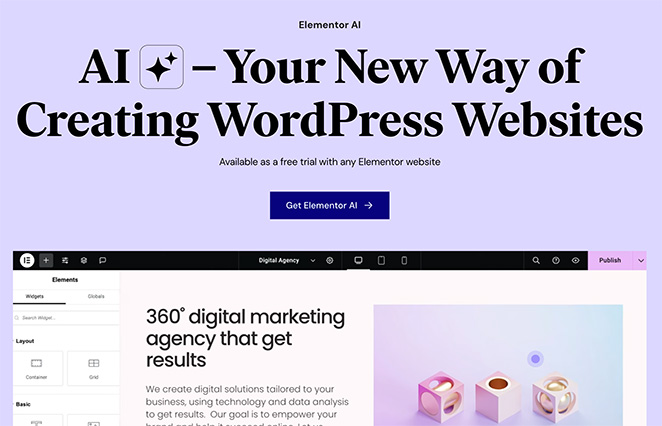
5. Elementor AI

Elementor AI builder interface with layout and content options
Rating: 4/5 Stars
Pricing: Starts at $59/year (Pro plan with AI)
Standout Features:
🔹 AI layout generator with style matching
🔹 Context-aware content writing
🔹 AI image enhancement tools
🔹 Prompt-based design customization
🔹 CSS and code generation
Best For: Elementor users adding smart AI design.

While not a complete AI website builder, Elementor AI adds powerful AI features to the popular Elementor page builder. Think of it as Photoshop for websites – it takes time to learn but offers extensive design possibilities once you master it.

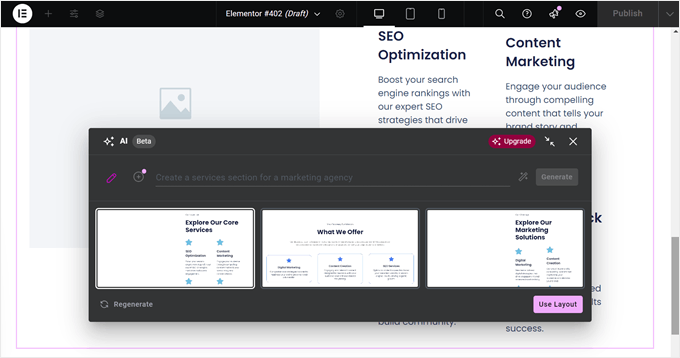
What sets Elementor AI apart is its smart layout generator. During testing, I found it can create layouts that match your existing site’s style, which is great for maintaining consistency. You can also guide the AI with specific prompts if you have something particular in mind.

Creating a new layout using Elementor AI’s prompt-based design tool

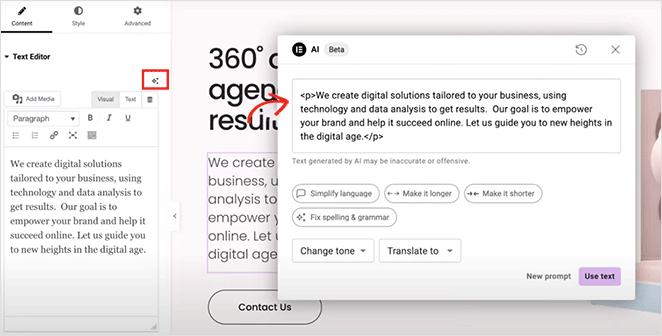
The content generator is particularly clever – tell it what kind of site you’re building at the start, and it remembers this context for all future content generation. This means you get more relevant text that fits your site’s purpose.

Generating homepage copy with Elementor AI writing assistant

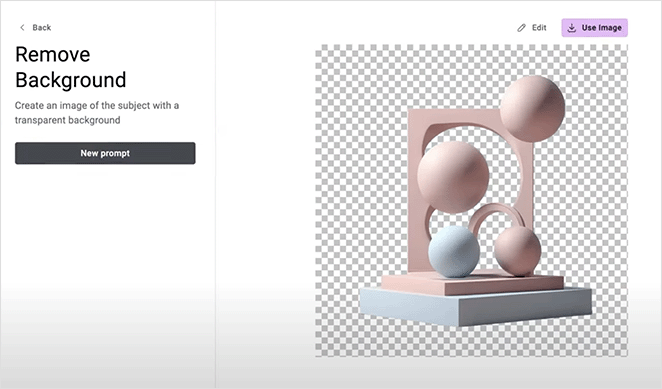
Plus, the image enhancement tools let you both create new images and improve existing ones, giving you more control over your visuals.

Using Elementor AI to remove image background in WordPress

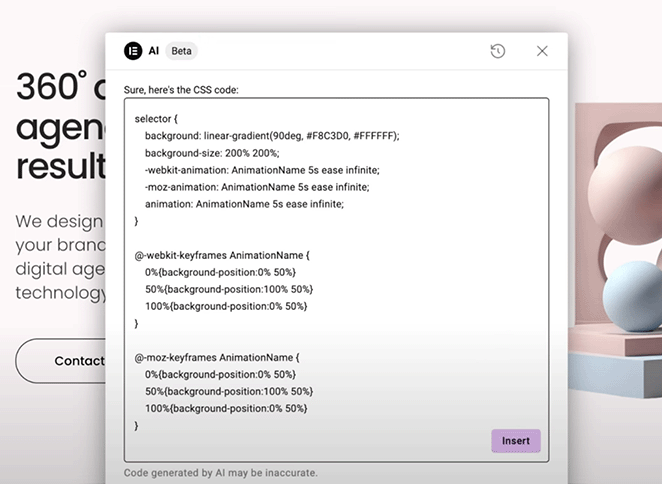
However, like other AI tools, it has some limitations. In my tests, the AI sometimes struggled with creating realistic human images, and the CSS code generator might need a few attempts to get exactly what you want.

Custom CSS generation with Elementor AI for styling website elements
Pros
  • Smart layout generation
  • Context-aware content creation
  • Powerful image enhancement tools
  • Matches existing site style
  • Extensive customization options
  • Works with free Elementor
  • Free trial available
Cons
  • Steeper learning curve
  • Can feel overwhelming for beginners
  • Some AI image limitations
  • CSS generator needs refinement

Why I Recommend Elementor AI: Elementor AI is perfect for users who want detailed control over their website design and don’t mind spending time learning the tools. While it might not be the easiest option for beginners, its powerful combination of AI features and design flexibility makes it an excellent choice for creating highly customized websites.

6. 10Web

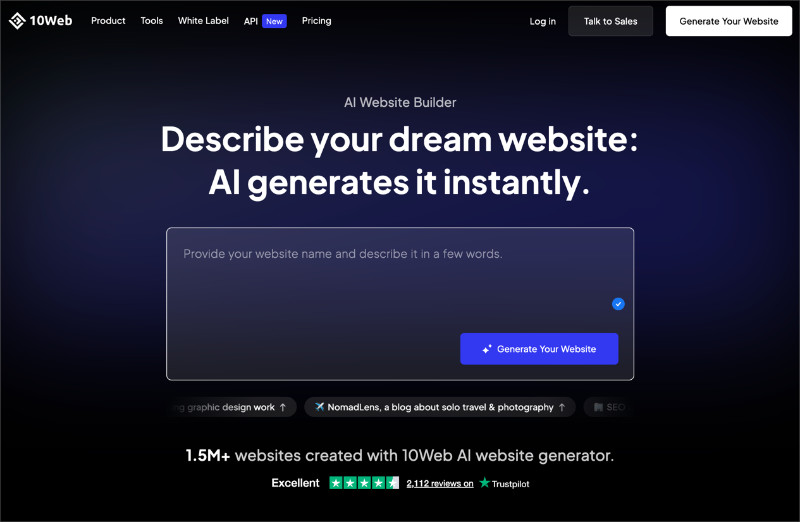
10Web AI website builder homepage
Pricing: Starts at a monthly subscription
Free Plan / Trial: No free plan, limited trial
Standout Features:
🔹 AI-generated WordPress sites
🔹 Managed hosting included
🔹 Automated performance and speed setup
Rating: B
Best For: Users who want WordPress without managing hosting

10Web is a managed WordPress platform that uses AI to generate a complete website and host it for you. The site it creates is WordPress-based, but you do not install or manage it on your own hosting.

The AI setup is quick and works well if you want everything handled in one place. You answer a few questions, and 10Web generates a usable site inside its managed environment.

The main tradeoff is control. Because your site lives on 10Web’s platform, you have less flexibility than you would with a self-hosted WordPress plugin, and moving away later takes more effort.

Pros
  • Generates a full WordPress site very quickly.
  • Hosting, performance, and updates are handled for you.
  • Good option if you want an all-in-one setup with fewer decisions.
Cons
  • Your site is tied to 10Web’s hosting.
  • Less flexibility than plugin-based WordPress builders.
  • Feels closer to a hosted builder over time.

Why I Recommend 10Web: I recommend 10Web if you want a WordPress site with minimal setup and do not want to manage hosting yourself. It works best for simple sites where speed and convenience matter more than long-term flexibility.

7. Kubio AI

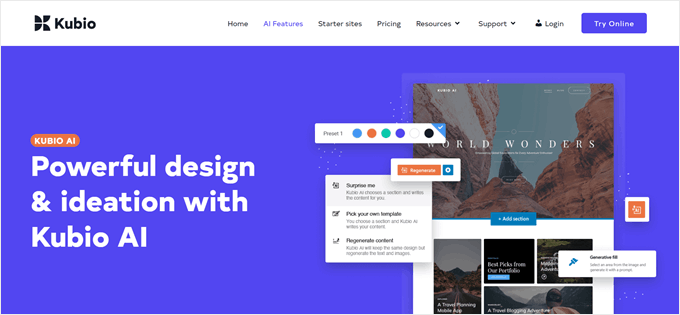
Kubio AI Website Builder landing page
Pricing: Free plan available, paid plans start annually
Free Plan / Trial: Free plan available
Standout Features:
🔹 AI-generated page layouts
🔹 Block-based editing with Gutenberg
🔹 Works with standard WordPress themes
Rating: B-
Best For: Users who prefer block editing and want AI layout help

Kubio AI is a WordPress block-based website builder that uses AI to generate page layouts and sections. It works on top of the block editor, rather than replacing it with a separate visual builder.

The AI is mainly used to create layout structures and starter sections, not full websites. You still need to refine the content, spacing, and design choices after the initial setup.

This makes Kubio feel lighter than some other AI builders, but also less complete. It helps you get past the blank-page problem, but it does not handle the full site setup in the same way.

Pros
  • Works directly with the WordPress block editor.
  • Free plan available for testing.
  • Good starting point for layout ideas.
Cons
  • AI focuses on layouts, not full site generation.
  • Requires more manual design work.
  • Less helpful for users who want a hands-off setup.

Why I Recommend Kubio AI: I recommend Kubio AI if you like working with the WordPress block editor and want help generating layouts without switching to a full visual builder. It works best as a starting point, not a complete site solution.

Alternatives to WordPress AI Website Builders

Not every AI website builder runs inside WordPress. Some are fully hosted, and some sit in the middle by bundling WordPress setup with hosting.

I include these options as alternatives if you want the fastest setup and do not mind giving up some flexibility. If you want full control on a self-hosted WordPress site, the builders above are usually a better fit.

Wix ADI

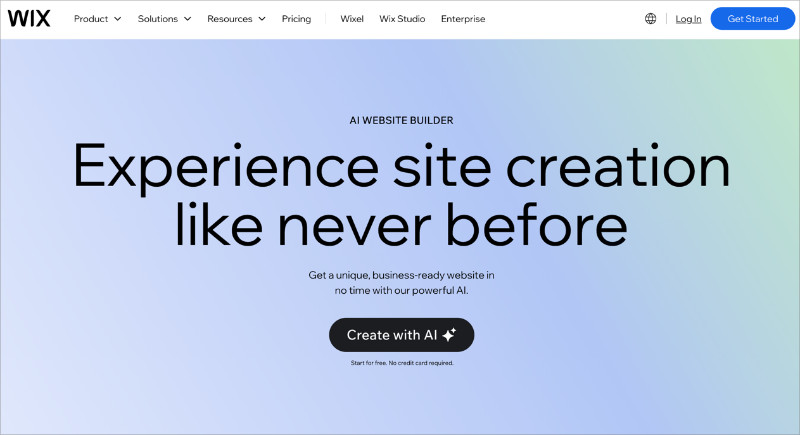
Wix AI website builder

Wix ADI (Artificial Design Intelligence) is a fully hosted website builder that uses AI to generate a complete site for you, including design and content. You do not use WordPress at all, and everything runs inside Wix’s platform.

The setup is fast and beginner-friendly, especially if you want a site online with minimal decisions. The downside is control. Customization is limited compared to WordPress, and moving your site later is difficult.

Wix makes sense if you want speed and simplicity and do not plan to grow or customize your site much over time.

Hostinger AI (WordPress Setup + Hosting)

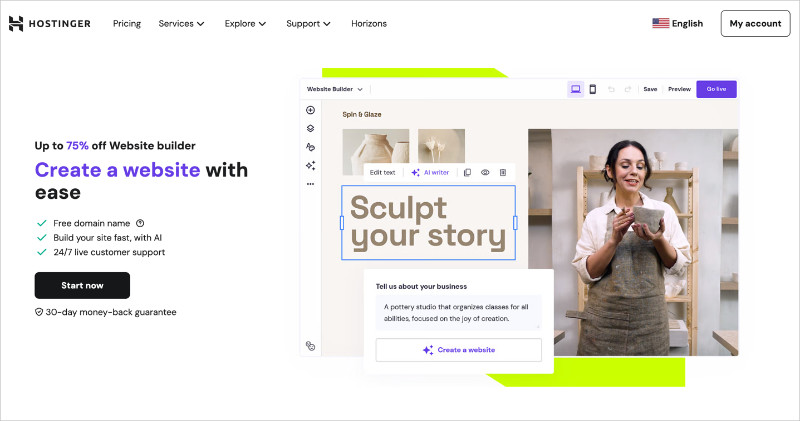
Hostinger AI website builder

Hostinger’s AI Website Builder sits somewhere between a hosted builder and a traditional WordPress setup. It uses AI to help generate a WordPress site, but the process is tightly integrated with Hostinger’s hosting.

This makes it easy to get started if you are new to WordPress and want hosting and setup handled together. You still end up with a WordPress site, but you are more tied to Hostinger’s ecosystem than you would be with a plugin-based builder.

Hostinger works well if you want guided WordPress setup with AI and do not mind sticking with one host long term.

What’s the Best AI Website Builder for WordPress?

If you are new to WordPress, SeedProd is the easiest place to start. It handles the hard parts for you by generating a full site layout, starter content, and images, so you are not staring at a blank page or trying to piece things together.

If you already know your way around WordPress, SeedProd still holds up. The AI gives you a fast starting point, but you are never locked in. You can edit everything, swap layouts, and fine-tune pages without fighting the builder or undoing what the AI created.

What stood out in my testing is how balanced the experience feels. SeedProd is quick enough for beginners who want results fast, but flexible enough for experienced users who care about control. That combination is what makes it work well across skill levels.

FAQs About AI Website Builders

What is an AI WordPress builder?
An AI WordPress builder is a tool that helps create a website faster by generating layouts, starter content, and design elements for you. Instead of starting from a blank theme, you answer a few questions and the builder creates a usable WordPress site that you can edit and refine afterward.
Does using an AI website builder create messy code?
No, reputable AI WordPress builders generate clean, standard WordPress code. The quality depends on the tool, but modern builders focus on lightweight markup that works well with performance and SEO best practices.
Will Google penalize my site for using AI to build it?
No. Google does not penalize sites for using AI. Rankings are based on content quality, usability, and relevance, not how the site was created. AI builders can actually help by setting up proper headings, layouts, and mobile-friendly designs from the start.
Do I own the website the AI builds?
It depends on the tool. Plugin-based WordPress AI builders generate a site on your own hosting, which you fully own and control. Fully hosted platforms manage the site for you, which usually comes with more limits on ownership and portability.
Can I edit the text and design after the AI generates it?
Yes. The AI creates a starting point, not a finished product. Once the site is generated, you can edit the text, images, colors, and layout using the builder or WordPress editor, just like any other site.
Are AI website builders free?
Some offer free trials or limited free plans so you can test the AI output. Advanced features like full site exports, premium templates, or extended AI usage usually require a paid plan, which typically ranges from $40 to $200 per year.

Bonus Guides for Building WordPress Websites

I hope this guide helped you find the best AI website builders for WordPress. You might also find the following guides helpful for building your next website:

Thanks for reading! We’d love to hear your thoughts, so please feel free to join the conversation on YouTubeX and Facebook for more helpful advice and content to grow your business.

author avatar
Stacey Corrin Writer
Stacey has been writing about WordPress and digital marketing for over 10 years and on other topics for much longer. Alongside this, she's fascinated with web design, user experience, and SEO.

Disclosure: Our content is reader-supported. This means if you click on some of our links, then we may earn a commission. We only recommend products that we believe will add value to our readers.