


Les plugins de pop-up WordPress vous permettent de capter l'attention des visiteurs avec des messages ciblés, des inscriptions par e-mail et des offres spéciales. Ils incluent des fonctionnalités de ciblage avancées comme la technologie d'intention de sortie et s'intègrent aux services de marketing par e-mail pour vous aider à développer votre liste.
Dans ce guide, j'ai testé 9 plugins de pop-up et je les ai classés en fonction de leur facilité d'utilisation, de leurs fonctionnalités et de leur rapport qualité-prix. Je vais vous montrer lesquels fonctionnent le mieux pour différents besoins, de la simple capture de prospects au ciblage avancé.
Comparaison rapide : Meilleurs plugins de pop-up WordPress
| Plugin | Tarifs | Plan gratuit | Idéal pour | Note |
|---|---|---|---|---|
| OptinMonster | 9 $-49 $/mois | Non | Construction sérieuse de listes et optimisation des conversions | A+ |
| TrustPulse | 5 $-39 $/mois | Non | Preuve sociale et FOMO pour l'e-commerce | A |
| Popup Maker | Gratuit (premium à partir de 39 $/an) | Oui | Utilisateurs soucieux de leur budget et développeurs | B+ |
| HubSpot | Gratuit-45 $/mois | Oui | Génération de prospects tout-en-un avec CRM | B+ |
| Thrive Leads | 99 $-299 $/an | Non | Marketeurs avancés et tests A/B | B |
| UserFeedback | Gratuit - 49,50 $/an | Oui | Sondages et collecte de commentaires utilisateurs | B |
| Bloom | 89 $/an | Non | Utilisateurs existants d'Elegant Themes | C+ |
| Elementor Pro | 49 $/an | Non | Utilisateurs existants d'Elementor Pro | C+ |
| Sumo | Gratuit - 39 $/mois | Oui (limité) | Tester les pop-ups avant de s'engager | C |
Comment j'ai choisi les meilleurs plugins de pop-up WordPress
Je me suis concentré sur ce qui compte vraiment lorsque vous essayez de convertir des visiteurs, pas sur ce qui semble impressionnant dans une démo.
- J'ai testé chaque plugin sur un site WordPress réel. J'ai examiné la vitesse d'installation, la clarté de l'interface et les points de confusion.
- J'ai vérifié les performances et l'impact sur le temps de chargement des pages. Les plugins de pop-up peuvent ralentir votre site, j'ai donc privilégié les solutions qui restent légères.
- J'ai créé de vraies campagnes. Cela incluait des popups d'intention de sortie, des popups chronométrés et des formulaires déclenchés par le défilement.
- J'ai comparé la valeur et le support. J'ai examiné ce que vous obtenez gratuitement par rapport au payant et l'utilité de la documentation.
Ce n'est pas une liste exhaustive de tous les plugins de popup disponibles. C'est une sélection organisée de ceux qui donnent réellement des résultats sans complexité inutile.
Meilleurs plugins de pop-up WordPress
- 1. OptinMonster : Meilleur plugin de popup WordPress global
- 2. TrustPulse : Meilleur plugin de popup de preuve sociale
- 3. Popup Maker : Meilleur plugin de popup WordPress gratuit
- 4. HubSpot : Meilleure solution de popup gratuite tout-en-un
- 5. Thrive Leads : Idéal pour les spécialistes du marketing avancés
- 6. UserFeedback : Idéal pour les sondages et les commentaires
- 7. Bloom : Idéal pour les utilisateurs d'Elegant Themes
- 8. Elementor Pro : Idéal pour les utilisateurs d'Elementor
- 9. Sumo : Option gratuite économique avec des limitations
1. OptinMonster : Meilleur plugin de popup WordPress global
| Tarifs | 9 à 49 $/mois (facturé annuellement) |
| Plan gratuit | Non |
| Fonctionnalités remarquables | • Technologie Exit-Intent® • Ciblage au niveau de la page • Plus de 26 animations MonsterEffects • Tests A/B • Roulettes "Spin-to-win" |
| Note | A+ |
| Idéal pour | Création de listes sérieuse et optimisation des conversions |
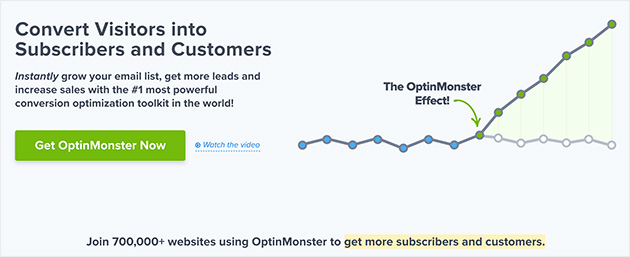
OptinMonster est un constructeur de popups basé sur le cloud utilisé par des millions de sites Web pour convertir les visiteurs qui abandonnent en abonnés et clients. Il se charge depuis le CDN d'OptinMonster au lieu de votre hébergement, ce qui maintient la rapidité de votre site.
Mon expérience
J'utilise OptinMonster sur SeedProd.com, et ce qui m'a convaincu, c'est la technologie Exit-Intent®. Elle détecte quand quelqu'un est sur le point de partir et déclenche un popup à ce moment précis. J'ai constaté des taux de conversion de 8 à 12 % sur les popups de sortie de manière constante.
Le constructeur par glisser-déposer rend la création de popups rapide. J'ai commencé avec un modèle, j'ai ajusté le titre et les couleurs, et j'ai eu un popup fonctionnel en une dizaine de minutes. Le générateur de contenu IA accélère encore les choses si vous êtes bloqué sur la copie.
Le ciblage au niveau de la page me permet d'afficher des pop-ups différents sur des pages différentes. Je l'utilise pour afficher des offres spécifiques aux produits sur les pages de produits WooCommerce sans avoir à créer manuellement des campagnes distinctes pour chaque page.

Les types de campagnes vont au-delà des popups de base. J'ai testé des barres flottantes pour les annonces, des tapis de bienvenue plein écran pour les nouveaux visiteurs et des comptes à rebours pour les offres à durée limitée. La roulette "spin-to-win" fonctionne particulièrement bien pour les campagnes de réduction.
| Avantages | Inconvénients |
|---|---|
| La technologie Exit-Intent® convertit les visiteurs qui abandonnent | Aucune version gratuite disponible |
| La livraison basée sur le cloud maintient la rapidité de votre site | |
| Constructeur par glisser-déposer avec générateur de contenu IA | |
| Plus de 26 animations et effets sonores MonsterEffects | |
| Ciblage avancé (géolocalisation, détection Adblock, référent) | |
| Licence multi-sites | |
| S'intègre à tous les principaux services de marketing par e-mail |
Verdict : OptinMonster est mon premier choix si vous êtes sérieux quant à la croissance de votre liste d'e-mails ou à la réduction de l'abandon de panier. Le prix se rentabilise rapidement une fois que vous commencez à voir des résultats de conversion.
2. TrustPulse : Meilleur plugin de popup de preuve sociale

| Tarifs | 5 $-39 $/mois |
| Plan gratuit | Non (mais le niveau le plus bas est de 5 $/mois) |
| Fonctionnalités remarquables | • Suivi d’activité en temps réel • Notifications « En feu » • Ciblage intelligent • Script léger |
| Note | A |
| Idéal pour | Magasins WooCommerce et sites à fort trafic nécessitant une preuve sociale |
TrustPulse est un plugin de notification de preuve sociale qui affiche les ventes récentes et l’activité d’inscription sur votre site. Il est différent des plugins de popup traditionnels car il montre ce que les autres visiteurs font en temps réel.
Mon expérience
J’ai testé TrustPulse sur un magasin test WooCommerce, et les notifications « En feu » ont fait une différence visible. Quand il affiche « 5 personnes ont acheté au cours de la dernière heure », cela crée une urgence sans être envahissant.
La configuration a pris environ 10 minutes. J’ai connecté TrustPulse à WooCommerce, choisi les produits à suivre, et les notifications ont commencé à apparaître automatiquement. Les options de ciblage m’ont permis d’afficher différents messages aux nouveaux visiteurs par rapport aux visiteurs récurrents.
Le script est léger. Je n’ai remarqué aucun ralentissement après l’avoir installé, ce qui est important pour les sites à fort trafic où chaque milliseconde compte.
Le ciblage intelligent signifie que je peux contrôler quand et où les notifications apparaissent. Je les ai désactivées sur les pages de paiement pour éviter les distractions et les ai concentrées sur les pages produits où elles ont le plus d’impact.
| Avantages | Inconvénients |
|---|---|
| Crée la peur de manquer quelque chose (FOMO) avec l’activité en temps réel | Plan de base limité à 2 500 sessions/mois |
| Script léger basé sur le cloud | |
| Les notifications « En feu » montrent des pics d’activité | |
| Fonctionne sur WordPress, Shopify et d’autres plateformes | |
| Personnalisation flexible du design |
Verdict : TrustPulse convient mieux aux sites de commerce électronique et aux blogs à fort trafic où la preuve sociale est importante. Si vous avez besoin de popups par e-mail traditionnels, associez-le à OptinMonster pour une couverture complète.
Consultez ma Revue de TrustPulse pour plus de détails.
3. Popup Maker : Meilleur plugin de popup WordPress gratuit
| Tarifs | Gratuit (extensions premium à partir de 39 $/an) |
| Plan gratuit | Oui (fonctionnalités complètes) |
| Fonctionnalités remarquables | • Popups illimités • Plus de 15 options de déclenchement • Ciblage avancé • Contrôle de fréquence basé sur les cookies • Outils RGPD |
| Note | B+ |
| Idéal pour | Utilisateurs soucieux de leur budget et développeurs |
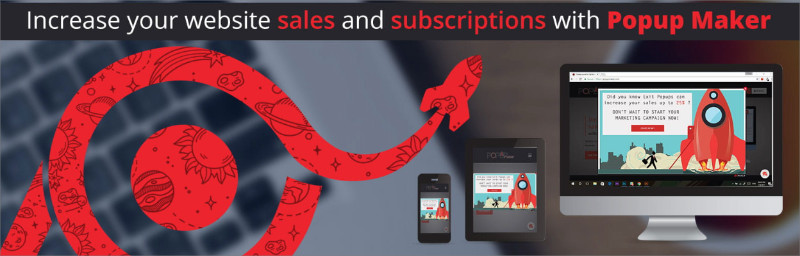
Popup Maker est le plugin de popup gratuit le plus populaire du répertoire WordPress avec plus de 700 000 installations actives. Contrairement aux plugins freemium qui bloquent les fonctionnalités principales derrière des paywalls, Popup Maker vous offre des popups illimités et un ciblage solide dans la version gratuite.
Mon expérience
J’ai testé Popup Maker pour un projet où le budget était serré. La version gratuite inclut tout ce dont vous avez besoin pour des popups basiques : déclencheurs de clic, délais, intention de sortie et déclencheurs de défilement.
La configuration prend plus de temps qu’avec les constructeurs glisser-déposer comme OptinMonster. Vous travaillez avec l’éditeur par défaut de WordPress, ce qui implique plus de travail manuel. J’ai passé environ 25 minutes à créer mon premier popup par rapport à 10 minutes avec des outils premium.
Les conditions de ciblage sont étonnamment robustes pour un plugin gratuit. Je pouvais cibler par page, type de publication, rôle utilisateur et appareil. Les contrôles de cookies m’ont permis de définir des limites de fréquence afin que les visiteurs ne voient pas le même popup de manière répétée.
La communauté de développeurs est solide. J'ai trouvé une documentation détaillée et des exemples de code lorsque j'avais besoin de personnaliser au-delà des options par défaut. Si vous êtes à l'aise avec CSS, vous pouvez rendre ces popups professionnels.
| Avantages | Inconvénients |
|---|---|
| Complètement gratuit sans limite de popups | Plus technique que les concurrents en glisser-déposer |
| Pas de branding ni de filigranes | Modèles prédéfinis limités en version gratuite |
| Options de ciblage et de déclenchement puissantes | La personnalisation du design nécessite des connaissances en CSS |
| Outils conformes au RGPD inclus | Pas de tests A/B intégrés (nécessite une extension premium) |
| Fonctionne avec n'importe quel thème WordPress | Les intégrations d'e-mails nécessitent une configuration manuelle |
| Compatible avec Elementor, Beaver Builder, Divi |
Verdict : Popup Maker est la meilleure option gratuite si une courbe d'apprentissage plus raide ne vous dérange pas. Vous échangez la facilité d'utilisation contre des économies significatives, ce qui est logique pour les développeurs et les agences gérant plusieurs sites.
4. HubSpot : Meilleure solution de popup gratuite tout-en-un

| Tarifs | Gratuit (plans payants à partir de 45 $/mois) |
| Plan gratuit | Oui |
| Fonctionnalités remarquables | • Constructeur glisser-déposer • CRM intégré • Marketing par e-mail inclus • Déclencheurs avancés • Tableau de bord d'analyse |
| Note | B+ |
| Idéal pour | Débutants qui souhaitent une solution tout-en-un |
Le plugin WordPress HubSpot inclut un constructeur de popups, un CRM gratuit et le marketing par e-mail dans un seul package. Il est conçu pour la génération de prospects plutôt que pour une utilisation générale des popups.
Mon expérience
J'ai testé HubSpot pour une entreprise de services qui avait besoin de capturer des prospects sans jongler avec plusieurs outils. Le constructeur de popups se connecte directement au CRM de HubSpot, donc chaque prospect est automatiquement enregistré sans intégrations tierces.
La configuration a été simple. J'ai créé ma première popup en environ 12 minutes en utilisant le constructeur glisser-déposer. Les règles de déclenchement incluent l'intention de sortie, la profondeur de défilement et le temps passé sur la page, ce qui couvre la plupart des scénarios.
Le CRM gratuit m'a surpris. Il est vraiment utile pour les petites entreprises, pas juste un avant-goût des plans payants. Vous pouvez suivre les prospects, envoyer des e-mails et gérer les contacts sans mise à niveau.
La principale limitation est la focalisation. HubSpot est conçu pour la génération de prospects B2B, pas pour l'e-commerce ou le marketing de contenu. Si vous avez besoin de roues de réduction, de recommandations de produits ou d'une segmentation avancée, vous rencontrerez rapidement des obstacles.
| Avantages | Inconvénients |
|---|---|
| Constructeur de popups entièrement gratuit | Axé sur la génération de prospects, pas polyvalent |
| Le CRM intégré enregistre automatiquement tous les prospects | Le CRM gratuit peut sembler limité pour les utilisateurs avancés |
| Marketing par e-mail inclus | |
| Plusieurs types de popups (modale, slide-in, bannière) | |
| Ciblage au niveau de la page et comportemental | |
| Aucune connaissance technique requise |
Verdict : HubSpot convient mieux aux entreprises de services et aux sites B2B qui ont besoin d'une capture de prospects simple avec CRM inclus. Il élimine la complexité des outils mais limite la flexibilité par rapport aux constructeurs de popups spécialisés.
5. Thrive Leads : Idéal pour les spécialistes du marketing avancés

| Tarifs | 99 $-299 $/an |
| Plan gratuit | Non |
| Fonctionnalités remarquables | • Tests A/B • Analyses avancées • Types d'optin multiples • Éditeur glisser-déposer • Option de paiement unique |
| Note | B |
| Idéal pour | Spécialistes du marketing ayant besoin d'une personnalisation et de tests approfondis |
Thrive Leads fait partie de la Thrive Suite, conçue pour les spécialistes du marketing axés sur la performance qui souhaitent un contrôle total sur leurs campagnes de création de listes. Elle inclut des tests A/B, des analyses avancées et plusieurs types de formulaires d'optin.
Mon expérience
J'ai testé Thrive Leads pour un site de contenu qui effectue une optimisation poussée. Les tests A/B sont plus détaillés que chez la plupart des concurrents. Vous pouvez tester différents types de popups (pas seulement des variations de texte) et voir les données de conversion ventilées par source de trafic.
La courbe d'apprentissage est abrupte. J'ai passé environ 45 minutes à créer mon premier popup, contre 10 minutes avec OptinMonster. L'interface offre plus d'options, ce qui signifie plus de décisions à chaque étape.
Les analyses avancées montrent exactement quelles pages, articles et catégories convertissent le mieux. J'ai pu constater que les popups d'intention de sortie sur les articles tutoriels convertissaient 3 fois mieux que les popups chronométrés sur les pages de destination. Ce niveau de détail est utile lorsque vous optimisez pour des gains de faible pourcentage.
Le plugin est riche en fonctionnalités, ce qui signifie qu'il n'est pas léger. J'ai remarqué des temps de chargement de page plus lents par rapport aux solutions basées sur le cloud comme OptinMonster ou TrustPulse.
| Avantages | Inconvénients |
|---|---|
| Tests A/B intégrés | Courbe d'apprentissage abrupte pour les débutants |
| Analyses de conversion détaillées | Le plugin riche en fonctionnalités impacte la vitesse de la page |
| Option de paiement unique disponible | La configuration prend beaucoup plus de temps que chez les concurrents |
| Types de campagnes multiples | |
| Éditeur glisser-déposer |
Verdict : Thrive Leads est pertinent si vous utilisez déjà Thrive Suite ou si vous avez besoin de capacités de test avancées. Pour la plupart des utilisateurs, la complexité l'emporte sur les avantages par rapport à des outils plus simples comme OptinMonster.
6. UserFeedback : Idéal pour les sondages et les retours d'utilisateurs
| Tarifs | 49,50 $/an (version gratuite disponible) |
| Plan gratuit | Oui |
| Fonctionnalités remarquables | • Modèles de sondage pré-faits • Logique conditionnelle • Ciblage par appareil • Planification des sondages • Image de marque personnalisée |
| Note | B |
| Idéal pour | Collecte des retours d'utilisateurs plutôt que génération de prospects |
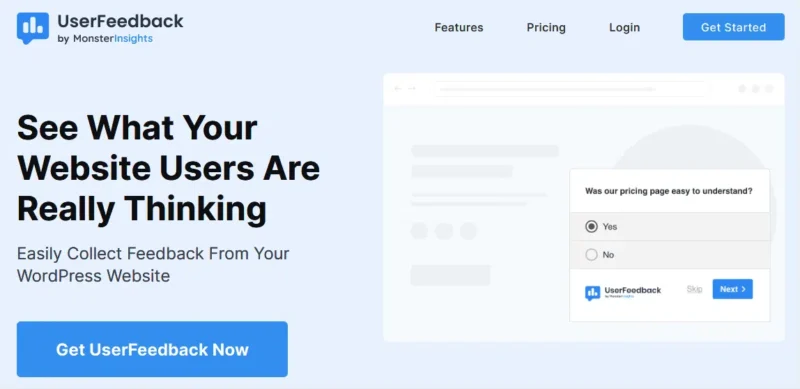
UserFeedback est un plugin de popup de sondage conçu spécifiquement pour recueillir les commentaires des visiteurs, et non pour capturer des e-mails. Il utilise des popups pour poser des questions à des moments stratégiques du parcours de l'utilisateur.
Mon expérience
J'ai testé UserFeedback sur un site SaaS qui avait besoin de comprendre pourquoi les visiteurs ne convertissaient pas. L'assistant de configuration m'a guidé pour créer un sondage en environ 5 minutes.
Les modèles pré-faits couvrent des scénarios courants comme « Pourquoi partez-vous ? » et « Qu'est-ce qui vous amène aujourd'hui ? ». J'ai personnalisé les questions, défini un déclencheur (intention de sortie) et commencé à recueillir des réponses immédiatement.
La logique conditionnelle vous permet de poser des questions de suivi basées sur les réponses précédentes. Si quelqu'un dit qu'il est « juste en train de naviguer », vous pouvez lui demander ce qu'il cherche. S'il dit « prêt à acheter », vous pouvez lui demander ce qui le retient.
Le ciblage par appareil signifie que je pouvais afficher différents sondages sur mobile et sur ordinateur. Les utilisateurs mobiles recevaient des sondages plus courts (2-3 questions maximum) tandis que les utilisateurs d'ordinateurs voyaient des versions plus détaillées.
| Avantages | Inconvénients |
|---|---|
| Version gratuite disponible | Non conçu pour la génération de prospects |
| Interface conviviale pour les débutants | Moins de modèles que les constructeurs de formulaires complets |
| Logique conditionnelle pour des suivis intelligents | |
| Ciblage spécifique à l'appareil | |
| Planification des enquêtes | |
| Options de marque personnalisées |
Verdict : UserFeedback occupe une niche spécifique : comprendre le comportement des visiteurs grâce à des enquêtes. Si vous avez besoin de capturer des e-mails ou d'afficher des pop-ups de vente, utilisez plutôt OptinMonster ou HubSpot.
7. Bloom : Idéal pour les utilisateurs d'Elegant Themes

| Tarifs | 89 $/an ou 249 $ à vie |
| Plan gratuit | Non |
| Fonctionnalités remarquables | • Plus de 100 modèles • 6 types de campagnes • Tests A/B • Tableau de bord personnalisé • Inclus avec Elegant Themes |
| Note | C+ |
| Idéal pour | Clients existants d'Elegant Themes |
Bloom est un plugin de pop-up d'Elegant Themes, inclus gratuitement avec l'adhésion à Elegant Themes. Il offre plusieurs types de campagnes et des tests A/B via votre tableau de bord WordPress.
Mon expérience
J'ai testé Bloom sur un site utilisant déjà Divi. L'intégration a été transparente car il est fabriqué par la même entreprise. J'ai eu accès à plus de 100 modèles conçus pour correspondre au langage de conception de Divi.
L'intégration au tableau de bord WordPress signifie que tout reste au même endroit. Je pouvais vérifier les taux de conversion, gérer les campagnes et exécuter des tests A/B sans quitter WordPress. C'est pratique mais plus lent que les constructeurs visuels.
Le principal problème est la performance. Bloom n'est pas optimisé pour la vitesse comme le sont les solutions basées sur le cloud. J'ai remarqué des temps de chargement de page plus longs par rapport à OptinMonster ou TrustPulse, surtout avec plusieurs pop-ups actives.
Les options de ciblage sont basiques. Je pouvais cibler par type de page et d'article, mais il manquait des options avancées comme la géolocalisation, la détection de référent, ou des déclencheurs comportementaux au-delà d'un simple timing.
| Avantages | Inconvénients |
|---|---|
| Inclus avec l'adhésion à Elegant Themes | Non optimisé pour la vitesse |
| Plus de 100 modèles pré-faits | Pas de personnalisateur visuel (bouton de prévisualisation requis) |
| Tests A/B | Ciblage basique par rapport à OptinMonster |
| Tableau de bord WordPress personnalisé | N'a de sens que si vous utilisez déjà Elegant Themes |
| 6 types de campagnes |
Verdict : Bloom n'a de sens que si vous payez déjà pour Elegant Themes. Pour tous les autres, OptinMonster ou Popup Maker offrent un meilleur rapport qualité-prix et de meilleures performances.
8. Elementor Pro : Idéal pour les utilisateurs d'Elementor

| Tarifs | 49 $/an |
| Plan gratuit | Non |
| Fonctionnalités remarquables | • Intégration au constructeur de pages • Modèles pré-faits • Contrôle total de la conception • Intégrations de services d'e-mail |
| Note | C+ |
| Idéal pour | Utilisateurs existants d'Elementor Pro ayant besoin de pop-ups basiques |
Elementor Pro inclut un constructeur de pop-ups dans le cadre de son package de constructeur de pages. Ce n'est pas une solution de pop-up autonome, mais une fonctionnalité supplémentaire pour les utilisateurs qui utilisent déjà Elementor.
Mon expérience
J'ai testé le constructeur de pop-ups d'Elementor sur un site utilisant déjà Elementor Pro pour la conception de pages. Le constructeur de pop-ups utilise la même interface glisser-déposer que le constructeur de pages, ce qui signifie qu'il n'y a pas de courbe d'apprentissage si vous connaissez déjà Elementor.
La flexibilité de conception est le principal avantage. J'ai pu personnaliser chaque élément (polices, couleurs, espacement, animations) sans quitter l'interface Elementor. Les modèles pré-faits m'ont donné des points de départ qui correspondaient à ma conception existante.
Les limitations sont apparues rapidement. Il n'y a pas de tests A/B, pas d'analyses au-delà du suivi basique des impressions, et pas de ciblage avancé comme la géolocalisation ou les déclencheurs comportementaux. Je ne pouvais définir que des règles d'affichage basiques (page, appareil, rôle utilisateur).
| Avantages | Inconvénients |
|---|---|
| Inclus avec Elementor Pro | Pas de tests A/B |
| Même interface que le constructeur de pages Elementor | Pas d'analyses spécifiques aux popups |
| Modèles de popups prédéfinis | Ciblage basique uniquement |
| Personnalisation complète du design | N'a de sens que si vous utilisez déjà Elementor Pro |
| S'intègre avec les services d'email |
Verdict : Utilisez le constructeur de popups d'Elementor Pro uniquement si vous payez déjà pour Elementor Pro et avez besoin de popups basiques. Pour une génération de prospects sérieuse, OptinMonster offre beaucoup plus de fonctionnalités pour un prix similaire.
Voir ma comparaison : Elementor vs WPBakery vs SeedProd
9. Sumo : Option gratuite avec limitations

| Tarifs | Gratuit - 39 $/mois |
| Plan gratuit | Oui (fonctionnalités limitées) |
| Fonctionnalités remarquables | • Version gratuite disponible • Modèles prédéfinis • Cartes thermiques incluses • Boutons de partage social • Plusieurs outils en un |
| Note | C |
| Idéal pour | Expérimenter avec les popups avant de s'engager avec des outils payants |
Sumo est un plugin de popup gratuit qui inclut des outils supplémentaires comme les cartes thermiques et les boutons de partage social. La version gratuite vous offre des fonctionnalités de popup basiques avec des limites de trafic.
Mon expérience
J'ai testé la version gratuite de Sumo pour un site de loisir où le budget était la principale contrainte. La configuration a été rapide et les modèles prédéfinis couvraient des scénarios basiques comme la capture d'email et les barres d'annonce.
Les limites de la version gratuite sont restrictives. Vous ne pouvez utiliser que des modèles basiques et un ciblage simple. Les fonctionnalités avancées comme l'intention de sortie, les tests A/B et les analyses nécessitent une mise à niveau vers des plans payants qui coûtent plus cher que de meilleures alternatives.
Le modèle de tarification basé sur le trafic est problématique. À mesure que votre site se développe, vos coûts de popup augmentent automatiquement. À des niveaux de trafic élevés, Sumo devient plus cher qu'OptinMonster tout en offrant moins de fonctionnalités.
Les outils supplémentaires (cartes thermiques, partage social) semblent attrayants mais ne s'intègrent pas bien. J'ai fini par utiliser des outils dédiés pour chaque fonction au lieu de l'approche multi-outils de Sumo.
| Avantages | Inconvénients |
|---|---|
| Version gratuite disponible pour une utilisation basique | Meilleures fonctionnalités bloquées dans des niveaux payants coûteux |
| Modèles prédéfinis inclus | La tarification basée sur le trafic augmente avec la croissance |
| Outils supplémentaires (cartes thermiques, partage social) | Ciblage limité dans la version gratuite |
| Popups par source de trafic | Impact sur les performances plus élevé que les solutions cloud |
Verdict : Sumo est utile pour expérimenter avec les popups avant d'être prêt à investir. Pour une génération de prospects sérieuse, Popup Maker offre plus de fonctionnalités dans la version gratuite, et OptinMonster offre de bien meilleurs résultats pour les utilisateurs payants.
Alternative : Ninja Popups et Icegram méritent également d'être considérés.
Quel est le meilleur plugin de pop-up WordPress ?
OptinMonster est mon premier choix pour la plupart des utilisateurs de WordPress. La combinaison de la technologie Exit-Intent®, de la facilité d'utilisation et des performances basées sur le cloud en fait un investissement rentable si vous souhaitez développer votre liste d'e-mails ou réduire l'abandon de panier.
Pour la preuve sociale spécifiquement, TrustPulse offre de meilleurs résultats que les pop-ups d'e-mail traditionnels. Les notifications d'activité en temps réel créent une urgence sans être envahissantes, et le script léger maintient la rapidité de votre site.
Et pour vous aider à démarrer, voici comment créer un pop-up de sortie dans WordPress.
FAQ sur les plugins de pop-up WordPress
Qu'est-ce qu'un plugin de pop-up WordPress ?
Un plugin de pop-up WordPress affiche une petite fenêtre superposée sur votre site Web avec des messages, des offres ou des formulaires d'inscription par e-mail. Les plugins de pop-up modernes incluent un ciblage avancé pour montrer le bon message à la bonne personne au bon moment sans frustrer les visiteurs.
Les plugins de pop-up ralentissent-ils mon site WordPress ?
Certains plugins de pop-up peuvent ralentir votre site, en particulier les solutions auto-hébergées qui chargent des scripts lourds. Les plugins basés sur le cloud comme OptinMonster et TrustPulse ont un impact minimal car ils se chargent à partir de CDN externes. Testez toujours la vitesse de la page après avoir installé un plugin.
Quel est le meilleur plugin de pop-up gratuit pour WordPress ?
Popup Maker est la meilleure option gratuite avec plus de 700 000 installations et aucune limite de fonctionnalités artificielle. Il inclut des pop-ups illimités, un ciblage avancé et des options de déclenchement dans la version gratuite. HubSpot est également gratuit mais se concentre principalement sur la génération de prospects plutôt que sur l'utilisation générale des pop-ups.
Puis-je utiliser plusieurs plugins de pop-up sur mon site WordPress ?
Vous pouvez techniquement utiliser plusieurs plugins de pop-up, mais cela crée des conflits, ralentit les performances et submerge les visiteurs. Choisissez une solution polyvalente qui répond à tous vos besoins. L'exception : associer un outil de capture de prospects comme OptinMonster à un outil de preuve sociale comme TrustPulse fonctionne bien car ils servent des objectifs différents.
Comment créer des pop-ups d'intention de sortie dans WordPress ?
OptinMonster offre la technologie Exit-Intent® la plus avancée, détectant quand quelqu'un déplace sa souris vers le bouton de fermeture du navigateur. HubSpot et Popup Maker incluent également des déclencheurs d'intention de sortie dans leurs versions gratuites, bien qu'avec moins d'options de personnalisation.
Les plugins de pop-up WordPress sont-ils conformes au RGPD ?
La plupart des plugins de pop-up modernes incluent des fonctionnalités conformes au RGPD telles que des cases à cocher de consentement et des contrôles de cookies. Popup Maker inclut explicitement des outils RGPD dans la version gratuite. Lors de la collecte d'e-mails, assurez-vous que votre pop-up inclut un langage de consentement clair et des liens vers votre politique de confidentialité.
Commencez avec les meilleurs plugins de pop-up WordPress
Le bon plugin de pop-up dépend de vos besoins spécifiques et de votre budget. OptinMonster offre les meilleurs résultats pour une création de liste sérieuse, tandis que Popup Maker offre une valeur solide si vous êtes à l'aise avec une configuration plus technique.
Si vous avez aimé cet article, suivez-nous sur Twitter et aimez notre page Facebook pour plus de conseils et tutoriels WordPress.



