


¿Buscas el mejor plugin de formularios de contacto para WordPress? WPForms es mi elección principal en 2026 porque es fácil de configurar, incluye más de 300 plantillas y te ayuda a publicar un formulario funcional rápidamente.
Si necesitas formularios complejos y basados en datos, Formidable Forms es la mejor opción. Si solo necesitas un formulario simple para un sitio pequeño, varios plugins gratuitos de esta lista harán el trabajo.
A continuación, te mostraré 8 plugins de formularios de contacto, qué hace mejor cada uno y los pros y contras que debes conocer antes de instalar nada.
- Cómo elegí los mejores plugins de formularios de contacto para WordPress
- Comparativa de los mejores plugins de formularios de contacto para WordPress
- ¿Cuál es el mejor plugin de formularios de contacto para WordPress?
- Preguntas frecuentes sobre los mejores plugins de formularios de contacto para WordPress
Cómo elegí los mejores plugins de formularios de contacto para WordPress
Me centré en lo que realmente importa al crear formularios para un sitio real, no en lo que parece impresionante en una demostración.
- Facilidad de configuración. Busqué fricciones durante la instalación y la configuración inicial.
- Experiencia de creación de formularios. Creé un formulario de contacto simple y un formulario de generación de leads más largo para probar los campos y las opciones de diseño.
- Protección contra spam. Comprobé las opciones integradas como CAPTCHA, reCAPTCHA o campos honeypot.
- Gestión de entradas. Probé las notificaciones por correo electrónico y si las envíos se almacenan dentro de WordPress.
- Relación calidad-precio. Comparé lo que puedes hacer gratis frente a lo que requiere una actualización de pago.
Este no es todos los plugins de formularios disponibles. Es una lista curada de las opciones que tienen sentido para la mayoría de los sitios de WordPress.
Comparativa de los mejores plugins de formularios de contacto para WordPress
El mejor plugin de formularios de contacto para WordPress depende de cuán avanzados necesiten ser tus formularios, si necesitas integraciones de pagos o CRM, y cuán cómodo te sientas con la configuración.
Esta tabla comparativa destaca la facilidad de uso, el soporte de pagos y los casos de uso ideales para que puedas acotar rápidamente tu elección.
| Plugin | Mejor para | Versión gratuita | Pagos | Facilidad de uso | Precio inicial |
|---|---|---|---|---|---|
| WPForms | Principiantes y empresas en crecimiento | Sí | Sí (Pro) | Muy fácil | 39,50 $/año |
| Formidable Forms | Formularios avanzados y basados en datos | Sí (Lite) | Sí | Moderado | 39,50 $/año |
| HubSpot | Integración de CRM y marketing | Sí | No (Solo formularios) | Fácil | Gratis |
| Ninja Forms | Modelo flexible de complementos | Sí | Sí (Complementos) | Fácil | 99 €/año |
| Gravity Forms | Desarrolladores y agencias | No | Sí | Moderado | 59 $/año |
| Jetpack Forms | Usuarios de Jetpack | Sí | No | Muy fácil | Fr |
1. WPForms
| Precios: A partir de 39,50 $/año |
| Plan gratuito / Prueba: Plan gratuito disponible (WPForms Lite) |
| Funciones destacadas: |
| 🔹 Más de 2000 plantillas prediseñadas 🔹 Creador de formularios de arrastrar y soltar 🔹 Complementos Conversational Forms y Form Pages 🔹 Vista previa de entradas antes del envío 🔹 Pagos con Stripe, PayPal y Square |
| Calificación: A |
| Ideal para: Principiantes y empresas en crecimiento |
WPForms es el mejor plugin de formularios de contacto para la mayoría de los usuarios de WordPress. Combina un diseño fácil de usar con funciones avanzadas que puedes desbloquear a medida que tu sitio crece.
WPForms ahora incluye más de 2000 plantillas de formularios prediseñadas, lo que lo convierte en una de las bibliotecas de plantillas más grandes disponibles. Puedes lanzar formularios de contacto, encuestas, formularios de pedidos y registros rápidamente sin tener que crearlos desde cero.
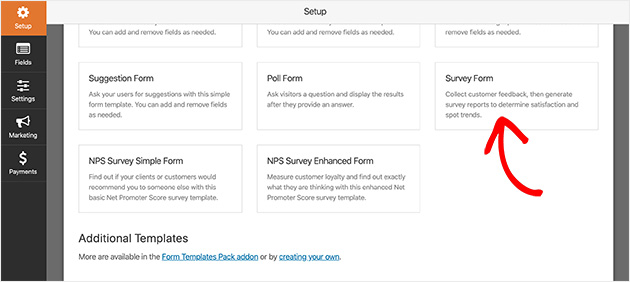
Mi experiencia
El creador se mantiene simple incluso a medida que las funciones se expanden. El diseño se carga rápidamente, los campos son fáciles de organizar y las confirmaciones y notificaciones funcionan sin configuración adicional. También me gusta que puedas empezar con Lite y actualizar solo cuando necesites más.
| Lo que me gusta de WPForms | Lo que no me gusta de WPForms |
|---|---|
| Creador de arrastrar y soltar muy fácil de usar para principiantes. | Las funciones avanzadas requieren Pro. |
| La gran biblioteca de plantillas acelera la configuración. | No está diseñado para visualizaciones complejas de estilo de base de datos. |
| Conversational Forms y Form Pages mejoran las conversiones. | |
| Admite pagos con Stripe, PayPal y Square. |
WPForms también incluye una función de vista previa de entradas para que los usuarios puedan revisar sus respuestas antes de enviarlas. Esto ayuda a reducir errores y mejora la calidad de finalización del formulario.
Si realizas campañas de generación de leads, el complemento Conversational Forms te permite crear formularios interactivos y sin distracciones. El complemento Form Pages te permite publicar páginas de destino de formularios independientes sin trabajo de diseño adicional.
WPForms Lite vs Pro
WPForms Lite funciona bien para formularios de contacto básicos con notificaciones y protección contra spam. WPForms Pro añade pagos, encuestas, formularios de varios pasos, carga de archivos, registro de usuarios e integraciones de marketing.
Las integraciones incluyen los principales servicios de marketing por correo electrónico y plataformas CRM, lo que lo hace adecuado para empresas en crecimiento.
Rendimiento de WPForms
En las pruebas de rendimiento, WPForms Lite no tuvo un impacto negativo significativo en las puntuaciones de velocidad de página. No añade tiempo de carga notable cuando se configura correctamente.
2. Formidable Forms

| Precios: A partir de 39,50 $/año |
| Plan Gratuito / Prueba: Versión Lite disponible |
| Funciones destacadas: |
| 🔹 Cálculos avanzados y lógica condicional 🔹 Visualización de datos en el front-end con Vistas 🔹 Integración de pagos y WooCommerce 🔹 Opciones de personalización amigables para desarrolladores |
| Valoración: A- |
| Ideal para: Desarrolladores, agencias y casos de uso de formularios complejos |
Formidable Forms es un constructor de formularios para WordPress diseñado para formularios avanzados y basados en datos. Está creado para usuarios que necesitan algo más que un simple formulario de contacto.
Mi experiencia
Formidable destaca cuando vas más allá de los formularios básicos de captación de clientes. Los campos de cálculo y la lógica condicional te dan más control, y la función Vistas hace posible mostrar los datos enviados en el front-end. Aprenderlo lleva más tiempo que WPForms, pero ofrece más profundidad una vez que lo entiendes.
| Lo que me gusta de Formidable Forms | Lo que no me gusta de Formidable Forms |
|---|---|
| Potente lógica condicional y funciones de cálculo. | Curva de aprendizaje más pronunciada que los plugins enfocados a principiantes. |
| Puede mostrar datos enviados por el usuario en el front-end. | La interfaz se siente más técnica. |
| Buena opción para directorios, bolsas de trabajo y calculadoras. | Excesivo para simples formularios de contacto. |
| Funciona bien con sistemas de pago y WooCommerce. |
Formidable Forms admite tipos de formularios avanzados como formularios de pago, formularios de registro de eventos, cuestionarios y formularios de encuestas. Los campos de cálculo lo hacen adecuado para constructores de presupuestos y calculadoras de precios.
Si necesitas formatear y mostrar datos de formularios en el front-end, la función Vistas es la razón principal para elegirlo sobre constructores más sencillos.
3. HubSpot WordPress Plugin

| Precios: Gratuito (Actualizaciones de pago disponibles) |
| Plan Gratuito / Prueba: CRM y constructor de formularios gratuitos incluidos |
| Funciones destacadas: |
| 🔹 CRM integrado para gestión de contactos 🔹 Automatización de correos electrónicos y seguimientos 🔹 Constructor de formularios de arrastrar y soltar 🔹 Herramientas de chat en vivo y chatbot |
| Calificación: B+ |
| Ideal para: Empresas que desean formularios conectados a herramientas de CRM y marketing |
El plugin de WordPress de HubSpot combina un constructor de formularios de contacto con herramientas de CRM y marketing. Es más que un plugin de formularios.
Mi experiencia
HubSpot tiene sentido si quieres que los envíos de formularios se organicen automáticamente dentro de un CRM. El constructor es simple, pero el valor real es ver cada contacto almacenado, rastreado y listo para el seguimiento sin integraciones adicionales.
| Lo que me gusta de HubSpot | Lo que no me gusta de HubSpot |
|---|---|
| Los formularios se conectan directamente a un CRM integrado. | Más pesado que los plugins de formularios independientes. |
| Automatización de correos electrónicos incluida. | La interfaz rica en funciones puede resultar abrumadora. |
| Opciones de chat en vivo y chatbot disponibles. | No centrado puramente en la creación de formularios. |
| Bueno para gestionar clientes potenciales en un solo lugar. |
Los formularios de HubSpot admiten formularios de registro, suscripciones a boletines y formularios de registro de eventos. Después del envío, los contactos se guardan directamente en el CRM de HubSpot.
También puedes activar secuencias de correo electrónico automatizadas o redirigir a los usuarios después del envío. Si necesitas automatización de marketing junto con los formularios, HubSpot cubre ambos.
HubSpot también incluye funciones de chat en vivo, que pueden reemplazar a los plugins de chat independientes.
4. Ninja Forms
| Precios: Plugin principal gratuito (complementos de pago disponibles) |
| Plan gratuito / Prueba: Versión gratuita disponible |
| Funciones destacadas: |
| 🔹 Sistema modular de complementos 🔹 Lógica condicional y formularios de varias partes 🔹 Subidas de archivos e integraciones de pago 🔹 Integración con Zapier |
| Calificación: B |
| Ideal para: Usuarios que desean complementos flexibles sin cambiar de plugin |
Ninja Forms es un plugin de formularios de contacto freemium para WordPress que utiliza un sistema modular de complementos. Empiezas con el plugin principal y añades funciones según sea necesario.
Mi experiencia
Ninja Forms es flexible, pero la estructura de complementos significa que a menudo necesitas varias actualizaciones para igualar lo que otros plugins incluyen por defecto. El constructor es sencillo, pero el precio puede aumentar rápidamente dependiendo de lo que necesites.
| Lo que me gusta de Ninja Forms | Lo que no me gusta de Ninja Forms |
|---|---|
| Plugin principal gratuito disponible. | Las funciones importantes requieren complementos de pago. |
| Se admite lógica condicional y formularios de varios pasos. | El precio de los complementos puede resultar caro. |
| Integración con Zapier para automatización. | El conjunto de funciones depende en gran medida de las actualizaciones. |
| Funciona bien para sitios web pequeños y medianos. |
La versión gratuita maneja formularios de contacto básicos. Para añadir pagos, subidas de archivos o integraciones avanzadas, necesitarás extensiones de pago.
Si prefieres un sistema modular donde solo pagas por las funciones que utilizas, Ninja Forms puede funcionar bien. Si quieres más funciones incluidas desde el principio, WPForms o Formidable pueden ofrecer un mejor valor.
5. Gravity Forms
| Precios: A partir de 59 $/año |
| Plan Gratuito / Prueba: Sin plan gratuito |
| Funciones destacadas: |
| 🔹 Complementos e integraciones avanzados 🔹 Personalización amigable para desarrolladores 🔹 Flujos de trabajo de pago y automatización (con complementos) 🔹 Gran opción para agencias que gestionan varios sitios |
| Calificación: B+ |
| Ideal para: Desarrolladores y agencias que necesitan integraciones y control |
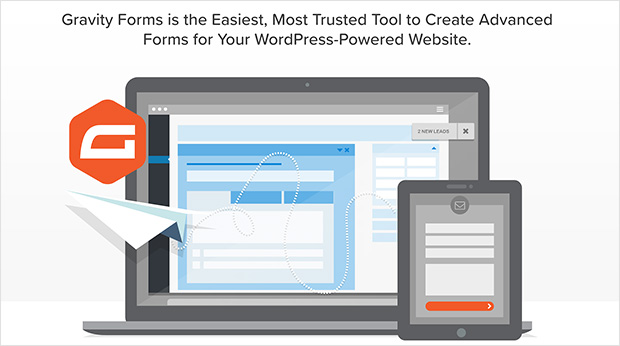
Gravity Forms es un constructor de formularios premium para WordPress creado para flujos de trabajo de formularios avanzados. Es adecuado para equipos que necesitan integraciones, complementos y más control que los plugins de formularios básicos.
Mi experiencia
Gravity Forms se siente como una herramienta creada para personas que ya saben lo que necesitan. Es potente, pero no es la opción más rápida para principiantes que solo quieren publicar un formulario de contacto y seguir adelante.
| Lo que me gusta de Gravity Forms | Lo que no me gusta de Gravity Forms |
|---|---|
| Sólido ecosistema de complementos e integraciones. | No hay versión gratuita para probar antes de comprar. |
| Buena opción para flujos de trabajo complejos y uso en múltiples sitios. | Menos intuitivo para principiantes que WPForms. |
| Flexible para desarrolladores que desean opciones de personalización. | Puede resultar caro para un solo sitio pequeño. |
| Soporta casos de uso avanzados con los complementos adecuados. |
Con una licencia de pago, Gravity Forms soporta tipos de formularios avanzados como encuestas, contenido enviado por usuarios y formularios de pedido. Muchas funciones dependen de complementos, por lo que es mejor cuando ya sabes qué integraciones necesita tu sitio.
Si estás creando un formulario de contacto simple, Gravity Forms suele ser más de lo que necesitas. Si administras múltiples sitios de clientes o deseas una pila de integración profunda, puede ser una opción sólida.
6. Jetpack Forms

| Precios: Gratuito (Parte de Jetpack) |
| Plan gratuito / Prueba: Sí |
| Funciones destacadas: |
| 🔹 Integrado en el editor de bloques de WordPress 🔹 Creación de formularios simple con bloques 🔹 Integración de protección contra spam Akismet 🔹 No se requiere un plugin de formularios adicional |
| Calificación: B |
| Ideal para: Sitios que ya usan Jetpack y necesitan formularios básicos |
Jetpack Forms está incluido dentro del plugin Jetpack. Te permite crear formularios simples directamente dentro del editor de bloques de WordPress.
Mi experiencia
Jetpack Forms es conveniente si ya usas Jetpack. Puedes agregar un bloque de formulario, ajustar algunas configuraciones y publicar rápidamente. Funciona bien para formularios de contacto básicos, pero no ofrece la profundidad de los constructores de formularios dedicados.
| Lo que me gusta de Jetpack Forms | Lo que no me gusta de Jetpack Forms |
|---|---|
| Integrado directamente en el editor de bloques. | Funciones avanzadas limitadas. |
| No se necesita un plugin separado. | No hay opciones de pago integradas. |
| Se integra con Akismet para la protección contra spam. | Viene incluido con muchas otras funciones de Jetpack. |
| Muy rápido para publicar formularios básicos. | No es ideal para generación de leads o flujos de trabajo avanzados. |
Jetpack Forms soporta formularios de comentarios, suscripciones a boletines, formularios de citas y formularios de registro simples. Los envíos se pueden gestionar dentro de WordPress o enviar a través de notificaciones por correo electrónico.
Si ya dependes de Jetpack, usar su función de formularios evita agregar otro plugin. Si necesitas pagos, lógica condicional avanzada o integraciones de marketing, un constructor de formularios dedicado te dará más control.
7. Contact Form 7

| Precios: Gratis |
| Plan Gratuito / Prueba: Sí (plugin gratuito) |
| Funciones destacadas: |
| 🔹 Gratuito y ampliamente utilizado 🔹 Enfoque de marcado de formularios simple 🔹 Funciona con Akismet y CAPTCHA para control de spam 🔹 Extensible con complementos de terceros |
| Valoración: C+ |
| Ideal para: Usuarios cómodos con una configuración más técnica que desean una opción gratuita |
Contact Form 7 es un plugin de formularios de contacto gratuito y de larga trayectoria para WordPress. Es popular, pero no es la opción más sencilla para principiantes.
Mi experiencia
Contact Form 7 puede funcionar bien una vez configurado, pero la experiencia de edición se siente más técnica que los constructores modernos de arrastrar y soltar. Si quieres algo que puedas construir y estilizar rápidamente, normalmente llegarás más rápido con WPForms Lite o Jetpack Forms.
| Lo que me gusta de Contact Form 7 | Lo que no me gusta de Contact Form 7 |
|---|---|
| Gratuito y ampliamente utilizado. | Más difícil de configurar y estilizar para principiantes. |
| Ligero para formularios sencillos. | Sin constructor moderno de arrastrar y soltar. |
| Funciona con Akismet y CAPTCHA para filtrar spam. | Las funciones avanzadas a menudo requieren complementos de terceros. |
| Flexible si te sientes cómodo editando el marcado del formulario. | Los complementos pueden ser difíciles de descubrir y gestionar. |
Contact Form 7 admite múltiples formularios y filtrado básico de spam. Si necesitas funciones avanzadas, normalmente añadirás plugins adicionales, lo que puede complicar tu configuración.
Si quieres un plugin de formularios gratuito y no te importa un flujo de trabajo más técnico, puede ser una opción viable. Si quieres la configuración más sencilla y mejores controles de diseño de formularios, elige un constructor enfocado a principiantes en su lugar.
8. Everest Forms
| Precios: Gratuito (actualización Pro disponible) |
| Plan Gratuito / Prueba: Sí (plugin gratuito) |
| Funciones destacadas: |
| 🔹 Constructor de formularios de arrastrar y soltar con vista previa en vivo 🔹 Biblioteca de plantillas para una configuración más rápida 🔹 Notificaciones y confirmaciones por correo electrónico 🔹 Ruta de actualización para funciones avanzadas |
| Calificación: B |
| Ideal para: Una alternativa sencilla de arrastrar y soltar con un presupuesto limitado |
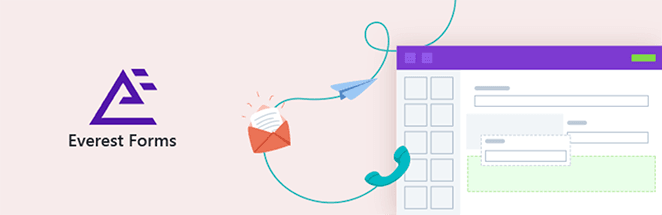
Everest Forms es un constructor de formularios de arrastrar y soltar para WordPress con una versión gratuita. Es una buena opción si quieres un constructor visual sin pagar por adelantado.
Mi experiencia
Everest Forms resulta fácil de usar, especialmente si quieres un formulario básico rápidamente. El constructor es claro y la vista previa en vivo te ayuda a evitar conjeturas. La principal desventaja es que la biblioteca de plantillas y las funciones avanzadas no son tan profundas como las de WPForms.
| Lo que me gusta de Everest Forms | Lo que no me gusta de Everest Forms |
|---|---|
| Constructor gratuito de arrastrar y soltar con vista previa en vivo. | Biblioteca de plantillas más pequeña que WPForms. |
| Bueno para formularios de contacto sencillos y formularios de generación de leads. | Las funciones avanzadas requieren actualizaciones. |
| Las notificaciones y confirmaciones son fáciles de configurar. | Menos adecuado para formularios complejos y basados en datos. |
| Interfaz clara para principiantes. |
Everest Forms incluye plantillas, notificaciones en tiempo real y un constructor visual. Si necesitas formularios básicos para el sitio de una pequeña empresa, la versión gratuita puede ser suficiente.
Si tu principal prioridad es tener la mayor biblioteca de plantillas y la experiencia de creación más fluida, WPForms sigue siendo la opción más sólida. Si solo quieres un creador de formularios simple de arrastrar y soltar de forma gratuita, Everest Forms vale la pena considerarlo.
¿Cuál es el mejor plugin de formularios de contacto para WordPress?
Al examinar los contendientes para los mejores plugins de formularios, tenemos dos sugerencias sólidas para cubrir todo lo que puedas necesitar.
- Mejor plugin de formularios de WordPress para principiantes – WPForms es, sin duda, la mejor solución para principiantes que desean saber cómo crear un formulario de contacto en WordPress. Es fácil de usar, está repleto de funciones avanzadas, puede evitar envíos de spam y tiene una versión gratuita y una premium de bajo costo.
- Mejor plugin de formularios de WordPress para usuarios avanzados – Formidable Forms es nuestra elección experta para crear formularios complejos que agencias y desarrolladores pueden usar para soluciones basadas en datos y centradas en formularios.
Preguntas frecuentes sobre los mejores plugins de formularios de contacto para WordPress
¿Cuál es el mejor plugin de formularios de contacto para WordPress?
WPForms es el mejor plugin de formularios de contacto para la mayoría de los usuarios de WordPress. Ofrece un creador de arrastrar y soltar fácil de usar para principiantes, una sólida protección contra spam y una versión gratuita para formularios básicos. Si necesitas cálculos avanzados o visualización de datos en el frontend, Formidable Forms es una mejor opción.
¿Cuál es el mejor plugin gratuito de formularios de contacto para WordPress?
WPForms Lite es el mejor plugin de formularios de contacto gratuito para principiantes. Incluye campos esenciales, notificaciones por correo electrónico y protección contra spam. Otras opciones gratuitas incluyen Jetpack Forms, Contact Form 7 y Everest Forms, pero son menos fáciles de usar para principiantes.
¿Cuál es mejor, Contact Form 7 o WPForms?
WPForms es mejor para principiantes porque utiliza un creador visual de arrastrar y soltar. Contact Form 7 es gratuito y ligero, pero requiere una configuración más técnica. Si la facilidad de uso es lo más importante, WPForms es la opción más sólida.
¿Necesito un plugin de formularios de contacto de pago para WordPress?
No. Un plugin gratuito funciona para formularios de contacto básicos. Solo necesitas una versión de pago si deseas procesamiento de pagos, lógica condicional avanzada, encuestas, integraciones de marketing o gestión de entradas dentro de WordPress.
¿Qué plugin de formularios de contacto admite pagos?
WPForms Pro, Formidable Forms, Ninja Forms y Gravity Forms admiten integraciones de pago. Estos te permiten aceptar pagos directamente a través de tus formularios utilizando pasarelas de pago compatibles.
¿Qué plugin de formularios de contacto es mejor para principiantes?
WPForms es la opción más amigable para principiantes. El creador es visual, la configuración es rápida y la versión gratuita funciona bien para formularios sencillos. Everest Forms es otra alternativa amigable para principiantes.
¿Puedo cambiar de plugin de formularios de contacto más adelante?
Sí, pero los formularios generalmente deben reconstruirse manualmente. La mayoría de los creadores de formularios no migran automáticamente los formularios entre plugins, por lo que cambiar lleva tiempo.
El mejor plugin de formularios de contacto para WordPress depende de cuán avanzados necesiten ser tus formularios.
Para la mayoría de los sitios, WPForms es la opción más fácil y equilibrada. Si necesitas cálculos avanzados o visualización de datos, Formidable Forms te da más control. Si solo quieres una opción gratuita para formularios sencillos, WPForms Lite te servirá.
Elige el plugin que se ajuste a tus necesidades actuales y actualiza más tarde si tu sitio crece.
También te pueden interesar las siguientes sugerencias de los mejores plugins de WordPress:
- Los mejores plugins de WordPress para renovar tu sitio web
- Los mejores plugins de búsqueda de WordPress para una mejor búsqueda en el sitio
- Los Mejores Plugins de Votación para WordPress que Necesitas
- Los mejores plugins de bloqueo de contenido para WordPress
- Comparativa de los mejores sistemas telefónicos para empresas
¡Gracias por leer! Nos encantaría conocer tu opinión, así que únete a la conversación en YouTube, X y Facebook para obtener más consejos y contenido útil para hacer crecer tu negocio.



