
SeedProd’s WooCommerce integration lets you design a complete online store using the drag-and-drop page builder — no coding required. You can build and customize every page of your store, from the shop page and product archives to single product pages, the cart, and checkout.
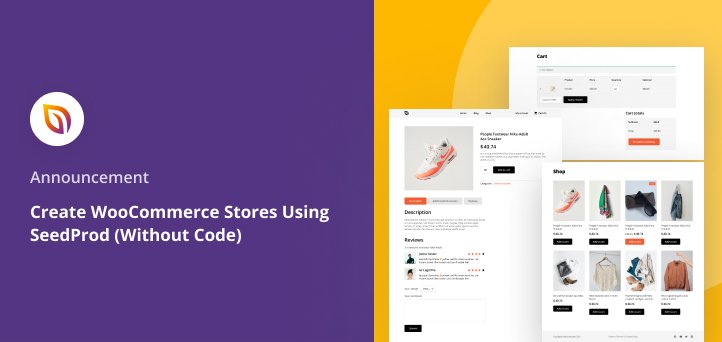
WooCommerce Page Templates
SeedProd’s Website Builder includes dedicated template types for each WooCommerce page. Use these to replace the default WooCommerce page designs with fully custom layouts built in the visual editor.
- Shop Page: Create a custom template for your main WooCommerce shop page using a Custom Page template with the condition set to Include | Pages | shop.
- Product Archive Template: Design custom category and tag pages using the Archive Product template type. Use template conditions to target specific product categories and tags.
- Single Product Page Template: Build a fully customized layout for individual product pages using WooCommerce Template Tags to display dynamic product data.
- Cart Page: Customize the shopping cart page using a Custom Page template with the condition set to Include | Pages | cart.
- Checkout Page: Customize the checkout experience using a Custom Page template with the condition set to Include | Pages | checkout.
WooCommerce Blocks
SeedProd includes a full set of WooCommerce blocks you can drag onto any page or template. Each block is documented individually — click the links below for setup instructions and available settings.
Product Display Blocks
- Products Grid: Display WooCommerce products in a customizable grid layout. Required for Product Archive and Shop page templates.
- Recent Products: Show your most recently published products.
- Sale Products: Highlight all products currently on sale.
- Best Selling Products: Surface your highest-selling products to help new visitors discover popular items.
- Featured Products: Display products you have marked as featured in WooCommerce.
- Top Rated Products: Showcase products with the highest customer ratings.
Single Product Template Blocks
These blocks are designed for use inside a Single Product page template. They pull dynamic product data from WooCommerce and display it based on the product being viewed.
- Product Price: Display the current product price, including sale pricing.
- Product Featured Image: Show the main product image.
- Product Gallery Images: Display the full product image gallery.
- Short Description: Display the product’s short description.
- Product Rating: Show the star rating for the current product.
- Add to Cart: Embed an Add to Cart button for the current product.
- Upsells: Display upsell product recommendations on the single product page.
Cart and Checkout Blocks
- Cart: Embed a fully functional WooCommerce shopping cart on any page. Required for the Cart page template.
- Checkout: Embed a WooCommerce checkout form on any page. Required for the Checkout page template.
- Menu Cart: Add a shopping cart icon to your header or any page, showing the current item count.
You have everything you need to build a fully customized WooCommerce store with SeedProd. Start with the page templates to set up your store structure, then use the WooCommerce blocks to design each page exactly the way you want. For step-by-step instructions on any individual block or template, follow the links above to the dedicated documentation pages.