
The SeedProd AI Builder lets you generate a complete WordPress website theme in seconds. Describe your site and the AI creates a ready-to-use theme you can download and install directly into SeedProd — no design experience required.
Step 1: Generate Your Theme
The SeedProd AI Builder runs at ai.seedprod.com, separately from your WordPress dashboard. Follow these steps to create your theme:
- Go to ai.seedprod.com.
- Enter your email address to request access.
- Check your inbox for a login link and click it to open the AI Builder.
- Follow the on-screen prompts to describe your site and generate your theme. You can create up to three themes per email address.
- Once your theme is ready, download the ZIP file to your computer.
Step 2: Import the Theme into SeedProd
Once you have the ZIP file, import it into SeedProd from your WordPress dashboard:
- Go to SeedProd > Import/Export in your WordPress admin.
- Upload the ZIP file you downloaded from the AI Builder.
- Click Import to install the theme into SeedProd.
Step 3: Enable the Theme Site-Wide
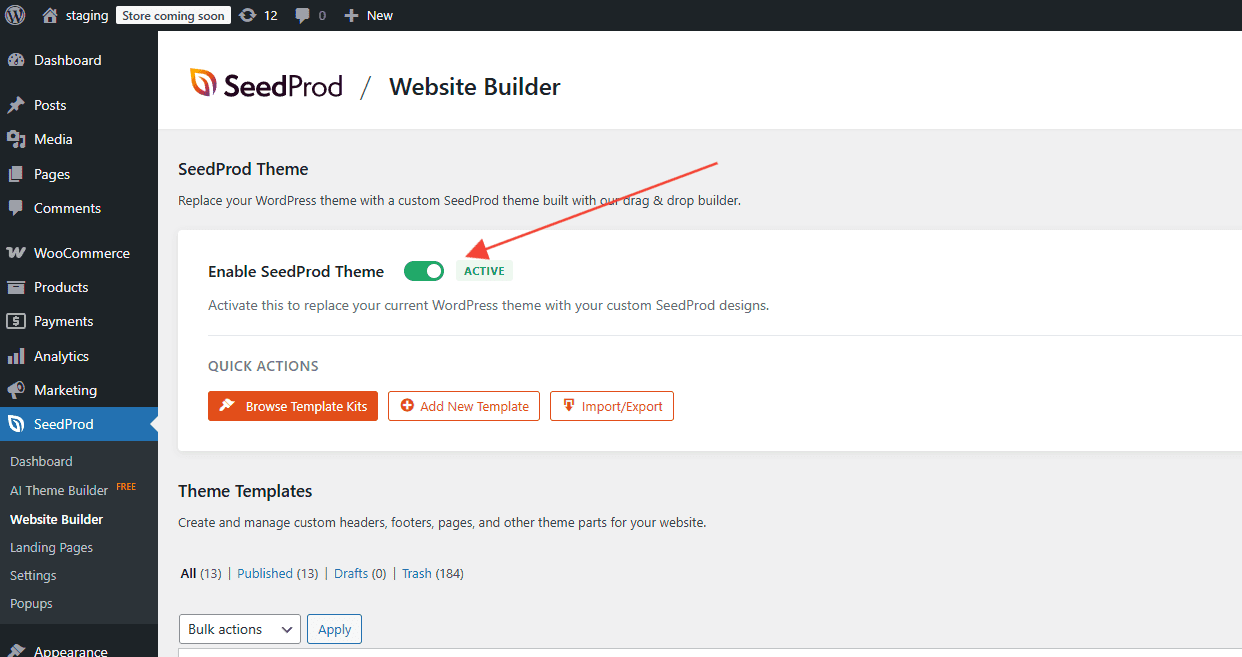
Go to SeedProd > Website Builder and confirm that the SeedProd Theme toggle is enabled. This applies your imported templates across your entire site.
Your AI-generated theme is now live and ready to customize. Open any template in the SeedProd visual editor to adjust the layout, colors, fonts, and content to match your brand.