

TL;DR: What Is a Landing Page?
A landing page is a focused, standalone web page built for one goal. Here is what you need to know before you build your first one.
- Landing page definition – A standalone web page designed for a single action, like collecting an email address or making a sale.
- Homepage vs landing page – Homepages have many links and many goals. Landing pages have one CTA and remove all distractions.
- Two main types – Lead generation pages collect contact info via a form. Click-through pages drive visitors directly to a purchase or sign-up.
- What breaks most pages – Leaving your site nav on and not matching your headline exactly to the ad that sent them there.
- When to use one – Any time you run an ad, promote a sale, or offer a lead magnet, your offer needs its own dedicated page.
- How to build one on WordPress – SeedProd lets you create landing pages from inside WordPress with drag-and-drop, no coding required.
You’ve got a WordPress site and you’re running a Facebook ad for a service discount.
People click the ad, land on your homepage, look around for a few seconds, and leave without doing anything.
The ad worked, but your homepage wasn’t built to convert that specific click into a lead or a sale.
That’s the problem a landing page solves. In this guide I’ll walk you through what one actually is, when you need one, and how to build one in WordPress without touching code.
Prefer to let AI handle the heavy lifting? Here’s how I’d pick the best AI landing page builder for the job.
- What Is a Landing Page?
- Landing Page vs Homepage: What's the Difference?
- The 2 Main Types of Landing Pages
- What Most Landing Pages Get Wrong
- When Does a WordPress Site Need a Landing Page?
- How to Build a Landing Page on WordPress Without Coding
- Frequently Asked Questions About Landing Pages
- Ready to Build Your First Landing Page?
What Is a Landing Page?
A landing page is a standalone web page built for one specific goal. Visitors arrive via a specific path, usually an ad click, an email link, or a search result, and the page has exactly one job: get them to take one action.

That action might be downloading a free guide, signing up for a webinar, booking a call, or buying a product. There’s no browsing, no menu of options, no ten different places to go.
That single focus is what makes landing pages convert better than regular web pages. When you give visitors one clear path forward, more of them take it.
Landing Page vs Homepage: What’s the Difference?
Your homepage serves your whole business. It introduces who you are, links to your services, your blog, your about page, your contact form, and probably your social media profiles.
A landing page serves one campaign or one offer. It has minimal navigation, sometimes none at all, and one call to action.
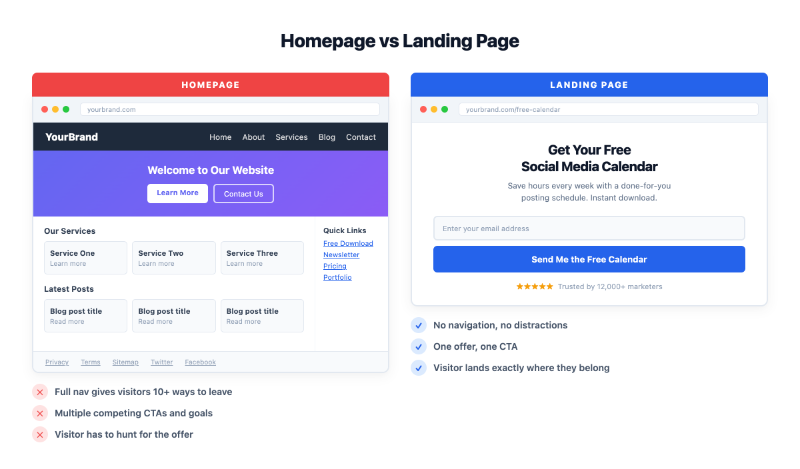
Research shows that a typical homepage has ten or more links. A well-optimized landing page sometimes has just one.
The more options you give people, the harder it is to decide, and that friction costs you conversions.
When someone clicks an ad expecting a specific offer, a homepage with a full nav menu is the wrong destination. They came for one thing, and now they have to go find it.
A homepage is for browsing. A landing page is for action.
The 2 Main Types of Landing Pages
Most landing pages fall into one of two types, and which one you need depends on what you’re asking visitors to do.
Lead Generation Landing Pages
A lead generation landing page collects contact information, typically a name and email address, in exchange for something valuable.
The visitor fills out a short form and receives a free resource, a discount code, webinar access, or a quiz result. These pages work well for email list building, B2B lead capture, and any campaign where you want to start a relationship before asking for a sale.
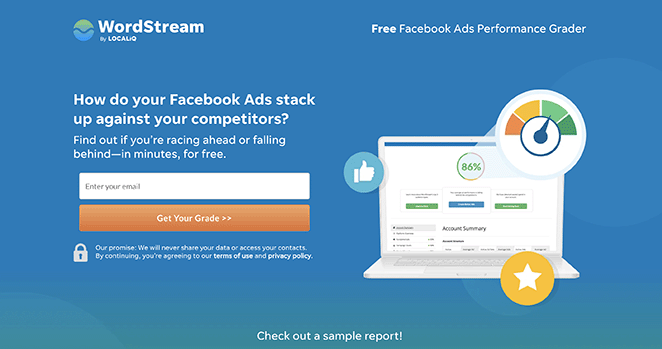
On a WordPress site, you’d use a lead gen page when offering a free checklist download, a webinar sign-up, or a consultation request form.
Click-Through Landing Pages
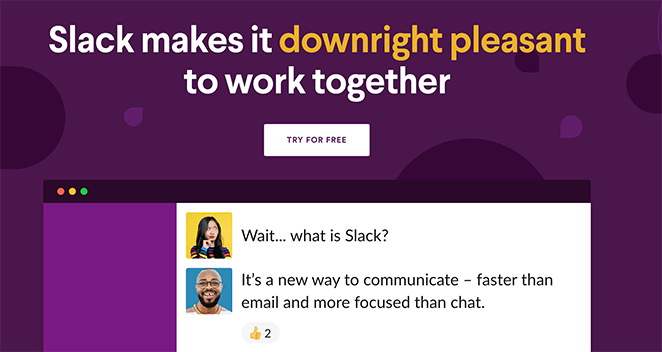
A click-through landing page skips the form entirely. It has one button that sends visitors directly to a purchase, checkout, or sign-up flow.
You’ll see these used for ecommerce promotions, SaaS free trials, and limited-time offers. On a WordPress site, a Black Friday sale page or a WooCommerce product promotion would typically be a click-through landing page.
One bonus type worth knowing: a coming soon page is a lightweight landing page. It captures email addresses from visitors who arrive before your site or product is ready to launch.
What Most Landing Pages Get Wrong
Most landing page guides give you the same checklist: clear headline, focused copy, one CTA, social proof, mobile-friendly design. That list isn’t wrong, but it’s not where the real gains are.
Your Navigation is a Conversion Leak
WordPress themes add your site header and full nav to every page by default. On a landing page, that nav is a problem. It gives visitors links back to your blog, your about page, your services list, everywhere except the one action you want them to take.
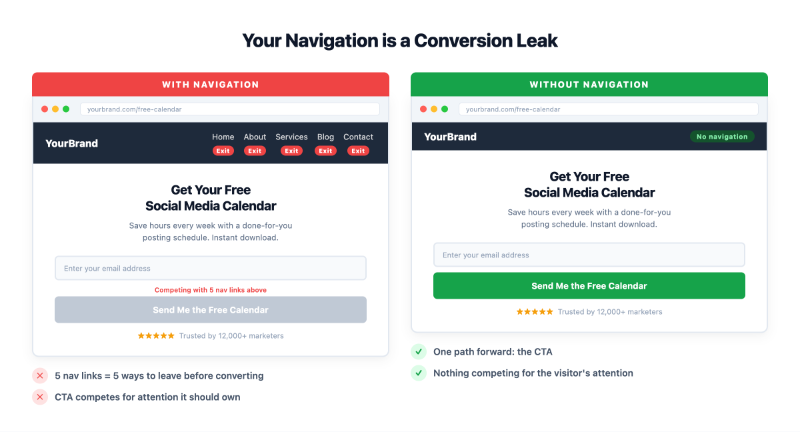
Dedicated landing page tools default to no navigation for exactly this reason, and removing your nav is one of the highest-leverage changes you can make.
“Clear Headline” isn’t Specific Enough
The real test is whether the headline mirrors the exact language of whatever sent the visitor there.
If your ad says “Free Social Media Calendar for Small Businesses,” a headline that reads “Download Our Free Social Media Calendar” isn’t the same. It drops the qualifier that told visitors they were in the right place.
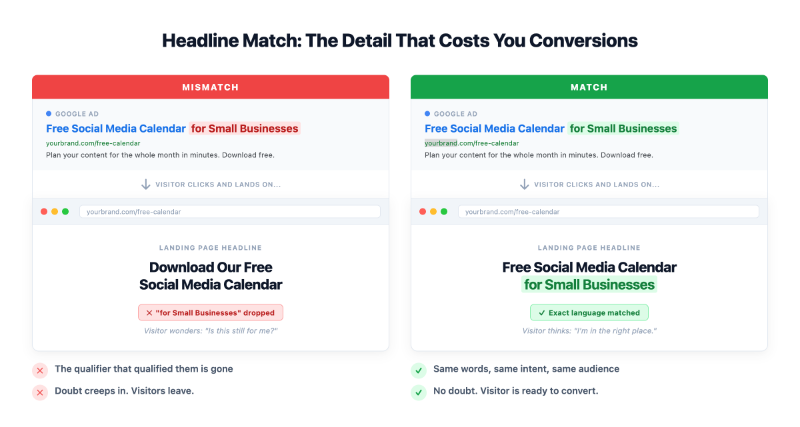
When the headline and the ad don’t match precisely, there’s a moment of doubt, and doubt makes people leave.
Both are easy to miss because they’re not about what you add to a landing page. They’re about what breaks one. For a full breakdown of what goes into a high-converting page, this guide on the anatomy of a landing page covers each element in detail.
When Does a WordPress Site Need a Landing Page?
Not every page on your site needs to be a landing page. But if you’re doing any of the following, you need one.
Running paid ads. Google Ads and Facebook Ads should never point to your homepage or a blog post.
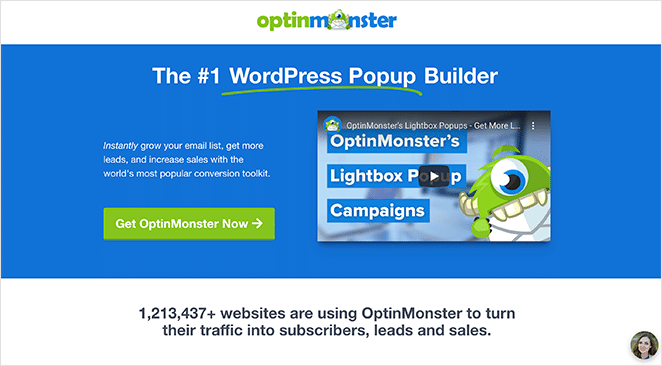
OptinMonster had a PPC campaign that wasn’t converting, and when they switched to a dedicated landing page built with SeedProd, conversions jumped 340% and their cost per acquisition dropped by 47%. The page took under 30 minutes to build.
Growing your email list. Email marketing generates $36 for every $1 spent, according to Litmus research. A dedicated opt-in page with a clear offer is how you build the list that earns that return, not a sidebar widget that gets ignored.
Promoting a sale or product. A WooCommerce product page is designed for browsing and decision-making. A focused promotional landing page is designed for one thing: the conversion you care about right now.
Launching something new. A coming soon page lets you build an email list before you have anything to show. It captures the interest that would otherwise disappear.
Offering a lead magnet. A free guide, template, or checklist download needs its own page. Dropping a download link in a blog post sidebar is not a landing page strategy.
KlientBoost data shows that companies increasing their landing page count from 10 to 15 see a 55% boost in leads. More specific pages means more relevant traffic, and more relevant traffic converts better.
Any time you’re driving traffic to a specific offer, that offer deserves its own focused page.
How to Build a Landing Page on WordPress Without Coding
Most people hear “landing page” and assume they need an outside tool. Unbounce, Leadpages, and similar platforms are well-known, but they’re standalone products that require separate subscriptions and live outside your WordPress site.
If you already have WordPress, there’s a simpler path. SeedProd is a drag-and-drop website builder for WordPress that lets you create landing pages directly from your WordPress dashboard.

You install it like any other plugin, pick from 350+ pre-built templates (lead gen, webinar registration, sales, coming soon), and customize with a point-and-click editor. No code needed.
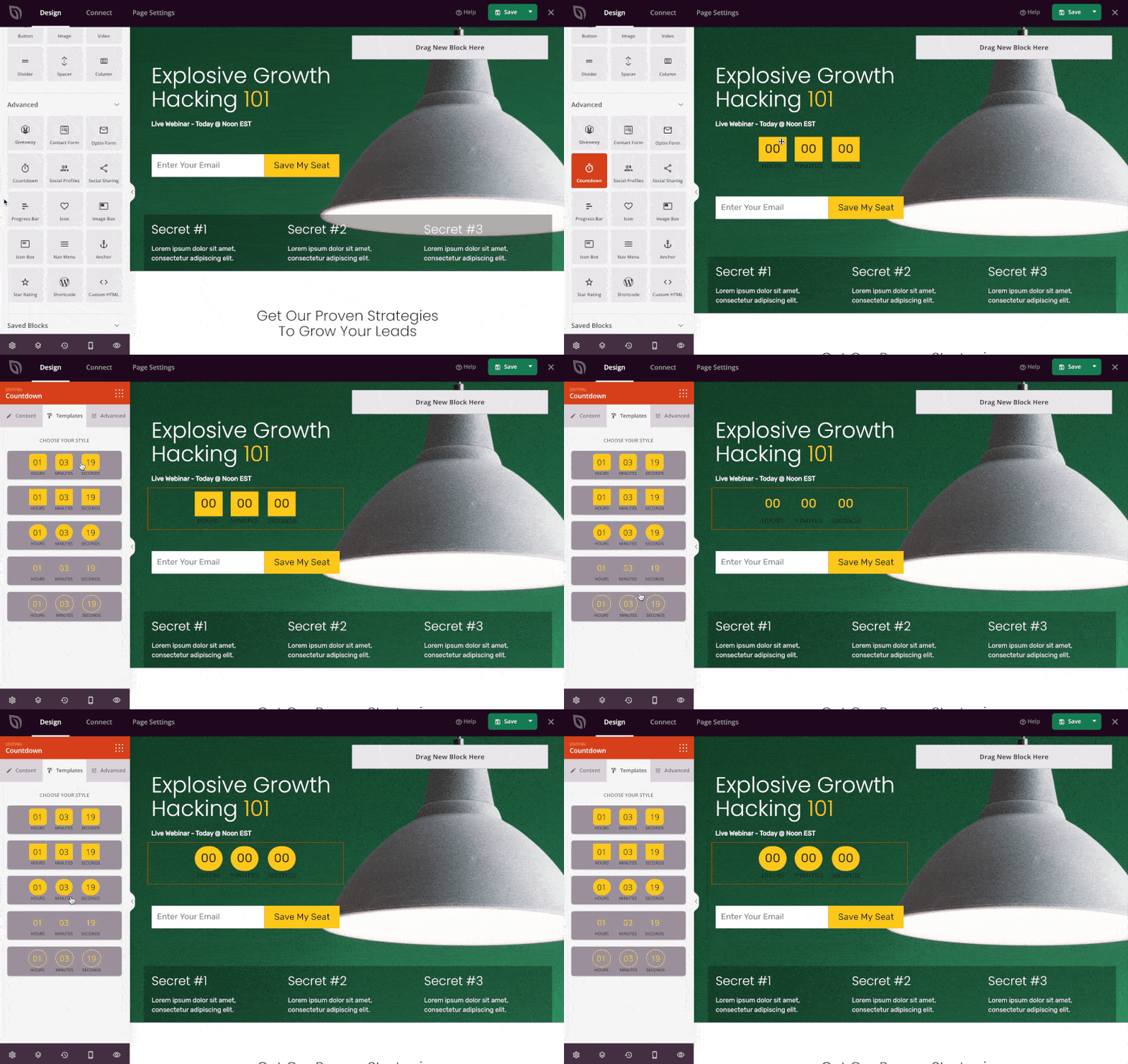
SeedProd also connects to 15+ email marketing platforms, including Mailchimp, ConvertKit, and ActiveCampaign, so the contacts you collect go straight into your email list.
Speed matters too. In my testing using GTmetrix, landing pages built with SeedProd loaded in 556ms compared to 1,882ms for Elementor.
For a landing page that lives or dies on conversion rate, that load time difference adds up fast.
SeedProd has a free version you can install today from the WordPress plugin directory. Paid plans unlock the full template library, email integrations, and the AI landing page builder.
For the full walkthrough, see our guide on how to create a landing page in WordPress.
Frequently Asked Questions About Landing Pages
What is the difference between a landing page and a website?
A website serves many purposes: it introduces your business, hosts your blog, lists your services, and gives visitors a way to contact you. A landing page serves exactly one purpose: getting a visitor to take one specific action, like filling out a form or clicking a button to buy.
You can have a full website and still use landing pages. They’re separate pages you create for specific campaigns, not a replacement for your site.
Do I need a landing page if I already have a website?
Yes, if you’re running ads, growing an email list, or promoting any specific offer. Your homepage isn’t designed to convert a specific campaign click into a lead or sale.
Think of your homepage as your front door and a landing page as a dedicated room for a specific conversation.
How long should a landing page be?
It depends on what you’re asking the visitor to do. A simple email opt-in page can convert well with a headline, two or three bullet points, and a form. A high-ticket product or service page may need longer copy to build enough trust before someone acts.
The rule is: long enough to answer every objection the visitor might have, and short enough that they don’t lose interest before reaching the CTA.
Can I create a landing page for free?
Yes. SeedProd has a free version available in the WordPress plugin directory that you can use to build basic landing pages. Most major landing page tools offer a free tier or trial period.
If you’re on WordPress, the free version of SeedProd is a good place to start. It gives you access to templates and the drag-and-drop editor without a subscription.
What is the average conversion rate for a landing page?
The average landing page conversion rate is around 2.35%, according to WordStream data. Top-performing pages can reach 10% or higher, depending on the offer, the audience, and how closely the page matches the traffic source.
Conversion rates vary widely by industry and offer type. A simple email opt-in for a free download will typically convert higher than a page asking for a purchase decision.
Ready to Build Your First Landing Page?
Most WordPress site owners never build a dedicated landing page. They run ads to their homepage, add a sign-up form to a sidebar, and wonder why the numbers don’t move.
Now you know why. And you know what to do instead.
If you’re on WordPress, SeedProd is a practical place to start. You can install the free version, pick a template that fits your offer, and have a landing page live on your site in an afternoon.
Your next campaign deserves a page that’s actually built to convert. That’s what a landing page does.
Thanks for reading! We’d love to hear your thoughts, so please feel free to join the conversation on YouTube, X and Facebook for more helpful advice and content to grow your business.



