
![Pourquoi vous DEVEZ éviter SeedProd 'nulled' [7 raisons]](https://www.seedprod.com/wp-content/uploads/2020/06/why-you-must-avoid-seedprod-nulled.png "pourquoi-vous-devez-eviter-seedprod-nulled - SeedProd")

TL;DR : SeedProd Nulled Un plugin nulled est une copie piratée d'un logiciel payant. Voici ce que vous devez savoir avant d'en télécharger un :
- Ce que signifie « nulled » – Un plugin premium redistribué sans autorisation, souvent avec des modifications de code ajoutées.
- Risque de sécurité – Les plugins nulled incluent couramment des portes dérobées, des injecteurs de spam ou des logiciels malveillants qui s'exécutent en arrière-plan.
- Dommages au SEO – Les sites infectés peuvent perdre rapidement des classements, recevoir des avertissements manuels ou être désindexés par Google.
- Pas de mises à jour ni de support – Vous êtes bloqué sur un ancien code sans correctifs, sans nouvelles fonctionnalités et sans aide si quelque chose casse.
- L'alternative sûre – SeedProd a une version gratuite officielle. Utilisez-la à la place, puis mettez à niveau lorsque vous êtes prêt.
Vous avez trouvé ce qui ressemble à un téléchargement gratuit de SeedProd Pro. Il est étiqueté comme nulled, le prix est zéro, et si votre budget est serré, il est facile de croire que celui-ci pourrait être sûr.
J'ai passé plus d'une décennie à travailler avec des sites WordPress, et j'ai vu cela mal tourner de nombreuses fois. Les plugins nulled sont des copies piratées de logiciels premium, couramment modifiés pour supprimer la licence et souvent remplis de code malveillant caché.
Ce guide explique pourquoi vous devriez éviter SeedProd nulled et montre comment utiliser SeedProd en toute sécurité, y compris une option gratuite avec laquelle vous pouvez commencer dès aujourd'hui.
- Qu'est-ce qu'un plugin Nulled ?
- Pourquoi vous devriez éviter SeedProd « nulled »
- 1. SeedProd nulled contient-il un logiciel malveillant ?
- 2. SeedProd nulled peut-il voler vos données ?
- 3. SeedProd nulled nuira-t-il à votre SEO ?
- 4. Que se passe-t-il si SeedProd nulled casse mon site ?
- 5. SeedProd nulled cessera-t-il de fonctionner après une mise à jour de WordPress ?
- 6. Quelles fonctionnalités me manquent avec SeedProd nulled ?
- 7. Est-il éthique d'utiliser SeedProd nulled ?
- Comment repérer les plugins WordPress annulés
- Comment obtenir SeedProd gratuitement
- Questions fréquemment posées sur SeedProd Nulled
- Réflexions finales
Qu'est-ce qu'un plugin Nulled ?
Un plugin nulled est une copie piratée d'un plugin WordPress payant que quelqu'un distribue sans la permission du développeur.
Les plugins nulled sont également appelés plugins crackés ou piratés. Ces trois termes décrivent la même chose : un plugin premium redistribué sans l'autorisation du développeur.
Certaines personnes essaient de justifier les plugins nulled en pointant vers la GPL, mais « légal de partager du code » n'est pas la même chose que « sûr à installer sur votre site ».
La GPL vous permet d'utiliser, d'étudier, de partager et de modifier le logiciel WordPress.
- Exécutez le logiciel comme vous le souhaitez
- Étudiez le fonctionnement du logiciel
- Partagez des copies du logiciel
- Modifier et améliorer le logiciel
La GPL autorise la redistribution, mais le « nulling » implique généralement la modification du code pour désactiver les vérifications de licence. Cette modification rend le plugin invérifiable et potentiellement dangereux.
Le vrai problème est la confiance. Les téléchargements « nuls » sont souvent « empaquetés » avec du code supplémentaire, et vous n’avez aucun moyen sûr de vérifier ce qui a été modifié.
Ce risque peut vous coûter bien plus cher qu'une licence de plugin, surtout si votre site collecte des identifiants, des e-mails ou des paiements.
Pourquoi vous devriez éviter SeedProd « nulled »

SeedProd « nulled » n’est pas un raccourci. C’est un risque de sécurité qui peut casser votre site, nuire à votre classement, et vous laisser sans mises à jour ni aide en cas de problème.
Voici les principales raisons pour lesquelles je ne recommande pas d’utiliser un téléchargement SeedProd Pro « nulled » sur un site WordPress.
1. SeedProd nulled contient-il un logiciel malveillant ?
Les plugins « nuls » incluent couramment du code caché qui crée des portes dérobées, injecte du spam ou installe des logiciels malveillants. Une fois qu’il est présent, il peut se propager à travers les fichiers et la base de données.
J’ai vu des sites perdre des jours ou des semaines de nettoyage après avoir installé des plugins piratés. Même lorsque le site « semble bien », les dégâts peuvent se produire en arrière-plan.
Si Google détecte des logiciels malveillants, il peut avertir les visiteurs, supprimer des classements ou retirer des pages des résultats de recherche. Cela peut annuler des mois de travail du jour au lendemain.
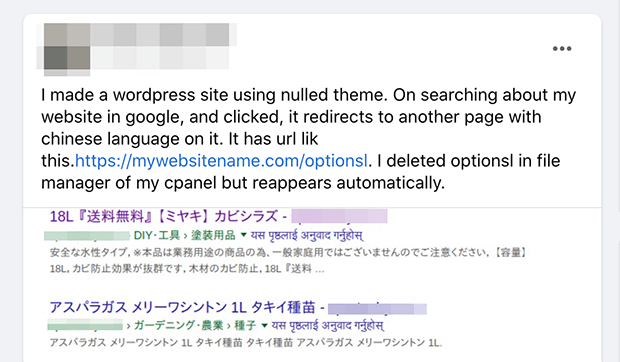
Si vous investissez dans le SEO, il suffit d’un seul téléchargement infecté pour anéantir votre élan. C’est pourquoi je recommande toujours d’utiliser des plugins légitimes avec mises à jour et support.
2. SeedProd nulled peut-il voler vos données ?

Les plugins « nuls » peuvent inclure des scripts qui capturent des données et les envoient à un tiers. Cela peut inclure des identifiants d’administration, des e-mails de clients et des soumissions de formulaires.
Si votre site utilise WooCommerce, des adhésions, ou collecte des prospects, vous êtes responsable de la protection de ces données. Une seule violation peut créer des problèmes juridiques, financiers et de confiance difficiles à résoudre.
C’est aussi pourquoi avoir une politique de confidentialité WordPress solide est important. Si des données utilisateur sont jamais exposées, vous devez savoir exactement ce que vous avez collecté et comment le divulguer.
3. SeedProd nulled nuira-t-il à votre SEO ?
Les plugins « nuls » injectent souvent des liens de spam, des pages de spam ou des redirections que les moteurs de recherche détectent rapidement. Cela peut entraîner des chutes de classement et des avertissements manuels.
La récupération est lente car vous devez supprimer l’infection, nettoyer le site et rétablir les signaux de confiance. Dans les pires cas, les propriétaires de sites finissent par reconstruire à partir de zéro.
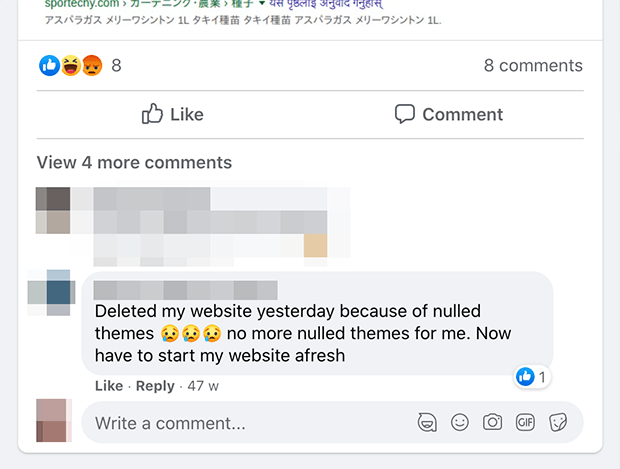
Si vous avez affaire à un site compromis, lisez comment sécuriser votre site WordPress contre les pirates. Les étapes décrites couvrent le processus de nettoyage, de l’infection à la récupération.
4. Que se passe-t-il si SeedProd nulled casse mon site ?
Si quelque chose casse, les utilisateurs de versions « nulles » n’ont aucun support fiable. Vous ne pouvez pas non plus demander de l’aide en toute sécurité car le problème commence souvent par un téléchargement non officiel.
Avec une copie légitime, vous pouvez utiliser la documentation, les tutoriels et le support pour résoudre rapidement les problèmes. C’est important lorsqu’une page de destination ou une mise en page de site affecte les revenus.
Vous pouvez lire plus de témoignages sur SeedProd ici.
5. SeedProd nulled cessera-t-il de fonctionner après une mise à jour de WordPress ?
Les mises à jour corrigent les problèmes de sécurité et maintiennent la compatibilité des plugins avec les nouvelles versions de WordPress. Sans mises à jour, vous êtes bloqué sur un ancien code qui devient plus facile à exploiter avec le temps.
Même si le plugin « fonctionne aujourd'hui », cela peut changer après une mise à jour de WordPress. Vous vous retrouvez alors à résoudre des problèmes sans voie de mise à niveau sûre.
Un bon plugin de sécurité WordPress peut signaler les vulnérabilités des logiciels obsolètes. Mais la seule vraie solution est d'utiliser des plugins légitimes et mis à jour.
6. Quelles fonctionnalités me manquent avec SeedProd nulled ?

Une copie annulée vous fige dans le temps. Vous manquez les améliorations de performances, les nouvelles intégrations et les nouvelles fonctionnalités qui rendent le plugin meilleur et plus sûr.
SeedProd publie régulièrement des mises à jour, ajoutant de nouveaux blocs, intégrations et corrections de compatibilité à chaque version. Une copie annulée signifie que vous êtes toujours à la traîne.
7. Est-il éthique d'utiliser SeedProd nulled ?
Les plugins annulés prennent un travail payant et le redistribuent sans permission. Cela réduit le budget pour le développement, le support, la documentation et les futures mises à jour.
Si vous comptez sur les outils WordPress pour gérer votre entreprise, payer pour ceux que vous utilisez aide à les maintenir et à les sécuriser.
Comment repérer les plugins WordPress annulés
Vous ne pouvez pas « scanner » de manière fiable un téléchargement et prouver qu'il est sûr. La meilleure solution est d'éviter les sources suspectes en premier lieu.
Ces signaux d'alarme apparaissent généralement avec les plugins annulés :
- Sites de téléchargement suspects : Pages de « plugins premium gratuits » avec des pop-ups, des bundles ou des installateurs forcés.
- Noms de fichiers crackés ou annulés : Si le site fait la publicité du piratage, supposez que les fichiers ont été modifiés.
- Solutions de contournement pour les clés de licence : « Utilisez cette clé » ou « désactivez les vérifications de licence » est un signe d'avertissement majeur.
- Comportement étrange après l'installation : Nouveaux utilisateurs administrateurs, fichiers inconnus, redirections ou pages de spam.
Comment puis-je savoir si mon site a déjà un plugin nulled ?
Si vous soupçonnez qu'un plugin a été installé par un freelance ou une agence et que vous ne savez pas d'où il vient, recherchez ces deux signes :
- Aucune mise à jour disponible et aucun avis d'expiration de licence : Les plugins premium légitimes vous invitent à renouveler ou à connecter une licence. Si aucun des deux messages n'apparaît et qu'aucune mise à jour n'est en attente, le plugin peut être annulé.
- Le champ de licence est pré-rempli et n'accepte pas de nouvelle clé : C'est une modification courante dans les plugins annulés. Le champ semble légitime mais rejette toute clé de licence réelle que vous essayez d'entrer.
Que faire si vous avez déjà un plugin Nulled
Si vous confirmez qu'un plugin annulé est sur votre site, agissez rapidement.
- Désactivez et supprimez le plugin immédiatement
- Analysez le site avec un plugin de sécurité comme Wordfence ou Sucuri
- Changez tous les mots de passe administrateur par précaution
- Installez la version légitime depuis SeedProd.com
Comment obtenir SeedProd gratuitement
Si vous souhaitez essayer SeedProd sans payer, utilisez la version gratuite officielle au lieu d'un téléchargement annulé. C'est la seule façon sûre de tester le constructeur sur un site WordPress actif.
Ceci est la version de téléchargement gratuite officielle de SeedProd : version de téléchargement gratuite de SeedProd
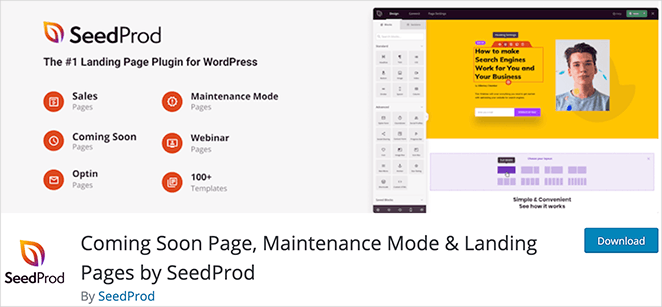
Vous pouvez également installer le plugin gratuit depuis WordPress.org, puis passer à la version supérieure plus tard si vous avez besoin de plus de modèles, de blocs et de fonctionnalités.
Questions fréquemment posées sur SeedProd Nulled
Quelle est la différence entre les plugins GPL et annulés ?
La GPL autorise le partage et la modification de code open-source. Les plugins 'nulled' vont au-delà en supprimant les protections de licence et en ajoutant généralement du code non autorisé. Ce n'est pas parce qu'un logiciel peut être légalement redistribué que la version spécifique que vous téléchargez est sûre ou non modifiée.
SeedProd a-t-il une version gratuite ?
Oui. La version gratuite officielle est disponible sur WordPress.org et vous donne accès au constructeur par glisser-déposer, aux blocs principaux et à une sélection de modèles. Vous pouvez passer à un plan payant à tout moment si vous avez besoin de fonctionnalités plus avancées.
Comment puis-je savoir si j'ai déjà un plugin 'nulled' installé sur mon site ?
Recherchez deux signes : un plugin sans mise à jour disponible et sans notification d'expiration de licence, ou un champ de licence pré-rempli qui n'accepte pas une clé valide. Vous pouvez également effectuer un scan de sécurité avec un plugin comme Wordfence ou Sucuri pour vérifier la présence de code suspect dans les fichiers du plugin.
Est-il illégal d'utiliser des plugins WordPress 'nulled' ?
Cela dépend de votre juridiction et des conditions de licence spécifiques. Même là où c'est techniquement légal, l'utilisation d'un plugin 'nulled' viole les conditions d'utilisation du développeur et annule généralement toute assistance. Le risque légal est secondaire au risque de sécurité, qui est immédiat et réel.
Réflexions finales
SeedProd 'nulled' ne vaut pas le risque. Il peut compromettre votre site, vos visiteurs et votre trafic de recherche.
Si le budget est le problème, commencez par la version gratuite officielle, puis passez à une version supérieure lorsque vous serez prêt.
Et si vous voulez commencer rapidement, ces guides peuvent vous aider :
- Comment créer un site Web WordPress pour les débutants
- Comment créer une page personnalisée dans WordPress
- Comment configurer une boutique en ligne dans WordPress
Merci de votre lecture ! Nous serions ravis d'entendre vos réflexions, alors n'hésitez pas à rejoindre la conversation sur YouTube, X et Facebook pour plus de conseils et de contenu utiles pour développer votre entreprise.



