
TL;DR
If you’re leaving Divi mainly for better AI, these are the WordPress builders worth your shortlist. My pick is SeedProd, for getting from a prompt to a live, lightweight site the fastest.
- SeedProd: Best overall. Generates a full WordPress site with AI for free (up to 3 sites), then Pro to edit and publish.
- Elementor: Best for designers who want AI plus granular control, with credit-based Elementor AI and the newer free Angie agent.
- 10Web: Best for a full AI-generated site that comes with managed hosting attached.
- ZipWP: Best for spinning up a draft WordPress site in about a minute.
- Brizy and Spectra: Best budget picks. Brizy builds a whole site from one prompt; Spectra generates pages inside the block editor you already use.
You tried Divi AI, and honestly, it’s pretty good. You type a prompt, it hands back usable copy and a layout, and for a minute the whole thing feels effortless.
Then you remember what it’s bolted to. Divi AI only runs inside Divi, with all its weight and short codes, and it isn’t even free once your 100-use trial runs out. And if you ever decide to leave Divi later, those same short codes turn the exit into a real headache.
So here’s the honest question. If AI is the reason you’re looking, do you actually need to stay inside Divi to get it?
You don’t. Below are seven WordPress builders with real AI built in, with notes on which truly build a site and which just fill in the blanks.
At a Glance: Divi Alternatives With Built-In AI
Before I break each one down, here’s the shortlist at a glance. Every tool has AI built into the builder itself, not bolted on as a separate agent you wire up yourself.
| Tool | Best For | Built-In AI | Starting Price |
|---|---|---|---|
| 🥇 SeedProd | Getting a live site fastest with AI | Full site and page generation | Free; Pro from $39.50/yr |
| 🥈 Elementor | Designers who want AI plus control | Elementor AI (paid credits) + free Angie agent | Free; Pro from $59/yr |
| 🥉 10Web | A full AI site with managed hosting | Full AI site generation | From $10/mo (14-day trial) |
| ZipWP | A draft WordPress site in seconds | Full hosted site generation | Free; paid from ~$9/mo |
| Brizy | A whole site from a single prompt | AI site builder (Pro) | Free; Pro from ~$1/site/mo |
| Kadence | AI page layouts without the bloat | Page-layout generation | Free; Pro from $69/yr |
| Spectra | AI pages inside the block editor | AI page generation | Free; Pro from $49/yr |
What to Look for in a Divi Alternative With AI
Every other Divi-alternatives list ignores the exact word you typed to get here: AI. So that’s my filter, and here’s what separates a real AI builder from a checkbox.
- Genuinely built-in AI, not a bring-your-own agent. The AI should generate pages or whole sites for you, baked into the builder. Several builders instead give you only a socket for your own external agent, not a tool that does the work.
- Speed to a finished site. What matters is how fast you, without a developer, get from a prompt to a page you’d actually publish.
- A learning curve you can skip. If you’re leaving Divi to never touch a shortcode again, the new tool should let you be productive on day one.
- Clean output and performance. The point is a lighter site than Divi, not swapping one bloat problem for another.
- Migration friendliness. Moving your existing content over shouldn’t mean rebuilding everything by hand.
That third point, native full-site generation, is also the honest line between Divi AI and Elementor AI. Both are mostly in-editor assists that write copy and make images while you build.
The tools I’d rank highest here go further and generate the whole site from a prompt.
For the hands-on head-to-head, I put the AI builders through a full build in Best AI Website Builder for WordPress: 7 Tools Tested.
The 7 Best Divi Alternatives With Built-In AI
Here they are in order, starting with the one I’d hand a Divi refugee first.
- SeedProd: Best for Getting a Live Site Fastest With AI
- Elementor: Best for Designers Who Want AI Plus Granular Control
- 10Web: Best for a Full AI-Generated Site With Managed Hosting
- ZipWP: Best for Spinning Up a Draft WordPress Site in Seconds
- Brizy: Best for Building a Whole Site From a Single Prompt
- Kadence: Best for AI Page Layouts in a Lightweight Toolkit
- Spectra: Best for AI Page Generation Inside the Gutenberg Editor You Already Use
- Keep Divi and Add AI With WPVibe
- Other Options Worth Considering
SeedProd: Best for Getting a Live Site Fastest With AI
| Built-In AI | Full site and page generation, plus AI copy and images |
| Pricing | Free; Pro from $39.50/year |
| Free Plan | Yes (AI site generation is free for up to 3 sites) |
| Best For | A non-technical Divi user who wants a live, lightweight site fast |
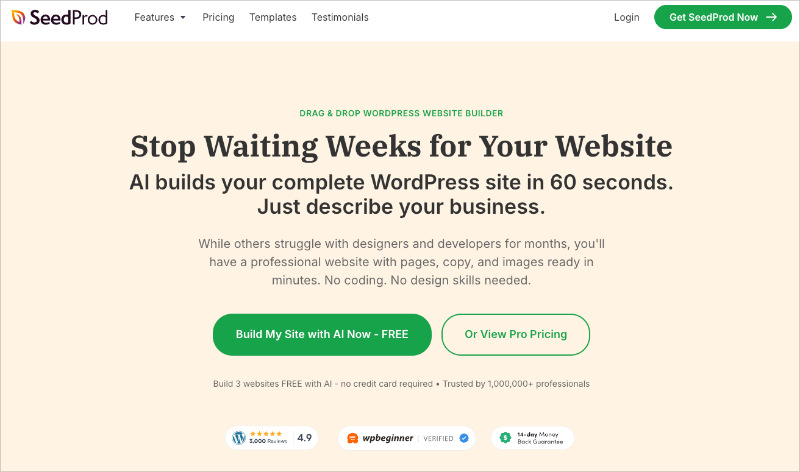
I know, SeedProd is our own product, but hear me out. It’s genuinely the fastest route I know from “I’m leaving Divi and I want AI” to a finished, professional site.
SeedProd itself is a drag-and-drop visual website builder for WordPress. But it also has an AI Website Builder that generates a first-draft site from a single prompt.
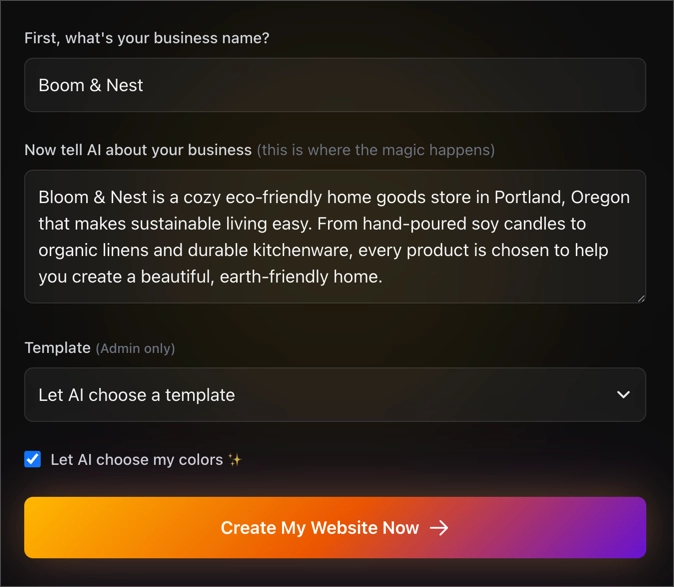
So the two work as a pair.

The AI does the heavy lifting up front, and the visual builder is where you edit and finish the result, without writing code.
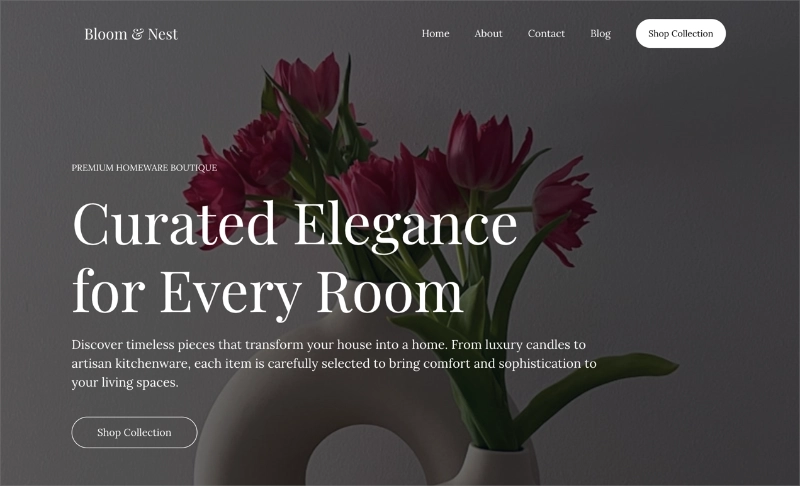
The part that matters for a Divi refugee is speed. In the AI generator, you can rough out a full first-draft website in under a minute, copy and layout included.
It’s also the honest budget answer. Generating a site with AI is free for up to three sites.
You only need Pro once you want to edit and publish, so you can see what the AI does before you spend anything.
On weight, SeedProd is the opposite of what you’re trying to leave. In our own testing, Divi used 13 MB of memory and 86 database queries to render a page.
SeedProd used 4.3 MB and 34 queries on the same test, and the full numbers are here.
It’s proven where it counts, too. SeedProd runs on more than a million WordPress sites with a 4.9-star rating, so the builder you’ll finish your site in is anything but untested.
Pros:
- AI generates a full website, not just copy
- The AI build itself is free for up to three sites
- Bloat-free output, so pages stay fast
- Genuinely no learning curve coming off a builder like Divi
Cons:
- You need Pro to edit and publish what the AI generates
- It builds inside WordPress, so it isn’t a separate hosted platform
I’ll be honest, the AI builder is still newer, so think of it as a fast head start rather than a finished designer. The builder it hands the draft to is the mature part, with hundreds of templates and a deep block library to finish the job.
My Verdict: If you’re coming off Divi and just want something live and fast without a learning curve, this is where I’d start. And since the AI build costs nothing, you’re not risking anything to see what it does for you.
Elementor: Best for Designers Who Want AI Plus Granular Control
| Built-In AI | Elementor AI (credit-based copy, images, layouts) plus Angie, a free agentic AI plugin |
| Pricing | Free plugin; Pro from $59/year |
| Free Plan | Yes, but AI is limited past a trial |
| Best For | Designers who want deep control and don’t mind the complexity |
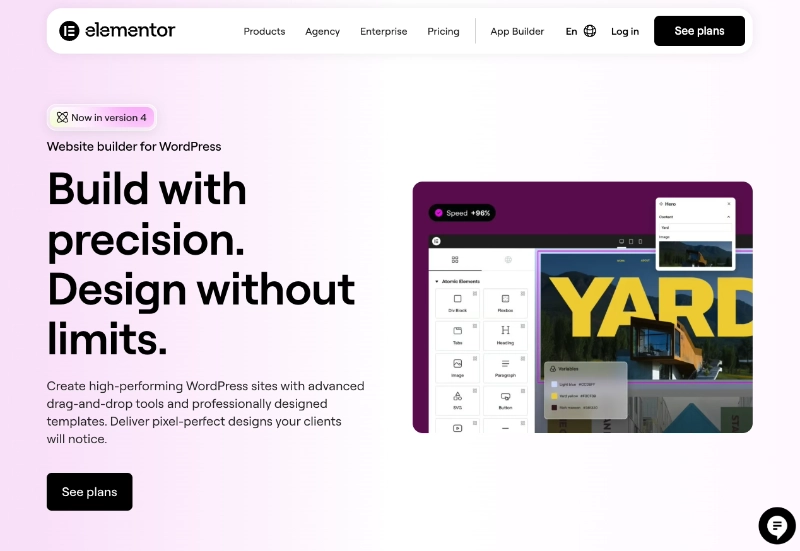
For anyone who actually likes fiddling with design, Elementor is the closest thing to a like-for-like Divi swap. Back when I built client sites, it was the builder I reached for when someone wanted pixel-level control.
Its AI comes in two parts now. Elementor AI writes copy and images on a credit system, and Angie, a newer free plugin, builds widgets and snippets from prompts.
Neither is built around one-prompt, whole-site generation, though. And the interface still carries a lot of the same heaviness you’re leaving Divi to escape.
Pros:
- Deep, granular design control
- Two AI layers: paid Elementor AI plus the free Angie agent
- Huge widget and template library
Cons:
- The capable copy and image AI is paid, credit-based
- Built for hands-on control, not one-prompt site generation, and heavier than lighter builders
My Verdict: I’d only point you here if you genuinely enjoy the design weeds. The control is real and Angie’s a free bonus, but you’re still building the site yourself on a heavy builder.
10Web: Best for a Full AI-Generated Site With Managed Hosting
| Built-In AI | Full AI site generation from a prompt or description |
| Pricing | From $10/month (14-day free trial, no free plan) |
| Free Plan | No, but there’s a 14-day trial |
| Best For | People who want the site and the hosting handled together |
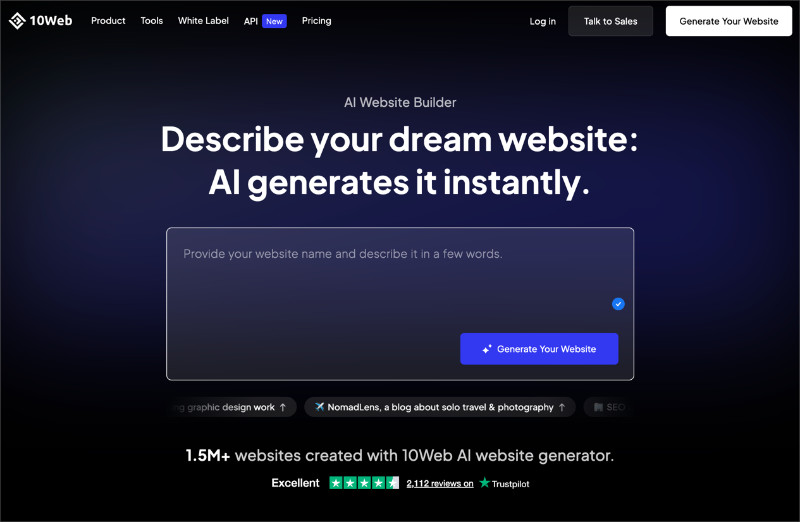
10Web is for the person who wants the whole thing solved in one place. Its AI generates a full WordPress site, and the hosting comes attached rather than as a separate decision.
That’s the real draw over Divi. You get AI generation plus a managed home for the site it builds, which is one less thing to set up.
The trade-off is that there’s no free plan, only a 14-day trial. You’re also tied to 10Web’s hosting to get the full experience, which suits some people and annoys others.
Pros:
- Generates a complete site from a prompt
- Managed hosting bundled in
- Good fit if you don’t want to piece hosting together yourself
Cons:
- No free plan, only a 14-day trial
- You’re committed to 10Web’s hosting
My Verdict: This is the one for people who don’t want to think about hosting at all. You give up some freedom by living on their servers, and in return the whole thing is handled in one place.
ZipWP: Best for Spinning Up a Draft WordPress Site in Seconds
| Built-In AI | Generates a full hosted WordPress site from a description |
| Pricing | Free plan; paid from around $9/month |
| Free Plan | Yes |
| Best For | Getting a rough draft site live to react to, fast |
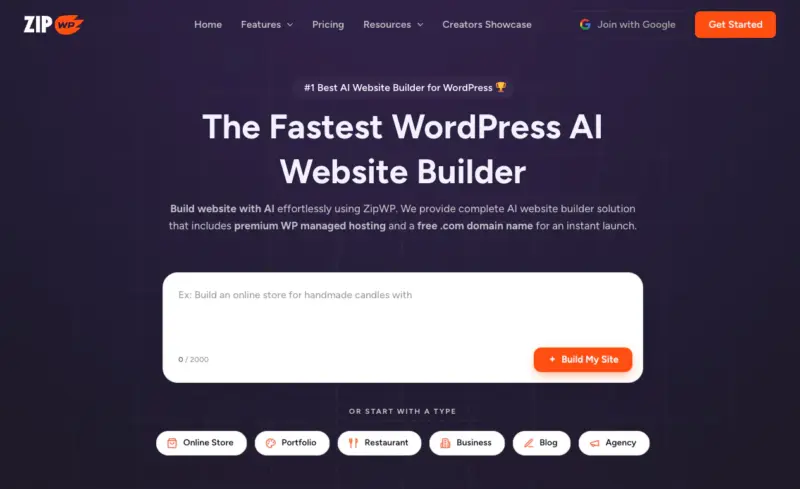
ZipWP does one trick, and it does it well. You describe your site, and it spins up a whole WordPress draft in about a minute for you to react to.
That speed makes it a genuinely different way to start than Divi. Instead of a blank builder, you get a full first draft on screen, then refine from there.
It’s less of a long-term design home and more of a fast launchpad. Think of it as the tool that gets you past the blank page, not the one you’ll spend months perfecting a site in.
Pros:
- Full draft WordPress site in roughly a minute
- Free plan to try it
- Removes the blank-canvas problem entirely
Cons:
- More of a fast starting point than a deep design tool
- Refinement still moves you into a builder or the block editor
My Verdict: Reach for ZipWP when the real problem is just getting started. It gets you a draft in seconds, and you’ll do the actual polishing somewhere else.
Brizy: Best for Building a Whole Site From a Single Prompt
| Built-In AI | AI site builder that generates a full site from one prompt |
| Pricing | Free plugin; Pro from around $1/site/month |
| Free Plan | Yes, but AI generation is a Pro feature |
| Best For | Getting a complete site from a prompt on a small budget |
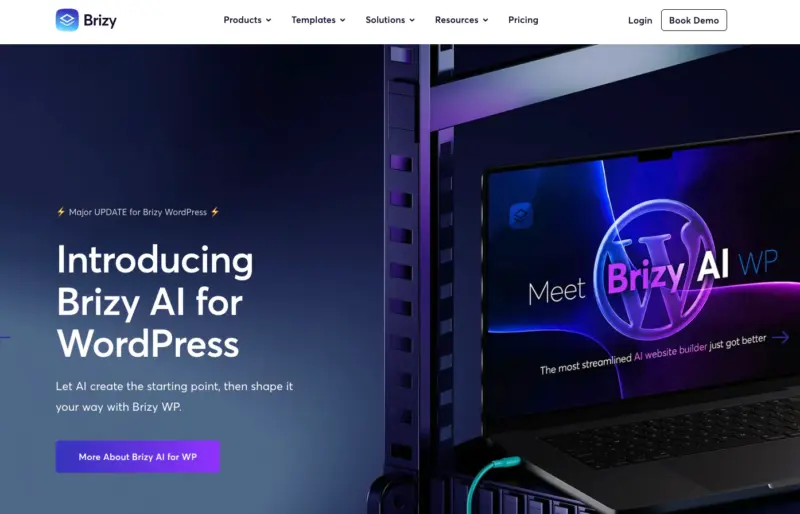
Brizy turns one prompt into a complete, editable site, and it’s one of the cheaper ways to do that. It can even pull details from a Google Business Profile or Meta page to fill the site in.
The AI generation sits in Brizy Pro, not the free plugin. But Pro is genuinely inexpensive, so the barrier is low.
Once it’s built, you edit in Brizy’s drag-and-drop visual editor, adjusting layout, colors, and text like any other builder.
Pros:
- Builds a full site from a single prompt
- Pulls in business details automatically
- Very low Pro pricing
Cons:
- AI generation needs Brizy Pro, not the free plugin
- A smaller ecosystem than the bigger names here
My Verdict: It’s hard to argue with Brizy on price. If you want a full site from one prompt and you don’t mind living in Brizy’s editor afterward, it’s a genuinely cheap way in.
Kadence: Best for AI Page Layouts in a Lightweight Toolkit
| Built-In AI | Generates page layouts, copy, and images from a prompt |
| Pricing | Free; Pro from $69/year |
| Free Plan | Yes |
| Best For | AI-built page layouts inside a lightweight theme-and-blocks toolkit |
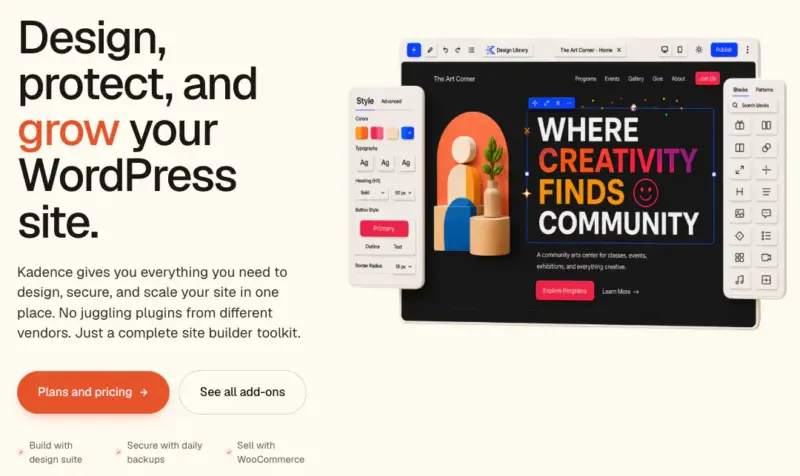
Kadence is a lightweight theme-and-blocks toolkit, and its AI has grown well past filling in templates. With Kadence AI, full page layouts are generated from a prompt, including hero, services, pricing, and testimonial sections built for you.
What stands out is the restraint. You get AI-built layouts inside a fast, clean toolkit, so you’re not trading Divi’s bloat for someone else’s.
It leans more page-by-page than one-prompt-whole-site, which puts it close to Spectra, AI generation inside your WordPress workflow rather than a separate hosted builder.
Pros:
- Generates full page layouts from a prompt, not just copy
- Lightweight and fast, a real contrast to Divi
- Strong free tier, and Pro is inexpensive
Cons:
- More page-and-layout focused than one-prompt whole-site generation
- You’re working within the Kadence theme and blocks ecosystem
My Verdict: Kadence is the lightweight pick, and its AI does more than the label suggests. Choose it for AI-built page layouts inside a fast, WordPress-native toolkit, without Divi’s weight.
Spectra: Best for AI Page Generation Inside the Gutenberg Editor You Already Use

| Built-In AI | AI page generation inside the WordPress block editor |
| Pricing | Free; Pro from $49/year |
| Free Plan | Yes |
| Best For | Staying in the native block editor and adding AI on top |
Built by the Astra team, Spectra is a free, Gutenberg-native builder that doesn’t drag you out of WordPress. You generate pages with AI right inside the block editor you already know.
Spectra’s AI engine is the same one that powers ZipWP, since both come from Brainstorm Force. So they’re not really competitors, just the same technology in two places.
The difference is where they point. ZipWP spins up a whole hosted site fast, while Spectra generates pages inside your existing WordPress install, no new platform to learn.
Pros:
- Works inside the native block editor
- Shares ZipWP’s capable AI engine
- Free to start, cheap to upgrade
Cons:
- Page-level generation rather than a full hosted site
- You’re still working in Gutenberg, which not everyone loves
My Verdict: If the block editor already feels like home, Spectra’s the natural fit. It’s the same AI as ZipWP, just pointed at pages inside the site you’ve already got.
Keep Divi and Add AI With WPVibe
Before you commit to switching at all, here’s the option most alternatives lists skip. If AI is the only reason you’re looking, you might be able to keep Divi and add the AI on top.
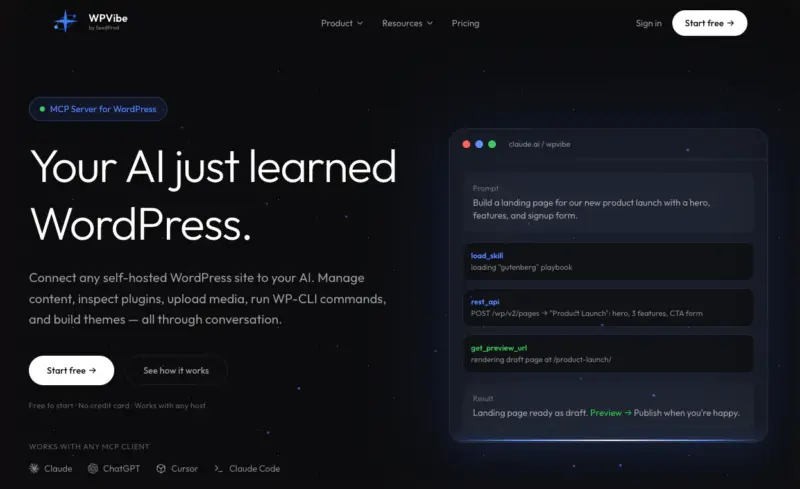
WPVibe is a free plugin that lets an AI assistant build and edit your WordPress site straight from a chat. It comes from the same team behind SeedProd.
I’ve spent a lot of time driving WordPress with AI through WPVibe, on a test site and on my own sites. Its Divi support is the part that stands out here.
You describe a page, say a hero, three feature blurbs, and a pricing section. It builds that as native Divi sections you can still open in the Visual Builder.
It handles the fiddly bits too. This tool works with both Divi 4 and Divi 5, and edits your existing pages in place, whether they’re stored as short codes or blocks.
It’ll even wire your headers and footers into Divi’s Theme Builder, and like everything in WPVibe, it’s free.
And it isn’t only for Divi. WPVibe drives SeedProd too, so if you do switch, you can still build and edit your pages from the same AI chat.
That’s why it was never really SeedProd versus WPVibe. SeedProd is the builder, and WPVibe is the AI assistant that drives it, on a fresh SeedProd site or your existing Divi setup.
Other Options Worth Considering
A few more tools come up whenever Divi alternatives get discussed. I’ve kept them off the main list for one reason each, and it’s worth being clear about why.
They all miss the filter this article is built on: AI that generates for you, baked into the builder.
- Bricks Builder. Fast, developer-loved, and lighter than Divi. Its 2.4 release added AI, but it’s an experimental, connect-your-own-external-client setup, not a built-in generator that builds the page for you.
- Beaver Builder. Stable and clean, with code you can trust. But its new “Beaver Builder AI” is a separate, bring-your-own-API-key beta, so it fails the same built-in-generator test.
- Hostinger AI Builder. Genuinely strong AI, but it isn’t WordPress. Its closed builder lets you pull out raw text and images but not the design, the same wall you hit with Wix or Squarespace.
- Wix and Squarespace. Both have capable AI, but choosing them means leaving WordPress entirely. If keeping WordPress matters to you, they’re off the table.
- Divi 5 and Divi AI. The incumbent, and still fine if you’re already deep in Divi and happy there. This whole list is for the people who aren’t.
On the Bricks question specifically, is Bricks better than Divi? For raw performance and clean output, many developers would say yes.
But its AI is a connect-your-own-agent setup, not the built-in generator you get from the main picks above.
How to Switch From Divi Without Breaking Your Site
Say you’ve settled on a new builder. The next worry is almost always the same one. How do you leave Divi without breaking your site?
You can, as long as you don’t just deactivate it and hope. Divi stores its designs as short codes, and those leave visible residue in your content the moment the builder’s gone.
From my freelance years moving clients off builders, the safe path is the same every time. Rebuild your key pages on the new tool first, and keep Divi active while you do it.
Only once the new versions are live and checked do you switch them in and deactivate Divi. That way there’s never a window where your live pages are broken.
- Keep Divi active until the rebuilt pages are ready and reviewed.
- Rebuild page by page, starting with your most important pages, not all at once.
- Check each page live before you swap it in, especially on mobile.
- Deactivate Divi last, once nothing important still depends on it.
It’s more patient than exciting, but it’s the difference between a clean move and a week of firefighting shortcode leftovers.
FAQs About Divi Alternatives
Does Divi Have Its Own AI, and Is It Any Good?
Yes, Divi has its own AI, called Divi AI, and it’s genuinely capable. It writes copy, generates images, and produces code right inside the Divi builder. The main drawbacks are that it’s a paid add-on rather than part of the standard membership, and it keeps you inside Divi’s heavier ecosystem.
What’s the Difference Between Elementor AI and Divi AI?
Elementor AI and Divi AI are both in-editor assistants, not full-site generators. Each writes copy and makes images while you build, and both are paid past a limited trial. Elementor also now offers Angie, a separate free agentic plugin that builds widgets and snippets from prompts. But it’s not built for one-prompt whole-site generation the way SeedProd or ZipWP are.
Is There a Free Divi Alternative With AI?
Yes. SeedProd lets you generate a full site with AI for free on up to three sites, then asks for Pro to edit and publish. Spectra and Kadence also have free tiers with AI features, while Brizy’s free plugin keeps AI generation behind its paid Pro plan.
Can I Add AI to Divi Without Switching Builders?
Yes. WPVibe is a free plugin that builds and edits native Divi pages from an AI chat, on both Divi 4 and Divi 5. It creates real Divi sections you can still edit in the Visual Builder. You keep Divi and add AI on top rather than migrating away.
Is Divi AI Worth It in 2026?
Divi AI is worth it if you’re already committed to Divi and want AI without leaving that workflow, where it’s a solid in-editor assistant. But if AI is the main reason you’re evaluating your builder, look elsewhere. You can get faster full-site generation, and lighter output, from tools built around AI from the start.
Build Your WordPress Site With AI Today
There’s no need to untangle Divi’s short codes or learn another heavy builder just to get AI on your side. You can describe the site you want and watch a real draft appear, today, in minutes.
That’s exactly what SeedProd’s AI website builder does, and generating your first site costs nothing. Start building your site with SeedProd and see how far a single prompt gets you.
You may also find the following guides helpful:
- The Best WordPress Page Builders Compared
- Divi vs Beaver Builder vs SeedProd
- The Best Website Builders Compared
Thanks for reading! We’d love to hear your thoughts, so please feel free to join the conversation on YouTube, X and Facebook for more helpful advice and content to grow your business.