
Google Analytics plugins connect your WordPress site to Google Analytics without touching code. They add the tracking automatically and show your traffic data right in the WordPress dashboard.
In this guide, I’ve tested 8 plugins for different needs and budgets. MonsterInsights is my top pick for most users, but there are lighter options if you just need tracking and better alternatives if you want to avoid Google entirely.
Summary of the Best Google Analytics Plugins for WordPress
| # | Tool / Product | Best For | Free Plan | Starting Price |
|---|---|---|---|---|
| 🥇 | MonsterInsights | Easy GA4 setup + reports | ✅ | From $99.50/year |
| 🥈 | ExactMetrics | MonsterInsights-style reports | ✅ | From $99.50/year |
| 🥉 | GA Google Analytics | Lightweight tracking only | ✅ | From $20/year |
| 4 | Analytify | Simple beginner reports | ✅ | From $59/year |
| 5 | Conversios Enhanced eCommerce for WooCommerce | WooCommerce funnel tracking | ✅ | From $99/year |
| 6 | WP Statistics | Privacy-first site stats | ✅ | From $119/year |
| 7 | Matomo | Full Google alternative | ✅ | From $39/year |
| 8 | OnePageGA | Simple GA4 dashboard | ❌ | From $10/month |
How I Chose the Best Google Analytics Plugins
I’ve used most of these plugins on my own websites over the years, and I tested the rest specifically for this roundup. Here’s what mattered to me:
- Setup time and friction. Some plugins connect to GA4 in two clicks. Others make you hunt for your measurement ID and paste code manually. I noted which ones just work.
- Dashboard usefulness. I wanted to see if the reports actually help you make decisions or just add clutter to your admin. More data isn’t always better.
- GA4 support. Universal Analytics is dead. Any plugin that hasn’t updated for GA4 didn’t make the cut.
- What’s actually free. A few plugins advertise features that turn out to be premium-only. I called that out where I found it.
I skipped plugins that haven’t been updated in over a year or that duplicate what’s already on this list.
Note on Google Site Kit: Google’s official Site Kit plugin is not included because it bundles multiple Google services (Search Console, AdSense, PageSpeed) rather than focusing on analytics. If you only need Google Analytics, a dedicated plugin gives you better dashboard reports with less bloat.
- 1. MonsterInsights: Best Overall Google Analytics Plugin
- 2. ExactMetrics: Best MonsterInsights Alternative
- 3. GA Google Analytics: Best Lightweight Option
- 4. Analytify: Best for Simple Dashboard Reports
- 5. Conversios Enhanced eCommerce for WooCommerce: Best for Store Owners
- 6. WP Statistics: Best Privacy-Focused Alternative
- 7. Matomo: Best Full Google Analytics Replacement
- Bonus: OnePageGA – Simplest GA4 Dashboard
- FAQs on Google Analytics Plugins
1. MonsterInsights: Best Overall Google Analytics Plugin
MonsterInsights is the most popular Google Analytics plugin for WordPress with over 3 million active installs.

| Pricing | Free / $99.50 per year |
| Free Plan | Yes, with core features |
| Standout Features | 🔹Dashboard reports 🔹GA4 setup wizard 🔹eCommerce tracking 🔹Form tracking 🔹Custom dimensions |
| Rating | A |
| Best For | Site owners who want comprehensive analytics without complexity |
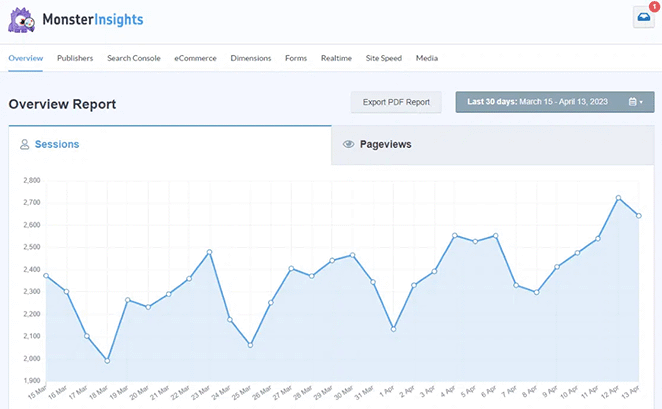
MonsterInsights is a full-featured analytics dashboard built for WordPress. It connects to Google Analytics 4 and displays the data you need directly in your admin panel.
You don’t need to visit Google Analytics to see traffic sources, top pages, or conversion data. Everything appears in a clean dashboard designed for non-technical users.
My Experience
I use MonsterInsights on several sites, including here on SeedProd, and its setup wizard stands out immediately. Connecting GA4 takes about two minutes, and you don’t need to touch any tracking code.
The dashboard reports are where MonsterInsights earns its spot at the top. I can see traffic trends, top content, and referral sources without opening Google Analytics. For clients who find GA4 overwhelming, this alone makes it worth the price.
The eCommerce addon integrates directly with WooCommerce. I’ve used it to track product performance and identify which traffic sources drive actual purchases, not just visits.
Pros and Cons
| Pros | Cons |
|---|---|
| Easiest GA4 setup I’ve tested | Best features require Pro license |
| Dashboard shows actionable data | Can feel heavy on smaller sites |
| Strong WooCommerce integration | Annual pricing adds up |
| Excellent documentation |
Verdict
MonsterInsights is the most widely used Google Analytics plugin for WordPress, with over 3 million active installations and a 4.5/5 rating. The free version handles GA4 setup and basic reporting. The Pro version ($99.50/year) adds eCommerce tracking, form analytics, and custom dimensions that would otherwise require manual Google Tag Manager configuration.
For more details, see our MonsterInsights review.
2. ExactMetrics: Best MonsterInsights Alternative
ExactMetrics is a direct competitor to MonsterInsights, offering similar features at the same price point. It has over 1M users.
| Pricing | Free / $99.50 per year |
| Free Plan | Yes |
| Standout Features | 🔹Real-time stats 🔹Page-level reports 🔹Affiliate link tracking 🔹AMP support |
| Rating | A- |
| Best For | Users who want MonsterInsights-level features with a different interface |
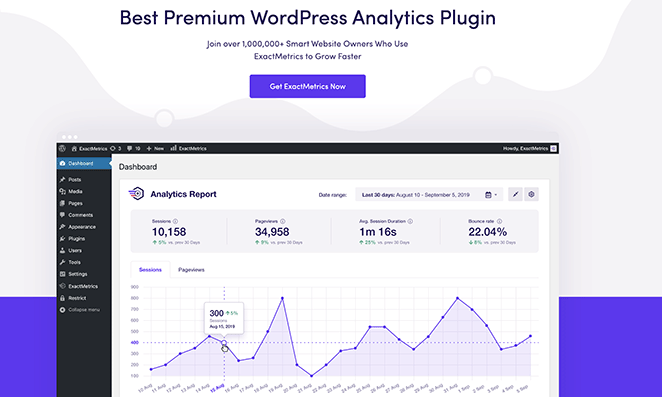
ExactMetrics offers nearly identical functionality to MonsterInsights. It connects to GA4, displays reports in your dashboard, and tracks events without code.
The interface differs slightly, and some users prefer its layout. If you’ve tried MonsterInsights and want something similar with a fresh look, ExactMetrics delivers.
My Experience
I tested ExactMetrics as a direct comparison to MonsterInsights. Setup was equally smooth, and the dashboard reports showed the same core metrics.
Where I noticed a difference was in the reporting layout. ExactMetrics organizes data in a way some users find cleaner. The page-level reports are particularly useful for identifying which posts drive engagement.
Real-time stats work well for monitoring traffic during launches or promotions. I used it to watch visitor activity during a product release, and the data updated quickly.
Pros and Cons
| Pros | Cons |
|---|---|
| Similar features to MonsterInsights | Less name recognition |
| Clean dashboard interface | Same price point |
| Good real-time reporting | Fewer third-party integrations |
| Solid free version |
Verdict
ExactMetrics has 900,000+ active installs and offers nearly identical features to MonsterInsights at the same $99.50/year price. Choose ExactMetrics if you prefer its dashboard layout or want an alternative to the market leader.
3. GA Google Analytics: Best Lightweight Option
GA Google Analytics is a simple, lightweight plugin (under 20KB) for adding tracking code to WordPress. It has over 600,000 active installs.

| Pricing | Free / $20 per year |
| Free Plan | Yes, fully functional |
| Standout Features | 🔹 Lightweight code 🔹 GDPR opt-out 🔹 Multiple tracking codes 🔹 Admin exclusion |
| Rating | B+ |
| Best For | Developers and users comfortable with GA4 interface |
GA Google Analytics does one thing: it adds your tracking code to WordPress. It doesn’t create dashboard reports or simplify Google Analytics. It just handles the technical connection.
This is the right plugin if you know your way around Google Analytics 4 and don’t need hand-holding. You’ll still view all reports in Google’s interface.
My Experience
I tested GA Google Analytics for a site where I needed minimal overhead. The plugin installed in seconds and required only my GA4 measurement ID.
The GDPR opt-out feature worked as expected. Visitors could decline tracking, and the plugin respected that choice. For sites serving EU traffic, this matters.
What I appreciated was the lack of bloat. No extra database tables, no dashboard widgets, no upsells. It does exactly what the name suggests and nothing more.
Pros and Cons
| Pros | Cons |
|---|---|
| Extremely lightweight | No dashboard reports |
| One-time payment option | Requires GA4 knowledge |
| GDPR compliant | Limited features by design |
| No performance impact |
Verdict
GA Google Analytics has 600,000+ active installs and adds less than 20KB to your site. It’s the best choice for developers who want tracking code inserted without dashboard features, extra database tables, or ongoing subscription costs ($25 one-time for Pro).
4. Analytify: Best for Simple Dashboard Reports
Analytify is a Google Analytics plugin focused on making reports easy to understand. It has over 60,000 active installs and costs less than MonsterInsights or ExactMetrics.
| Pricing | Free / $99 per year |
| Free Plan | Yes, limited |
| Standout Features | 🔹 Simplified reports 🔹 Post-level stats 🔹 Automated email reports 🔹 WooCommerce addon |
| Rating | B |
| Best For | Beginners who want basic stats without complexity |
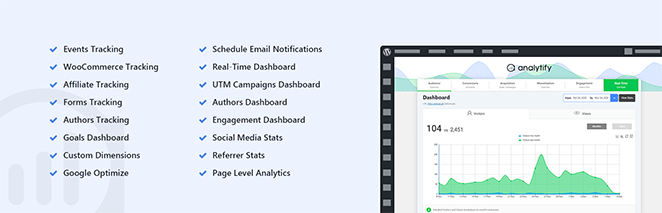
Analytify displays simplified versions of your Google Analytics data. It strips away the complexity and shows traffic, pages, and sources in plain terms.
The free version is limited compared to competitors. You’ll need premium to unlock category tracking, affiliate links, and download tracking.
My Experience
I tested Analytify from the perspective of someone who finds other analytics plugins overwhelming. The simplified interface worked well for their needs.
The post-level statistics showed traffic for individual articles directly in the post editor. This helped the my me understand which content performed without navigating separate dashboards.
Email reports arrived on schedule and contained the essentials. For someone who just wants a weekly summary, this feature saves time.
Pros and Cons
| Pros | Cons |
|---|---|
| Very beginner-friendly | Free version is limited |
| Post-level stats in editor | Fewer advanced features |
| Automated email reports | Missing some tracking options |
| Lower price than competitors |
Verdict
Analytify costs $59/year compared to $99.50/year for MonsterInsights or ExactMetrics. It’s a budget-friendly option for beginners who want simplified reports without advanced tracking features like custom dimensions or detailed eCommerce analytics.
5. Conversios Enhanced eCommerce for WooCommerce: Best for Store Owners
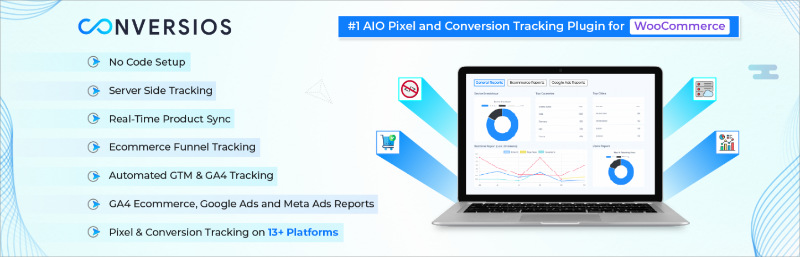
Enhanced eCommerce for WooCommerce tracks shopping behavior and purchase data in Google Analytics.
| Pricing | Free / $99 per year |
| Free Plan | Yes, basic tracking |
| Standout Features | 🔹 Product impressions 🔹 Cart tracking 🔹 Checkout behavior 🔹 Purchase tracking |
| Rating | B+ |
| Best For | WooCommerce stores that need detailed shopping analytics |
This plugin is built specifically for eCommerce tracking. It sends product views, add-to-cart events, and purchase data to Google Analytics 4.
If you run a WooCommerce store and want to understand how customers move through your funnel, this plugin provides that data.
My Experience
I set up Enhanced eCommerce on a WooCommerce store to test the shopping behavior reports. The plugin tracked product clicks and impressions without additional configuration.
The checkout behavior report showed where customers dropped off during purchase. This data helped identify a payment page issue that was costing sales.
Setup requires more attention than basic analytics plugins. You need to enable enhanced eCommerce in Google Analytics and configure the plugin settings to match.
Pros and Cons
| Pros | Cons |
|---|---|
| Detailed eCommerce data | WooCommerce only |
| Tracks full shopping funnel | More complex setup |
| Identifies checkout issues | Higher price point |
| Works with GA4 | Limited to eCommerce |
Verdict
Enhanced eCommerce for WooCommerce is the right choice if you need detailed shopping analytics. Store owners who want to optimize their sales funnel will find the data valuable.
6. WP Statistics: Best Privacy-Focused Alternative
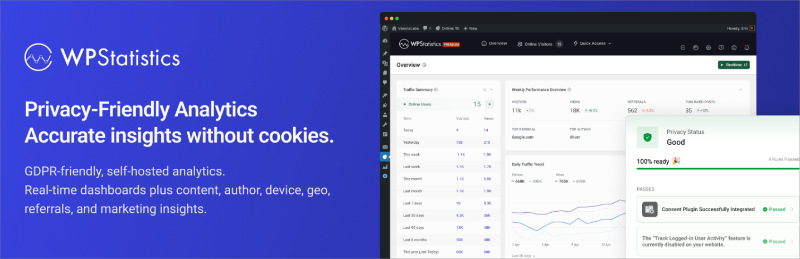
WP Statistics tracks visitors without sending data to Google. It has over 600,000 active installs and is one of the most popular Google Analytics alternatives for WordPress.
| Pricing | Free / $119 per year |
| Free Plan | Yes, full functionality |
| Standout Features | 🔹 No external data sharing 🔹 GDPR compliant by default 🔹 Search engine tracking 🔹 Geographic data |
| Rating | B+ |
| Best For | Site owners who want analytics without Google |
WP Statistics is not a Google Analytics plugin. It’s a self-hosted alternative that keeps all tracking data on your WordPress site.
If privacy regulations or personal preference keep you from using Google Analytics, WP Statistics provides similar basic metrics.
My Experience
I tested WP Statistics for a site where that wanted to avoid Google entirely. The plugin tracked visitors, pages, and referrers without any external connections.
The data stayed on the WordPress database. No cookies were set by default, which simplified GDPR compliance.
Reports are basic compared to GA4. You get traffic counts, top pages, and referral sources. You don’t get the advanced segmentation or user behavior analysis that Google provides.
Pros and Cons
| Pros | Cons |
|---|---|
| Complete data privacy | No Google Analytics features |
| GDPR compliant by design | Limited advanced reporting |
| No external dependencies | Data stays on your server |
| Strong free version | Less accurate than GA4 |
Verdict
WP Statistics has 600,000+ active installs and stores all data on your WordPress database rather than Google’s servers. It’s the best choice for sites that need GDPR compliance without cookie consent banners or users who prefer to avoid Google entirely.
7. Matomo: Best Full Google Analytics Replacement
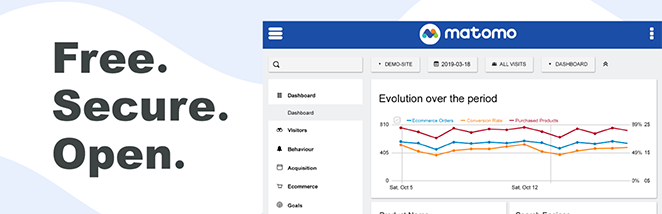
Matomo is a complete analytics platform you can self-host on WordPress. Matomo (formerly Piwik) powers analytics for over 1 million websites worldwide and is the leading open-source alternative to Google Analytics.
| Pricing | Free / From $39 per year |
| Free Plan | Yes, self-hosted |
| Standout Features | 🔹 Full analytics suite 🔹 Heatmaps 🔹 Session recording 🔹 A/B testing 🔹 Form analytics |
| Rating | A- |
| Best For | Users who want powerful analytics without Google |
Matomo offers everything Google Analytics does, but you own the data. The WordPress plugin installs Matomo directly on your site.
This is the most feature-rich Google Analytics alternative available. It includes heatmaps, session recordings, and A/B testing that GA4 doesn’t offer for free.
My Experience
I tested Matomo as a full GA4 replacement. The installation was straightforward, and the dashboard provided familiar analytics metrics.
What impressed me was the additional features. Heatmaps showed where visitors clicked, and session recordings revealed exactly how users navigated the site. These features typically require separate paid tools.
The trade-off is resource usage. Matomo stores all data on your server, which means more database activity and storage requirements. Smaller hosting plans might struggle.
Pros and Cons
| Pros | Cons |
|---|---|
| Complete analytics ownership | Uses server resources |
| Heatmaps and recordings included | More complex than simple plugins |
| GDPR compliant | Requires maintenance |
| No data sampling | Learning curve for full features |
Verdict
Matomo powers analytics for over 1 million websites and offers features Google Analytics charges for (heatmaps, session recordings, A/B testing). The trade-off is higher server resource usage. Budget for a hosting plan with at least 1GB RAM if you choose Matomo for a high-traffic site.
Bonus: OnePageGA – Simplest GA4 Dashboard
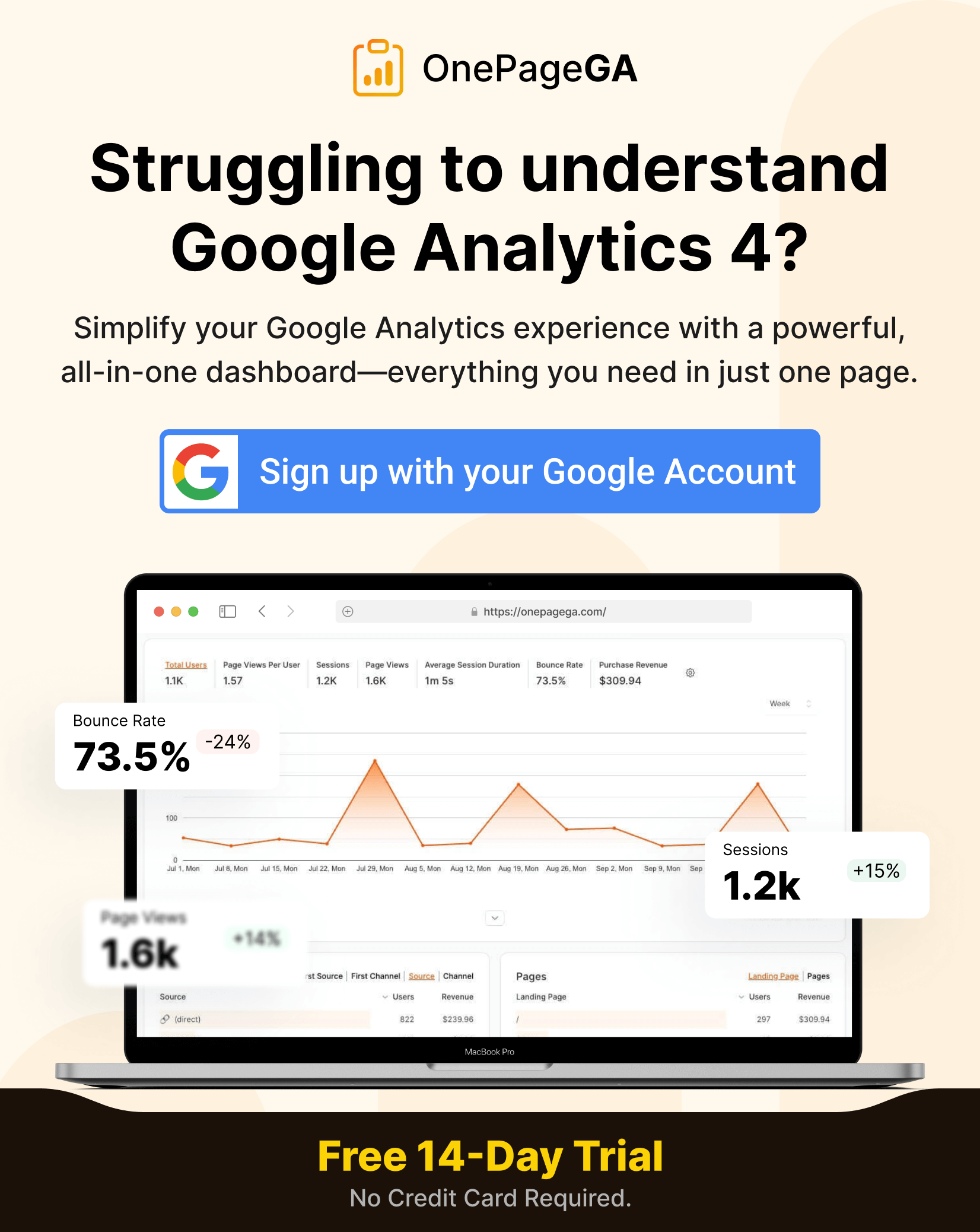
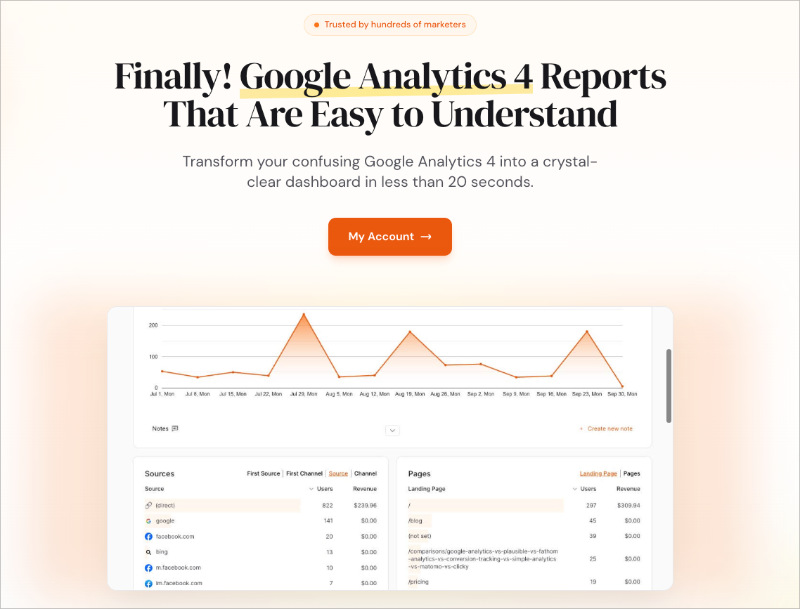
OnePageGA is a one-page dashboard that makes Google Analytics 4 data readable.
| Pricing | 14-day trial / From $10 per month |
| Free Plan | Trial only |
| Standout Features | 🔹 Single-page dashboard 🔹 Essential metrics only 🔹 Works with any website 🔹 No WordPress plugin needed |
| Rating | B+ |
| Best For | Anyone who finds GA4 overwhelming |
OnePageGA isn’t a WordPress plugin. It’s a web app that connects to your existing Google Analytics account and displays the data you actually need on one page.
If you’ve set up GA4 but hate using it, OnePageGA gives you a simpler way to check your stats.
My Experience
I connected OnePageGA to my website’s existing GA4 account. The dashboard loaded essential metrics without the dozens of reports GA4 throws at you.
The single-page layout saved time. Instead of clicking through GA4’s navigation, I saw traffic, sources, and top pages immediately.
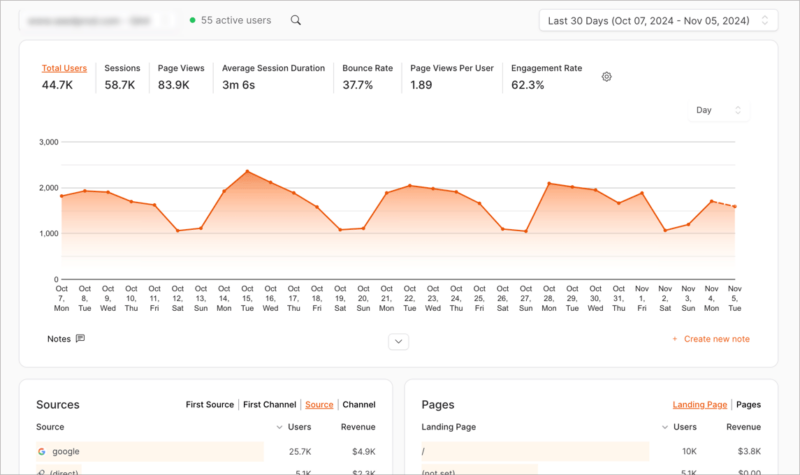
It works on any website, not just WordPress. If you manage multiple sites on different platforms, OnePageGA provides a consistent experience.
Pros and Cons
| Pros | Cons |
|---|---|
| Drastically simplifies GA4 | Monthly subscription |
| Works with any platform | Not a WordPress plugin |
| Essential metrics at a glance | Limited customization |
| Fast setup | Requires existing GA4 |
Verdict
OnePageGA is worth trying if you’ve set up GA4 but never actually use it because the interface is too complex. The trial lets you test it risk-free.
FAQs on Google Analytics Plugins
What is the best free Google Analytics plugin for WordPress?
MonsterInsights Lite is the best free Google Analytics plugin for WordPress. It connects to GA4 without requiring manual code installation, displays traffic reports in your WordPress dashboard, and has over 3 million active users. For developers who only need tracking code (no dashboard reports), GA Google Analytics is a lighter alternative at under 20KB.
Do I still need a Google Analytics plugin after Universal Analytics shut down?
Yes. Google Analytics 4 (GA4) replaced Universal Analytics in July 2023, and you still need a way to add the GA4 tracking code to WordPress. All plugins in this list support GA4. If you’re using an old plugin that only supports Universal Analytics, your tracking stopped working in 2023.
Can I use Google Analytics without a plugin?
You can add the GA4 tracking code manually to your theme’s header.php file or use a code snippets plugin like WPCode. However, manual installation has drawbacks: code disappears when you update your theme, you don’t get WordPress dashboard reports, and you need to find your GA4 measurement ID yourself. A dedicated plugin handles all of this automatically.
Which Google Analytics plugin is best for WooCommerce?
MonsterInsights Pro ($99.50/year) with the eCommerce addon provides the most complete WooCommerce tracking, including product performance, revenue attribution, and checkout funnel analysis. Enhanced eCommerce for WooCommerce ($119/year) is an alternative if you only need shopping behavior data and don’t need MonsterInsights’ other features.
Is Matomo better than Google Analytics?
Matomo is better than Google Analytics for privacy and data ownership. You keep all data on your own server, which simplifies GDPR compliance and eliminates cookie consent requirements in some cases. Matomo also includes features Google charges for, like heatmaps and session recordings. The downside: Matomo uses more server resources and requires you to manage your own analytics infrastructure.
What’s the difference between MonsterInsights and Google Site Kit?
MonsterInsights is a dedicated Google Analytics plugin that focuses on dashboard reports and tracking features. Google Site Kit is Google’s official plugin that bundles multiple services (Analytics, Search Console, AdSense, PageSpeed Insights). MonsterInsights offers deeper analytics features and better dashboard reports. Site Kit is broader but shallower, better suited for users who want a quick overview of multiple Google tools.
For most WordPress sites, MonsterInsights is the best Google Analytics plugin. With 3 million+ active installs, GA4 support, and WordPress dashboard reports, it covers what 90% of site owners need. Start with the free version and upgrade to Pro ($99.50/year) if you need eCommerce tracking or advanced features.
You may also find these WordPress guides and roundups helpful:
- Best Web Analytics Tools for Your Website
- How to Set Up Link Tracking in WordPress
- How to Track WordPress User Activity with Google Analytics
- Must-Have WordPress Plugins for Business Websites
Thanks for reading! We’d love to hear your thoughts, so please feel free to join the conversation on YouTube, X and Facebook for more helpful advice and content to grow your business.