


Building a WordPress site often means wrestling with themes, layouts, and plugins just to get something working. SeedProd AI changes that by letting you launch a complete WordPress website in minutes without coding.
In this guide, I’ll show you what SeedProd AI is, the types of sites you can create, and how it works so you can decide if it’s the right builder for you.
In this guide:
What Is SeedProd AI?
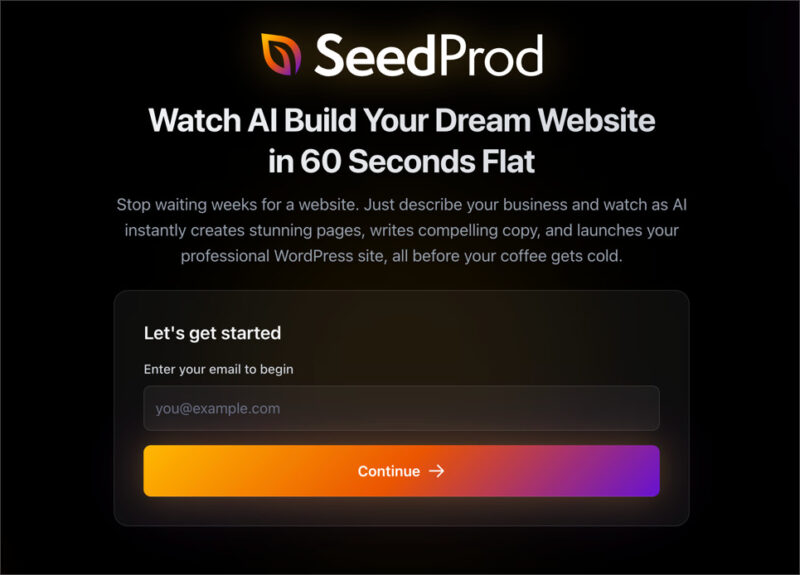
SeedProd AI is an all-in-one WordPress tool that combines an AI website builder, AI writing assistant, and AI image generator inside WordPress.
At a glance, here’s what you get:
| Pricing: Free plan available, Pro plans unlock full features |
| Free Plan / Trial: Yes, build and download 3 free sites |
| Standout Features: |
| 🔹 AI website builder 🔹 AI writing assistant 🔹 AI image generator |
| Rating: A |
| Best For: Beginners, marketers, and freelancers who want to build quickly |
How Does SeedProd AI Work?
SeedProd AI works by turning a short text prompt into a complete WordPress site that you can edit visually.
You describe what you need, SeedProd generates the structure and copy, and then you fine-tune everything in the drag-and-drop builder. This cuts out the usual setup headaches and gets you to a publish-ready site much faster.
Build Complete WordPress Sites in Under 60 Seconds
SeedProd AI can generate a full WordPress website, including pages and navigation, in under 60 seconds from a single description.
You can build up to three websites for free and download them as WordPress theme zip files. If you want to edit and customize those sites, you’ll need a SeedProd Pro plan, which unlocks the full theme builder and design features.
To see the full process in action, check out our tutorial on how to build a WordPress website with AI.
Write Headlines and Sales Copy Instantly
The AI Writing Assistant creates ready-to-use headlines, taglines, and sales copy directly inside the SeedProd editor. You can generate suggestions instantly and insert them into your design without leaving the page builder.
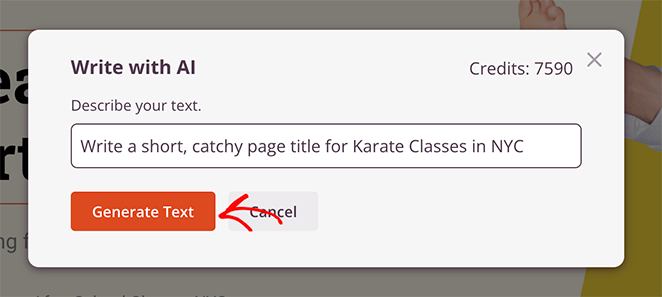
It supports multiple languages, making it a useful tool for reaching global audiences. The assistant works on a credit system, which you purchase separately from your SeedProd license.
For a full walkthrough, see our guide on how to use AI to write content.
Generate and Edit Custom Images on Demand
SeedProd’s AI Image Generator creates original images from text prompts and lets you edit or regenerate them without leaving WordPress.
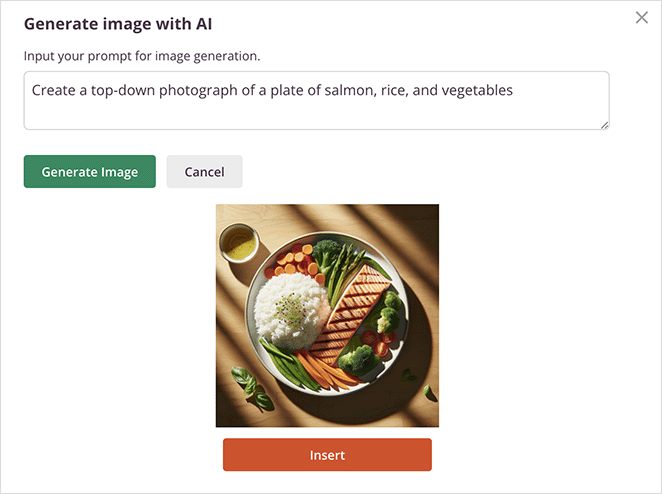
You can edit generated images, adjust styles, and even create multiple variations until you find the one that fits your design. It’s ideal for hero sections, product visuals, and illustrations that match your brand.
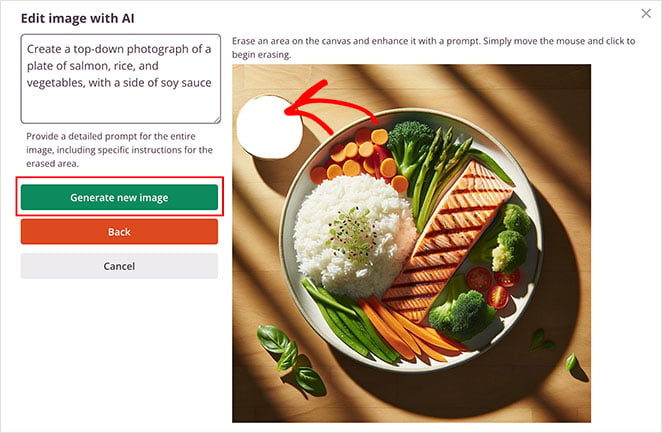
It works on the same credit system as the writing assistant, so you can generate as many images as your project requires.
To learn more, check out our guide on how to use AI to generate images.
What Can You Build with SeedProd AI?
With SeedProd AI, you can build landing pages, full WordPress websites, e-commerce layouts, and marketing pages in minutes.
Here are the main types of projects you can create with it.
Launch High-Converting Landing Pages
With SeedProd, you can design landing pages quickly using the drag-and-drop page builder builder. The AI assistant speeds things up by generating headlines, persuasive copy, and custom images you can drop straight into your design.
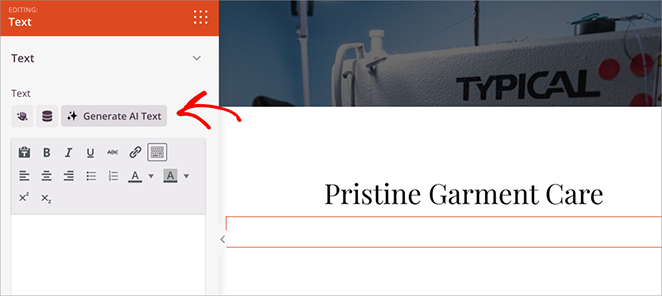
This makes it easy to publish pages for any goal, including:
- Sales pages to promote your products or services
- Webinar registration pages to grow your audience
- Waitlist signups for upcoming launches
- Lead capture pages with forms that connect to your email list
See how to set one up in this step-by-step AI Landing Page Guide.
Build Complete WordPress Websites
SeedProd AI can generate a full WordPress website structure in under 60 seconds. It creates the core pages and starter content so you don’t have to begin from a blank theme.
From there, you can edit and customize everything using SeedProd’s drag-and-drop builder. Here is the website I generated earlier in this guide inside the page builder ready to customze:
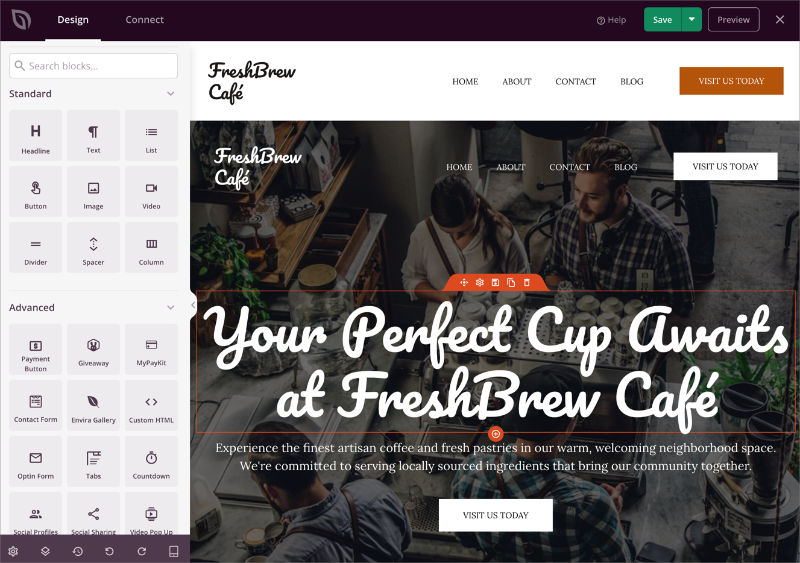
You can use it to quickly launch:
- Business websites with service pages and contact forms
- Personal blogs with ready-made layouts
- Portfolios to showcase your work and projects
Follow this tutorial on how to build a WordPress website with AI to see the process in action.
Design E-Commerce Pages That Sell
SeedProd makes it simple to create and customize the key pages your store needs, from product listings to checkout flows.
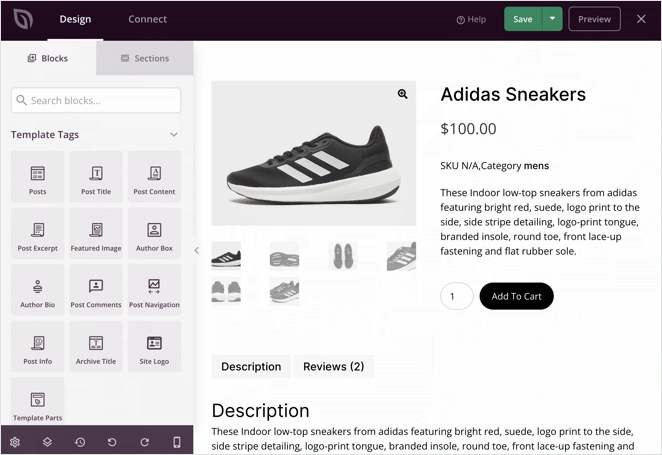
The AI assistant can write product descriptions and generate visuals that save you hours of work.
You can use it to build:
- Product pages with AI-generated copy and images
- Cart and checkout pages designed to convert
- Coming soon pages to build hype for launches
Create Essential Marketing Assets
Beyond websites and store pages, SeedProd AI helps you create the smaller assets that keep your site running and your audience engaged.
From opt-in forms to temporary pages, you can build them in minutes without touching code.

Popular examples include:
- Lead capture pages with AI-generated headlines and form copy
- Coming soon pages to collect emails before launch
- Maintenance mode pages to keep visitors informed during updates
For inspiration, browse these landing page examples.
SeedProd AI vs Other AI Builders
Unlike most AI website builders that only generate single pages or starter layouts, SeedProd AI generates complete WordPress websites, including core pages, headers, and navigation.
Many AI builders create a one-time layout that you can’t fully customize inside WordPress. Once the site is generated, you’re often locked into limited editing options or forced to rebuild parts manually.
Other tools offer AI writing or image generation, but they run outside WordPress. That means switching between platforms to generate content, download assets, and then upload everything back into your site.
SeedProd AI combines full-site generation, AI writing, and AI image creation directly inside WordPress. You can generate a site, edit every section with drag-and-drop tools, and publish without leaving your dashboard.
This table shows how SeedProd AI compares to other popular AI builders based on full site generation, AI writing, and image support.
| Tool | Full Site Generation | AI Writing | AI Images |
|---|---|---|---|
| SeedProd AI | ✅ Yes | ✅ Yes | ✅ Yes |
| Elementor AI | ⚠️ Limited | ✅ Yes | ✅ Yes |
| Divi AI | ⚠️ Limited | ✅ Yes | ✅ Yes |
| Unbounce | ❌ No | ✅ Yes | ❌ No |
| Instapage | ❌ No | ✅ Yes | ❌ No |
SeedProd AI is the only option in this comparison that lets you generate a full WordPress site and customize every part of it inside a single plugin.
FAQs About SeedProd AI
Is SeedProd AI Worth Using?
If you want the fastest way to build a WordPress site with AI, SeedProd AI is an excellent choice. It combines full-site generation, AI writing, and image creation in one plugin, saving you hours of setup and design work.
It’s ideal for beginners who want a simple way to launch a site, marketers who need landing pages that convert, and freelancers who want to deliver projects faster.
Try SeedProd AI today and see how quickly you can create your next WordPress site.
You may also find the following guides helpful:
Thanks for reading! We’d love to hear your thoughts, so please feel free to join the conversation on YouTube, X and Facebook for more helpful advice and content to grow your business.




