

TL;DR:
The best WooCommerce upsell plugin depends on where you want the offer to appear. Here’s how the top picks break down:
- SeedProd: Best for adding upsell and related-product blocks to any WooCommerce page without code.
- FunnelKit: Best for true post-purchase one-click upsells and order bumps.
- CartFlows: Best for building a full one-click upsell funnel around checkout.
- UpsellWP: Best free option for cart and checkout upsells.
- OptinMonster: Best for exit-intent popup offers that catch leaving shoppers.
- YITH Frequently Bought Together: Best for Amazon-style “buy it with” bundles.
Your store gets traffic and the occasional sale, but the average order sits at one item. Most shoppers buy once and never come back, and the default WooCommerce “you may also like” row just sits at the bottom of the page where nobody looks.
The fix is a WooCommerce upsell plugin that shows the right offer at the right moment, whether that’s on the product page, in the cart, at checkout, or right after the purchase.
In this guide, I’ll show you the plugins worth using, what each one is actually for, and where each upsell type belongs.
What’s the Difference Between an Upsell, a Cross-Sell, and an Order Bump?
An upsell is an offer to buy a better or pricier version of what the shopper is already looking at. Think of it as the “go large” prompt: a 256GB phone instead of the 128GB one.
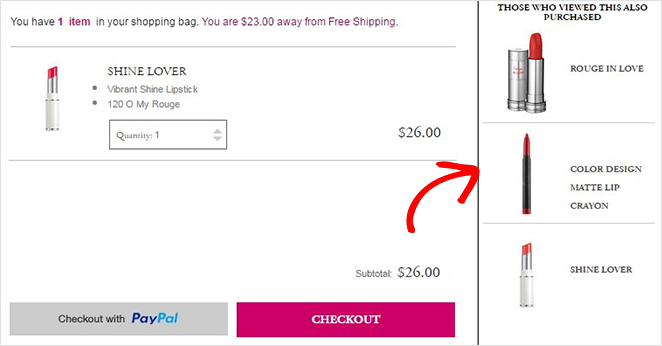
A cross-sell is an offer for a related product that complements the main item. A camera shopper gets shown a memory card or a case.
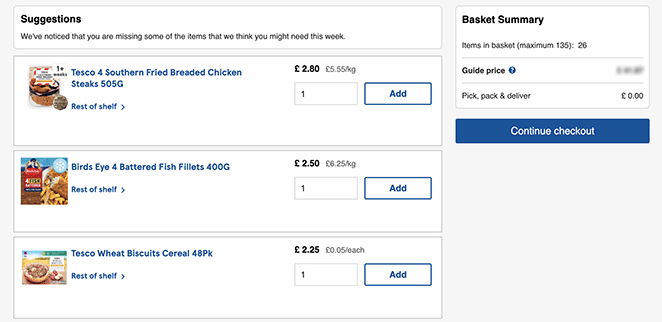
An order bump is a small add-on offered right on the checkout page, usually with a single checkbox. It’s low-friction by design, so the shopper adds it without leaving the flow.
These get blurred all the time, and even WooCommerce itself files product-page recommendations under “upsells” and cart-page ones under “cross-sells.” For this guide, the distinction that matters most is timing: before the purchase, during checkout, or after the order is placed.
Where Do Upsells Work Best in WooCommerce?
Placement decides whether an upsell lands or annoys. Here’s where each type belongs and what it does best:
- Product page: Show a higher-tier version or a frequently-bought-together bundle while the shopper is still deciding. Good for raising the value of the first item considered.
- Cart: Suggest a complementary product before checkout. Once the shopper has added items to their shopping cart, a relevant add-on feels helpful rather than pushy.
- Checkout (order bump): Offer a small, cheap add-on with one click. This is the lowest-friction spot, and it rarely hurts conversion when the offer is genuinely related.
- Post-purchase (one-click upsell): Pitch an upgrade on the thank-you page, after payment has cleared. The shopper has already trusted you with their card, so a one-click yes is easy.
Post-purchase one-click upsells convert well because the hardest part, the payment, is already done. If you only add one upsell type, that’s usually the one to test first.
At a Glance: The Best WooCommerce Upsell Plugins
| Plugin | Best For | Free Version | Starting Price |
|---|---|---|---|
| SeedProd | Upsell blocks on any WooCommerce page | Yes (no WooCommerce) | $599/year (Elite) |
| FunnelKit | Post-purchase one-click upsells and order bumps | Yes (Lite) | $99.50/year |
| CartFlows | One-click upsell funnels | Yes (3 funnels) | $129/year |
| UpsellWP | Free cart and checkout upsells | Yes (Lite) | $75/year |
| OptinMonster | Exit-intent popup offers | No | $7/month (billed yearly) |
| YITH Frequently Bought Together | “Buy it with” bundles | Yes | $99/year |
| One Click Upsell Funnel | Free post-purchase upsells | Yes | $69 (Pro) |
| Booster for WooCommerce | All-in-one toolkit on a budget | Yes | $99/year |
How I Picked These Plugins
I’ve built WordPress sites for more than 13 years, and I use SeedProd and OptinMonster on my own sites. I don’t run a WooCommerce store day to day, though. So for the store-specific tools, I leaned on each plugin’s documentation, WordPress.org reviews, and what store owners report on the r/woocommerce subreddit, alongside the criteria below.
Here’s what I weighed:
- Placement coverage: Whether it handles product-page, cart, checkout, or post-purchase offers, or all four.
- Ease of setup: How much you can do without touching code.
- Free option: Whether there’s a genuinely useful free version to start with.
- Pricing: What each tier costs and what’s gated behind it.
- WooCommerce fit: How cleanly it works with a standard WooCommerce store.
1. SeedProd
Best for Adding Upsells to Any WooCommerce Page

| Pricing: $599/year (Elite, includes WooCommerce) |
| Free Plan / Trial: Free version available (no WooCommerce blocks) |
| Standout Features: |
| 🔹 WooCommerce Upsells block 🔹 Related Products block 🔹 Product Grid block 🔹 Add to Cart block 🔹 Drag-and-drop visual editor |
| Rating: A |
| Best For: Building custom WooCommerce pages with upsells placed exactly where you want them |
SeedProd is a drag-and-drop website builder for WordPress, used on over 1 million sites. It lets you build custom WooCommerce pages and drop upsell offers wherever you want them, no code required.
Full disclosure, SeedProd is our product. I use it to build my own sites, and I’m recommending it here because the placement control is genuinely useful for upsells, not because it’s ours.
Our Review
The piece that matters for this list is the WooCommerce Upsells block. You add it to a single-product template, and it pulls in the upsell products you’ve linked in WooCommerce, displayed in your own design instead of the default theme row.
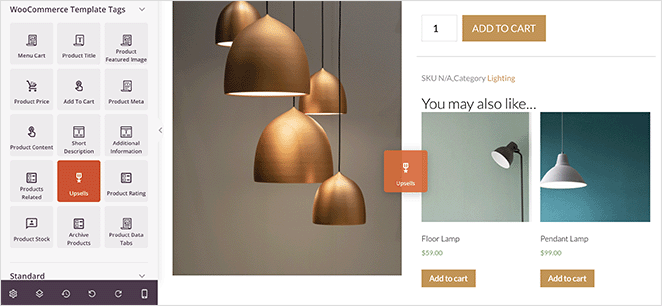
You also get Related Products, Product Grid, and Add to Cart blocks to build cross-sell sections across the store. Because you’re working in a visual editor, you can put a “frequently bought together” row above the fold instead of buried at the bottom where shoppers miss it.
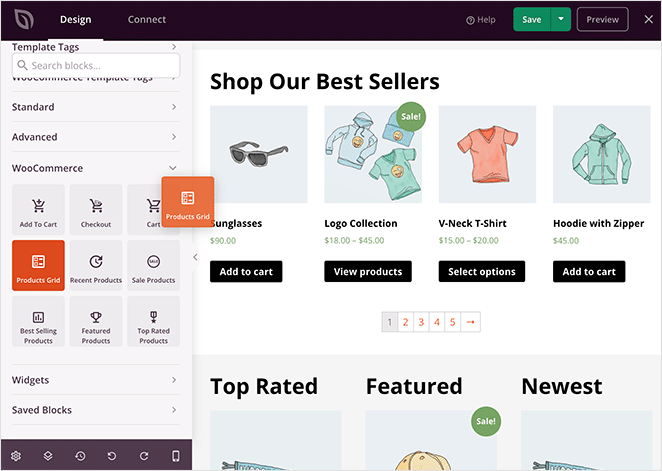
WooCommerce support sits on SeedProd’s Elite plan, though. The free version is great for coming soon and maintenance pages, but the WooCommerce blocks are not part of it.
Pros:
- Full design control over where upsell and cross-sell blocks appear
- Native WooCommerce blocks, no separate funnel plugin needed for on-page offers
- Bloat-free output keeps product pages fast
Cons:
- WooCommerce blocks require the Elite plan
- No post-purchase one-click upsell or order-bump flow (it builds pages, it isn’t a checkout funnel tool)
Plans and Pricing
SeedProd’s WooCommerce features are on the Elite plan at $599 per year. There’s a free version, but it doesn’t include the WooCommerce blocks.
My Verdict: If you want upsell and cross-sell blocks placed exactly where shoppers will see them, and you’re already building your store pages in WooCommerce, SeedProd handles the on-page side better than a default theme ever will. For post-purchase one-click upsells, pair it with one of the funnel tools below.
2. FunnelKit
Best for Post-Purchase One-Click Upsells
| Pricing: From $99.50/year |
| Free Plan / Trial: Yes (FunnelKit Lite on WordPress.org) |
| Standout Features: |
| 🔹 One-click upsells 🔹 Order bumps 🔹 Conditional offer routing 🔹 Downsells 🔹 A/B testing |
| Rating: A |
| Best For: Stores that want true post-purchase upsells without rebuilding checkout |
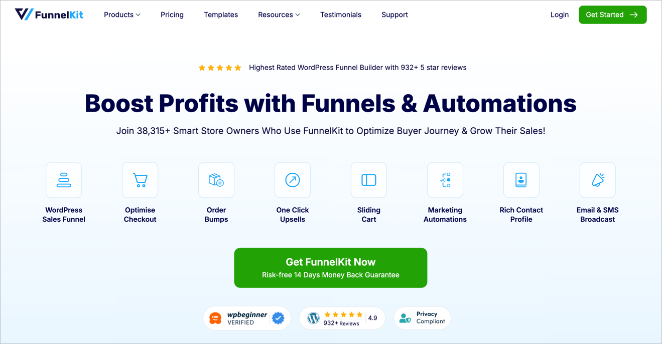
FunnelKit (formerly WooFunnels) is the tool store owners reach for when they want real one-click post-purchase upsells. It powers offers that appear after payment, so the shopper adds an upgrade with a single click and no second checkout.
On Reddit, FunnelKit comes up again and again as the go-to for genuine post-purchase upsells, alongside CartFlows. That reputation tracks with what the plugin is built to do.
According to its documentation, FunnelKit handles order bumps at checkout, one-click upsells and downsells after purchase, and conditional routing that changes the next offer based on what the shopper just did. It runs over 40,000 WooCommerce stores.
The free Lite version lets you publish a working funnel, but the money-making parts, order bumps, one-click upsells, downsells, and A/B testing, are Pro features.
Pros:
- True one-click post-purchase upsells, no re-entering payment details
- Order bumps and conditional offer routing in one tool
- Free Lite version to start with
Cons:
- The upsell and order-bump features need a Pro plan
- More setup than a simple on-page block
Plans and Pricing
FunnelKit Pro starts at $99.50 per year. The free Lite version is on WordPress.org but doesn’t include the upsell or order-bump features.
My Verdict: For post-purchase one-click upsells, FunnelKit is the strongest pick on this list. Choose it if raising average order value after checkout is your main goal.
3. CartFlows
Best for Building a One-Click Upsell Funnel
| Pricing: From $129/year |
| Free Plan / Trial: Yes (up to 3 funnels) |
| Standout Features: |
| 🔹 One-click upsells 🔹 Order bumps 🔹 Drag-and-drop flow editor 🔹 Split testing |
| Rating: A |
| Best For: Store owners who want to design the whole checkout-to-thank-you flow |
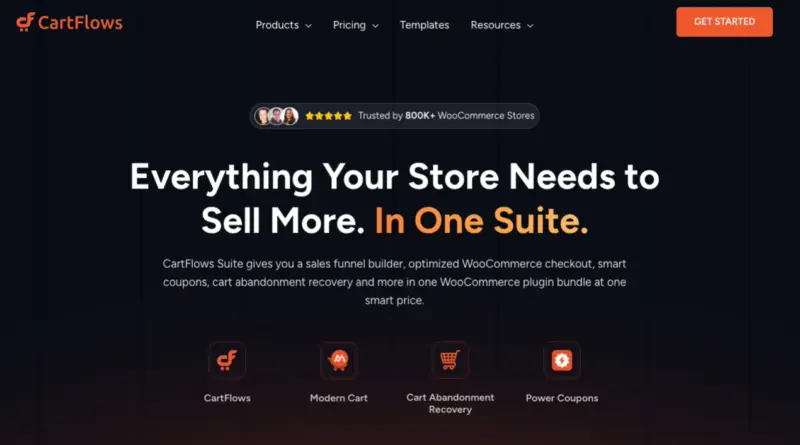
CartFlows builds the full funnel around your WooCommerce checkout, from the cart through one-click upsells on the thank-you page. It has over 200,000 active installs and a 4.8-star rating on WordPress.org.
It’s the funnel tool BusinessBloomer leads with, and the appeal is the visual flow editor: you can see each step from checkout to upsell to confirmation and edit them in one place.
The free version lets you create up to three funnels, which covers a lot of small stores. The revenue features, one-click upsells, order bumps, and split testing, come with CartFlows Pro.
CartFlows works with the page builder you already use, so you can design upsell pages in Elementor, Beaver Builder, or the block editor rather than learning a new canvas.
Pros:
- Visual flow editor shows the whole checkout-to-upsell sequence
- One-click upsells, order bumps, and split testing in Pro
- Free version handles up to three funnels
Cons:
- Upsells and order bumps require the Pro plan
- A full funnel is more than some stores need for a single upsell
Plans and Pricing
CartFlows Pro starts at $129 per year for one site. The free version on WordPress.org covers up to three funnels without the upsell features.
My Verdict: CartFlows is the better fit when you want to design the entire flow, not just bolt an offer onto an existing checkout. It and FunnelKit cover similar ground, so the choice often comes down to which editor you prefer.
4. UpsellWP
Best Free Cart and Checkout Upsells
| Pricing: From $75/year |
| Free Plan / Trial: Yes (UpsellWP Lite on WordPress.org) |
| Standout Features: |
| 🔹 Checkout upsells 🔹 Cart upsells 🔹 Frequently bought together 🔹 Post-purchase offers 🔹 Upsell popups |
| Rating: A |
| Best For: Stores that want to start upselling without paying upfront |
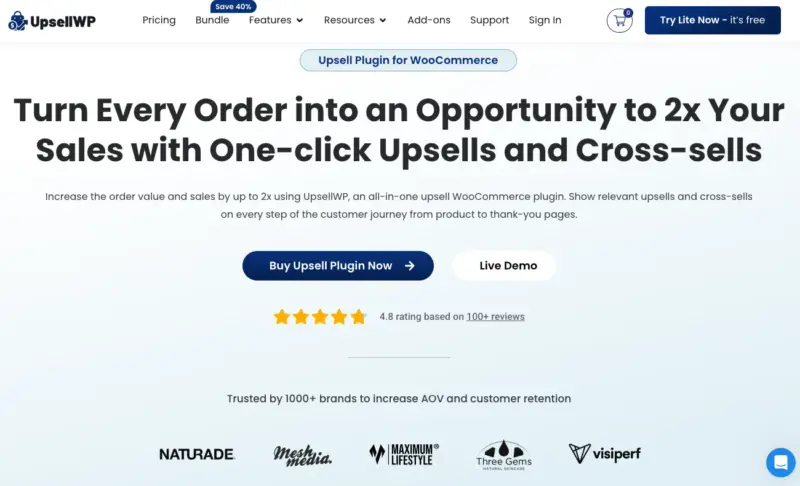
UpsellWP is built specifically for WooCommerce upsells and order bumps, and it earns a 4.9-star rating across 124 reviews on WordPress.org. It’s the one Reddit users point to when someone asks for a free cart-upsell plugin.
It covers a wide spread of placements: checkout upsells, cart upsells, frequently-bought-together offers, post-purchase upsells, and upsell popups. That makes it a flexible starting point if you’re not sure which placement works for your store yet.
The free Lite version handles the basics, and paid plans add unlimited campaigns, conditional targeting, and A/B testing.
Pros:
- Genuinely useful free version for cart and checkout upsells
- Covers most placements in a single plugin
- Strong WordPress.org rating from real store owners
Cons:
- Advanced campaigns and A/B testing need a paid plan
- Less funnel-focused than FunnelKit or CartFlows for post-purchase flows
Plans and Pricing
UpsellWP starts at $75 per year, with a free Lite version on WordPress.org.
My Verdict: UpsellWP is the easiest no-cost way to start testing upsells. Start here if you want to prove an offer works before paying for a funnel tool.
5. OptinMonster
Best for Exit-Intent Popup Offers
| Pricing: From $7/month (billed yearly) |
| Free Plan / Trial: No (14-day money-back guarantee) |
| Standout Features: |
| 🔹 Exit-Intent technology 🔹 OnSite Retargeting 🔹 Drag-and-drop campaign builder 🔹 Popups and floating bars |
| Rating: A |
| Best For: Catching shoppers about to leave with a targeted offer |
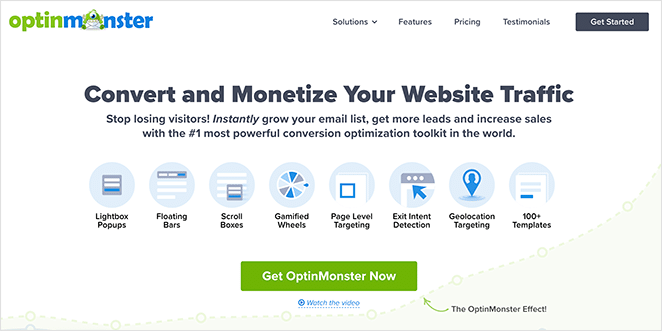
OptinMonster is a conversion toolkit I use on my own sites, and its strength here is timing offers to behavior. Its Exit-Intent technology fires a popup the moment a shopper moves to leave, which is a natural spot for a last-chance upsell or bundle.
OnSite Retargeting changes what returning visitors see, so you can show a different offer to someone who already added a product. It’s not a checkout funnel tool, so think of it as the layer that catches shoppers before they bounce rather than after they buy.
You build campaigns in a drag-and-drop editor and target them by cart contents, pages viewed, or how long someone has been on the page.
Pros:
- Exit-Intent popups catch shoppers right before they leave
- Behavior targeting based on cart and browsing activity
- Works across any WooCommerce theme
Cons:
- No free version
- It’s a popup and targeting tool, not a checkout or post-purchase upsell flow
Plans and Pricing
OptinMonster starts at $7 per month, billed annually. There’s no free tier, but it’s backed by a 14-day money-back guarantee.
My Verdict: Reach for OptinMonster when the goal is rescuing shoppers who are about to leave, not adding offers inside checkout. It pairs well with a funnel tool that handles the post-purchase side.
6. YITH WooCommerce Frequently Bought Together
Best for “Buy It With” Bundles
| Pricing: From $99/year |
| Free Plan / Trial: Yes (on WordPress.org) |
| Standout Features: |
| 🔹 Frequently bought together bundles 🔹 Per-product recommendations 🔹 Discount on bundle |
| Rating: B+ |
| Best For: Amazon-style product-page bundles |
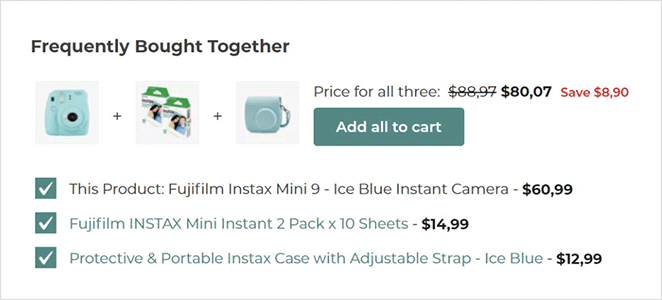
YITH WooCommerce Frequently Bought Together brings the familiar Amazon “frequently bought together” box to your product pages. It suggests items other customers commonly buy alongside the one being viewed.
The social-proof angle is what makes it work: shoppers are more likely to add a product when it’s framed as a popular pairing. You can set the suggested products manually per item and add a discount to nudge the bundle.
It’s a focused cross-sell tool rather than a full upsell suite, and it does that one job simply.
Pros:
- Familiar Amazon-style bundle that shoppers recognize
- Simple per-product setup
- Free version available to test the format
Cons:
- Product-page cross-sells only, no checkout or post-purchase upsells
- Bundle discounts and advanced control need the premium version
Plans and Pricing
YITH offers a free version on WordPress.org, with the premium plan starting at $99 per year.
My Verdict: A good choice if you specifically want the Amazon-style bundle on product pages. Look elsewhere if you need cart, checkout, or post-purchase offers too.
7. One Click Upsell Funnel for WooCommerce
Best Free Post-Purchase Upsells
| Pricing: From $69 (Pro) |
| Free Plan / Trial: Yes (on WordPress.org) |
| Standout Features: |
| 🔹 Post-purchase one-click upsells 🔹 Multiple offer triggers 🔹 Built-in templates |
| Rating: B+ |
| Best For: Adding post-purchase upsells without paying upfront |
One Click Upsell Funnel for WooCommerce focuses on a single job: offering post-purchase upsells after a shopper checks out. The upgrade adds to the existing order with one click and no second payment.
It’s narrower than FunnelKit or CartFlows by design. It isn’t for landing pages or order bumps, just post-purchase one-click offers, which keeps setup straightforward.
You can create multiple offers and triggers, and the free version is enough to test whether post-purchase upsells move the needle on your store.
Pros:
- Free version covers post-purchase one-click upsells
- Focused and simple to set up
- Built-in templates for offer pages
Cons:
- Post-purchase only, no order bumps or full funnels
- Fewer advanced controls than FunnelKit or CartFlows
Plans and Pricing
One Click Upsell Funnel has a free version on WordPress.org, and the Pro version starts at $69 for more offers and features.
My Verdict: A solid free starting point for post-purchase upsells specifically. If you outgrow it, FunnelKit is the natural step up.
8. Booster for WooCommerce
Best All-in-One Toolkit on a Budget
| Pricing: From $99/year |
| Free Plan / Trial: Yes (on WordPress.org) |
| Standout Features: |
| 🔹 Cart upsell module 🔹 Product bundling 🔹 Price labels 🔹 Hundreds of modules |
| Rating: B |
| Best For: Stores that want upsells plus many other tweaks in one plugin |
Booster for WooCommerce is a kitchen-sink plugin with hundreds of modules, one of which handles cart upsells and product bundling. If you want upselling plus a pile of other store tweaks in a single install, it’s worth a look.
You can customize the checkout page to display upsell products that change based on cart contents, and the Product Add-ons module lets you offer extras or automatic discounts.
The trade-off is focus: Booster does a lot of things adequately rather than upsells exceptionally. For stores that want one plugin to cover many small jobs, that breadth is the point.
Pros:
- Cart upsell and bundling alongside hundreds of other modules
- Free version with a large feature set
- One install instead of several single-purpose plugins
Cons:
- Less polished than dedicated upsell tools
- The sheer number of modules can feel overwhelming
Plans and Pricing
Booster has a free version on WordPress.org, with paid plans starting at $99 per year for premium modules.
My Verdict: Worth considering if you want upselling as one piece of a broader WooCommerce toolkit. If upsells are your only goal, a dedicated tool will do it better.
Which WooCommerce Upsell Plugin Should You Choose?
Match the plugin to where you want the offer to appear:
- For post-purchase one-click upsells: FunnelKit is the strongest pick, with CartFlows a close alternative if you prefer its flow editor.
- For free cart and checkout upsells: Start with UpsellWP, which gives you the most placements at no cost.
- For on-page upsell and cross-sell blocks you control: SeedProd lets you place them exactly where shoppers will see them, if you’re on the Elite plan.
- For catching shoppers before they leave: OptinMonster’s exit-intent popups handle that better than any checkout tool.
Most stores do best combining two: a funnel tool for post-purchase offers and an on-page approach for product and cart pages.
Frequently Asked Questions
Do post-purchase upsells convert better than pre-purchase upsells?
Post-purchase upsells often convert better because the shopper has already paid, so adding an upgrade takes one click with no new checkout. Pre-purchase upsells on the product page or cart can still lift average order value, but they add a decision before the sale is locked in. Many stores run both: a product-page bundle to raise the first order, and a post-purchase offer to add more after.
Is there a free WooCommerce upsell plugin?
Yes. UpsellWP, CartFlows, FunnelKit, One Click Upsell Funnel, and Booster all have free versions on WordPress.org. UpsellWP’s free version is the most flexible for cart and checkout upsells, while the funnel tools reserve their one-click upsell and order-bump features for paid plans.
Can you add one-click upsells in WooCommerce without a funnel plugin?
Not the true one-click kind. WooCommerce on its own only lets you link “upsell” and “cross-sell” products that show as suggestions, with no single-click add after payment. For genuine one-click post-purchase upsells, you need a funnel plugin like FunnelKit or CartFlows that can charge the saved payment method without a second checkout.
Start Lifting Your Average Order Value
The best WooCommerce upsell plugin is the one that fits where you want the offer to appear, whether that’s a product-page bundle, a checkout order bump, or a post-purchase one-click offer. Pick the placement that matches how your store sells, and start with one offer you can measure.
If you want full control over how upsell and related-product blocks look on your store pages, SeedProd lets you build them without code. Get started with SeedProd and design your WooCommerce pages the way you want them.
Thanks for reading! We’d love to hear your thoughts, so please feel free to join the conversation on YouTube, X and Facebook for more helpful advice and content to grow your business.



