

Most WordPress website examples lists show you TechCrunch and Harvard. That proves WordPress is popular, but it doesn’t help you figure out what your plumbing business or food blog could actually look like.
I’ve spent 15 years working with WordPress. Each example below is grouped by what you want to build, with notes on what makes it work and what you can take from it.
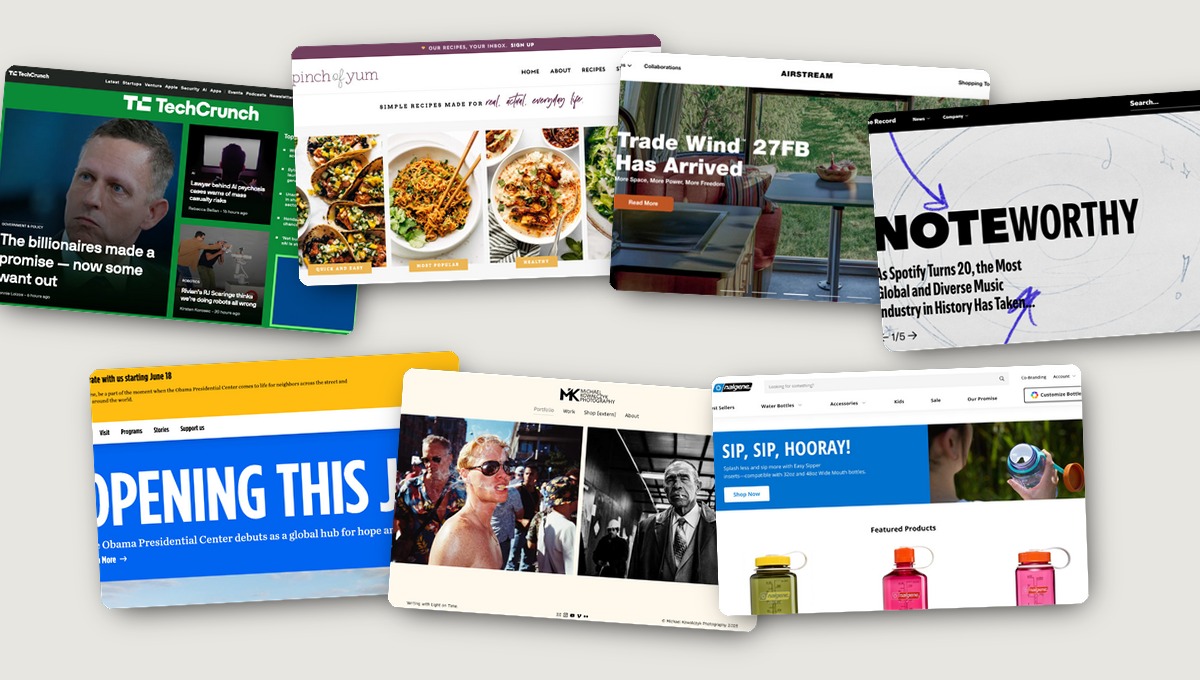
These examples are split into five categories: business websites, blogs and publications, portfolios, eCommerce stores, and nonprofit sites. Find your category and jump in.
- WordPress Business Website Examples
- WordPress Blog and Publication Examples
- WordPress Portfolio and Creative Website Examples
- WordPress eCommerce Website Examples
- WordPress Nonprofit and Cause Website Examples
- What These WordPress Website Examples Have in Common
- How to Build a WordPress Website Like These Examples
- Frequently Asked Questions
WordPress Business Website Examples
WordPress is the default platform for business websites of every size, holding 59.8% of the CMS market according to W3Techs. The design quality you see on any given site isn’t a function of the platform. It’s a function of the tools and templates used to build it.
That matters, because it means you’re not locked into a ceiling. A solopreneur and a global brand are working with the same underlying technology. What differs is the budget for photography, copy, and design time.
Small Business and Service Site Examples
Small business sites on WordPress tend to work when they keep navigation tight, lead with a clear offer, and make it easy to contact or book. The two examples below do exactly that.
Wakami Global
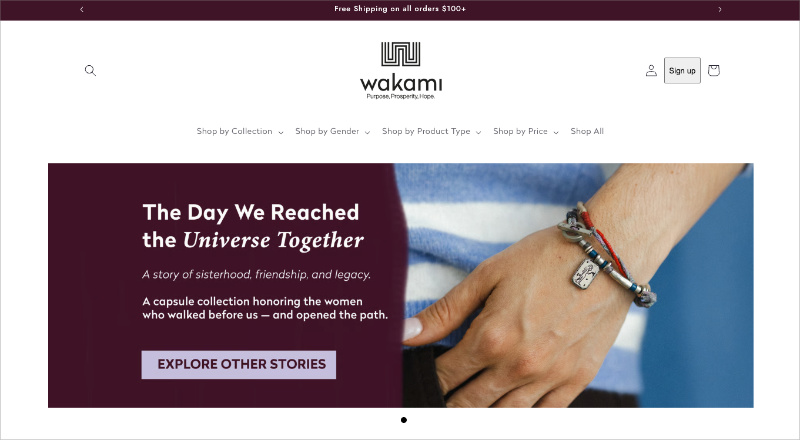
Wakami Global sells handmade accessories, and the first thing you see above the fold is the social mission, not the product catalog. An earth-tone palette of warm greens and dark navy CTA buttons gives the brand a grounded, artisan feel. The sticky responsive header and collection-based navigation make it easy to browse, and the mission story earns trust before a single product has been shown.
The takeaway: if your brand has a story or a why, put it above the fold. Don’t bury it in an About page.
Astra Theme
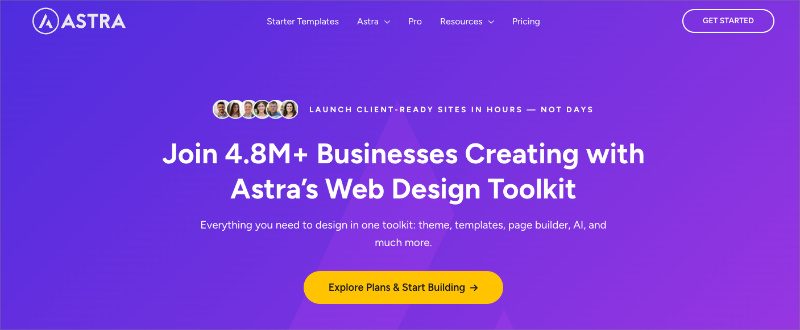
Astra Theme uses a bold purple and gold palette with pill-shaped CTAs and a transparent header that fills in on scroll. YouTube video embeds are woven into the benefits section rather than collected on a separate page.
What stands out most is how much benefit copy there is relative to feature copy. You’re told what the product does for you before you’re told what it includes.
That ratio, benefits to features, is worth stealing for any product or service site.
Larger Brand Site Examples
The sites below are built by teams with dedicated designers and developers. I’m including them not because they’re an accurate benchmark for your own project, but because they show what WordPress is capable of structurally, and the platform scales as far as your budget for photography, design, and development does.
Airstream
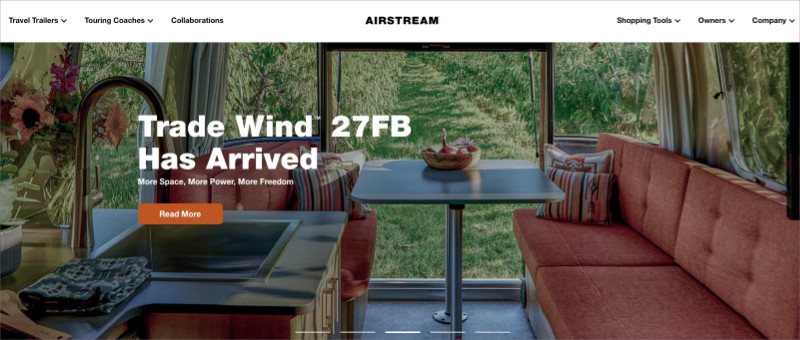
Airstream leads with full-width lifestyle photography and a hero tagline that sells a feeling before it sells a product: “See the World. Feel the Freedom.” The navigation stays minimal at four items: Shop, Discover, Customize, Dealers.
A “Why Airstream?” three-panel section mid-page does the credibility work without a wall of text. The product photography is the real engine of the site.
TechCrunch
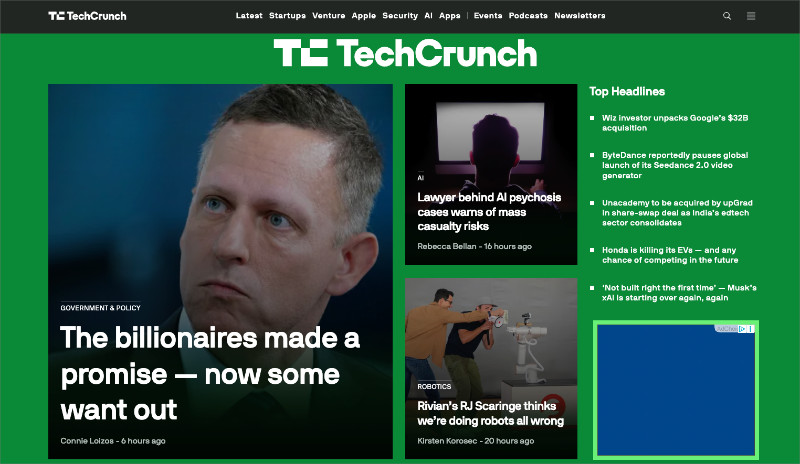
TechCrunch runs a green and purple palette with yellow accent bars. The post grid is clean: image, headline, category tag.
Nothing competes with the content. There’s no sidebar, no widget clusters, and no friction between scanning and clicking. The design exists to get out of the way.
Spotify Newsroom
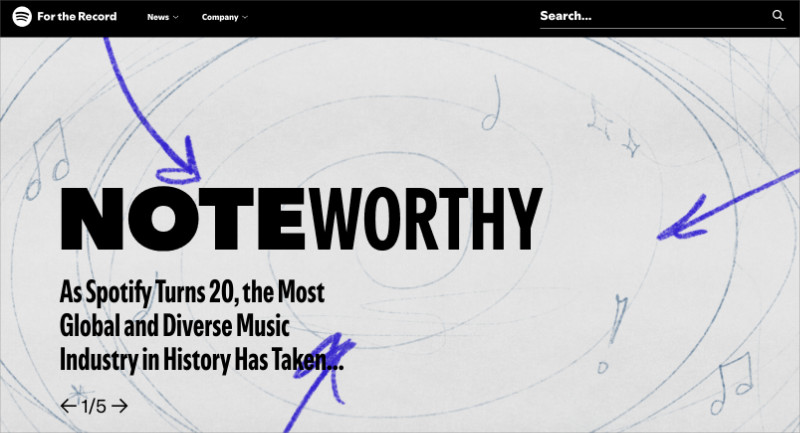
Spotify Newsroom operates as a subdomain corporate presence separate from the main product. The palette is neutral black, white, and gray, and the “For the Record” tagline grounds it in editorial purpose rather than product promotion.
Artist photography and a featured article section make it feel like a publication, not a press release archive.
For even more inspiration, see these other business website examples.
WordPress Blog and Publication Examples
WordPress started as a blogging platform, and content-focused design is still where it’s strongest. The blogs and publications below share a few habits that have nothing to do with expensive plugins.
Personal and Niche Blog Examples
The best personal blogs make their niche clear within a few seconds, use photography to pull you in, and make it effortless to find more content. Both examples below nail this without any complexity.
Pinch of Yum
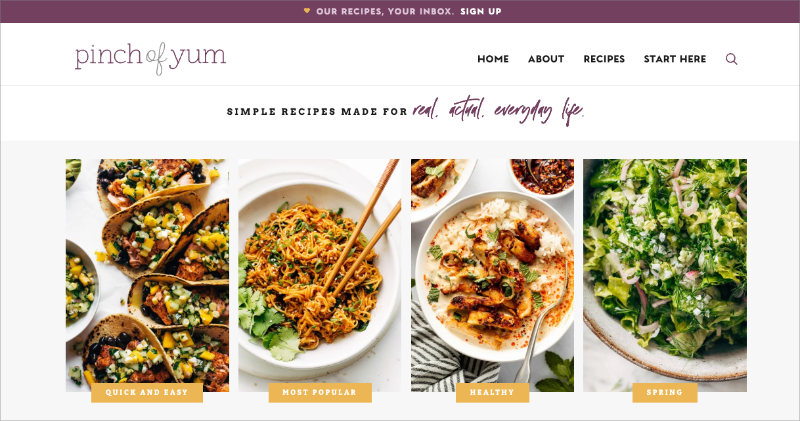
Pinch of Yum opens with a hero that says “Simple recipes made for real, actual, everyday life.” Below it: a free eCookbook CTA, then a recipe category grid. You know exactly what the site is for before you’ve scrolled.
The purple and gold palette is warm without being cluttered, and the newsletter CTA appears early without feeling pushy.
A Beautiful Mess
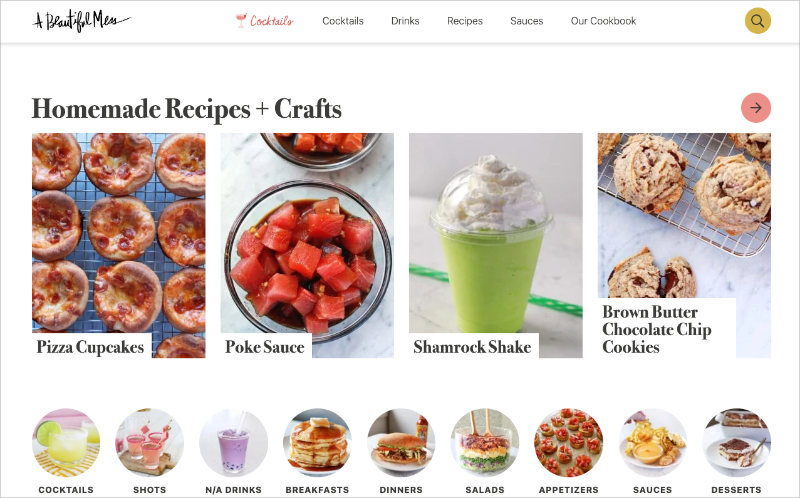
A Beautiful Mess covers crafts, home decor, and recipes, which is a lot of ground for one site. What keeps it coherent is the consistent palette: warm coral, golden, and sage green against a white background.
Navigation splits cleanly by content type. Multiple posts surface per category section. It’s proof that a personal blog can span several niches and still feel visually unified.
Here are some more blog layout examples you may find helpful.
News and Media Publication Examples
Large news and media sites have something to teach any blog, regardless of size. Their design choices, fast loading, clean post grids, and minimal decoration, come from a practical need: readers decide in about three seconds whether to stay.
TechCrunch appears in the business section above, but it earns a second look here for its publication design.
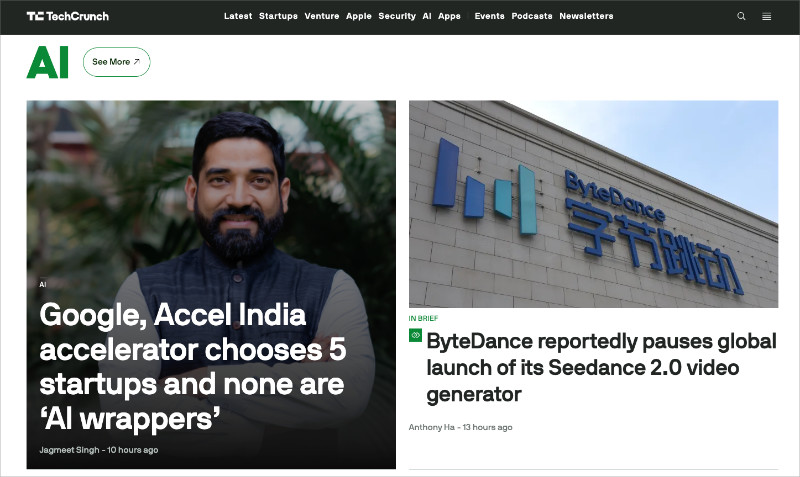
Category navigation at the top (Latest, Startups, AI, Apps, Events) is tight and functional. The post grid shows image, headline, and category tag. No sidebar. Readers scan vertically and click.
That frictionless experience is a template worth studying for any content-heavy site.
The TED Blog
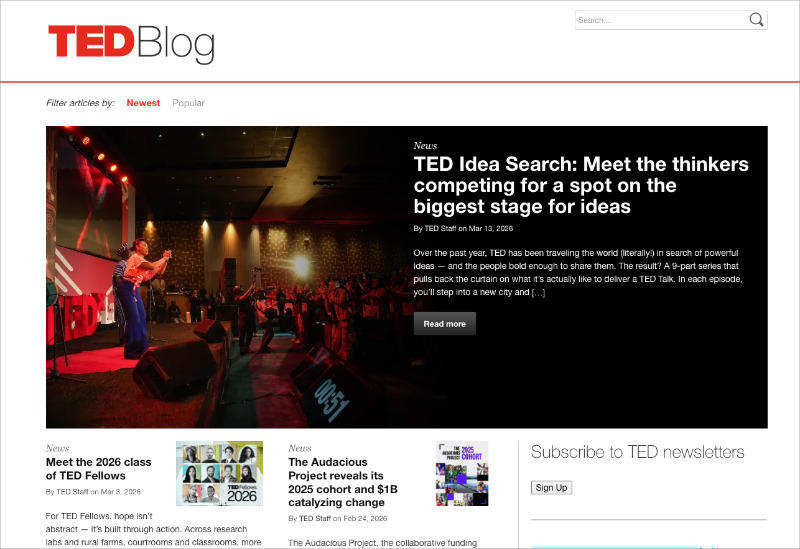
The TED Blog skips the traditional hero section entirely. Below the masthead, you’re immediately into articles.
A “Newest/Popular” filter at the top lets you sort without navigating away. Fifteen or more articles are visible before the fold.
The design relies on talk photography, not decorative elements. If you publish a lot of content and want readers to explore the archive, this approach is worth modeling.
WordPress Portfolio and Creative Website Examples
WordPress is the most common platform for creative portfolios, and it handles everything from single-page galleries to full client-facing case study layouts. The key is getting the design out of the way of the work.
Michael Kowalczyk
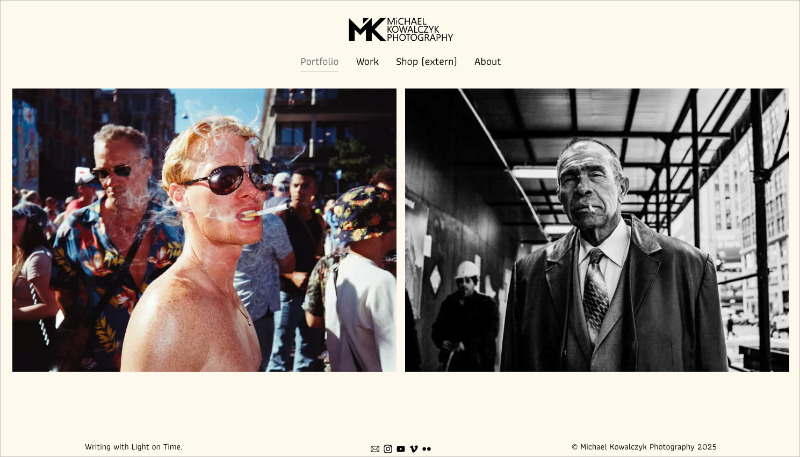
Michael Kowalczyk is a photographer whose site earns its name: “Writing with Light on Time.”
A full-width black-and-white street photography hero on a cream background. Burgundy accent links that feel period-appropriate. Navigation is four items.
Meow Lightbox handles gallery clicks cleanly. Nothing on this site competes with the photographs. That’s the whole strategy, and it works.
George Nakashima Woodworkers
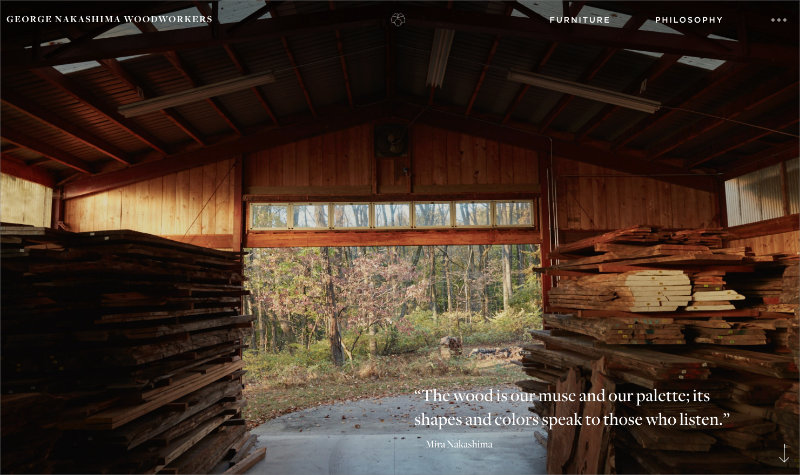
George Nakashima Woodworkers does something less obvious. A rotating carousel opens with philosophical quotes about wood and craft rather than a product shot. Furniture and philosophy sit side by side in the navigation.
Generous whitespace separates every section. The brand story runs through every section rather than sitting in a separate About page. This shows that a portfolio doesn’t have to be minimal to feel focused.
You don’t need custom code to achieve either of these results. WordPress page builders handle grid layouts, full-width images, and lightbox galleries natively. The design discipline is the harder part, and both of these sites are good examples of what it looks like in practice.
WordPress eCommerce Website Examples
WordPress paired with WooCommerce is the most common eCommerce setup on the web, with 31% of the top 1 million eCommerce sites running on WooCommerce, per Store Leads data.
You’re not choosing between WordPress and a dedicated platform. In most cases, WordPress can do what the dedicated platform does, with more control over design and less lock-in on pricing.
Nalgene
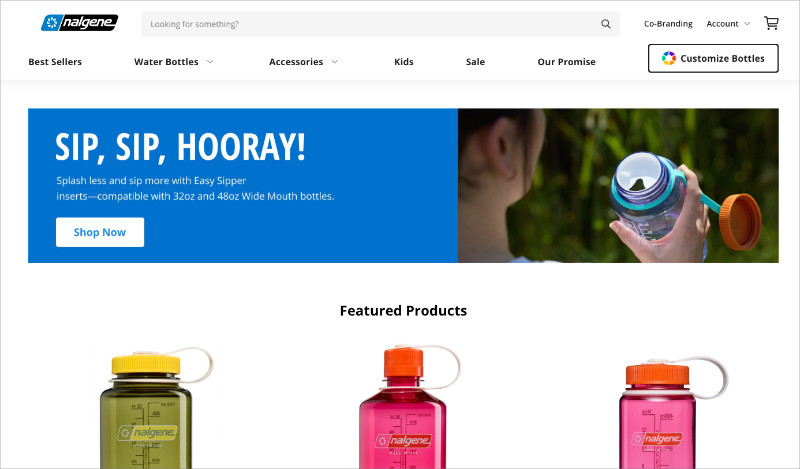
Nalgene runs a full-width hero slider with outdoor lifestyle photography, a product grid with color swatch selectors, and a “Customize Now” CTA in the navigation. The path from homepage to product page is two clicks.
At the bottom, an Instagram UGC feed shows real customers using the product. Trust comes from that photography, not from the copy.
Root Science

Root Science sells skincare with a black and white palette that feels clinical and trustworthy. The brand differentiator, ingredient transparency, is front and center in the hero: “Our Mission: Your Best Skin.”
The WooCommerce product grid is clean and uncluttered. Nothing is hidden, and nothing distracts from the ingredients and the products. The design reflects the brand promise directly.
Both sites share a short navigation funnel and photography that does the persuasion work. The copy supports the images rather than competing with them.
See our ultimate guide for steps on setting up your own online store in WordPress.
WordPress Nonprofit and Cause Website Examples
Nonprofits are one of the most represented categories in WordPress. WordPress is free, flexible, and doesn’t require a developer to maintain after launch, which makes it a natural fit for organizations running on limited budgets.
The design challenge for nonprofit sites is different from business sites. Rather than selling a product, you’re trying to make the mission feel immediate and get someone to do something (donate, sign up, or volunteer) before they click away.
The Obama Foundation
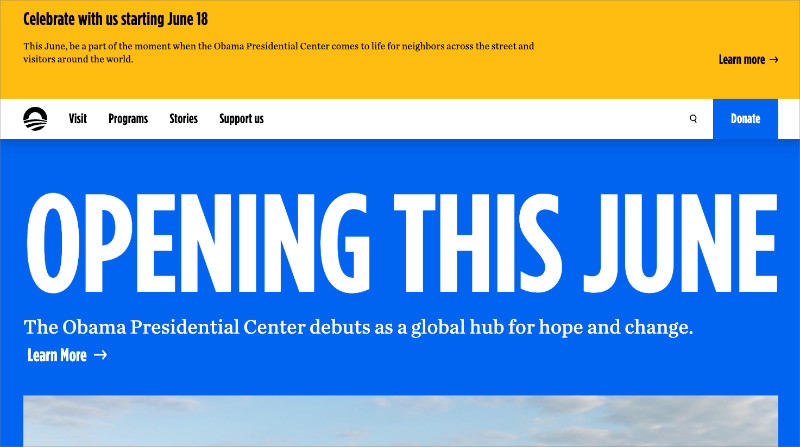
The Obama Foundation opens with a cobalt blue hero and community photography. An announcement for the Presidential Center is the first thing above the fold, not a general welcome message.
Action-oriented CTAs (volunteer, learn, give) appear early and repeat throughout the page. A word cloud visual mid-page communicates values without a wall of text. Every element earns its place.
Jane Goodall Institute
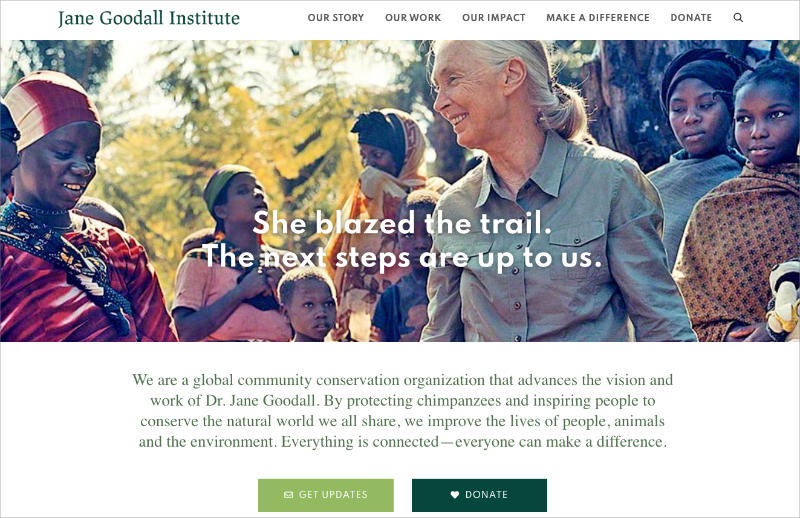
Jane Goodall Institute opens with “She blazed the trail. The next steps are up to us.” The coral-red accent color and wildlife photography make the site feel urgent rather than institutional.
An impact stat, chimpanzee population decline from one million in 1900 to fewer than 200,000 today, appears early and puts a number on the cause. Personal storytelling from Dr. Goodall herself runs throughout.
The “DONATE” CTA is in the header and repeats in every content section.
Both sites lead with the human story, not the org chart. If you’re building any kind of mission-driven site, that principle applies whether you’re a registered nonprofit or a community project.
What These WordPress Website Examples Have in Common
Across every category above, the sites that work share a handful of habits, and none of them come down to budget.
- One clear goal per page. Every example puts one action front and center: contact, buy, donate, read, or browse. No page tries to do everything at once.
- Photography does the heavy lifting. Whether it’s products, people, or places, high-quality images communicate quality faster than copy does. The layout frames the photography. It doesn’t compete with it.
- Navigation is obvious and short. Menus run four to six items. The reader never has to think about where to go next.
- Typography is readable first. Big headlines, generous line spacing, body text that doesn’t strain the eyes. None of these sites are trying to be clever with fonts.
- The mobile version works. Every site above loads quickly and feels designed for a phone, not shrunk to fit one.
That last point is increasingly non-negotiable. Mobile accounts for 51.41% of global web traffic, according to StatCounter, which means more than half your visitors are on a phone before you’ve made a single design decision.
None of this is advanced. You can apply all five before you’ve written a single line of copy or chosen a color palette.
How to Build a WordPress Website Like These Examples
You’ve seen what’s possible. The gap between “inspired” and “started” is real, and for most people it comes down to tooling. Opening the WordPress block editor to a blank canvas with no structural starting point is disorienting.
That’s where SeedProd changes the equation.

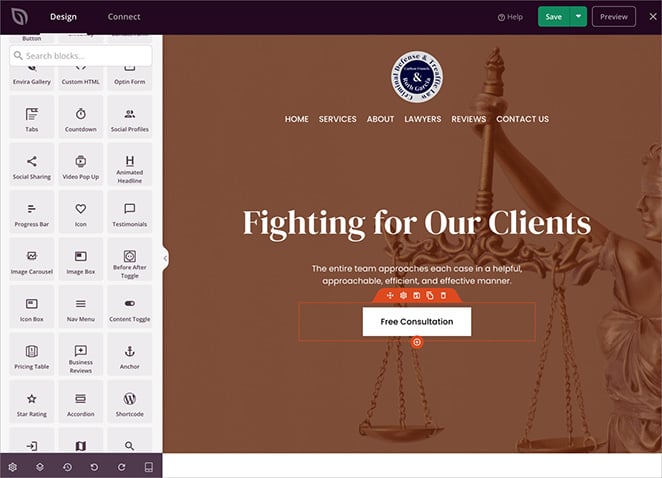
SeedProd is a drag-and-drop WordPress website builder that gives you professionally designed templates across every category covered in this article: business sites, blogs, portfolios, online stores, and nonprofit pages. You pick a template, open the visual editor, and see every change live as you make it, without toggling between editor and preview or touching any code.
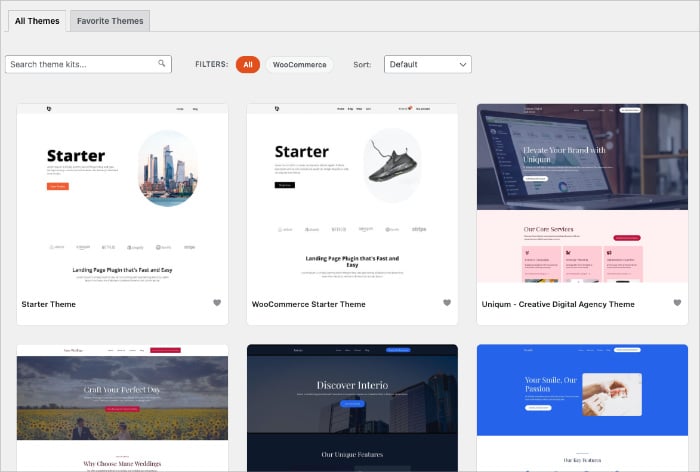
I use SeedProd on my own site, and the biggest practical advantage is exactly that live preview. When you’re adjusting spacing or swapping a color, seeing the result instantly removes a lot of the guesswork that makes building feel slow.
You don’t need a design team to achieve what Pinch of Yum or the Obama Foundation did structurally. You need a template that starts from the same principles and a builder that lets you adapt it without friction.
Get started with SeedProd or read the full tutorial on how to make a WordPress website if you want a step-by-step walkthrough from installation to launch.
Frequently Asked Questions
What famous websites are built with WordPress?
More than most people realize. WordPress powers over 43% of the internet, so the real list is enormous. Verifiable examples include TechCrunch, Airstream, Spotify Newsroom, Pinch of Yum, the Obama Foundation, and the Jane Goodall Institute. The platform runs personal blogs, media outlets, corporate press rooms, and nonprofit campaigns at the same time.
Is WordPress good for small business websites?
Yes. WordPress is the most widely used platform for small business sites because it’s flexible, affordable, and doesn’t require a developer to keep it running.
Sites like Wakami Global show what a small business can achieve with a clear offer and the right template. Tools like SeedProd make building one accessible without technical skills or a designer on retainer.
Can a beginner build a professional WordPress website?
Yes. The design principles behind professional-looking sites, a clear goal, good photography, simple navigation, have nothing to do with coding.
Page builders like SeedProd give beginners the same structural starting point as sites built by full design teams. The discipline is in the decisions, not the technical execution.
What percentage of websites use WordPress?
Over 43% of all websites on the internet run on WordPress. That includes personal blogs, major media outlets, Fortune 500 corporate sites, nonprofits, and eCommerce stores. It’s the most widely used content management system in the world, and it’s been in that position for over a decade.
These examples prove WordPress handles whatever kind of site you want to build. The starting point is more accessible than most people expect, and the design habits that make these sites work are learnable before you’ve placed a single block.
If you’re ready to get building, here are a few guides worth bookmarking:
Thanks for reading! We’d love to hear your thoughts, so please feel free to join the conversation on YouTube, X and Facebook for more helpful advice and content to grow your business.




