
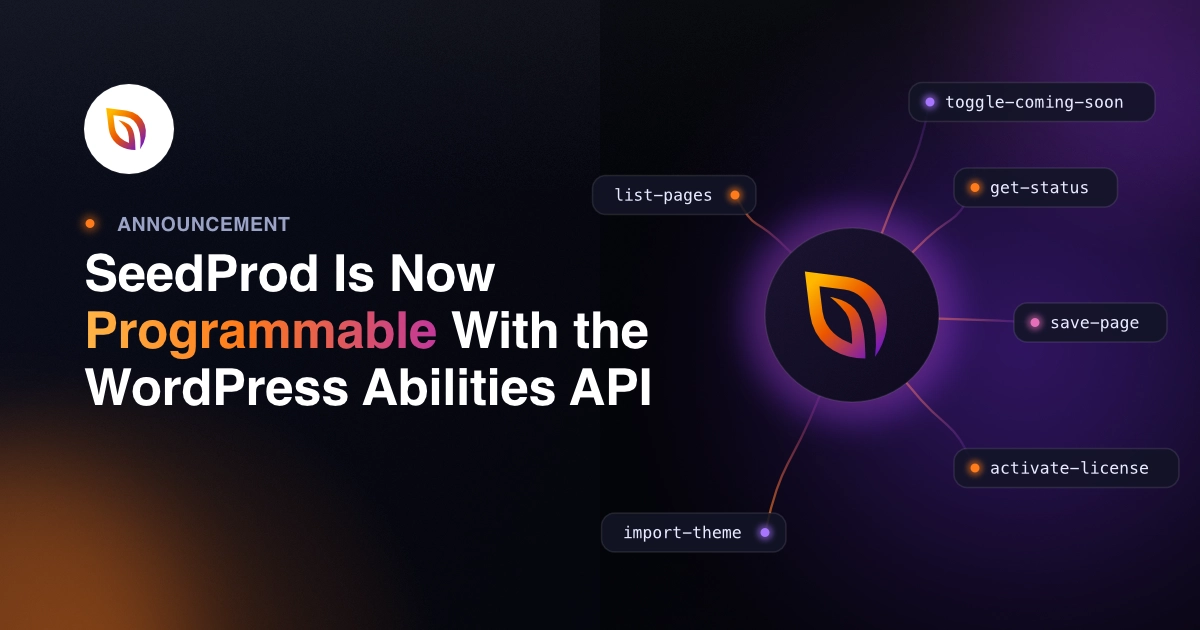

A few months ago, I was building an automation for one of my sites. I wanted a script to toggle coming soon mode off after a content update, the kind of thing you repeat on every site you manage. Simple enough. One action.
Here’s what I expected: a quick API call and done. Here’s what actually happened: no standard endpoint existed. Doing it meant opening the dashboard and clicking through by hand.
That’s the friction we’ve been working to remove.
Today I’m announcing SeedProd’s integration with the WordPress Abilities API. It’s a new standard in WordPress 6.9 that lets plugins register named actions and expose them to any REST API client.
In v6.20.0, SeedProd registers eight of those actions, so any compatible tool can discover what SeedProd can do and trigger it directly, without touching the dashboard.
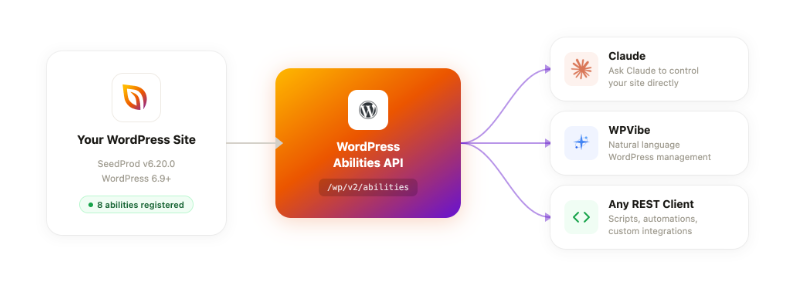
Control SeedProd Without Touching the Dashboard
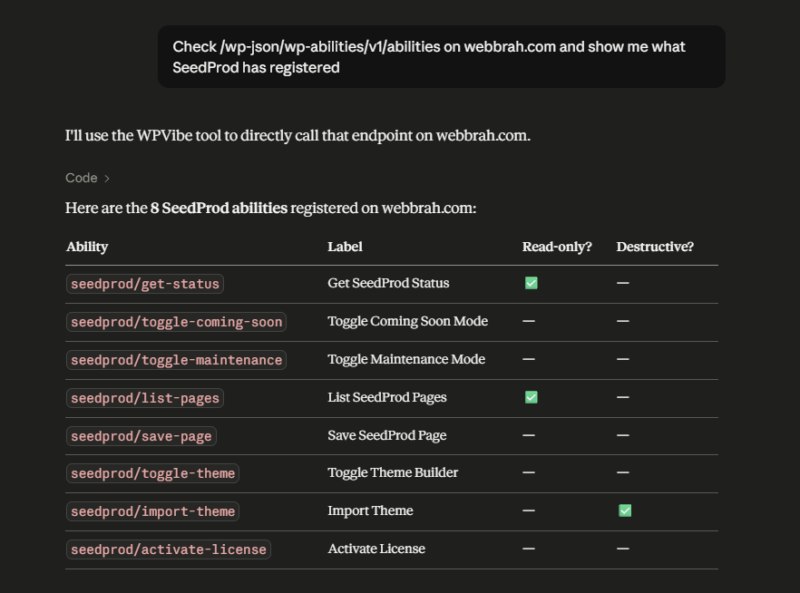
Eight abilities ship in this first release, and all are available on every SeedProd plan. The only exceptions are abilities tied to Pro features, like toggling your theme builder on and off. If your license doesn’t include the feature, the ability won’t apply:
- get-status – Returns SeedProd’s current state: coming soon mode, maintenance mode, theme builder status, and license info.
- toggle-coming-soon – Turns coming soon mode on or off.
- toggle-maintenance – Turns maintenance mode on or off.
- list-pages – Returns all SeedProd pages with their IDs.
- save-page – Creates or updates a SeedProd page.
- toggle-theme – Turns the SeedProd theme builder on or off.
- import-theme – Imports a SeedProd theme from a ZIP URL.
- activate-license – Activates a Pro license key.
This is the first set. We’re adding more as we see how people use them and what’s most useful to automate.
How This Changes Your Workflow
Let’s say you’re deploying a new client site and need to import a theme, activate a license, and toggle coming soon mode before the handoff. That used to mean three separate screens in the dashboard.
Now it’s three API calls, or one conversation with WPVibe, our free plugin that connects your WordPress site to AI tools like Claude and ChatGPT.
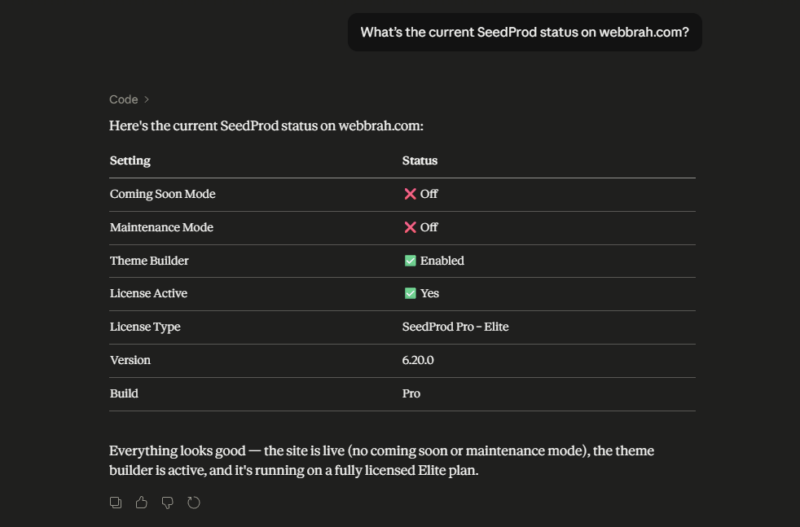
Or maybe you’re managing twenty sites and need a quick status check before a major WordPress update. One get-status call per site tells you which ones have coming soon mode active, which themes are running, and whether licenses are current.
The pattern holds for anything repetitive: maintenance mode before deployments, page checks before migrations, theme imports across batches of new sites. If you do it more than once, it can be scripted or handed to your AI.
How to Get Started with the Abilities API
The Abilities API is a WordPress 6.9 feature, so you’ll need to be on 6.9 or higher before the endpoints exist on your site. You can check your version under Dashboard » Updates.
Step 1: Update SeedProd to v6.20.0
Go to Plugins in your WordPress dashboard and update SeedProd. The Abilities API registers automatically, with no separate setup needed.
Step 2: Check What’s Available
Any connected tool can ask WordPress which plugin actions are registered on your site. SeedProd’s abilities show up automatically in that list, so there’s nothing extra to configure.
Step 3: Run an action
Tell your tool which ability to trigger. Ask it to toggle coming soon mode, check your site status, or import a theme and it calls the right endpoint. You don’t need to handle the API calls yourself.
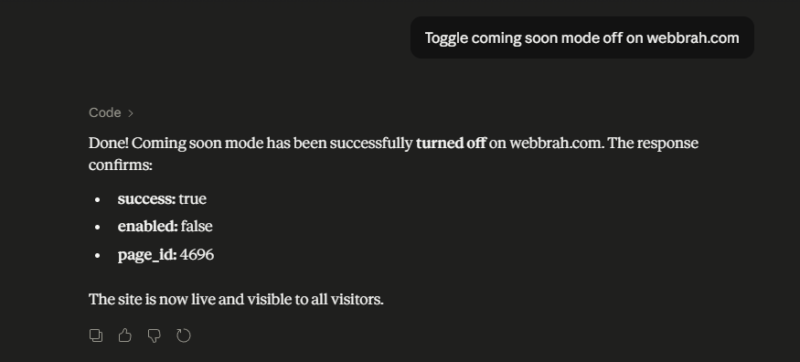
Step 4: Connect your AI tool
If you’re using WPVibe, it detects SeedProd’s abilities automatically on any connected site. Start a conversation and ask it to take action.
Why SeedProd Works With Your Tools
Before the Abilities API, you had to know a plugin’s custom endpoints to trigger its features via REST, if it had any at all. Anything outside the standard WordPress REST API meant WP-CLI, manual dashboard work, or a custom integration built for that plugin specifically.
WordPress 6.9 introduced the Abilities API to fix that. It gives plugins a standard way to register named actions that any compatible client can discover and run. Because SeedProd supports it, AI tools and automation scripts work with it out of the box, without a separate integration for each one.
Update to v6.20.0 and give it a try. If you’re already using WPVibe, connect it to your SeedProd site and ask it to run an ability. I’d love to hear what you automate first.
Thank you for being part of the SeedProd community.
John and the SeedProd team
P.S. Not on SeedProd Pro yet? Get started with SeedProd Pro today to unlock the full set of abilities.


