
The Product Rating block displays the star rating for a WooCommerce product on your Single Product templates. It pulls rating data directly from each product’s Reviews tab, giving visitors an instant visual indicator of customer satisfaction without leaving the product page.
This block is designed exclusively for use inside Single Product templates. Make sure you have WooCommerce installed and that product reviews are enabled before using it. You can customize the star size, spacing, and colors to match your store’s branding.
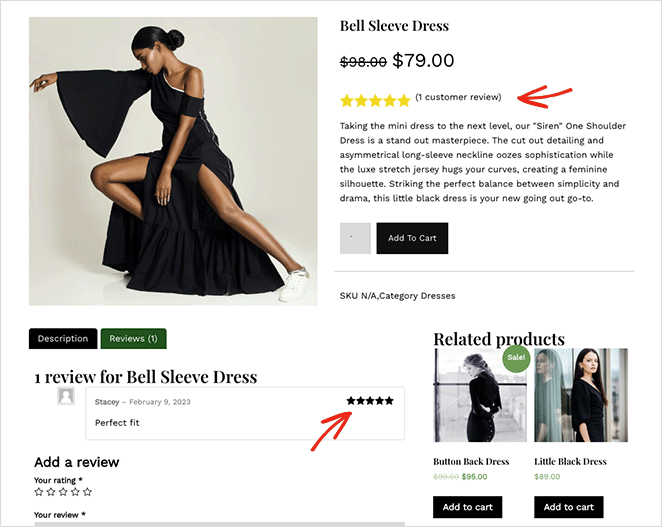
Adding the Product Rating Block to Your Pages
Follow these steps to add a Product Rating block to your SeedProd Single Product template:
Step 1: Add the Block
Under Design > Blocks > WooCommerce Template Tags > Additional Information, drag and drop the Product Rating block into the desired section of your Single Product template.
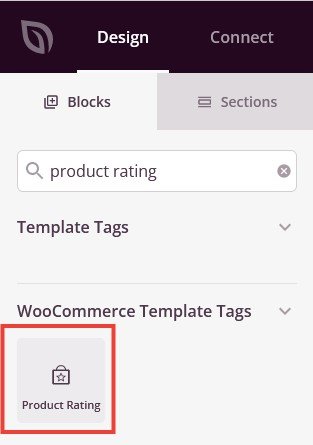
Step 2: Configure Content Settings
Once added, click on the Product Rating block to open its settings. In the Content tab, you will find the following options under the Star Rating section:
- Alignment: Set the horizontal alignment of the star rating — Left, Center, or Right — with per-device controls for desktop, tablet, and mobile.
- Size: Set the size of the star icons using a slider.
- Space Between: Set the horizontal spacing between individual stars using a slider.
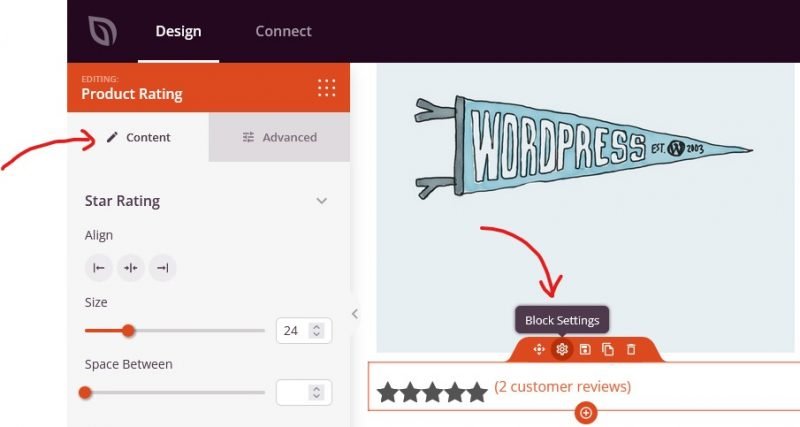
Step 3: Customize the Design
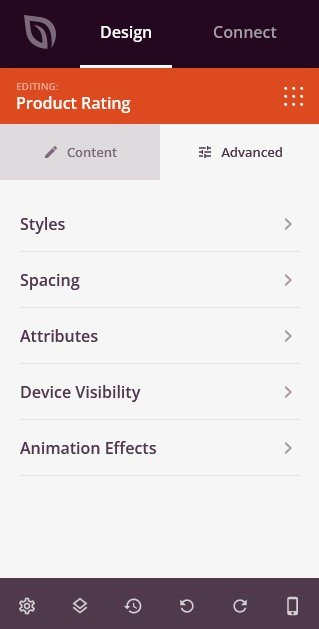
In the Advanced tab, you can customize the visual appearance of your Product Rating block.
Styles:
- Star Color: Set the fill color of the active (filled) stars.
- Empty Star Color: Set the color of the unfilled stars.
Spacing:
- Margin: Set the outer spacing around the block on all four sides, with independent controls for desktop, tablet, and mobile.
- Padding: Set the inner spacing inside the block wrapper on all four sides, with per-device controls.
Attributes:
- Custom Class: Add one or more custom CSS classes to the block wrapper for targeted styling.
- CSS ID: SeedProd automatically generates a unique CSS ID for this block. You can use it to reference the block in custom CSS or JavaScript.
- Custom Attributes: Add custom HTML attributes to the block wrapper element. Enter each attribute on a new line using the key|value format.
Device Visibility:
- Hide on Desktop: Toggle to hide the block when viewed on desktop screens.
- Hide on Tablet: Toggle to hide the block when viewed on tablet screens.
- Hide on Mobile: Toggle to hide the block when viewed on mobile screens.
Animation Effects:
- Scrolling Effect: Apply a scroll-triggered animation to the block, including Vertical Scroll and Horizontal Scroll options with direction, speed, and viewport offset controls.
- Mouse Effect: Apply a mouse movement-driven parallax effect to the block.
Step 4: Save Your Changes
Once you have finished configuring the Product Rating block and customizing its appearance, make sure to save your work.
You’ve successfully added a Product Rating block to your Single Product template! Star ratings are a powerful trust signal that help customers make confident purchase decisions. Customize the star colors and size to make the rating display feel like a natural part of your product page design.