
SeedProd lets you save any section you build as a reusable template, so you can drop it onto any other page without having to recreate it from scratch. This is useful for layouts you use repeatedly — such as hero areas, feature sections, call-to-action rows, and testimonial blocks — and helps keep your design consistent across your entire site.
Saving a Section as a Reusable Template
To save a section for reuse, follow these steps in the SeedProd editor:
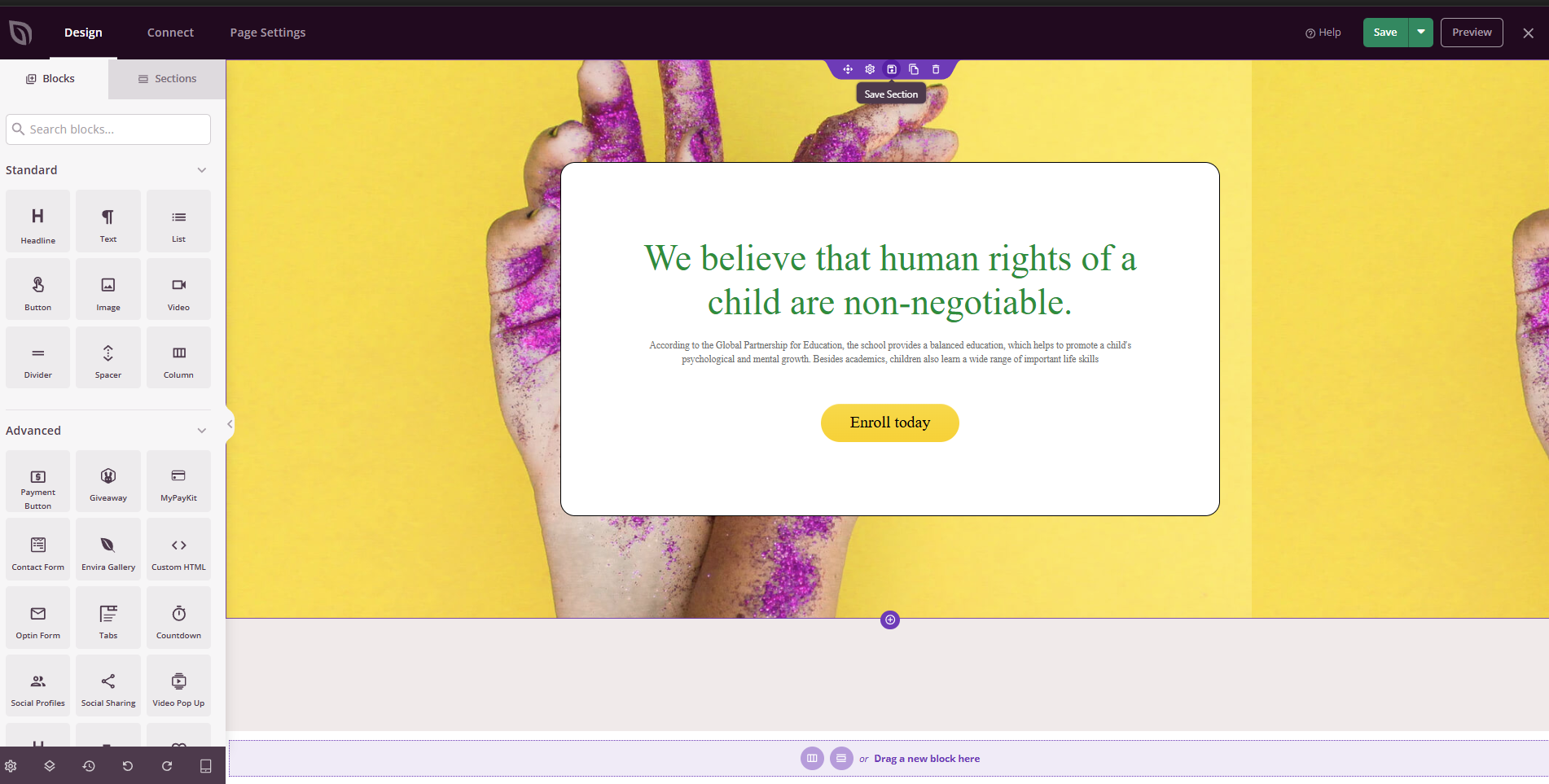
- Hover over the section you want to save. The section toolbar will appear.
- Click the Save icon (floppy disk) in the section toolbar.
- Enter a name for your section and click Save Template.
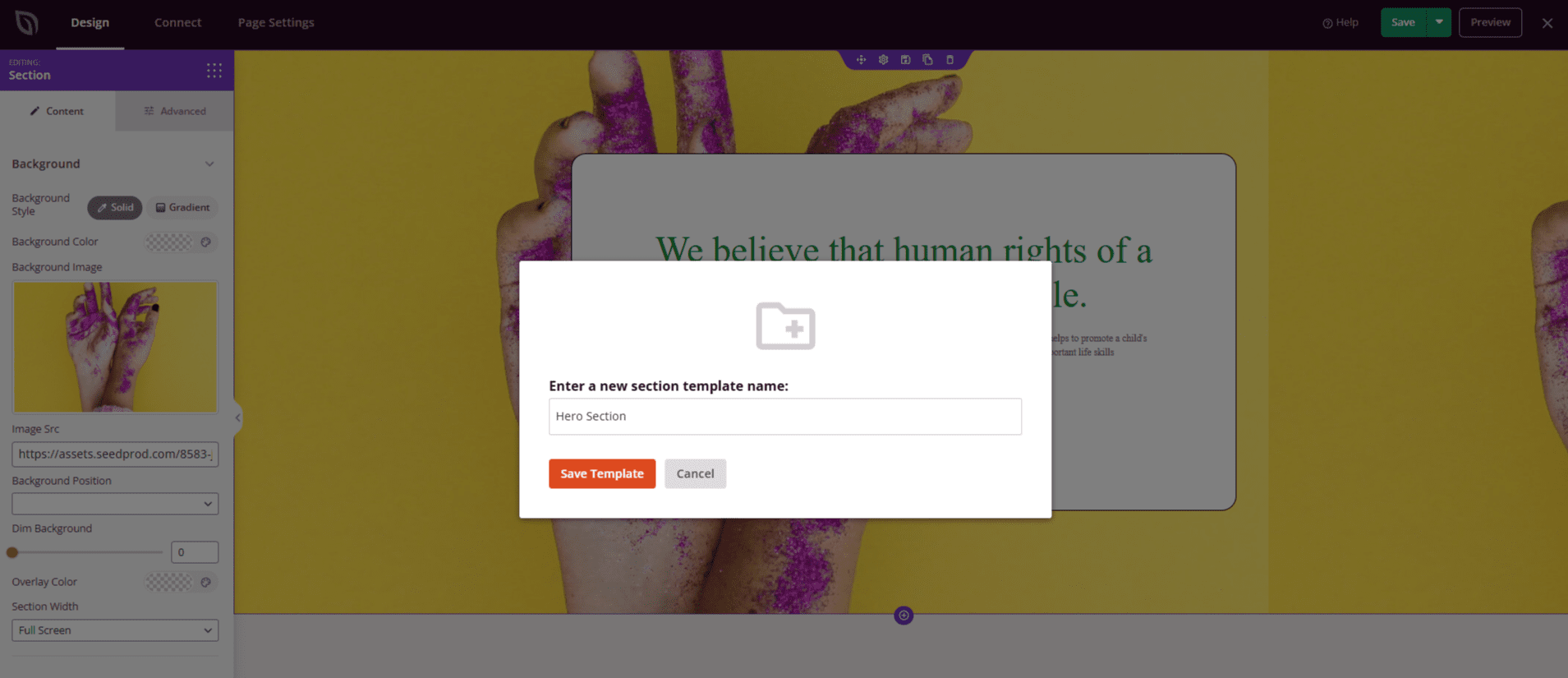
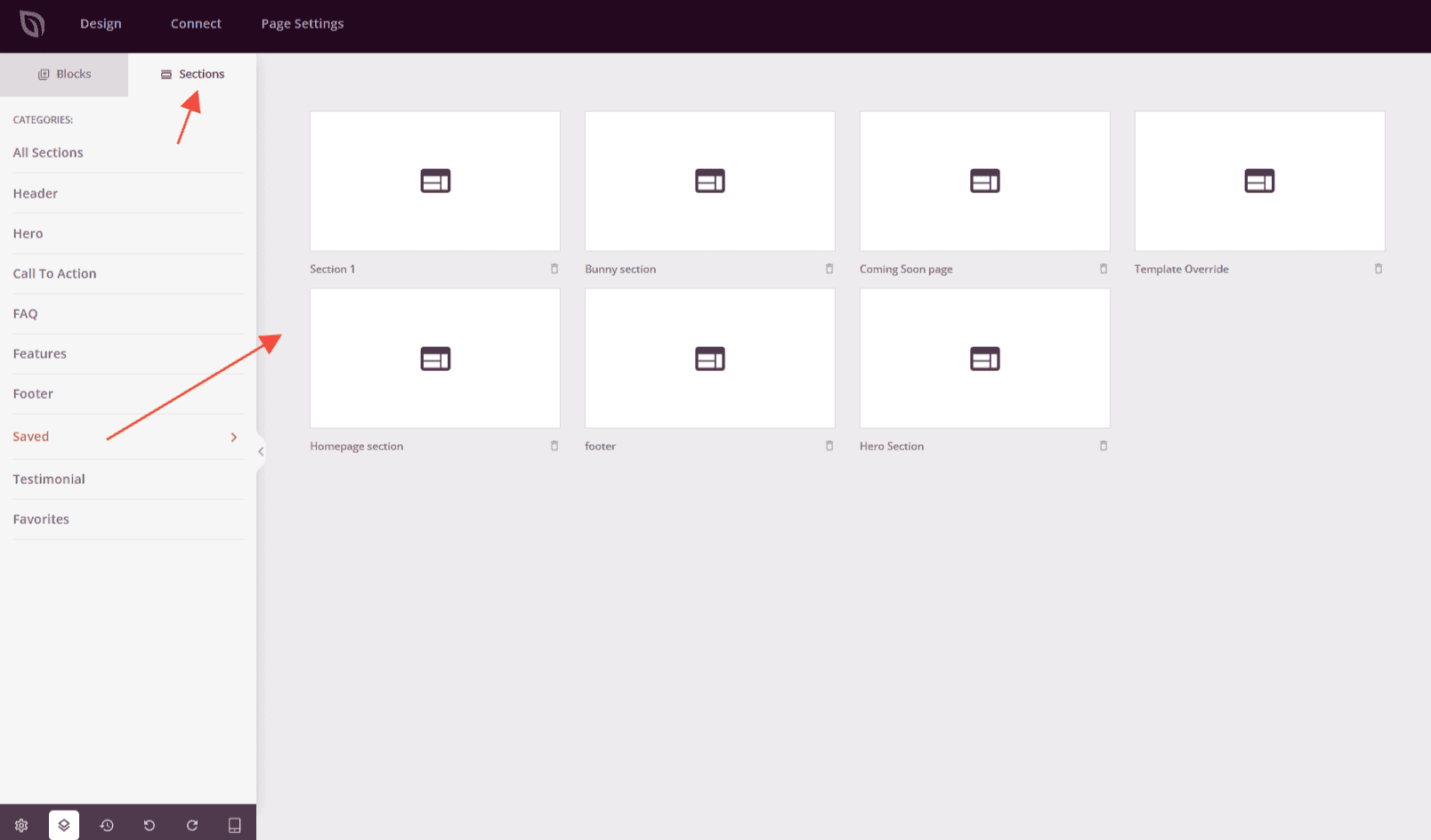
Once saved, your section will appear in the editor’s left panel under Sections > Saved.
Adding a Saved Section to a Page
To reuse a saved section on any page or template:
- Open the Sections tab in the editor’s left panel.
- Click Saved to see all your saved sections.
- Drag and drop the section into your page layout, just like any other section.
Reusable sections make it faster to build new pages and easier to maintain a consistent layout across your site. Pair them with reusable blocks and global part templates to get full control over your site’s design without repeating work.