
The Giveaway block allows you to embed a RafflePress giveaway campaign directly on any SeedProd page. Instead of sending visitors to a separate giveaway page, you can display your contest right where your audience is already engaged, helping you maximize participation and entries.
Once you have an active giveaway created in RafflePress, the Giveaway block lets you select it from a dropdown and drop it onto any page in seconds — no shortcodes or custom code required.
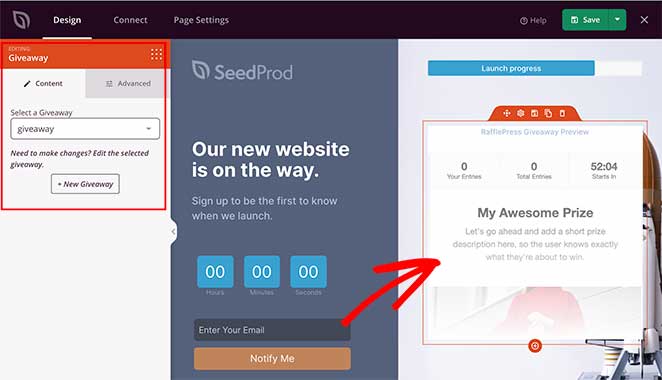
Adding the Giveaway Block to Your Pages
Follow these steps to add a Giveaway block to your SeedProd page:
Step 1: Add the Block
Under Design > Blocks, drag and drop the Giveaway block into the desired section of your page.
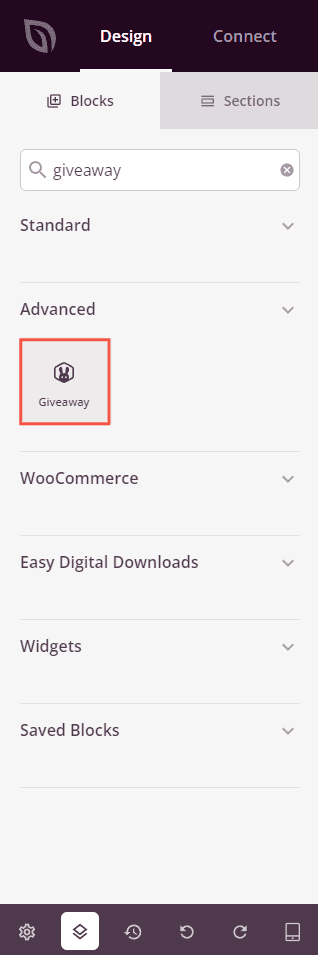
Step 2: Configure Content Settings
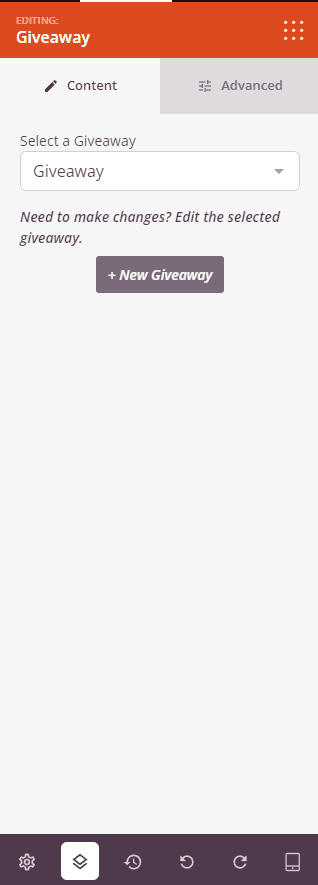
Once added, click on the Giveaway block to open its settings. In the Content tab, select which RafflePress giveaway to display.
- Select a Giveaway: Choose an existing giveaway from the dropdown list. All active RafflePress giveaways on your site will appear here.
- Edit Giveaway: Once a giveaway is selected, a link appears to open and edit that giveaway directly in RafflePress without leaving your workflow.
- + New Giveaway: Click this button to create a brand new giveaway in RafflePress, then return to this block to select it once it’s ready.
Step 3: Customize the Design
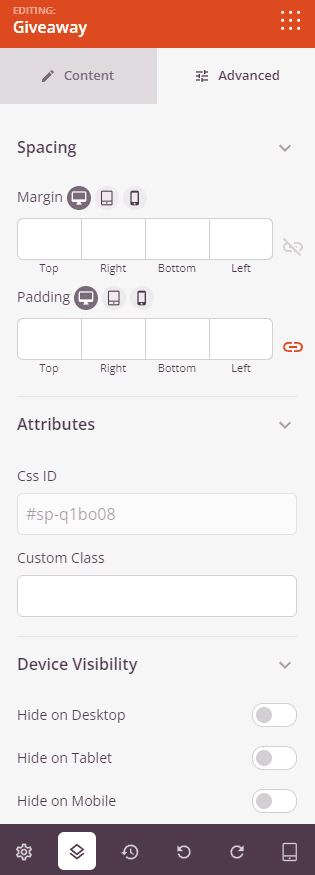
In the Advanced tab, you can adjust the spacing and visibility of your Giveaway block.
Spacing:
- Margin: Control the outer spacing around your Giveaway block (Top, Right, Bottom, Left). Supports per-device values for desktop, tablet, and mobile.
- Padding: Adjust the inner spacing within your Giveaway block (Top, Right, Bottom, Left). Supports per-device values for desktop, tablet, and mobile.
Attributes:
- CSS ID: Displays the auto-generated unique identifier for your Giveaway block, created automatically by SeedProd for custom styling or JavaScript targeting.
- Custom Class: Add custom CSS classes to apply specific styles from your theme or custom CSS.
- Custom Attributes: Add any HTML attributes to the block wrapper element. Enter each attribute on a new line using the format: attribute-name|value.
Device Visibility:
- Hide on Desktop: Hide the Giveaway block on desktop screens.
- Hide on Tablet: Hide the Giveaway block on tablet devices.
- Hide on Mobile: Hide the Giveaway block on mobile devices.
Animation Effects:
- Entrance Animation: Choose an animation effect that plays when the Giveaway block scrolls into view, such as Bounce, Fade In, Zoom In, Rotate In, and many more.
Step 4: Save Your Changes
Once you have finished configuring the Giveaway block and customizing its appearance, make sure to save your work.
You’ve successfully added a Giveaway block to your page! By embedding your RafflePress giveaway directly on your SeedProd page, you can drive more contest entries and keep visitors engaged without sending them elsewhere. Make sure RafflePress is active and your giveaway is published so it displays correctly for all visitors.