


J'ai testé et utilisé de nombreux constructeurs de pages WordPress au fil des ans, pour des sites clients, des projets personnels et tout ce qui se trouve entre les deux. Certains étaient peu pratiques. D'autres trop complexes. Mais après avoir soumis 8 constructeurs à GTmetrix sur des installations propres, trois ont conservé leur place : SeedProd pour la vitesse (99/100), Thrive Architect pour les conversions et Beaver Builder pour la simplicité.
Si vous essayez de créer des pages dans WordPress sans toucher au code, ou si vous en avez simplement marre des constructeurs lents et gonflés, ce guide est fait pour vous.
Ci-dessous, je vais vous présenter les meilleurs constructeurs de pages WordPress pour 2026, avec de vraies données de vitesse de chargement, des captures d'écran originales et les compromis qui ont réellement fait une différence pour moi.
Les meilleurs constructeurs de pages WordPress de 2026 : fonctionnalités, vitesse et prix comparés
Si vous êtes pressé, voici une comparaison rapide des constructeurs de pages WordPress que j'ai testés pour ce guide :
| # | Constructeur de pages | Idéal pour | Plan gratuit | Prix de départ |
|---|---|---|---|---|
| 1 | SeedProd | Vitesse et création de sites Web complets | Oui | À partir de 39,95 $/an |
| 2 | Thrive Architect | Marketeurs et tunnels de vente | Non | À partir de 99 $/an |
| 3 | Beaver Builder | Simplicité et facilité d'utilisation | Oui | À partir de 89 $/an |
| 4 | Divi | Liberté de conception | Non | À partir de 89 $/an |
| 5 | Elementor | Modèles et flexibilité de conception | Oui | À partir de 59 $/an |
| 6 | Bricks Builder | Développeurs et performances | Non | À partir de 79 $/an |
| 7 | Kadence Blocks | Utilisateurs de l'éditeur de blocs | Oui | Gratuit / 79 $/an Pro |
| 8 | Visual Composer | Débutants | Oui | À partir de 49 $/an |
Qu'est-ce qu'un constructeur de pages WordPress ?
Un constructeur de pages WordPress est un outil Web qui vous permet de créer des pages WordPress en faisant glisser et déposer des éléments sans avoir besoin de savoir coder. Ces constructeurs par glisser-déposer faciles à utiliser comprennent généralement des éléments de conception personnalisables, des modèles prédéfinis, des aperçus en direct et des conceptions réactives pour mobile.
Comment j'ai testé les meilleurs constructeurs de pages WordPress
En recherchant les meilleurs constructeurs de pages WordPress pour cette revue, j'ai privilégié la fonctionnalité de glisser-déposer facile. Je voulais identifier les constructeurs qui permettent à quiconque, quelle que soit sa compétence technique, de créer des sites Web professionnels en toute simplicité.
Mes critères d'évaluation comprenaient :
- Valeur : Existe-t-il des versions gratuites ou des plans tarifaires abordables ?
- Facilité d'utilisation : Dans quelle mesure l'interface de glisser-déposer est-elle intuitive ? Les débutants peuvent-ils commencer rapidement ?
- Fonctionnalités essentielles : Le constructeur offre-t-il des modèles prédéfinis, une conception réactive pour mobile et des options de personnalisation robustes ?
Comment j'ai mesuré la vitesse des constructeurs de pages
J'ai testé trois des constructeurs de pages les plus populaires sur une installation WordPress propre à l'aide de GTmetrix. Les pages comprenaient des images, des titres et des formulaires d'inscription. Les scores reflètent la sortie par défaut — aucun plugin de mise en cache ou de vitesse activé.
| Constructeur | Temps de chargement | Requêtes HTTP | Fichiers CSS | Fichiers JS |
|---|---|---|---|---|
| SeedProd | 556 ms | 16 | 5 | 8 |
| Beaver Builder | 985 ms | 20 | 6 | 9 |
| Elementor | 1 882 ms | 32 | 12 | 14 |
L'éditeur de blocs de WordPress gère les mises en page de base, mais il manque de détails fins comme le rembourrage, les ombres et l'espacement. Les constructeurs de pages comblent cette lacune. Lorsque j'ai testé SeedProd et Thrive Architect, j'ai pu ajouter une ombre portée ou insérer un formulaire d'inscription en quelques secondes au lieu de me battre avec le code.
Meilleurs constructeurs de pages WordPress par glisser-déposer
- 1. SeedProd
- 2. Thrive Architect
- 3. Beaver Builder
- 4. Divi
- 5. Elementor
- 6. Bricks Builder
- 7. Kadence Blocks
- 8. Visual Composer
1. Le constructeur de pages WordPress le plus facile pour la vitesse : SeedProd
| Tarifs : À partir de 39,95 $/an |
| Plan gratuit / Essai : Plan gratuit disponible |
| Fonctionnalités remarquables : |
| 🔹 Constructeur de pages par glisser-déposer 🔹 Modes « Bientôt disponible » / maintenance 🔹 Intégration WooCommerce 🔹 Constructeur de sites Web IA 🔹 Modèles et sections préconçus |
| Note : A+ |
| Idéal pour : Les utilisateurs qui privilégient la vitesse et la flexibilité du site |
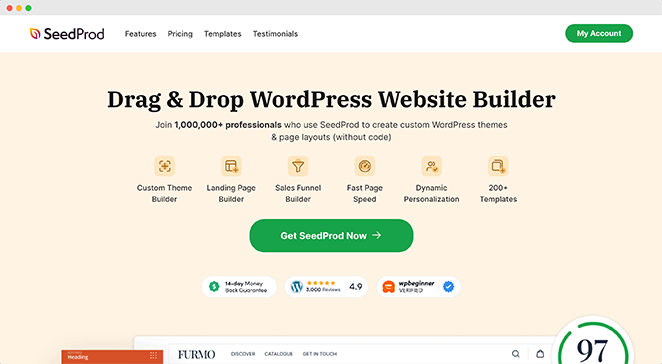
SeedProd est un plugin de constructeur de pages WordPress par glisser-déposer conçu pour la vitesse. Dans mes tests GTmetrix, il a obtenu un score de 99/100 et s'est chargé en 556 ms, le plus rapide des 8 constructeurs que j'ai testés. Si la vitesse de page et le référencement sont importants pour vous, c'est le constructeur par lequel je commencerais.
Mon expérience
Lorsque j'ai commencé à utiliser SeedProd, je m'intéressais principalement à son constructeur de pages de destination, qui est à la hauteur de sa réputation. Mais j'ai vite découvert ses fonctionnalités « Bientôt disponible » et de mode maintenance, et j'ai été convaincu depuis. Tous les constructeurs de pages n'offrent pas ce niveau de fonctionnalité dès le départ.
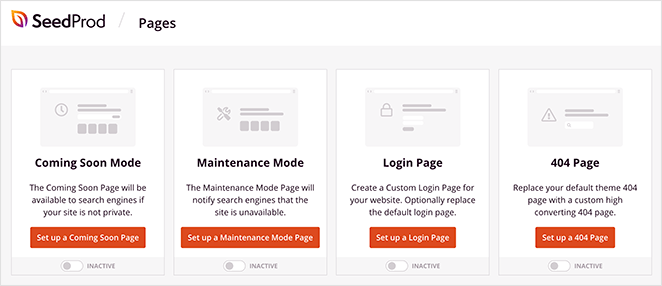
SeedProd facilite la conception d'une page « Bientôt disponible » ou de mode maintenance professionnelle qui s'intègre parfaitement à votre marque. Lorsque je crée mes pages, je peux choisir parmi plusieurs modèles et les personnaliser à ma guise – un niveau de contrôle que je ne trouve pas chez certains concurrents.
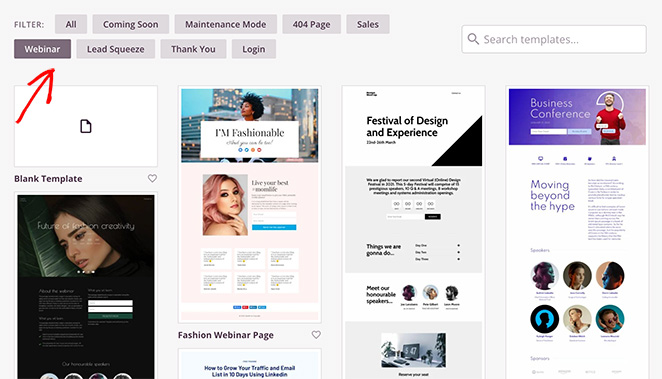
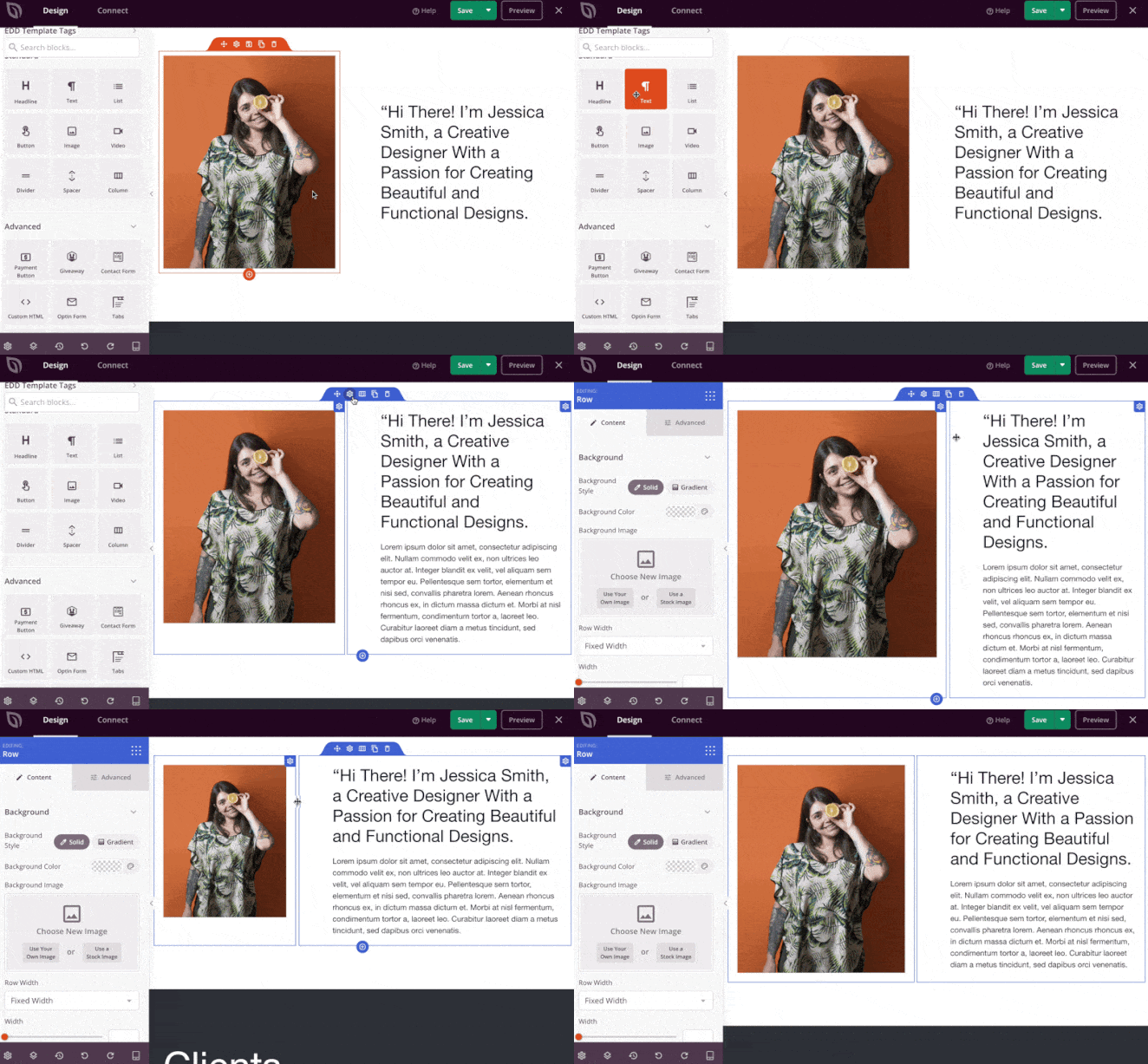
Une fois dans le constructeur de pages, vous êtes accueilli par une interface glisser-déposer familière à d'autres outils. Faites simplement glisser et déposez des éléments de page (tels que des titres, des images et des formulaires d'inscription) là où vous le souhaitez et personnalisez-les à votre guise.
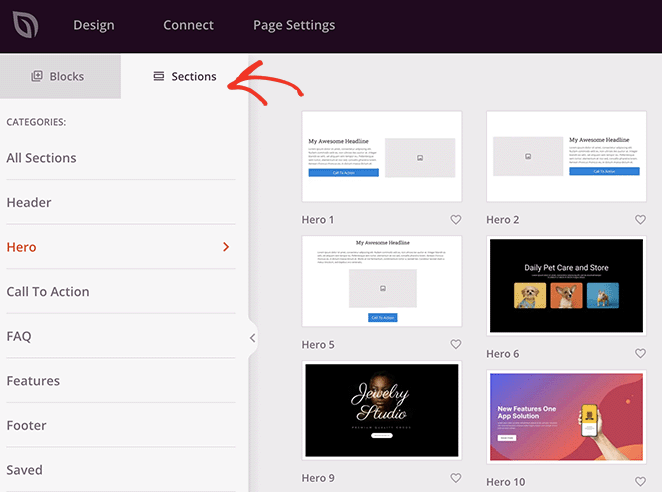
Une chose que je trouve particulièrement utile est l'inclusion de sections préconçues, qui sont des blocs de contenu préconçus par l'équipe SeedProd. Cela rend le processus beaucoup plus rapide que si j'avais conçu tout à partir de zéro.
Une autre chose qui se démarque est la fluidité et l'absence de décalage de l'éditeur SeedProd – même sur des pages plus grandes avec de nombreux éléments.
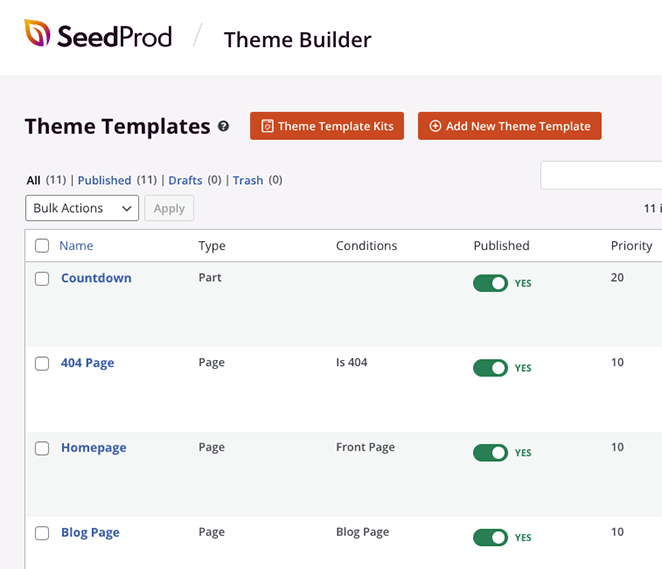
Et voici le point fort : SeedProd n'est pas seulement pour les pages de destination. Leur constructeur de thèmes vous permet de créer des thèmes WordPress entiers sans toucher au code.
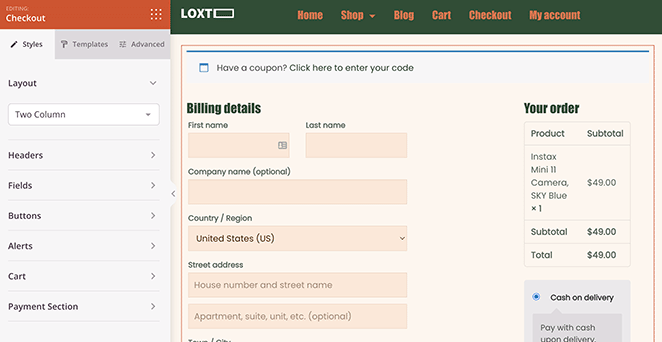
De plus, si vous gérez une boutique en ligne, leurs intégrations WooCommerce et Easy Digital Downloads facilitent la création de pages de produits et de paiement à forte conversion, une fonctionnalité qui nécessite souvent des modules complémentaires ou des mises à niveau avec d'autres constructeurs.
Si cela ne suffisait pas, vous pouvez même lancer un site Web personnalisé en quelques secondes en utilisant le constructeur de sites Web IA de SeedProd. Fournissez simplement une brève description de votre site, et il générera un thème entièrement personnalisé, vous aidant à gagner du temps et à être en ligne plus rapidement.

Avantages
- Facile à utiliser
- Code léger
- Adapté au référencement
- Conceptions réactives
- Peut être utilisé pour créer des sites Web complets, pas seulement des pages de destination
Inconvénients
- Fonctionnalités limitées dans la version gratuite
- Peut devenir cher dans les niveaux supérieurs, surtout si vous avez besoin du constructeur de thèmes et des fonctionnalités de commerce électronique
Avis client

Mon verdict : À mon avis, SeedProd est le meilleur constructeur de sites Web pour WordPress. Je l'utilise pour tous mes projets, même mon propre site Web personnel, car il est facile, rapide, entièrement personnalisable et abordable.
Sites utilisant SeedProd : Duplicator, RafflePress, Visser Labs.
Commencez avec SeedProd dès aujourd'hui
2. Meilleur constructeur de pages WordPress pour les spécialistes du marketing : Thrive Architect
| Tarifs : À partir de 499 $/an (Thrive Suite) ; 99 $/an (autonome) |
| Plan gratuit / Essai : Non disponible (inclus dans Thrive Suite) |
| Fonctionnalités remarquables : |
| 🔹 Éléments spécifiques au marketing 🔹 Modèles de pages de destination optimisés pour la conversion 🔹 Tests A/B intégrés, compte à rebours et formulaires de génération de prospects 🔹 Intégration avec les outils Thrive Suite |
| Note : A+ |
| Idéal pour : Les spécialistes du marketing axés sur l'optimisation des conversions |
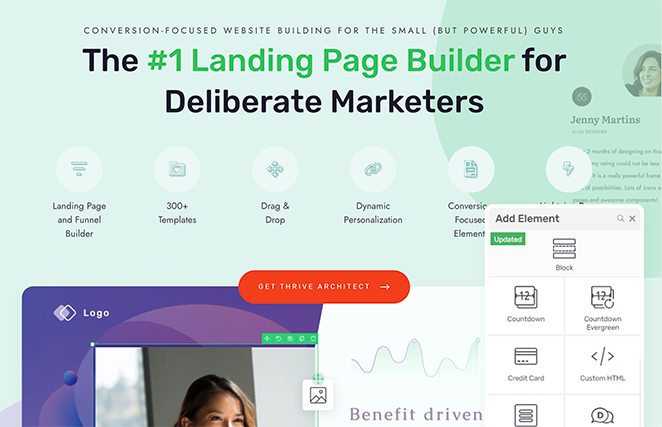
En tant que spécialiste du marketing, je juge souvent un constructeur de pages WordPress sur plus que son apparence. J'ai besoin d'un outil finement réglé pour les conversions. C'est là qu'intervient Thrive Architect, armé de fonctionnalités qui vont au-delà de la simple création de pages.
Mon expérience
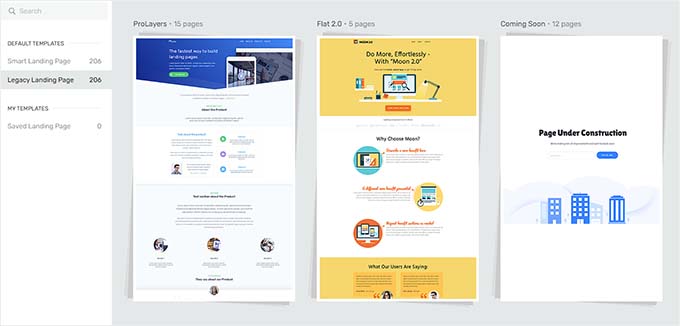
Dès le départ, Thrive Architect crie « résultats ». Au lieu de modèles génériques, vous êtes accueilli par une bibliothèque de conceptions de pages de destination axées sur la conversion – chacune soigneusement conçue pour maximiser les inscriptions, les inscriptions aux webinaires, ou quel que soit votre objectif marketing.
En testant Thrive, j'ai été époustouflé par le nombre d'éléments spécifiques au marketing intégrés directement dans l'éditeur. Vous voulez ajouter un compte à rebours pour créer un sentiment d'urgence ? Glissez, déposez, c'est fait. Besoin de faire des tests A/B sur les titres pour voir ce qui convertit le mieux ? Pas de problème – Thrive s'en charge.
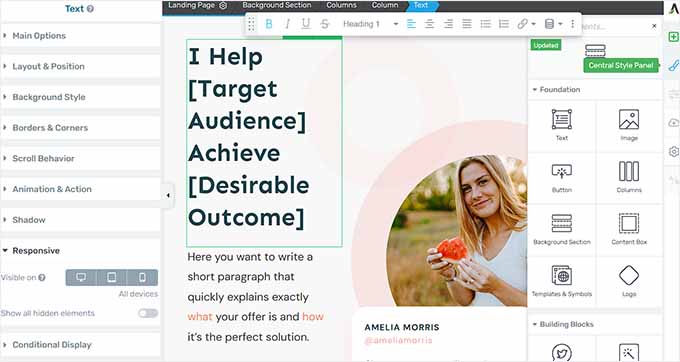
Bien sûr, toutes les fonctionnalités de glisser-déposer attendues sont présentes. Vous pouvez facilement ajouter des éléments, personnaliser le style et prévisualiser votre page sans toucher au code.
Mais Thrive Architect est dans une catégorie à part pour les spécialistes du marketing qui veulent créer des pages de destination performantes, des pages de vente, ou même des tunnels de vente marketing complets.
Avantages
- Fonctionnalités marketing puissantes qui éliminent le besoin de plusieurs plugins
- Modèles conçus dans un souci de conversion, pas seulement d'esthétique
- Excellent pour créer des listes d'e-mails, promouvoir des cours en ligne et générer des ventes
Inconvénients
- Peut avoir une courbe d'apprentissage plus raide que des constructeurs de pages plus simples
- Thrive Architect fait partie de la Thrive Suite, donc l'accès à toute la gamme de fonctionnalités nécessite un abonnement
Avis client
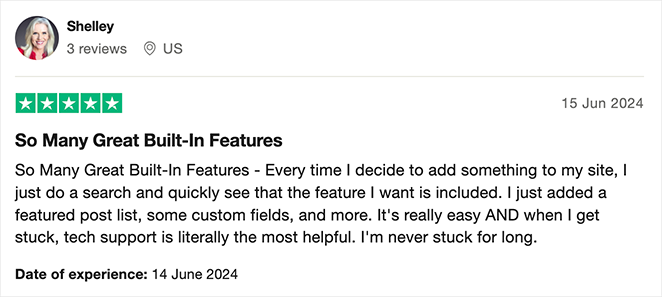
Mon verdict : Bien que Thrive Architect ne soit pas aussi rationalisé que SeedProd, j'ai vraiment apprécié la façon dont il fonctionnait facilement avec les autres plugins de sa suite. Cela en fait un choix évident pour les propriétaires de sites sérieux au sujet de leur marketing.
Sites utilisant Thrive Architect : Faithful Career Moves, Content Sparks, Dogs Naturally Magazine.
3. Meilleur constructeur de pages WordPress pour la simplicité : Beaver Builder
| Tarifs : À partir de 89 $/an |
| Plan gratuit / Essai : Version gratuite limitée disponible |
| Fonctionnalités remarquables : |
| 🔹 Interface glisser-déposer propre et conviviale 🔹 Édition en temps réel, en frontal 🔹 Contrôles de conception réactifs 🔹 Grande variété de modules de contenu et de widgets |
| Note : A |
| Idéal pour : Les utilisateurs recherchant la simplicité et la facilité d'utilisation |
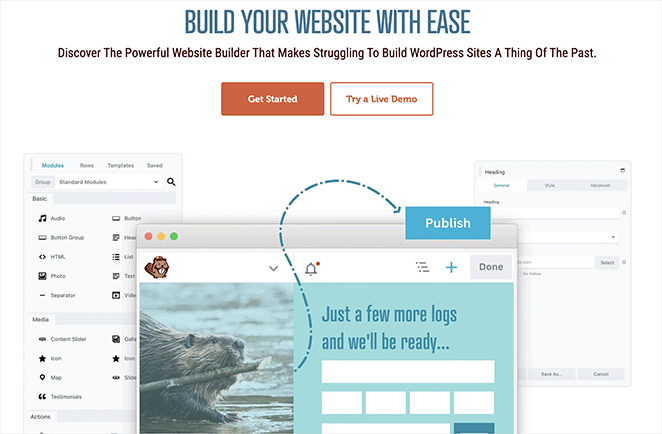
Parfois, vous voulez juste un constructeur de pages WordPress qui ne vous gêne pas et vous laisse construire. Pas de chichis, pas de superflu, juste une bonne vieille fonctionnalité de glisser-déposer. C'est Beaver Builder en résumé.
Mon expérience
Dès le moment où vous commencez à utiliser Beaver Builder, vous remarquerez à quel point il est d'une simplicité rafraîchissante. L'interface est épurée et sans encombrement, ce qui en fait un excellent choix pour les débutants et les utilisateurs expérimentés de WordPress qui en ont marre de se battre avec des constructeurs peu pratiques.

Ce qui m'a le plus impressionné avec Beaver Builder, c'est la façon dont il équilibre simplicité et puissance. Oui, il est facile à utiliser, mais ne confondez pas cela avec un manque de fonctionnalités.
Beaver Builder inclut tout ce dont vous avez besoin pour créer des pages d'aspect professionnel, des blocs de contenu et des widgets aux options de style avancées et aux contrôles de mise en page.
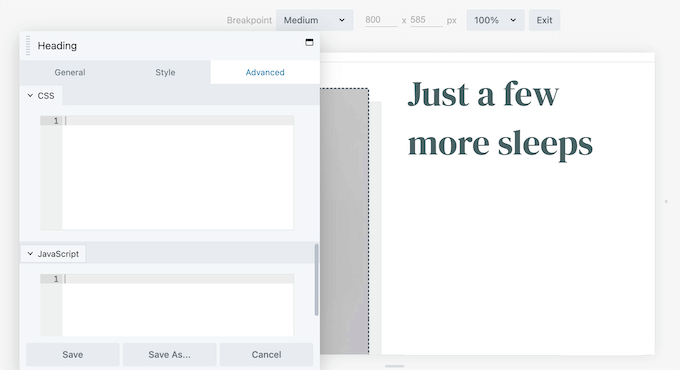
L'une de mes choses préférées à propos de Beaver Builder est son expérience d'édition en direct, sur le front-end. Vous voyez vos modifications se produire en temps réel, directement sur votre site. Fini les allers-retours entre les modes de prévisualisation.
Avantages
- Facile à apprendre et à utiliser
- Bon équilibre entre simplicité et fonctionnalités puissantes
- Excellent support et une communauté florissante
Inconvénients
- La bibliothèque de modèles n'est pas aussi étendue que celle de certains concurrents
- Peut ne pas être idéal pour les utilisateurs qui ont besoin de fonctionnalités de marketing ou de commerce électronique très spécialisées intégrées
Avis client
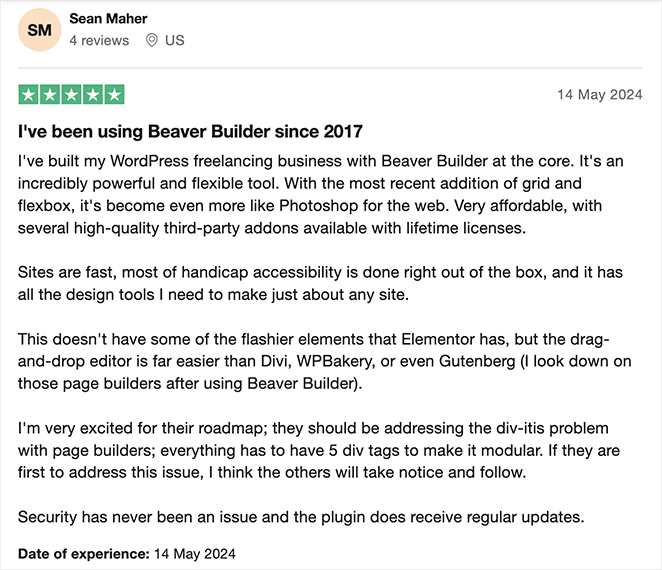
Mon verdict : Beaver Builder m'a toujours séduit par sa simplicité et c'est un constructeur de pages que je recommande volontiers si vous recherchez quelque chose de minimaliste et de simple.
Sites Web utilisant Beaver Builder : Louder Agency, Events Air, Inside SF RE.
Consultez ma critique de Beaver Builder pour plus de détails. Je l'ai également comparé directement dans mon test de vitesse Beaver Builder vs Elementor vs SeedProd.
4. Meilleur constructeur de pages WordPress pour la flexibilité : Divi par Elegant Themes

| Tarification : À partir de 89 $/an (adhésion Elegant Themes) |
| Plan gratuit / Essai : Non disponible |
| Fonctionnalités remarquables : |
| 🔹 Édition visuelle front-end 🔹 Vaste bibliothèque de mises en page et de modules 🔹 Options de style globales 🔹 Outils de conception réactive |
| Note : A- |
| Idéal pour : Les utilisateurs à la recherche de flexibilité et de créativité dans la conception |
Si vous aimez avoir des options de conception infinies, alors Divi est le constructeur de pages qu'il vous faut. Cet outil puissant vous donne un contrôle total sur l'apparence de votre site Web, sans avoir besoin de savoir coder.
Mon expérience
Vous pouvez utiliser le constructeur de pages de Divi avec leur thème Divi populaire, mais il fonctionne également comme un plugin autonome avec d'autres thèmes WordPress populaires. J'ai en fait testé Divi avec quelques thèmes différents, et il a fonctionné sans faille avec tous, ce qui est un énorme avantage si vous aimez expérimenter différents designs.
Une chose qui distingue Divi des autres constructeurs de pages WordPress est son éditeur visuel front-end. Au lieu de faire des modifications dans le back-end puis de les prévisualiser, Divi vous permet de modifier votre contenu directement sur votre site Web.

J'ai trouvé cette fonctionnalité extrêmement utile lorsque j'apprenais à utiliser Divi, car je pouvais voir à quoi ressembleraient mes modifications en temps réel.
Et si vous avez besoin d'un coup de pouce créatif ou si vous voulez accélérer votre flux de travail, Divi AI change la donne. Cet assistant IA intégré peut générer du texte et des images, suggérer des mises en page et même écrire du code pour vous directement dans l'éditeur Divi.
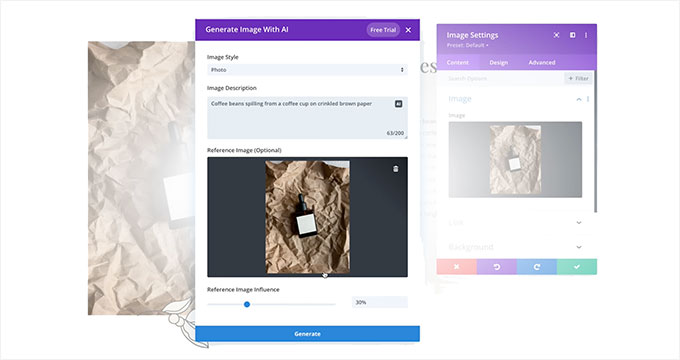
Et si vous aimez travailler avec des modèles, vous avez de la chance ! Divi dispose d'une immense bibliothèque de mises en page, de sections et de modules prédéfinis que vous pouvez mélanger et assortir pour créer à peu près n'importe quel design que vous pouvez imaginer.
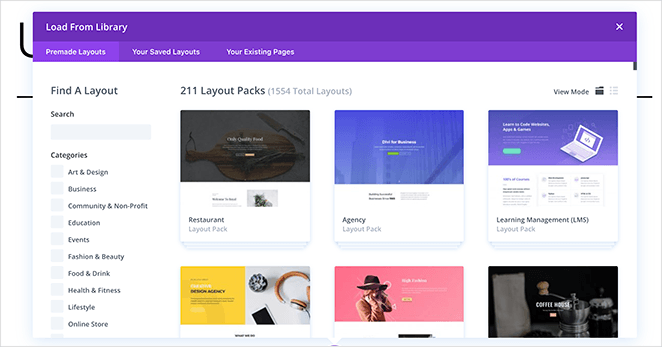
Ce que j'ai le plus aimé dans tout cela, cependant, c'est que cela a rendu le processus de conception beaucoup plus rapide car je n'ai pas eu à construire chaque page à partir de zéro.
Maintenant, divulgation complète : Divi a tellement de fonctionnalités et d'options qu'il peut être un peu écrasant au début, surtout si vous êtes débutant. Mais si vous vous y tenez et prenez le temps d'apprendre les ficelles du métier, vous serez récompensé par un outil qui vous offre une liberté de conception ultime.
Avantages
- Flexibilité et liberté de conception inégalées
- Idéal pour créer des mises en page complexes et des sites Web uniques
- Communauté active et documentation complète
Inconvénients
- Peut être écrasant pour les débutants en raison du grand nombre d'options
- S'appuyer fortement sur le constructeur visuel de Divi peut parfois rendre plus difficile le passage à d'autres thèmes ou constructeurs par la suite.
Avis client
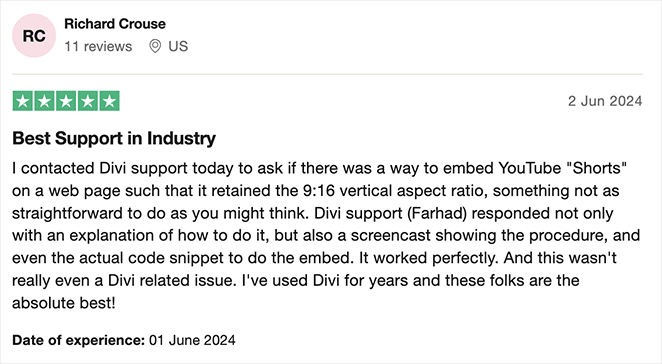
Mon verdict : La popularité de Divi en fait un choix rassurant pour la création de pages. Cependant, j'ai trouvé la courbe d'apprentissage difficile pour les débutants.
Site Web utilisant Divi : Buffer Insurance, Creative Spark Films, Iris Works.
Pour plus d'informations, voici ma critique de Divi.
5. Meilleur constructeur de pages WordPress pour les modèles : Elementor
| Tarification : À partir de 59 $/an pour un site Web |
| Plan gratuit / Essai : Version gratuite disponible |
| Fonctionnalités remarquables : |
| 🔹 Vaste bibliothèque de modèles 🔹 Éditeur glisser-déposer convivial 🔹 Grand choix de widgets 🔹 Capacités d'édition mobile |
| Note : B+ |
| Idéal pour : Les concepteurs à la recherche de modèles diversifiés et de personnalisation |
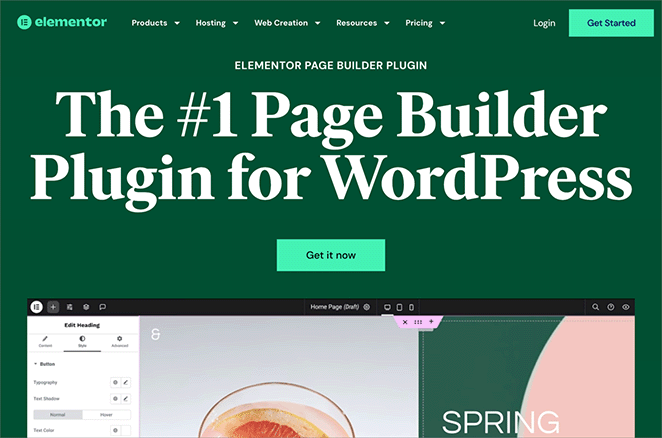
Elementor est un excellent choix pour les utilisateurs à la recherche d'une vaste bibliothèque de modèles prédéfinis. Il vous permet de trouver rapidement un design professionnel sans avoir à repartir de zéro. En tant que l'un des constructeurs front-end les plus populaires, son interface sera familière à de nombreux utilisateurs.
Mon expérience
J'ai perdu le compte du nombre de fois où je me suis tourné vers la bibliothèque de modèles d'Elementor pour lancer un projet de nouveau site Web. C'est une aubaine lorsque vous avez besoin d'un design d'aspect professionnel rapidement, mais que vous n'avez pas le temps (ou, soyons honnêtes, les compétences en design) de créer quelque chose à partir de zéro.
Elementor est célèbre pour sa vaste bibliothèque de modèles – nous parlons de centaines de pages et de blocs préconçus pour presque toutes les niches et industries imaginables. Que vous ayez besoin d'une page de destination pour le lancement de votre dernier cours, d'une page d'accueil élégante pour votre agence, ou d'une page de vente qui convertit à merveille, Elementor a probablement un modèle pour vous aider à démarrer.
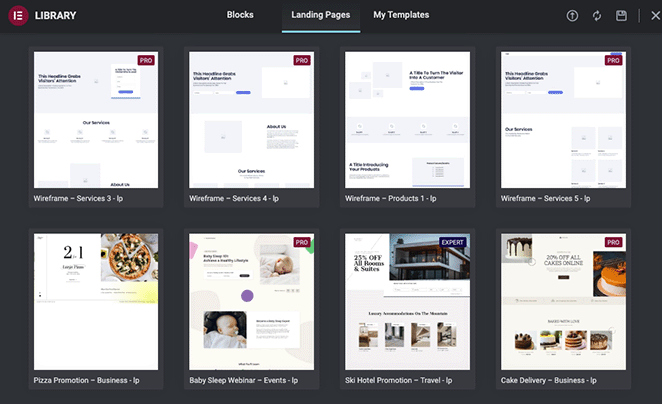
Mais ne vous inquiétez pas, vous n'êtes pas coincé avec un design générique. Une fois que vous avez choisi un modèle, l'éditeur glisser-déposer d'Elementor facilite la personnalisation de tout pour correspondre à votre marque. Vous pouvez échanger des images, ajuster les couleurs et modifier les mises en page – le ciel est la limite.
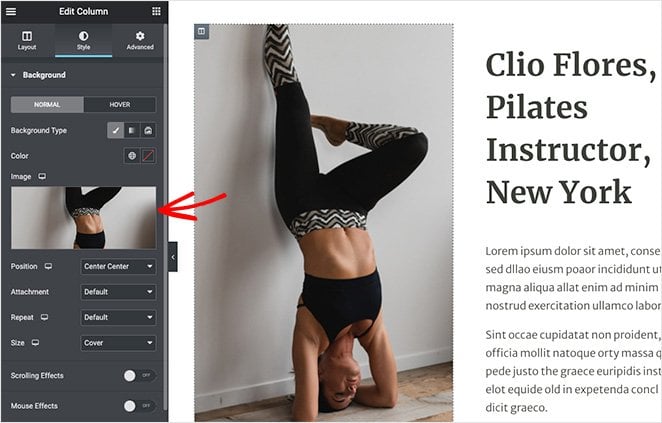
Lors de mes propres tests, j'ai constaté que je pouvais généralement obtenir un modèle à 80 % de la manière souhaitée, puis apporter quelques ajustements pour l'aligner parfaitement avec ma vision.
Une chose que j'apprécie particulièrement chez Elementor, c'est son souci de l'expérience utilisateur. L'interface est épurée, intuitive et facile à naviguer, même si vous êtes novice en matière de constructeurs de pages. De plus, leur vaste bibliothèque de widgets signifie que vous pouvez ajouter toutes sortes de fonctionnalités intéressantes à vos pages sans avoir à manipuler de code.
Avantages
- Vaste sélection de modèles pour lancer votre processus de conception
- Interface intuitive, idéale pour les débutants comme pour les professionnels
- Communauté active et marché pour des modèles et extensions supplémentaires
Inconvénients
- S'appuyer fortement sur les modèles peut parfois limiter la créativité de la conception
- L'utilisation de trop de widgets Elementor peut potentiellement ralentir votre site Web s'ils ne sont pas optimisés avec soin
Avis client
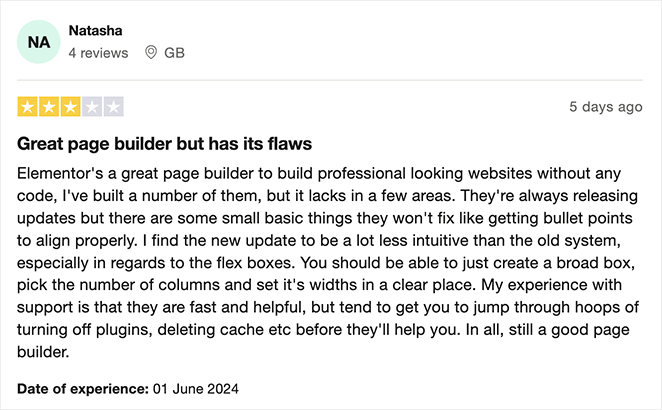
Mon verdict : J'aime la façon dont l'interface d'Elementor est similaire à ce à quoi je suis habitué. Elle m'a cependant semblé plus lente que d'autres solutions et légèrement plus compliquée.
Sites Web utilisant Elementor : Falls Festival, Ulah, Disraptors.
Besoin de plus de détails ? Voici une critique détaillée d'Elementor que j'ai écrite.
6. Meilleur constructeur de pages WordPress pour développeurs : Bricks Builder
| Tarification : À partir de 79 $/an pour des sites Web illimités |
| Plan gratuit / Essai : Non disponible (essai avec site de démonstration) |
| Fonctionnalités remarquables : |
| 🔹 Sortie HTML propre et sémantique 🔹 Édition complète du site (en-tête, pied de page, modèles) 🔹 Code personnalisé (PHP, CSS, JS) dans le constructeur 🔹 Constructeur de boucles de requêtes pour le contenu dynamique |
| Note : A |
| Idéal pour : Développeurs et utilisateurs axés sur la performance |
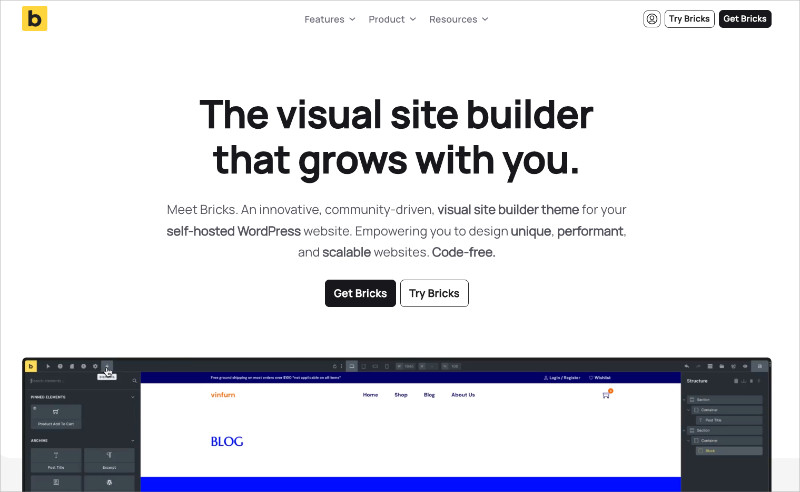
Bricks Builder est un constructeur de sites visuels pour WordPress qui fonctionne comme un thème, pas comme un plugin. Il produit un HTML propre et sémantique sans le superflu de div enveloppantes, ce qui en fait un favori parmi les développeurs qui se soucient de la qualité du code et de la vitesse des pages.
Mon expérience
J'ai testé Bricks pour voir de quoi parlait la communauté des développeurs. La première chose que j'ai remarquée, c'est qu'il remplace entièrement votre thème. Vous installez Bricks comme thème, et le constructeur est votre outil de conception pour tout : pages, en-têtes, pieds de page, modèles d'archives et mises en page d'articles uniques.
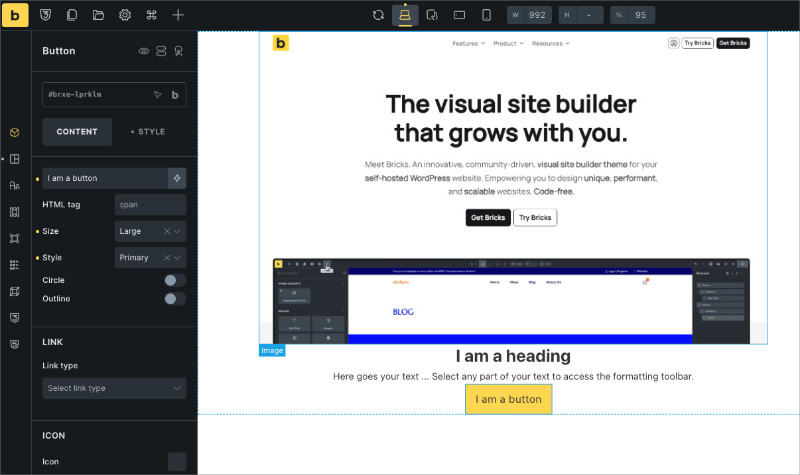
L'interface du constructeur est réactive. Les éléments se chargent rapidement et l'aperçu en direct se met à jour sans délai. Je comprends pourquoi les développeurs axés sur la performance le préfèrent.
Là où Bricks se démarque vraiment, c'est dans la sortie de code. La plupart des constructeurs de pages encapsulent les éléments dans plusieurs divs imbriqués. Bricks maintient le HTML minimal. Si vous inspectez une page construite avec Bricks, le code source ressemble davantage à du HTML codé à la main qu'à quelque chose généré par un constructeur visuel.
Il comprend également un constructeur de boucles de requêtes, qui vous permet d'afficher du contenu dynamique (comme les derniers articles ou les produits WooCommerce) sans PHP personnalisé. Pour les développeurs, cela élimine beaucoup de travail répétitif sur les modèles.
Le compromis est que Bricks a une courbe d'apprentissage plus raide que la plupart des constructeurs de cette liste. Il n'est pas difficile à utiliser, mais il suppose que vous comprenez les concepts de WordPress comme la hiérarchie des modèles et les champs personnalisés. Si vous êtes un débutant à la recherche de simplicité en glisser-déposer, SeedProd ou Beaver Builder sont de meilleurs points de départ.
Avantages
- Sortie HTML propre et sémantique pour de meilleures performances et un meilleur référencement
- Édition complète du site intégrée (en-têtes, pieds de page, archives, pages 404)
- Communauté de développeurs active avec des mises à jour fréquentes
Inconvénients
- Courbe d'apprentissage plus raide que les constructeurs adaptés aux débutants
- Pas de plan gratuit (seulement un site de démonstration pour tester avant d'acheter)
Mon verdict : Si vous êtes un développeur ou un utilisateur expérimenté de WordPress qui souhaite un code propre et des performances rapides, Bricks vaut la peine d'apprendre. Pour les débutants, je recommanderais toujours de commencer par quelque chose de plus guidé.
Sites Web utilisant Bricks Builder : Wayback Burgers, KCI Engineering, Nerd Office.
7. Meilleur constructeur de pages WordPress basé sur des blocs : Kadence Blocks
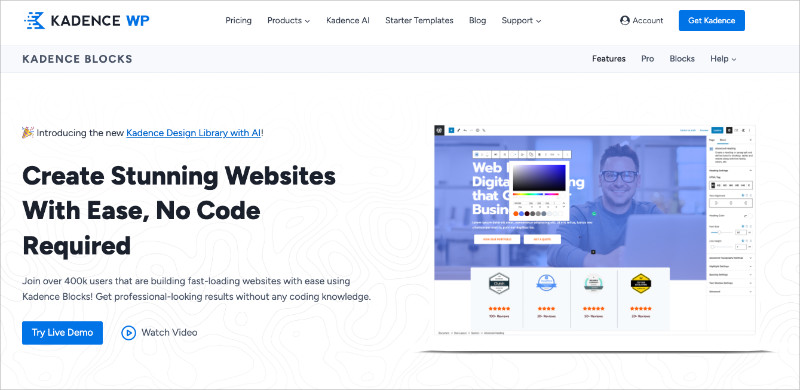
| Tarifs : Gratuit / Pro à partir de 79 $/an |
| Plan gratuit / Essai : Version gratuite généreuse disponible |
| Fonctionnalités remarquables : |
| 🔹 Étend l'éditeur de blocs natif (pas de constructeur séparé) 🔹 Modèles de démarrage pour des conceptions de pages complètes 🔹 Performances légères (fonctionne avec l'éditeur de blocs, pas contre) 🔹 S'associe au thème Kadence pour un contrôle complet du site |
| Note : B+ |
| Idéal pour : Les utilisateurs qui souhaitent rester dans l'éditeur de blocs mais ont besoin de plus de contrôle sur la conception |
Kadence Blocks est un plugin de blocs WordPress qui ajoute des blocs de conception avancés à l'éditeur de blocs natif. Contrairement aux constructeurs de pages autonomes, il fonctionne à l'intérieur de Gutenberg plutôt que de le remplacer. Si vous aimez l'éditeur de blocs mais souhaitez qu'il puisse faire plus, Kadence comble cette lacune.
Mon expérience
J'ai utilisé Kadence pour la première fois en le testant avec le thème Kadence pour notre comparatif des meilleurs thèmes WordPress. Le thème a obtenu de bons résultats dans nos tests de performance, et le plugin de blocs partage cette même approche légère.
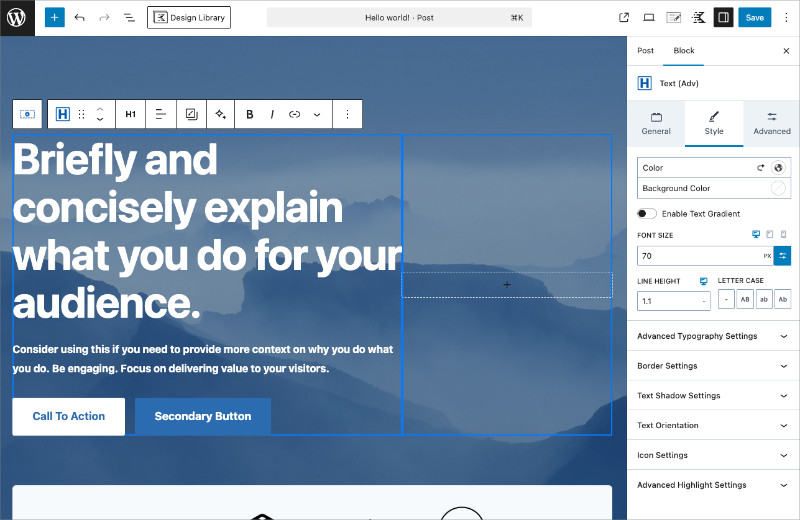
Ce que j'aime chez Kadence Blocks, c'est qu'il ne donne pas l'impression d'être un outil séparé greffé sur WordPress. Il ajoute des blocs comme Row Layout, Advanced Gallery, Info Box et Tabs qui s'intègrent directement dans l'éditeur que vous connaissez déjà. Les contrôles de conception sont beaucoup plus granulaires que ce que vous obtenez avec les blocs de base.
Les modèles de démarrage sont une belle touche. Vous pouvez importer des conceptions de pages complètes directement dans l'éditeur de blocs, puis personnaliser chaque élément. Ce n'est pas aussi complet que la bibliothèque de modèles d'Elementor, mais la qualité est solide et ils se chargent rapidement.
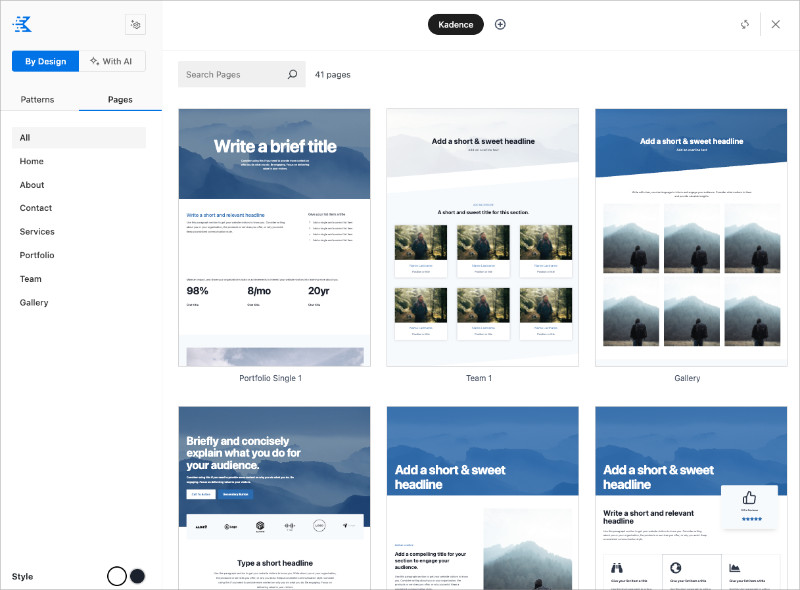
La version gratuite est généreuse. Vous bénéficiez des blocs principaux, des contrôles réactifs et des modèles de démarrage sans payer. Pro ajoute des fonctionnalités telles que des icônes personnalisées, des blocs WooCommerce avancés et un support prioritaire.
La principale limitation est que Kadence Blocks fonctionne toujours dans le cadre de l'éditeur de blocs. Si vous souhaitez la liberté totale de glisser-déposer de SeedProd ou Divi, cela semblera plus limité. Mais si vous préférez rester natif à WordPress, c'est l'option la plus solide basée sur les blocs que j'ai testée.
Avantages
- Fonctionne dans l'éditeur de blocs natif, pas de constructeur séparé à apprendre
- Léger et rapide, surtout associé au thème Kadence
- Version gratuite généreuse avec des blocs et des modèles utiles
Inconvénients
- Moins de liberté de conception que les constructeurs complets par glisser-déposer
- Les fonctionnalités avancées (blocs WooCommerce, icônes personnalisées) nécessitent Pro
Mon verdict : Si vous souhaitez rester avec l'éditeur de blocs WordPress mais avez besoin de plus de contrôle sur la conception, Kadence Blocks est la meilleure option que j'ai trouvée. Il est rapide, gratuit pour commencer et ne va pas à l'encontre du fonctionnement de WordPress.
Sites Web utilisant Kadence Blocks : Fresh Off The Grid, Fluent CRM, Blogging Wizard.
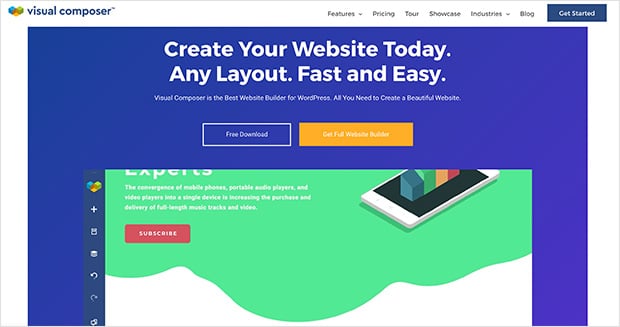
8. Meilleur constructeur de pages WordPress pour débutants : Visual Composer Website Builder
| Tarifs : À partir de 49 $/an pour un site Web |
| Plan gratuit / Essai : Version gratuite disponible |
| Fonctionnalités remarquables : |
| 🔹 Interface conviviale pour les débutants 🔹 Édition backend et frontend 🔹 Bibliothèque croissante de modèles 🔹 Options de personnalisation mobile |
| Note : B |
| Idéal pour : Les débutants recherchant la simplicité et la facilité d'utilisation |
Si vous recherchez un constructeur WordPress pour débutants, Visual Composer est un excellent choix. Il est simple, intuitif et comprend un plan gratuit. Visual Composer est facile à apprendre, mais étonnamment puissant une fois que vous l'avez pris en main.
Mon expérience
Lorsque j'ai essayé Visual Composer pour la première fois, j'ai été immédiatement frappé par la fluidité de son intégration avec le tableau de bord WordPress. Si vous êtes déjà familiarisé avec l'éditeur WordPress de base, vous vous sentirez comme chez vous. Visual Composer pousse les choses un peu plus loin (ou dix fois plus loin).
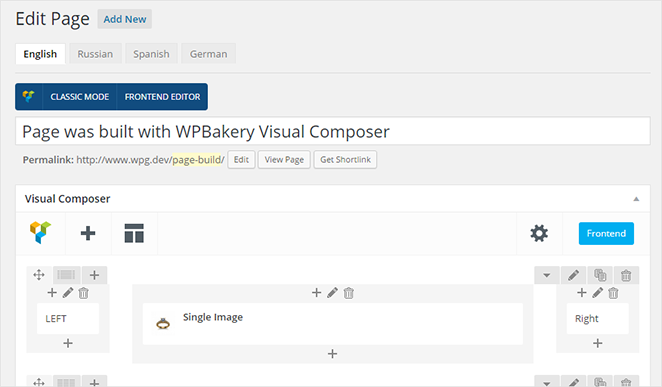
J'adore que Visual Composer vous permette de choisir entre travailler dans le backend ou d'utiliser leur éditeur frontend.
Parfois, j'aime voir ma conception se concrétiser visuellement, mais d'autres fois, il est agréable de se concentrer sur la structure et le contenu sans distractions. Visual Composer vous offre la flexibilité de faire les deux.

Cela dit, j'ai constaté que la version gratuite de Visual Composer peut sembler un peu limitée par rapport à certains des autres constructeurs de cette liste. Vous pourriez avoir envie de passer à la version supérieure pour accéder à des options de style, des modèles ou des éléments plus avancés.
Avantages
- Facile à apprendre et à utiliser, ce qui le rend idéal pour les débutants WordPress
- Offre un bon équilibre entre simplicité et fonctionnalités, sans être écrasant
- Plans premium abordables pour les utilisateurs qui ont besoin de fonctionnalités plus avancées
Inconvénients
- La version gratuite a des fonctionnalités limitées par rapport à certains concurrents
- Peut parfois sembler moins flexible que d'autres constructeurs avec des contrôles de conception plus avancés
Avis client

Mon verdict : Visual Composer était suffisamment facile à utiliser pour moi, mais j'ai trouvé ses options de personnalisation assez limitées par rapport à d'autres constructeurs de pages que j'ai testés.
Sites Web utilisant Visual Composer : GRAVITIBBDO, Bocconcini, Esther Mohrmann.
Avez-vous vraiment besoin d'un constructeur de pages ? Gutenberg vs. Constructeurs de pages
L'éditeur de blocs WordPress (Gutenberg) s'est beaucoup amélioré depuis son lancement. Si vous créez un blog simple ou un site de contenu, il pourrait être tout ce dont vous avez besoin.
Là où l'éditeur de blocs atteint ses limites, c'est dans le contrôle fin du design. Je l'ai trouvé limité pour les pages de destination personnalisées, les mises en page axées sur la conversion, ou tout ce qui nécessite un espacement précis, des ombres de boîte ou des conceptions multi-colonnes sans code.
Voici comment je vois les choses :
| Cas d'utilisation | Éditeur de blocs | Constructeur de pages |
|---|---|---|
| Articles de blog et pages de base | ✅ Fonctionne bien | Pas nécessaire |
| Pages de destination personnalisées | Limité | ✅ Beaucoup plus facile |
| Conception de site complète (en-têtes, pieds de page) | Thèmes FSE uniquement | ✅ La plupart des constructeurs l'incluent |
| Pages axées sur la conversion (opt-ins, ventes) | ❌ Aucun outil intégré | ✅ SeedProd, Thrive Architect |
| Contrôle fin du design (espacement, ombres, animations) | Limité | ✅ Contrôle total |
Si vous êtes déjà à l'aise avec l'éditeur de blocs et que votre site a l'apparence que vous souhaitez, vous n'avez probablement pas besoin d'un constructeur de pages. Mais si vous avez eu du mal avec l'espacement, les modèles ou les options de mise en page, un constructeur vous fera gagner du temps. Et si vous voulez l'approche de l'éditeur de blocs avec plus de puissance, Kadence Blocks comble cette lacune.
Autres constructeurs à connaître
Ces constructeurs n'ont pas été retenus pour la liste principale, mais ils méritent d'être examinés en fonction de vos besoins :
- Oxygen Builder produit du code propre sans framework front-end. Si vous êtes à l'aise avec CSS et que vous voulez un contrôle total, c'est l'un des constructeurs les plus légers disponibles.
- SiteOrigin Page Builder est une option gratuite solide qui existe depuis des années. Il utilise une approche basée sur les widgets et reste léger.
- WPBakery est toujours inclus avec de nombreux thèmes premium. C'est un choix hérité qui fonctionne, mais son interface semble datée par rapport aux constructeurs ci-dessus.
Ce qu'il faut rechercher dans un constructeur de pages WordPress
Tous les constructeurs ci-dessus gèrent les bases. Voici ce qui différencie les bons des frustrants :
Glisser-déposer qui fonctionne vraiment. Certains constructeurs paraissent simples mais vous résistent lors du placement des éléments. Testez l'éditeur avant de vous engager. Si ajouter un bouton prend plus de deux clics, passez à autre chose.
Modèles que vous utiliseriez réellement. Une bibliothèque de 500 modèles ne signifie rien s'ils se ressemblent tous. Recherchez des modèles conçus pour votre cas d'utilisation, pas seulement des mises en page génériques.
Aperçu mobile qui est réellement séparé.
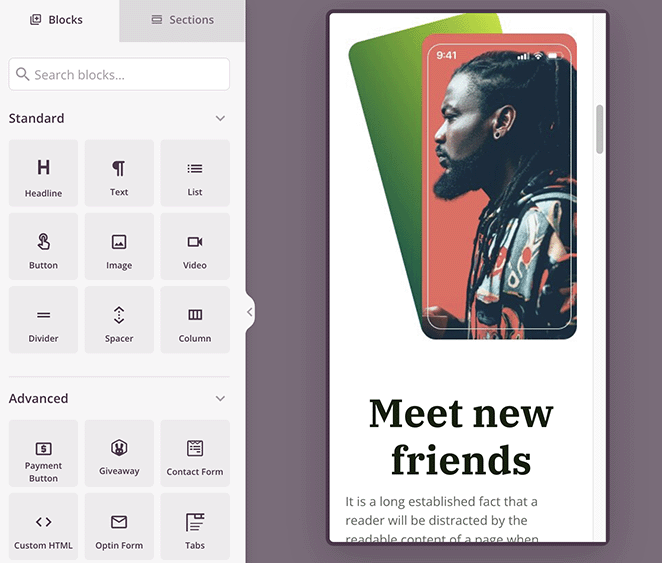
Plus de la moitié de vos visiteurs sont sur téléphone. Vérifiez que le constructeur vous permet de prévisualiser et d'ajuster les mises en page mobiles séparément, pas seulement de réduire la version de bureau.
Performances qui ne font pas planter votre site.

Certains constructeurs ajoutent des dizaines de fichiers CSS et JavaScript à chaque page. Cela ralentit votre site et nuit au référencement. Lors de mes tests, la différence entre le constructeur le plus léger (SeedProd, 16 requêtes HTTP) et le plus lourd (Elementor, 32 requêtes) était significative.
Support qui aide vraiment. Vous finirez par rencontrer un obstacle. Vérifiez que le constructeur dispose d'une documentation consultable, d'un forum communautaire et d'un support réactif. Les constructeurs avec les communautés les plus solides (SeedProd, Elementor, Divi, Beaver Builder) ont tendance à avoir des réponses déjà publiées pour les problèmes les plus courants.
Quel est le meilleur constructeur de pages WordPress pour vous ?
Il n'y a pas de meilleur constructeur de pages WordPress unique. Le bon choix dépend de ce que vous construisez, de votre budget et du contrôle de conception que vous souhaitez.
Si la vitesse et la simplicité sont primordiales, SeedProd est l'option la plus solide que j'ai testée. Si vous vous concentrez sur les conversions et la génération de prospects, Thrive Architect est spécialement conçu pour cela. Divi vous offre le plus de flexibilité de conception, Bricks est le choix des développeurs pour un code propre, et Kadence Blocks est le meilleur moyen d'améliorer l'éditeur de blocs natif sans ajouter de constructeur séparé.
FAQ sur les constructeurs de pages WordPress
Quel constructeur de pages WordPress est le plus rapide ?
SeedProd est le constructeur de pages WordPress le plus rapide que j'ai testé. Sur une installation WordPress propre, il a obtenu un score de 99/100 dans GTmetrix et s'est chargé en 556 ms avec seulement 16 requêtes HTTP. En comparaison, Beaver Builder a obtenu un score de 91/100 (985 ms, 20 requêtes) et Elementor a obtenu un score de 82/100 (1 882 ms, 32 requêtes).
Ai-je besoin d'un constructeur de pages si j'utilise l'éditeur de blocs ?
Pas toujours. L'éditeur de blocs gère bien les articles de blog, les pages de base et les mises en page simples. Vous aurez besoin d'un constructeur de pages lorsque vous aurez besoin de pages de destination personnalisées, de mises en page axées sur la conversion (formulaires d'inscription, compte à rebours) ou d'un contrôle de conception précis sur l'espacement, les ombres et les animations. Si vous souhaitez rester dans l'éditeur de blocs mais avoir plus de puissance, Kadence Blocks comble cette lacune.
Elementor est-il toujours le meilleur constructeur de pages ?
Elementor reste le constructeur de pages le plus populaire en termes de nombre d'installations, mais le « meilleur » dépend de vos besoins. Lors de mes tests de vitesse, Elementor a obtenu un score de 82/100 sur GTmetrix et s'est chargé en 1 882 ms, plus lentement que SeedProd (556 ms) et Beaver Builder (985 ms). La force d'Elementor réside dans sa vaste bibliothèque de modèles et son écosystème de widgets. Pour la vitesse et la simplicité, d'autres constructeurs l'ont dépassé.
Puis-je changer de constructeur de pages sans perdre mon contenu ?
Vous conserverez votre contenu textuel, mais vous perdrez la mise en page, le style et les shortcodes spécifiques à votre ancien constructeur. La plupart des constructeurs de pages stockent les données de conception dans leur propre format, donc changer signifie reconstruire vos mises en page dans le nouvel outil. Le texte lui-même reste dans WordPress. Prévoyez quelques heures par page si vous refaites la conception.
Les constructeurs de pages sont-ils mauvais pour le SEO ?
Pas intrinsèquement, mais certains constructeurs nuisent plus à la performance que d'autres. Le principal risque SEO est la vitesse de chargement des pages. Les constructeurs qui chargent des fichiers CSS et JavaScript excessifs ralentissent votre site, ce qui affecte les Core Web Vitals. Lors de mes tests, SeedProd a utilisé 16 requêtes HTTP tandis qu'Elementor en a utilisé 32. Choisissez un constructeur léger et associez-le à un bon hébergement et à une bonne mise en cache.
J'espère que ce guide vous a aidé à affiner vos options. Si vous cherchez d'autres moyens d'améliorer votre site, ces compilations valent le coup d'œil :
- Meilleurs plugins WordPress
- Meilleurs logiciels CRM
- Comment sauvegarder un site WordPress
- Avis sur Smash Balloon
- 10 meilleurs outils de référencement sur page pour WordPress
- Meilleurs plugins WooCommerce
Merci de votre lecture ! Nous serions ravis d'entendre vos réflexions, alors n'hésitez pas à participer à la conversation sur YouTube, X et Facebook pour plus de conseils et de contenu utiles pour développer votre entreprise.
Note de l'éditeur : J'ai initialement publié cet article en mai 2020, mais je l'ai depuis mis à jour pour plus de complétude.



