
WordPress checks for plugin updates periodically, but the notification for a new SeedProd version may not appear immediately. If you know a new version has been released but do not see the update prompt in your dashboard, try the steps below.
Force WordPress to Check for Updates Now
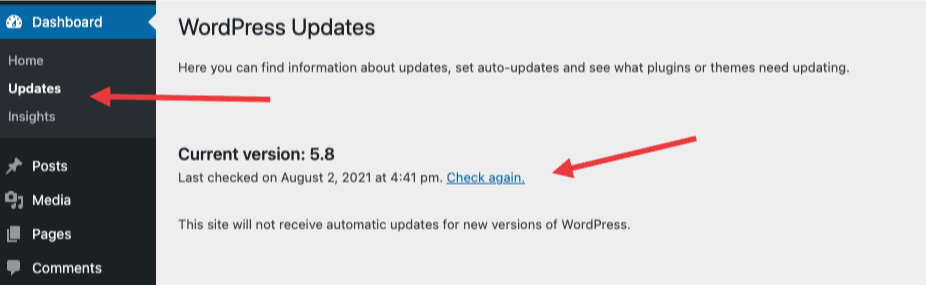
You can trigger an immediate update check without installing anything. In your WordPress admin, go to Dashboard > Updates and click Check Again. WordPress will re-query the update servers and display any available updates for your installed plugins, including SeedProd.
If the update still does not appear after forcing a check, you can update the plugin manually by downloading the latest version directly from your SeedProd account. If you need further help, contact the SeedProd support team.