


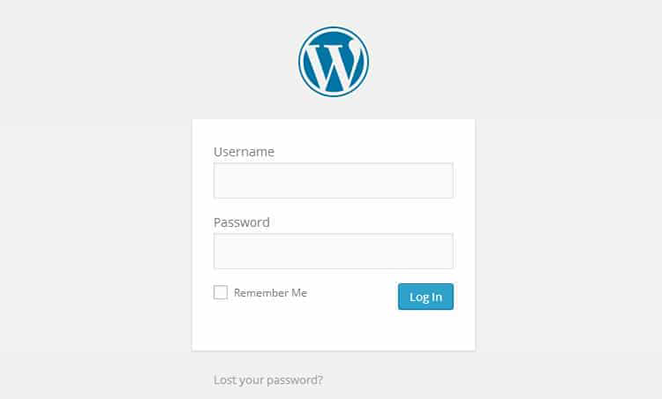
The default WordPress login page isn’t very welcoming, is it? It’s like a dull back door rather than a welcoming red carpet.
The way you welcome people to your site matters. It builds anticipation, telling people there’s something valuable waiting inside. Yet, rolling out the red carpet isn’t easy if you have limited design and coding experience.
That’s why we’re excited to announce that, from today, SeedProd Pro users can create stunning custom login pages with our Login Page Mode.
Custom Login Pages for WordPress
With SeedProd’s new Login Page Mode, you can transform your WordPress login screen from this:
To something like this:
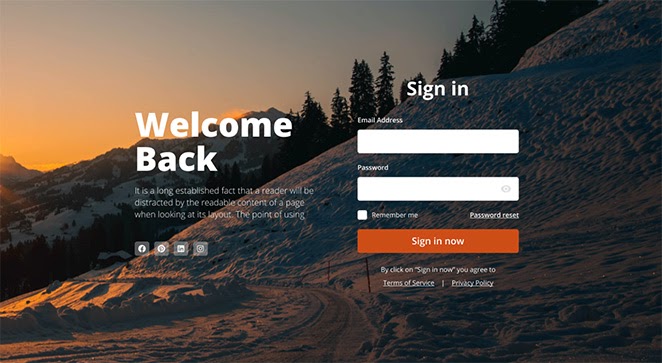
It works in just the same way as our coming soon, maintenance mode and 404 page modes. Just switch the login page mode to active and customize it in our drag and drop editor.
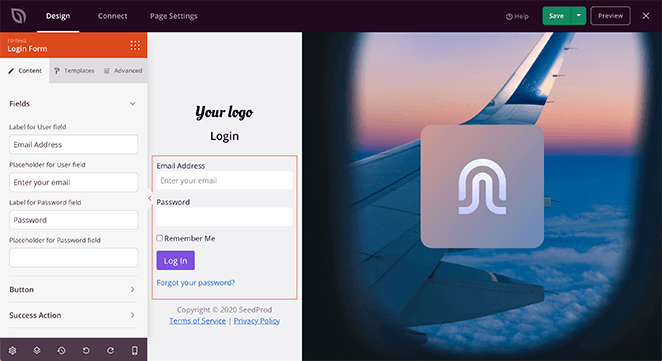
A custom login page makes it much easier to have consistent branding across your entire website. It’s also an ideal opportunity to tell people what you want them to do.
For example, you can use social profile buttons to encourage users to follow your social channels. You can even use the space to cross-promote relevant products and services.
Check out the login page documentation for further details.
Login Landing Page Block
You’re not limited to adding login forms to your login page either. SeedProd’s new login block lets you put login forms on any landing page.
This gives you so many ways to improve your landing pages.
Want to let users sign in after registering for your new course? Just drag the login form block onto your existing thank you page.
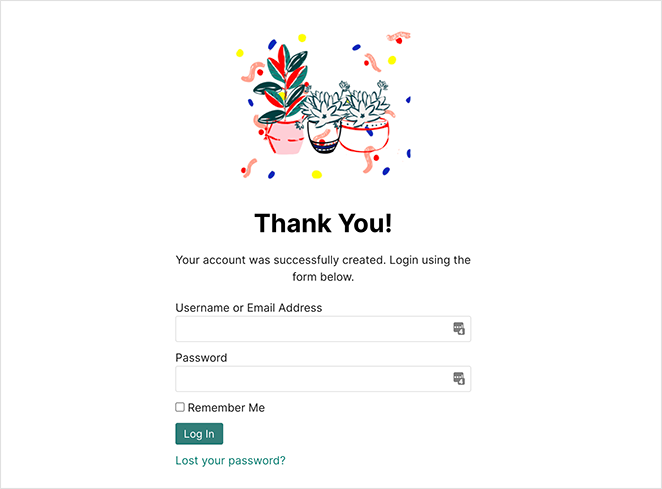
You could even create a custom sign-up page with the option for existing users to sign in.
Check out the Login Block documentation to learn how to use it.
9 New Login Page Templates
To go with our Login Page Mode and Login Block release, we’ve also added a bunch of brand new login page templates to the SeedProd library.
簡単なプレビューはこちらです:

There are 9 new templates in total, which as a Pro user of SeedProd, you can instantly access and customize.
That’s it for now. But there’s so much more to come in the future, so keep an eye out.
まだSeedProdを使用していない場合は、ここをクリックして今日から始めましょう!
And thank you for your continued support in helping us make SeedProd the best landing page builder for WordPress.




