
Moosend is a popular email marketing platform for managing campaigns and growing your subscriber list. This guide walks you through connecting Moosend to the SeedProd Optin Form block so new subscribers are automatically added to your Moosend account.
Step 1: Open the Connect Page
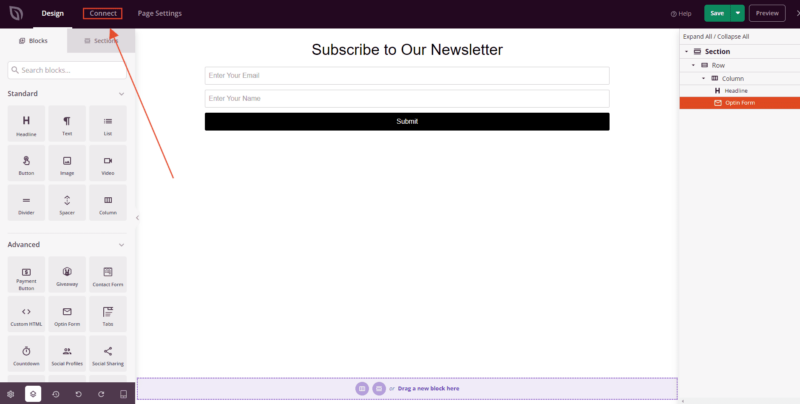
In the SeedProd editor, click the Connect link in the top bar to open the Email Integrations section.
Step 2: Select Moosend
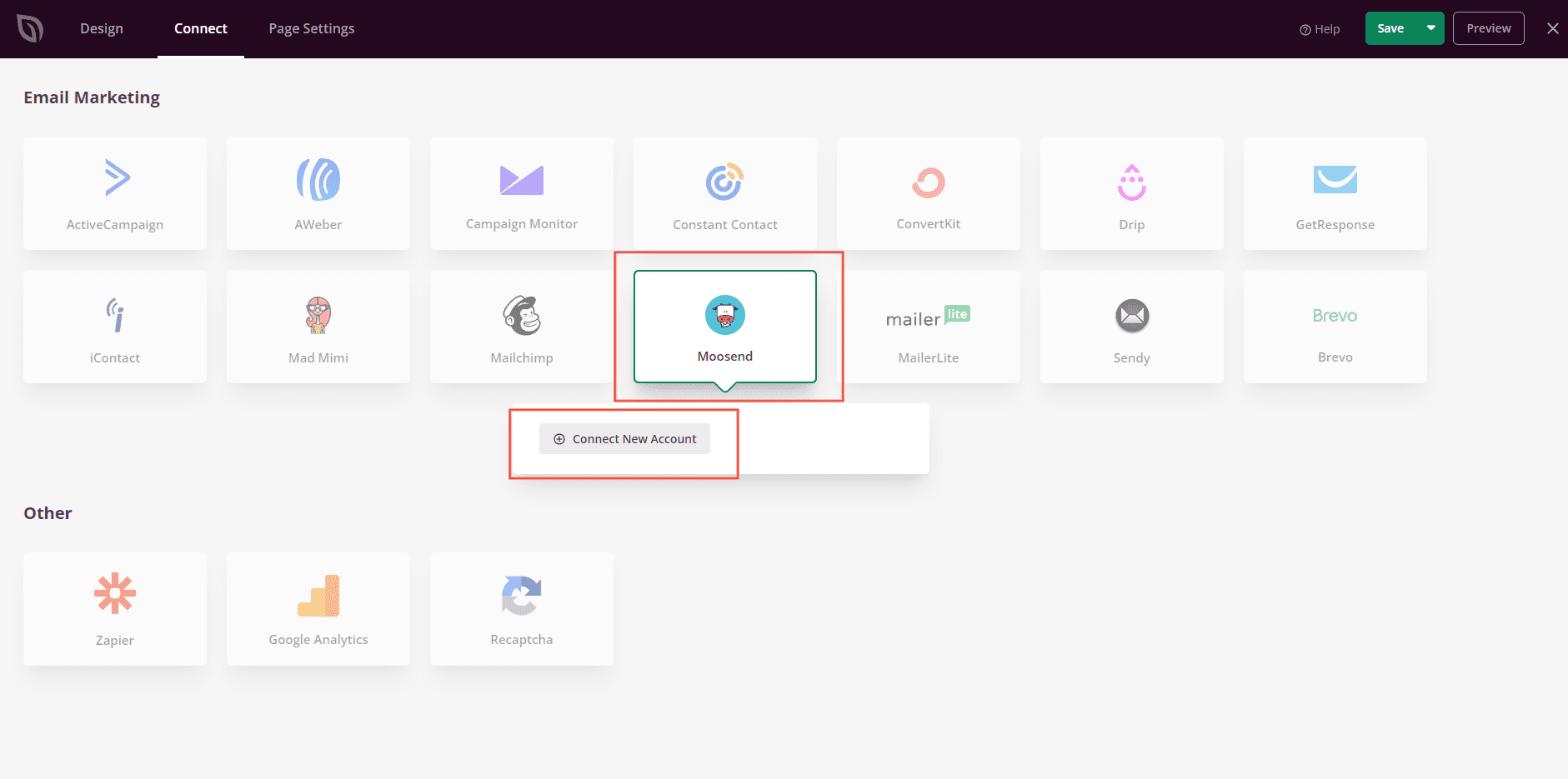
From the list of available email integrations, select Moosend and click Connect New Account.
Step 3: Enter Your API Key and Connect
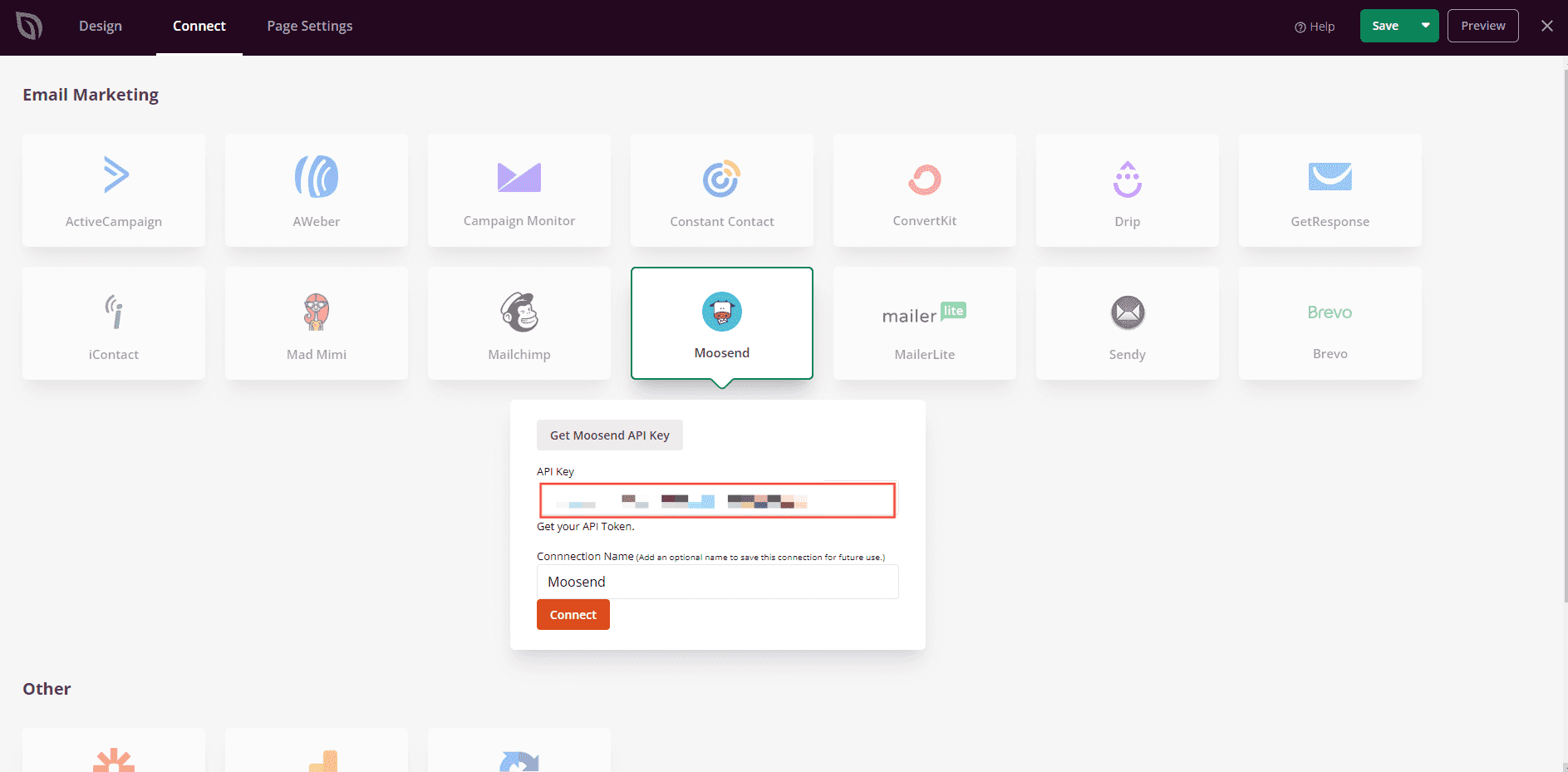
In your Moosend account settings, copy your API Key and paste it into the API Key field in SeedProd. Then click the Connect button.
Step 4: Select Your List and Save
Select the Moosend list where you want to save your contacts, then click Save Integration Details.
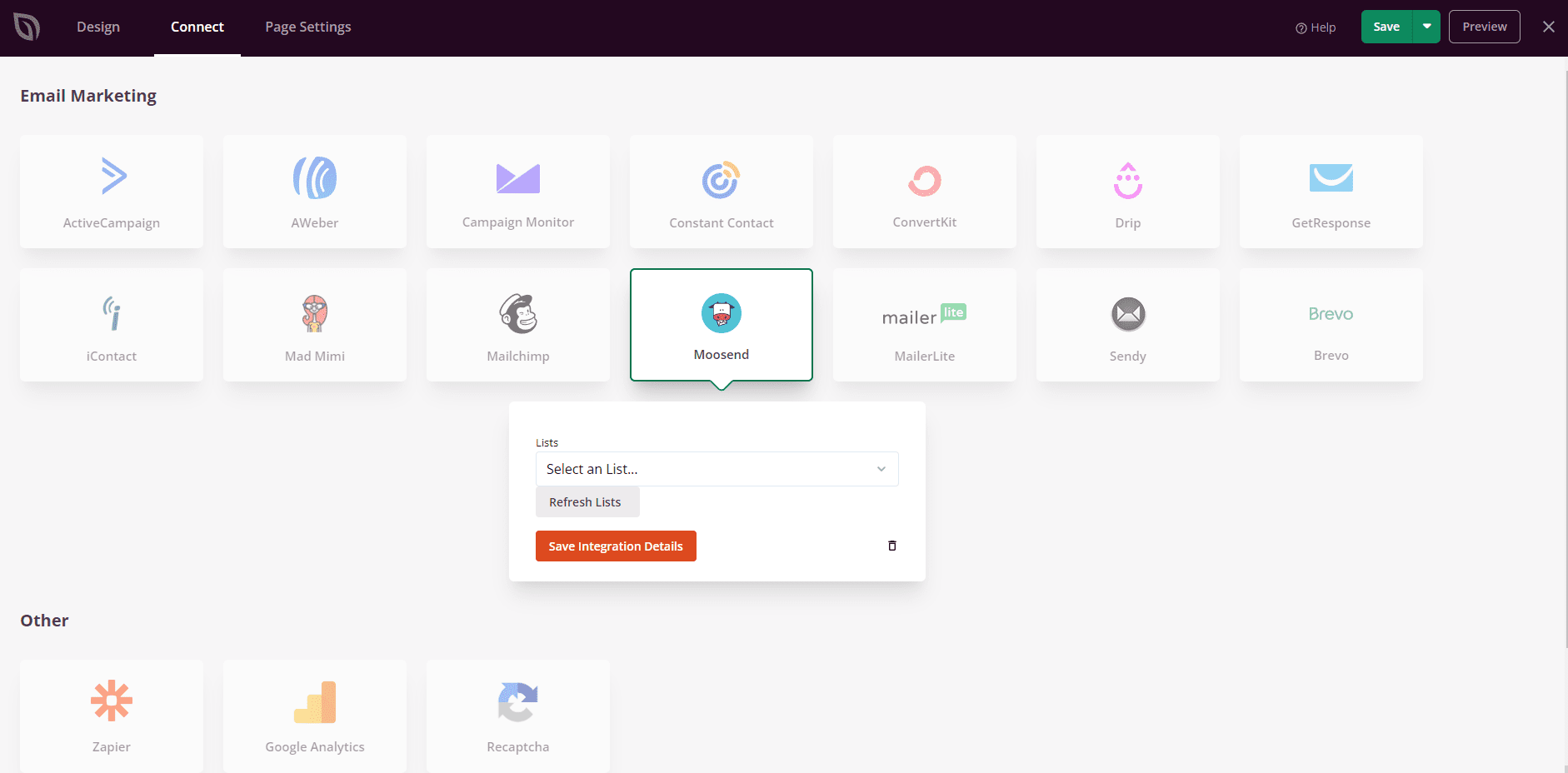
Moosend is now connected to SeedProd. Every time a visitor submits the Optin Form block on your page, their details will be automatically added to your selected Moosend list.