
Si el equipo de soporte de SeedProd necesita investigar un problema en tu sitio directamente, puedes crear una cuenta de administrador temporal de WordPress y compartir las credenciales de inicio de sesión en tu ticket de soporte. Sigue los pasos a continuación para configurarla.
Pasos para Crear la Cuenta de Administrador Temporal
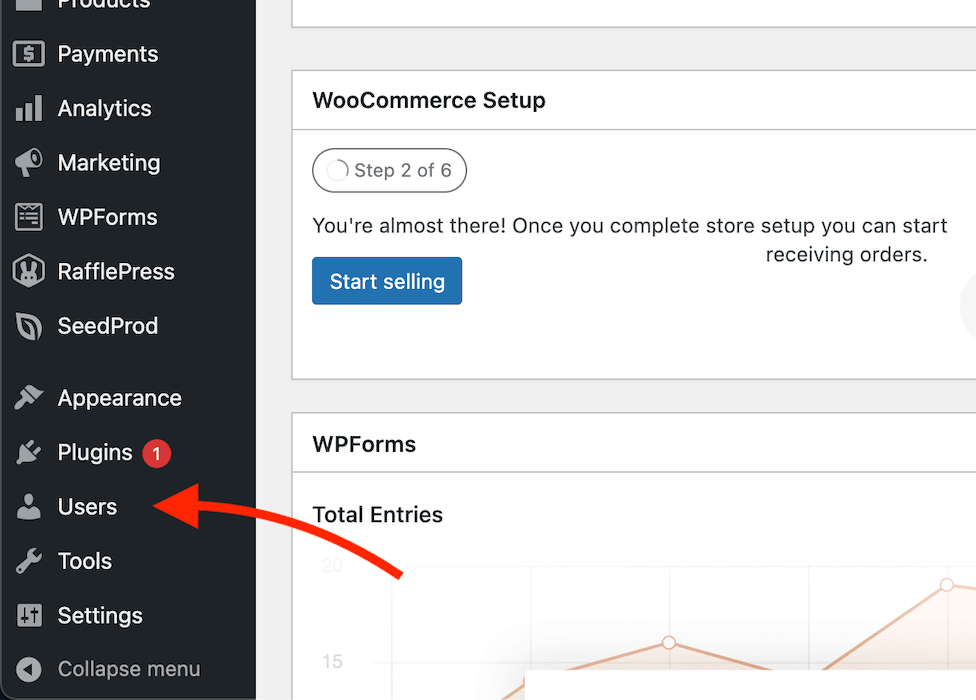
- In your WordPress admin, click Users in the left navigation menu.
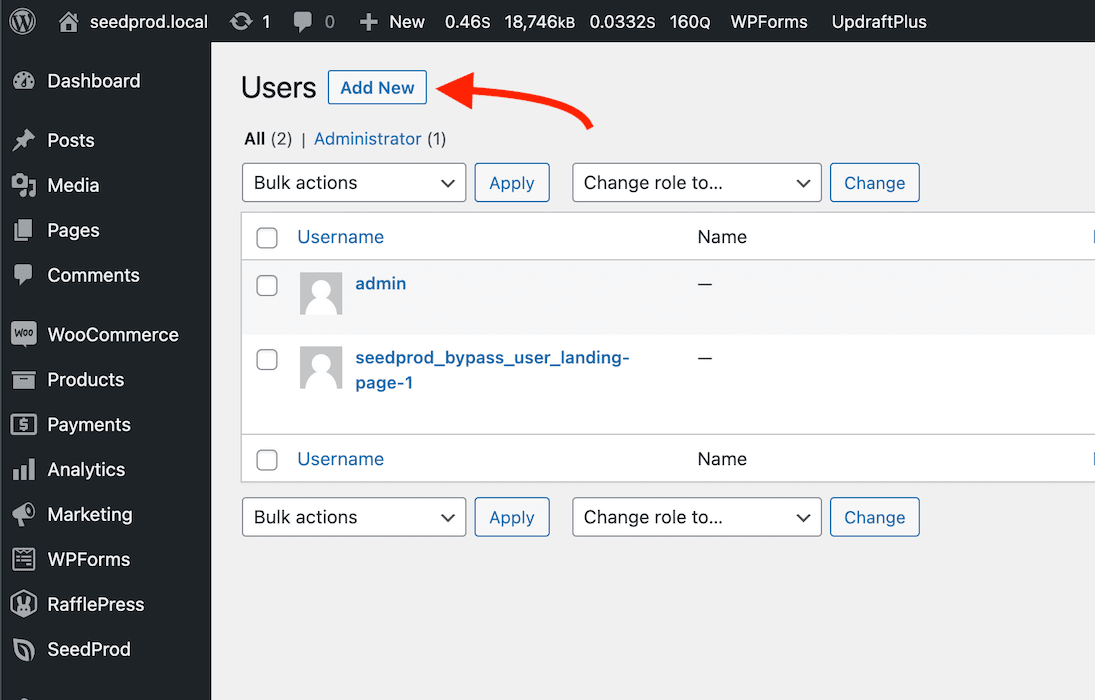
- Click the Add New button at the top of the Users page.
- Fill in the new user details using the values below, then click Add New User.
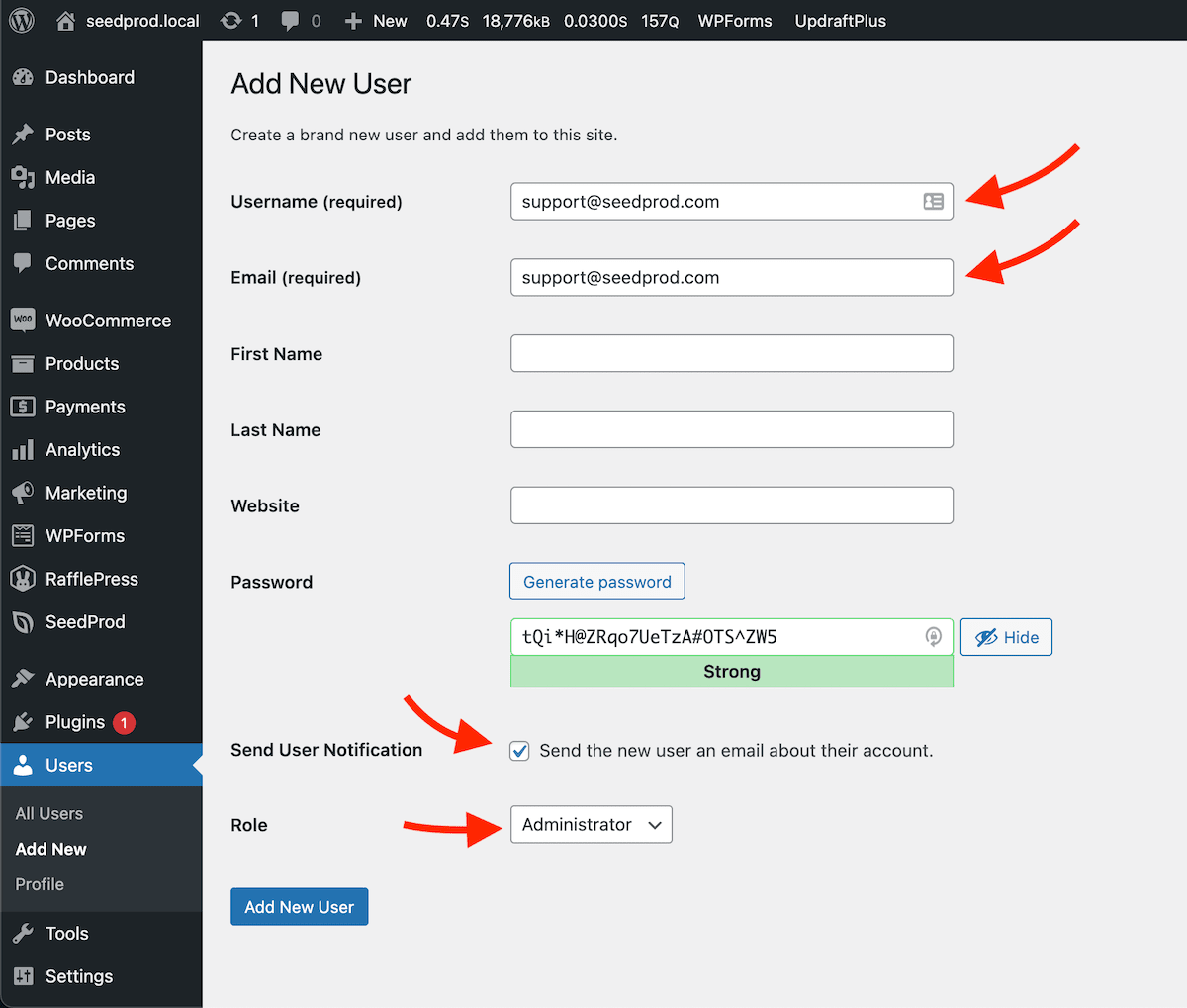
Utiliza estos valores exactos al rellenar el formulario:
- Nombre de usuario:
support@seedprod.com - Correo electrónico:
support@seedprod.com - Enviar notificación de usuario: Marcado
- Rol: Administrador
Una vez creada la cuenta, WordPress enviará automáticamente una notificación de inicio de sesión a la dirección de correo electrónico del equipo de soporte.
Una vez que tu problema se haya resuelto, ve a Usuarios en tu administrador de WordPress, localiza la cuenta support@seedprod.com y elimínala para mantener tu sitio seguro.