SeedProd Documentation

Documentation, Reference Materials, and Tutorials for SeedProd

How to Save Landing Pages as Templates

SeedProd lets you save any landing page, coming soon page, maintenance page, or login page as a reusable template. Once saved, your template appears in the template library whenever you create a new SeedProd page, letting you reuse designs without starting from scratch.


Step 1: Save Your Page as a Template

While editing a SeedProd page, click the dropdown arrow on the Save button and select Save as Template.

Save button dropdown showing the Save as Template option in SeedProd builder

Step 2: Use Your Saved Template on a New Page

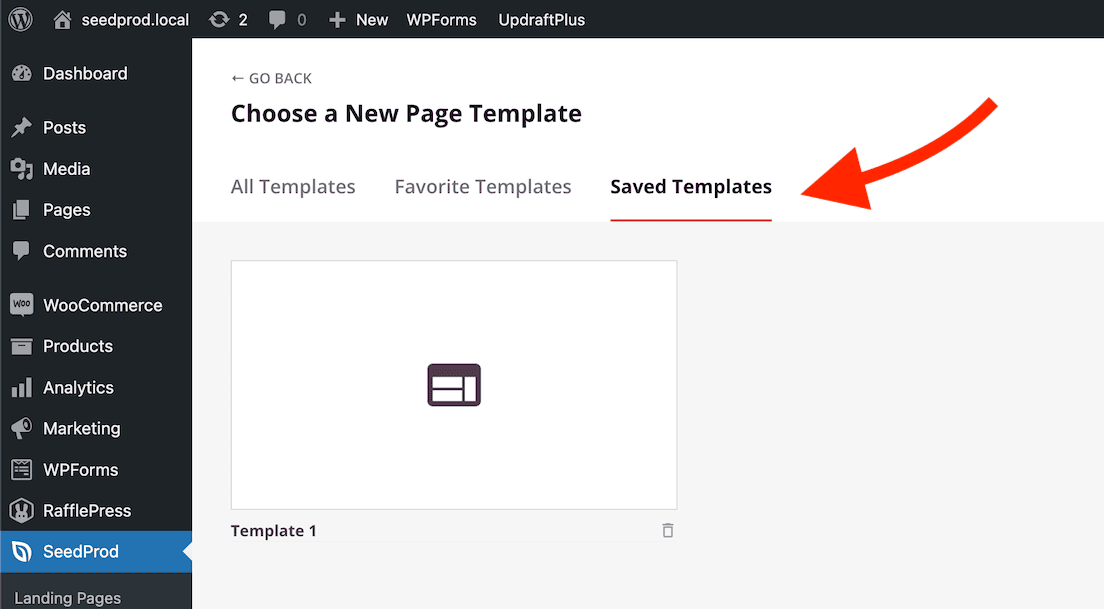
When setting up a new SeedProd page — whether a landing page, coming soon page, maintenance page, or login page — your saved templates will appear in the template library alongside SeedProd’s built-in templates. Select your saved template to import it and begin editing.

Saved templates appearing in the SeedProd template library

Changing the Template on an Existing Page

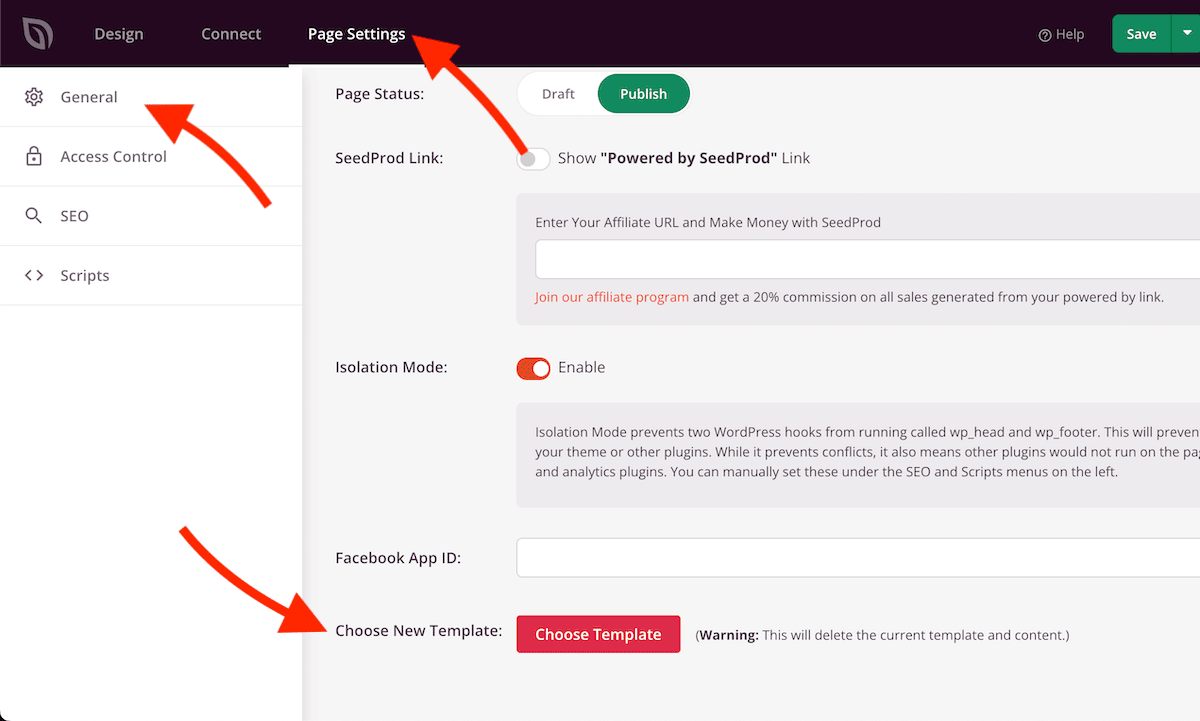
You can also switch to a different template at any time while editing an existing coming soon page, maintenance page, or login page. This option is available in Page Settings inside the builder.

Choose New Template option in SeedProd Page Settings

Saved templates are a great way to maintain a consistent design across multiple pages or to quickly spin up new pages based on designs you’ve already perfected. Your saved templates are available in the template library across all SeedProd page types.

Related Articles