
GetResponseは、キャンペーンの管理や購読者リストの簡単な成長を可能にするEメールマーケティングプラットフォームです。このガイドでは、GetResponseをSeedProdのオプトインフォームブロックに接続する方法を説明し、新しい購読者がGetResponseアカウントに自動的に追加されるようにします。
ステップ1:接続ページを開く
WordPress管理画面で、SeedProdダッシュボードに移動し、接続をクリックします。
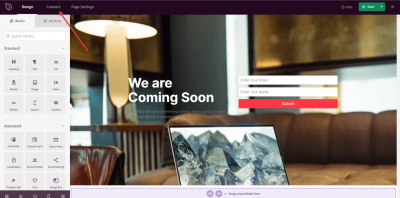
ステップ2: GetResponseを選択
利用可能なEメールインテグレーションのリストから、GetResponseを選択し、新しいアカウントを接続をクリックします。
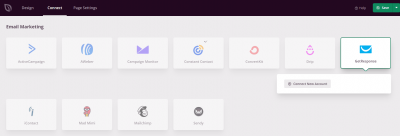
ステップ3: GetResponse APIキーを取得
GetResponse APIキーを取得ボタンをクリックすると、GetResponseアカウントに移動し、APIキーを取得できます。
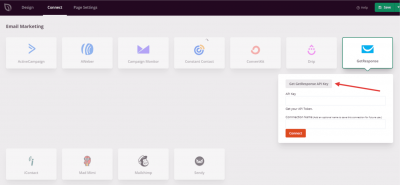
ステップ4: APIキーを見つける
GetResponseアカウントで、アカウント詳細 > APIに移動してAPIキーを見つけます。次のステップで使用するためにコピーしてください。
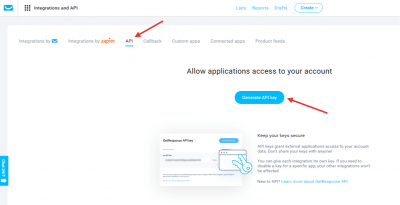
ステップ5: APIキーを入力して接続
SeedProdに戻り、提供されたフィールドにAPIキーを貼り付けて、接続をクリックします。
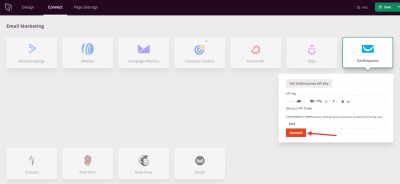
GetResponseがSeedProdに接続されました。訪問者がページでフォームを送信すると購読者が自動的に追加されるように、オプトインフォームブロックの設定でGetResponseリストを選択できます。