
Der Testimonials-Block ermöglicht es Ihnen, Testimonials nahtlos auf Ihren SeedProd-Seiten anzuzeigen und so Glaubwürdigkeit und soziale Bestätigung für Ihre Inhalte zu schaffen.
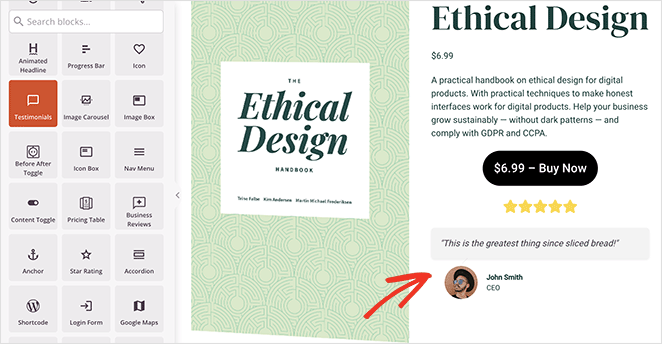
Hinzufügen des Testimonials-Blocks zu Ihren SeedProd-Seiten
Befolgen Sie diese Schritte, um den Testimonials-Block auf Ihren SeedProd-Seiten zu integrieren:
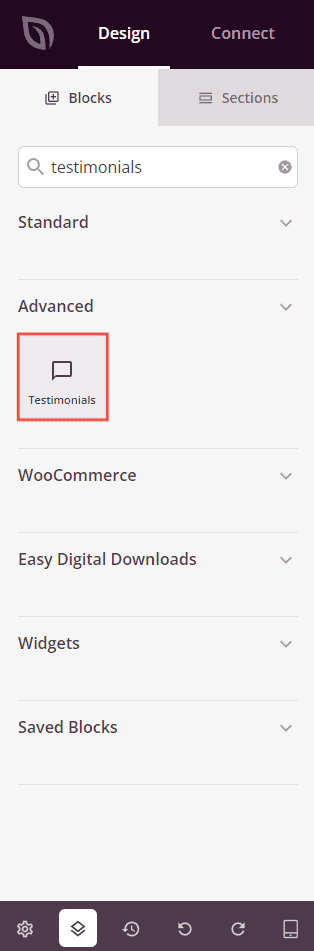
- Navigate to Design > Blocks and drag the Testimonials block to the desired section on your page.
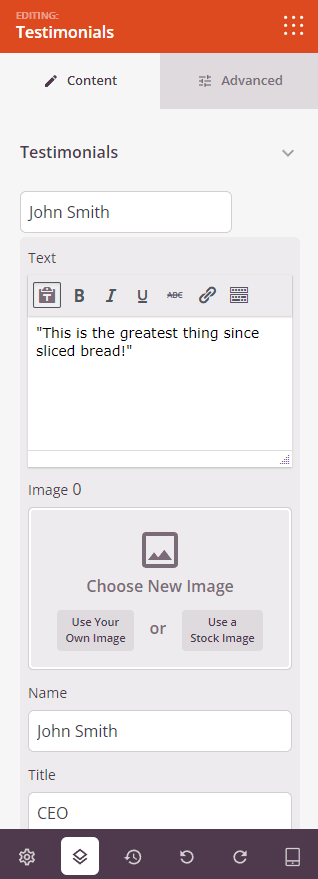
- Once added, click on the Testimonials block to access its settings. Within the Content tab, You can add testimonials, customize alignment, enable/disable comment bubble, and configure carousel settings.
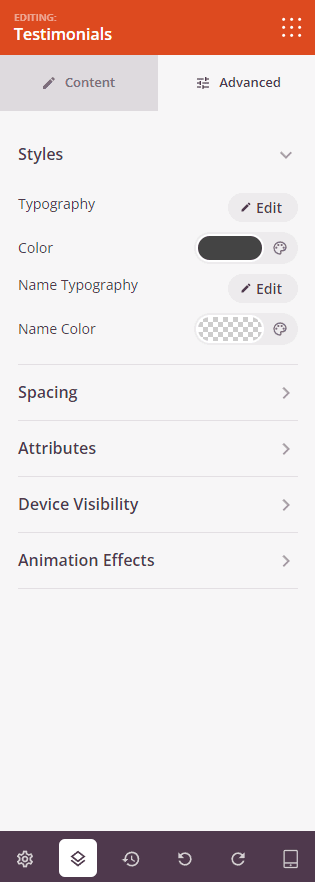
- Explore further customization options available in the Advanced tab to personalize the Testimonials block according to your design preferences. Modify styles, spacing, and other attributes to align with your desired aesthetic.
- Denken Sie immer daran, Ihre Konfiguration zu speichern, um Ihre Änderungen effektiv zu erhalten.
Durch Befolgen dieser Schritte können Sie den Testimonials-Block nahtlos in Ihre SeedProd-Seiten integrieren und Ihre Inhalte mit ansprechenden Testimonials verbessern, die Glaubwürdigkeit und Vertrauenswürdigkeit erhöhen.