
Diese Anleitung führt Sie durch den Download, die Installation und die Aktivierung des SeedProd Pro Plugins auf Ihrer WordPress-Website. Nach der Aktivierung haben Sie vollen Zugriff auf alle Pro-Funktionen, die in Ihrem Plan enthalten sind.
Schritt 1: Laden Sie das SeedProd Pro Plugin herunter
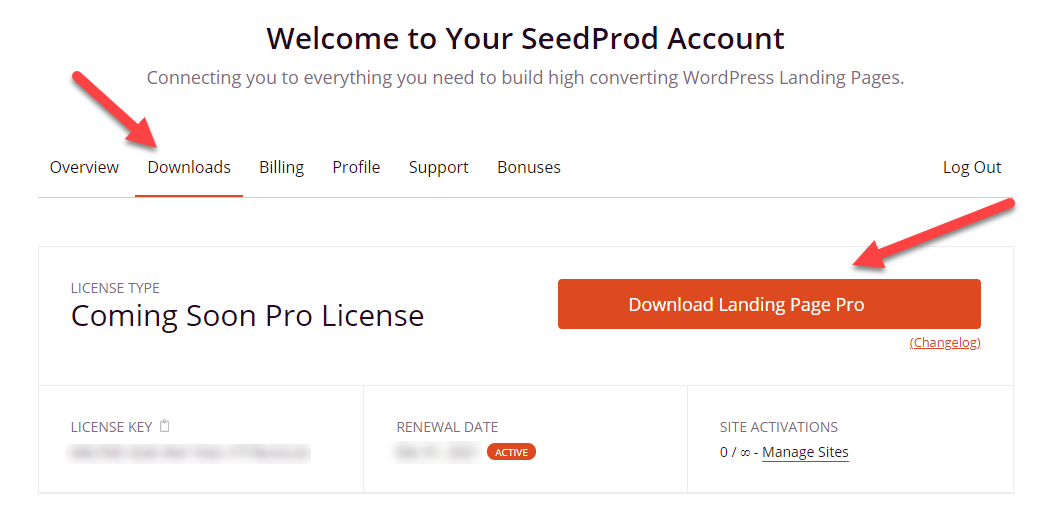
Melden Sie sich in Ihrem SeedProd Mitglieder-Dashboard an und laden Sie die ZIP-Datei des SeedProd Landing Page Pro Plugins herunter.
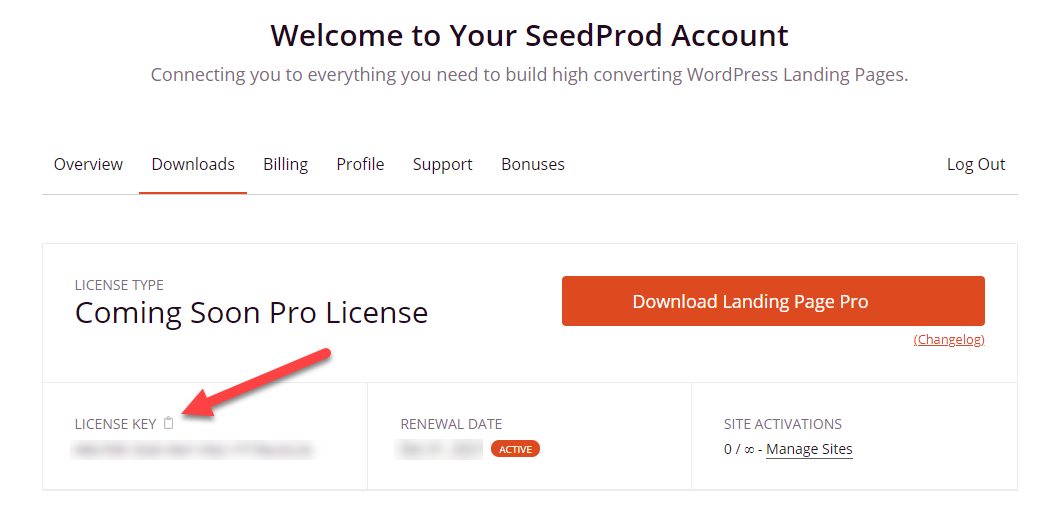
Während Sie sich im Dashboard befinden, kopieren Sie Ihren Lizenzschlüssel – Sie benötigen ihn, um das Plugin nach der Installation zu aktivieren.
Schritt 2: Installieren Sie das Plugin in WordPress
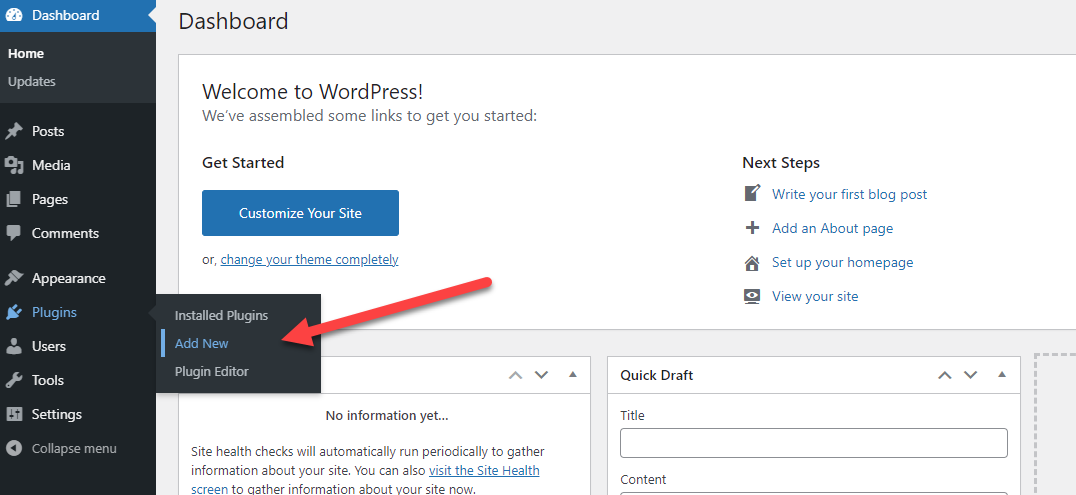
Melden Sie sich in Ihrem WordPress-Adminbereich an und gehen Sie zu Plugins > Installieren.
 Klicken Sie auf die Schaltfläche Plugin hochladen oben auf der Seite.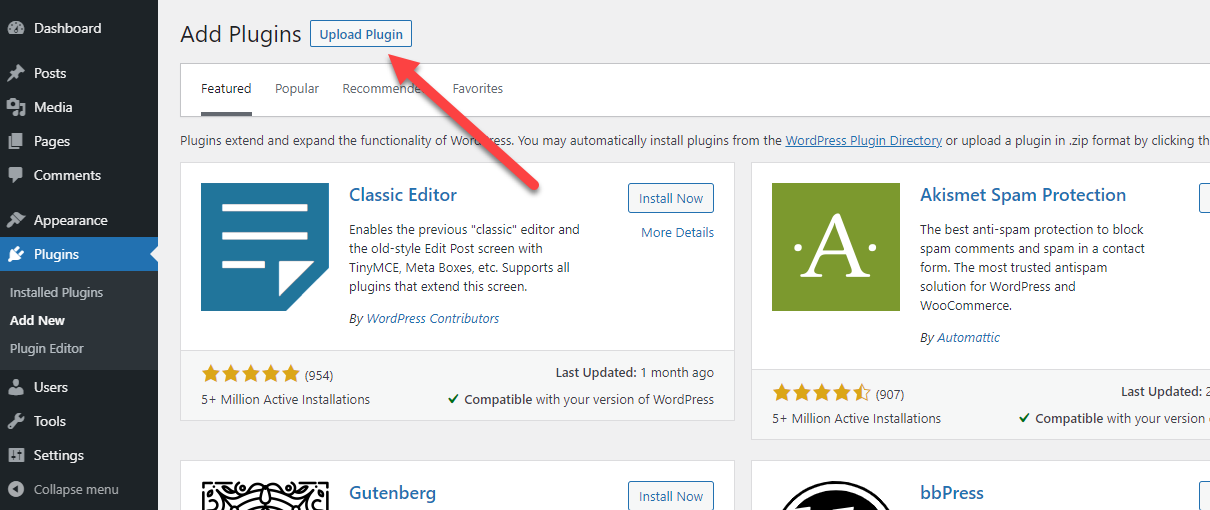
Wählen Sie die heruntergeladene SeedProd ZIP-Datei (benannt seedprod-…pro.zip) und klicken Sie auf Jetzt installieren.
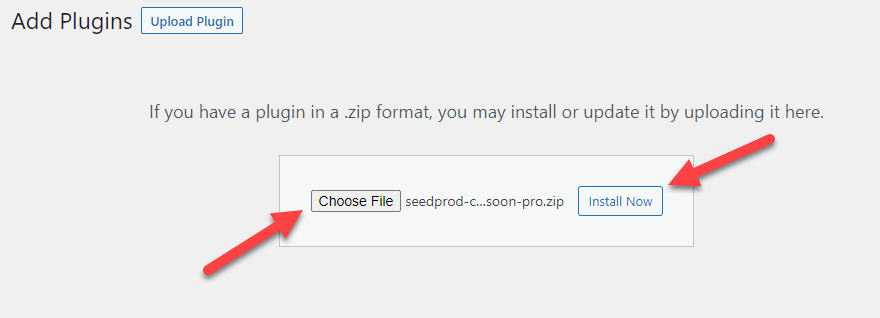
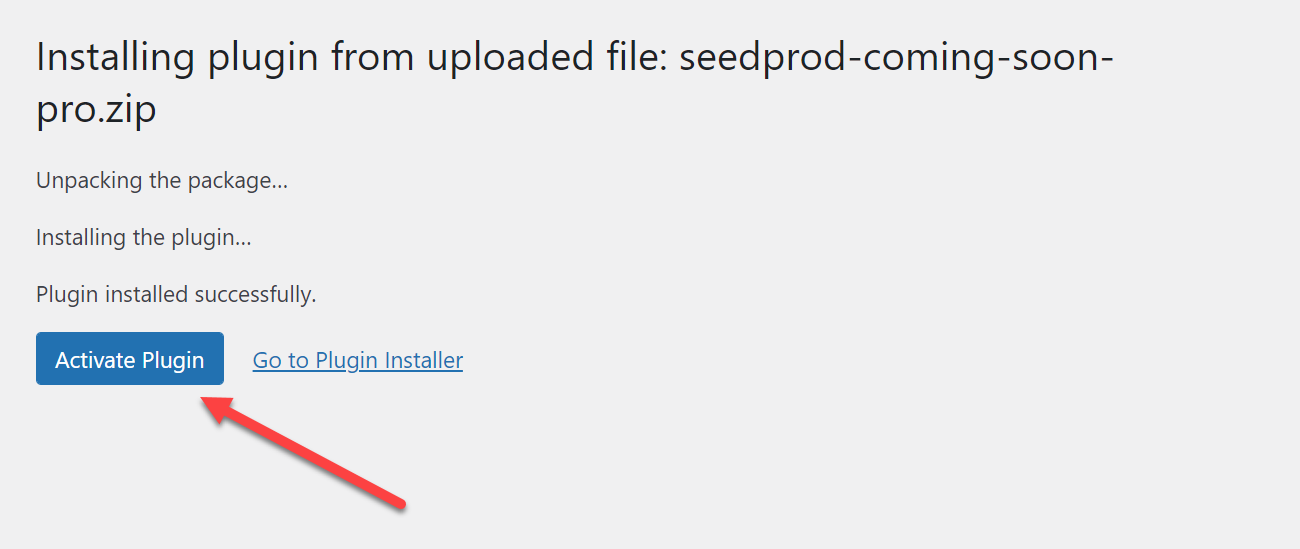
Nach Abschluss der Installation klicken Sie auf die Schaltfläche Plugin aktivieren.
Schritt 3: Aktivieren Sie Ihre Pro-Lizenz
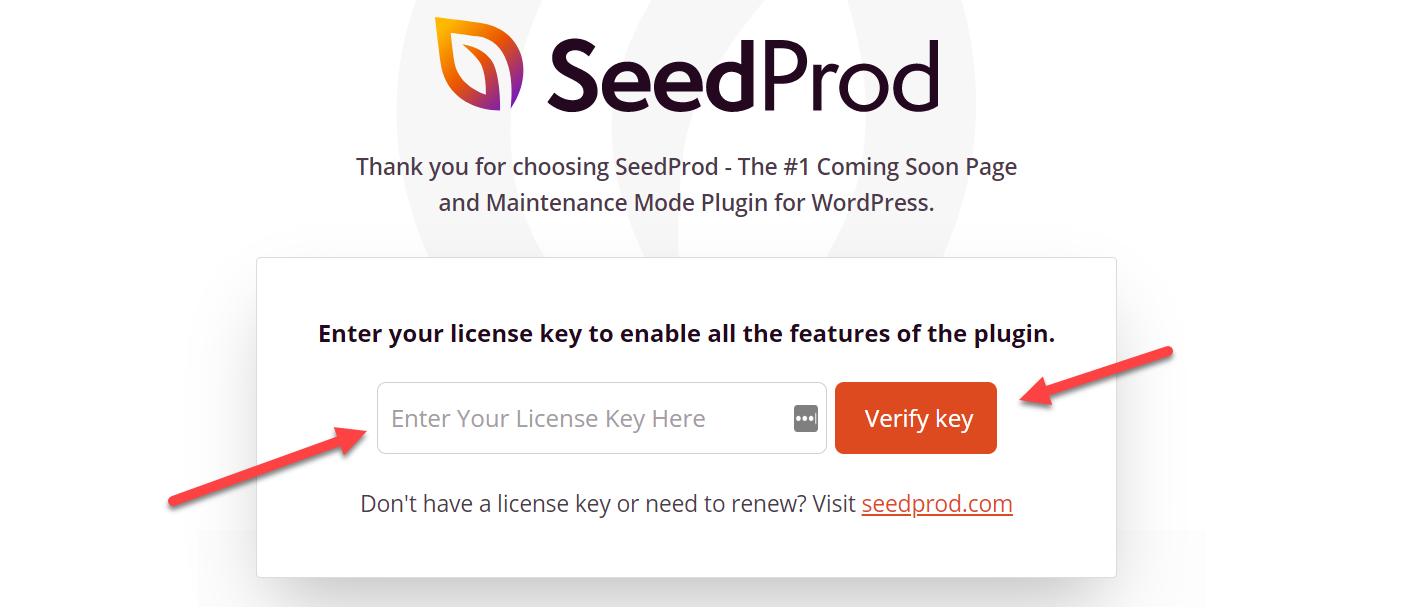
Nachdem Sie das Plugin aktiviert haben, werden Sie automatisch zur Lizenzseite weitergeleitet. Fügen Sie Ihren Lizenzschlüssel in das Feld ein und klicken Sie auf Schlüssel überprüfen.
Sie können die Lizenz-Einstellungen auch jederzeit aufrufen, indem Sie zu SeedProd > Einstellungen > Lizenzschlüssel gehen.
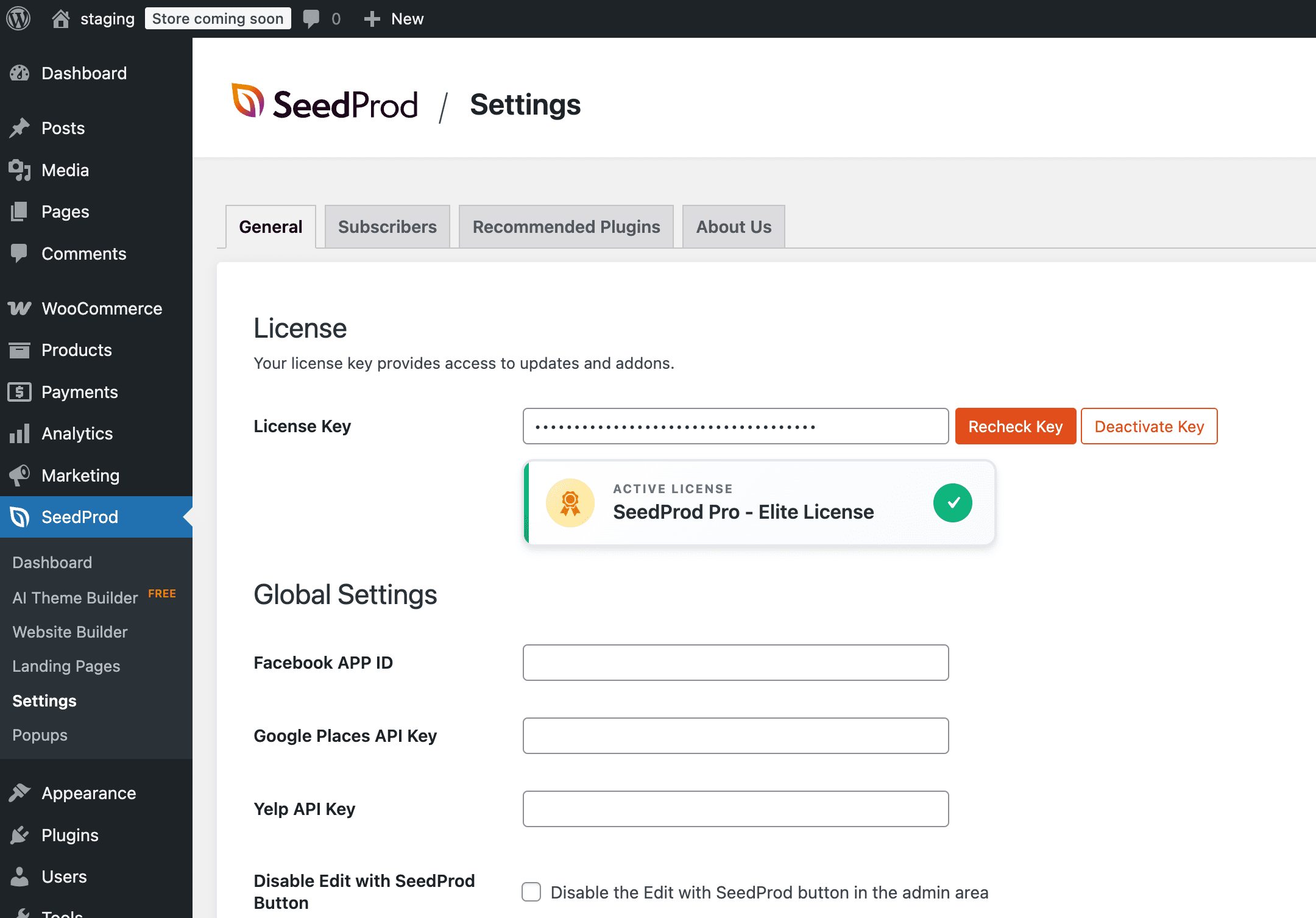
SeedProd Pro ist jetzt auf Ihrer Website installiert und aktiviert! Sie haben vollen Zugriff auf alle Pro-Funktionen, die in Ihrem Plan enthalten sind. Wenn Sie weitere Anleitungen suchen, besuchen Sie den SeedProd YouTube-Kanal für Video-Tutorials.