
SeedProd te permite exportar e importar tus plantillas del Creador de Sitios Web y páginas de destino como archivos ZIP. Usa esta función para hacer una copia de seguridad de tus diseños o transferirlos entre sitios de WordPress.
Plantillas del Creador de Sitios Web
Exportar plantillas del Creador de Sitios Web
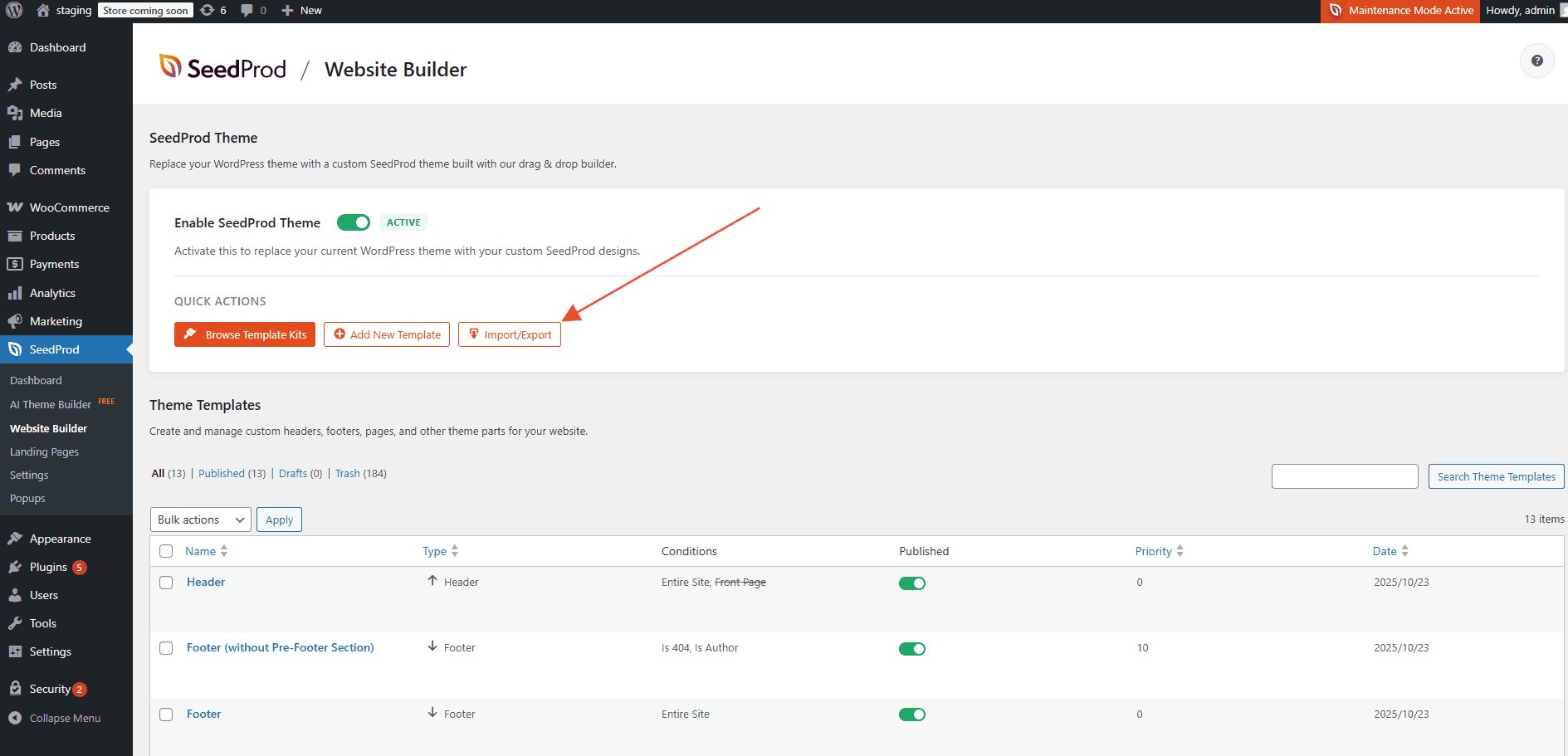
Ve a SeedProd > Creador de Sitios Web en tu administrador de WordPress y haz clic en el botón Importar/Exportar.
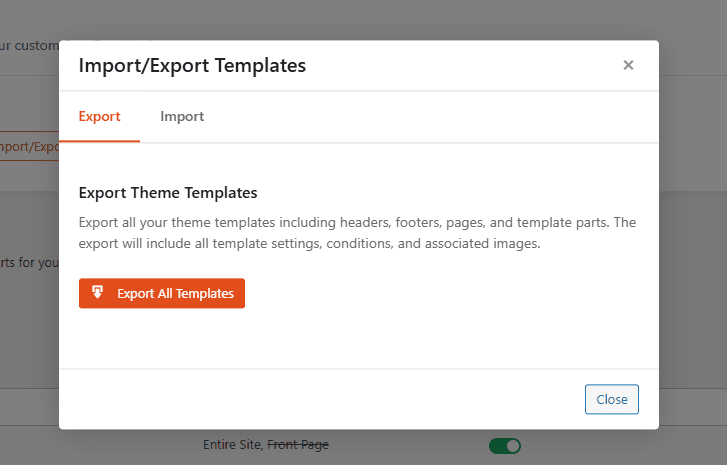
En la pestaña Exportar, haz clic en Exportar todas las plantillas. SeedProd preparará y descargará un archivo ZIP que contiene todas tus plantillas del Creador de Sitios Web.
Importar plantillas del Creador de Sitios Web
Ve a SeedProd > Creador de Sitios Web y haz clic en el botón Importar/Exportar.
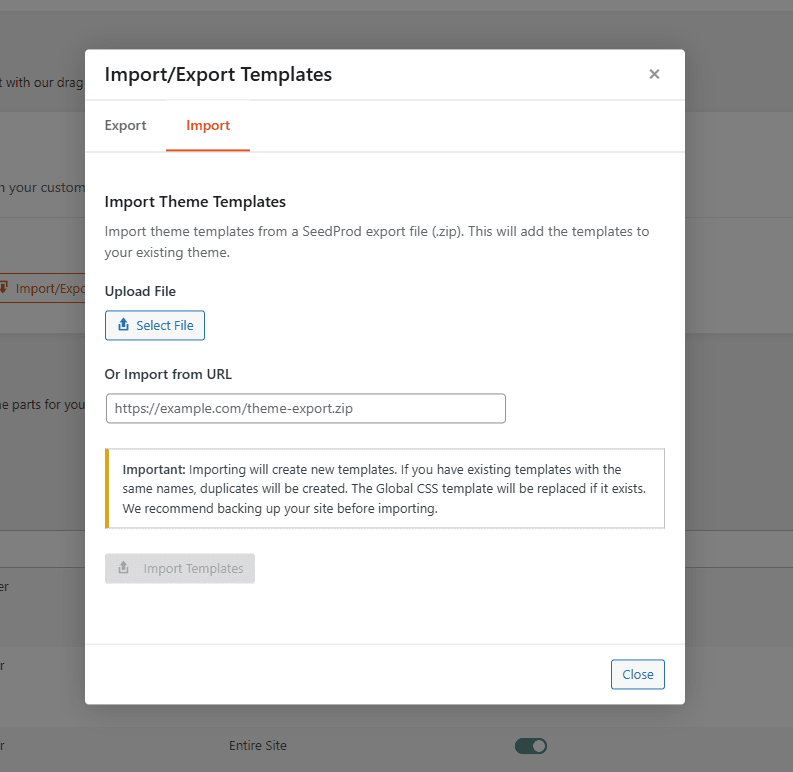
Haz clic en la pestaña Importar. Sube tu archivo ZIP o proporciona una URL para importar. Una vez seleccionado tu archivo, haz clic en Importar plantillas para completar la importación.
Páginas de Destino
Exportar una página de destino
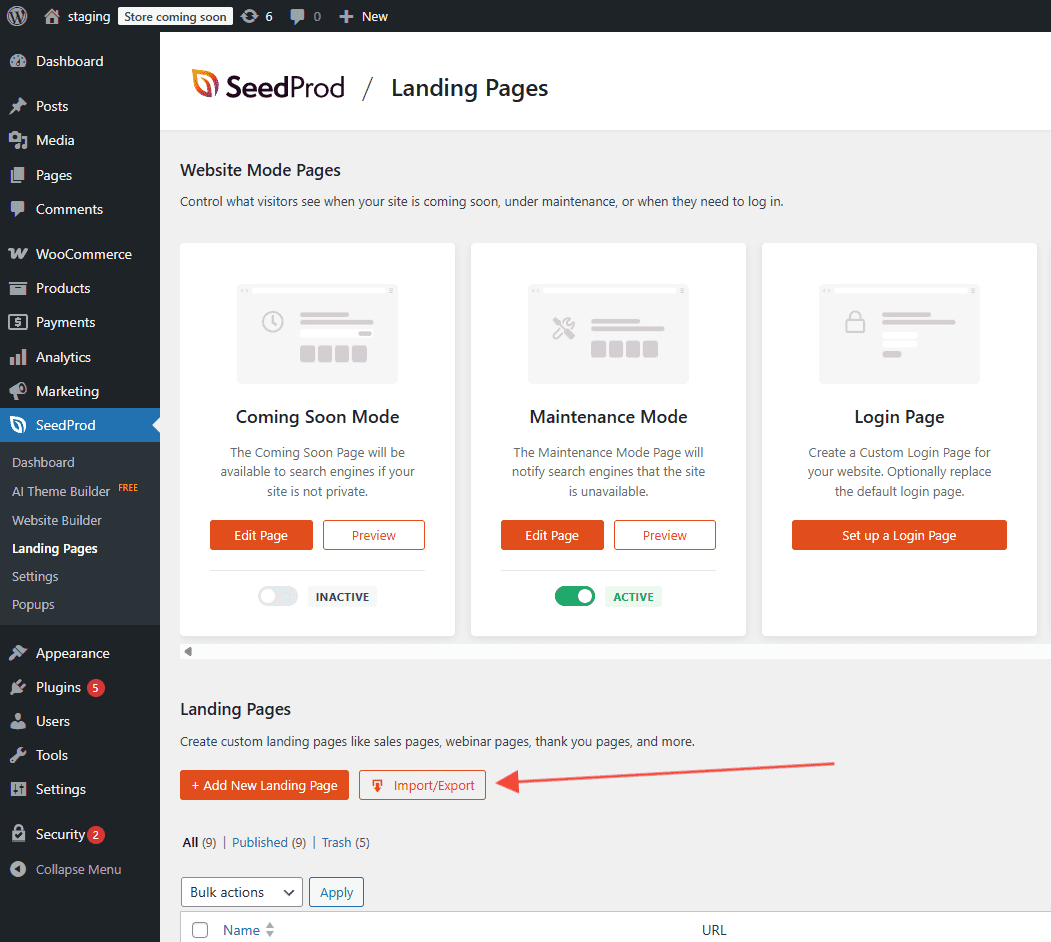
Ve a SeedProd > Páginas de destino y haz clic en el botón Importar/Exportar.
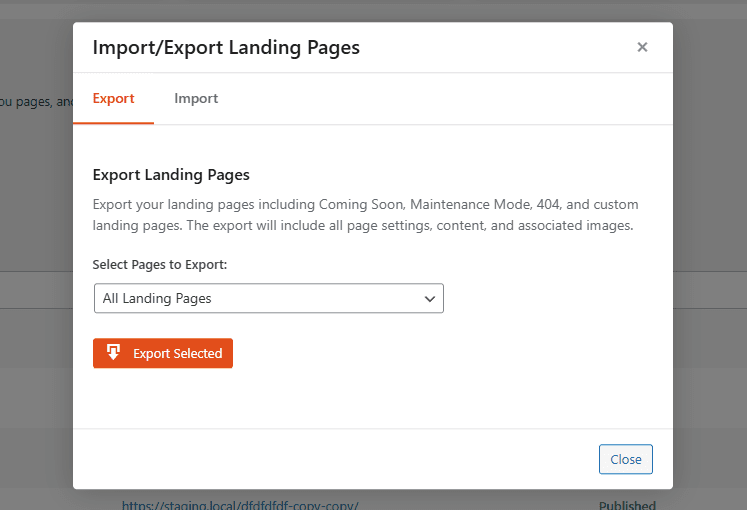
En la pestaña Exportar, elige si quieres exportar todas las páginas de destino o una específica. Haz clic en Exportar selección para descargar el archivo ZIP en tu ordenador.
Importar una página de destino
Ve a SeedProd > Páginas de destino y haz clic en el botón Importar/Exportar.
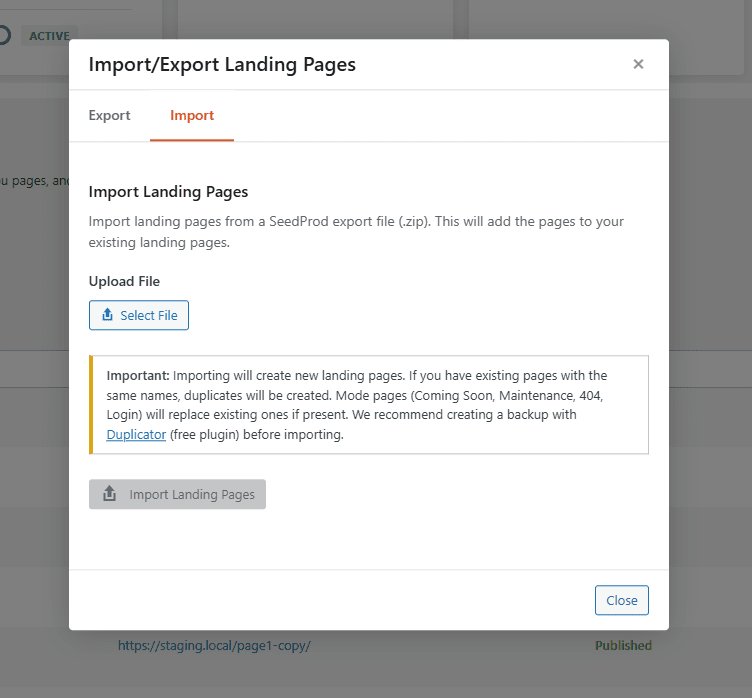
Haz clic en la pestaña Importar, selecciona el archivo ZIP de la página de destino que deseas importar y, a continuación, haz clic en Importar páginas de destino.
Puedes usar las herramientas de importar y exportar para mover tus diseños de SeedProd entre sitios o mantener una copia de seguridad local de tus plantillas en cualquier momento de tu flujo de trabajo.