
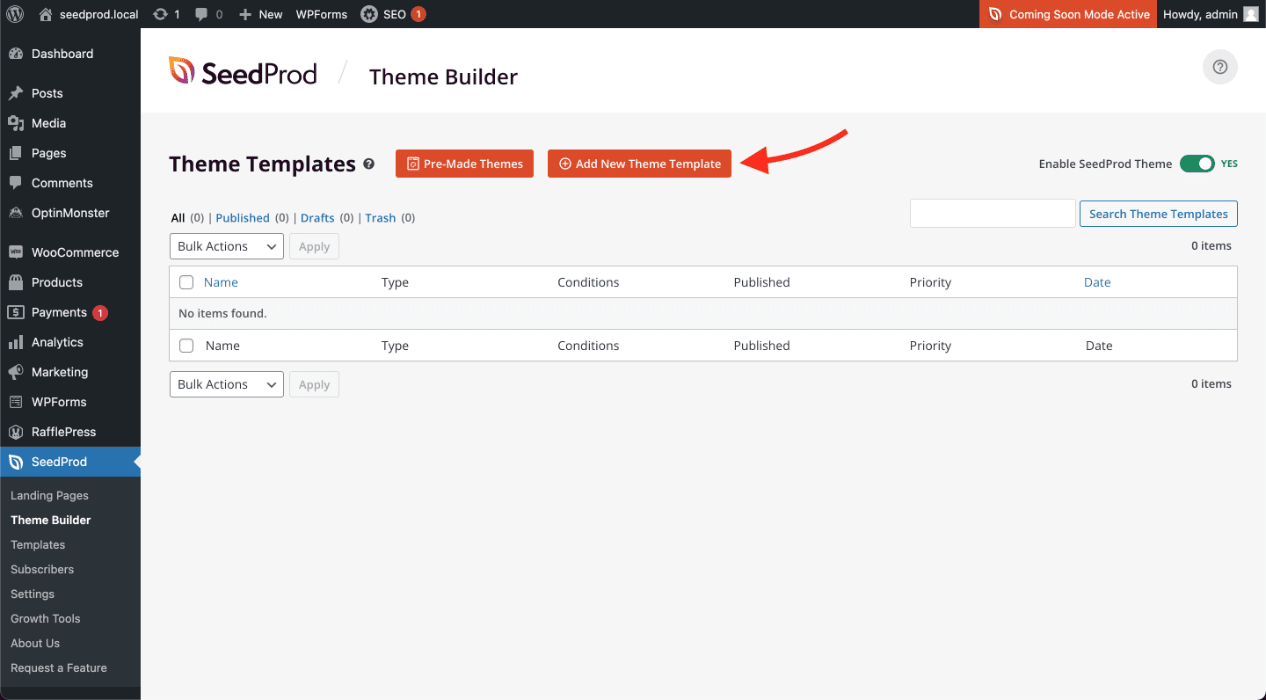
- Desde tu panel de administración de WP, ve a SeedProd > Theme Builder.
- Click on the Add New Theme Template button to open the New Theme Template popup box.
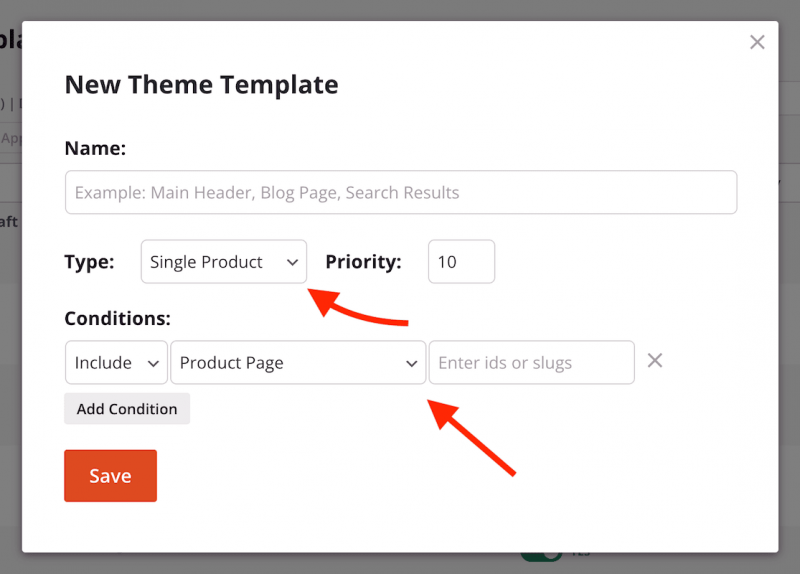
- From the Type dropdown menu, select Single Product. You may also enter the name of this single product page template, set its display conditions to include Product Page, and set its priority if needed here.
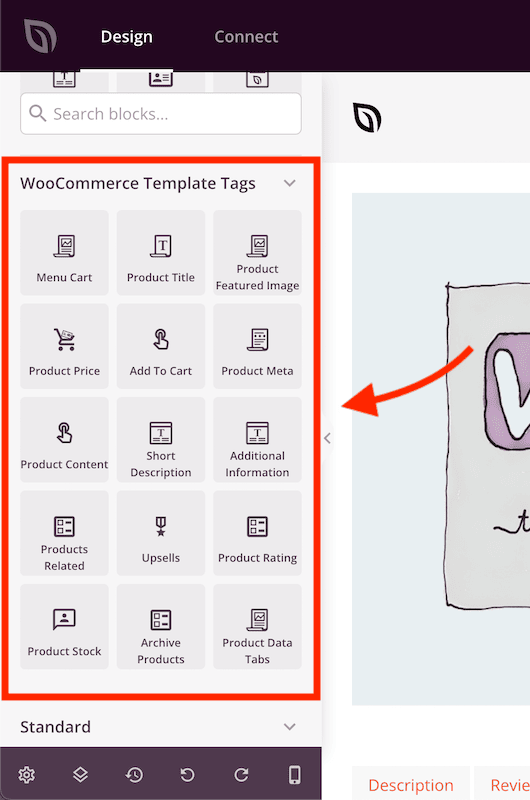
- Click Save to save these changes and begin designing your dynamic single product template in the SeedProd builder. You can use the WooCommerce single product blocks in the WooCommerce Template Tags section to add the various sections available on a default product page.
- Después de terminar el diseño de tu plantilla de página de producto único, guarda/publica tu plantilla. Puedes hacer esto haciendo clic en la flecha desplegable del botón Guardar, luego en Publicar.
- ¡Eso es todo! Has creado tu propia plantilla de página de producto único personalizada que puedes ver en tus páginas de producto único.