
El bloque de Información Adicional te permite mostrar datos de atributos de producto de WooCommerce en tus Plantillas de Producto Único. Este bloque extrae y muestra automáticamente información de la sección de Atributos Adicionales de cada producto, presentando especificaciones como dimensiones, peso, color, material y otros atributos personalizados en un formato de tabla organizado.
Este bloque es esencial para las Plantillas de Producto Único donde deseas mostrar especificaciones y atributos detallados del producto en un diseño limpio y profesional. Ayuda a los clientes a tomar decisiones de compra informadas al proporcionarles todos los detalles técnicos y especificaciones que necesitan de un vistazo.
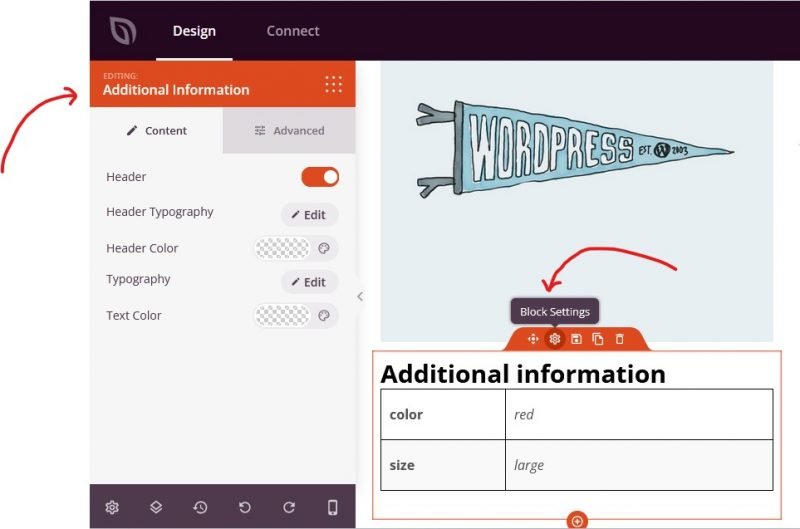
Añadir el Bloque de Información Adicional a tus Páginas
Sigue estos pasos para añadir un bloque de Información Adicional a tu Plantilla de Producto Único de SeedProd:
Paso 1: Añadir el Bloque
En Diseño > Bloques > Etiquetas de Plantilla de WooCommerce, arrastra y suelta el bloque Información Adicional en la sección deseada de tu Plantilla de Producto Único.
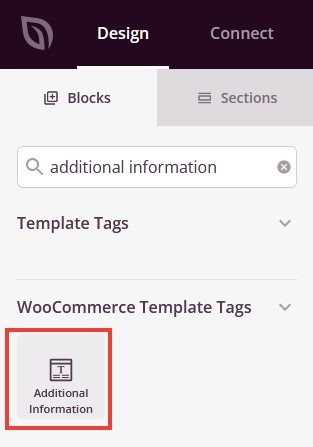
El bloque de Información Adicional se encuentra en Etiquetas de Plantilla de WooCommerce y se puede añadir a tu Plantilla de Producto Único.
Paso 2: Configurar los Ajustes de Contenido
Una vez añadido, haz clic en el bloque de Información Adicional para abrir su configuración. En la pestaña Contenido, puedes personalizar cómo se muestran los atributos del producto.
- Encabezado: Introduce o edita el texto del título que aparece encima de la tabla de atributos del producto (por ejemplo, “Información Adicional” o “Especificaciones del Producto”)
- Tipografía del Encabezado: Personaliza las propiedades de la fuente para el encabezado de la sección, incluyendo familia de fuentes, tamaño, grosor y estilo
- Color del Encabezado: Establece el color del texto del encabezado para que coincida con tu diseño
- Tipografía: Controla las propiedades de la fuente para las etiquetas y valores de los atributos en la tabla, incluyendo familia de fuentes, tamaño, grosor y estilo
- Color del Texto: Elige el color del texto de los atributos para asegurar una buena legibilidad
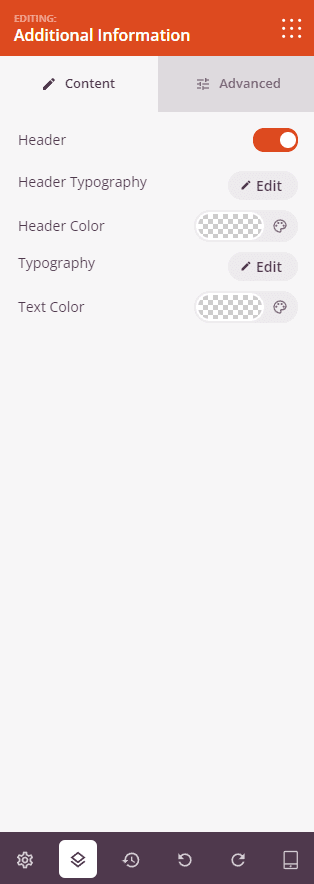
La pestaña Contenido te permite personalizar el texto del encabezado, la tipografía y los colores para la visualización de los atributos del producto.
Paso 3: Personaliza el Diseño
En la pestaña Avanzado, puedes personalizar la apariencia visual de tu bloque de Información Adicional:
Espaciado:
- Margen: Controla el espaciado exterior alrededor de tu bloque de Información Adicional (Superior, Derecho, Inferior, Izquierdo). Esto determina cuánto espacio aparece entre el bloque y los elementos circundantes
- Relleno: Ajusta el espaciado interior dentro de tu bloque de Información Adicional (Superior, Derecho, Inferior, Izquierdo). Esto crea espacio entre el contenido y los bordes del bloque
Atributos:
- ID CSS: Muestra el identificador único generado automáticamente para tu bloque de Información Adicional. Este ID es creado automáticamente por SeedProd para estilos personalizados o para la selección mediante JavaScript
- Clase personalizada: Agrega clases CSS personalizadas para aplicar estilos específicos de tu tema o CSS personalizado.
- Atributos personalizados: Añade cualquier atributo HTML al elemento contenedor del bloque. Introduce cada atributo en una línea nueva con el formato: nombre-atributo|valor (ej. data-product-info|attributes)
Visibilidad del Dispositivo:
- Ocultar en escritorio: Oculta el bloque de Información adicional en pantallas de escritorio
- Ocultar en tableta: Oculta el bloque de Información adicional en dispositivos tableta
- Ocultar en móvil: Oculta el bloque de Información adicional en dispositivos móviles
Efectos de Animación:
- Animación de entrada: Elige entre varios efectos de animación que se reproducen cuando el bloque de Información adicional entra en la vista. Las opciones incluyen Rebote, Fundido de entrada, Zoom de entrada, Giro de entrada y muchas más. Esto atrae la atención a las especificaciones de tu producto
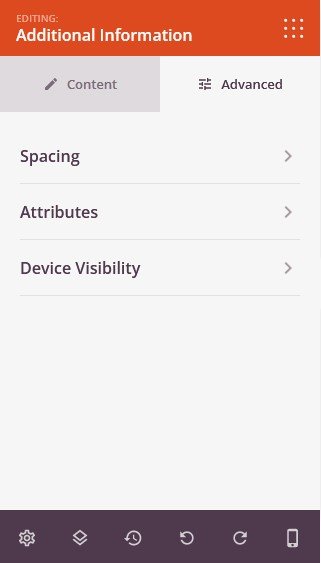
La pestaña Avanzado ofrece opciones de espaciado, atributos personalizados, visibilidad del dispositivo y animaciones de entrada.
Paso 4: Guarde sus Cambios
Una vez que hayas terminado de configurar el bloque de Información adicional y personalizar su apariencia, asegúrate de guardar tu trabajo.
¡Has añadido con éxito un bloque de Información adicional a tu Plantilla de Producto Único! Este bloque muestra automáticamente los atributos y especificaciones del producto en un formato de tabla limpio y organizado, ayudando a los clientes a tomar decisiones de compra informadas. Experimenta con diferentes configuraciones de tipografía y color para crear una visualización de información del producto que coincida con tu marca y mejore tus páginas de producto.