
Vous pouvez personnaliser votre page de paiement WooCommerce avec SeedProd depuis un certain temps. Désormais, nous avons amélioré cette fonctionnalité pour vous permettre de modifier directement la page de paiement avec notre constructeur de pages.
Personnalisation de votre page de paiement
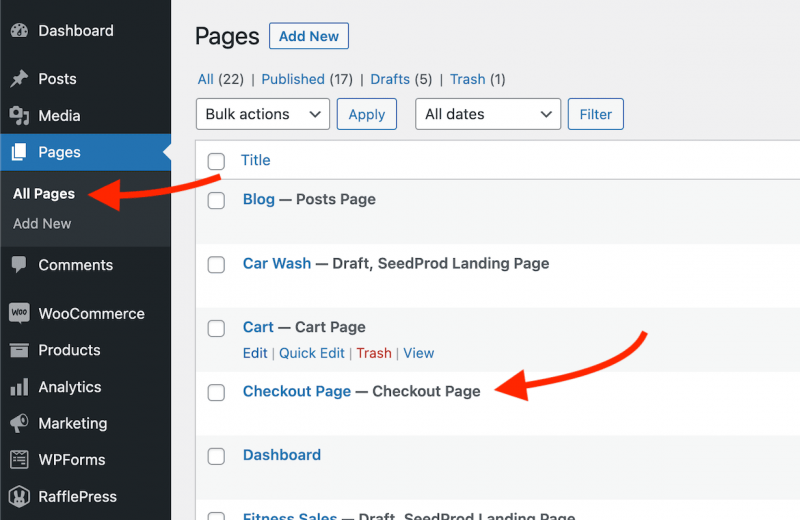
- Pendant que vous êtes sur votre tableau de bord d'administration WP, allez dans Pages > Toutes les pages, puis ouvrez la page Checkout WooCommerce attribuée dans l'éditeur WP par défaut.
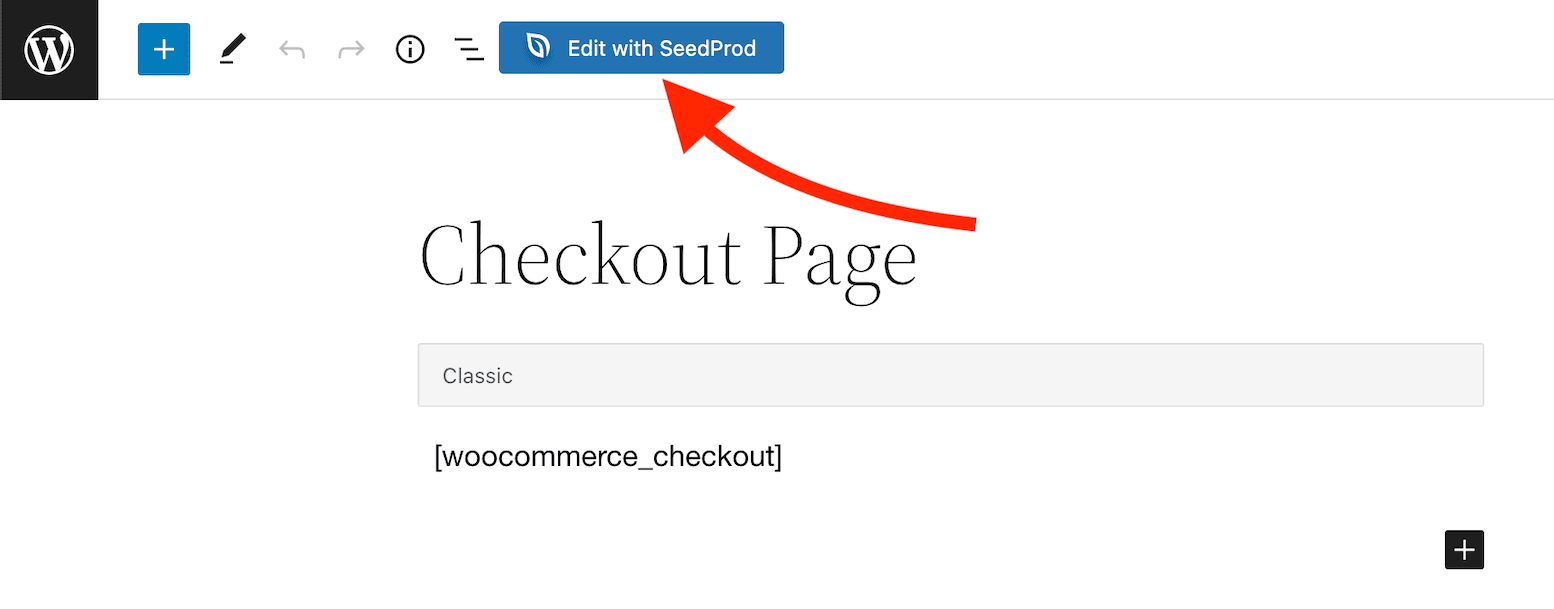
- Cliquez sur le bouton Modifier avec SeedProd dans la barre d'outils supérieure pour modifier cette page dans SeedProd.
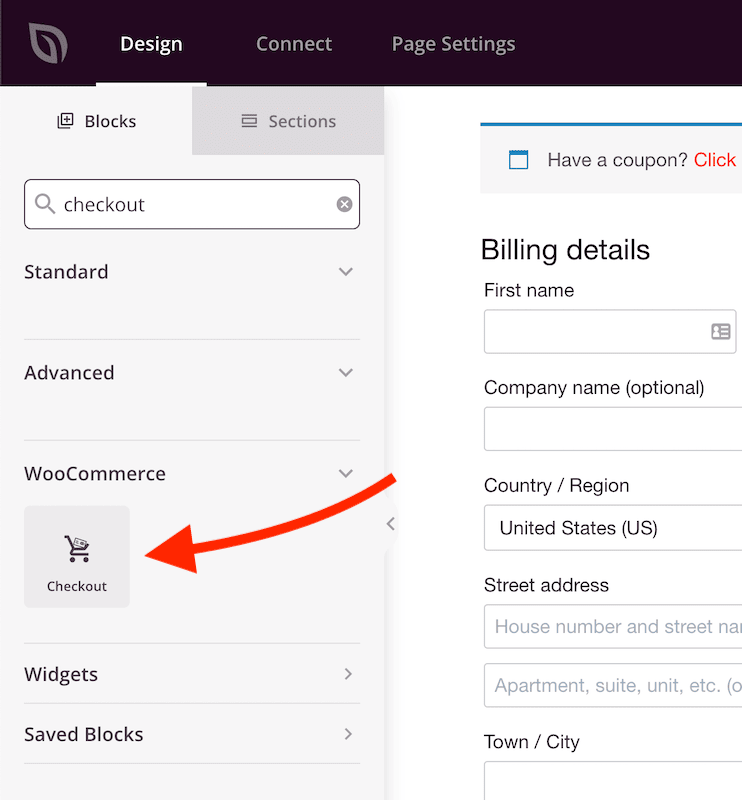
- Dans le constructeur SeedProd, supprimez le bloc de texte avec le shortcode [woocommerce_checkout] et ajoutez le bloc Checkout .
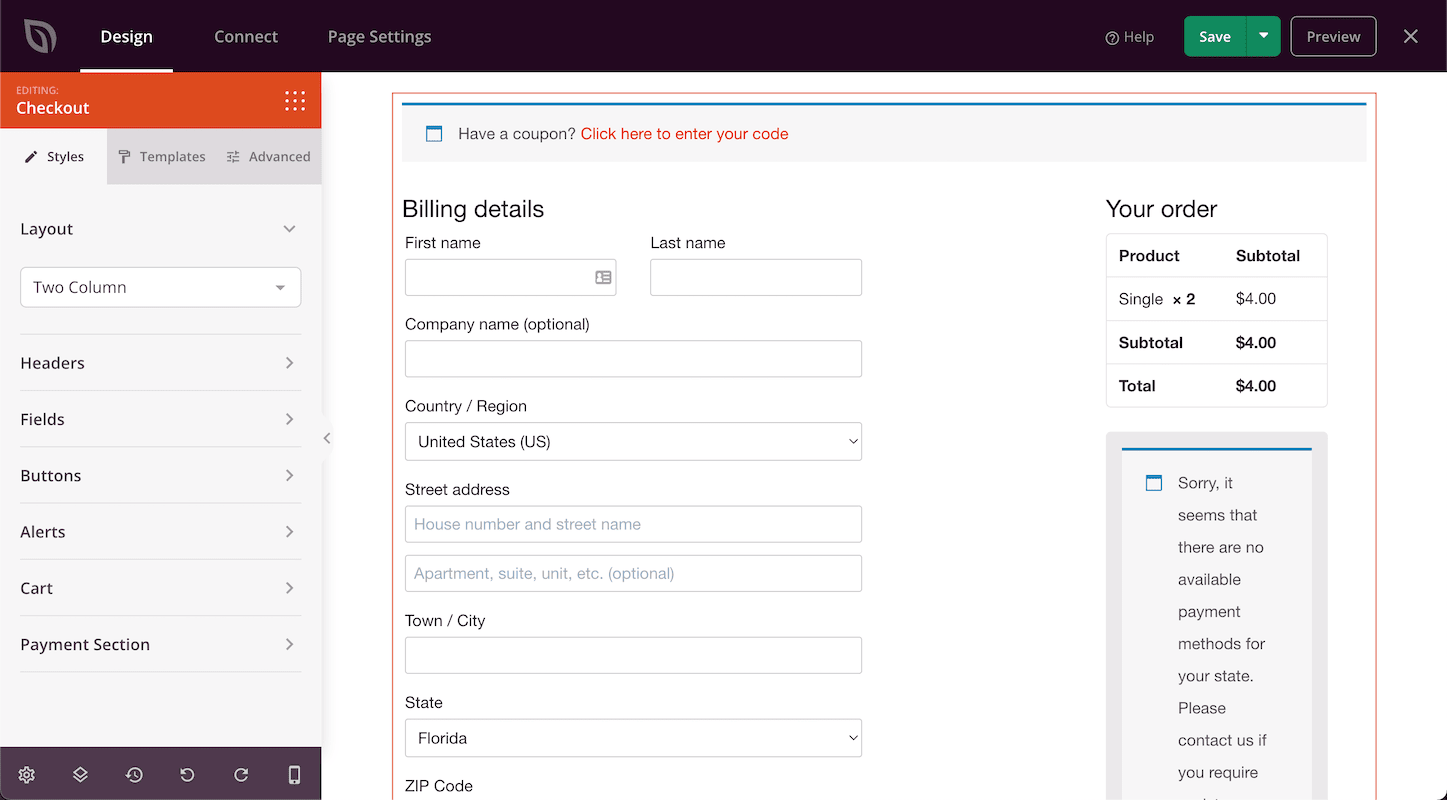
- Concevez votre section de paiement avec les options de style disponibles dans les paramètres du bloc de paiement. Vous pouvez également ajouter d'autres blocs (tels que le bloc Témoignages) pour aider à renforcer la confiance et la crédibilité.
- Et voilà ! Vous avez maintenant personnalisé l'expérience de paiement de vos clients.