
Le bloc Colonne vous permet d'organiser le contenu de votre page SeedProd en mises en page à colonnes personnalisables. Ce bloc vous aide à créer des conceptions structurées à plusieurs colonnes qui rendent votre contenu plus facile à parcourir et visuellement attrayant.
Les colonnes sont essentielles pour créer des mises en page professionnelles qui organisent efficacement l'information. Vous pouvez ajouter entre 1 et 6 colonnes dans une seule rangée et ajuster leur largeur pour créer des conceptions équilibrées, des comparaisons côte à côte, des présentations de fonctionnalités ou toute mise en page où l'organisation horizontale améliore la lisibilité et le flux visuel.

Ajouter le bloc Colonne à vos pages
Suivez ces étapes pour ajouter un bloc Colonne à votre page SeedProd :
Étape 1 : Ajouter le bloc
Sous Conception > Blocs, faites glisser et déposez le bloc Colonne dans la section souhaitée de votre page. Vous pouvez ajouter entre 1 et 6 colonnes dans une seule rangée.
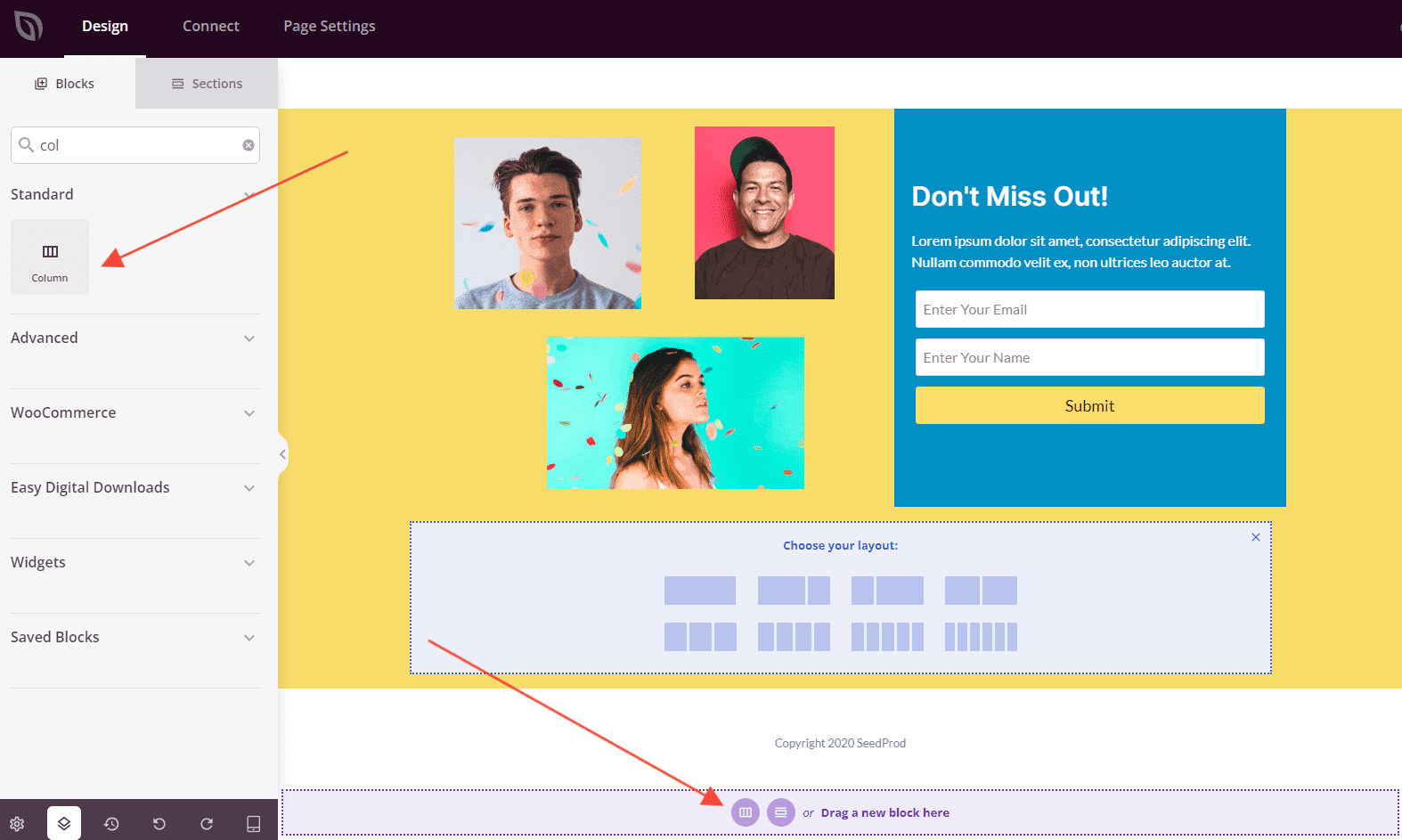
Vous pouvez ajouter des colonnes en cliquant sur le bloc Colonne depuis le panneau des blocs ou en sélectionnant une mise en page de colonnes préconfigurée parmi les options disponibles.
Étape 2 : Configurer vos colonnes
Une fois que vous avez ajouté le bloc Colonne, vous pouvez personnaliser la mise en page des colonnes en ajustant le nombre de colonnes et leur largeur. Cliquez sur la structure de la colonne pour accéder aux paramètres de la colonne où vous pouvez modifier la répartition de la largeur entre les colonnes pour créer la mise en page souhaitée.
Étape 3 : Ajouter du contenu aux colonnes
Après avoir configuré votre structure de colonnes, vous pouvez commencer à ajouter des blocs de contenu dans chaque colonne. Faites simplement glisser et déposez n'importe quel bloc disponible (texte, images, boutons, etc.) dans les colonnes individuelles pour les remplir de contenu. Chaque colonne agit comme son propre conteneur où vous pouvez créer des combinaisons de contenu uniques.
Étape 4 : Enregistrez vos modifications
Une fois que vous avez terminé de configurer vos colonnes et d'ajouter du contenu, assurez-vous de sauvegarder votre travail.
Vous avez ajouté avec succès un bloc Colonne à votre page ! Cet outil de mise en page polyvalent vous aide à organiser le contenu en conceptions professionnelles à plusieurs colonnes qui améliorent la lisibilité et l'attrait visuel. Expérimentez différentes combinaisons et largeurs de colonnes pour créer des mises en page qui présentent votre contenu de la manière la plus efficace possible.