
MailerLite ist eine beliebte E-Mail-Marketing-Plattform zur Verwaltung von Kampagnen und zum Aufbau Ihrer Abonnentenliste. Diese Anleitung führt Sie durch die Verbindung von MailerLite mit dem SeedProd Optin Form Block, damit neue Abonnenten automatisch zu Ihrem MailerLite-Konto hinzugefügt werden.
Schritt 1: Seite „Verbinden“ öffnen
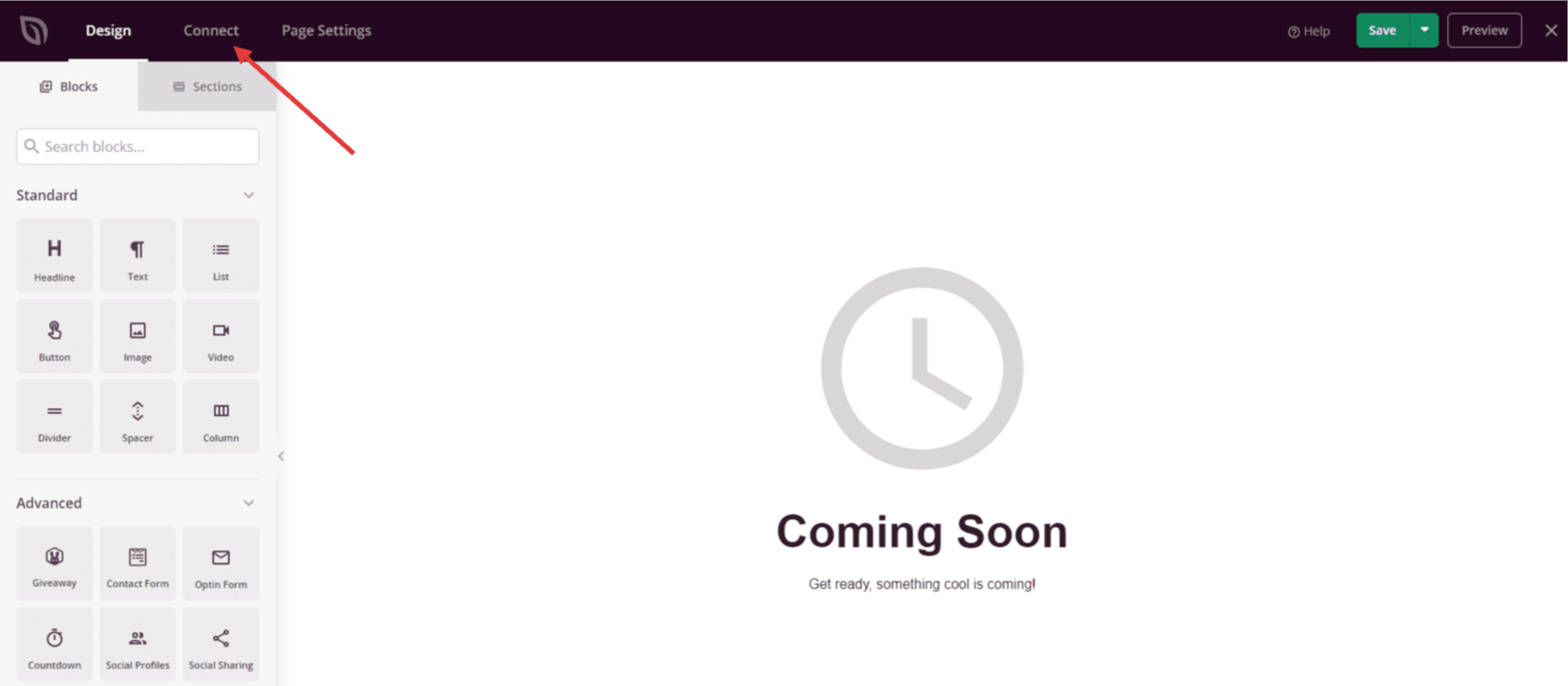
Gehen Sie in Ihrem WordPress-Adminbereich zum SeedProd Dashboard und klicken Sie auf Verbinden.
Schritt 2: MailerLite auswählen
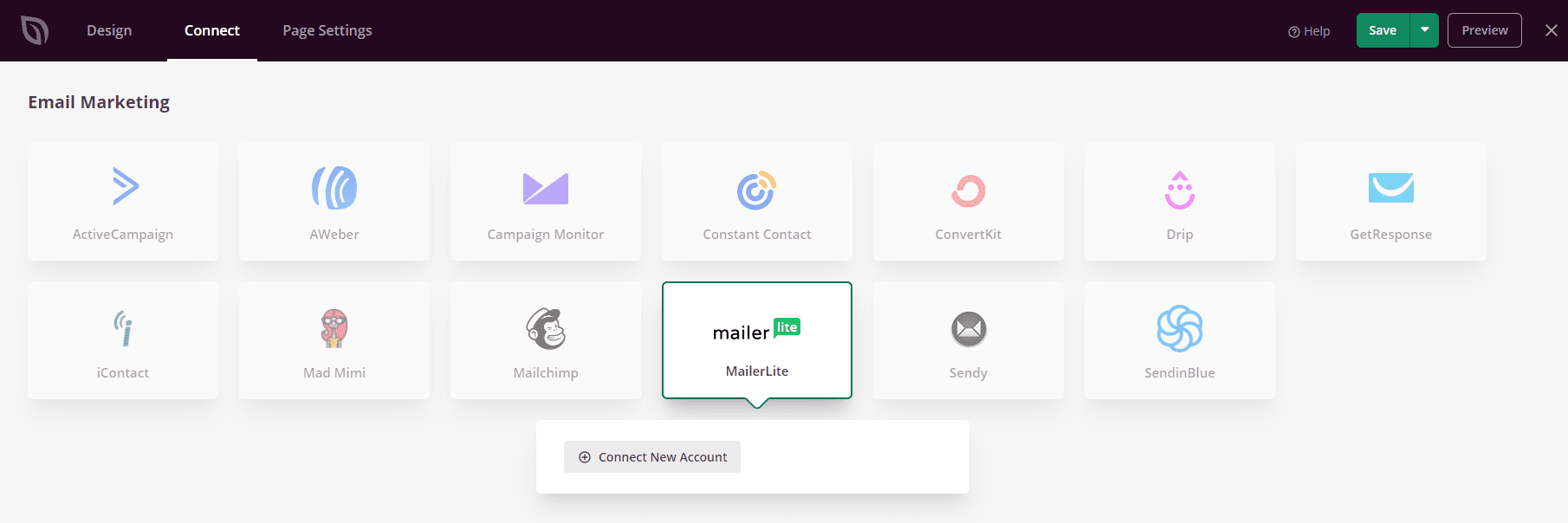
Wählen Sie aus der Liste der verfügbaren E-Mail-Integrationen MailerLite aus und klicken Sie auf Neues Konto verbinden.
Schritt 3: Finden Sie Ihren MailerLite API-Schlüssel
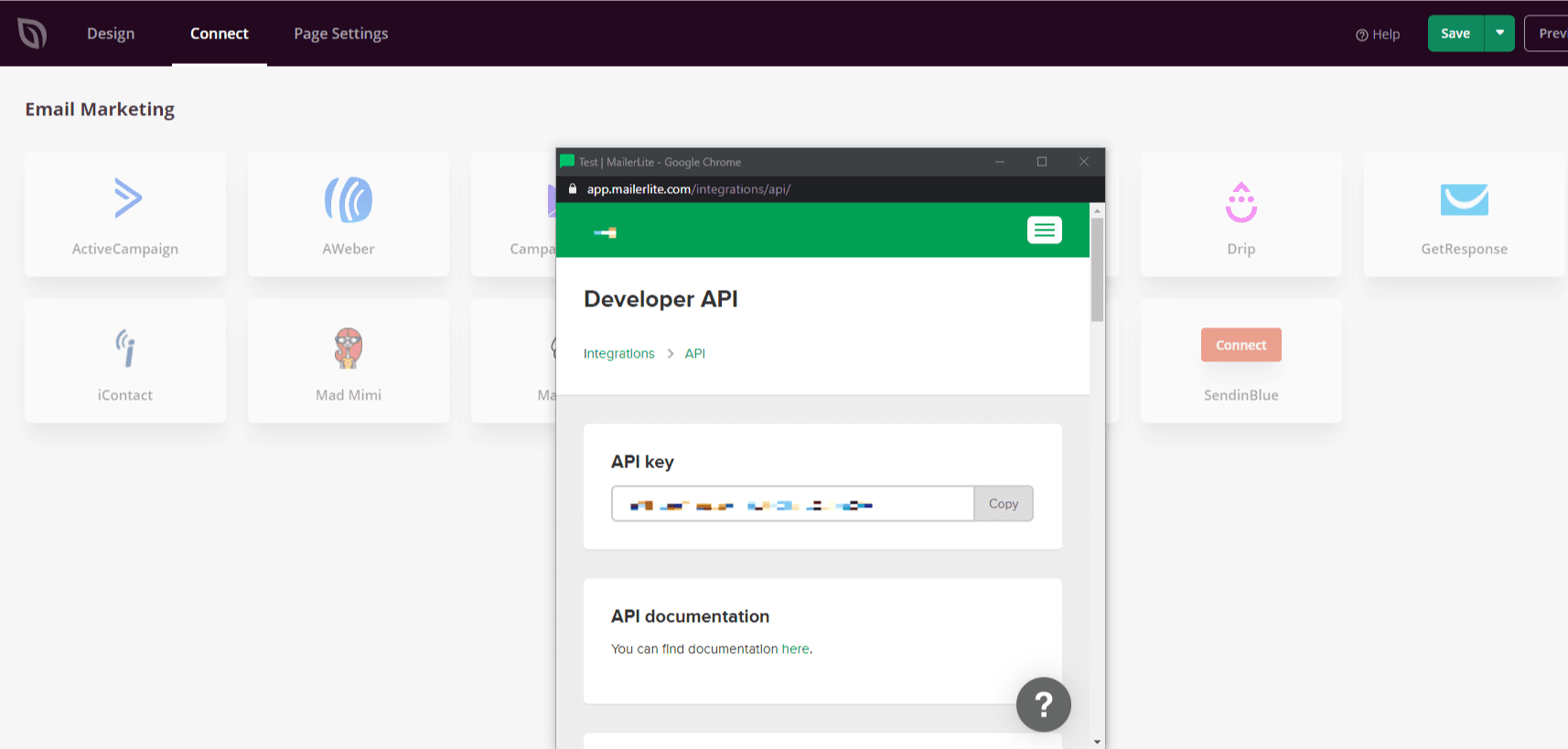
Klicken Sie auf die Schaltfläche MailerLite API-Schlüssel abrufen, um zu Ihrem MailerLite-Konto weitergeleitet zu werden. Navigieren Sie in Ihrem MailerLite-Profil zu Integrationen > Developer API, um Ihren API-Schlüssel zu finden. Kopieren Sie ihn für die Verwendung im nächsten Schritt.
Schritt 4: Geben Sie Ihren API-Schlüssel ein und verbinden Sie sich
Fügen Sie in SeedProd Ihren API-Schlüssel in das vorgesehene Feld ein und klicken Sie auf Verbinden.
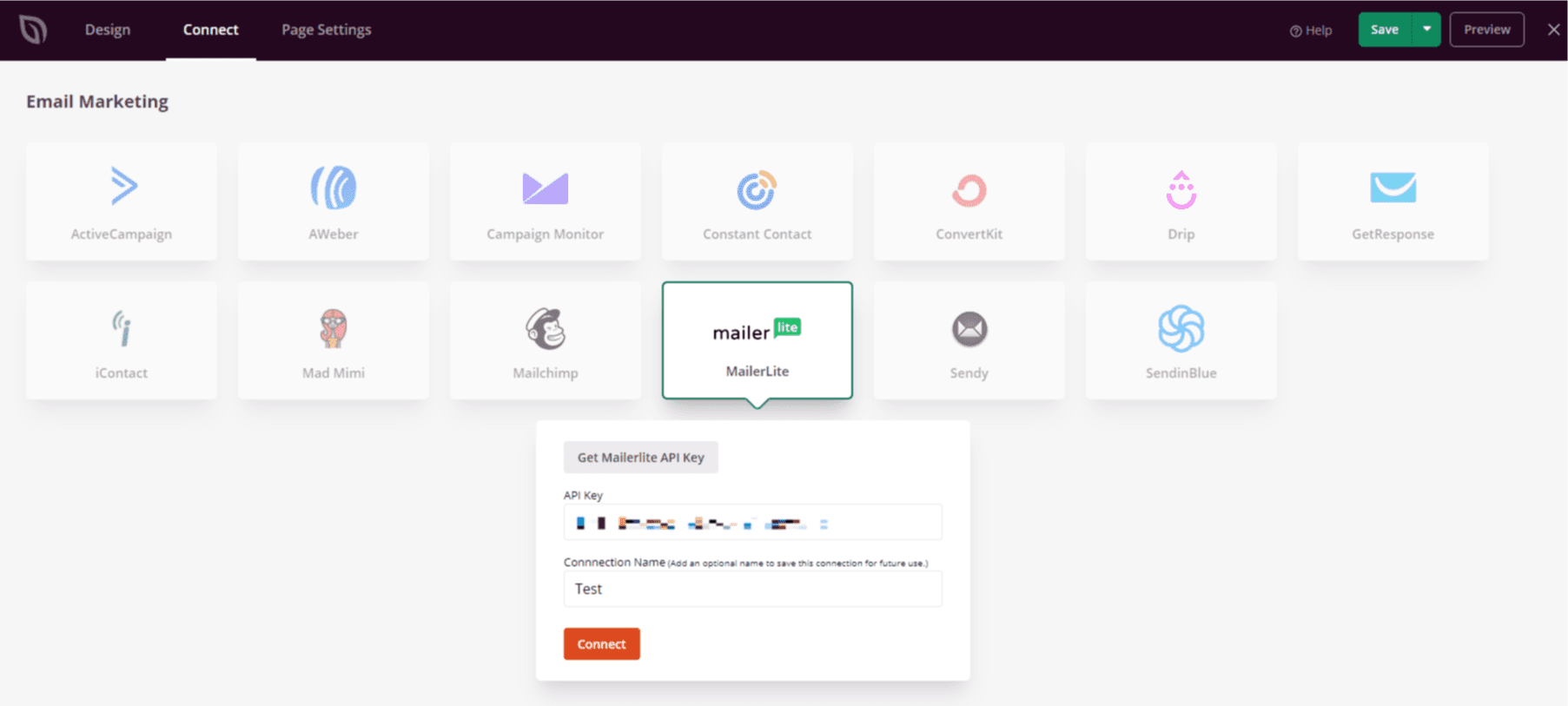
MailerLite ist jetzt mit SeedProd verbunden. Sie können Ihre MailerLite-Gruppe in den Einstellungen des Optin Form Blocks auswählen, damit Abonnenten automatisch hinzugefügt werden, wenn Besucher das Formular auf Ihrer Seite absenden.