
Un modèle d'archive dans le constructeur de site Web SeedProd vous permet de concevoir une mise en page personnalisée pour vos pages d'archives WordPress — les pages qui affichent des collections d'articles regroupés par catégorie, étiquette, auteur, date ou taxonomie personnalisée.
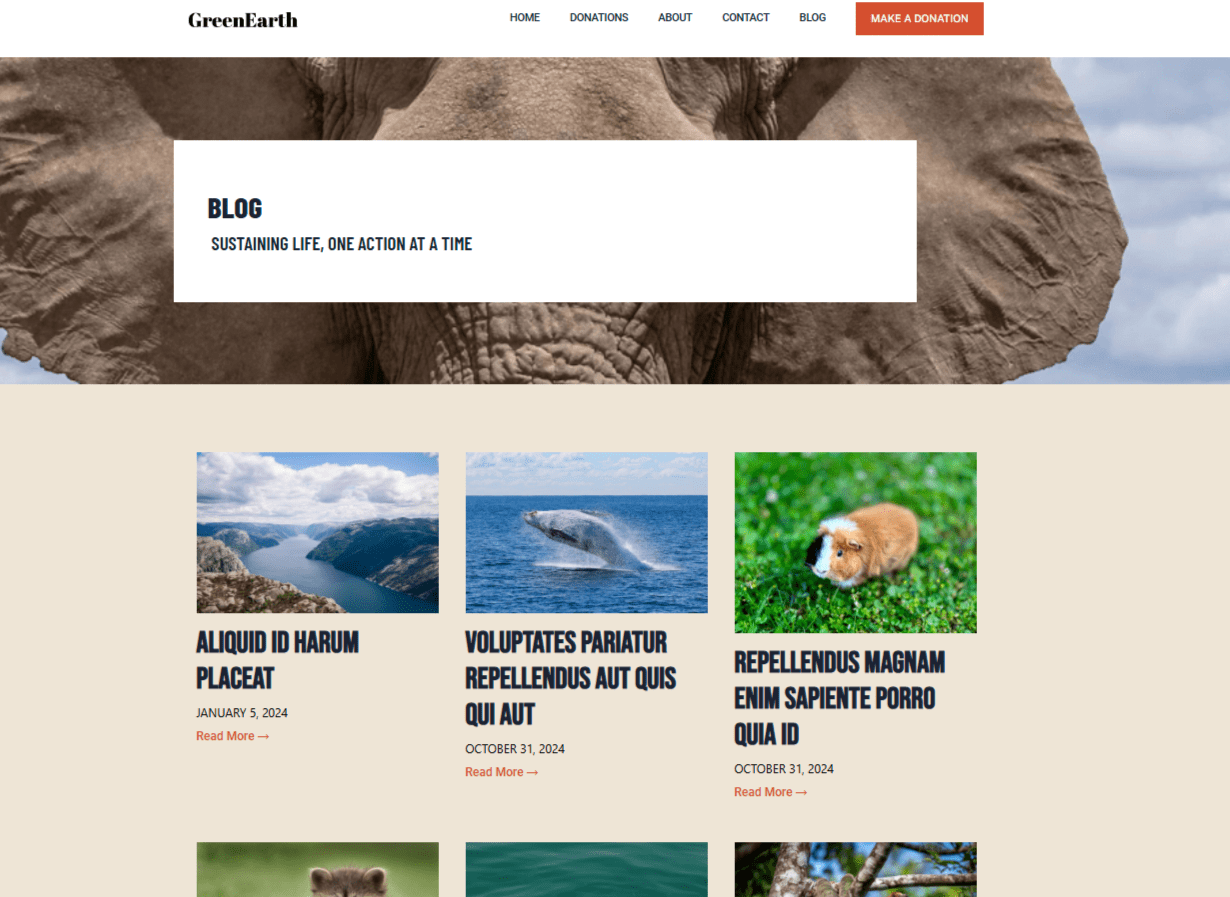
Étape 1 : Ajouter un nouveau modèle d'archive
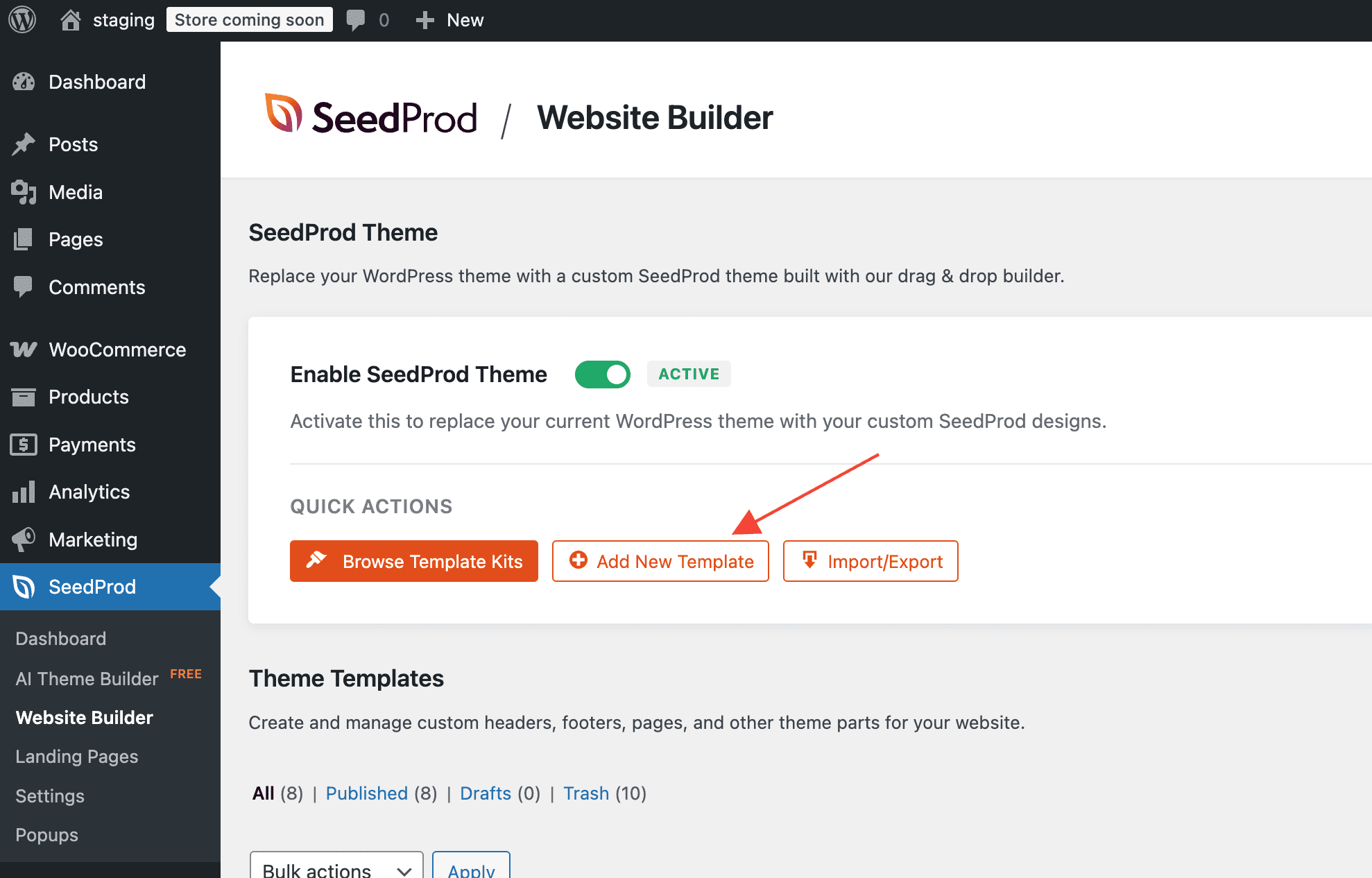
Dans votre administration WordPress, allez dans SeedProd > Générateur de site et cliquez sur Ajouter un nouveau modèle.
Étape 2 : Configurer les paramètres du modèle
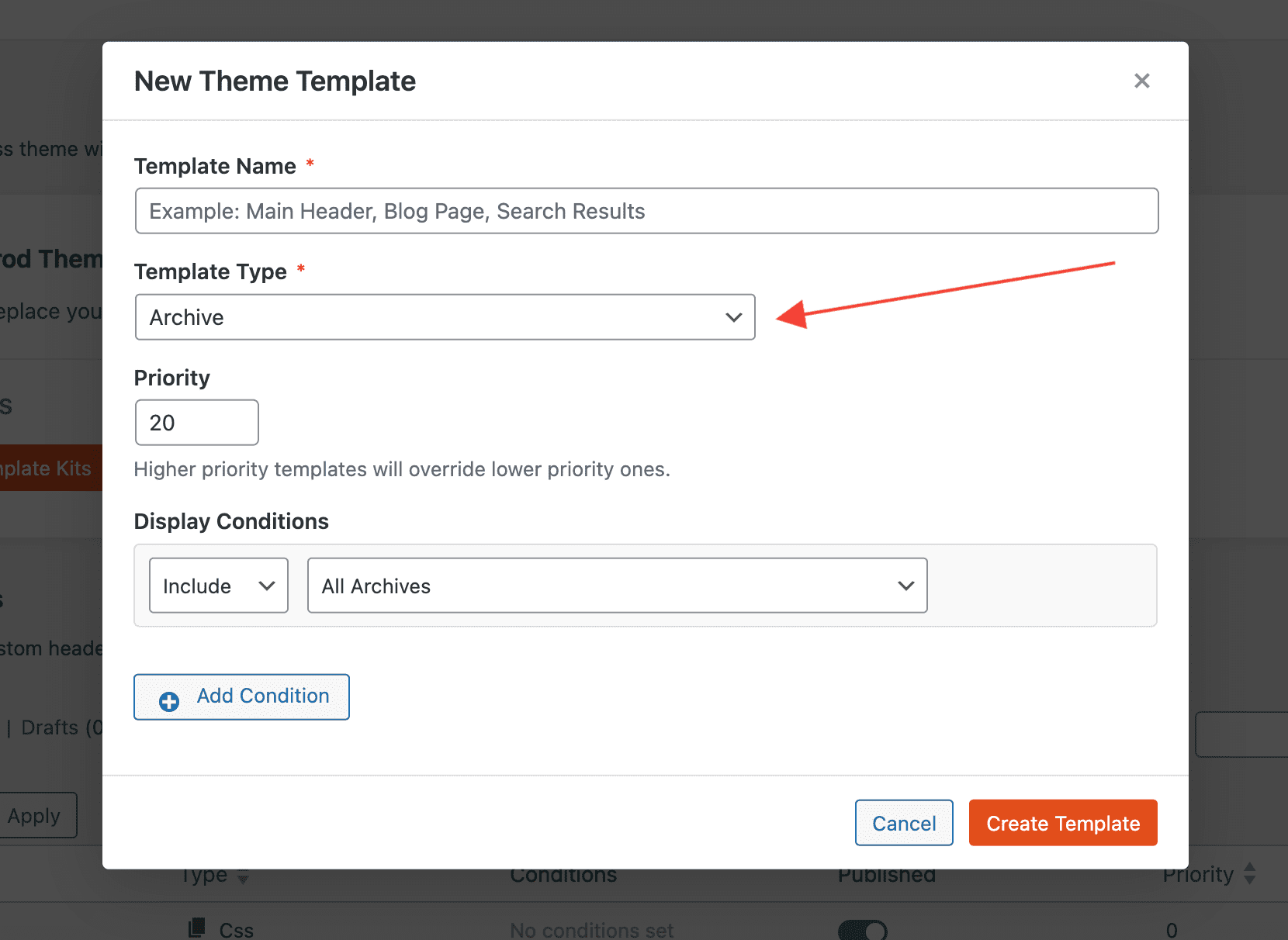
Dans la fenêtre contextuelle Nouveau modèle de thème, configurez les paramètres suivants avant de créer le modèle :
- Type : Sélectionnez Archive dans le menu déroulant.
- Nom : Entrez un nom pour identifier ce modèle.
- Conditions : Définissez les conditions d'affichage pour contrôler à quelles pages d'archives ce modèle s'applique — par exemple, toutes les archives, une catégorie spécifique, une taxonomie personnalisée ou une archive d'auteur.
- Priorité : Définissez un numéro de priorité pour gérer quel modèle s'applique lorsque les conditions se chevauchent. Un nombre plus élevé a la priorité sur un nombre inférieur.
Cliquez sur Create Template pour ouvrir le modèle dans le constructeur SeedProd.
Étape 3 : Concevoir votre modèle d'archive
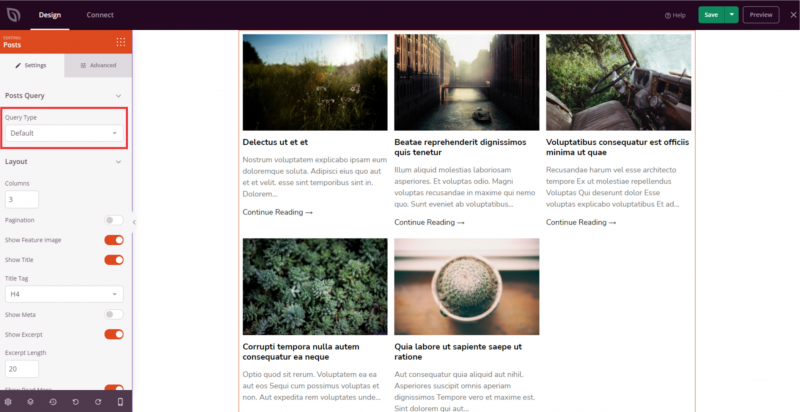
Dans le constructeur, concevez la mise en page de votre archive. Deux blocs sont essentiels pour un modèle d'archive :
- Titre d'archive — affiche le nom de l'archive actuelle (par exemple, « Catégorie : Actualités » ou « Auteur : Jean »).
- Bloc d'articles — affiche la liste des articles pour l'archive actuelle. Ce bloc est requis. Assurez-vous que son Type de requête est défini sur Défaut afin qu'il affiche automatiquement les articles appartenant à l'archive consultée.
Étape 4 : Publier le modèle
Une fois votre conception terminée, cliquez sur la flèche déroulante du bouton Enregistrer et sélectionnez Publier. Votre modèle d'archive commencera immédiatement à s'appliquer aux pages d'archives qui correspondent à ses conditions d'affichage.
Votre modèle d'archive est maintenant en ligne. Vous pouvez revenir à SeedProd > Constructeur de site Web à tout moment pour modifier le modèle, ajuster ses conditions ou créer des modèles d'archive supplémentaires pour différentes taxonomies ou types d'articles sur votre site.